
A PPC audit is one of the most effective ways to understand how well your paid advertising efforts are performing, and where they’re falling short. Whether you’re running Google Ads, Microsoft Ads, Meta Ads, or shopping campaigns across multiple platforms, a structured PPC audit guide helps you identify wasted spend, missed opportunities, and clear paths to improvement.
Just like an SEO audit evaluates your organic visibility, learn how to perform a PPC audit will help you evaluate the health, efficiency, and scalability of your paid ads ecosystem.
Put your PPC audit into action
Use LitCommerce’s product feed management to clean and optimize your product data across ad platforms, so your campaigns can scale without wasted spend.

What Is a PPC Audit?
A PPC audit is a systematic review of your paid advertising accounts to assess how effectively they’re driving results against your business goals.
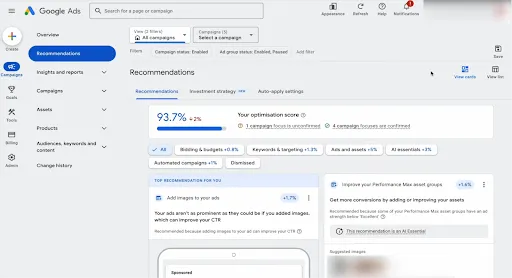
It involves analyzing every major component of your PPC setup, including:
- Conversion tracking and analytics accuracy
- Campaign and account structure
- Keywords, search terms, and targeting
- Ad copy, creatives, and extensions
- Landing pages and conversion funnels
- Bidding strategies, budgets, and performance metrics
- Product feeds and data quality (for ecommerce)
You can think of a PPC audit as an overall performance and efficiency check for your paid ads.
The goal isn’t just to find what’s “wrong,” but to uncover:
- Where budget is being wasted
- Which elements are limiting scale
- What’s preventing strong conversion rates
- How to improve ROI without blindly increasing spend
A well-executed PPC audit gives you a clear, prioritized action plan, so every optimization you make is backed by data, not guesswork.
When Should You Conduct a PPC Audit?
A PPC audit isn’t something you only do when performance collapses. In fact, the best audits are proactive, not reactive.
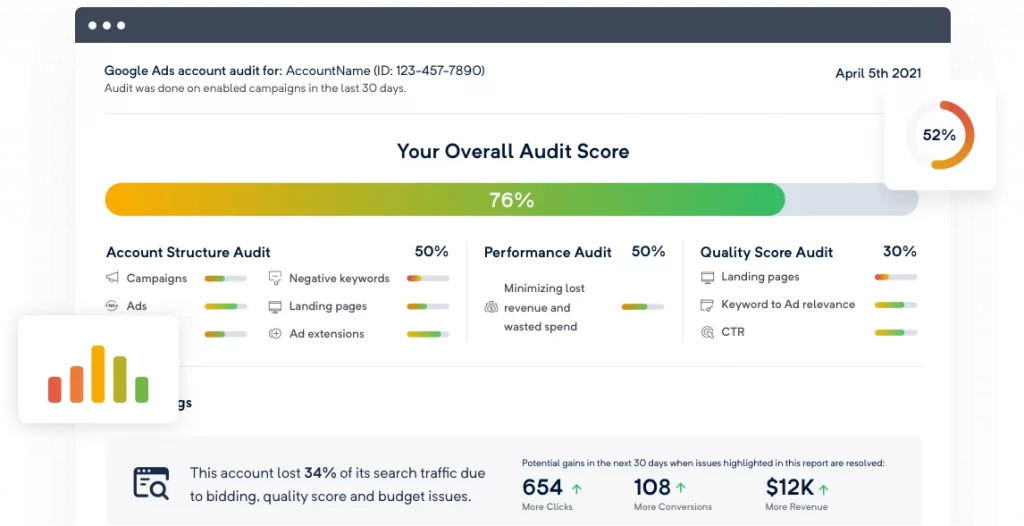
You should conduct a PPC audit in any of the following situations:
- When launching a new account or taking over an existing one. Before making changes, you need a clear understanding of what’s already in place, what’s working, and what’s broken.
- When performance plateaus or declines. If spend is increasing but conversions, ROAS, or CPA aren’t improving, an audit helps pinpoint inefficiencies.
- Before scaling budgets. Scaling a poorly optimized account just amplifies waste. An audit ensures your foundation is solid before you spend more.
- After major platform or algorithm changes. Google, Meta, and other ad platforms regularly update bidding models, targeting, and ad formats. Audits help you adapt.
- When conversion tracking or attribution changes. Tracking issues can quietly distort decision-making. An audit verifies that data you rely on is accurate.
- On a regular cadence. Even high-performing accounts benefit from routine audits:
- Monthly for aggressive growth or high spend accounts
- Quarterly for stable, mature accounts
- Monthly for aggressive growth or high spend accounts
Regular PPC audits help you catch small problems early, before they turn into expensive ones, and ensure your campaigns stay aligned with your business goals.
How To Do A PPC Audit: A Full Checklist
A PPC audit is not about opinions. It’s about identifying where your spend is leaking, where performance is capped, and what to fix first.
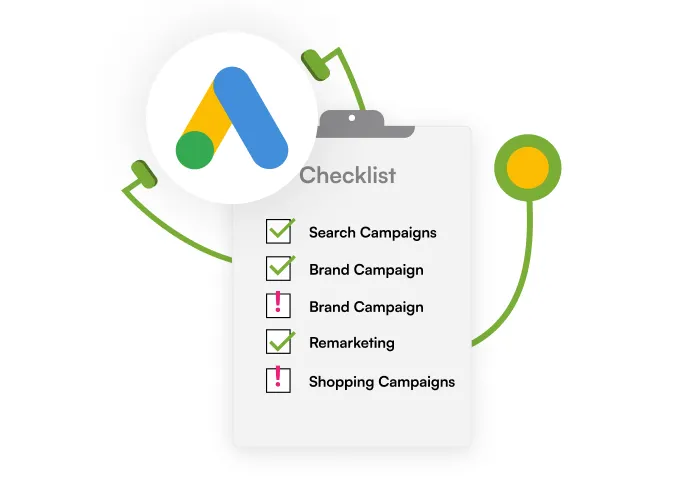
Work through this checklist in order. Don’t skip steps.
1. Check conversion tracking and analytics
Before looking at performance, confirm that every conversion you’re optimizing toward is real and reliable.
You should verify:
- Your primary conversion action (purchase, lead, sign-up) fires once per action, not on page refresh or revisit
- Conversion values in ad platforms are within 5–10% of backend revenue
- Google Ads conversions match GA4 event counts directionally
- Enhanced conversions are enabled and actively recording data
- Consent mode (if applicable) isn’t suppressing conversion signals
- Attribution model (data-driven, last click, etc.) is documented and consistent
What to watch for:
- Sudden CPA or ROAS changes that correlate with tracking edits
- More conversions in Google Ads than sessions in GA4 (usually broken tags)
In real-world audits, 30–40% of weak PPC accounts have tracking errors. Fix this before touching bids, keywords, or ads.
2. Review campaign and account structure
Your structure determines how precisely you can optimize.
You should check whether:
- Brand, non-brand, and competitor campaigns are completely separated
- High-intent search campaigns are not bundled with exploratory keywords
- Shopping or Performance Max campaigns are segmented by:
- Product category
- Margin tier
- Best sellers vs. long tail
- Ad groups are tightly themed (generally <15–20 keywords per ad group)
- Each campaign has a clear objective (capture demand, scale winners, test new queries)
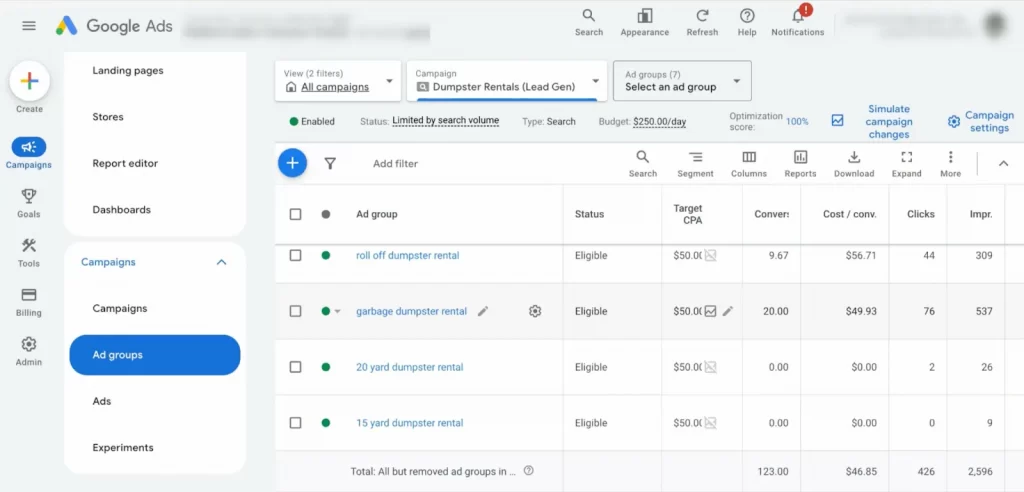
Red flags:
- One campaign responsible for most spend and most problems
- “Catch-all” Performance Max campaigns with no exclusions or segmentation
3. Analyze keywords and search terms
This is where most wasted budgets live.
Go through your search terms report and actively tag:
- Search terms with spend but zero conversions
- Queries that show informational or irrelevant intent
- Brand terms leaking into non-brand campaigns
- Broad match keywords driving low-quality traffic
- Overlapping keywords triggering internal competition
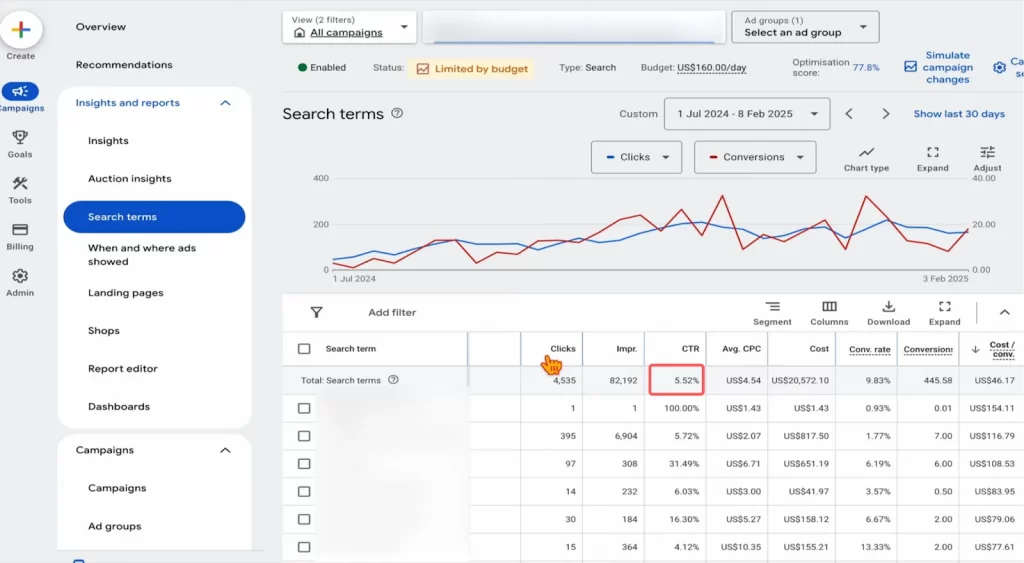
Benchmarks to use:
- Search CTR consistently below ~3% → relevance problem
- Keywords spending 2–3× your target CPA with no conversions: pause or restructure
- Search terms converting well but still under broad match: promote to exact
If you don’t add negative keywords weekly, you’re paying an “automation tax.”
4. Review audience and targeting settings
Targeting mistakes rarely look obvious—but they’re expensive.
You should review:
- Location targeting (presence vs. interest settings)
- Performance differences between mobile, desktop, and tablet
- New vs. returning user performance
- Remarketing audience size, recency, and exclusions
- Audience signals used in Performance Max
What usually goes wrong:
- Spending heavily on audiences that never convert
- Retargeting windows that are too short or too broad
- No exclusions for existing customers in acquisition campaigns
If an audience consumes budget without contributing conversions, tighten or remove it.
5. Evaluate ad copy and creatives
Your ads should pre-qualify clicks, not chase CTR.

You should check whether your ads:
- Clearly state a value proposition (price, shipping, guarantees)
- Match keyword or audience intent exactly
- Use numbers where possible (pricing, discounts, delivery time)
- Include strong, specific CTAs
- Are rotated often enough to avoid fatigue
Benchmarks:
- CTR consistently below 3% → rewrite ads
- Well-tested ad refreshes often drive 10–30% CTR improvement
Compare top-performing ads to poor performers and document what differs.
6. Audit ad extensions and assets
Extensions directly affect how often your ads get clicked.
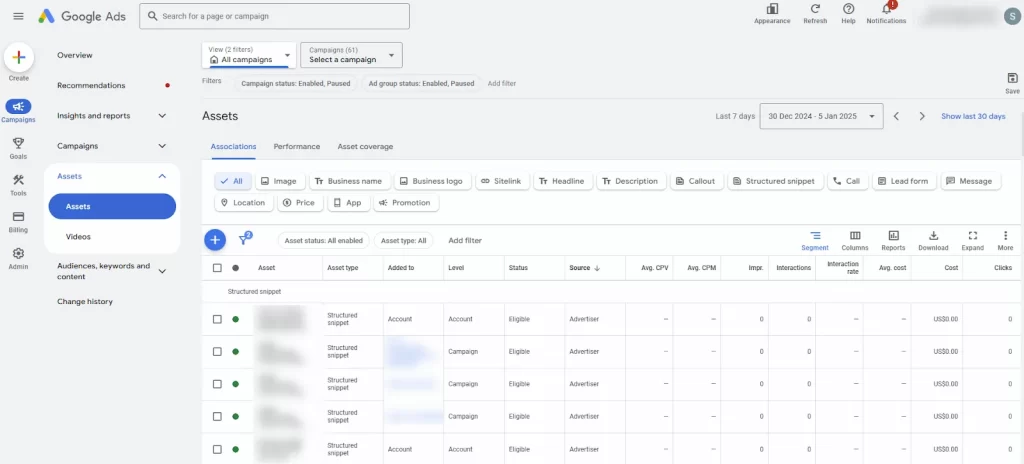
You should confirm:
- Sitelinks, callouts, and structured snippets exist on all eligible campaigns
- Extensions are specific to the campaign intent
- Promotion, price, image, or lead form assets are used where applicable
- Low-performing or disapproved assets are removed
Missing extensions often cost 10–15% in CTR—even with strong ad copy.
7. Check landing pages and funnels
Your ads don’t convert. Your pages do. Audit each primary landing page for:
- Message match between ad and headline
- Mobile load speed and usability
- CTA clarity and placement
- Form or checkout friction
- Drop-off points between steps
Benchmarks:
- Average PPC conversion rate: ~2.5–3%
- If you’re significantly below this, fix the page before scaling spend
Landing page improvements often outperform bid or keyword changes.
8. Review bidding strategy and budgets
Your bidding strategy must match your data volume.
You should check:
- Whether automated bidding has 30–50+ conversions per month
- Target CPA or ROAS realism
- Campaigns limited by budget but delivering strong returns
- High-spend campaigns with weak ROAS
- Performance by time of day and device
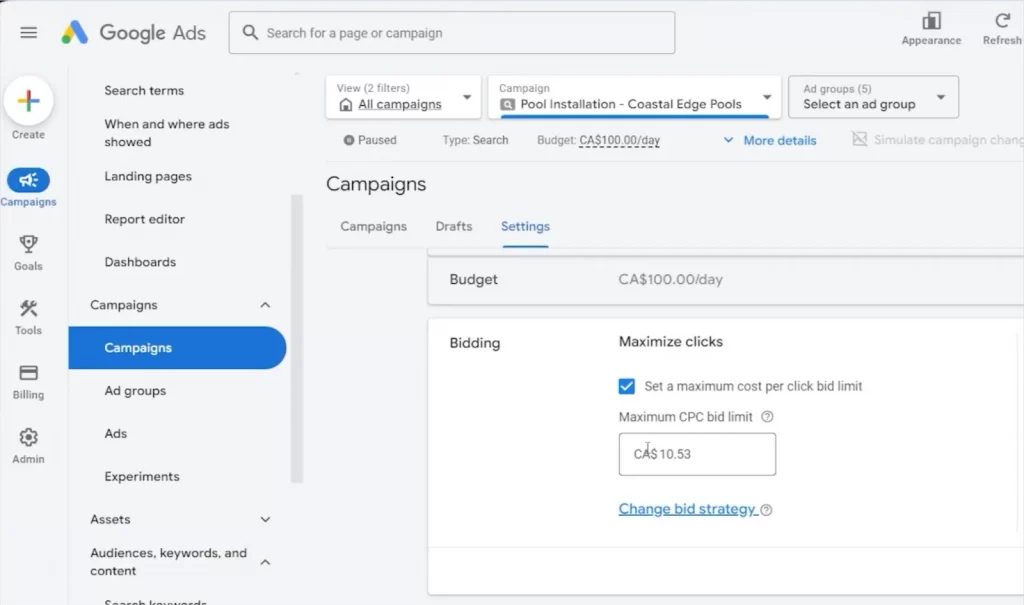
Common mistake: Using aggressive automated bidding with insufficient data. This usually inflates CPA.
9. Analyze performance metrics
Now zoom out.
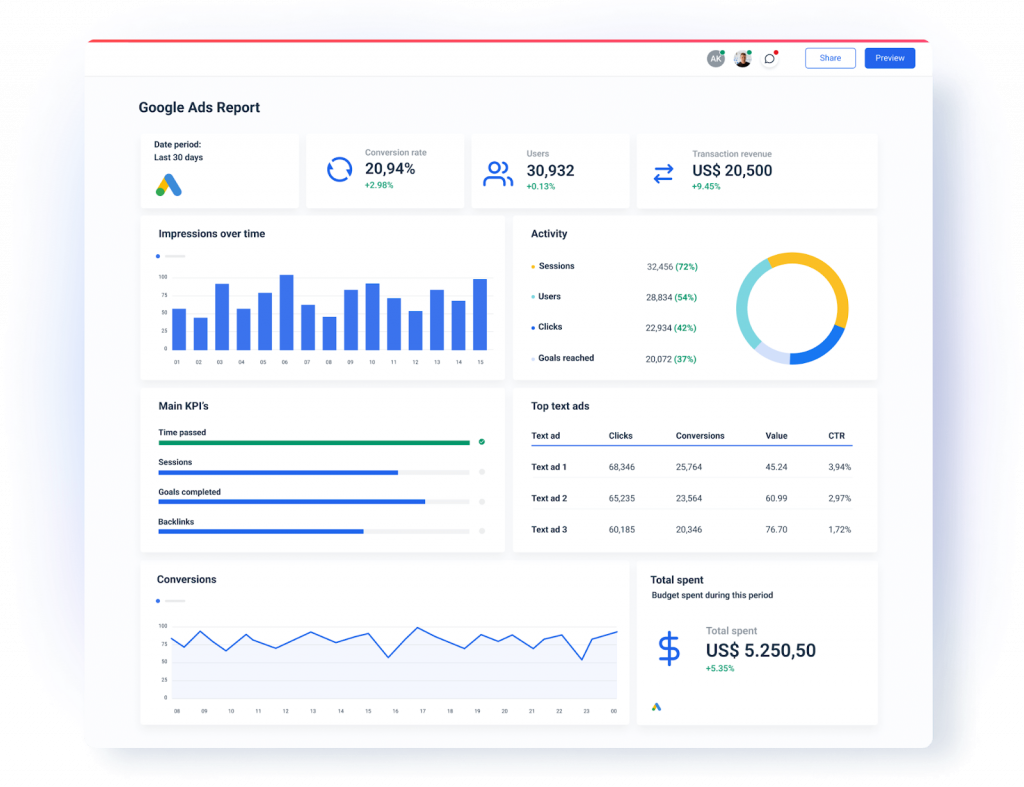
Review performance by:
- Campaign and ad group
- Device
- Location
- New vs. returning users
- Product category or SKU (ecommerce)
Reference points:
- Well-optimized PPC often aims for ~200% ROI
- Sustained declines usually trace back to tracking, feed, or bidding changes, not randomness.
Look for consistent patterns, not daily fluctuations.
10. Check product feed quality and data accuracy
For ecommerce PPC, feeds can limit performance more than ads.
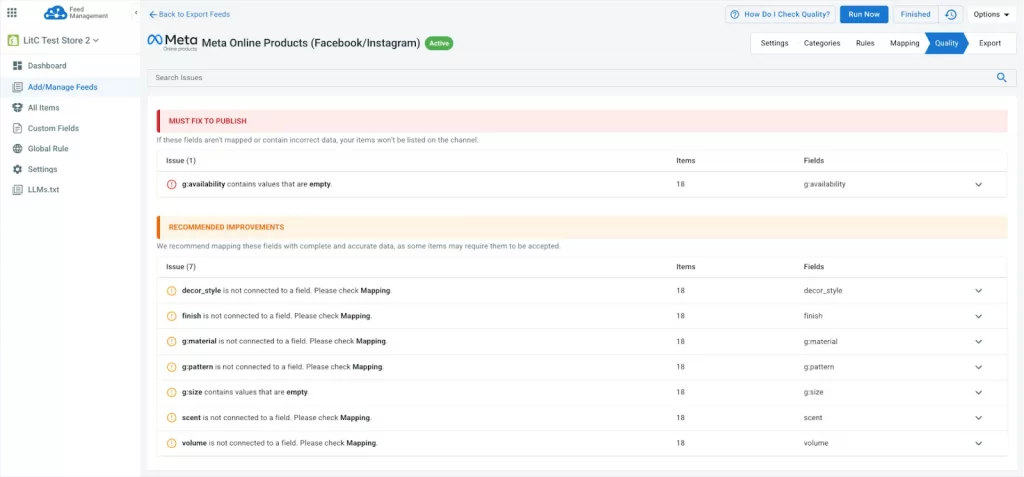
You should audit:
- Product titles for keyword + attribute coverage
- Description clarity and accuracy
- Pricing and inventory sync
- GTINs, categories, and required attributes
- Disapproved or limited products and causes
Feed issues often suppress visibility even when bids and budgets are competitive, especially in Shopping and Performance Max.
How LitCommerce Helps Improve PPC Performance
A PPC audit often reveals the same core problem: your ads and bidding aren’t the real bottleneck: your product data is.
This is especially true if you’re running Shopping Ads, Performance Max, or ecommerce campaigns across multiple platforms. That’s where LitCommerce fits into the execution side of a PPC audit.
Instead of manually fixing feed issues platform by platform, you use LitCommerce to carry out product data feed optimization best practices.
Below is how it directly supports PPC performance improvements.
Centralized product feed optimization
When you audit PPC accounts, you’ll often find:
- Strong demand but weak relevance
- Products not triggering the right queries
- Shopping and Performance Max campaigns underperforming despite adequate bids
This usually comes back to feed structure.
With LitCommerce, you can:
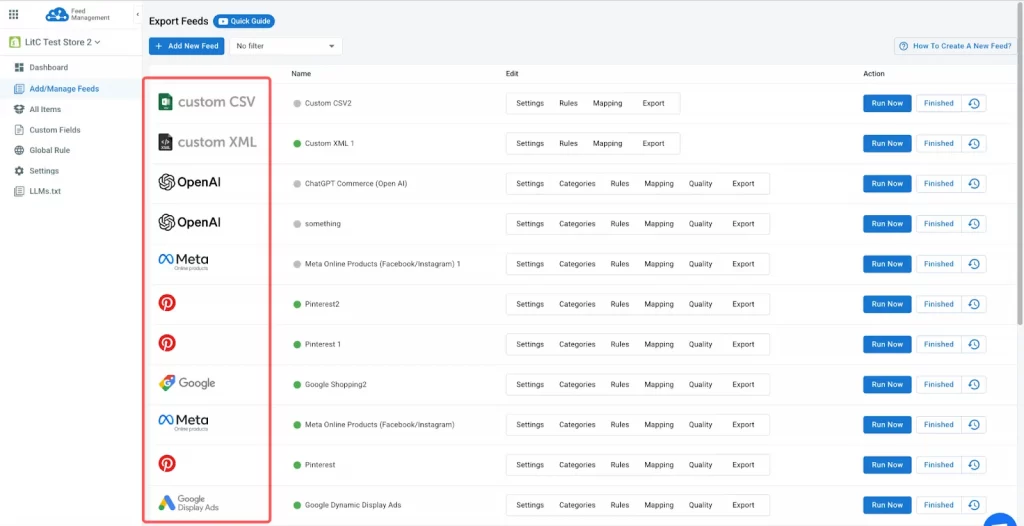
- Manage all product feeds from one central dashboard
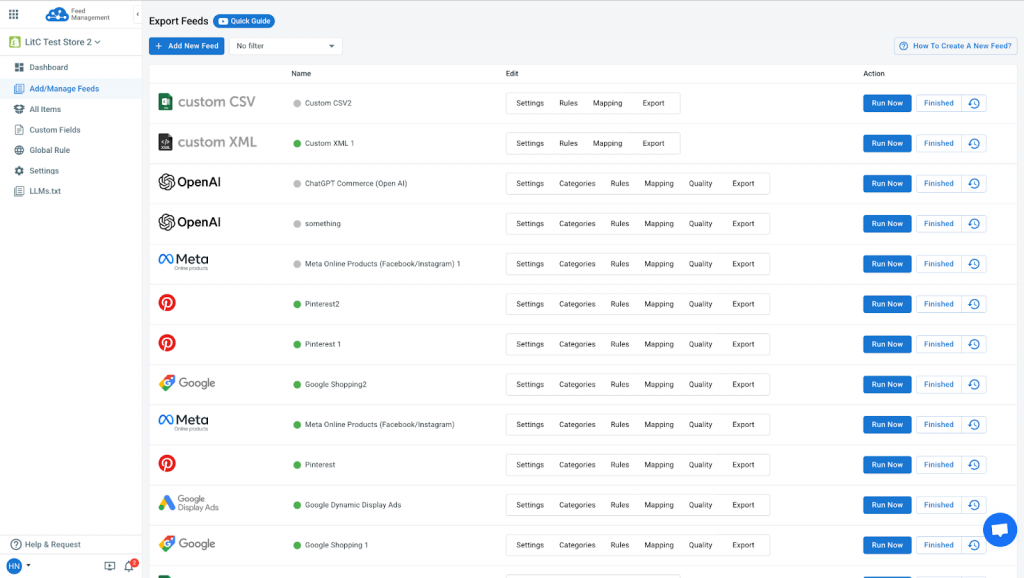
- Optimize titles, descriptions, and attributes without touching each ad platform separately
- Customize feed rules by channel (Google Shopping Ad, Meta Ad, TikTok Ad, etc.)
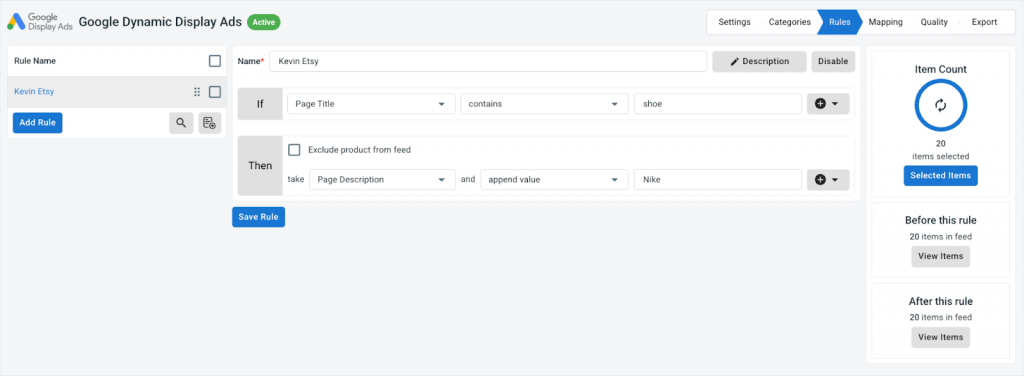
This lets you align product data with search intent, not just inventory structure. Something most ecommerce stores overlook.
Clean, compliant data for Ad Platforms
Disapprovals and limited visibility quietly kill performance.
During a PPC audit, you may see:
- Products marked “limited” or “not eligible”
- Silent policy violations affecting reach
- Inconsistent attribute formatting
LitCommerce helps you:
- Identify missing or invalid attributes before submission
- Enforce platform-specific data requirements
- Reduce feed-related errors that restrict impressions
Cleaner feeds don’t just prevent disapproval, they improve auction eligibility and relevance, which directly impacts CPC and ROAS.
Ideal for sellers running PPC on multiple platforms
If your PPC audit covers more than one channel, complexity increases fast.
LitCommerce is especially useful if you’re:
- Running Google Ads and Meta Ads simultaneously
- Expanding into TikTok, Pinterest, or other marketplaces
- Managing large or frequently changing product catalogs
Instead of maintaining separate feeds, rules, and fixes per platform, you manage everything in one place, making PPC optimization faster and more consistent.
Common PPC Audit Mistakes to Avoid
Even with a solid checklist, many PPC audits fail to deliver results. Not because the analysis is wrong—but because the focus is misplaced or execution breaks down.
Avoid these common mistakes when auditing your campaigns.
Auditing without reliable tracking
This is the most expensive mistake you can make.
If you start analyzing keywords, ads, or bids before confirming tracking accuracy, you’re optimizing based on bad data.
Common symptoms:
- CPA looks “too good to be true”
- ROAS swings suddenly without explanation
- Platforms report more conversions than your backend
- One campaign appears to outperform everything else unrealistically
If conversion tracking is even slightly off, your conclusions will be wrong. Always verify tracking first, or stop the audit until it’s fixed.
Focusing only on ads, not landing pages or feeds
Many audits stop at ads and keywords because they’re easy to see.
But in practice:
- Ads drive clicks
- Landing pages drive conversions
- Product feeds drive relevance and eligibility (for ecommerce)
If your CTR is decent but conversion rates lag, the issue is usually the landing page or checkout.
If Shopping or Performance Max underperforms, the feed is often the bottleneck—not the bid.
A complete PPC audit always includes pages and product data.
Making too many changes at once
It’s tempting to “fix everything” after an audit.
But changing:
- bids
- keywords
- ads
- audiences
- landing pages
- feeds
all at the same time makes it impossible to identify what actually improved performance.
Best practice:
- Prioritize fixes by impact
- Implement changes in phases
- Let data stabilize before moving on
Controlled changes beat aggressive overhauls.
Ignoring cross-channel data inconsistencies
If you advertise on multiple platforms, inconsistencies compound fast.
Common issues include:
- Different pricing across ad platforms
- Products available on one channel but out of stock on another
- Attributes present in Google but missing in Meta or TikTok feeds
These issues don’t always trigger errors—but they quietly reduce performance.
A PPC audit should always compare data consistency across channels, especially for ecommerce.
Frequently Asked Questions About PPC Audits
1. What tools do you need for a PPC audit?
At minimum, you need access to:
The ad platforms you’re auditing (Google Ads, Meta Ads, etc.)
Google Analytics or GA4
Conversion tracking tools or backend sales data
For ecommerce audits, product feed tools and diagnostics are critical, especially for Shopping and Performance Max campaigns.
2. How long does a PPC audit take?
A proper PPC audit typically takes:
2–4 hours for small or simple accounts
1–2 days for large ecommerce or multi-channel accounts
Rushed audits miss the real problems.
3. Can you do a PPC audit yourself?
Yes. If you understand how to read platform data and know what benchmarks to use.
The biggest risk with DIY audits isn’t missing data. It’s misinterpreting it. That’s why checklists and benchmarks matter.
4. How often should ecommerce brands audit PPC campaigns?
As a baseline:
Monthly for high-spend or fast-growing accounts
Quarterly for stable, mature accounts
Any major change in performance, tracking, or platforms should trigger an immediate audit.
5. Does a PPC audit help reduce ad spend?
A PPC audit doesn’t reduce spend by default, but it reduces wasted spend.
In many cases, brands:
Spend less while maintaining results, or
Spend the same but generate higher ROAS
The goal is efficiency, not just cost cutting.
Conclusion: A PPC Audit Is a Powerful Growth Tool
A PPC audit isn’t just a diagnostic exercise. It’s a growth lever.
When done properly, it helps you:
- Eliminate wasted spend
- Uncover hidden performance bottlenecks
- Scale campaigns with confidence
- Improve ROI without blindly increasing budgets
Most importantly, it replaces guesswork with data-backed decisions.
If you combine a structured PPC audit with clean, accurate product data and consistent execution across channels, your paid ads become far more predictable, and far more profitable.