TikTok Shop Integration That Syncs Listings, Stocks, & Orders
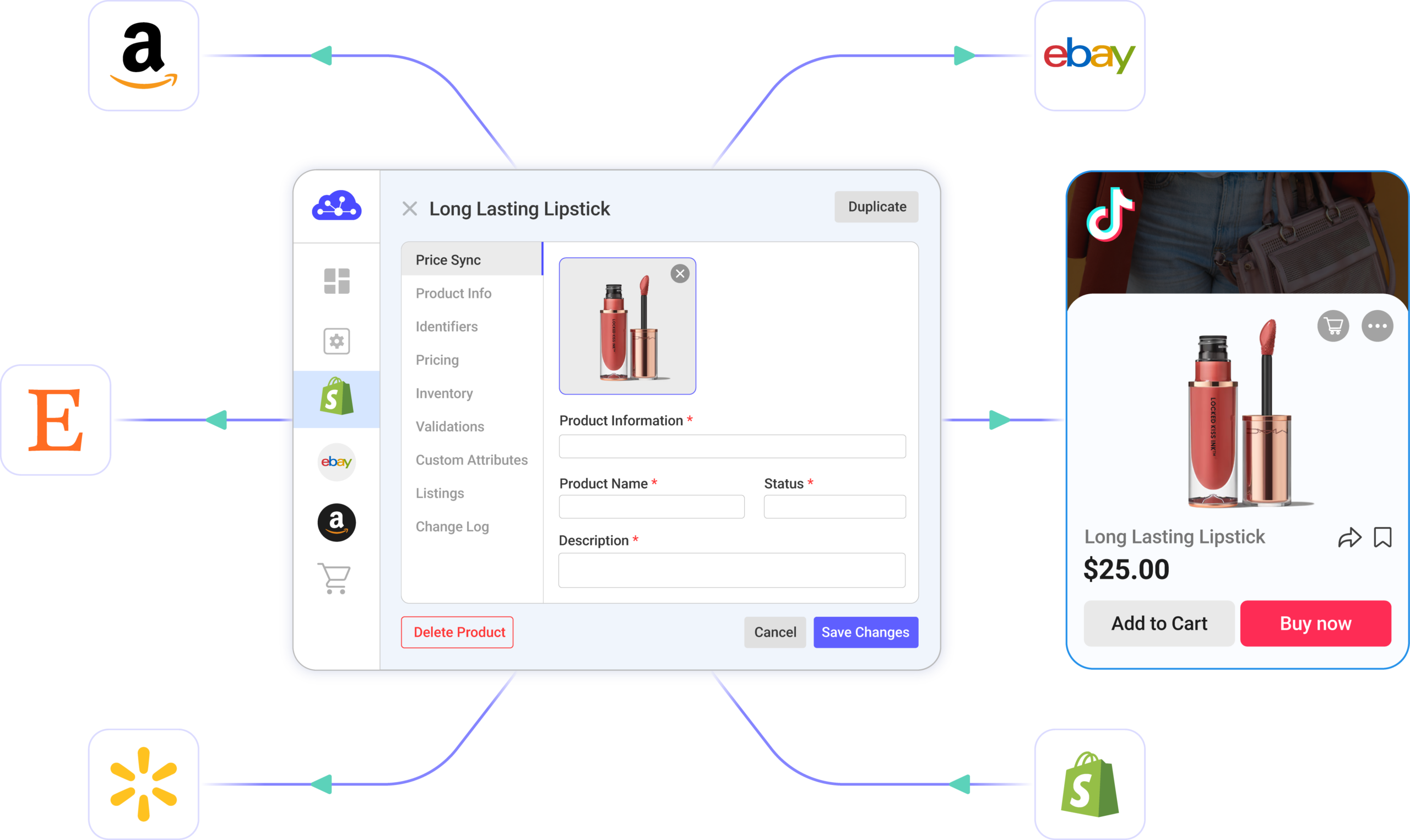
Import, list, and manage products across TikTok Shop & other channels like Shopify, eBay, Amazon – all from one dashboard. Sync listings, inventory, and orders automatically. Simplify your multichannel operations.
EGA Guitars offers expertly selected new and pre-owned electric guitars, basses, effects, and accessories, with every instrument carefully inspected.
TikTok Shop Integration – Features That Simplify Selling
Automate your selling workflows with LitCommerce, from product listing, inventory sync to centralized order management.
Start Selling on TikTok Shop Without Listing Every Product by Hand
Stop manually rebuilding listings whenever you expand to a new marketplace. Bring products from Shopify, WooCommerce, Amazon, eBay, Etsy, and 10+ top channels to TikTok Shop IN BULK – or vice versa. Create once, list everywhere you sell.
Plus, sell across TikTok Shop US, UK, Europe, Asia, and other supported regions & manage all listings from one place.
Create Completed Listings That Are Ready to Sell on TikTok Shop, Faster
Use Templates & Rules to bulk edit and customize listings to meet TikTok Shop’s standards instead of filling in every field manually.
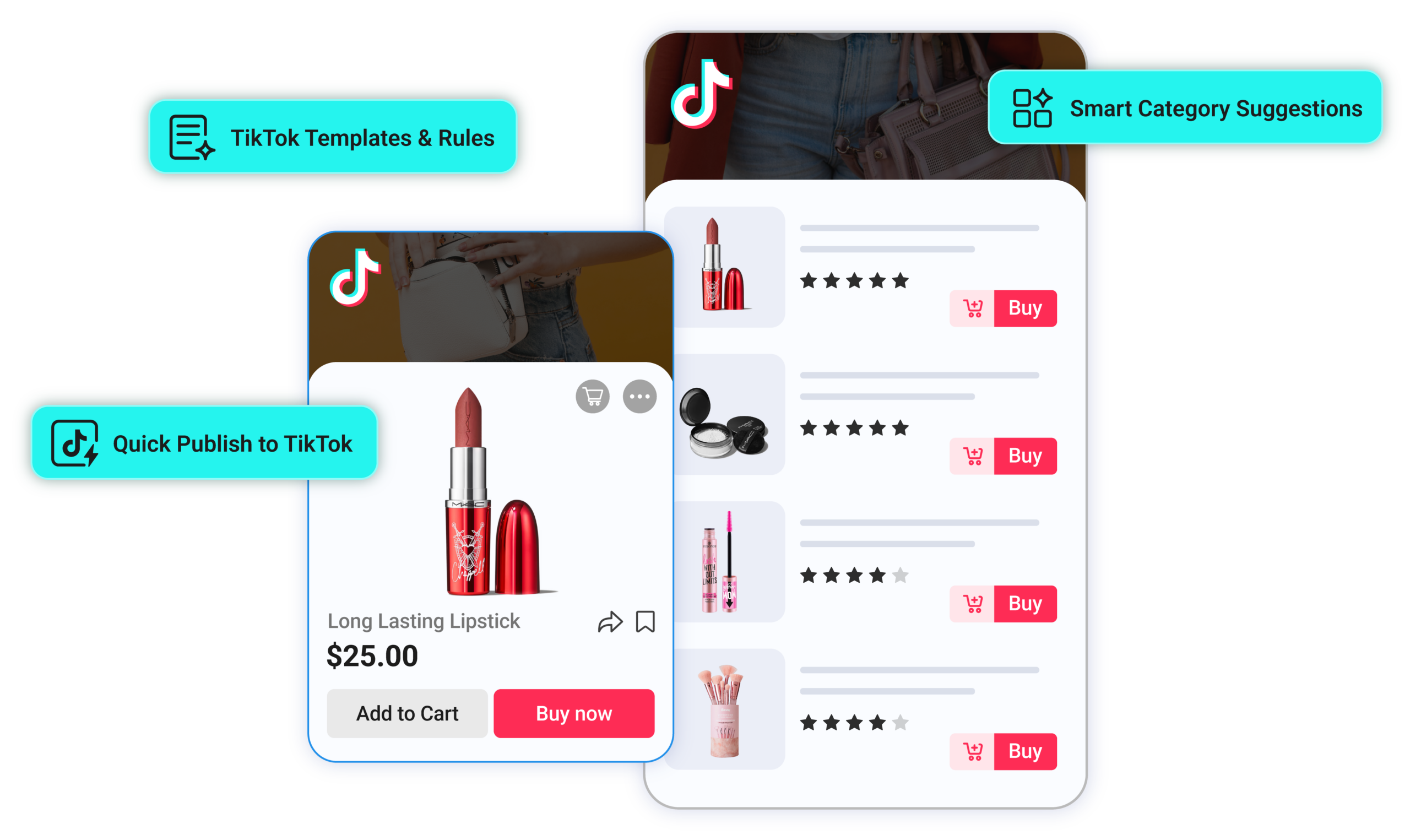
Publish faster with Smart Category Auto-Suggestion and Quick Publish to TikTok, including AI-generated attributes and shipping details. Less time listing on TikTok Shop – More time creating viral content that sells.
Sync Inventory to Avoid Overselling Through a Busy Season
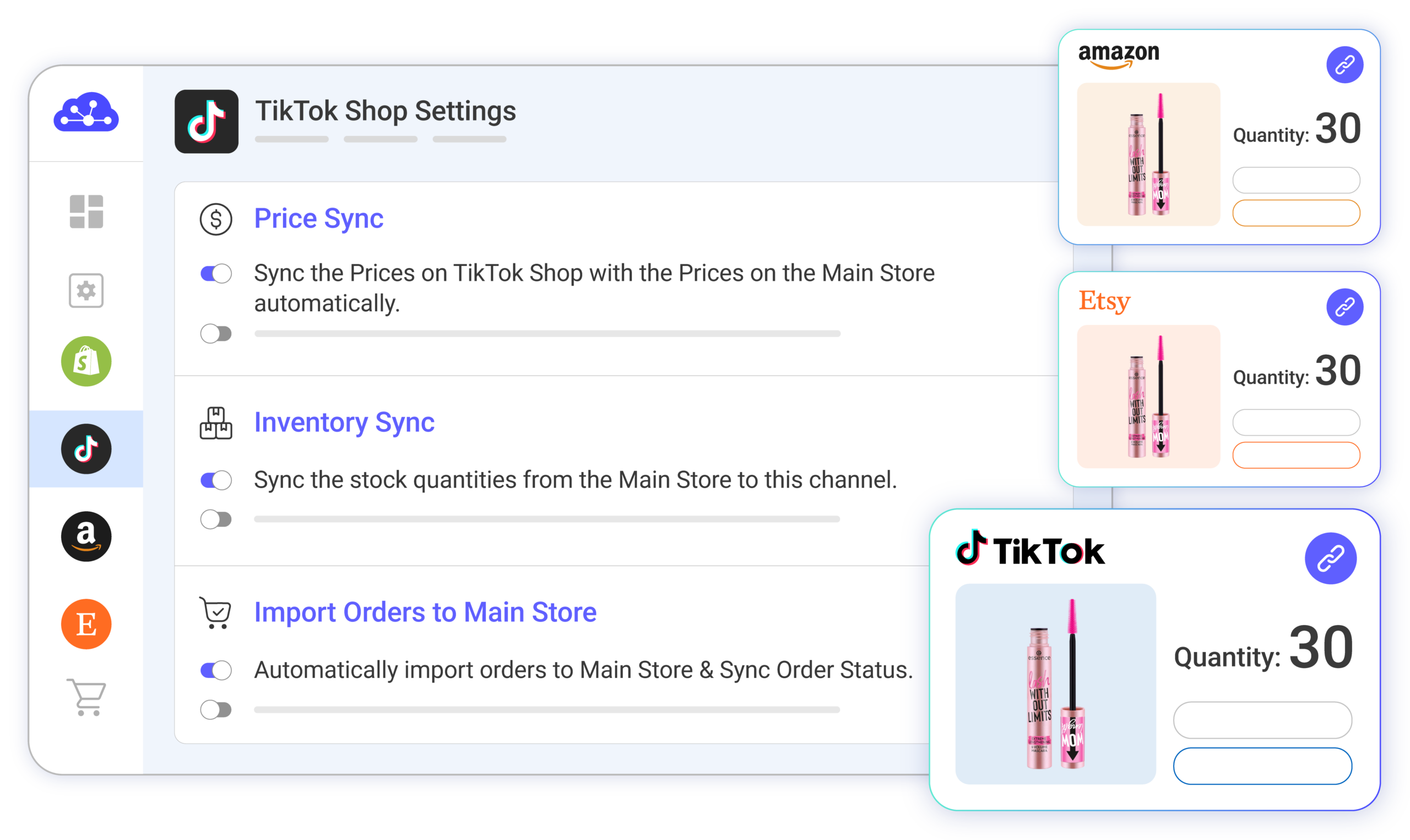
No worries about overselling when orders spike from viral content or LIVE streams. Inventory, prices, and titles sync across TikTok Shop and all channels on a 15-minute cycle – AUTOMATICALLY.
All TikTok Shop and other-channel orders land in one centralized dashboard, with Warehouse Mapping to keep fulfillment organized across platforms.
Connect your TikTok Shop to LitCommerce first. Then, connect your online store or other marketplaces to LitCommerce.
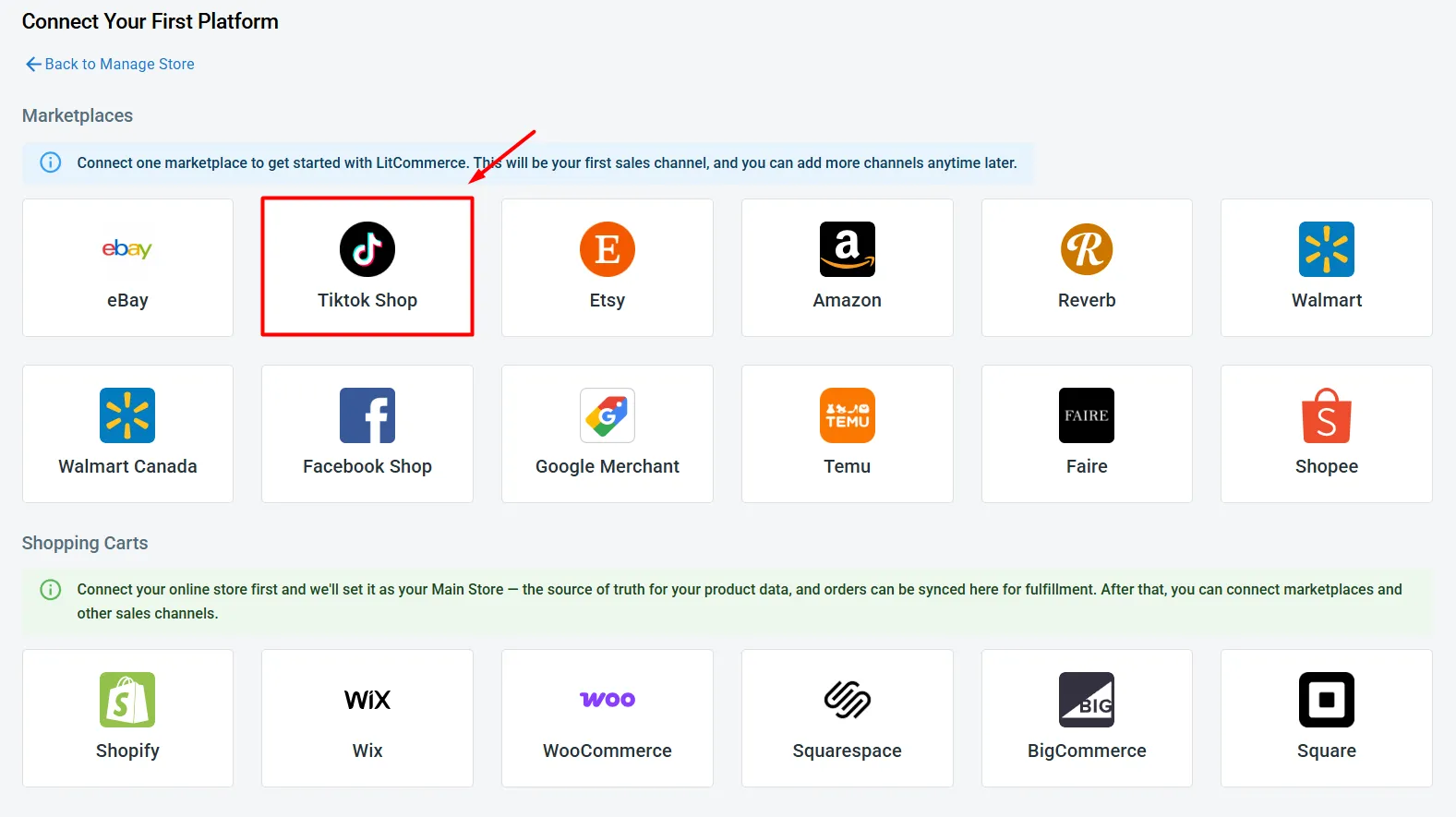
Through LitCommerce, you can connect your TikTok Shop store with 15+ leading platforms and marketplaces, such as Amazon, eBay, Etsy, Walmart, Shopify, WooCommerce, and many more.
Turn on sync and your listings update close to real time. The products details such as product name, description, price, or inventory are synced between your TikTok Shop and other stores every 15 minutes.
With LitCommerce, you can set up order sync, so all TikTok order details flow into your Main Store automatically. Where you handle them depends on your setup:
Online store as Main Store (Shopify, WooCommerce, etc.): Orders show up on your store’s order page, ready to track and ship from there.
LitCommerce as Main Store: Manage TikTok Shop orders inside LitCommerce, next to your other marketplace orders – all in a single view.
Detailed Guide onTikTok Shop Integration
Step 1: Connect TikTok Shop to another store
The first step in your TikTok Shop integration is to connect your TikTok Shop store to LitCommerce. From the list of supported platforms, find TikTok Shop, add your channel name, select your TikTok Shop region, and click Connect Your Account. Then follow the on-screen steps to authorize the connection.
Once that’s done, you have two options:
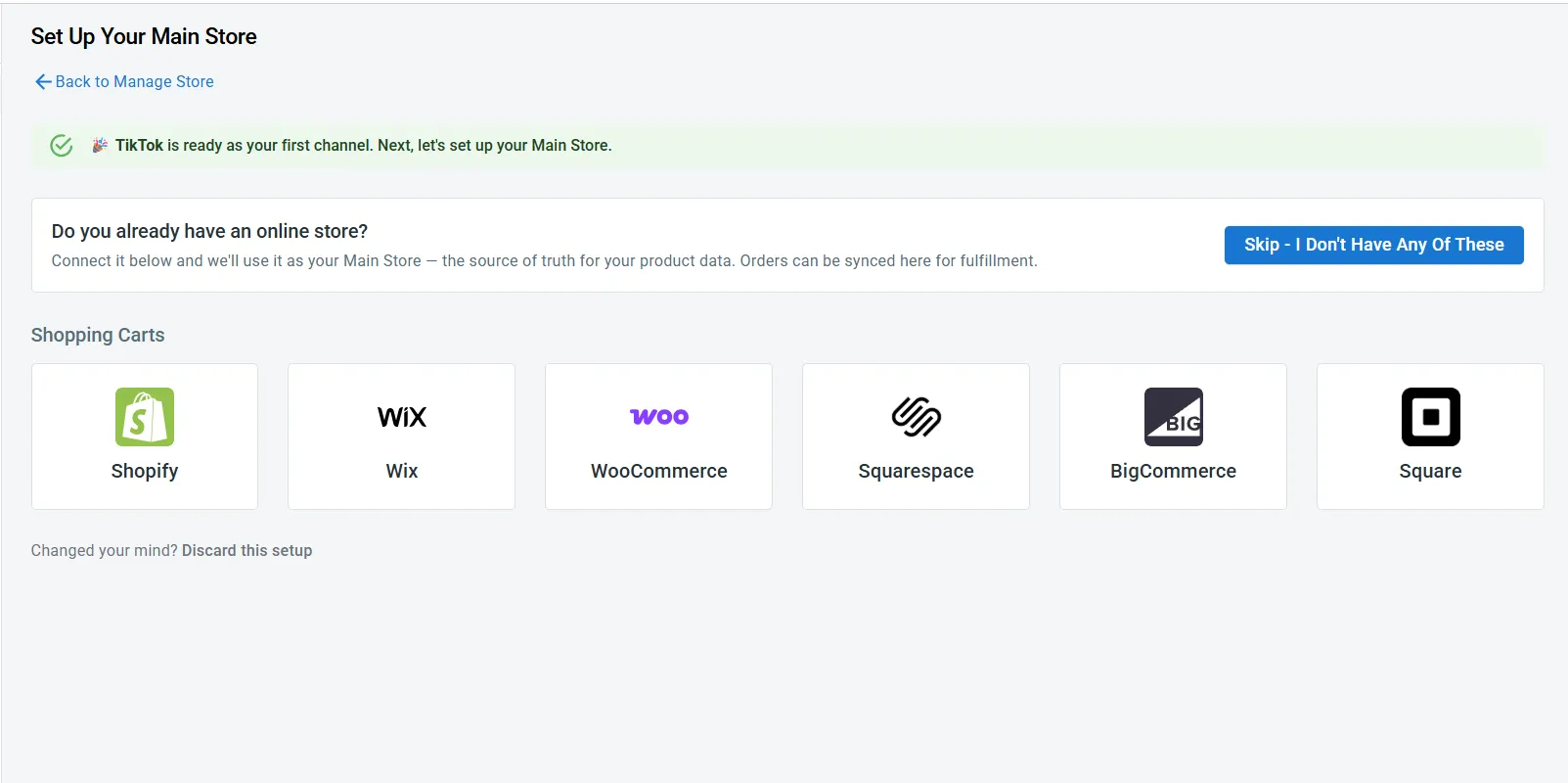
You have an online store: Selling on Shopify, WooCommerce, Wix, BigCommerce, Squarespace, or Square? Connect it. Then it will run as your Main Store – where products come from and where data syncs from.
You only sell on marketplaces: No web store, just Amazon, eBay, or similar? Click Skip – I Don’t Have Any Of These. LitCommerce then becomes your Main Store instead. Then go to Add/Manage Sales Channels and connect the marketplace you sell on.
LitCommerce currently lets you connect TikTok Shop to more than 10 leading marketplaces worldwide, including Etsy, Amazon, eBay, and Walmart. Check out our available integrations right here.
Once you’re finished, you’re ready to integrate with TikTok and cross-list products across every channel you sell on.
Step 2: List & import products on TikTok Shop
After connecting TikTok Shop and your store, choose a workflow based on where your products are currently listed:
List products on TikTok Shop.
Import TikTok listings to another store or marketplace.
Link matching listings across channels.
Case 1: List products on TikTok Shop
This case is for when your products already live on another channel, not TikTok Shop yet.
If you connected Shopify or WooCommerce as your Main Store in the step above, those products are already imported into the All Products tab automatically.
If they’re on a marketplace instead, you’ll need to import them into LitCommerce first. For example, if your products are live on eBay, click Import from eBay, filter which products to import, then click Begin Import.
Either way, your products will now show in the All Products tab. Now, let’s list them on TikTok Shop:
Go to the All Products section.
Select the products you want to list on TikTok Shop.
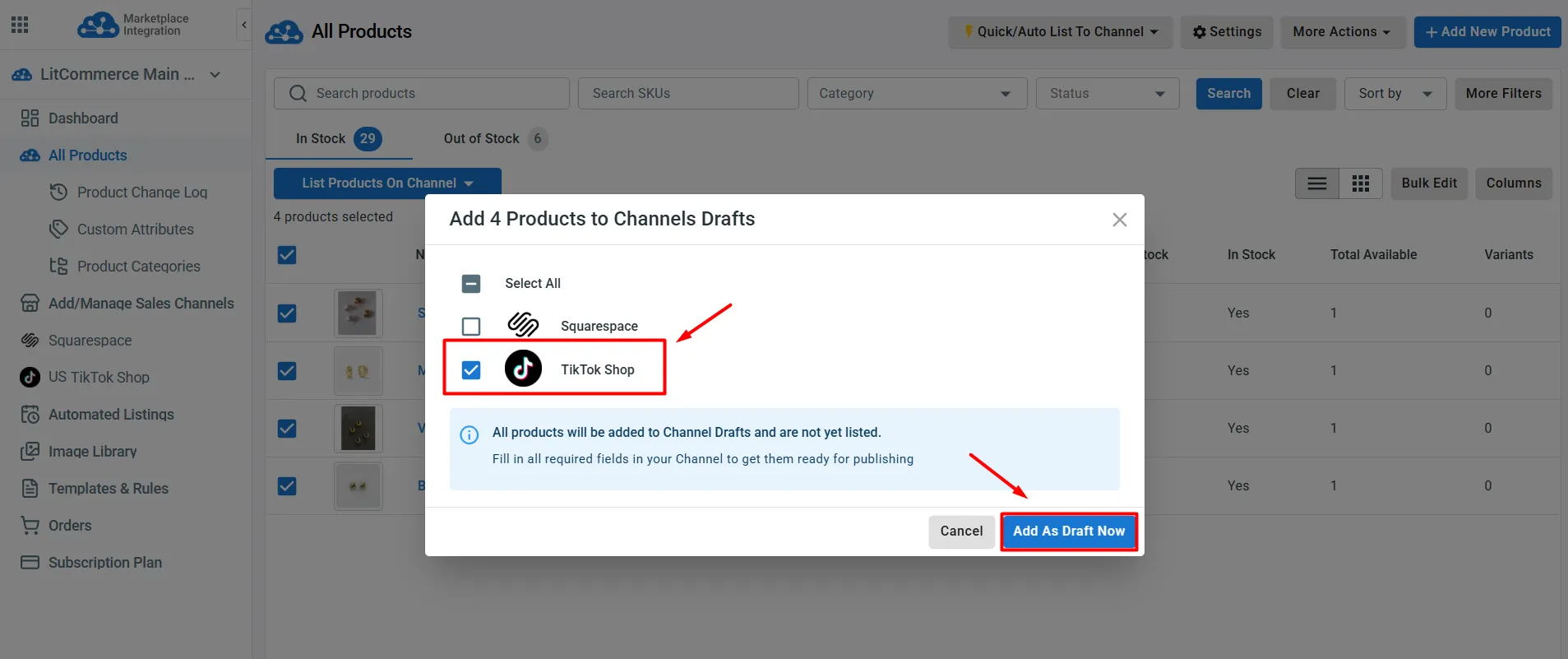
Click Select Action, choose Add to Channel Drafts, then check the box beside TikTok Shop and click Add as Draft Now.
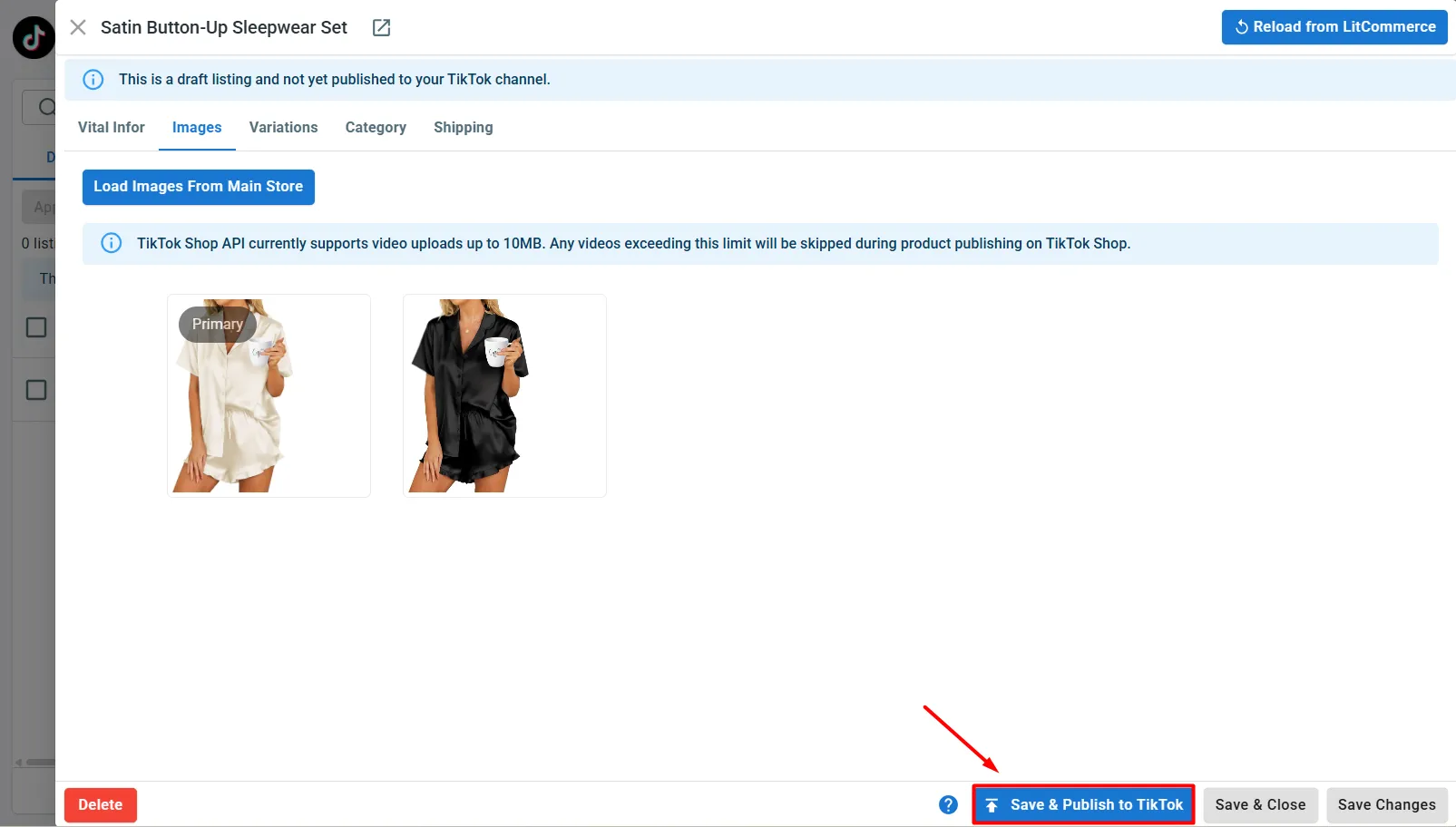
Your products will appear as draft listings in the TikTok Shop tab. Fill in the required details like category and shipping or optimize your listing, before publishing.
Once you’re done, click Save & Publish to TikTok.
Once TikTok Shop approves them, your products will go live on your TikTok Shop.
Tip: When editing your TikTok Shop listings, use LitCommerce’s Templates to apply the same details across multiple products at once and speed up the process.
Case 2: Import your TikTok listings into another store
Start by importing your TikTok Shop products into LitCommerce:
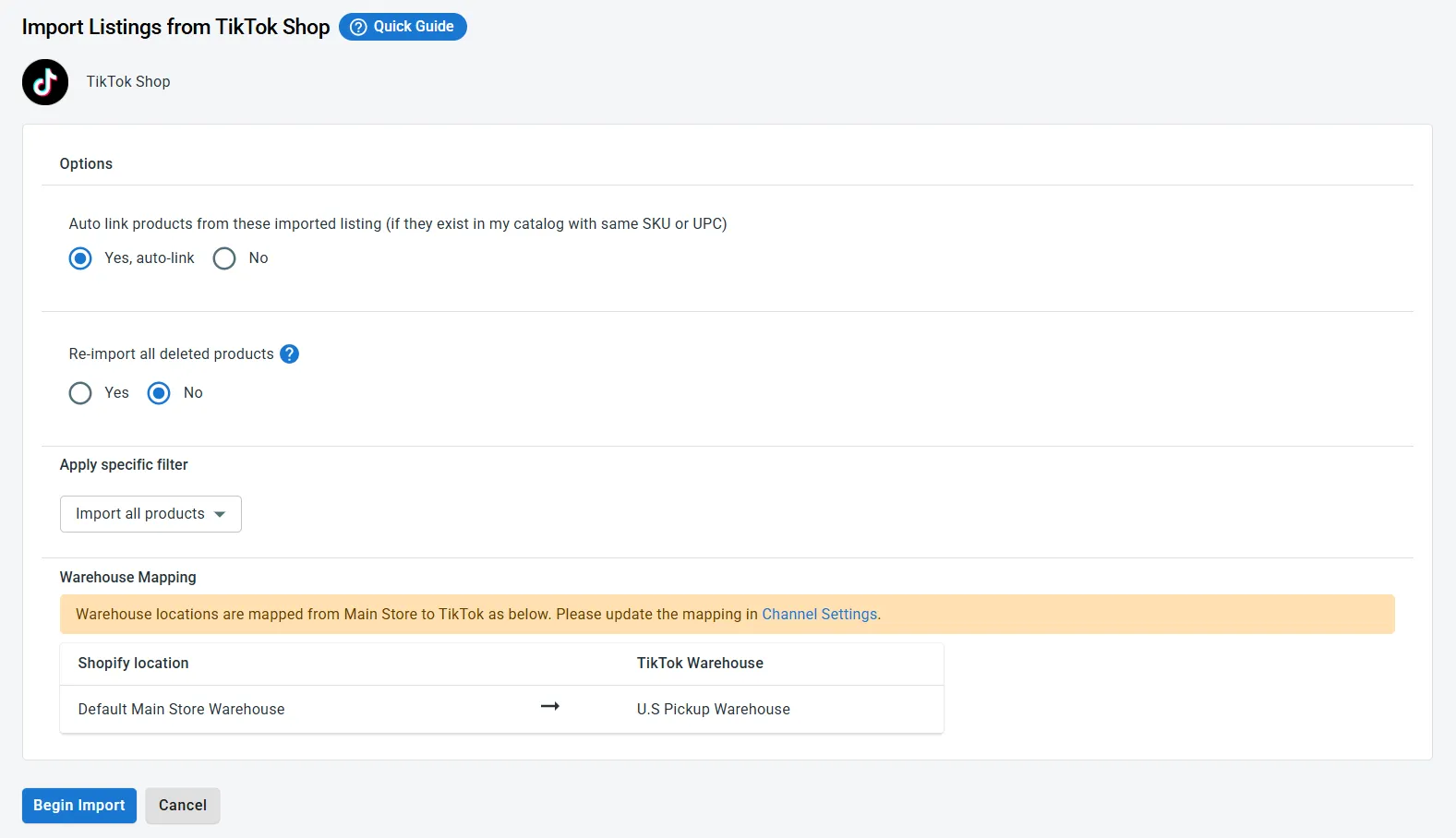
Go to your TikTok Shop channel on LitCommerce and click Import From TikTok.
Set up your importing such as filter which products you want to import. You can also map each TikTok Shop warehouse to your Main Store’s location. Moreover, if you only sell on marketplaces, make sure you select Auto-create new products in LitCommerce.
Finally, click Begin Import.
From here, where you send these products depends on your setup.
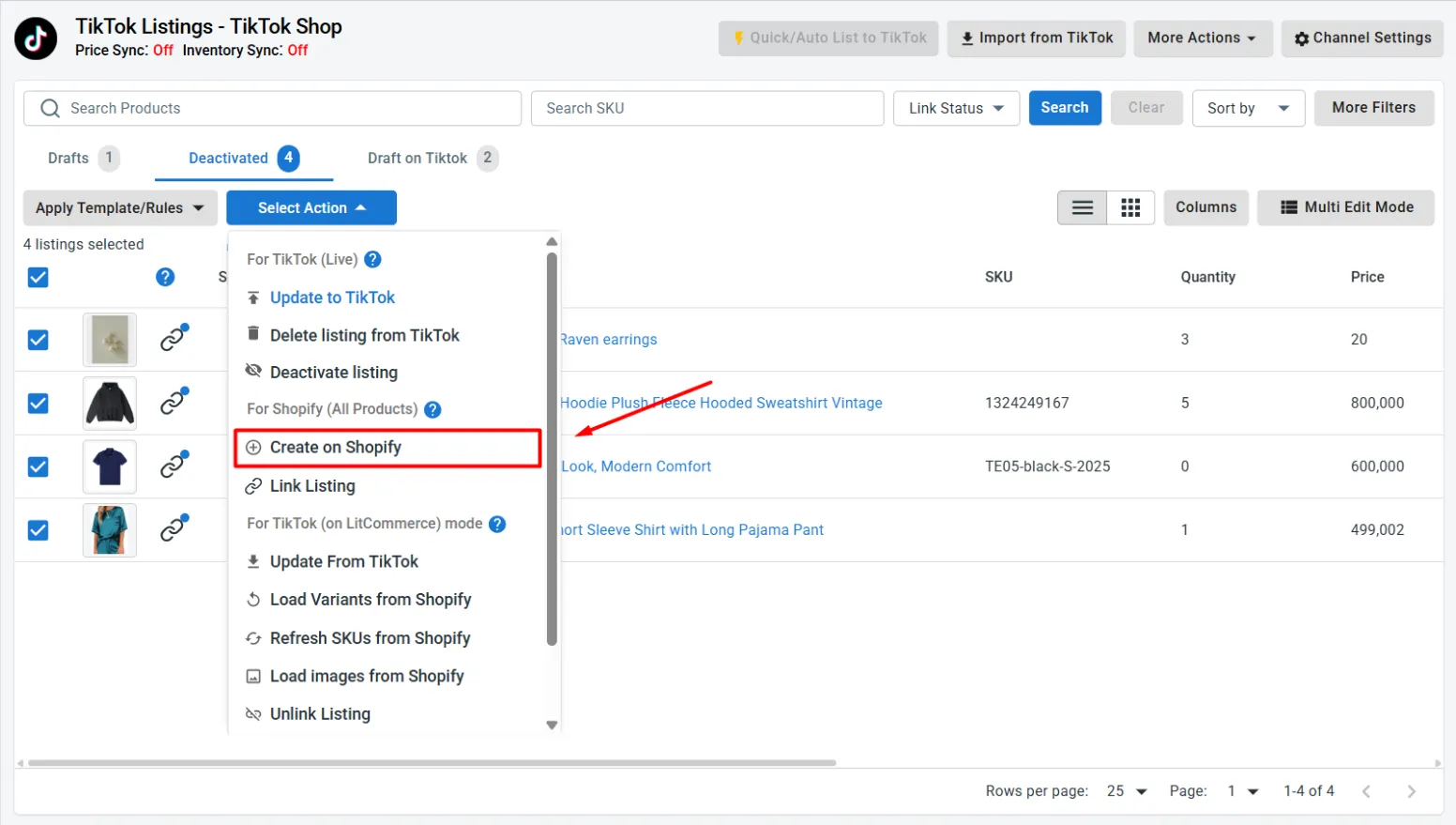
Import TikTok products to an eCommerce platform, like Shopify or WooCommerce: For any new TikTok Shop products that aren’t live on your platform yet, select them, click Select Action, then choose Create on Main Store.
Import TikTok products to another marketplace, like eBay or Etsy: Follow these steps below.
Go to the All Products tab and select your imported TikTok Shop products.
Click Select Action > Add to Channel Drafts, tick the marketplace you want to list to, and click Add as Draft Now.
Go to that marketplace’s section to edit and optimize your listings before publishing.
Case 3: Link listings on TikTok and another channel
Linking works differently depending on what you’re linking TikTok Shop to.
You can link TikTok listings directly to matching products in your online store built with Shopify or WooCommerce.
For another marketplace, you will need to link both marketplace listings to the same product in LitCommerce.
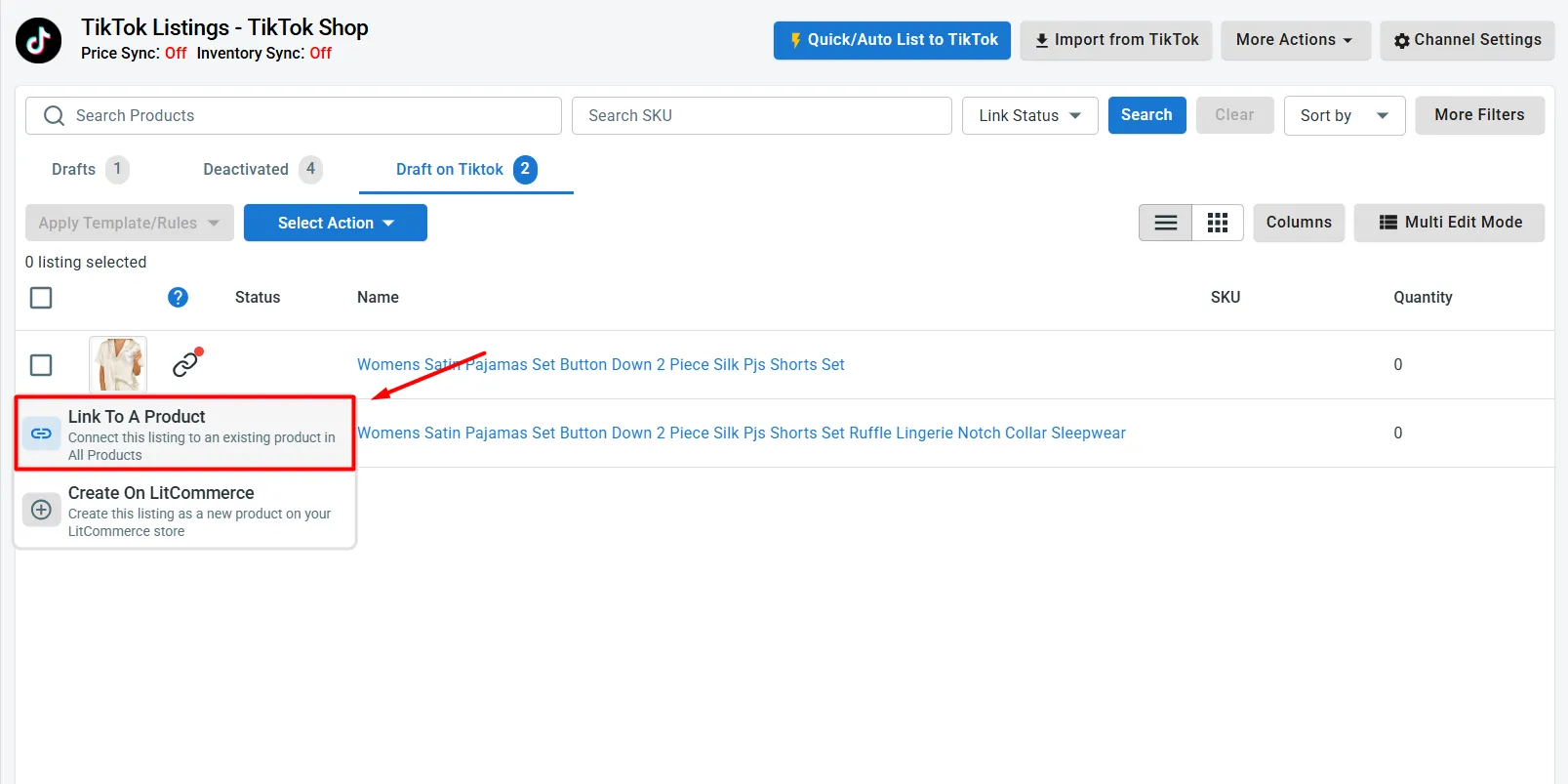
When importing from TikTok Shop, you can let LitCommerce auto-link your existing products. Linked products show a blue dot; unlinked products show a red dot.
To link products manually, follow these steps:
Hover over a red-dot product and select Link to a Product.
Search for the matching product or search by SKU.
Then, click Select next to it to link the two.
And that’s it; you have successfully linked products from your TikTok Shop and the other channel you want.
Step 3: Enable TikTok Shop data sync
To keep your listings consistent across TikTok Shop and every channel you sell on and automate updates, turn on TikTok Shop sync.
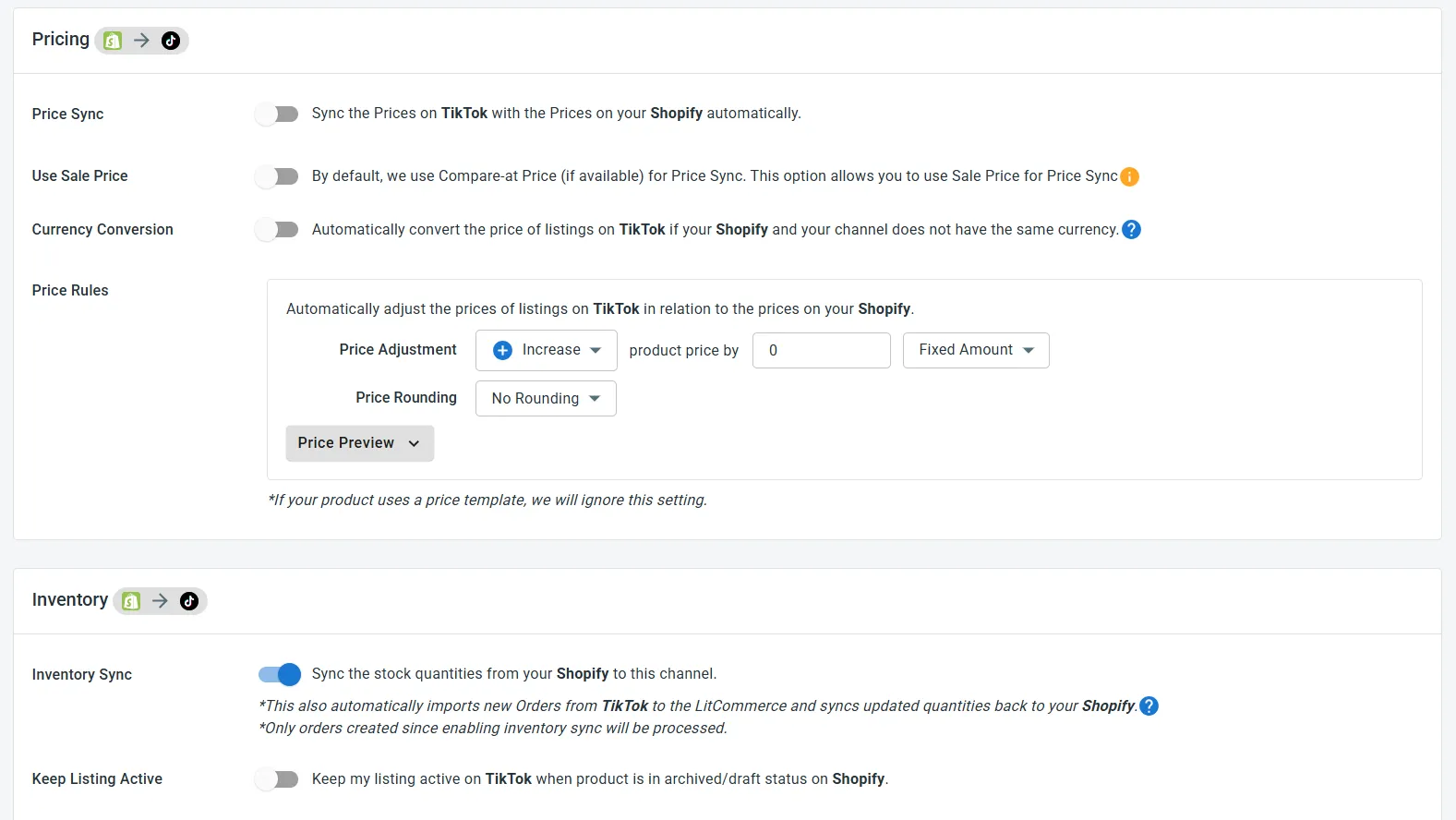
Go to Channel Settings in your TikTok Shop channel and enable the sync functions you need:
Price sync: Once enabled, LitCommerce checks your Main Store, whether that’s your eCommerce platform or LitCommerce itself, for price changes and updates matching TikTok Shop listings automatically.
Inventory sync: Turn this on to keep stock levels aligned automatically between TikTok Shop and your Main Store, preventing issues like overselling or stockouts.
If you sell on multiple marketplaces, make sure that you turn on inventory sync across all your sales channels to keep everything in check.
You can also customize the sync rules, such as adjusting prices or inventory levels by a percentage or fixed amount per channel.
Turning on both syncs is what actually keeps your TikTok Shop listings accurate day-to-day, and it’s the best way to avoid overselling once you’re running multiple channels at once.
Step 4: Manage TikTok Shop orders
The final step is to manage your TikTok Shop order flow.
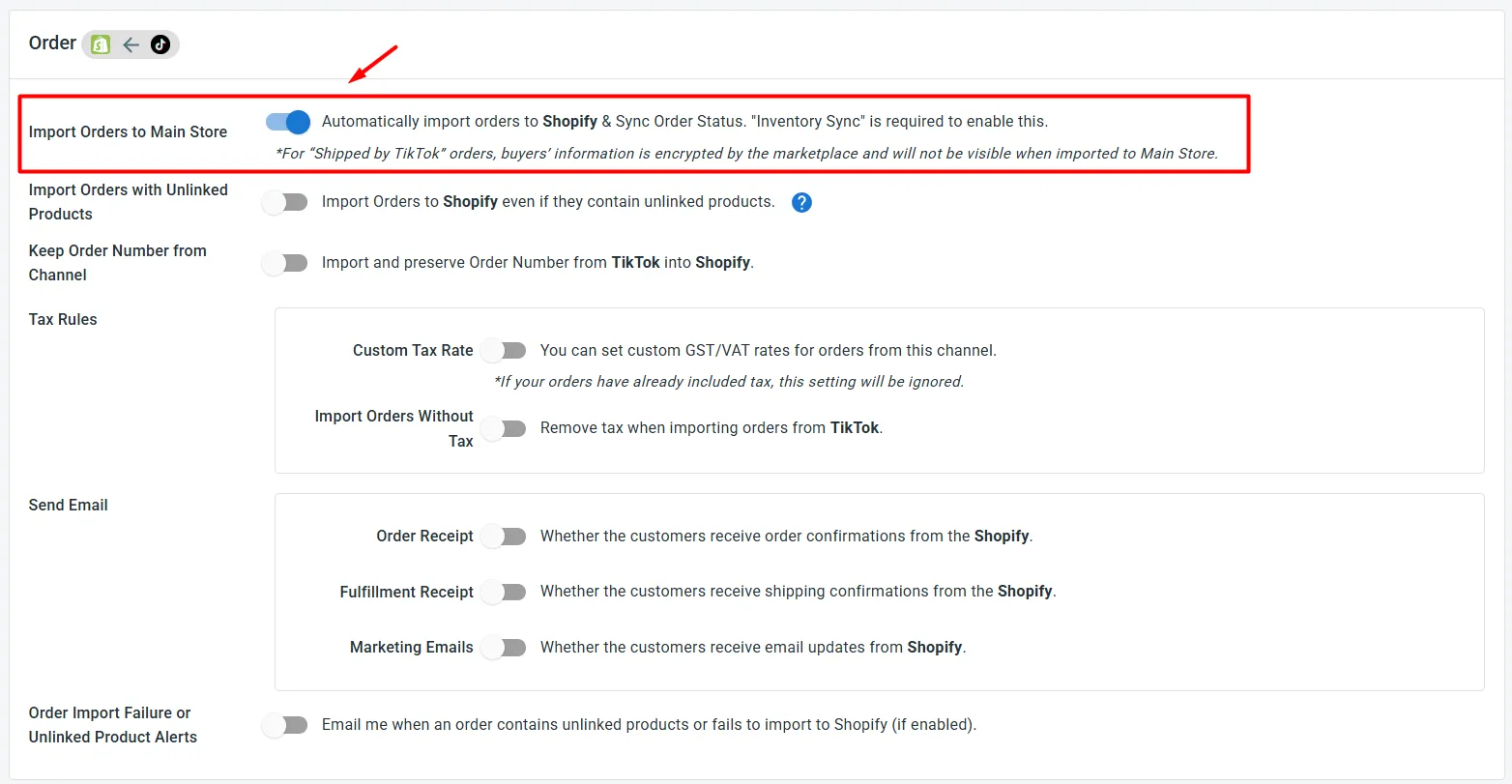
Enable Import Orders to Main Store, so LitCommerce automatically imports orders from TikTok Shop into your Main Store, whether that’s your web store or LitCommerce itself. Please note that for “Shipped by TikTok” orders, the marketplace encrypts buyer information, so it won’t be visible once imported to your Main Store.
If your Main Store is an eCommerce platform, you can manage TikTok Shop orders right from your platform’s own order page, one easy, centralized place for everything.
If LitCommerce is your Main Store, manage orders from both TikTok Shop and your other marketplaces from the Orders section in your dashboard, all in one place.
Combined with sync from Step 3, this TikTok Shop automation means less manual work and a smoother experience for you and your customers.
TikTok Shop Integration is the process of connecting your TikTok Shop to other stores. This allows you to sync your product catalog, inventory, and orders across TikTok Shop and other channels you sell on.
One of the best apps for TikTok Shop integration is LitCommerce. It lets you list multiple products at once; sync listings, orders, and inventory automatically from one single dashboard.
TikTok Shop has emerged as a powerful tool for eCommerce businesses, integrating social media engagement with online shopping. Here are the key benefits of using a TikTok Shop Integration:
– Seamless shopping experience: The TikTok Shop Integration makes shopping easy by letting users discover and buy products directly within the app. This integrated approach keeps customers engaged and encourages impulse purchases, boosting sales. – Increased engagement opportunities: TikTok’s interactive content formats, like shoppable videos and live streams, enhance customer engagement. Partnering with influencers can further amplify your product’s reach and drive higher sales. – Data-driven insights: The tool provides analytics on views, clicks, and conversions, helping you optimize your marketing strategies based on real data. – Cost-effective marketing: TikTok Shop offers a budget-friendly alternative to traditional advertising. By focusing on organic content and direct sales through the platform, you can reduce costs and improve profit margins.
LitCommerce connects your TikTok Shop to your online store or marketplaces in 4 steps: connect TikTok Shop and your other channels, list or import products between them, turn on sync for pricing and inventory, then manage all orders from one dashboard. Once set up, everything updates automatically, no manual work needed.
Identified as a TikTok listing tool, LitCommerce supports you in listing products on TikTok from +15 leading eCommerce platforms and marketplaces. Here are some of them:
Through LitCommerce, TikTok Shop can connect with 10+ top marketplaces worldwide, including Amazon, Etsy, eBay, Walmart, Temu, Reverb, and Faire. You can list products from any of these marketplaces onto TikTok Shop or the other way around. With nearly real-time inventory, price, and order sync, you can avoid overselling and manage every channel from one dashboard.
Yes, absolutely. You can use TikTok Shop tools like LitCommerce to connect your TikTok Shop to Shopify. This tool lets you list product across Shopify and TikTok Shop easily, then you can set up inventory and price sync or import TikTok Shop orders to Shopify to manage all orders in one place easily.
Before setting up your TikTok Shop integration, you can prepare: – Clean up your current store (Shopify, Wix, WooCommerce, eBay, Etsy, etc.) first, so listings sync to TikTok Shop with accurate titles, images, and stock. – Create a TikTok for Business account and explore the TikTok Business Center. – Familiarize yourself with and comply with TikTok Community Guidelines. – Set up Warehouse and Delivery option.
– Quick Publish to TikTok Shop, with smart category auto-suggestion and AI-generated product attributes and shipping details – Cross-listing to 10+ other channels with Templates & Recipes – Automatic inventory, price, and order sync on a 15-minute cycle – A centralized dashboard to manage listings and orders across every channel you sell on
Yes, once you enable Order Sync, LitCommerce will import all order details (product and buyer info) into your eCommerce platform order page. You can manage and fulfill all your orders in one dashboard.
However, please note that for “Shipped by TikTok” orders, the marketplace encrypts buyer information, so it won’t be visible once imported to your Main Store.
Yes, you can connect more than one TikTok Shop channel to LitCommerce. You can manage listings, inventory, orders across different regions like US, UK, or Asia from the same dashboard.
Join 3000+ Real TikTok Sellers Who Trust LitCommerce
Real sellers, real results – list faster, stay in sync, and grow with LitCommerce.







 +104.8K Followers
 2025 LitCommerce seller since