
This year, running a successful Walmart store requires more than listing products. The right Walmart seller tools help you manage pricing, listings, inventory, analytics, and fulfillment more efficiently while staying competitive in a fast-growing marketplace.
In this guide, you will discover the top 12 tools that can help streamline your operations and improve performance on Walmart Marketplace. We will cover solutions for product research, listing management, repricing, multichannel selling, and more, to help you choose the right tool for growth in 2026.
Key takeaways:
Tool | Category | Best For | Starting Price | Key Benefit |
Helium 10 | Product & Keyword Research | Mid–advanced sellers researching products, keywords, and competitors | $99/month | Deep product research and keyword analytics |
LitCommerce | Multichannel Listing & Inventory Sync | Sellers managing Walmart + multiple marketplaces | Free / $29/month | Centralized listings, inventory, and pricing across channels |
ShippingEasy | Shipping & Fulfillment Automation | Small–mid businesses needing shipping automation | Free / $19.99/month | Automates labels, tracking, and order fulfillment |
Teikametrics | Advertising Optimization | Sellers running Walmart Sponsored Product ads | ~$179/month | AI-powered ad bidding and campaign optimization |
ConnectBooks | Profit Analytics & Accounting | Sellers using QuickBooks or Xero | $24/month | Automated bookkeeping and profit tracking |
Deliverr | Fulfillment / 3PL | Sellers want fast nationwide shipping | ~$4–$5 per order | Two-day shipping and automated fulfillment |
DataSpark | Repricing Automation | Sellers are analyzing competitors and product demand | $39/month | Walmart-native market and pricing analytics |
Aura | Repricing Automation | Startup sellers needing AI repricing | $47/month | Real-time repricing for Buy Box competitiveness |
SellerApp | Analytics + PPC Management | Sellers scaling ads and tracking performance | $99/month | Keyword research, PPC automation, and analytics |
Zentail | Enterprise Listing Automation | Large catalogs needing advanced automation | $750/month | AI catalog management and listing automation |
InformedRepricer | Advanced Repricing | Competitive sellers needing Buy Box strategy | $99/month | Intelligent rule-based repricing |
SellCord | Managed Service / Automation | Sellers wanting full account management | Custom pricing | Expert support + automation services |
Why You Need Walmart Seller Tools in 2026
As Walmart Marketplace grows more competitive, sellers need specialized tools to stay competitive. Repricing, listing optimization, analytics, and multichannel automation help manage inventory, maintain compliance, protect margins, and improve visibility as more sellers compete for the same customers and Buy Box placements.
Here’s why they matter:
- Competition is increasing across categories. More sellers are competing for the same keywords and Buy Box spots. You need repricing and research tools to react quickly instead of manually checking competitor prices.
- Meet strict compliance with Walmart’s requirements. Walmart requires detailed item specifications and category-specific attributes. Listing management tools help you reduce errors, prevent suppression, and speed up product approvals.
- Walmart’s algorithm rewards optimization. It’s because Walmart rewards competitive pricing, fast shipping, strong in-stock rates, and high-quality listings. Optimization tools help you improve keyword relevance, maintain accurate inventory, and protect your seller performance.
- Multichannel selling is now standard. Many Walmart sellers now operate across multiple platforms. 67% of online sellers sell on two or more marketplaces. Without automation, inventory mismatches and pricing errors become common. Multichannel tools help you synchronize listings, inventory, and prices across channels in real time.
- Profit margins require deeper analytics. Walmart fees, advertising costs, shipping, and returns can quickly erode your margins if not properly tracked. Analytics tools help you understand your real profit and make smarter pricing and inventory decisions.
- Automation saves time and reduces risk. As your order volume increases, manual processes become slower and more prone to errors. Automation tools handle tasks like repricing, inventory syncing, and fulfillment updates, allowing you to focus more on growth strategies.
With the right Walmart seller tools, you can compete smarter, streamline operations, and scale your business with confidence.
12 Best Walmart Seller Tools: Expert choices
Most Walmart Marketplace sellers search for tools because they need faster workflows and clearer data. The picks below are written to help you make a quick decision, using trusted review platforms, practical features, and pricing signals.
1. Helium 10 – Keyword & product research
Best for: Mid-level to advanced Walmart sellers who want serious keyword and product research depth and are comfortable investing time into learning the platform.
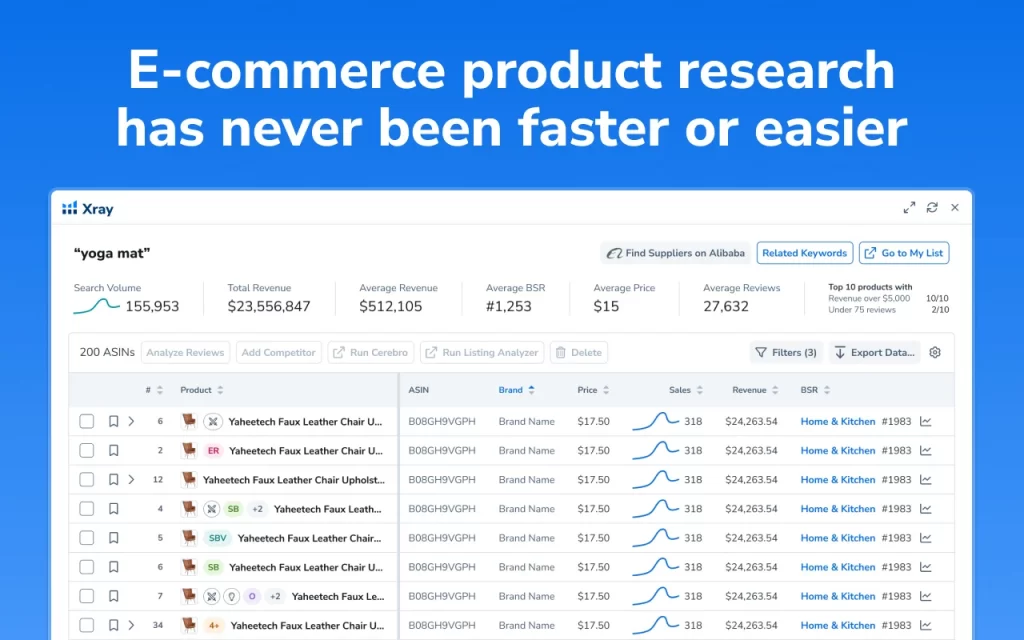
Helium 10 is an all‑in‑one analytics and optimization platform for marketplace sellers, best known for helping Amazon and Walmart merchants research products, find keywords, and optimize listings.
It bundles tools for product research (finding profitable niches), keyword research (discovering high‑volume, relevant search terms), listing optimization, profit tracking, and even PPC management.
The platform also offers a convenient Chrome extension, allowing you to quickly analyze markets, check competitors, and link products to potential suppliers directly while browsing.
Key features:
- Keyword research and reverse ASIN lookup
- Product demand validation tools
- Listing optimization support
- Competitor tracking
- Profit analytics dashboard
- Chrome extension for product research
Pricing:
Plan | Billed Monthly | Billed Annually (per month) |
Platinum | $129/month | $99/month |
Diamond (Most popular) | $359/month | $279/month |
Enterprise | $1499/month | $1499/month |
Rating
G2: 181 reviews, 4.1/5 ⭐
Trustpilot: 680 reviews, 2.6/5 ⭐
Pros:
- Strong research depth
- Large seller community and training resources
- Robust keyword database
- Comprehensive all-in-one suite
Cons:
- Steep learning curve
- High price for full access
- Mixed public sentiment on support
2. LitCommerce – Multichannel selling tool
Best for: Walmart sellers want an affordable platform to manage multiple marketplaces from one centralized dashboard.
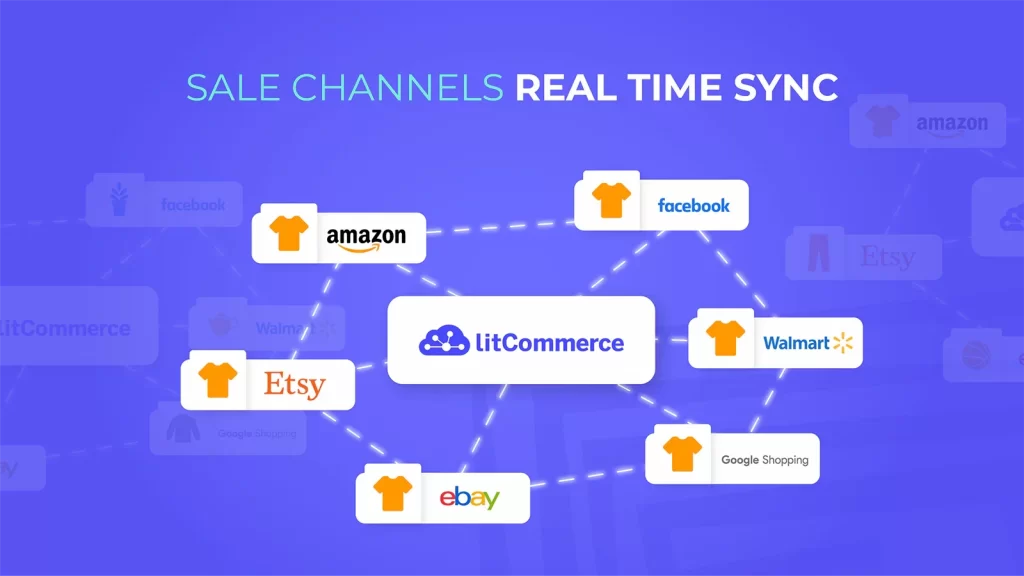
LitCommerce is a multichannel selling tool and a strategic partner of Walmart, helping Walmart sellers list and sell products on the 20+ top-selling channels, such as Amazon, eBay, Etsy, and TikTok Shop. When selling on multiple channels, your listings, pricing, and inventory are fully synchronized from one centralized dashboard.
With real-time inventory sync, bulk editing, and automated updates, LitCommerce helps reduce overselling, save time, and keep inventory accurate as your business scales. You will get prompt notifications when inventory levels approach predefined thresholds.
Additionally, instead of manually adjusting price and product quantity on each listing, you can create rules to display the desired information across Walmart and sales platforms automatically and quickly.
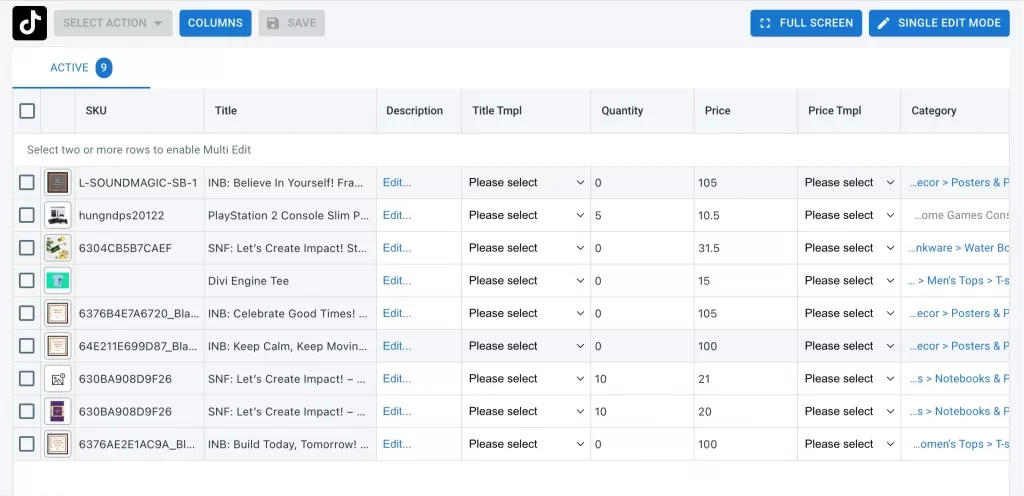
This tool also stands out by removing common listing barriers and offering 24/7 customer support, ensuring your Walmart operations run smoothly as you scale across channels.
Key features
- Connect Walmart to top marketplaces: Amazon, eBay, Etsy, TikTok Shop, Faire,…
- Bulk import & edit/create listings to Walmart
- Mass apply product attributes by Template Rules
- Near-instant sync inventory, price, and SKU among Walmart and other marketplaces.
- Import & keep track of Channels’ orders from Walmart for an accurate sales report
Pricing
Plan | Starting Price (Monthly) | Best For |
Free | $0 | New sellers are testing the platform |
Pay As You Go | From $29/month | Small to mid-size sellers |
Growth / Higher Tiers | Scales by listing volume | Growing multichannel sellers |
Custom / Enterprise | Custom pricing | Large catalogs & complex workflows |
Rating
Shopify App Store: 740 plus reviews, 4.8/5 ⭐
Trustpilot: 445 plus reviews, 4.7/5 ⭐
Pros:
- User-friendly interface
- Diverse platform integration
- Near real-time inventory and price sync.
- Strong bulk listing, editing, and automation for multichannel sellers
- Excellent customer supports in 24/7
- Flexible pricing with a free trial and pay-as-you-go style plans.
Cons:
- Order management limitations on some tiers
- Advanced analytics features are limited
Scale Beyond Walmart with LitCommerce today
Scale Beyond Walmart with LitCommerce today With LitCommerce, you can easily expand to 20+ top marketplaces like Amazon, eBay, Etsy, and TikTok Shop while managing listings, inventory, and pricing from one centralized dashboard!

3. ShippingEasy – Shipping and inventory management
Best for: Small to mid-sized businesses looking to consolidate orders from multiple sales channels and save time through automation and lower postage costs.
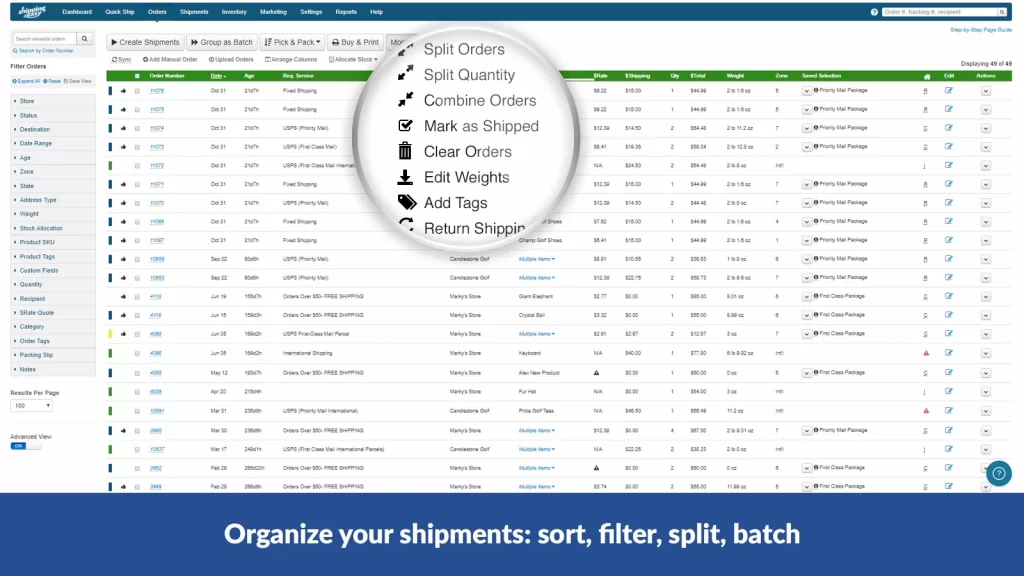
ShippingEasy is a cloud-based shipping platform that centralizes orders from multiple stores or marketplaces and automates label buying, tracking, and customer communication. This Walmart seller tool for sellers integrates with leading marketplaces, shopping carts, and platforms, allowing order, tracking, and fulfillment data to populate in real-time across all systems.
The ShippingEasy software downloads your store orders and automatically maps to custom shipping preferences, rates, and delivery options in real-time across all major carriers: USPS, UPS, FedEx, DHL, and international consolidators.
Key features
- Imports orders in real time from over 60 platforms
- Updates the order status and tracking back to each store after shipment
- Provides discounted USPS, UPS, and FedEx rates
- Supports shipping rules to auto‑select carrier, service, package, and presets
- Two‑way syncing of stock levels across connected stores
- Automatically emails customers with tracking numbers and shipment updates.
- Central dashboard with shipping, destination, product, and customer reports
Pricing
Plan | Price/month | Shipments/month (approx.) |
Starter | $0 | 50 |
Growth | $19.99 | 200 |
Basic | $29.99 | 500 |
Plus | $49.99 | 1,500 |
Select | $69.99 | 3,000 |
Premium | $99–119.99 | 6,000 |
Enterprise | $189.99 | 10,000 |
Rating
Capterra: 1133 reviews, 4.8/5 ⭐
Trustpilot: 653 reviews, 4.3/5 ⭐
Pros
- User-friendly interface
- Affordable entry and free plan
- Strong automation and batching
- Responsive customer service
- Good multi‑channel coverage, integrates with major carts and marketplace
Cons
- Occasional syncing issues, CSV import pain
- Not ideal for handling complex international shipments.
- Limited reporting features
4. Teikametrics – Walmart advertising optimization
Best for: Walmart sellers running Sponsored Products ads who want to improve their ROAS and automate bid management.
Teikametrics is an AI-driven advertising optimization platform and one of the most powerful Walmart seller tools for managing and scaling Walmart Connect campaigns. It helps Walmart sellers automate ad management while focusing on profitability, not just clicks or impressions.
The platform utilizes machine learning to analyze performance data and automatically adjust bids, budgets, and keyword targeting in accordance with profitability goals.
For Walmart sellers, it focuses on Sponsored Products campaign automation, helping you improve return on ad spend without manually adjusting bids every day.
Key feature
- AI bid and budget optimization
- Structures and manages Walmart campaigns and ad groups
- Keyword discovery and optimization
- Profit-based advertising insights
- Cross-marketplace ad management
- Provides detailed dashboards for sales
Pricing
Plan | Who it’s for | Pricing model (typical) |
Essentials | Emerging brands ≤ about $10K ad spend | About $179/month, around $149/month on annual billing |
Advanced | Growing brands > $10K ad spend | Around $1,430/month, plus ~3% of ad spend over $10K |
Enterprise | Large brands > $100K ad spend | Custom monthly fee, +3% of ad spend over $10K |
Rating
G2: 123 reviews, 4.5/5 ⭐
Pros
- Strong automation reduces manual PPC work
- Focus on profitability rather than just clicks
- Advanced analytics and reporting
- Suitable for scaling ad budgets
Cons
- Pricing may be higher than basic ad tools
- Requires active ad campaigns to justify cost
5. ConnectBooks – Walmart profit analytics and accounting
Best for: sellers using QuickBooks or Xero who need automated, accurate accounting and profit tracking without manual data entry.
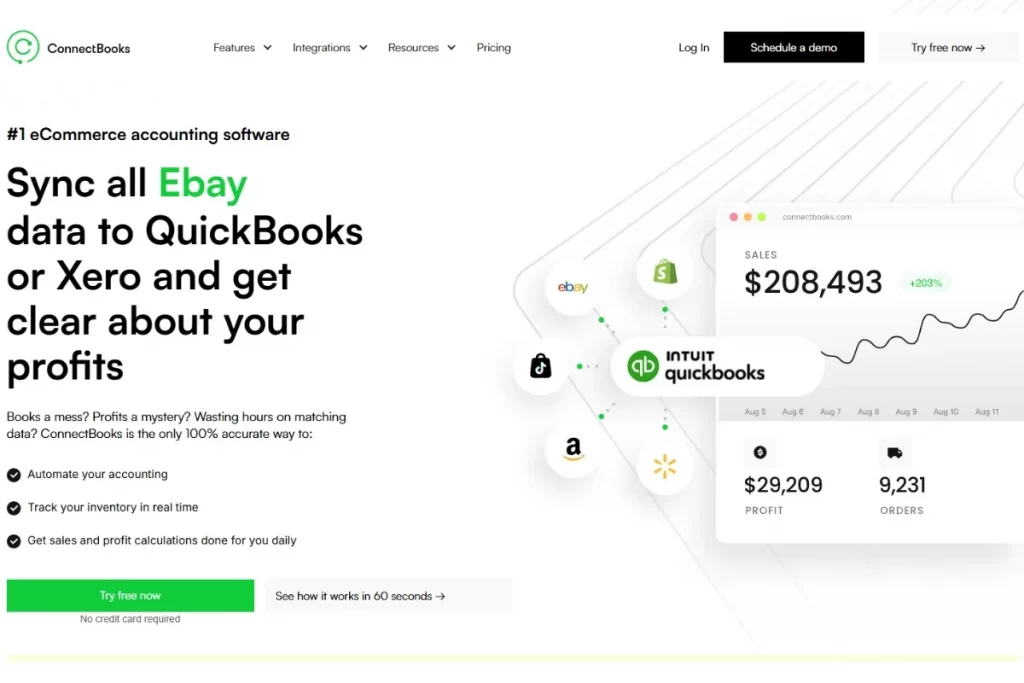
ConnectBooks is an eCommerce accounting and profit analytics platform built specifically for marketplace sellers. It automatically synchronizes transaction data from marketplaces, including Amazon, eBay, Walmart, and Shopify, into QuickBooks Desktop, QuickBooks Online, and Xero.
On the list of Walmart seller tools, this platform provides automated bookkeeping, real-time inventory tracking, and detailed sales and profitability reporting. ConnectBooks supports historical data imports for up to 2 years, so you can clean up past books and start fresh with accurate records.
Key Features
- Automatically syncs all Walmart transactions, fees, refunds, shipping expenses, and taxes
- Generates accurate net profit reports, real‑time P&L, and item‑level sales and margin analytics across channels
- Tracks inventory value and quantities
- Supports multi‑currency sales and reporting for international sellers.
Pricing
Plan | Small Business | Most Business |
Free Dashboard | N/A | $0/month |
Gold | $24/month | $149/month |
Diamond | $49/month | $199/month |
Platinum | $349/month |
Rating
G2: limited review, 4.8/5 ⭐
Pros
- Free 30-day trial
- 1:1 setup with QuickBooks pros, and rapid US support for quick onboarding
- High-accuracy books and real-time profit visibility without spreadsheets.
- Scalable for multi-channel sellers
Cons
- Limited customer reviews
- Primarily accounting-focused, lacking repricing, PPC
- Dependent on QuickBooks/Xero; not standalone for sellers avoiding those platforms
6. Flexport – Walmart fulfillment services support
Best for: Walmart sellers who want faster shipping, better Buy Box visibility, and a hands-off fulfillment model.
Flexport is a fulfillment solution designed to help marketplace sellers offer fast, nationwide shipping without managing their own warehouse. Often mentioned among leading Walmart seller tools, it became part of Shopify’s logistics network but remains widely recognized for supporting Walmart sellers through Walmart Fulfillment Services–style workflows.
This tool integrates directly with Walmart’s Two-Day Delivery program, helping sellers meet the platform’s strict requirements for fast and reliable shipping. As a result, eligible SKUs can automatically receive the Walmart Free 2-Day Shipping badge.
Instead of packing and shipping orders yourself, you send inventory to Flexport’s fulfillment centers. When a Walmart order comes in, Flexport handles picking, packing, shipping, and tracking updates automatically.
Key features
- Two-day shipping eligibility support
- Automatic order fulfillment
- Inventory storage and distribution
- Walmart order integration
- Fast shipping badge support
- Performance tracking dashboard
Pricing
Usage‑based fulfillment pricing per unit, rather than fixed software tiers. Typical all‑in fulfillment fees start around $4–$5 per order for standard, small‑to‑medium parcels in the U.S.
Rating
G2: 3.3/5 ⭐
Software advice: 3.7/5 ⭐
Pros
- Improves shipping speed and delivery reliability
- Integrate with top marketplaces
- Simple pricing structure and affordable
- Multiple warehouses across the USA
Cons
- Storage and fulfillment costs can add up
- Less control compared to self-fulfillment
- Only supports Shopify and BigCommerce eCommerce platforms
7. DataSpark – Walmart‑native analytics
Best for: growth‑stage sellers managing a sizable catalog who want a Chrome extension and dashboards that overlay DataSpark data directly on Walmart.com for rapid research and validation.
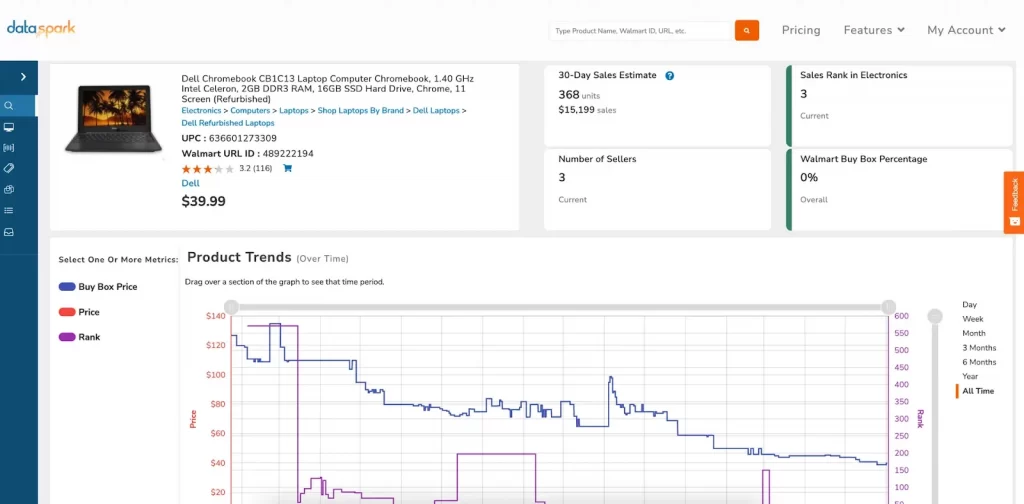
DataSpark is a Walmart‑native analytics tool built specifically to help sellers understand what’s really happening inside Walmart Marketplace. It pulls Walmart sales, pricing, ranking, and keyword data into clear dashboards, allowing you to see which products are selling, how competitors are performing, and where the gaps lie in each category.
This tool is designed to integrate with Walmart’s own ecosystem, making it easier to select winning products, optimize listings, and make data-driven decisions about pricing and advertising on this platform.
Key features:
- Track rival products and analyze historical price trends, Buy Box performance, and estimated unit sales.
- Evaluate full market categories or specific niches
- Analyze entire wholesale catalogs
- Chrome Extension
Pricing
Plan | Monthly price (month‑to‑month) | Approx. monthly on annual billing |
Spark | $39/month | $29/month (billed $348 annually) |
Lightning | $99/month | $75/month (billed $900 annually) |
Thunder | $199/month | $149/month (billed $1,788 annually) |
Rating
Capterra: 5.0/5 ⭐
Pros
- Strong focus on Walmart.com product research
- Track competitor rankings and pricing over time
- Good customer support
Cons
- Slow processing and high bandwidth consumption during use.
- Relies on Google Sheets for key functions
- Lower review volume
8. Aura – Multichannel repricing
Best for: New Walmart or startup sellers who value simplicity, affordable startup plans, and prioritize AI automation over manual tweaks.
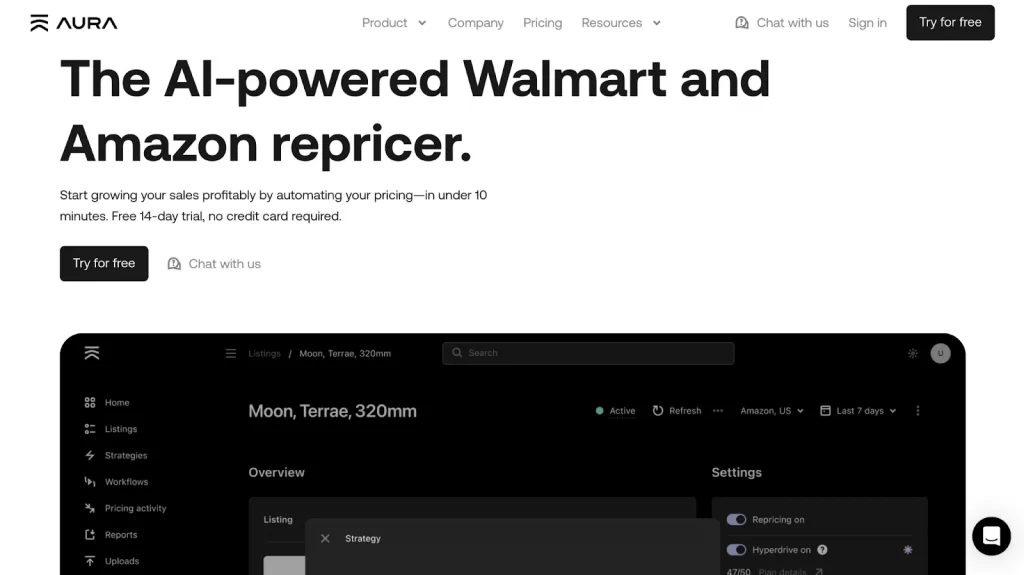
Aura is a modern repricing software designed to help Amazon and Walmart sellers that automates real-time repricing to win the Buy Box while protecting profits. Often highlighted among effective Walmart seller tools, it simplifies competitive pricing without constant manual monitoring.
The platform uses machine learning through Maven AI to analyze competitor prices, determine optimal pricing strategies, and respond to market changes within seconds, much faster than traditional repricing tools.
Key features
- Maven AI finds the optimal price, not just the lowest price
- Hyperdrive repricing every 10 seconds for maximum Buy Box exposure
- Update your listings in bulk using Excel or Sheets.
- Create automated, rule-based workflows to manage inventory
- Automatic min/max price calculation
- API integration with Walmart Seller Center
Pricing
Plan | Monthly Price | Annual Price (20% off) | Monthly Sales Limit |
Early Stage | $47 | $37/month | Up to $15K |
Essential | $97 | $77/month | Up to $50K |
Plus | $197 | $157/month | Up to $250K |
Pro | $297 | $237/month | Up to $1M |
Rating
Trustpilot: 3.0/5 ⭐
Pros
- Updates prices in seconds with Walmart-specific rules, protecting Pro Seller Badge and margins
- AI support to monitor competitors in real-time, auto-adjusts prices
- Unlimited product listings on all subscription tiers
- Good customer service and helpful onboarding.
- 14 days free trials
Cons
- Limited marketplace integration, just supports Amazon and Walmart
- Lacks flexible cost imports
9. SellerApp – All‑in‑one analytics & PPC
Best for: sellers and agencies looking to automate PPC campaigns, perform deep keyword research, and track competitor activity.
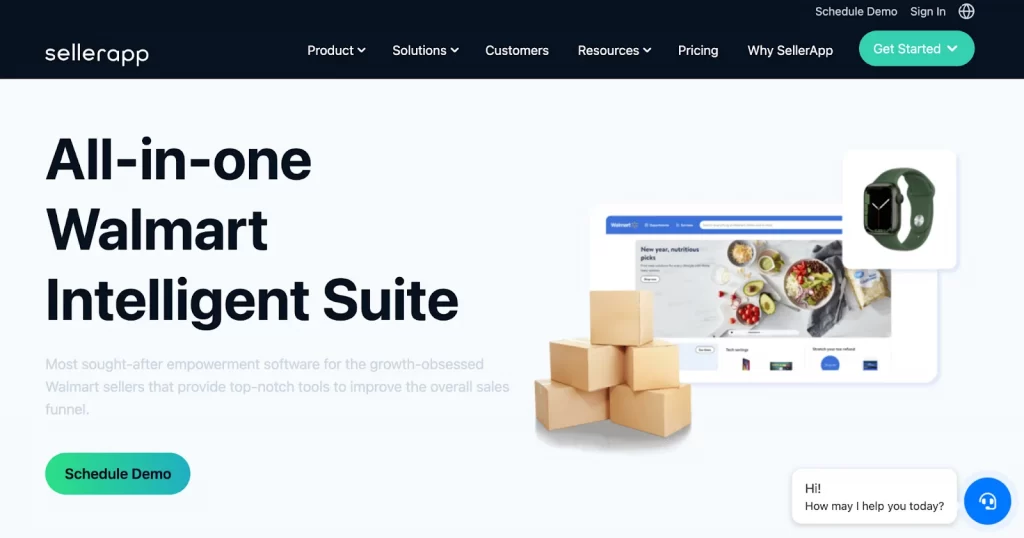
SellerApp is an all-in-one analytics and PPC platform that helps Walmart Marketplace sellers optimize listings, track performance, and manage advertising campaigns for higher sales and ROI.
This best Walmart seller tools software provides data-driven insights tailored to Walmart’s ecosystem, including Walmart keyword research and competitor analysis, making it easier to scale beyond Amazon.
Key features
- Track keywords and identify their current position
- Analyze the search visibility of listings and optimize them
- Automate Walmart ad bids, track ACOS/ROAS
- Track and analyze Keywords with high organic search visibility and increase the spend on them for higher ROI.
- Monitor sales trends, inventory, competitor pricing, and marketplace fees in real-time.
Pricing
Plan | Monthly Price |
Starter | $99 |
Pro | $249 |
Smart | $149 |
Rating
Trustpilot: 4.5/5 ⭐
G2: 63 reviews, 4.8/5 ⭐
Pros
- User-friendly interface
- A comprehensive all-in-one suite includes product research, keyword tracking, listing optimization, and PPC management
- Reliable sales data, inventory management, and forecasting
- Responsive customer support
Cons
- Slow dashboard loading times
- Lacks an integrated repricer and deep advanced analytics
10. Zentail – Multichannel listing management
Best for: Established brands and high-volume Walmart sellers who want centralized catalog control and automation.
Zentail is a robust, AI-powered multichannel management platform designed to simplify selling on major online marketplaces. As one of the more advanced Walmart seller tools, it helps sellers reduce listing errors, automate catalog management, and keep inventory synchronized across multiple channels.
One of Zentail’s most powerful features is its intelligent listing automation. Using SMART Types technology, the platform automatically structures and maps your product data to match Walmart’s category requirements, ensuring listings are properly formatted without manual adjustments.
Key features
- Centralized product information management
- Automated Walmart listing formatting
- Inventory and pricing synchronization
- Bulk listing and editing tools
- Performance analytics dashboard
- Integration with major marketplaces and shopping channels
Pricing
Plan | Price/month |
Single channel | Starting at $750 |
Multichannel | Starting at $1,000 |
Enterprise | Contact us |
Rating
G2: 4.3/5 ⭐
Pros
- Strong automation for large catalogs
- Reduces listing errors and formatting issues
- Centralized workflow across multiple channels
- Designed for scaling operations
Cons
- Higher cost compared to entry-level tools
- May be too advanced for small sellers
- Requires onboarding time to configure properly
11. Informedrepricer – Repricing tool
Best for: Competitive Walmart sellers who need advanced repricing control and Buy Box strategy automation.
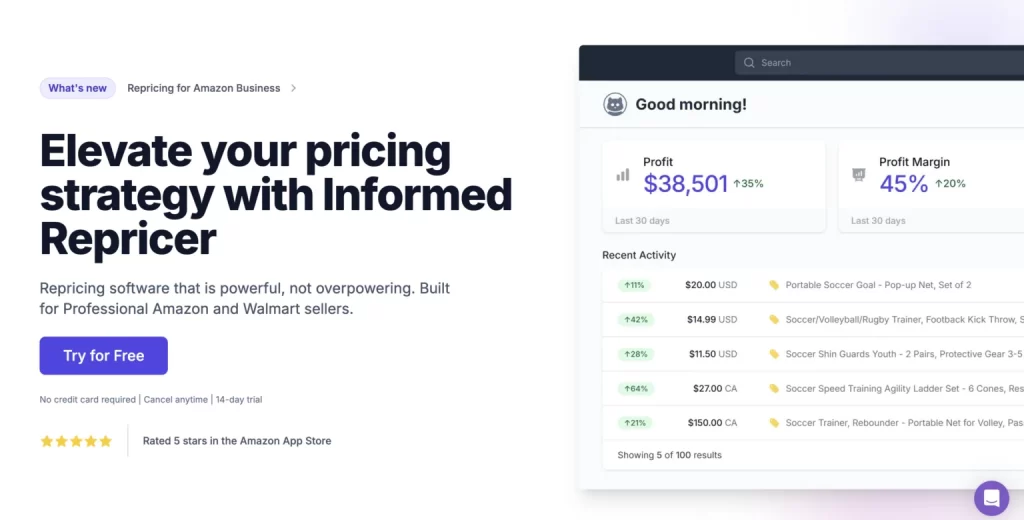
InformedRepricer is a dynamic repricing platform built for marketplace sellers who need automated pricing control. On Walmart Marketplace, price competitiveness plays a major role in visibility and Buy Box performance.
Manually updating prices is slow and often leads to lost sales. Informed.co solves this by automatically adjusting your prices based on competitor activity and rule-based strategies.
Compared to other basic Walmart repricer tools, Informed.co allows sellers to create intelligent pricing rules that protect margins while staying competitive.
Key features
- Automated Buy Box repricing in real-time
- Rule-based pricing strategies, price adjustments based on sales velocity
- Competitor price monitoring
- Minimum and maximum safeguard controls
- Multichannel repricing support
- Competitor analytics and reporting dashboard
Pricing
Plan | Price/month |
Foundation | $99/month |
Expansion | $147/month |
Rating
G2: 3.9/5 ⭐
Capterra: 4.8 ⭐
Pros
- 14-day free trial
- Strong pricing automation logic
- Margin protection controls
- Reliable Buy Box strategy tools
Cons
- Pricing increases with SKU count
- Focused only on repricing, not full operations
- Requires strategic setup to maximize ROI
12. SellCord – Walmart automation & account management
Best for: Walmart sellers who want expert guidance and partial or full account management, rather than handling everything internally.
SellCord is a full-service agency that provides assistance on everything from onboarding and PPC to full-service account management. While many Walmart seller tools focus only on software, SellCord combines automation technology with expert-managed services to support sellers more comprehensively.
SellCord helps streamline product listing, pricing strategies, order processing, and account optimization. It is especially useful for sellers who do not want to manage every operational detail themselves or who need help navigating Walmart’s compliance and performance requirements.
Key Features
- Keyword research, SEO-friendly titles, and content enhancement
- Account management services
- Listing optimization support
- Repricing strategy assistance
- Performance monitoring
- Growth strategy consulting
Pricing: custom and based on scope and ad spend rather than fixed SaaS tiers.
Rating
Ambition Box: 4.3/5 ⭐
Pros
- Combines software with human expertise
- Reduces time spent managing Walmart Seller Center
- Helpful for sellers unfamiliar with Walmart policies
Cons
- Higher cost compared to standalone software
- Not ideal for fully self-managed sellers
How to Choose the Right Walmart Seller Tools
Choosing the right software can feel overwhelming because every platform promises growth and automation. Here are 5 steps to help you choose the right tool on the Walmart seller tools list:
Step 1: Identify your biggest bottleneck first.
You should start by defining what is limiting your Walmart growth. You may struggle with pricing competition, inventory errors, weak keyword visibility, or slow fulfillment. A tool should solve your most urgent constraint before anything else.
Step 2: Ensure the tool integrates directly with Walmart.
You must confirm that the software connects smoothly with the Walmart Seller Center. You should also review Walmart Marketplace’s approved Solution Providers list to ensure compliance. Additionally, you can use Walmart’s internal tools like Success Hub for AI-assisted listing improvements before investing in external platforms.
Scale Walmart sales with the right multichannel solution
LitCommerce integrates directly with Walmart Seller Center and helps you manage listings, inventory, and orders across 20+ marketplaces from one dashboard.
Step 3: Evaluate scalability and multi-channel compatibility
Merchants should select software that can grow with their catalog size. If you sell on both Amazon and Walmart, you need tools that support multi-channel integration. Scalable systems prevent costly migrations later.
Step 4: Verify functionality against Walmart’s specific requirements.
The seller should choose tools that handle Walmart’s Item Spec requirements, which differ from Amazon’s structure. Tools should support bulk attribute mapping, listing optimization, or ad management, depending on your needs, such as LitCommerce.
Step 5: Build a smart tech stack
Finally, you should examine trusted review platforms and assess total review volume. In this article, we helped you check reviews on multiple trusted review platforms and list the top Walmart seller tools. Don’t forget to calculate whether the monthly cost aligns with your margins.
Walmart seller tools for business: FAQs
What selling tools do you use for Walmart?
Many Walmart sellers use a stack of tools rather than relying on a single solution. Common categories include listing and feed management, repricing and product research, inventory and order management, advertising optimization, and accounting/helpdesk tools.
LitCommerce fits into this stack as an all‑in‑one multichannel listing and feed management solution, helping you connect your main store to Walmart and other marketplaces, sync inventory and prices, and manage orders from a single dashboard.
What types of tools are most important for Walmart sellers?
The most impactful categories are listing and feed management, repricing and analytics, inventory and order management, fulfillment (like WFS or 3PL connectors), advertising optimization, and customer support/helpdesk tools.
Do I really need tools if I’m just starting at Walmart?
No, you don’t. Very small catalogs can start manually in Seller Center, but as you add SKUs or channels, tools for listings, inventory, and pricing quickly become essential to avoid errors, out‑of‑stocks, and missed Buy Box opportunities.
When should I invest in paid tools instead of free options?
Once you manage more than ~50–100 SKUs or sell on multiple marketplaces, the time saved on pricing, listings, and support, and the lift in sales and margin, usually outweighs the subscription cost of specialized Walmart tools.
Maximize Performance and Profits with Walmart Seller Tools
As competition on Walmart Marketplace continues to grow, sellers who invest in the right systems will be better positioned to stay competitive and increase profitability.
This article highlights the best 12 Walmart seller tools for sellers that help you streamline your store operations, listing performance, inventory management, and analytics for smarter decisions.
If you want to learn more strategies for growing your marketplace business, explore our Blog for more expert guides and insights, or Contact us for further support from our team.