

Dynamic Search Ads have been part of Google Ads since 2011, and for many advertisers, they still feel almost too good to be true. Instead of building endless keyword lists, DSAs use your website content to match ads with real search intent, hence, saving tons of time and costs.
So in this article, we’ll walk through practical Dynamic Search Ads examples, focusing on real-world use cases and how they deliver successful results. You’ll see when DSAs make sense, how they’re used in different scenarios, and what you can learn from them.
Let’s start with the basics: what Dynamic Search Ads are and how they work.
What is a Dynamic Search Ad?
A Dynamic Search Ad (or DSA) is a type of Google ad that uses your website content to decide when and where your ads show up. Instead of building long keyword lists or writing dozens of headlines, you let Google scan your site and match your ads to relevant searches automatically.
When someone searches for something closely related to one of your pages, Google creates a headline on the fly and sends them to the most relevant page on your site. All you need to do is write the description. This setup helps your ads stay accurate and up to date, even when your products, services, or content change over time.
Power your Dynamic Search Ads with clean product data
Support your DSAs with a well-managed product feed. LitCommerce helps you sync, optimize, and update product data automatically, so your ads stay accurate, relevant, and ready to scale.

You might also like: Facebook Dynamic Ads in 2026: Everything You Need to Know
How Dynamic Search Ads work
Dynamic Search Ads work by using Google’s website crawling and machine learning technology to understand the structure and content of your site.
Here’s how the process works step by step:
- Google scans your website pages and categorizes their content
- You define dynamic ad targets, such as specific pages, categories, or your entire site
- When a relevant search happens, Google matches the query to the most suitable page
- The ad headline and final URL are generated dynamically based on the page and search intent
- Your manually written descriptions are combined with the dynamic elements to form the full ad
Who should use Dynamic Search Ads
Dynamic Search Ads are especially useful for filling keyword gaps that traditional search campaigns may miss, helping you reach high-intent searches without extensive manual setup. Hence, these ads are especially effective for:
- Businesses with large or frequently changing websites
- eCommerce stores with extensive product catalogs
- Service providers with multiple detailed service pages
- Advertisers looking to uncover new search queries
- Accounts that already run keyword-based search campaigns and want to fill coverage gaps
DSAs work best as a complement to standard search campaigns, not a replacement. They help capture missed opportunities while saving time on keyword expansion and ad creation.
However, businesses that require strict control over ad copy or keyword selection, such as those in highly regulated industries, may need to approach DSAs cautiously or limit their use to tightly defined page targets.
You might also like: The Ultimate Guide to Google Shopping Ads (2026)
4 Dynamic Search Ads Example in Practice
Now, let’s move on to the main section and explore 4 Dynamic Search Ad examples that show how businesses have successfully used DSA to drive results in their ad accounts.
Example 1: Driving cost-efficient traffic with Dynamic Search Ads
If you’ve ever felt stuck trying to squeeze more results out of your keyword campaigns, Dynamic Search Ads can be a smart way to move forward.
In this Dynamic Search Ads example, you focus your DSA on your most important pages, like key product categories or main service pages.
Then, your ads only show when there’s a strong match between the search and your page, which helps avoid wasted clicks. Because the headline reflects what the user is actually searching for, the ad often feels more natural and relevant, without you needing to raise bids or constantly tweak copy.
A good example of this approach in action is ForRent.com, an online rental marketplace with thousands of property listings across multiple locations.

Because listings change constantly by location and availability, maintaining complete keyword coverage was both time-consuming and inefficient. With Dynamic Search Ads, ForRent.com was able to capture long-tail, location-specific searches without managing keywords, while still directing users to highly relevant pages.
In their campaigns, DSAs complemented existing keyword campaigns and contributed to lower costs while expanding search visibility:
- Increase CTR by 26%
- Reduce CPC by 30%
- Lower CPA by 37%
- Drive 22% of total AdWords leads
You might also like: Google Shopping Ads vs Search Ads: Features, ROI & When to Use
Example 2: Matching ads to a wide range of website pages with strong relevance (especially large eCommerce catalogs)
When a website contains hundreds of thousands, or even millions, of pages, maintaining relevance at scale becomes the biggest challenge. Creating keyword lists and ad copy for every product variation is not only inefficient, it’s often impossible to keep up with as inventory changes. And Dynamic Search Ads solve this since it automatically matches ads to the most relevant pages.
For example, Grainger, a leading supplier of maintenance, repair, and operating products, manages a catalog of over one million items that continues to grow every day.
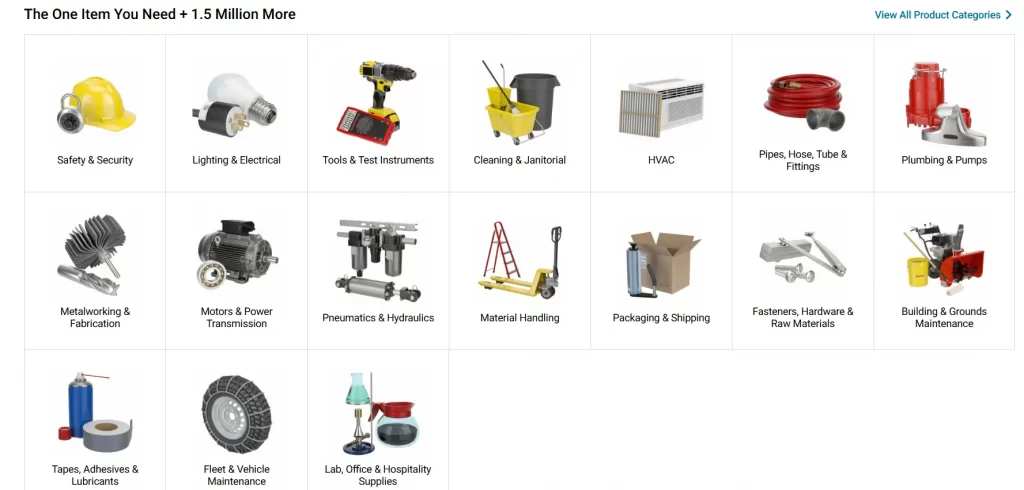
To help customers quickly find what they need without increasing campaign management effort, Grainger uses Dynamic Search Ads to generate ads directly from its website content. Google regularly crawls Grainger’s product pages, ensuring the ads always reflect the most up-to-date inventory.
Moreover, Grainger combined DSAs with remarketing lists for search ads (RLSA). So that who were already familiar with the brand can see highly relevant ads tied to products they were more likely to purchase again.
Compared to Grainger’s non-brand search ads, the combined DSA and RLSA campaigns delivered:
- Nearly 1,000% increase in ROAS
- Nearly 1,000% increase in conversions
- Nearly 1,000% increase in CTR
Example 3: Reaching high-intent long-tail searches without building keyword lists
Long-tail searches often carry strong intent, but they are difficult to manage at scale. These queries are highly specific, vary by location, and change constantly. Building keyword lists to cover them manually can quickly become unrealistic, especially for global businesses operating across multiple markets and languages. But Dynamic Search Ads can change the game.
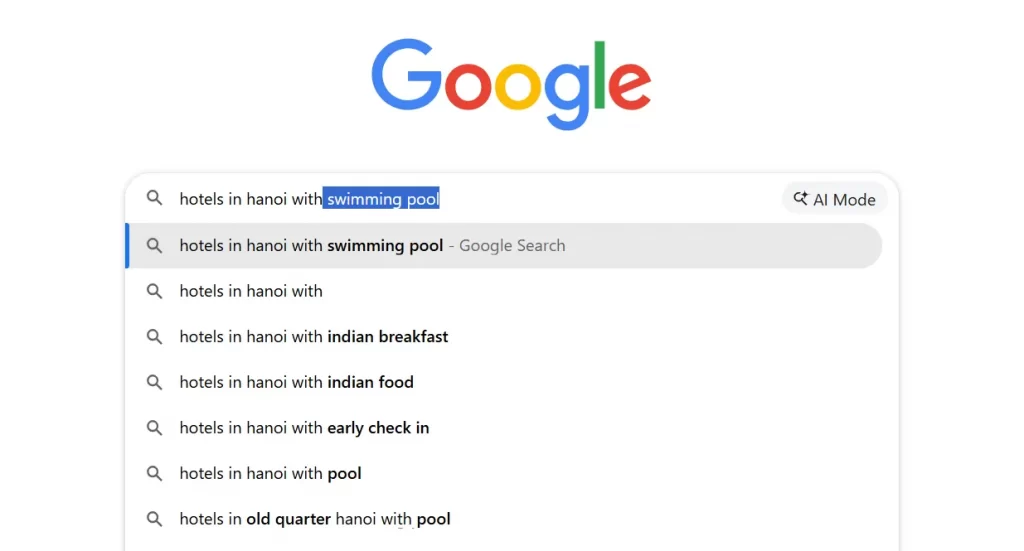
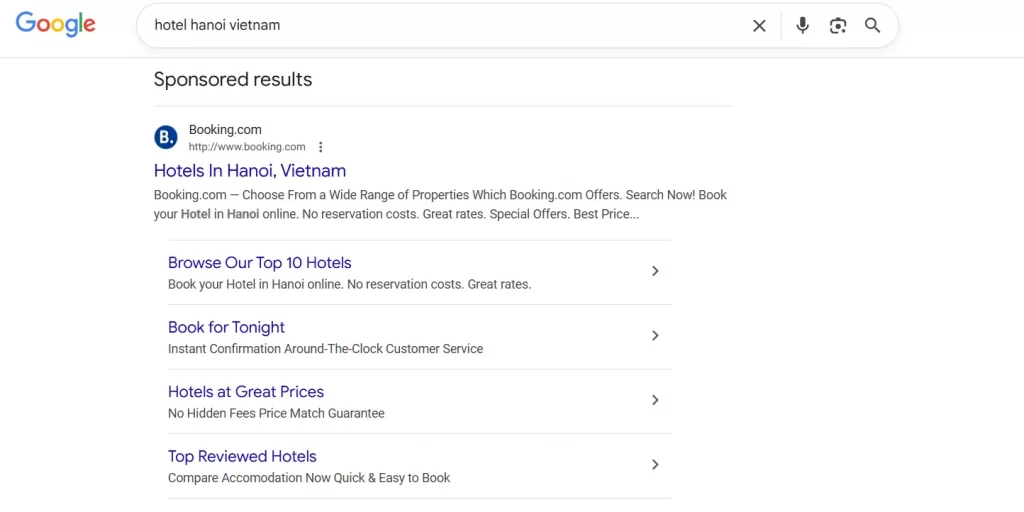
Let’s look at trivago’s Dynamic Search Ads example. They used DSAs to expand long-tail search coverage while maintaining profitable performance across both established and emerging markets.
As a global hotel search platform operating in more than 50 markets and 30 languages, trivago wanted to strengthen its brand presence and capture a wider range of descriptive hotel searches. Many of these searches were long and intent-rich, such as users looking for the best or most affordable hotels in specific cities. Covering these queries with traditional keyword campaigns alone would have required extensive keyword research and market-by-market campaign builds.
To solve this, trivago launched Dynamic Search Ads campaigns across all markets. Instead of relying on keyword lists, the company used Google’s category recommendations, allowing DSA to automatically match searches to the most relevant hotel and destination pages on its website. Automated bidding based on conversions helped ensure traffic was driven at a sustainable cost per acquisition.

As a result:
- CTRs on DSA-driven search terms were up to 140% higher than traditional search ads
- Cost per acquisition decreased in more established markets
- Newer and developing markets saw significant conversion growth
- DSA campaigns were rolled out across 50+ markets within weeks, not months
What this shows is that, rather than trying to predict every possible search variation, advertisers can focus on creating strong, well-structured landing pages and rely on DSAs to handle matching and scaling effectively.
Example 4: Leveraging Dynamic Search Ads to expand product search terms automatically
Dynamic Search Ads are also a powerful way to expand product search coverage automatically, especially when keyword lists can no longer keep up with the size or complexity of a product catalog.
Instead of relying on manual keyword research, Dynamic Search Ads use your product pages to find new search opportunities automatically, hence, catching product-related searches you might otherwise miss.
Take a multi-location home services marketplace operating across dozens of cities as an example. With standard keyword campaigns, coverage often focuses on broad terms like:
- “home cleaning service”
- “local electrician”
Dynamic Search Ads expand that coverage by automatically capturing more specific, high-intent searches, such as:
- “home cleaning service in New York”
- “affordable home cleaning service near me”
- “same-day electrician service”
- “deep house cleaning”
Because Dynamic Search Ads match queries directly to service-specific landing pages, users are sent to pages that closely reflect their intent.
A pro tip used by many eCommerce sellers is to support Dynamic Search Ads with a well-managed product or service feed. Clean, well-structured data helps keep landing pages accurate, up to date, and easy for Google to understand. As listings, locations, pricing, or availability change, Dynamic Search Ads can quickly reflect those updates in search results.
For businesses managing large catalogs or multiple locations across channels, LitCommerce product feed management tool helps keep product and listing data consistent from a single source. With automated syncing, bulk updates, and AI-assisted feed optimization, LitCommerce reduces manual work while creating a stronger foundation for Dynamic Search Ads to perform at scale.

Create a high-performing product feed for GMC at $0
Manage up to 3 active feeds and 10,000 SKUs with no upfront cost and no hidden fees. Simply create an account and focus on maximizing the impact of your Dynamic Search Ads with clean, reliable product data.
Best Practices Learned from Dynamic Search Ads Examples
DSAs may sound fully automated, but the successful Dynamic Search Ads examples above still depend on a few essential best practices:
1. Use high-quality, content-rich website pages
Like we’ve discussed earlier, Dynamic Search Ads rely entirely on your website content. If Google doesn’t clearly understand what a page is about, it won’t match it to the right searches.
So, when creating pages for DSAs, you need to make them high-quality and rich in relevant content. Focus on category pages, service pages, or well-structured product listings.
A content-rich page usually has:
- Clear headings that describe the product or service
- Descriptive copy that reflects how users actually search
- Specific details like features, locations, pricing ranges, or use cases
Google’s web crawling systems scan this content to decide which searches your ads should appear for. The clearer and more specific your page is, the more relevant and efficient your DSA traffic will be.
2. Use negative keywords and monitor search terms regularly
While DSAs automate targeting, they still need guidance. One of the most important ways to stay in control is by actively using negative keywords.
Review your search term reports often and look for:
- Informational searches with no buying intent
- Brand terms you want handled by brand campaigns
- Irrelevant modifiers that don’t match your offering
Adding negatives helps prevent wasted spend and keeps DSAs focused on high-intent traffic. Over time, search term reports can also reveal new keyword opportunities you may want to move into standard search campaigns.
3. Structure ad groups carefully and use clear categorization
Unlike regular search ads, Dynamic Search Ads don’t use keywords, but structure still matters. Instead of grouping ads randomly, organize DSA ad groups around logical page groupings, such as:
- Product categories
- Service types
- Locations or regions
So, Google can better signal and help you control where traffic goes.Also remember that with DSAs, you only write the description lines. Google generates the headlines automatically based on search intent and page content. That means your descriptions need to do more work.
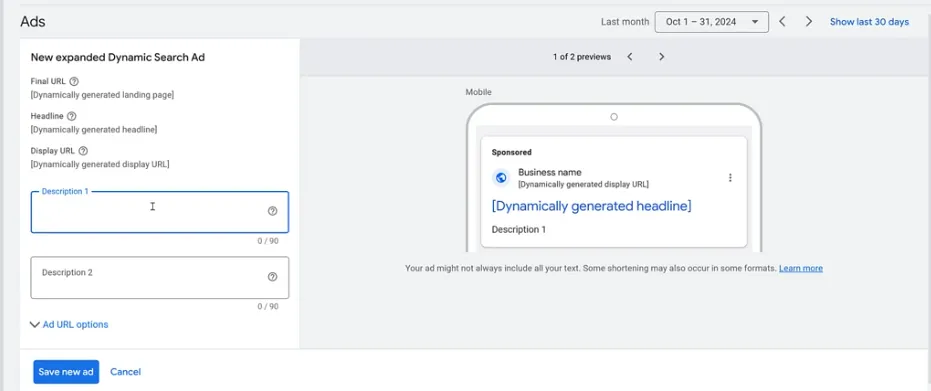
Use these descriptions to:
- Reinforce value and benefits
- Set expectations clearly
- Support the dynamic headline with persuasive context
4. Keep your call-to-action focused and consistent
High-performing landing pages usually have one clear goal, and your Dynamic Search Ads should reflect that same focus.
If your landing page encourages users to get a quote, book a service, or take another specific action, your DSA description should use the same call to action. Keeping this messaging consistent builds trust and reduces friction. When users see the same message in both the ad and the landing page, they’re more likely to complete the action.
You don’t need aggressive language. Even simple, value-driven CTAs like “See pricing,” “Explore options,” or “Find the right fit” can make a big difference when paired with relevant dynamic headlines.
FAQs About Dynamic Search Ads Examples
What kind of websites work best with Dynamic Search Ads?
Dynamic Search Ads work best for websites with clear structure and strong content, such as eCommerce stores, service businesses, or marketplaces. Sites with multiple product categories, service pages, or frequently updated content tend to see the most benefit.
Do Dynamic Search Ads replace keyword-based search campaigns?
No. Dynamic Search Ads are designed to work alongside keyword campaigns, not replace them. Keyword campaigns focus on known, high-performing terms, while DSAs capture additional relevant searches you may have missed.
Can Dynamic Search Ads examples be applied to smaller businesses?
Yes. While many Dynamic Search Ad examples feature large brands, the same principles apply to smaller businesses. As long as your website has focused landing pages and clear messaging, Dynamic Search Ads can help expand coverage and drive relevant traffic without adding keyword complexity.
Conclusion
Dynamic Search Ads take testing and refinement, but when used correctly, they can add real value to your search strategy. Also, from these Google Dynamic Search Ads examples above, we can clearly see that DSAs work best as a complement to keyword campaigns, helping you capture long-tail searches and stay aligned with your website content.
If you’re continuing to explore DSAs, LitCommerce offers more practical guidance in our blog, and our product feed management tool can help you maintain clean, accurate data to support effective DSA campaigns.
With the right foundation, Dynamic Search Ads can quietly drive relevant traffic and consistent results at scale.