

BigCommerce eBay Integration
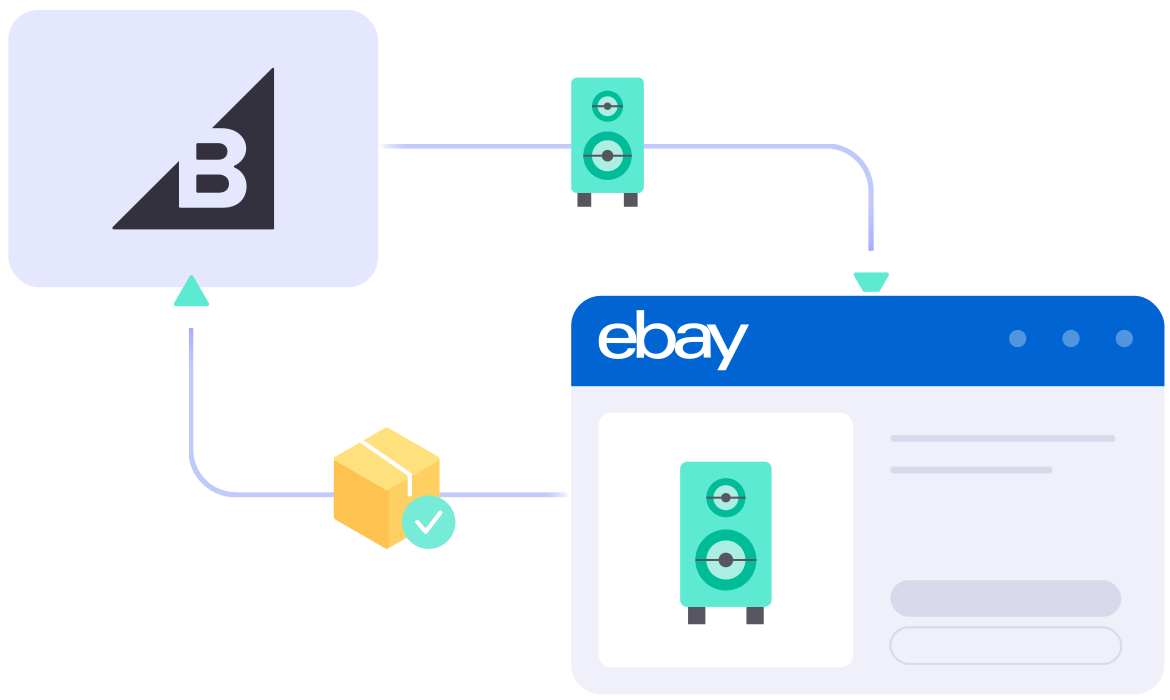



What Specific Data Can be Synced Between BigCommerce and eBay?


Detailed Guide on BigCommerce eBay Integration
Adding eBay is one of the smartest moves you can make. eBay puts your products in front of millions of ready-to-buy shoppers that your storefront alone can’t reach. With LitCommerce, a BigCommerce eBay integration takes just four simple steps, and no technical skills are required.
Here’s what we’ll cover in this BigCommerce eBay integration guide:
- Step 1: Connect BigCommerce to eBay
- Step 2: List & import products on eBay
- Step 3: Enable BigCommerce eBay sync
- Step 4: Manage your order flow
Step 1: Link BigCommerce to eBay
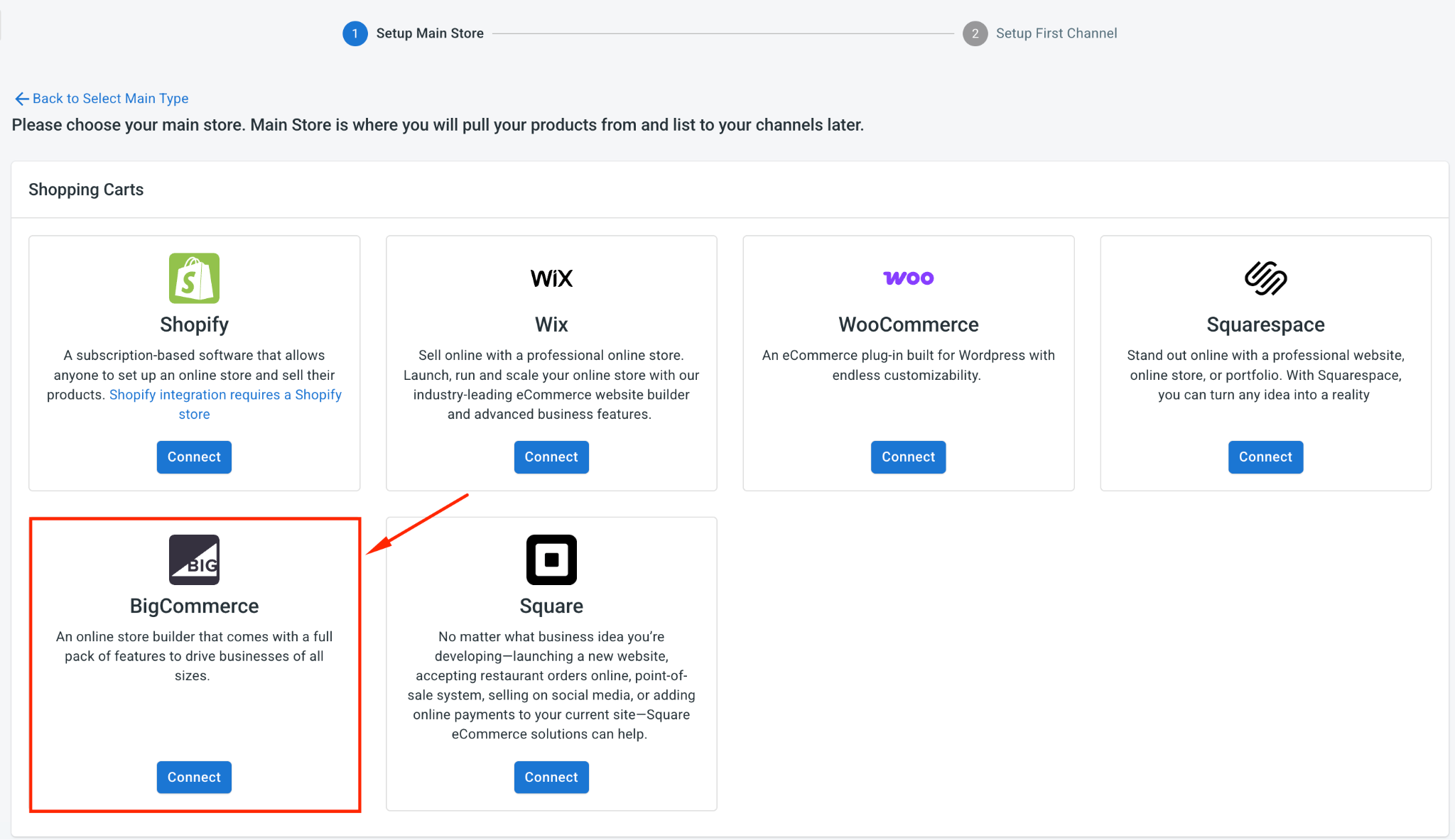
The first step is to set BigCommerce as your Main Store in LitCommerce. Your Main Store is the central hub where your full catalog and stock levels live, and every channel syncs to and from it.
To get it set up, you can either install LitCommerce from the BigCommerce app marketplace or add BigCommerce directly inside the LitCommerce app.
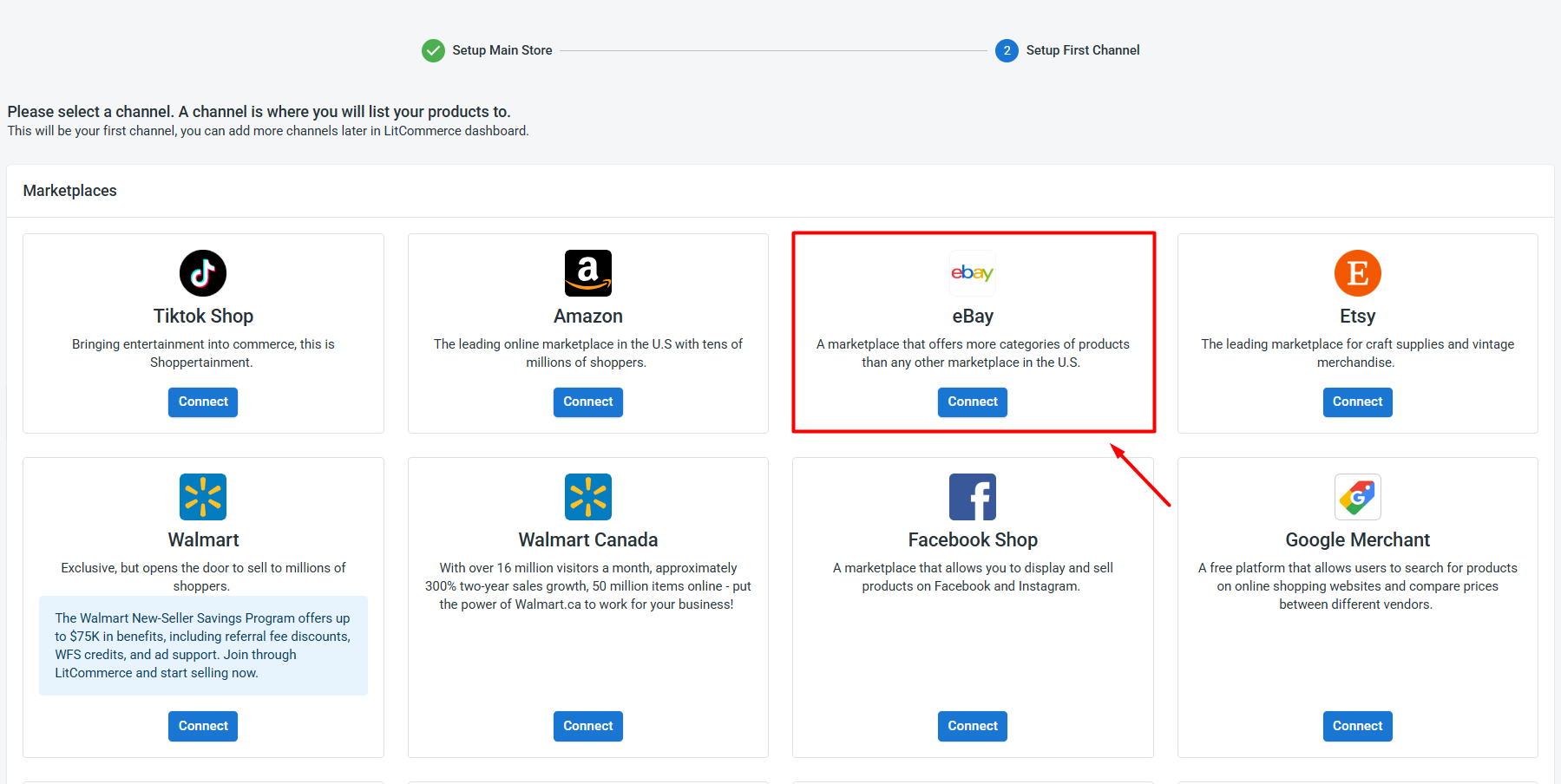
Once your Main Store is ready, head to the supported marketplaces, find eBay, and click Connect under its logo.
From there, enter your eBay store name, hit Connect Your Account, and allow LitCommerce to access your existing eBay seller account.
Once you finish, you’ve successfully linked BigCommerce to eBay.
Beyond eBay, LitCommerce also supports other BigCommerce integrations, such as BigCommerce Etsy, BigCommerce TikTok Shop, and BigCommerce Amazon, and 10+ more, so you can keep adding channels as you grow.
Step 2: List and Import Products on eBay
Once your BigCommerce and eBay accounts are connected, LitCommerce automatically imports your BigCommerce products so they’re ready to list. What you do next depends on where your listings currently live.
Case 1: List your BigCommerce products on eBay
If you sell on BigCommerce and want to expand to eBay, here’s how to get your products live:
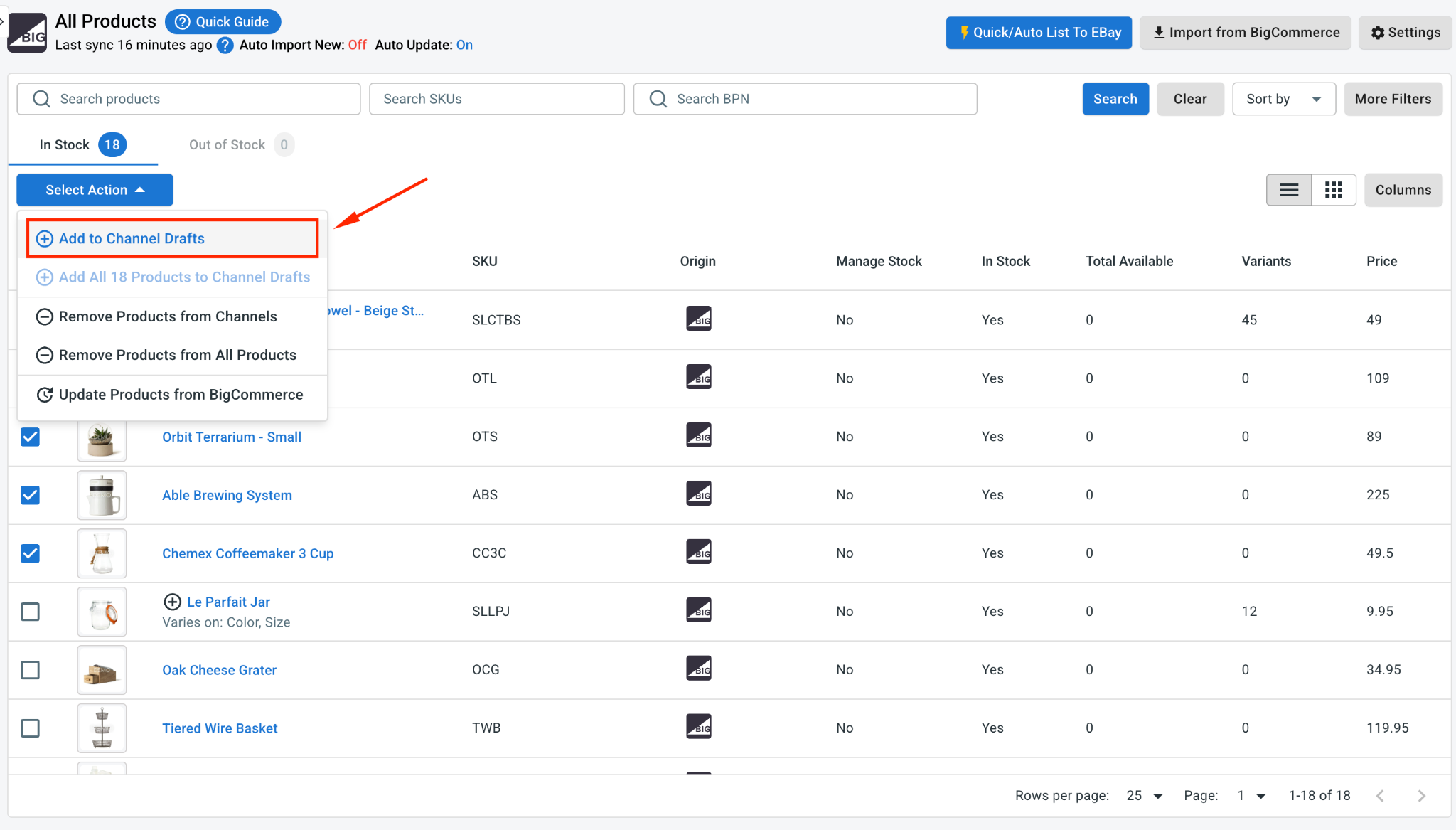
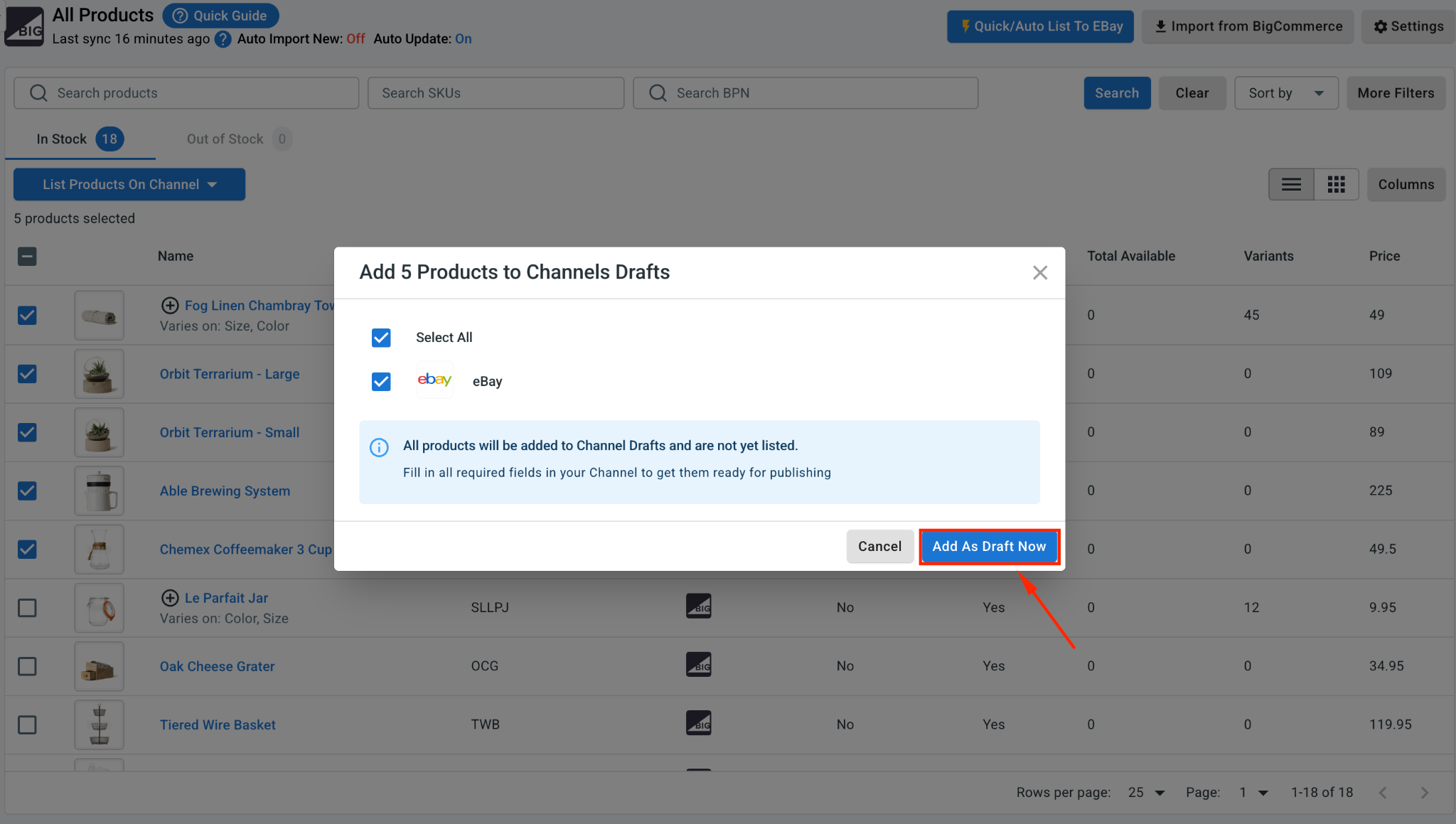
1. Go to All Products and select the BigCommerce items you want to list.
2. Click Select Action, then Add to Channels Drafts
3. Now, check the box next to your eBay store, then click Add As Draft Now.
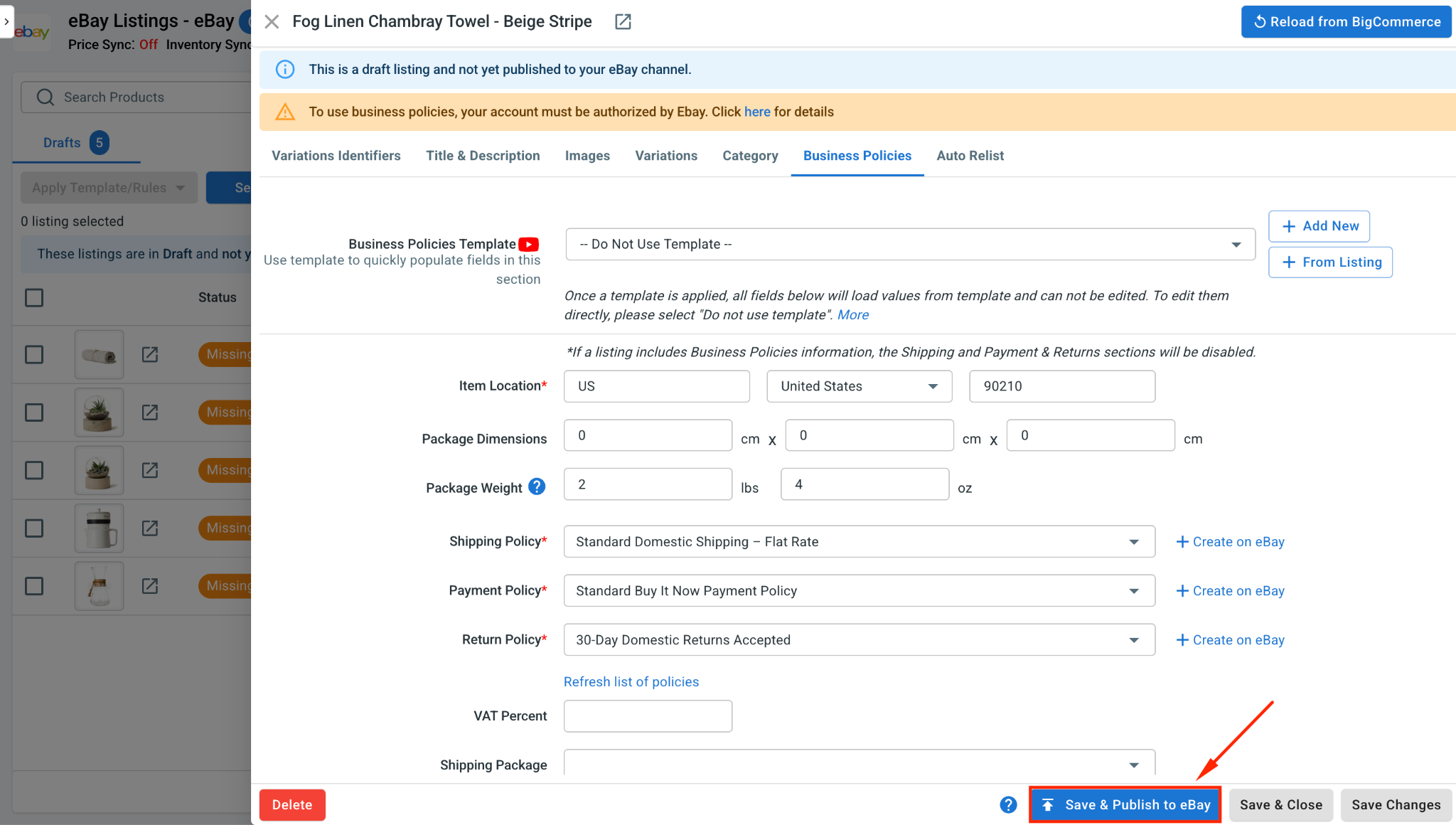
4. Open the eBay tab and review each draft. eBay often asks for more product details than BigCommerce, such as item identifiers, category, shipping, and return information, so fill those in.
5. When a listing looks ready, click Save and Publish to eBay.
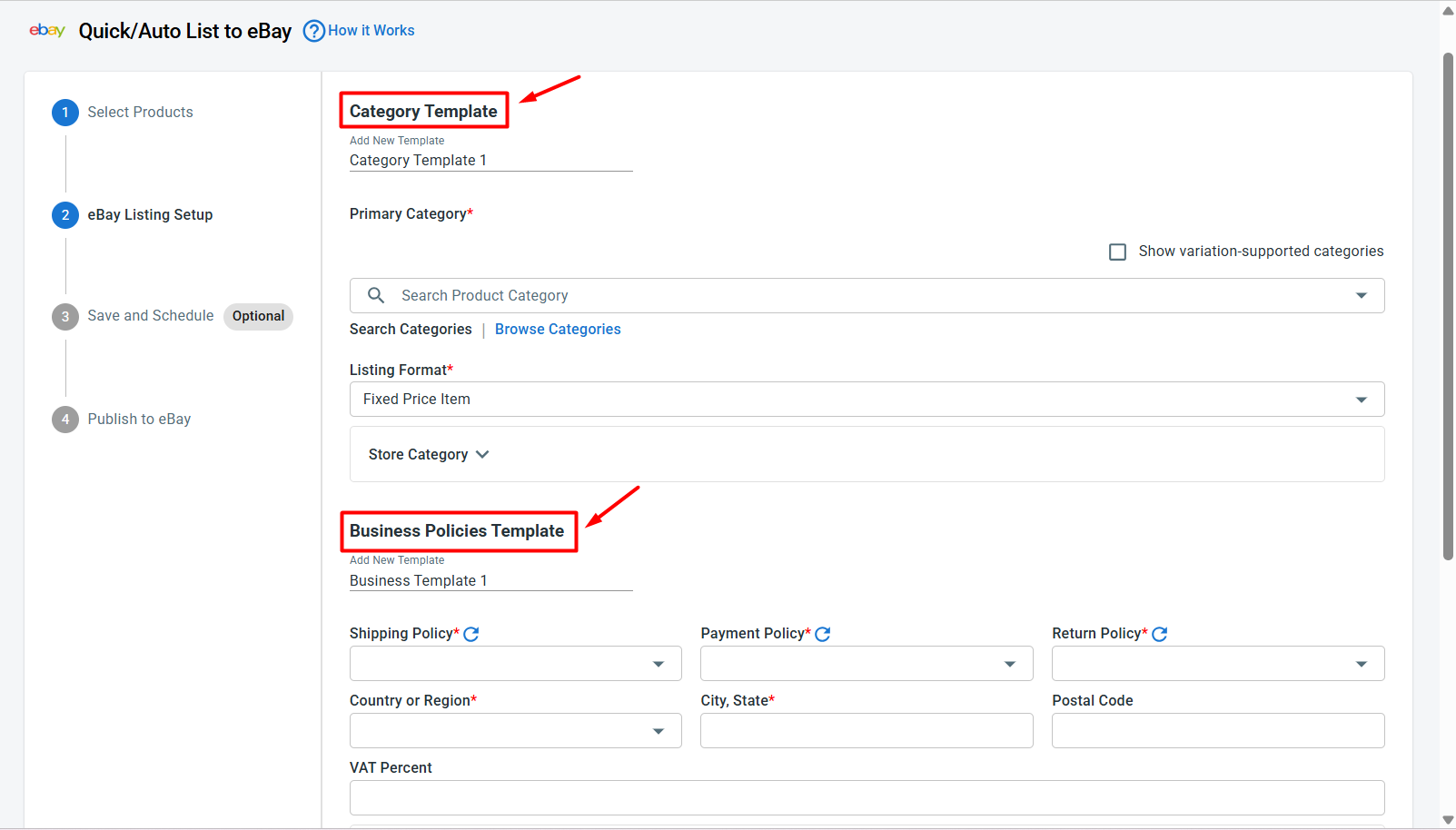
Pro tip: Instead of listing products one by one, use Quick/Auto List to eBay to bulk edit and upload your BigCommerce products. Set up templates for category, business policies, pricing, and title & description once, then apply them across many eBay listings at the same time, which is a real lifesaver for a large catalog.
Case 2: Import your eBay products to BigCommerce
If you’re already selling on eBay and want to bring those listings into BigCommerce, LitCommerce pulls them in for you:
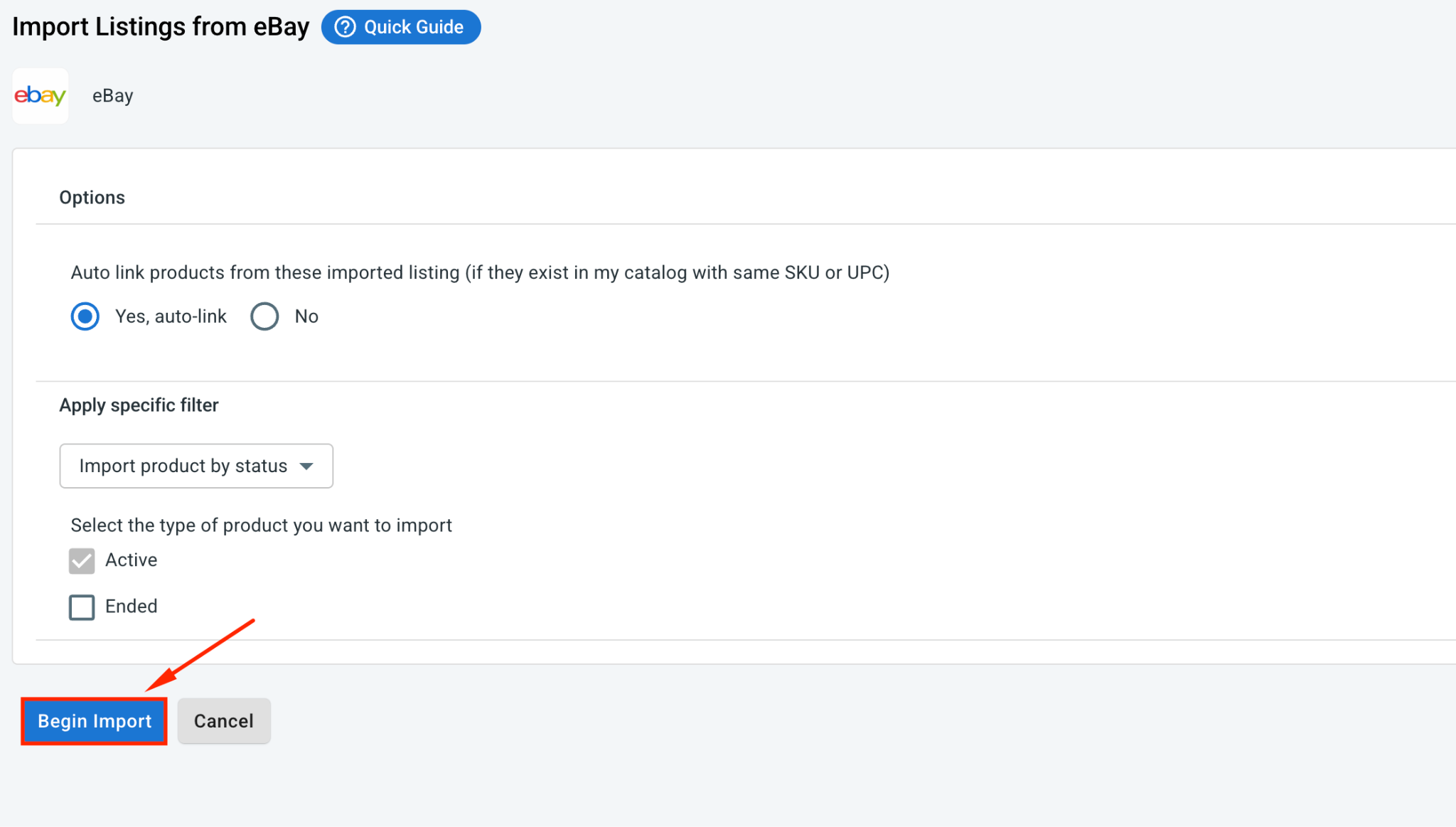
1. On the eBay channel tab, click Import from eBay.
2. Filter which products to import, and let LitCommerce auto-link your items across BigCommerce and eBay where it can.
3. Once done, click Begin Import.
4. Your eBay listings load into LitCommerce. Now select them, click Select Action, then choose Create on BigCommerce.
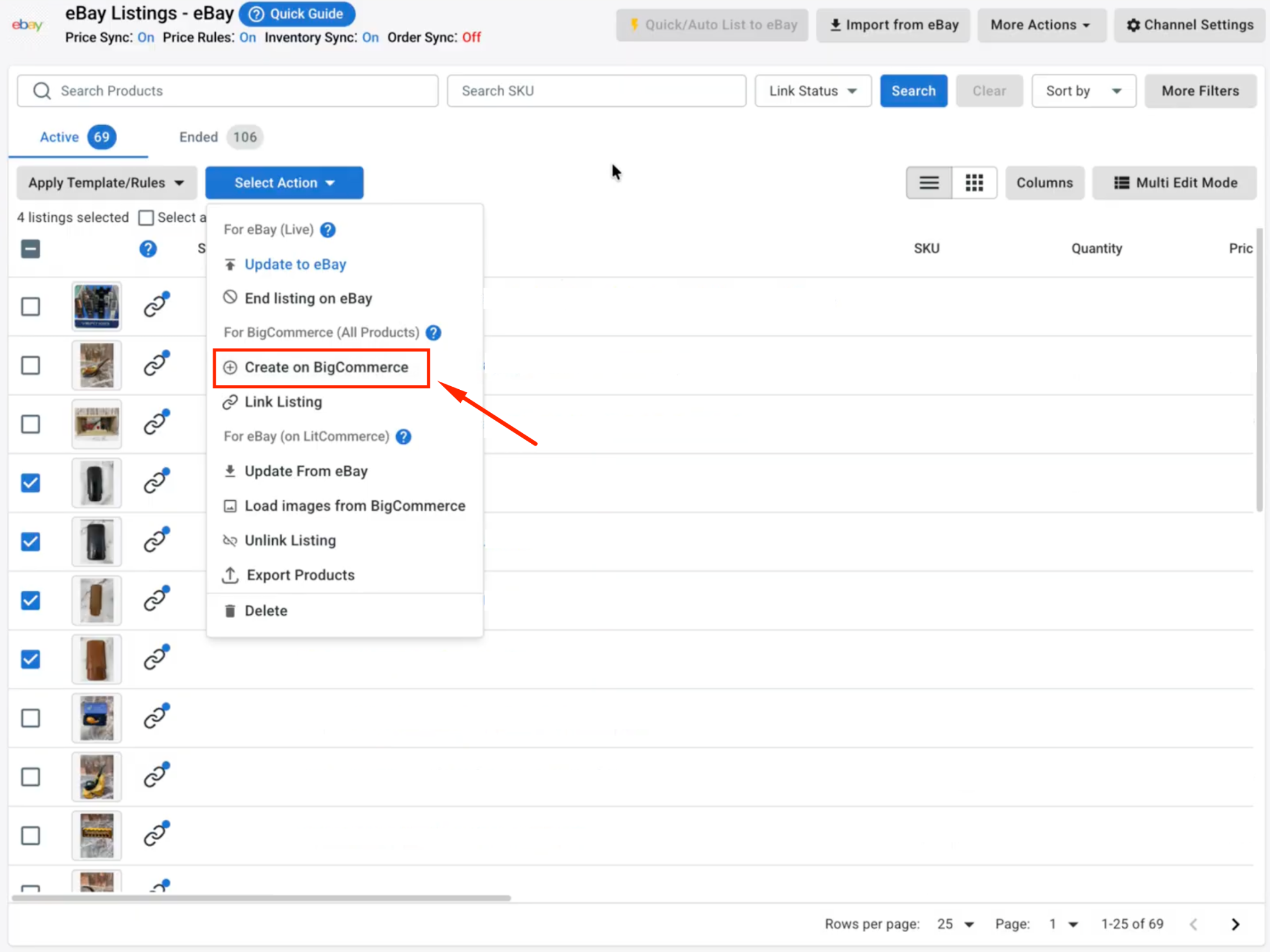
Just like that, your eBay listings live in BigCommerce too, connected across both platforms and ready to sync.
Case 3: Linking products across BigCommerce and eBay
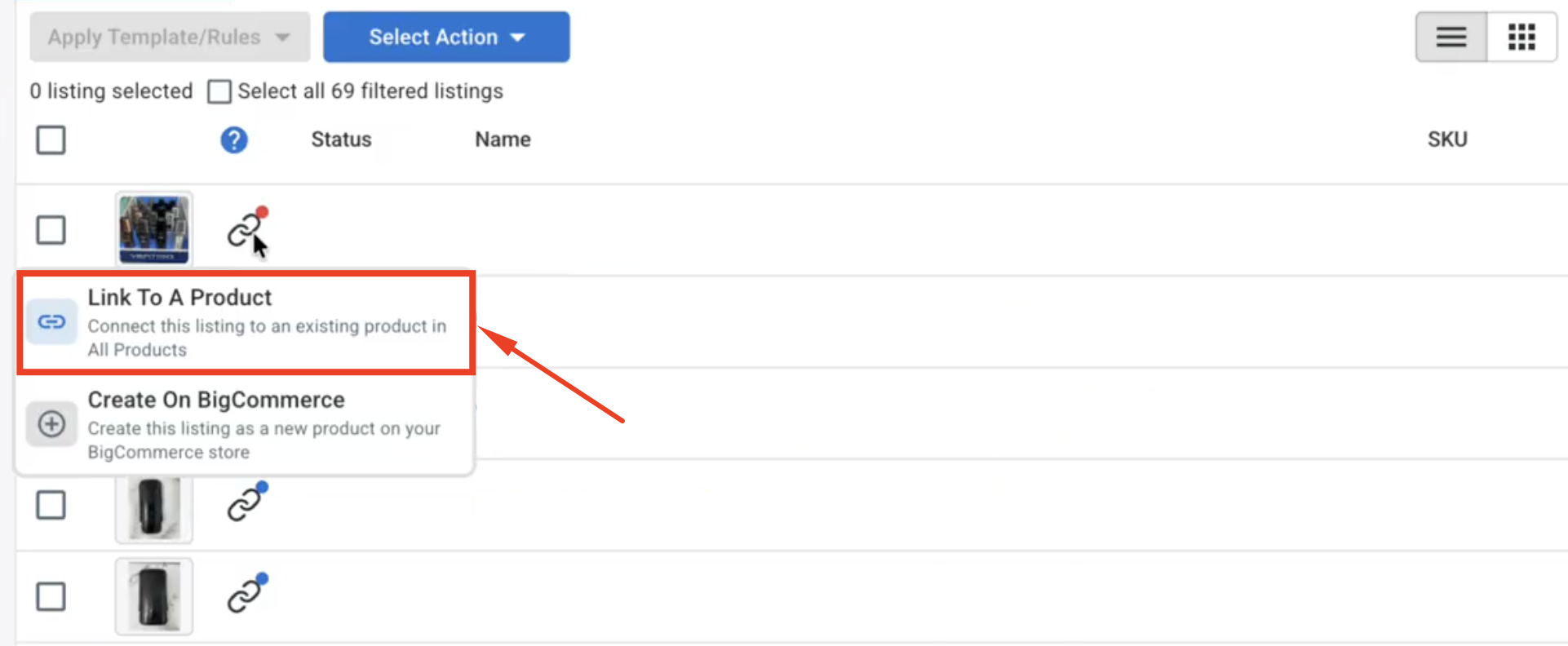
When you import from eBay, LitCommerce auto-links the items it recognizes. Linked products show a blue dot, while unlinked ones show a red dot.
1. To link them yourself, hover over the red dot, choose Link To A Product
2. Find the matching item, then click Select next to it.
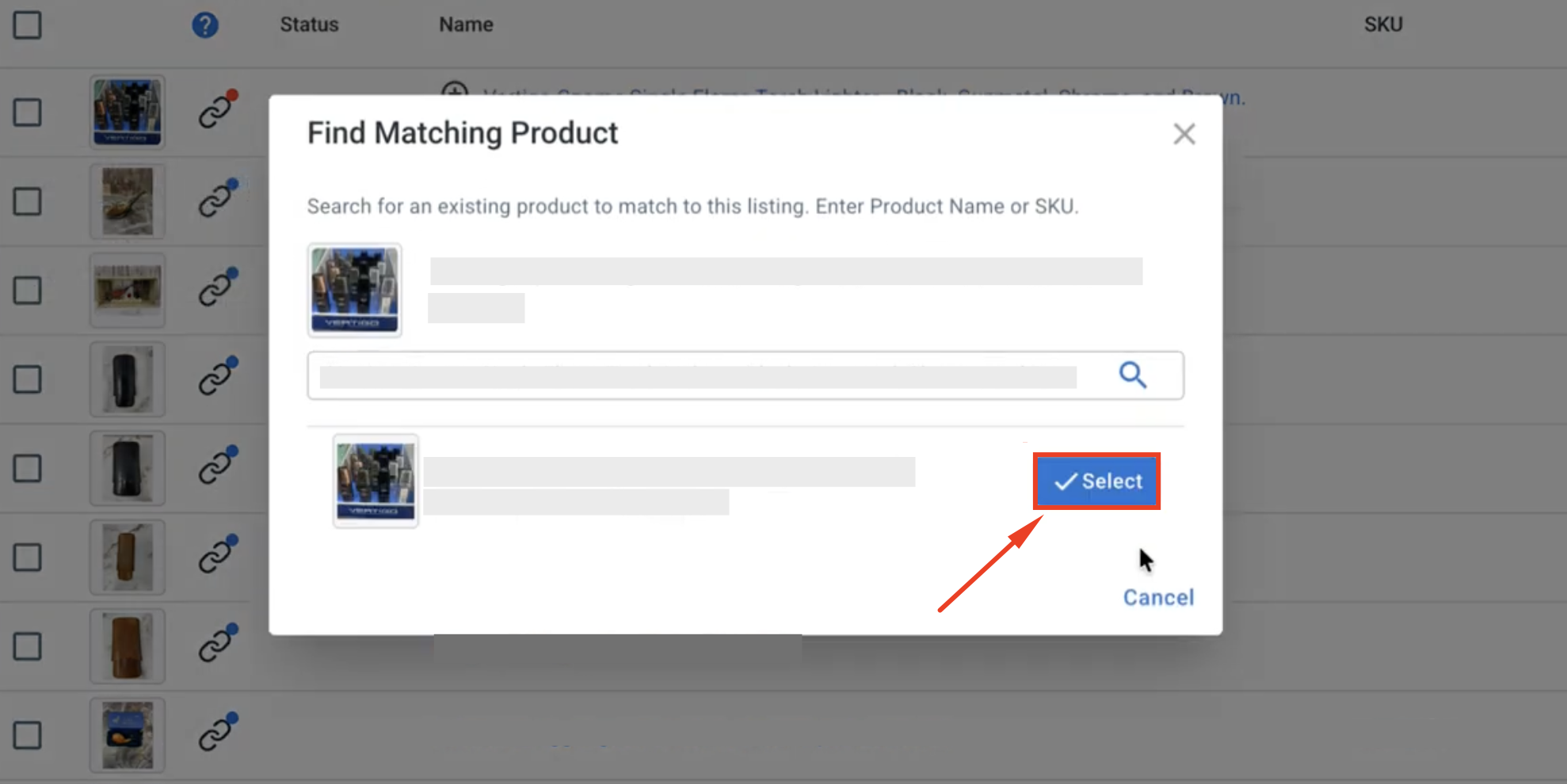
Now, linked products are the ones that stay in sync, so this quick step keeps both stores accurate.
Step 3: Enable BigCommerce eBay Sync
LitCommerce keeps your BigCommerce and eBay stores aligned automatically, so your pricing, stock, and orders stay consistent across both without manual work. To open these settings, click Channel Settings in your eBay store inside LitCommerce.
Here are the three main sync settings you can configure for your eBay and BigCommerce integration:
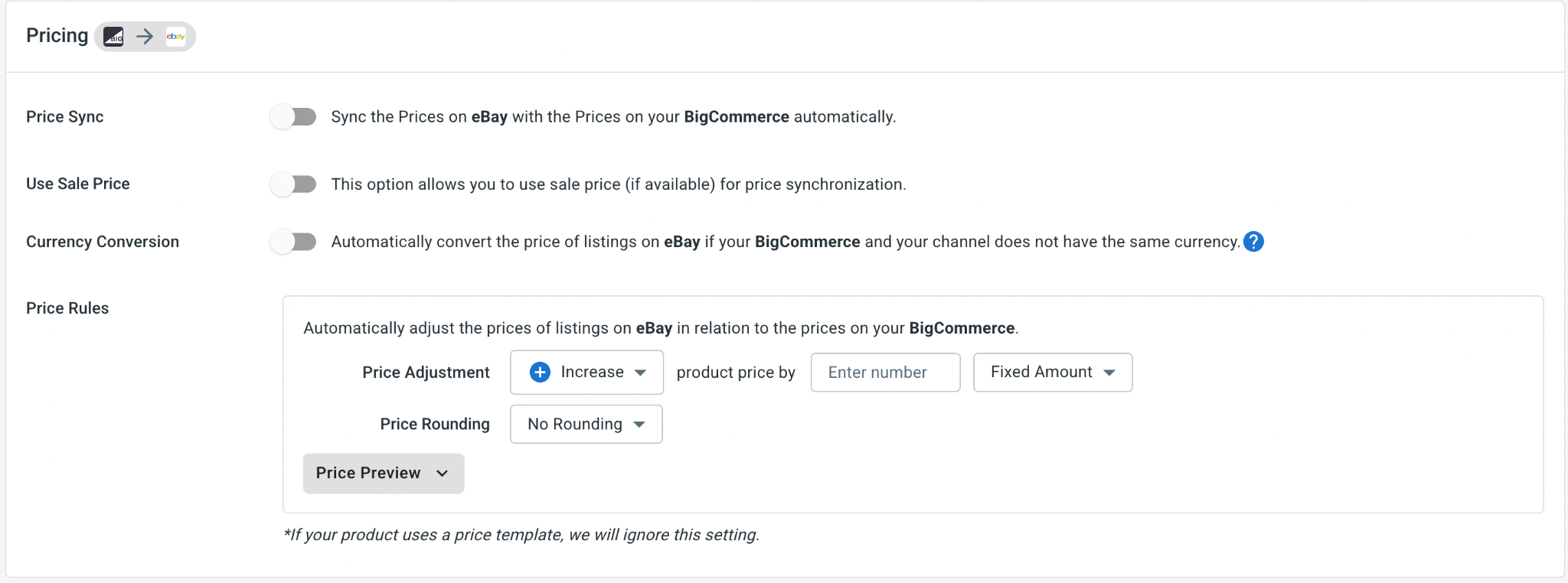
- Price sync: Automatically matches your eBay prices to your BigCommerce store. You can also apply price rules to raise or lower eBay prices by a set amount or percentage. It’s useful since eBay’s fees differ from your storefront’s costs.
- Inventory sync: Keeps your stock counts aligned across both platforms so you never oversell. You can set minimum and maximum stock thresholds, keep listings active when stock hits zero, and use inventory rules to sync only a portion of your available BigCommerce stock to eBay.
Pro tip: Set a slightly different markup on eBay using price rules. Because eBay charges its own selling fees, a small per-channel adjustment helps protect your margins without you editing prices by hand every time.
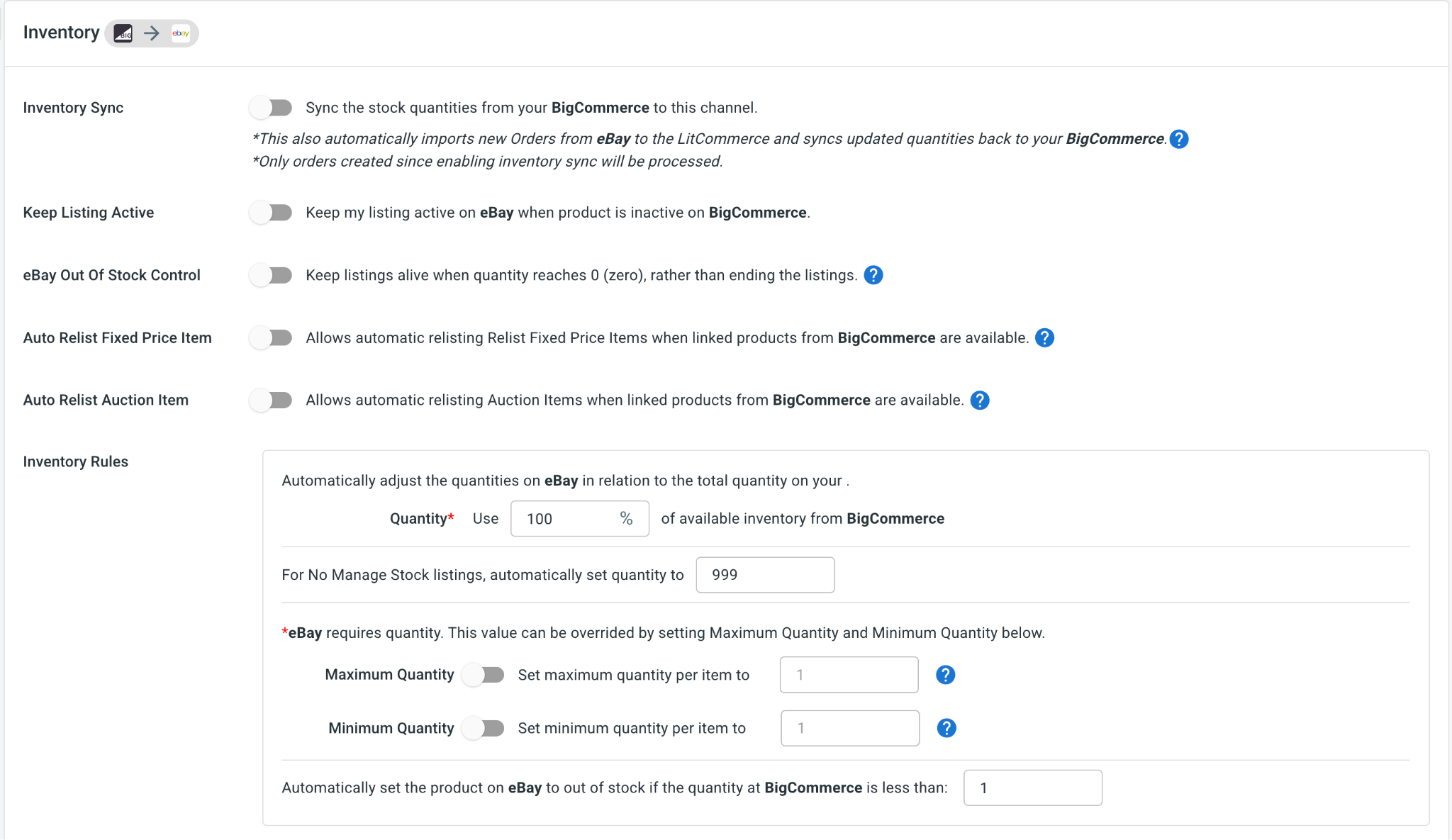
- Order sync: Choose Import Orders to Main Store to pull all your eBay orders into your BigCommerce dashboard, so you can manage everything in one place.
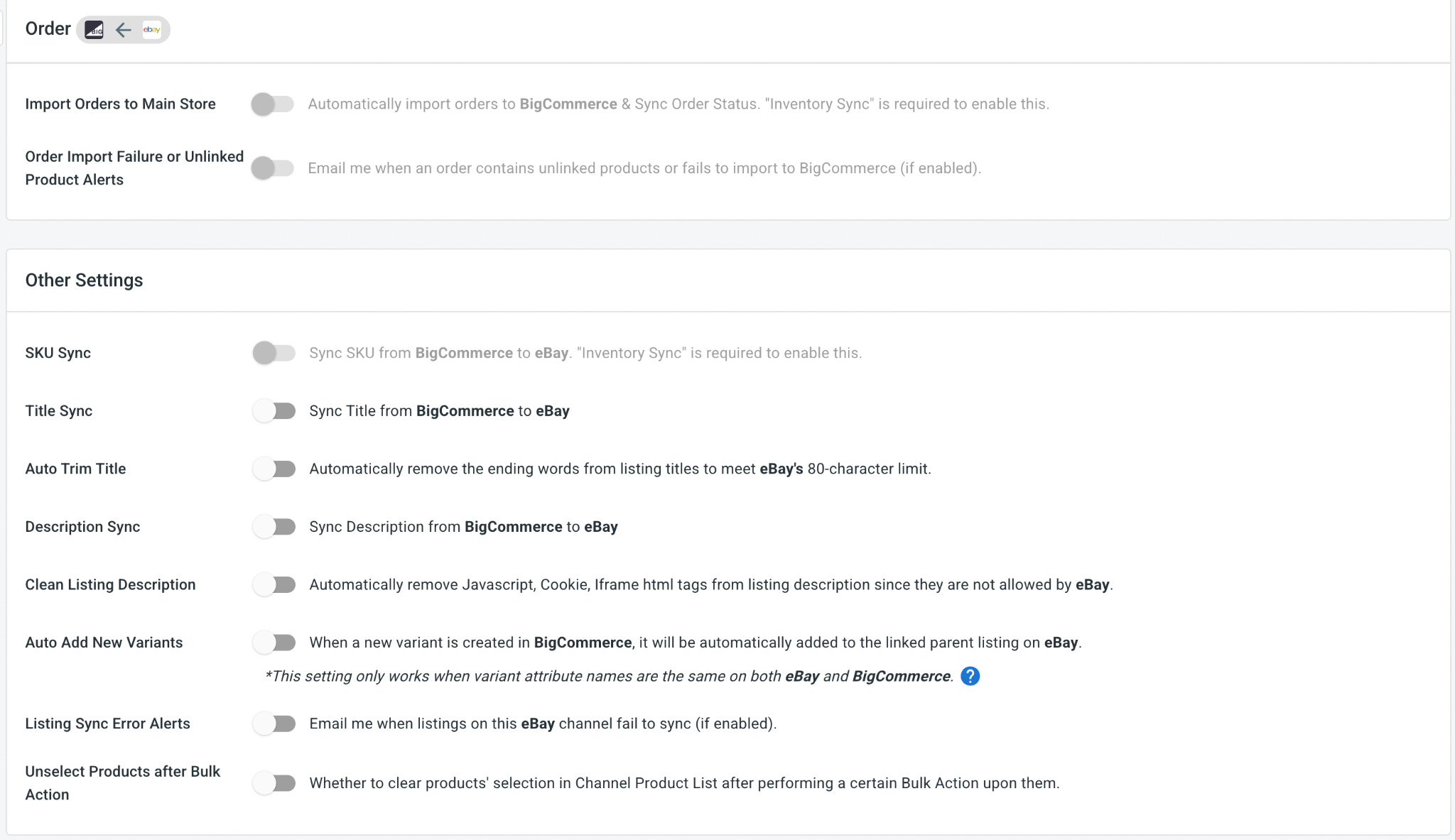
Once you’ve set your preferences, click Save Settings at the bottom of the page. From there, your two stores keep themselves aligned on their own.
Step 4: Manage Your Order Flow
With Import Orders to Main Store turned on, every eBay order appears in your BigCommerce dashboard right alongside your storefront orders.
Turning this on also lets LitCommerce pull your orders from both BigCommerce and eBay into one unified view. From your BigCommerce dashboard, you can:
- Review your BigCommerce and eBay orders eBay in one place.
- Track shipments and update tracking numbers across both channels at the same time.
And that’s your eBay Bigcommerce integration solutions, set up end to end. With LitCommerce as your eBay BigCommerce integration solution, your storefront and your eBay listings run together, your products reach millions of audience while your stock and orders stay in step on their own.