
Believe it or not, using the right eBay listing software tools can help optimize your selling process on this dynamic sales channel. I’m talking about listing visibility, visuals, content, and all competitive edges gradually leading to a purchase.
But more than that, many listing tools on eBay save you time and effort, given that you have hundreds of listings to handle. Based on my selling experience with eBay, a bulk listing tool can be a real game changer when in need.
Now, let’s discover our 9+ best eBay software tools to list products and see which is right for your needs!
Introduce LitCommerce – The Ultimate eBay Listing Tool
LitCommerce is a powerful listing tool specially designed for eBay. Bulk listing, mass edition, and listing across platforms – all are available!

What Are eBay Listing Software Tools for Sellers?
For those who don’t know, eBay listing software can assist you in creating professional listings when selling on eBay. They make it simple to add photographs, videos, and descriptions to your postings, as well as set auction pricing and other parameters.
Moreover, when using eBay listing software tools, sellers can save tons of time by editing or listing on eBay in bulk. Evidently, it does help a lot when an online merchant starts out on eBay.
Don’t know how to create a listing on eBay step by step yet? We’ve got you covered with our detailed instructions, which are already live on the LitCommerce Retail Blog!
Why should you use eBay listing software tools?
Let’s admit it: A selling process demands significant time and manual effort. Listing multiple items on eBay, for example, is among the most time-consuming tasks that every eBay merchant has to encounter. Hence, it’s crucial for eBay merchants to find a suitable eBay selling tool.
On this ground, eBay listing software gradually becomes essential. By using a listing tool, you can save valuable time and energy on these administrative tasks and work on what truly matters: Your product quality.
But it doesn’t stop there. If you learn to leverage the best seller tools on eBay, you can:
- Get insights into potential and existing customers and make your listing relevant accordingly.
- Enhance your sales capabilities because you have invested wisely time and effort in other core values (services, fulfillment efforts, etc.).
How to choose a good eBay listing software tool?
I evaluate eBay listing software based on several criteria, including ease of use, customization, inventory management, and more. Without any delay, let me show you my criteria set!
What criteria are included? | What does it mean? |
Ease of use | The chosen eBay listing tool must be easy to use, even for new sellers, as they manage listings on eBay. |
Cost | Software for eBay sellers like you, including ones for listings, would be best if their pricing aligns with your budget. |
Listing customization | Any eBay listing tools should offer a high level of design or edition (can be through templates). |
Bulk listing ability | This means you can handle hundreds or thousands of listings on eBay with little time and effort. |
Inventory management | An ideal eBay seller tool for listing must have features for inventory tracking, updates, sync, etc., to avoid overselling or stocking out. |
Compatibility with eBay | Your chosen plugin or app is compatible with eBay in terms of technicality and policy. |
SEO optimization | SEO contributes greatly to your listings standing out. SEO optimization feature is not the most crucial factor, yet, it should be available. |
Integration with multiple platforms | Your seller tool helps list on eBay easily, as well as Amazon, TikTok Shop, Etsy, and any sales channels you are leveraging. |
Customer support | You can address any problems while using the tool with the customer support team through many means of communication. |
How does my criteria list align with yours? Don’t hesitate to share with me your standards for choosing an eBay listing tool (either free or paid).
The Best 12+ Free and Paid eBay Listing Software Tools for Sellers
Here goes your most awaited part! Now, why don’t you scroll down and check out a 2026 updated list of the best eBay listing software?
1. eBay Seller Hub – Best free built-in eBay listing tool
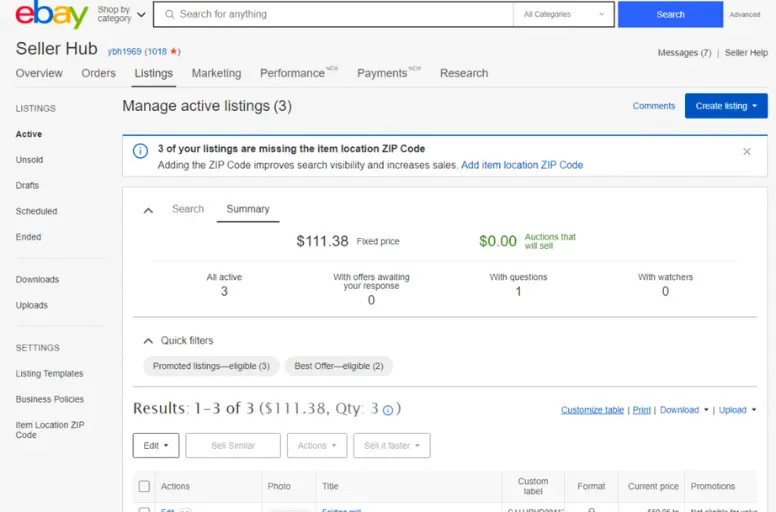
eBay Seller Hub is the official dashboard provided by eBay for managing listings, orders, promotions, and performance data. It is automatically available to sellers and requires no third-party integration. Since it is developed and maintained directly by eBay, it stays fully aligned with the platform’s latest policies, listing requirements, and feature updates.
It ranks high on this list because it offers reliable, native control over every core selling activity at no additional software cost. While it does not provide advanced automation or multichannel synchronization, it remains the foundation that every eBay seller should understand and use.
Key features:
- Native listing control: Create, edit, and end listings directly within eBay. The interface supports item specifics, variations, pricing formats, and policy presets.
- Basic stock tracking: Monitor active listings and quantities in one dashboard. Sellers can revise stock levels and manage variations manually.
- Centralized order processing: View and process orders, print shipping labels, handle returns, and communicate with buyers from one place.
- Sales and traffic insights: Access built-in reports showing impressions, click-through rates, sales trends, and seller performance metrics.
- Built-in marketing tools: Run discounts, send offers to watchers, create volume pricing deals, and manage promoted listings directly inside eBay.
- Saved business policies: Save shipping, payment, and return policies to apply quickly across multiple listings.
Pricing: Free to use.
Wo should use eBay Seller Hub?
- New sellers starting on eBay
- Small businesses managing a limited number of SKUs
- Sellers who operate exclusively on eBay
- Anyone who wants a reliable, no-cost baseline tool
For high-volume or multichannel sellers, Seller Hub works best as a foundational system alongside more advanced listing or synchronization software.
2. LitCommerce – Best overall multichannel eBay listing software
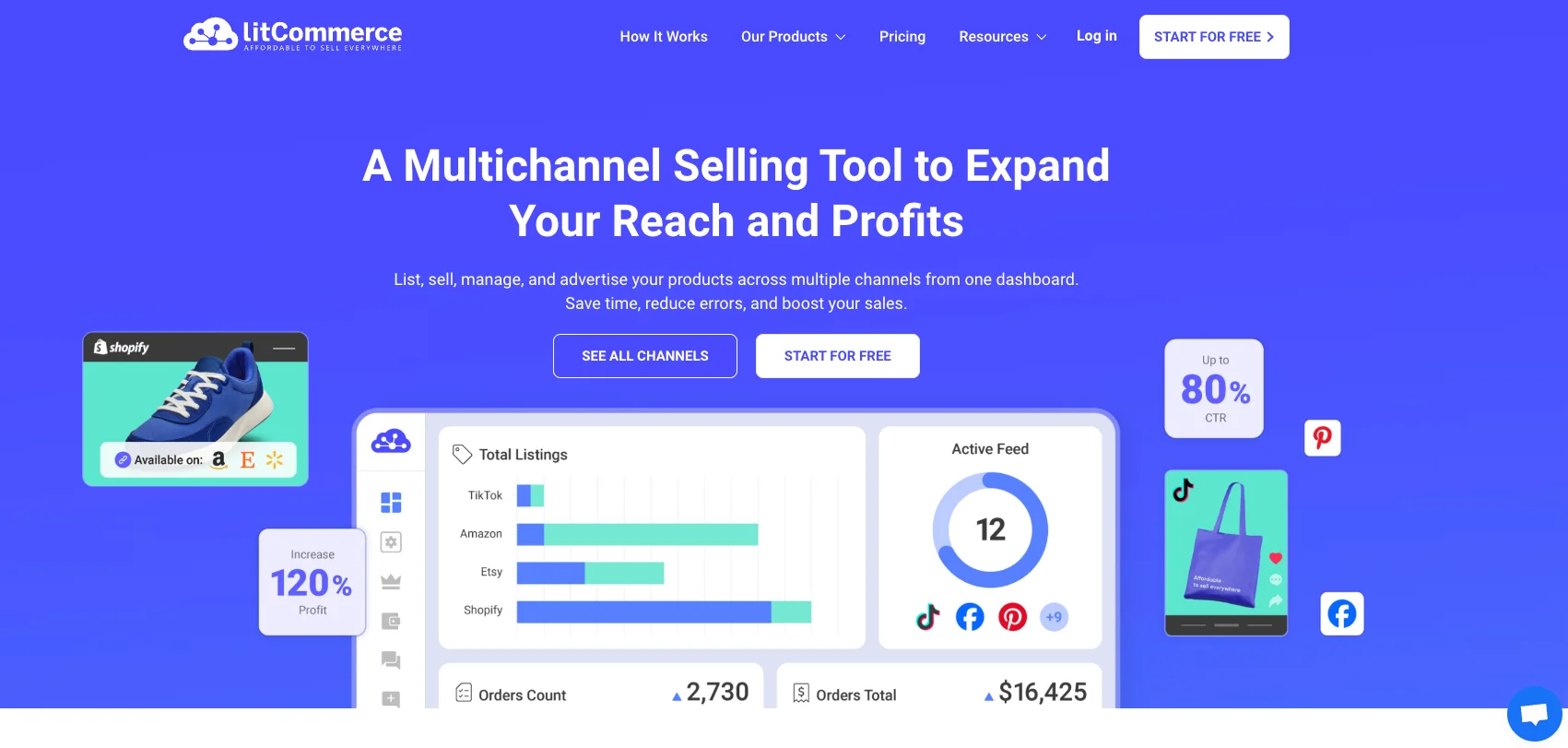
If you are serious about listing on eBay, LitCommerce should be your top choice. By far, it is the most powerful and accessible listing tool for eBay. LitCommerce is a multichannel listing and synchronization tool that integrates eBay with your main eCommerce platform (such as Shopify, WooCommerce, or others). It focuses on bulk listing management, real-time data sync, and workflow automation.
It ranks #1 in this list because it combines listing creation, synchronization, automation, and cross-channel expansion in a single system, rather than focusing on listing alone. For sellers managing inventory across multiple platforms, this centralized structure makes day-to-day operations significantly more efficient.
Key features:
- Easy store connection: Connect your eBay store in a few clicks without technical setup. All listings and orders are managed inside one LitCommerce dashboard.
- Create and edit at scale: Import, create, and edit listings in bulk. Rule-based settings help automate repetitive data fields to reduce manual errors.
- Real-time stock control: Automatically sync pricing, inventory, and orders between your main store and eBay. This helps prevent overselling and stock discrepancies.
- Centralized fulfillment: eBay orders are automatically imported into your main store’s order system, allowing you to process everything in one place.
- Keep listings active automatically: Relist fixed-price or auction listings when they expire, without manually recreating them.
- Cross-border support: Set custom pricing rules and currency conversions for different eBay regions.
- Custom GST/VAT handling: Adjust tax settings before importing orders to maintain accurate accounting and reporting.
- AI listing enhancement: Rewrite product descriptions to better match eBay’s format and SEO structure. You can add your own keywords for customization.
- Quick publish & scheduled publishing: Use templates and background processing to publish listings with fewer manual steps. Also, Schedule listings to go live automatically at selected times.
Pricing:
- Monthly plans: $29 – $369/month
- Yearly plans: available with a 20% discount compared to monthly billing.
- Free trial: 7-day free trial with full features unlocked.
Pricing scales based on listing volume and channel usage, making it flexible for both smaller sellers and businesses managing large catalogs.
Who should use LitCommerce?
- Sellers managing inventory on both eBay and their own online store
- Businesses expanding to multiple marketplaces
- Mid-sized to large catalogs that require bulk editing
- Cross-border sellers managing regional pricing and tax differences
Try LitCommerce and Explore All Listing Features
Take your shot with LitCommerce to experience QuickGrid, Templates, Recipes, and many more features on a FREE trial today!
3. 3Dsellers – Best eBay listing software for high-volume automation
Next on our list is 3Dsellers. It is a cloud-based eBay management platform focused on bulk listing, automation, and workflow optimization. Unlike native Seller Hub, it extends eBay’s built-in capabilities with rule-based automation, AI tools, and multi-account management features.
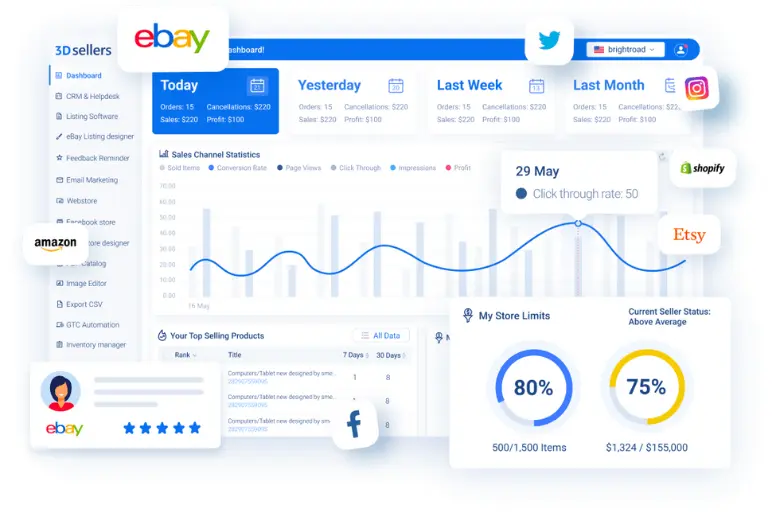
3Dsellers earns its place because it combines bulk editing, listing optimization, customer communication automation, and account management into one centralized dashboard.
It is especially strong for high-volume sellers who need automation beyond what eBay Seller Hub provides, but who may not necessarily require full multichannel synchronization.
Key features:
- Manage large catalogs efficiently: Create and edit listings in bulk with spreadsheet-style controls and reusable templates.
- Improve listing visibility: AI-assisted tools help generate or refine listing titles to align with eBay SEO practices.
- Centralize operations: Manage multiple eBay accounts from one dashboard, which is useful for agencies or large sellers operating separate storefronts.
- Automation rules: Set up automatic feedback messages, Best Offer responses, and buyer communication workflows.
- Shipping label integration: Create and manage shipping labels directly inside the platform.
- Integrated messaging system: Optional AI-powered helpdesk consolidates buyer communication for faster response handling.
Price: Plans typically start around $19–24 per month, depending on feature access and listing limits.
Higher tiers scale based on the number of listings and automation features required.
Who should use 3Dsellers?
- High-volume eBay sellers managing hundreds or thousands of listings
- Businesses operating multiple eBay accounts
- Sellers who rely heavily on automation for offers and feedback
- Teams that need centralized customer communication tools
It may be less suitable for beginners or low-volume sellers who only need basic listing and inventory management.
4. InkFrog – Best budget-friendly eBay bulk listing tool
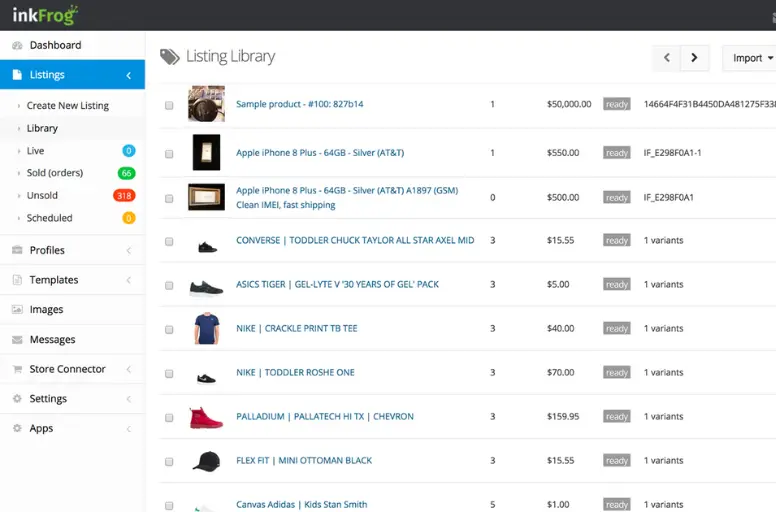
For my next choice of eBay listing tools, InkFrog is another ideal one for multichannel sellers across eBay and other top marketplaces or those with multiple eBay accounts. InkFrog is a long-established eBay listing and management platform designed to simplify bulk listing, template creation, and cross-platform syncing. It operates as a cloud-based tool and connects directly with eBay accounts, while also supporting integrations such as Amazon and Shopify.
In testing, InkFrog feels structured around stability and ease of use rather than aggressive automation. It focuses on providing dependable bulk controls and reusable templates at a relatively low entry cost.
InkFrog earns its position because it balances affordability with practical bulk listing capabilities. It offers more flexibility than eBay Seller Hub and is generally easier to set up than more complex automation platforms.
Key features:
- Efficient catalog control: Create and edit multiple listings at once, making it easier to manage medium-to-large inventories.
- Consistent listing design: Access a large collection of customizable templates to standardize branding and layout.
- Amazon-to-eBay sync: Import products from Amazon into eBay listings, which is useful for sellers expanding between marketplaces.
- Automatic delisting: Automatically remove listings when products go out of stock to reduce inventory errors.
- Multi-account management: Manage multiple eBay accounts within one dashboard.
- Order management: View and organize orders from connected accounts in a centralized interface.
Price: Entry-level plans start at approximately $11 per month, with higher tiers increasing based on listing volume and advanced features.
Who should use InkFrog?
- Small to mid-sized sellers managing multiple listings
- Sellers who want structured templates without heavy automation
- Businesses syncing products from Amazon to eBay
- Budget-conscious sellers looking for bulk editing capabilities
It may be less suitable for very large sellers who require advanced automation rules or deep multichannel synchronization.
5. CrazyLister – Best eBay listing software for branded design
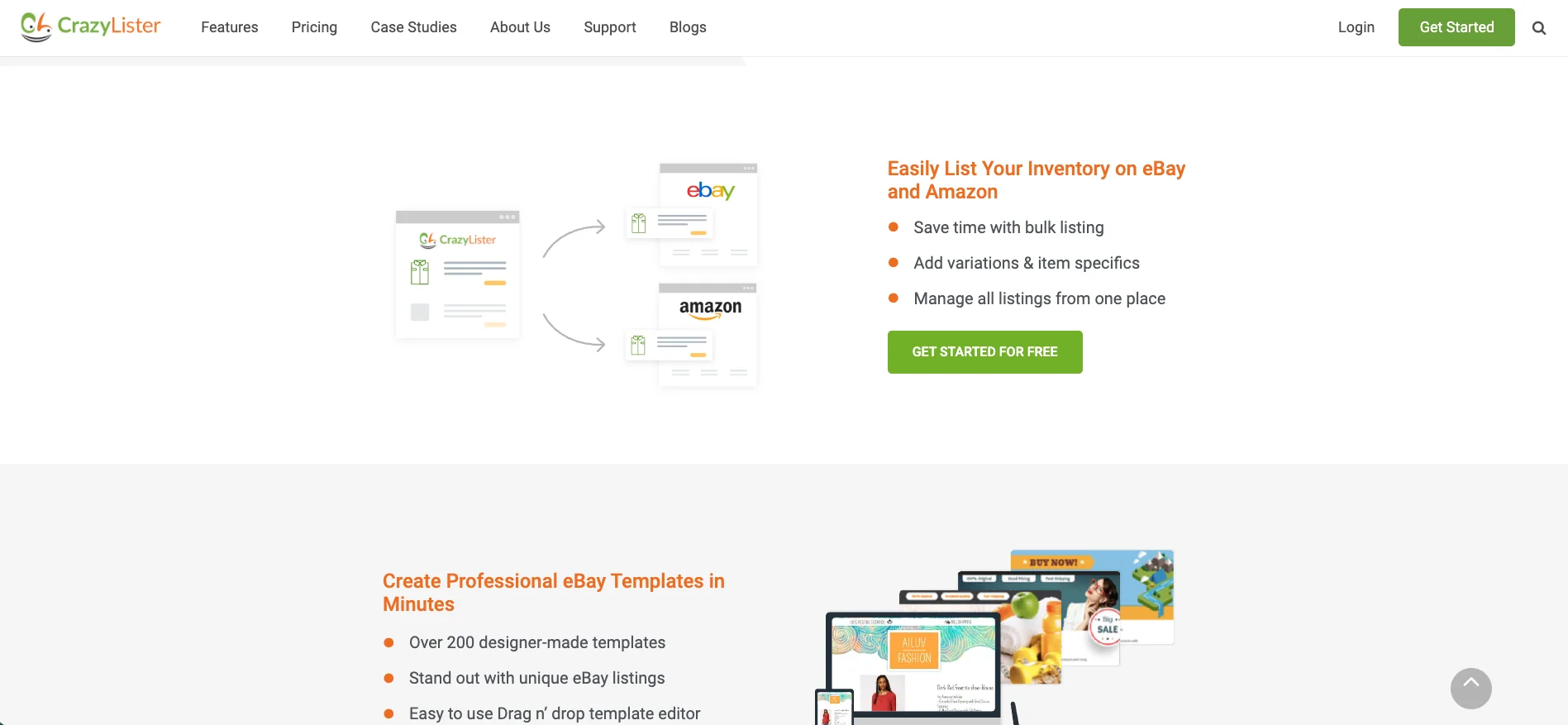
CrazyLister is a design-focused eBay listing tool built around drag-and-drop templates and visual customization. Unlike bulk automation platforms, it concentrates on improving how listings look and how brand elements are presented within eBay’s policy framework.
In testing, the platform feels intuitive and design-oriented. The editor is built for sellers who want professional layouts without touching HTML code, which makes it accessible even for non-technical users.
This tool stands out for sellers who prioritize visual consistency and mobile-responsive design rather than heavy automation or multichannel management.
Key features:
- Drag-and-drop editor: Design listings visually using blocks and sections instead of editing HTML.
- Mobile-optimized layouts: Templates are structured to display properly across desktop and mobile devices.
- Consistent visual identity: Add logos, banners, brand colors, and structured product sections to maintain a professional look.
- Template library: Create and reuse templates across multiple listings to maintain consistency.
- eBay compliance-friendly code: Templates are built to align with eBay’s active content and formatting requirements.
Price: Plans typically start at around $25 per month, depending on the number of listings and features required.
Who should use CrazyLister?
- Brand-focused sellers in categories like fashion, collectibles, or lifestyle
- Sellers who want visually structured listings without technical setup
- Small to mid-sized stores prioritizing design over automation
It may be less suitable for high-volume sellers who require bulk editing at scale, complex automation rules, or multichannel inventory synchronization.
6. Frooition – Best enterprise eBay store & listing design service
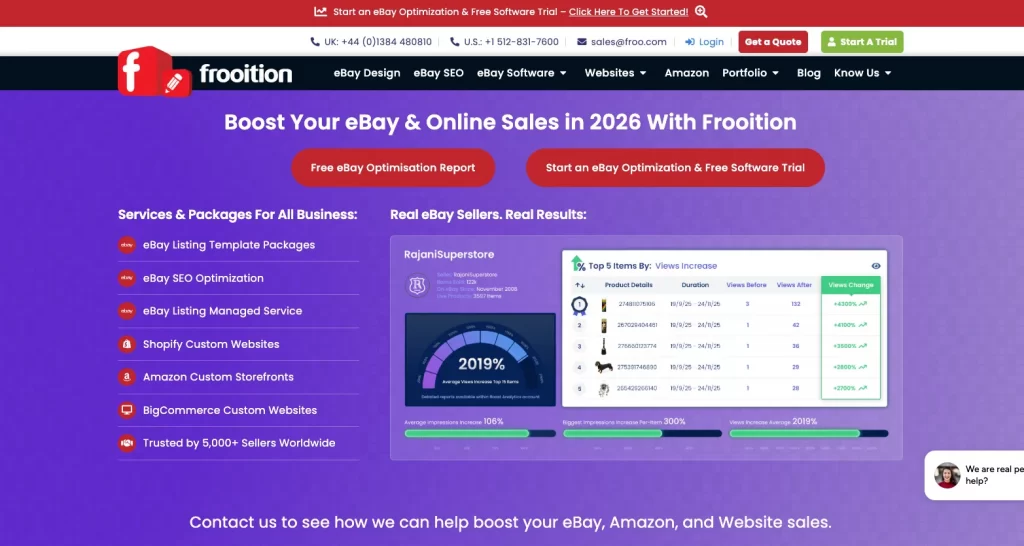
Frooition is a professional eBay design service specializing in custom store layouts and branded listing templates. Unlike DIY design tools, Frooition works more like an agency solution, delivering structured, policy-compliant designs tailored to a seller’s brand.
In testing and review, Frooition is less about day-to-day listing edits and more about long-term storefront presentation. The focus is on structured branding, clean navigation, and compliance with eBay’s evolving design standards.
Frooition earns its position because larger sellers and established brands often need more than drag-and-drop templates. They require custom store builds, consistent branding across categories, and compliance support.
Key features:
- Tailored brand presentation: Professionally designed eBay storefronts aligned with brand identity.
- Consistent product layout: Custom templates created to standardize listings across large catalogs.
- Mobile-friendly structure: Designs optimized for both desktop and mobile browsing.
- Policy-aligned formatting: Templates structured to follow eBay’s active content and design policies.
- Ongoing template management: Support options available for updates and adjustments as platform requirements change.
Price: Pricing is custom, depending on the design scope, store complexity, and level of support required.
Who should use Frooition?
- Established brands selling heavily on eBay
- Enterprise-level sellers with large catalogs
- Businesses that prioritize brand identity and storefront presentation
- Sellers who prefer outsourced design rather than DIY tools
It may not be suitable for small sellers or those who primarily need automation, bulk editing, or multichannel synchronization rather than custom storefront design.
List on eBay Easily and Reasonably with LitCommerce
LitCommerce helps you list on eBay in just a few clicks, and pricing is tailored to your demands. We guarantee you NO hidden fees!
7. Listing Mirror – Best eBay listing software for advanced inventory & order routing
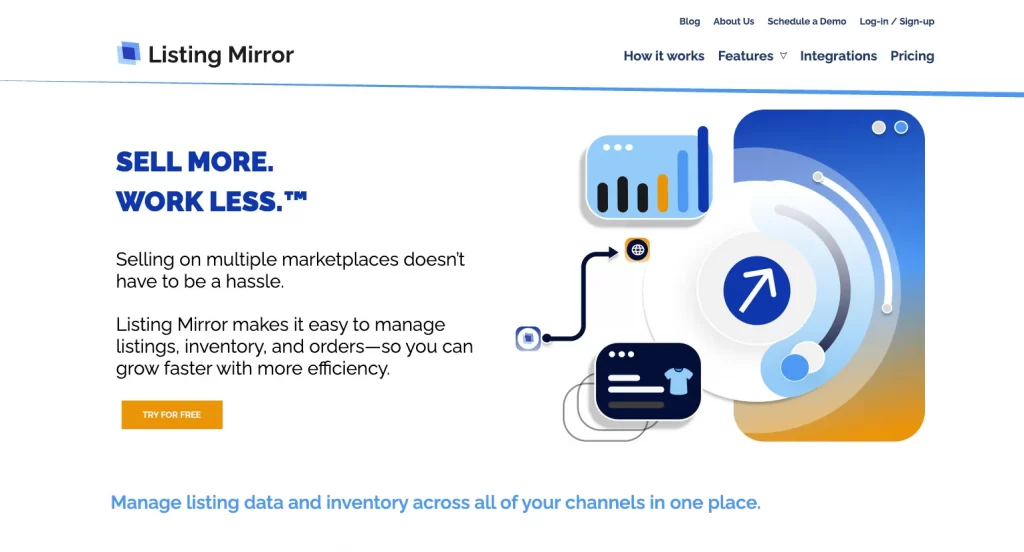
Listing Mirror is a multichannel ecommerce management platform that connects eBay with other marketplaces and webstores. Its primary focus is inventory synchronization and structured order routing rather than design or AI-based listing optimization.
Compared to design-focused or automation-heavy tools, Listing Mirror leans more toward backend operational stability. That makes it particularly relevant for businesses handling larger SKU counts or distributed fulfillment.
Key features:
- Real-time inventory synchronization: Adjustments made on one channel automatically reflect across connected marketplaces, helping prevent overselling.
- Two-way listing updates: Listings can be updated either within Listing Mirror or directly inside eBay, with changes syncing across systems.
- Warehouse-based order routing: Orders can be assigned to specific warehouses or fulfillment partners based on predefined rules.
- FBA and 3PL integration: Supports integration with third-party logistics providers and Amazon FBA for coordinated shipping workflows.
- Multichannel listing distribution: Products can be listed across supported marketplaces from a central dashboard.
Price: Plans generally begin at approximately $69 per month, with costs increasing based on order volume and operational scale.
Who should consider Listing Mirror?
- Mid-sized ecommerce businesses operating on multiple marketplaces
- Sellers managing inventory across several warehouses
- Brands using FBA or third-party logistics providers
- Teams prioritizing stock accuracy and fulfillment routing over visual design tools
It may not be the most suitable option for small sellers who only operate on eBay or for those primarily seeking listing design enhancements rather than backend inventory control.
Just in case you are looking for more eBay inventory management software, come and check out my recommendations. They are available on LitCommerce already!
8. ExportYourStore – Best for cross-platform catalog migration to eBay
ExportYourStore is a multichannel listing solution designed primarily for transferring product catalogs between ecommerce platforms and marketplaces. Rather than functioning as a deep operational control system, it focuses on structured product migration and automated synchronization between stores such as Shopify and eBay.
In practical use, the tool feels oriented toward expansion. It simplifies the process of taking an existing catalog and adapting it to eBay’s listing format without rebuilding each product manually.
ExportYourStore stands out because moving a full catalog into eBay can be time-consuming and technically challenging. The platform reduces that friction by converting product data, mapping categories, and applying automated pricing rules during the transfer process.
Key features:
- Cross-platform product migration: Move listings from Shopify or other supported platforms into eBay with automated data mapping.
- Automated pricing rules: Apply percentage markups or custom price adjustments when publishing to eBay.
- Inventory synchronization: Sync quantities between connected stores to reduce discrepancies.
- Marketplace format conversion: Automatically adjust product data to meet eBay’s category and attribute requirements.
- Centralized dashboard: Manage exports, updates, and synchronization settings from one interface.
Price: Plans typically start at approximately $29 per month, with pricing increasing based on catalog size and the number of connected platforms.
Who should use ExportYourStore?
- Sellers expanding from Shopify or another marketplace into eBay
- Businesses migrating large catalogs that require automated data conversion
- Store owners who prefer structured export workflows over manual listing recreation
It may not be the best fit for sellers who need advanced fulfillment routing, deep automation rules, or complex multi-warehouse coordination.
9. AutoDS – Best eBay listing software for dropshipping automation
AutoDS is a dropshipping-focused eCommerce platform that supports eBay along with several other marketplaces. The software is built around automating product sourcing, listing creation, price monitoring, and order fulfillment when working with third-party suppliers.
Dropshipping introduces operational complexity that standard listing tools are not designed to handle. Stock levels can change frequently, supplier prices fluctuate, and manual order placement quickly becomes inefficient at scale.
AutoDS addresses these specific challenges by automating large parts of the process. For sellers who rely on supplier-based fulfillment instead of holding inventory, this distinction is significant. It shifts the workload from manual monitoring to rule-driven automation.
Key features:
- Supplier-based listing creation: Import products directly from supported suppliers and publish them to eBay with pre-filled data.
- Price and stock monitoring: Track supplier price and inventory changes, with automatic updates reflected in eBay listings.
- Bulk listing tools: Upload and manage multiple dropshipping products at once.
- Hands-off fulfillment: Place supplier orders automatically when a customer purchases on eBay.
- Shipment synchronization: Automatically retrieve tracking information and update the corresponding eBay order.
Price: Plans typically begin at approximately $39.99 per month, with pricing scaling based on the number of products and automation features required.
Who should use AutoDS?
- eBay sellers operating a dropshipping model
- Businesses working with multiple third-party suppliers
- Sellers prioritizing automation over manual listing control
- New dropshippers seeking structured supplier integration
It may not be suitable for sellers who hold their own inventory or for businesses focused on branded storefront presentation rather than supplier-based automation.
Not An Enterprise But Look to List on eBay?
Listing on eBay is made accessible with LitCommerce, no matter if you’re an individual seller or business owner. We have tiers tailored to your needs!
How to Choose the Right eBay Listing Software Tool
Choosing an eBay listing tool is not about picking the most popular name. It is about matching the software to your business structure. I always tell my students: the right tool is the one that removes friction from your workflow — not someone else’s.
Let’s walk through this in a structured, practical way.
Step 1: Define your situation clearly
Before comparing tools, take a moment to assess your own operation.
How many active listings do you manage right now — and how many do you expect to have in six months? A seller with 80 listings needs very different software from someone managing 3,000 SKUs. Volume determines whether you need light support or serious bulk power.
Next, think about your business model. Do you hold your own inventory? Are you running a dropshipping operation? Are you building a branded store where presentation matters? Each model creates different pressure points. Dropshippers care about automation and price monitoring. Inventory-based sellers care about accuracy and stock control. Brand-driven sellers care about layout and consistency.
Finally, consider where you sell. If you operate only on eBay, your needs are simpler. If you sell on eBay plus Amazon, Shopify, or other marketplaces, synchronization becomes far more important than listing design alone.
When you answer these three areas clearly, you’ll already eliminate half the tools on the market.
Step 2: Choose the right “type” of tool
Instead of jumping straight into brand comparisons, identify the category you belong to.
- If you’re a smaller, eBay-only seller, you likely need simplicity. A native solution like eBay Seller Hub or a lightweight listing tool may be enough.
- If you manage hundreds or thousands of listings, speed becomes critical. In that case, you’ll want strong bulk editing, filtering, and possibly rule-based automation.
- If you’re selling across multiple marketplaces, your priority shifts to real-time inventory sync and centralized order management. Without those, stock errors can quickly become expensive.
For dropshipping businesses, automation is the foundation. Supplier imports, automatic price updates, and auto-ordering are not luxuries — they are survival tools.
And if you’re building a strong brand presence on eBay, listing design and mobile responsiveness will matter more than deep backend controls.
Understanding your category makes the comparison process much easier.
Step 3: Shortlist only 2–3 tools
One common mistake sellers make is testing too many platforms at once. That usually leads to confusion.
Instead, narrow your list to two or three tools that clearly match your category. Confirm they support eBay properly. If you’re multichannel, check that they support your other marketplaces. Make sure their pricing aligns with your current size.
At this stage, you’re not looking for perfection. You’re looking for alignment.
Step 4: Compare what actually matters
When reviewing your shortlist, ignore marketing language and focus on workflow impact.
Ask yourself:
- Is the interface intuitive, or does it feel overwhelming?
- Can you edit multiple listings quickly?
- Does inventory sync reliably?
- Are integrations stable?
- Does the price make sense relative to your monthly profit?
A useful benchmark is keeping software costs within 3–5% of your monthly eBay profit. If a tool costs $100 per month, it should clearly save you time, reduce costly mistakes, or increase efficiency enough to justify that expense.
If a platform is weak in your top two priorities, remove it from consideration immediately.
Step 5: Treat the free trial like a real test
Most tools offer a free trial. This is not the time to casually browse features. It’s the time to simulate real operations.
- Import 20–50 products.
- Edit listings in bulk.
- Let inventory sync for several days.
- Contact support with an actual question.
Within a few days, you’ll start to feel whether the tool simplifies your workflow or adds friction. That instinct is valuable.
Step 6: Make the decision — then reevaluate
Start with the lowest plan that fully supports your needs. There’s no benefit in overcommitting early.
After three months, review your results:
- Has it reduced time spent on listing management?
- Have stock errors decreased?
- Is your workflow smoother?
If the answer is yes, you chose well. If not, it’s better to switch early while your processes are still manageable.
eBay Listing Tool: FAQs
The 13 best eBay listing tools are: As such, here are the pros of using selling tools on eBay: However, using eBay listing software does come with some setbacks: Listing on eBay involves several key factors to optimize your whole process and attract potential buyers. Here are some tactics you can use to list on eBay effectively: There are many eBay bulk listing tools available now. You can consider using LitCommerce, eBay Seller Hub, Sellbrite, Kyozou, Xpress Lister, CrazyLister, and GoDataFeed. eBay lets you list a certain number of products for free. In particular, you can list up to 250 items for FREE with no store subscription or Starter store subscription. When selling on eBay, you may need several eBay seller tools (free or paid) to list smarter, track inventory, or increase sales. Some selling tools for eBay are LitCommerce, eBay Seller Hub, Terapeak, CrazyLister, Algopix, Kyozou, etc.
Choose Your eBay Listing Tools and Start Listing
Above is our list of the best eBay tools for sellers, which consists of the market’s most trusted software to help make your business run smoothly. Most starters would wait for some success before they start investing in tools to streamline their business… but it is the streamlining that allows their business to thrive!
To get things rolling, check out LitCommerce – the easiest way for e-sellers to list and sell products across major online marketplaces like Etsy and Walmart. As the leading multichannel listing software, our solution can help you with bulk product listing, inventory syncing, and order management—all from a central dashboard.
Don’t hesitate to contact the support team if you want to optimize your working process. We are always willing to help! Don’t forget to follow our Retailers Blog and join our eCommerce community to get updated on the latest trends!
Enjoy reading!