
Choosing the best eBay listing software can be the difference between spending your evenings copy-pasting listings and running a store that practically lists itself. The right tool sharpens your listing visibility, visuals, and content, all the competitive edges that gradually lead a browser to hit “Buy It Now.”
Beyond the tool itself, knowing how to promote your eBay listings can help push that visibility even further once items go live.
But it goes beyond looks. Based on my team’s hands-on selling experience, a good eBay listing tool saves real hours once you’re juggling hundreds of SKUs — and a few of them quietly prevent the overselling and pricing errors that eat into your profit. The hard part is knowing which software actually fits your volume, business model, and budget.
If you also want to research trending products and competitor pricing before you list, check out our picks for the best eBay research tools.
So we tested the most popular options ourselves and ranked the 9 best eBay listing software tools for 2026 — from free built-in dashboards to full multichannel platforms. If you sell across more than one marketplace, the LitCommerce eBay listing tool is the one we reach for first — but let’s see which pick is right for you.
Introduce LitCommerce – The Ultimate eBay Listing Tool
LitCommerce is a powerful listing tool specially designed for eBay. Bulk listing, mass edition, and listing across platforms – all are available!

Best eBay Listing Software: Quick Answer
The best eBay listing software overall is LitCommerce, thanks to its bulk listing, real-time sync, and multichannel reach. For sellers who want a free, built-in option, eBay Seller Hub is the strongest no-cost starting point. Your ideal pick ultimately depends on your listing volume, business model, and the number of channels you sell on.
Here are our 9 top picks at a glance, with our test score out of 5:
- LitCommerce – 4.8/5: Best overall multichannel eBay listing software.
- eBay Seller Hub – 4.3/5: Best free built-in listing tool.
- 3Dsellers – 4.4/5: Best for high-volume automation.
- Sellbrite – 4.2/5: Best budget-friendly multichannel listing tool.
- CrazyLister – 4.0/5: Best for branded, design-led listings.
- Frooition – 4.1/5: Best enterprise eBay store & listing design service.
- Listing Mirror – 4.0/5: Best for inventory sync & order routing.
- ExportYourStore – 3.9/5: Best for cross-platform catalog migration.
- AutoDS – 4.2/5: Best for dropshipping automation.
Want the full breakdown — features, pricing, pros and cons? Keep scrolling for our detailed reviews and a side-by-side comparison. New to selling here? Start with our eBay selling guides for the basics.
What Is eBay Listing Software & Do You Need It?
eBay listing software is a tool that helps sellers create, edit, and manage eBay listings, often in bulk, from one dashboard. It handles photos, descriptions, item specifics, pricing, and inventory, so you spend less time on manual data entry and more on growing sales.
You don’t strictly need it to sell on eBay. But once you pass a few dozen active listings, manual work starts to cost you. Listing multiple items on eBay one at a time is slow and error-prone, and that’s exactly where eBay listing software pays for itself.
It also helps you avoid accidentally creating eBay duplicate listings, which can trigger removal or search suppression under eBay’s policies.
Do you need eBay listing software?
It depends on your volume and how many channels you sell on. You’ll benefit most if you:
- Manage more than ~50 active listings and edit them often.
- Sell on eBay plus other channels (Amazon, Etsy, Shopify) and need inventory to stay in sync.
- Run auctions or fixed-price listings that need frequent relisting.
- Want to cut overselling, pricing mistakes, and repetitive admin work.
How We Evaluated the Best eBay Listing Software
To rank the tools in this guide, our team ran a two-month hands-on test — covering the full selling cycle from creating listings to making our first sales and shipping real orders. We set up a genuine eBay store connected to a Shopify store and worked with a catalog of around 100 products, so every tool was judged in a realistic multichannel setup rather than a sandbox.
We put all nine tools through the same path: sign-up, connecting the store, building listings, and publishing them live on eBay. Because two months can’t surface every long-term quirk, we cross-checked our findings against verified user reviews on Trustpilot and G2, plus real seller discussions on the eBay Community, Quora, and Reddit. That mix of first-hand testing and community insight is what shaped each score below.
We rated every tool from 1 to 5 on nine criteria, then weighted them into a final score out of 5. Here’s the rubric:
Criteria | What we measured | Weight |
Ease of use | How quickly a new seller can set up and list | 20% |
Bulk listing ability | Speed and reliability of mass create/edit | 20% |
Inventory management | Stock tracking, sync, overselling prevention | 15% |
Multichannel integration | Support for eBay + Amazon, Etsy, Shopify, etc. | 15% |
Listing customization | Templates, design control, item specifics | 10% |
Compatibility with eBay | Alignment with eBay's latest policies & features | 5% |
SEO optimization | Tools to improve listing titles/visibility | 5% |
Customer support | Channels, responsiveness, documentation | 5% |
Pricing & value | Cost relative to features and seller size | 5% |
A note on limitations: all pricing reflects publicly listed rates as of June/2026 and may change — always confirm on the vendor’s site. We re-check this list regularly to keep it current. For the full breakdown of how our content team tests and reviews tools, see our LitCommerce methodology.
The Best 9 Free eBay Listing Tools For Sellers in 2026
Here goes your most-awaited part! Now, why don’t you scroll down and check out the updated 2026 list of the best eBay listing software?
# | Software | Best For | Standout feature | Free / trial | Starting price | Our score |
1 | LitCommerce | Multichannel sellers (overall) | Real-time sync + bulk listing across channels + eBay template designer | 7-day free trial | $29/mo | 4.8/5 |
2 | eBay Seller Hub | eBay-only beginners | Free native listing & order control | Free | $0 | 4.3/5 |
3 | 3Dsellers | High-volume automation | Rule-based automation + multi-account | Free trial | ~$19/mo | 4.4/5 |
4 | Sellbrite | Budget multichannel sellers | Simple cross-channel listing | Free trial | ~$29 | 4.2/5 |
5 | CrazyLister | Branded, design-led listings | Drag-and-drop template editor | Free trial | ~$25/mo | 4.0/5 |
6 | Frooition | Enterprise store design | Custom branded storefronts | Demo | Custom quote | 4.1/5 |
7 | Listing Mirror | Inventory & order routing | Warehouse-based order routing | Free trial | ~$69/mo | 4.0/5 |
8 | ExportYourStore | Catalog migration to eBay | Automated cross-platform mapping | Free trial | ~$29/mo | 3.9/5 |
9 | AutoDS | Dropshipping automation | Supplier import + auto-ordering | Free trial | ~$39.99/mo | 4.2/5 |
1. LitCommerce – Best overall multichannel eBay listing software
Our score: 4.8 / 5
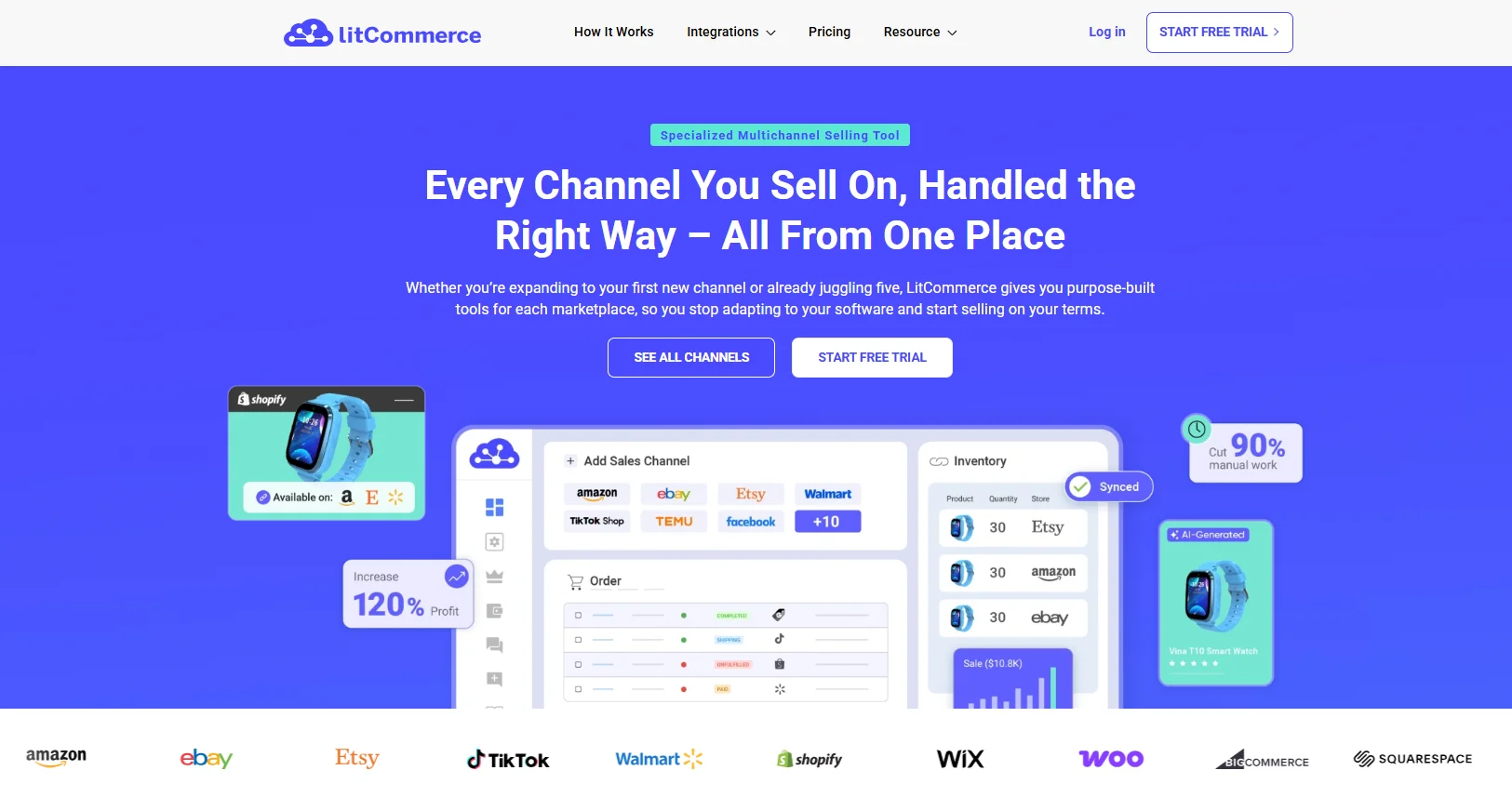
If you sell on eBay and at least one other channel, the LitCommerce eBay listing tool was the tool we reached for most during testing. It connects your eBay store to your main platform (Shopify, WooCommerce, BigCommerce, Wix, Squarespace, or Square) and other marketplaces, and handles bulk listing, real-time sync, and automation from a single dashboard.
It ranks #1 because it was the fastest to get from sign-up to live eBay listings, and the only tool in our test that combined bulk listing, AI optimization, listing design, and inventory/order sync without feeling heavy. For multichannel sellers, that single-dashboard setup removed the most manual work from our day.
In our two-month test, connecting the eBay–Shopify pair took minutes, and the QuickGrid bulk editor made editing ~100 listings far quicker than eBay’s native flow. Two things stood out most: the new free design templates meant we got polished, mobile-responsive listings without paying for a separate design tool, and the 15-minute real-time sync kept stock accurate across channels. We made our first sales and shipped orders without a single overselling slip.
For context, LitCommerce reports a 4.9-star average rating from merchants and 10M+ active listings managed, which aligns with what we saw.
Key features
- Easy store connection: Connect your eBay store in a few clicks, with all listings and orders managed in one dashboard.
- Create and edit at scale: Import, create, and bulk-edit listings; rule-based settings automate repetitive fields.
- eBay designer templates (FREE): Create high-converting product listings with drag-and-drop editing & custom HTML control.
- Real-time stock control: Auto-sync pricing, inventory, and orders between your main store and eBay to prevent overselling.
- Centralized fulfillment: eBay orders flow into your main store’s order system, so you process everything in one place.
- Auto-relist: Relist fixed-price or auction listings when they expire — no manual recreation.
- Cross-border support: Set custom pricing rules and currency conversions for different eBay regions.
- AI listing enhancement: Rewrite descriptions to match eBay’s format and add your own keywords.
- Quick & scheduled publishing: Use templates and scheduling to publish listings with fewer manual steps.
Pricing: 7-day free trial (full features), then paid plans from $29/mo to $369/mo, scaling by number of channels and listings; 20% discount on annual billing.
Pros
- Official eBay Solution Provider; 10M+ active listings managed and a 4.9-star merchant rating.
- Genuinely multichannel — eBay plus 10+ channels from one dashboard.
- Fast bulk listing and reliable near real-time inventory/price sync.
- New free, mobile-responsive, eBay-compliant design templates — no designer required.
- Beginner-friendly setup with responsive support.
Cons
- No permanent free plan for marketplace listing (trial only)
- Costs scale with listings and channels, so very large catalogs pay more.
- Built around multichannel selling — a tiny, eBay-only seller may not need everything it offers.
Who should use it: multichannel sellers, businesses expanding to new marketplaces, mid-to-large catalogs needing bulk edits, and cross-border sellers managing regional pricing.
Less suitable for sellers who only ever list a handful of items on eBay and other popular secondhand platforms like Poshmark, Mercari, or Depop.
That breadth is why we keep recommending it: instead of stitching together a lister, a sync app, and an order tool, you get one place to list and manage eBay alongside your other channels by using only LitCommerce multichannel listing tool.
2. eBay Seller Hub – Best free built-in eBay listing tool
Our score: 4.3 / 5
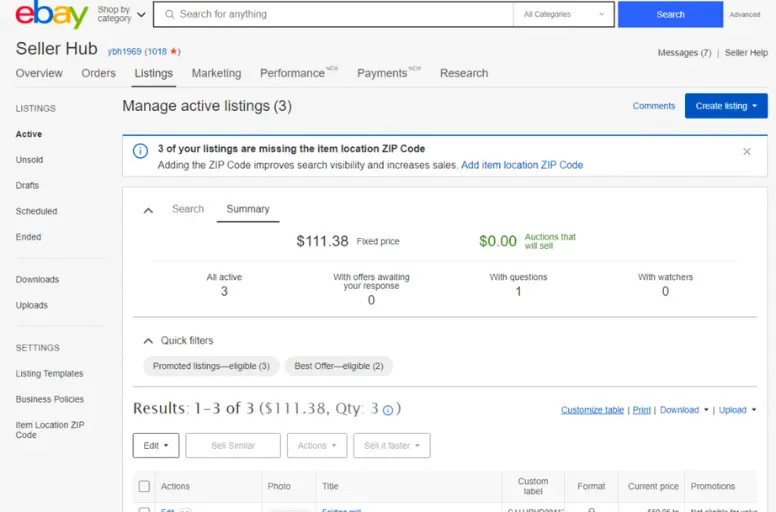
eBay Seller Hub is the official dashboard eBay provides for managing listings, orders, promotions, and performance data. It’s completely free, available to every seller, and needs no third-party integration. Because eBay builds and maintains it, it always stays aligned with the platform’s latest policies and features.
In testing, it’s the dependable baseline every eBay seller should know. It won’t automate much or sync to other channels, but for native, no-cost control over core selling, nothing beats it.
Key features:
- Native listing control: Create, edit, and end listings directly within eBay, with item specifics and policy presets.
- Basic stock tracking: Monitor active listings and quantities; revise stock and variations manually.
- Centralized order processing: Process orders, print labels, handle returns, and message buyers in one place.
- Sales & traffic insights: Built-in reports on impressions, click-through rates, and sales trends.
- Built-in marketing tools: Run discounts, send offers to watchers, and manage promoted listings.
- Saved business policies: Save shipping, payment, and return policies to apply across listings.
Pricing: Free to use.
Pros
- Completely free and built into eBay.
- Always policy-compliant and up to date.
- Covers listing, orders, and basic marketing natively.
Cons
- No multichannel sync or cross-listing.
- Limited automation compared with third-party tools.
- Bulk editing gets slow at higher volumes.
Who should use it: new sellers, small businesses with limited SKUs, and anyone selling exclusively on eBay who wants a reliable, no-cost baseline.
Less suitable for: high-volume or multichannel sellers — they’ll want it as a foundation alongside more advanced software.
3. 3Dsellers – Best eBay listing software for high-volume automation
Our score: 4.4 / 5

3Dsellers is a cloud-based eBay management platform built around bulk listing, automation, and workflow optimization. It extends Seller Hub with rule-based automation, AI title tools, and multi-account management.
In testing, it shone for sellers who live in eBay all day. The automation — auto feedback, Best Offer responses, and scheduled messages — quietly removes repetitive work, though the interface takes a little time to learn.
Key features:
- Bulk catalog management: Create and edit listings in bulk with spreadsheet-style controls and reusable templates.
- AI listing visibility: AI-assisted tools generate or refine titles to match eBay SEO practices.
- Multi-account control: Manage several eBay accounts from one dashboard, useful for agencies.
- Automation rules: Set automatic feedback, Best Offer responses, and buyer messaging.
- Shipping & helpdesk: Manage shipping labels and consolidate buyer messages in one place.
Price: eBay Suite from $14.90/mo (Growth $24.90, Professional $44.90, Enterprise $74.90); 7-day free trial; 20% off annual. Multichannel and extra eBay accounts are paid add-ons.
Pros
- Deep, eBay-specific automation at an affordable entry price.
- Strong multi-account management.
- Useful listing designer and helpdesk.
Cons
- Interface can feel overwhelming for new users.
- Some users report that the store designer is currently glitchy (possibly due to an eBay-side change).
- True multichannel features require paid add-ons.
Who should use it: high-volume eBay sellers, agencies running multiple accounts, and sellers who rely on automation for offers and feedback.
Less suitable for: beginners or low-volume sellers who only need basic listing and inventory management.
4. Sellbrite – Best budget-friendly multichannel listing tool
Our score: 4.2 / 5

Next on our list is Sellbrite — a long-standing multichannel listing tool now owned by GoDaddy. It lets you list and sync products across eBay, Amazon, Etsy, Walmart, and Shopify from a single, clean dashboard, making it a popular first step beyond a single channel.
In testing, Sellbrite stood out for how little friction there was getting started. The interface is uncluttered, templates are easy to reuse, and inventory syncs reliably to help prevent overselling. It covers the multichannel basics affordably, without the learning curve of heavier platforms.
That said, it has a clear ceiling. Development has slowed since the GoDaddy acquisition, inventory management stays fairly thin, and there’s no support for marketplaces like Shopee or TikTok Shop.
Key features
- One-dashboard listing: List and edit for eBay, Amazon, Etsy, Walmart, and Shopify, individually or in bulk.
- Inventory sync: Stock levels sync across channels in near real time to reduce overselling.
- Reusable templates: Save and apply templates to speed up repetitive listing work.
- Centralized orders: View and process orders from all channels in one interface.
- Shipping labels: Generate shipping labels within the platform.
Pricing: Historically a free plan (~30 orders/month) with paid plans from ~$29/mo and a free trial. Sources currently disagree on the free plan, starting price ($29 vs $49), and trial length (14 vs 30 days) — verify on sellbrite.com/pricing before publishing.
Pros
- Quick, beginner-friendly setup.
- Affordable entry point for multichannel selling.
- Reliable inventory sync across major marketplaces.
Cons
- Thin inventory and automation features for scaling sellers.
- Slowed development since the GoDaddy acquisition.
- No Southeast Asian marketplace support (Shopee, Lazada, TikTok Shop).
Who should use it: first-time multichannel sellers listing across eBay plus a few major marketplaces, and budget-conscious small businesses that value simplicity.
Less suitable for: high-volume or fast-scaling sellers needing advanced automation, deep inventory control, or broader marketplace coverage.
5. CrazyLister – Best for branded, design-led listings
Our score: 4.0 / 5
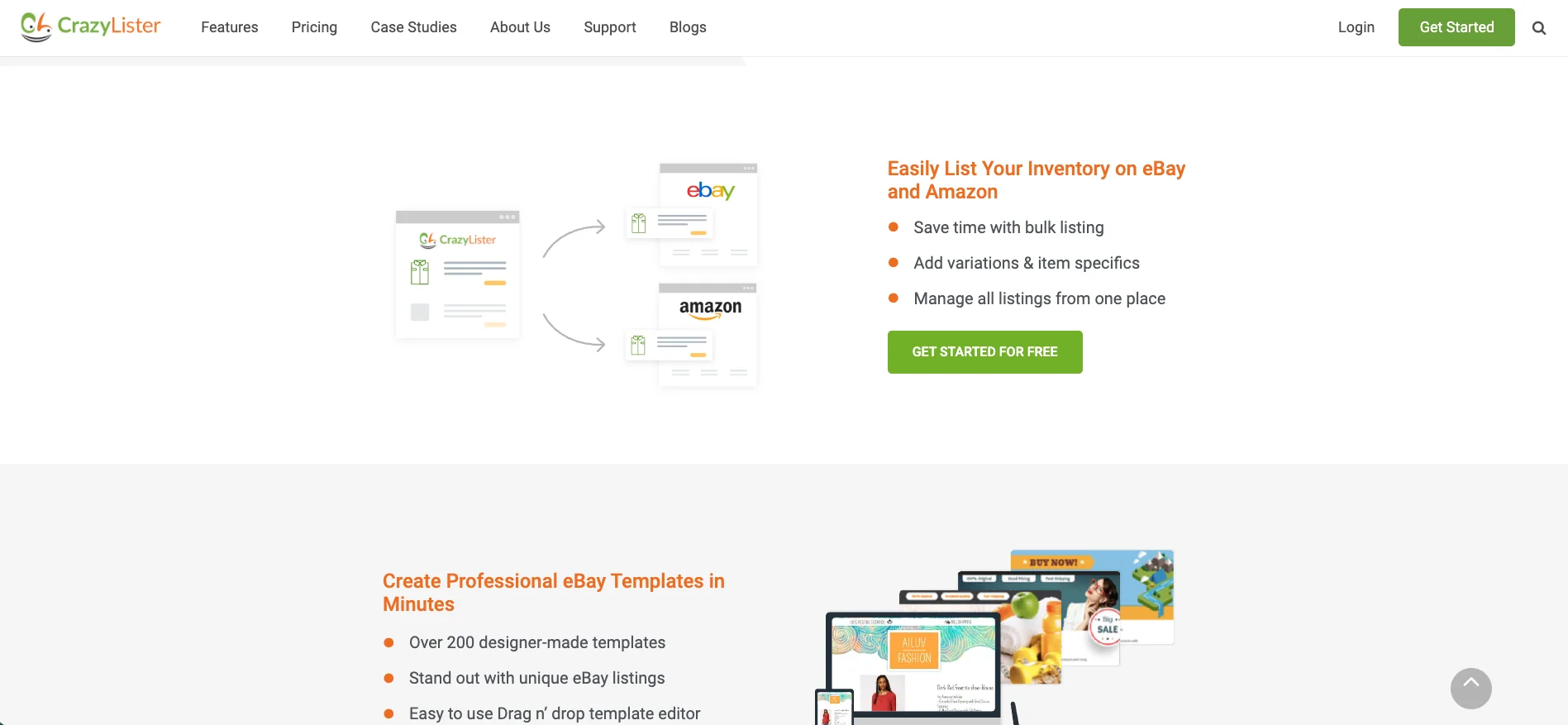
CrazyLister is a design-focused listing tool for eBay and Amazon, built around drag-and-drop templates and visual customization. Rather than bulk automation, it concentrates on how listings look and how brand elements are presented within eBay’s policy framework.
In testing, the editor felt intuitive and genuinely no-code — you can build professional, mobile-responsive layouts without touching HTML. With 200+ templates and one-click bulk design application, it’s a strong pick for sellers who care about presentation.
For sellers who want to go beyond static images, our guide on how to add video to an eBay listing shows how video content can boost engagement within eBay’s supported formats.
Key features
- Drag-and-drop editor: Design listings visually using blocks and sections, no coding required.
- Mobile-optimized templates: 200+ responsive templates that display well on desktop and mobile.
- Bulk design application: Apply one design to hundreds of listings in a single click.
- Brand consistency: Add logos, banners, and brand colors for a professional, consistent look.
- eBay-compliant code: Templates follow eBay’s active content and formatting policies.
Pricing: Plans start at around $25/mo, depending on listing volume and features; free trial available. Works for eBay and Amazon.
Pros
- Professional, no-code listing templates.
- Fast bulk design updates.
- Frequently praised, responsive support.
Cons
- Design-focused — not a bulk inventory or automation tool.
- Some users say a few templates look dated.
- Limited beyond eBay and Amazon.
Who should use it: brand-focused sellers in fashion, collectibles, or lifestyle who want polished, consistent listings without technical setup.
Less suitable for: high-volume sellers needing bulk editing at scale or multichannel inventory sync.
6. Frooition – Best enterprise eBay store & listing design service
Our score: 4.1 / 5
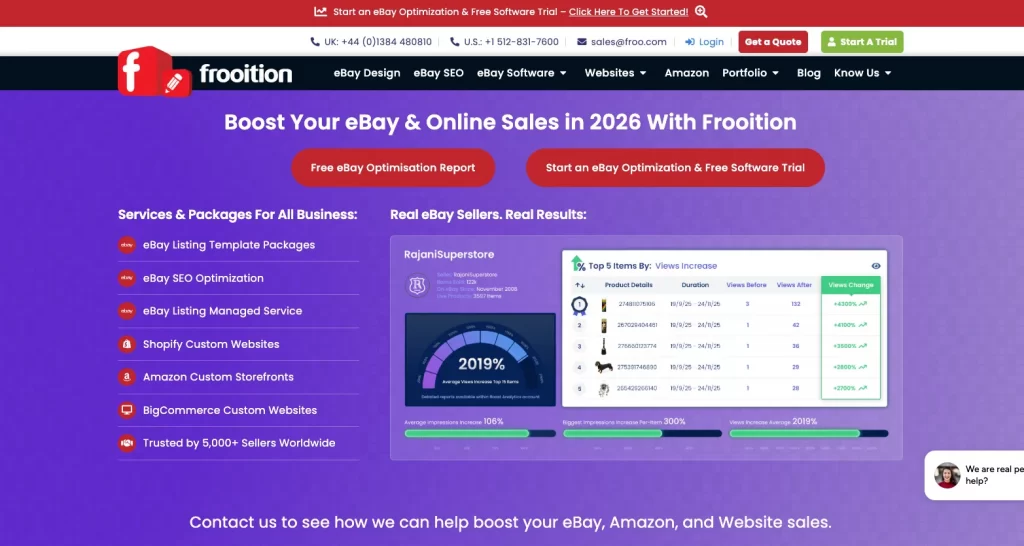
Frooition is a professional eBay design service specializing in custom storefronts and branded listing templates. Unlike DIY tools, it works like an agency — delivering structured, policy-compliant designs tailored to your brand.
It’s less about day-to-day edits and more about long-term storefront presentation: structured branding, clean navigation, and compliance with eBay’s evolving design standards.
Key features
- Custom storefronts: Professionally designed eBay stores aligned with your brand identity.
- Consistent product layout: Custom templates standardize listings across large catalogs.
- Mobile-friendly design: Layouts optimized for desktop and mobile browsing.
- Policy-aligned formatting: Templates structured to follow eBay’s active content policies.
- Ongoing support: Help with updates as platform requirements change.
Pricing: Custom pricing, based on design scope, store complexity, and support level (book a demo for a quote).
Pros
- High-quality, professional custom storefronts.
- Policy-compliant and well-supported.
- Good fit for established brands at scale.
Cons
- Custom pricing — typically a bigger investment.
- Overkill for small sellers.
- Not a bulk-listing or automation tool.
Who should use it: established brands and enterprise sellers with large catalogs who prioritize storefront presentation and prefer outsourced design.
Less suitable for: small sellers or those who mainly need automation, bulk editing, or multichannel sync.
List on eBay Easily and Reasonably with LitCommerce
LitCommerce helps you list on eBay in just a few clicks, and pricing is tailored to your demands. We guarantee you NO hidden fees!
7. Listing Mirror – Best for inventory sync & order routing
Our score: 4.0 / 5
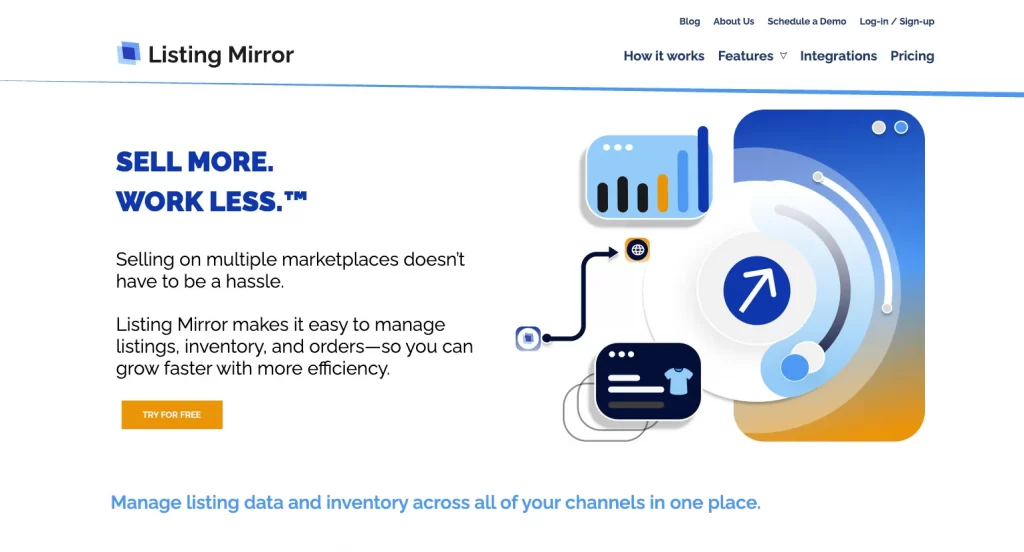
Listing Mirror is a multichannel management platform that connects eBay with other marketplaces and webstores. Its focus is inventory synchronization and structured order routing rather than design or AI optimization.
In testing, it leaned toward backend operational stability — the right choice for businesses with larger SKU counts or distributed fulfillment. It’s less flashy than design tools, but dependable where stock accuracy matters most.
Key features
- Real-time inventory sync: Adjustments on one channel reflect across connected marketplaces to prevent overselling.
- Two-way listing updates: Edit in Listing Mirror or directly in eBay, with changes syncing across systems.
- Warehouse-based order routing: Assign orders to specific warehouses or fulfillment partners by rule.
- FBA & 3PL integration: Coordinate shipping with Amazon FBA and third-party logistics providers.
- Inventory forecasting & kitting: Forecast replenishment and manage bundles/kits.
Pricing: Pricing is volume-based; one current source lists it from ~$119/mo (older sources cited ~$69/mo), with a 14-day free trial and no per-order fees. Verify current pricing on listingmirror.com/price before publish.
Pros
- Strong inventory sync, forecasting, and kitting.
- Warehouse-based order routing and FBA/3PL support.
- Stable backend for larger operations.
Cons
- Higher entry price than lighter tools.
- Less focus on listing design or AI.
- Pricing isn’t fully transparent without a quote.
Who should use it: mid-sized businesses on multiple marketplaces, sellers managing several warehouses, and brands using FBA or 3PLs.
Less suitable for: small or eBay-only sellers, or those mainly seeking listing-design enhancements.
8. ExportYourStore – Best for cross-platform catalog migration to eBay
Our score: 3.9 / 5
ExportYourStore is a multichannel listing solution built mainly for moving product catalogs between platforms and marketplaces. Instead of deep operational control, it focuses on structured migration and automated sync between stores such as Shopify and eBay.
If you’re specifically moving from a Shopify store, our Shopify–eBay integration page covers that connection in more detail.
In testing, it felt oriented toward expansion: it takes an existing catalog and adapts it to eBay’s format without rebuilding each product. One reviewer reported importing 8,000+ products successfully, so it handles scale well.
Key features
- Cross-platform migration: Move listings from Shopify or other platforms into eBay with automated data mapping.
- Automated pricing rules: Apply markups or custom adjustments when publishing to eBay.
- Inventory sync: Sync quantities 24/7 between connected stores.
- Marketplace format conversion: Auto-adjust product data to meet eBay’s category and attribute requirements.
- Centralized dashboard: Manage exports, updates, and sync settings in one place.
Pricing: Plans start at approximately ~$29/mo (varies by catalog size and connected platforms); offers 10 free listings to try. Confirm current tiers on exportyourstore.com/pricing before publish.
Pros
- Excellent for migrating or expanding large catalogs.
- Automated mapping and pricing rules.
- Handles very large inventories.
Cons
- Migration/sync focus — not deep listing design.
- Some learning curve per user reviews.
- No permanent free plan (trial listings only).
Who should use it: sellers expanding from Shopify or another marketplace into eBay, and businesses migrating large catalogs that need automated conversion.
Less suitable for: sellers needing advanced fulfillment routing or complex multi-warehouse coordination.
9. AutoDS – Best for eBay dropshipping automation
Our score: 4.2 / 5
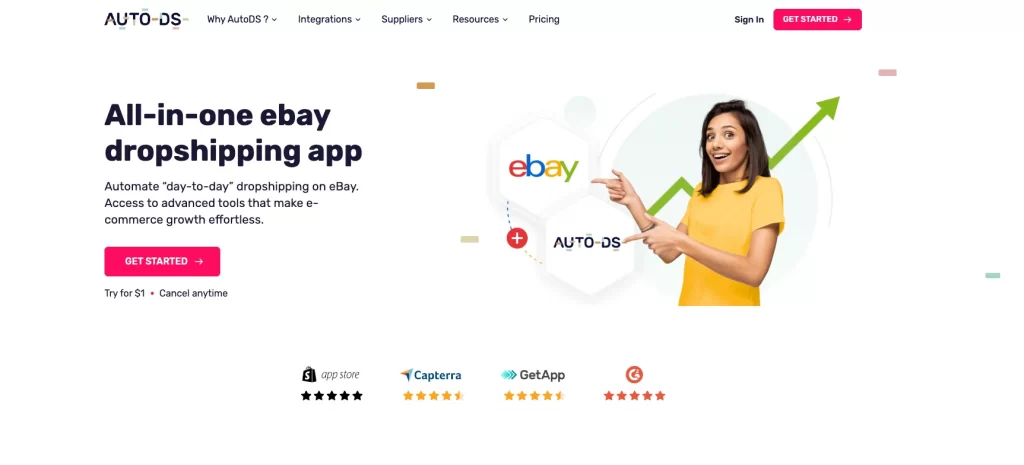
AutoDS is a dropshipping-focused platform that supports eBay alongside several other marketplaces. It automates product sourcing, listing creation, price monitoring, and order fulfillment when working with third-party suppliers.
Dropshipping adds complexity standard listing tools aren’t built for — stock and supplier prices shift constantly, and manual ordering doesn’t scale. In testing, AutoDS handled that well, shifting the workload from manual monitoring to rule-driven automation.
Key features
- Supplier-based listing: Import products from supported suppliers and publish to eBay with pre-filled data.
- Price & stock monitoring: Track supplier changes, with automatic updates to eBay listings.
- Bulk listing: Upload and manage many dropshipping products at once.
- Hands-off fulfillment: Auto-place supplier orders when a customer buys on eBay.
- Shipment sync: Retrieve tracking automatically and update the eBay order.
Pricing: eBay plans start from ~$19.90/mo (Import tier ~$26.90; pricing varies by marketplace and product volume), with a $1 14-day trial.
Pros
- Strong supplier import and auto-ordering.
- Reliable price and stock monitoring.
- Works across eBay, Shopify, and more.
Cons
- Built for dropshipping — not for own-inventory sellers.
- Product caps on lower tiers.
- Costs climb as volume grows.
Who should use it: eBay sellers running a dropshipping model and working with multiple third-party suppliers.
Less suitable for: sellers who hold their own inventory or focus on branded storefront presentation.
Not An Enterprise But Look to List on eBay?
Listing on eBay is made accessible with LitCommerce, no matter if you’re an individual seller or business owner. We have tiers tailored to your needs!
How to Choose the Right eBay Listing Software
Choosing eBay listing software isn’t about picking the most popular name. It’s about matching the software to your business structure. The sellers we work with hear the same advice from us: the right tool is the one that removes friction from your workflow — not someone else’s.
Let’s walk through this in a structured, practical way.
Step 1: Define your situation clearly
Before comparing tools, assess your own operation. How many active listings do you manage now — and how many in six months? A seller with 80 listings needs very different software from someone managing 3,000 SKUs.
Next, your business model. Do you hold inventory, dropship, or run a branded store? Dropshippers need automation and price monitoring; inventory sellers need accuracy and stock control; brand-driven sellers need layout and consistency. Finally, where do you sell? eBay-only is simpler; eBay plus other channels makes sync far more important than design alone.
You can browse the full range of marketplaces LitCommerce connects with eBay if sync ends up being your priority.
Step 2: Choose the right “type” of tool
Identify your category before comparing brands:
- Smaller, eBay-only sellers need simplicity — Seller Hub or a lightweight tool may be enough.
- Sellers with hundreds or thousands of listings need strong bulk editing and rule-based automation.
- Multichannel sellers should prioritize real-time inventory sync and centralized orders.
- Dropshippers need supplier imports, auto price updates, and auto-ordering.
- Brand-led sellers should weight listing design and mobile responsiveness most.
Step 3: Shortlist only 2–3 tools
Testing too many platforms at once causes confusion. Narrow to two or three that clearly match your category, confirm they support eBay (and your other marketplaces), and check that pricing fits your size. You’re looking for alignment, not perfection.
Step 4: Compare what actually matters
Ignore marketing language and focus on workflow impact. Ask: Is the interface intuitive? Can you edit listings in bulk quickly? Does inventory sync reliably? Are integrations stable? Does the price make sense for your profit? A useful benchmark is keeping software costs within 3–5% of monthly eBay profit. If a platform is weak in your top two priorities, drop it.
Step 5: Treat the free trial like a real test
A free trial is your low-risk way to validate the choice — don’t just browse features, simulate real operations:
- Import 20–50 products.
- Edit listings in bulk.
- Let inventory sync for several days.
- Contact support with a real question.
Within a few days you’ll feel whether the tool simplifies your workflow or adds friction.
Step 6: Decide — then reevaluate
Start with the lowest plan that fully supports your needs. After three months, review: Has it cut time on listing management? Have stock errors dropped? Is your workflow smoother? If yes, you chose well. If not, switch early while your processes are still manageable.
Skip the Manual Listing Work
LitCommerce handles bulk listing, real-time sync, and cross-channel expansion from eBay to 10+ other marketplaces — all in one dashboard.
Best eBay Listing Software: FAQs
The best eBay listing software overall is LitCommerce, thanks to its bulk listing, real-time sync, and multichannel reach. eBay Seller Hub is the best free built-in option. Other strong picks include 3Dsellers, Sellbrite, CrazyLister, Frooition, Listing Mirror, ExportYourStore, and AutoDS, each suited to a different seller type. Yes. eBay Seller Hub is completely free and built into eBay, making it ideal for new and small sellers. Many third-party tools — including LitCommerce, 3Dsellers, and CrazyLister — offer free trials so you can list on eBay at no upfront cost before committing to a paid plan. Pros include listing faster and more accurately, managing listings across multiple channels, better market insight, higher productivity, and faster sales. Cons include the cost of premium tools, the need to manage other connected channels, and a short adjustment period when you first switch tools. To list effectively, do proper keyword research, add high-quality media, optimize your title and description, use specific item specifics, set competitive pricing, offer flexible shipping, and use eBay listing software for SEO and bulk listing. Yes — several. You can use LitCommerce, eBay Seller Hub, Sellbrite, 3Dsellers, CrazyLister, Listing Mirror, or AutoDS, depending on your volume and whether you sell on other channels. eBay lets you list a set number of items for free each month — historically up to around 250 listings without a Store subscription (verify the current allowance, as eBay updates it). Store subscriptions (Basic, Premium, Anchor, Enterprise) raise that allowance significantly. Beyond eBay itself, most sellers benefit from a listing tool, inventory tracking, and analytics. Popular options include LitCommerce, eBay Seller Hub, 3Dsellers, CrazyLister, and AutoDS — free or paid, depending on your needs.
Choose Your Best eBay Listing Software and Start Listing
That’s our tested list of the best eBay listing software for 2026. The right pick depends on your volume, model, and channels — but most sellers do better by streamlining early rather than waiting for “someday.” Streamlining is what lets a store scale in the first place.
If you sell on eBay and beyond, the LitCommerce eBay listing tool is the easiest way to bulk-list, sync inventory, and manage orders across eBay and other marketplaces from one dashboard.
Enjoy reading!