

eBay Etsy Integration Built for Faster Cross-Listing and Smarter Sync




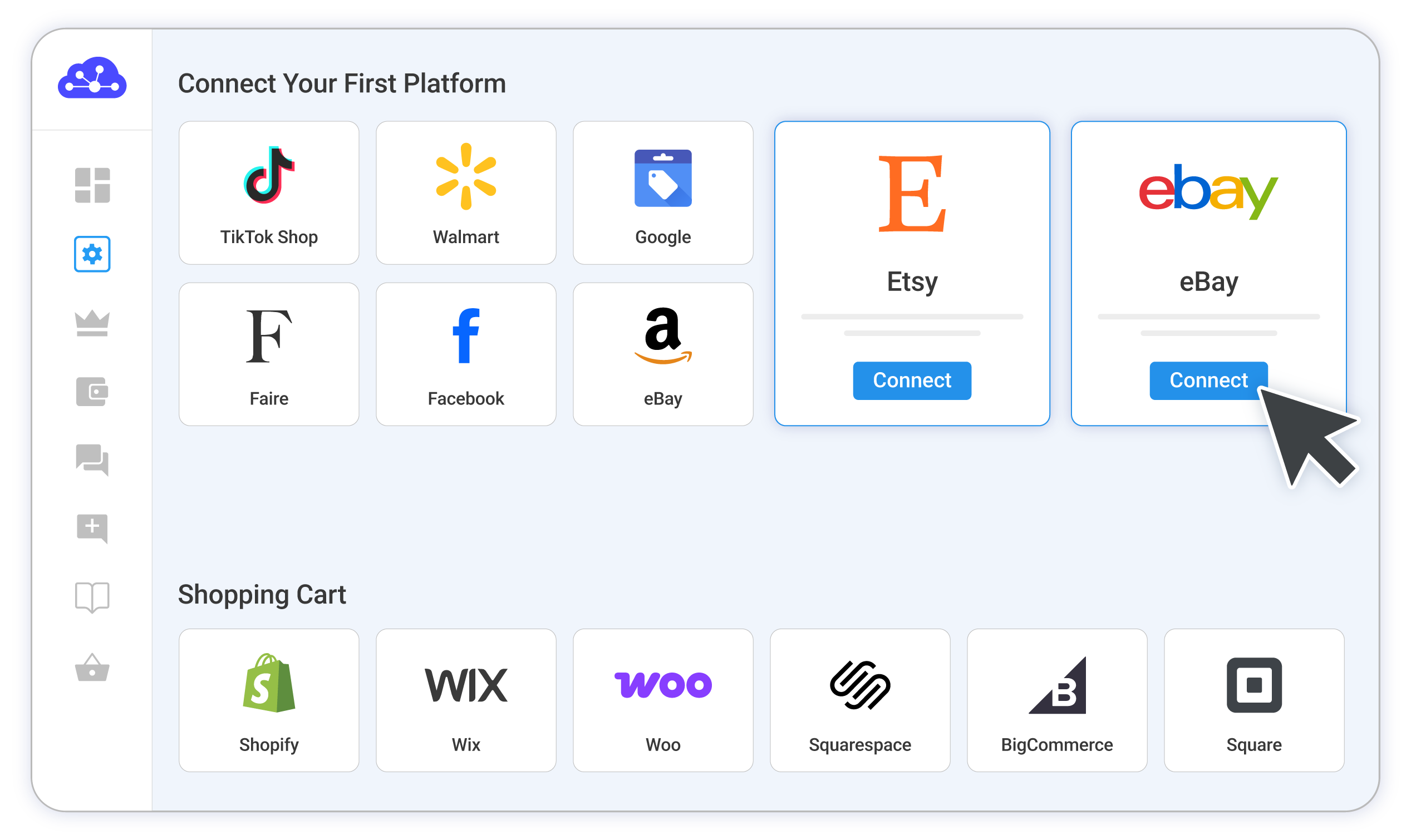
Detailed Guide on eBay Etsy Integration
Selling on Etsy and want to reach eBay’s everyday buyers too, or the other way around? Connecting the two is one of the simplest ways to put your products in front of two large audiences without doubling your workload. Etsy connects you with shoppers hunting for handmade, vintage, and one-of-a-kind goods, while eBay brings you millions of everyday buyers.
The catch is that these two marketplaces don’t talk to each other directly. Each one keeps its own listings, stock, and orders, with no updates passing between them. LitCommerce sits in the middle as your central hub, holding both stores together so you run them from a single screen. You connect Etsy to LitCommerce and eBay to LitCommerce, and everything routes through that one hub, never from one marketplace straight to the other.
Here’s everything this guide covers:
- Step 1: Connect Etsy and set your Main Store, then import your products
- Step 2: Build your central catalog in LitCommerce
- Step 3: Connect eBay and cross-list from your catalog
- Step 4: Turn on price and inventory sync
- Step 5: Manage orders and track your sales
There’s nothing technical here, so anyone can follow along. Let’s get started.
Step 1: Connect Etsy and set your Main Store, then import your products
Set your Main Store first
Your Main Store is the central hub that ties your Etsy and eBay stores together. It’s your single source of truth, the place where your full product catalog and stock levels live, and the place every channel syncs to and from. You have two ways to set it in LitCommerce, and the right choice depends on how you sell:
- Use your existing online store as your Main Store. Already running a Shopify, WooCommerce, Wix, or BigCommerce storefront? Make that your Main Store, and your Etsy and eBay product data flows through it.
- Use LitCommerce as your Main Store. If marketplaces are your only sales channels and you haven’t built your own website, LitCommerce acts as the hub itself. For sellers who stick to marketplaces, this is the easiest path.
For this guide, we’ll set up without a separate website, so we’ll use LitCommerce as the Main Store.
Connect your Etsy store
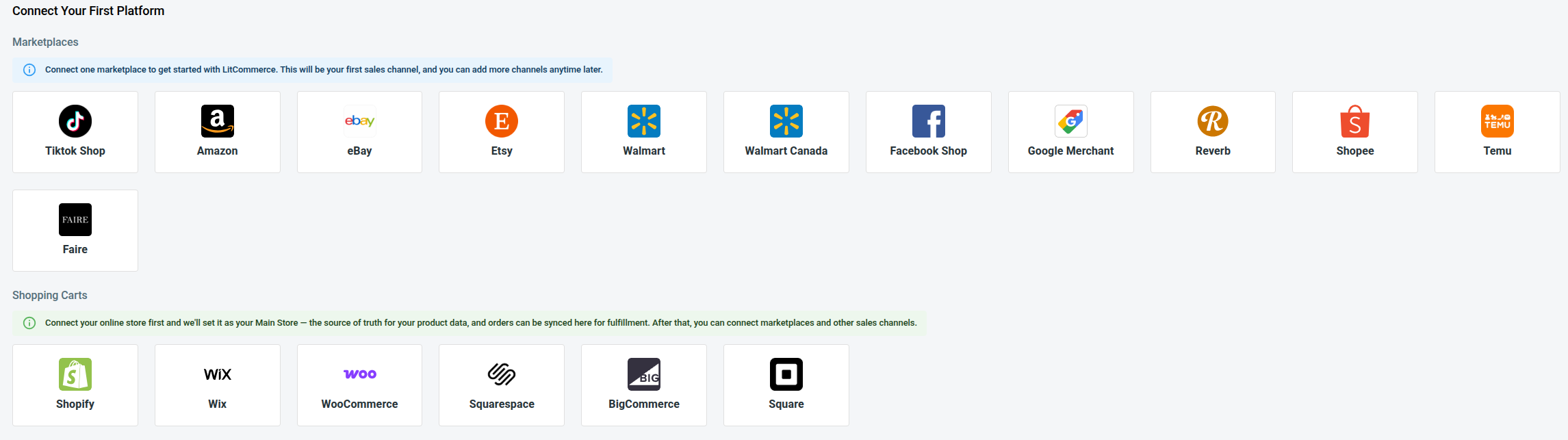
- From the list of supported marketplaces, find Etsy and click Connect under the Etsy logo.
- Enter your Etsy store name, then click Connect Your Account.
- Give LitCommerce permission to access your Etsy seller account.
If you don’t have a shopping cart to use as the Main Store, click “Skip, I don’t have any of these” to set LitCommerce as your central hub. Once you confirm, your Etsy shop appears as a channel on your dashboard.
Import your Etsy products into LitCommerce
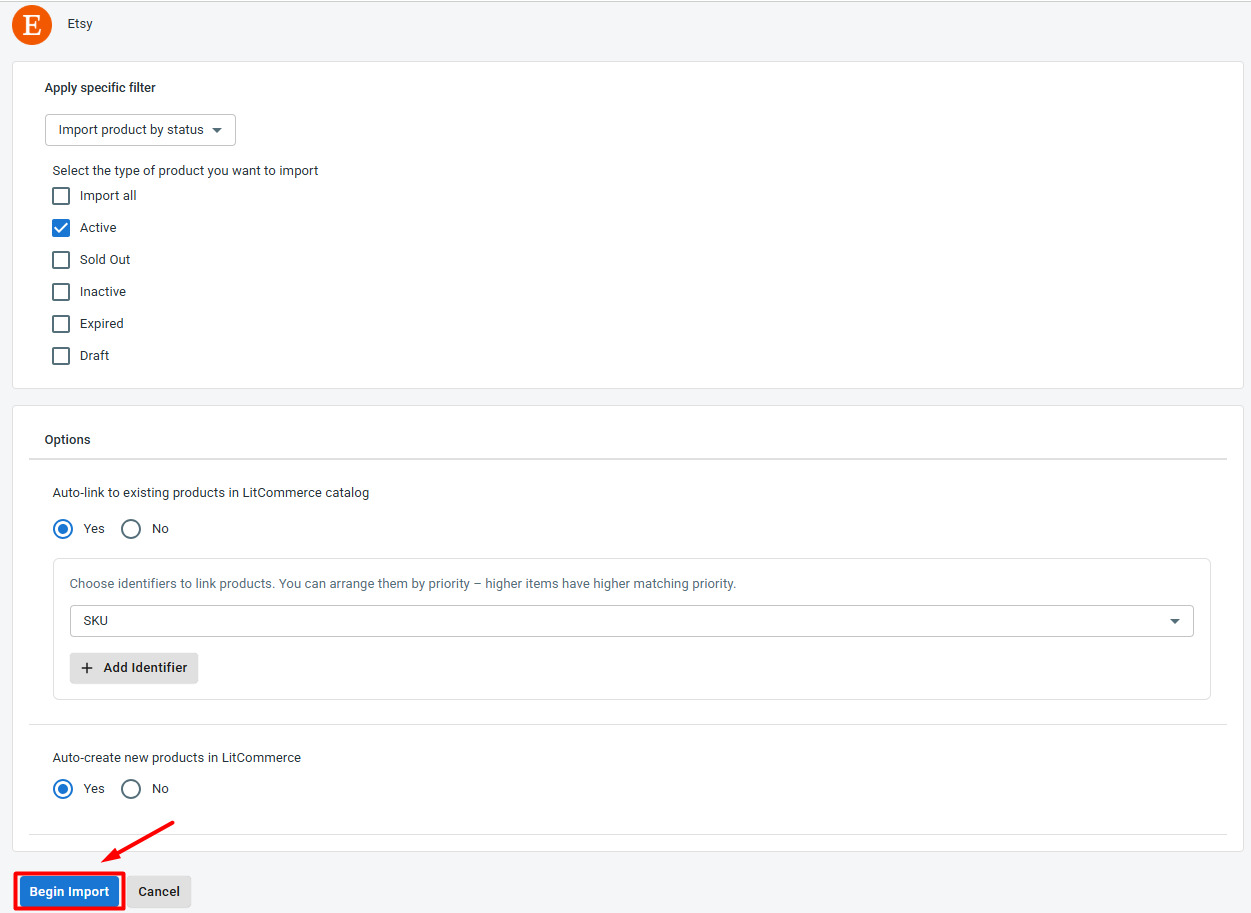
- Open the Etsy channel tab and click Import from Etsy.
- Filter which products you want to bring in, and keep auto-link enabled so LitCommerce matches items where it can.
- Click Begin Import.
Your Etsy listings load into LitCommerce, ready for the next step. Importing gives you one clean catalog to work from instead of copying product details by hand later.
Step 2: Build your central catalog in LitCommerce
Now turn those imported listings into products in your Main Store, so LitCommerce becomes your single source of truth. For any listing that doesn’t yet exist in your Main Store, select it, click Select Action, then choose Create on Main Store. A blue dot on the link icon confirms it’s created.
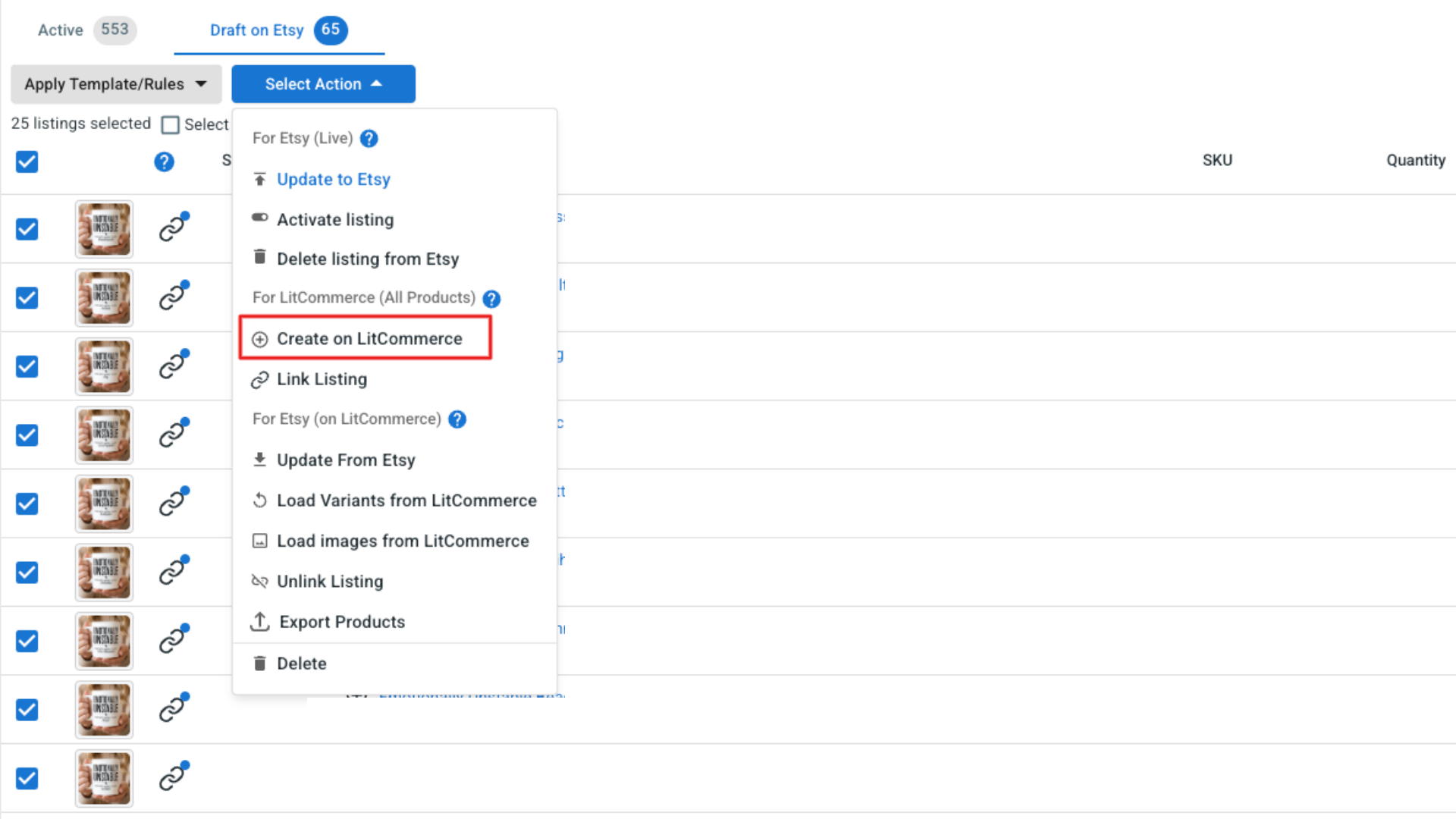
LitCommerce auto-links a listing to a Main Store product when they share the same title, SKU, or UPC. If anything stays unlinked (shown by a red link icon), hover the icon, click Link To A Product, search by SKU or keyword, and select the match. You can also bulk-link from the Select Action menu. Once every listing is linked, your catalog is ready to cross-list.
Step 3: Connect eBay and cross-list from your catalog
With your catalog in place, add eBay as your second channel.
- Select Add/Manage Sales Channels, then Add New Channel.
- Find eBay and click Connect under the eBay logo.
- Enter your eBay store name, choose your eBay country, then click Connect Your Account.
- Allow LitCommerce to access your eBay seller account.
Now cross-list from your central catalog:
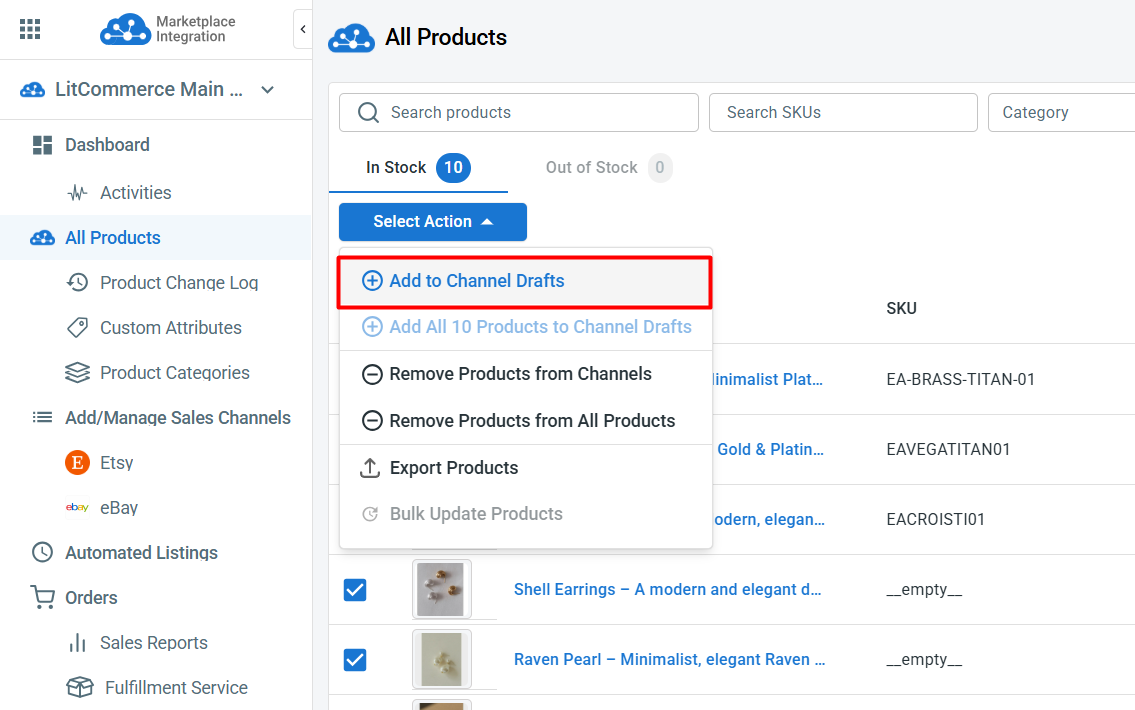
- Go to All Products and select the items you want on eBay.
- Click Select Action, then Add to Channel Drafts.
- Check the box next to your eBay store, then click Add As Draft Now.
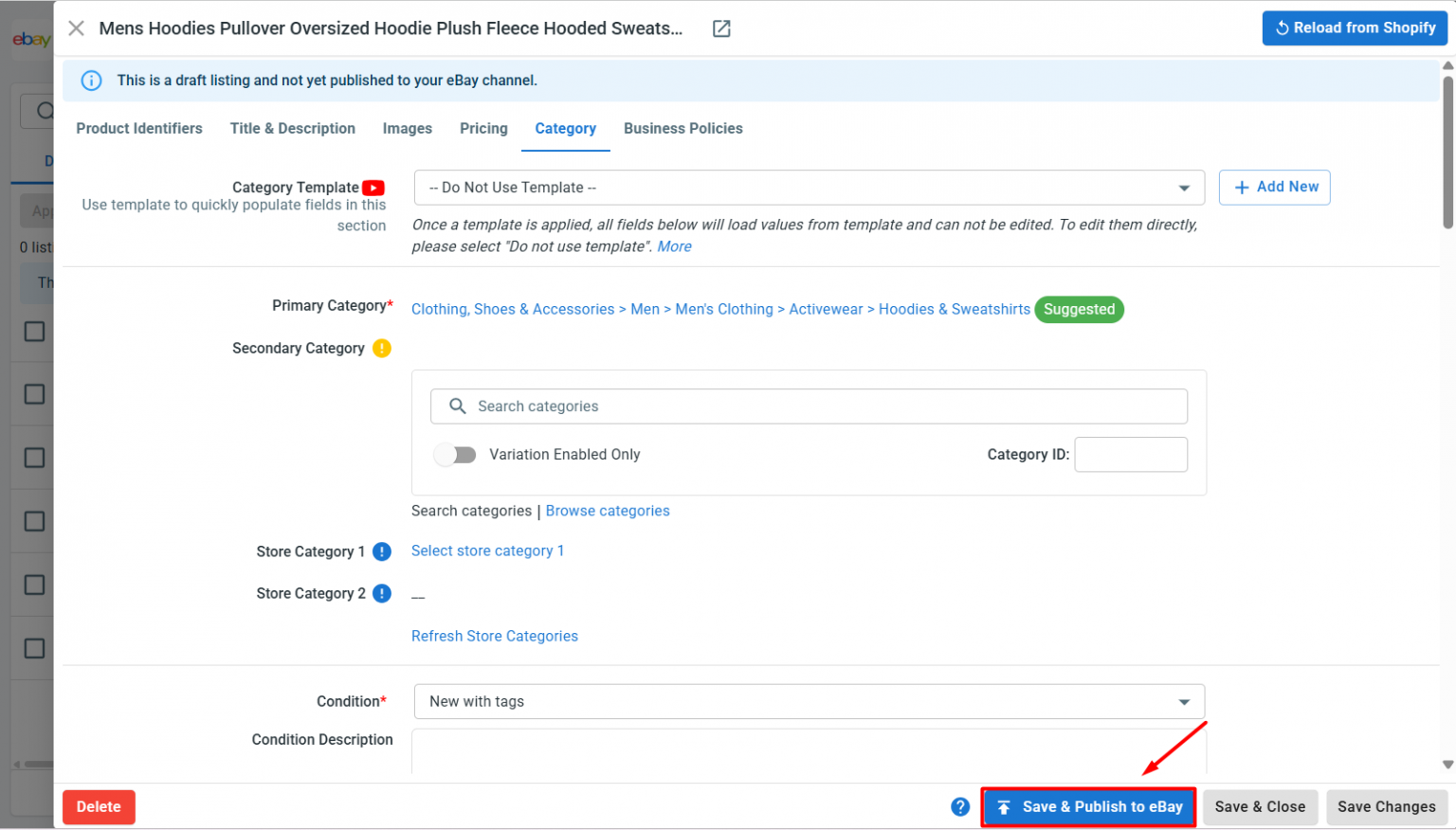
- Open the eBay tab and review each draft. eBay asks for more detail than Etsy, such as Item Specifics, item identifiers, return policies, and category information, so fill those in.
- When a listing looks right, click Save and Publish to eBay.
Pro tip: for a large catalog, use Quick/Auto List to eBay. Build templates for shipping, category, and pricing, then apply the same settings to many listings at once.
Going the other way: cross-list from eBay to Etsy
The flow works in reverse too. Import from eBay first, create those listings on your Main Store, then add them as drafts to your Etsy store. When you publish to Etsy, fill in its own fields such as category, materials, and shipping profiles.
Step 4: Turn on price and inventory sync
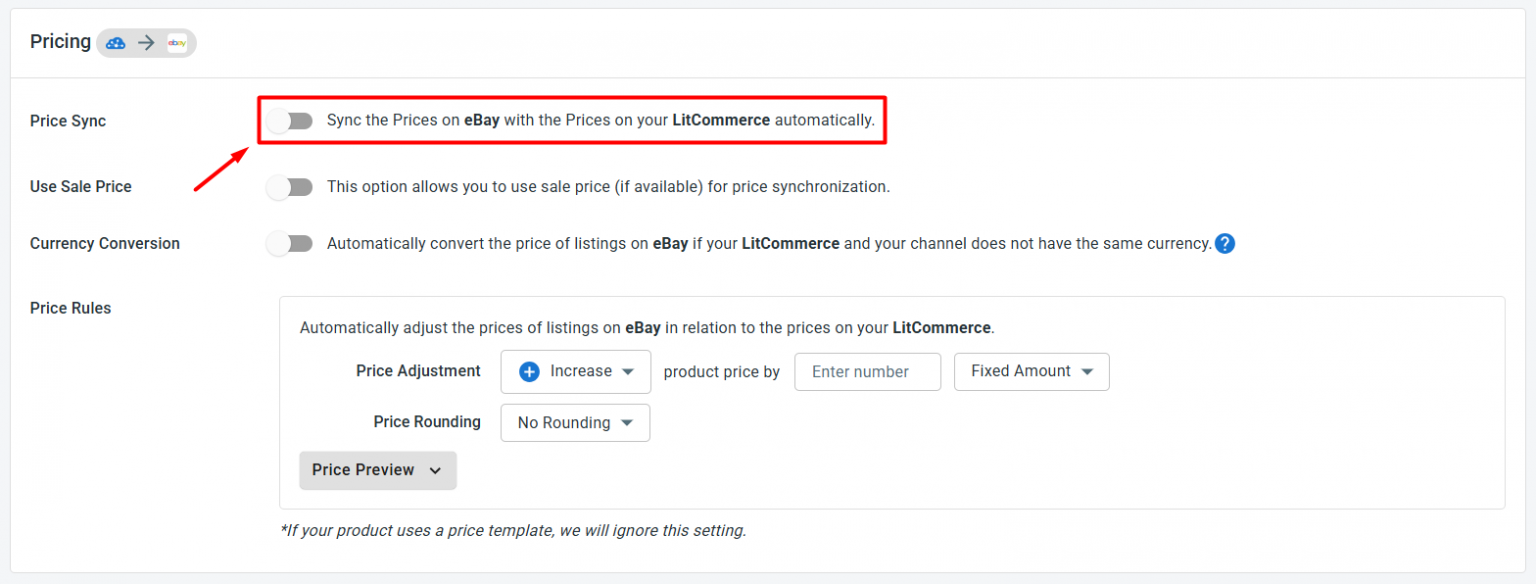
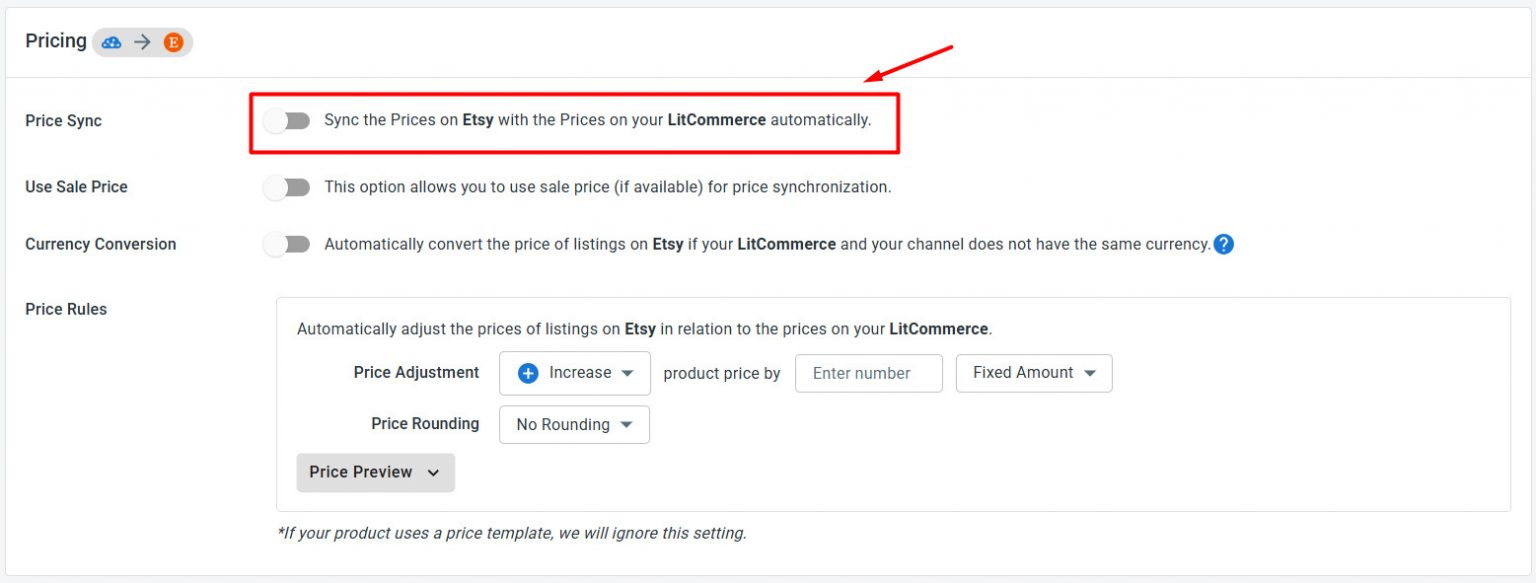
Now switch on sync so your two stores stay consistent without manual work. Click Channel Settings inside both your Etsy and eBay stores, and turn on:
- Price sync. Any price you adjust in LitCommerce updates on each channel every 15 minutes, though Etsy updates every 60 minutes because of Etsy’s API limit. Apply price rules to raise or lower prices by a set amount or percentage, useful when each marketplace charges different fees.
- Inventory sync. Keep stock aligned across your stores on the same schedule, 15 minutes for eBay and 60 minutes for Etsy. Set minimum and maximum thresholds, keep listings active when stock hits zero, and use inventory rules to sync only a portion of your stock to each channel. Turning on Inventory Sync is also what lets LitCommerce start importing your orders.
Click Save Settings at the foot of the page, and your stores keep themselves aligned from there.
Step 5: Manage orders and track your sales
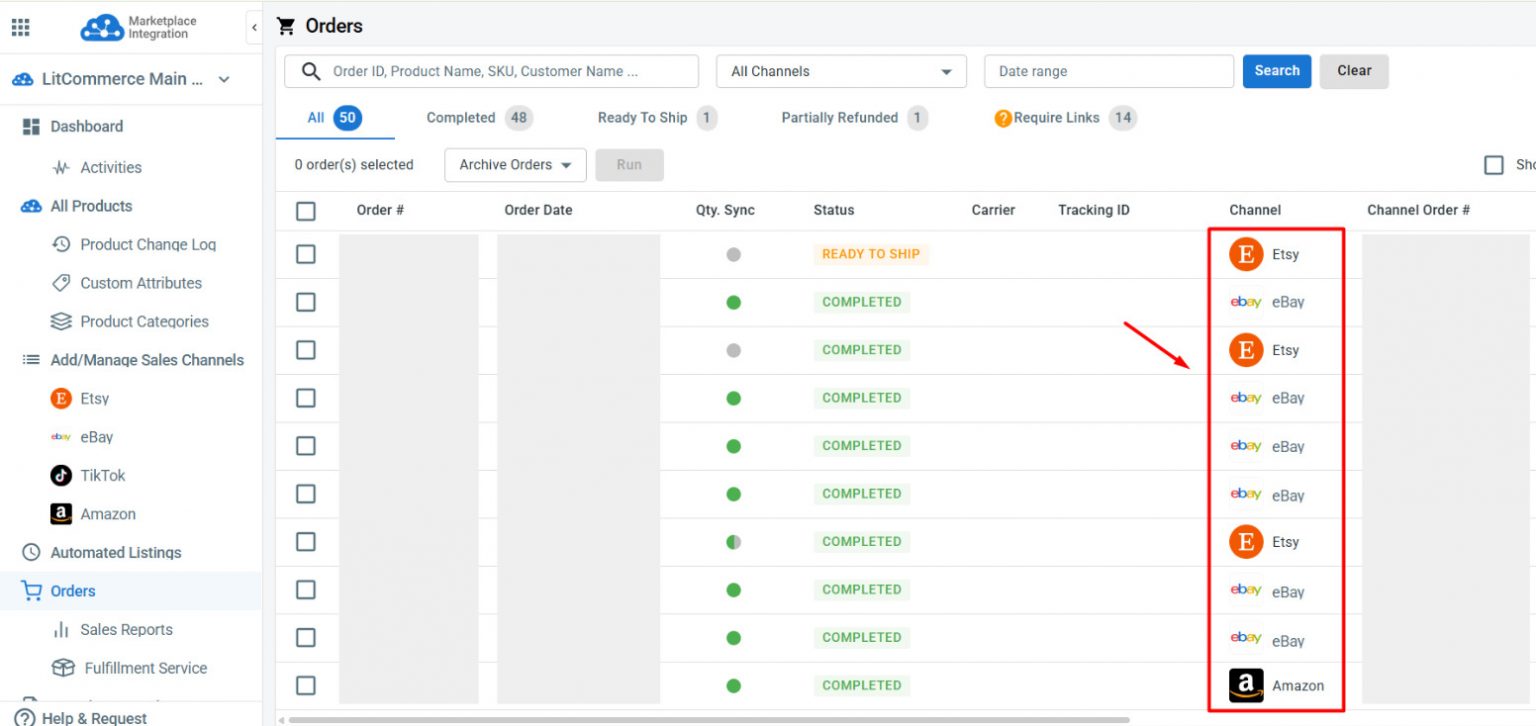
With Inventory Sync on, enable Import Orders to Main Store, and every Etsy and eBay order lands in one place. You no longer jump between two seller accounts to see what’s sold and what still needs shipping. From LitCommerce, you can:
- Review every order in one place. The Orders tab shows all your Etsy and eBay orders together, so you track each one’s status from a single screen. Tracking updates sync back to each marketplace as you fulfill.
- See which channel is winning. Head to Sales Reports to compare performance and spot which marketplace drives more revenue.
LitCommerce also restocks products in your Main Store when an order is canceled or refunded, though this can vary by channel, so check each channel’s settings.
And that’s your eBay Etsy integration, set up end-to-end. Your products reach two large audiences while your stock and orders stay in step through one central hub.

Tools built specifically for selling on Etsy

Tools built specifically for selling on eBay

Inventory
Updates stock across eBay and Etsy and lets you control display quantities, so you can reduce overselling risk while keeping products available to buyers.

Price
Accurately sets prices for each channel, keep prices aligned, and protect your margins without editing every listing one by one.

Orders
Import orders from eBay and Etsy into one dashboard and connects them with fulfillment services, so you can process sales faster and keep buyers informed.

SKU
Keep product variants accurately matched across eBay and Etsy so inventory and fulfillment stay organized.

Titles
Keeps titles consistent on eBay and Etsy by automatically syncing them from LitCommerce.

Description
Automates description updates on both eBay and Etsy, reducing the need for manual edits.
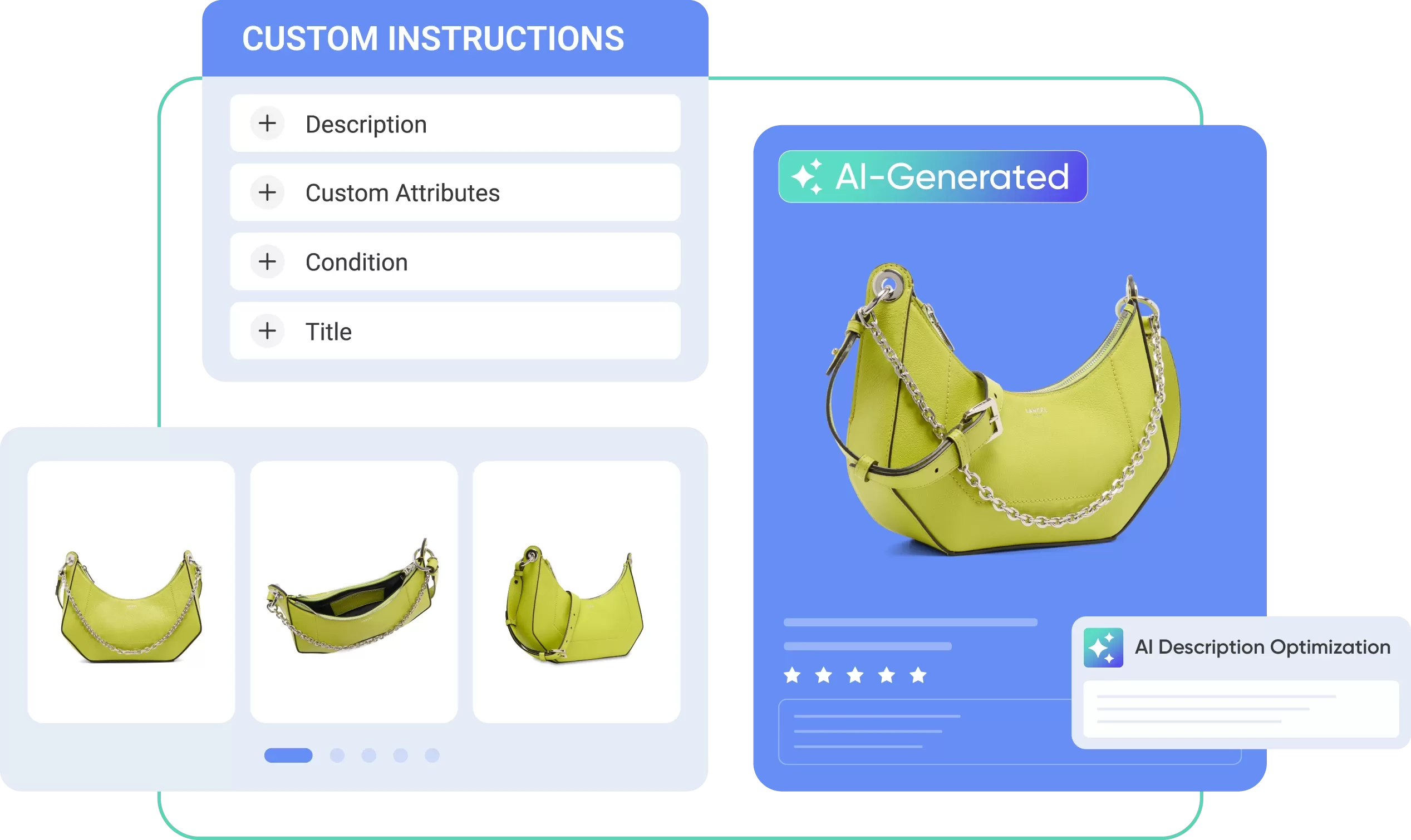
Use AI to Turn Product Photos into Listings That Sell
LitCommerce AI turns product images into ready listings, improves descriptions, and adapts content for eBay Etsy integration. So each of your listings can fit each marketplace’s search behavior, buyer expectations, and listing style.
 Generate new product listing drafts directly from product images. Turn existing Etsy listings into eBay-ready keyword-rich content, and vice versa. Save time when creating or cross-listing multiple products.
 Real Stories, Real Growth
How Our Customers Achieve Success

“We chose LitCommerce because it offered a seamless integration solution that promised to simplify our multichannel management. The user-friendly interface and comprehensive features stood out compared to other options. And since implementing LitCommerce, our inventory management has become much more efficient. We’ve seen a significant reduction in errors, which was improved our customer satisfaction.”

“One thing I can certainly attest to is LitCommerce’s support has been fantastic. There’s a big time zone difference between them and me, but they answer my questions timely, and they’re always courteous and friendly, and they’ve done a great job of addressing the problem and getting it fixed as quickly as possible once it’s brought to their attention. So I really can’t speak highly enough to the support in that regard.”

“I used several of other platforms but LitCommerce had one thing that we needed here at our facility which was the Square integration, which works absolutely awesome. Upload all your products into Square, goes into LitCommerce and just spreads to the world all the way around with all these product channels. So it works super awesome.”