
How Multichannel Listing Works
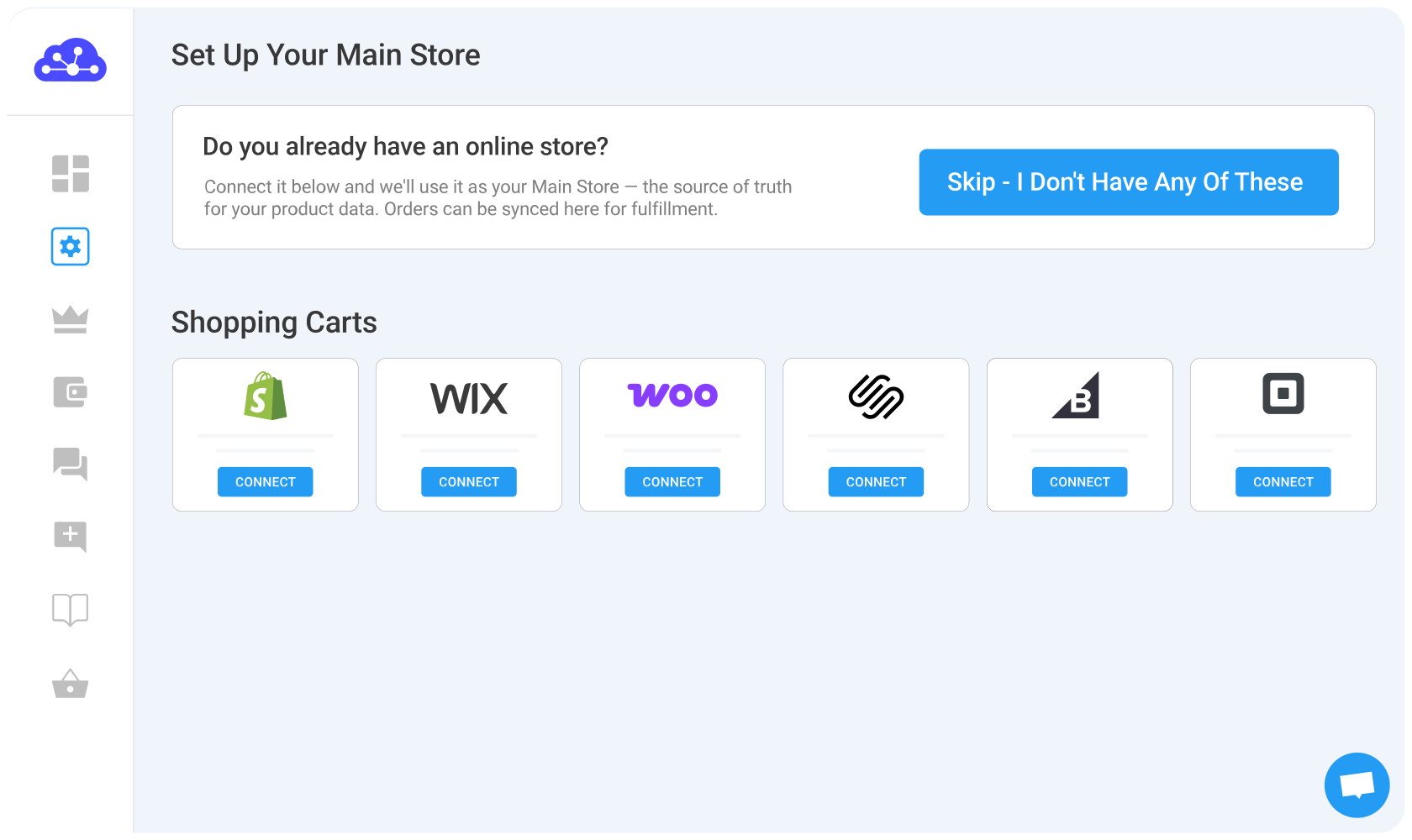
 Set your online store as the Main Store
Start by selecting your online store as the source of truth (Main Store).
Next, connect the eCommerce platform where you currently manage your products, such as Shopify, WooCommerce, BigCommerce, Wix, or another supported platform.
This store becomes your Main Store, the central source LitCommerce uses to manage your product catalog and keep data connected across your sales channels.
 Connect your first sales channel
Once your Main Store is connected, choose the marketplace you want to sell on, such as Amazon, eBay, Etsy, TikTok Shop, Walmart, and more.
Select your marketplace, enter the required store information, then connect and authorize your seller account.
The marketplace will be added to LitCommerce as a Sales Channel, ready for you to list products from your Main Store or import listings you already have there.
Note: On the initial setup page, you can only connect your store to one sales channel. After finished connecting, you can go back to the LitCommerce dashboard and create as many marketplace channels as possible.
 List products on a channel
If you haven’t sold any items on a second sales channel, follow this guide.
Choose products you want to list on a sales channel (can be one or all of them). Your products will be then created as Drafts on the channel on LitCommerce. You can go to that channel to continue to edit/provide required information to your listings to your liking before going live.
You can also use our AI Description Generator (Etsy & eBay only). Just enter a few product keywords and the AI will create SEO-optimized, channel-ready descriptions for you. This helps you complete your drafts faster and ensures your content meets marketplace standards.
In case you’re already selling on other sales channel, keep scroll down for more details.
 Import listings & create on Main Store
If you are currently selling on some sales channels, keep reading.
In the importing page, you’re allowed to automatically create your listings on your eCommerce platform. Once you’ve clicked on the button, LitCommerce will import all listings from the sales channel and list them on your connected eCommerce platform.
Follow our instructions below to create your listing back to
your eCommerce platform:
• Choose the listings you want to list on the eCommerce platform.
• Click Create on Shopify (or BigCommerce, Wix, etc. depending
on the eCommerce platform you’re using).
The new product listing will be created immediately on your primary store and loaded into the LitCommerce product catalog.
 Link unlinked listings
Each listing on your marketplace channels must be linked to a matching product in your LitCommerce product catalog in order for the system to update price, quantity and other product informations accurately.
One product in the LitCommerce product catalog can be linked
to multiple listings on different selling channels. The chain
icon next to the listing’s image indicates the linking status
if that listing.
• A blue dot means the listing is linked to a product
• A red dot means there’s no product linked to this listing
and price or quantity will not be automatically updated.
 Enable price and inventory sync
With the sync feature enabled, the app will instantly update information such as price, inventory count, and orders.
In certain sales channels, LitCommerce supports syncing additional information such as SKU, image, title & description, and so on.
 Enable order sync & manage order flow
Once you enable the Order Sync feature, your eCommerce platform store will instantly receive all order details from every sales channel you have.
You can review and fulfill them alongside orders from your online store, conveniently in one place.
Choose your marketplace
Start by selecting the marketplace where you are already selling, such as eBay, Etsy, Amazon, or another supported channel.
Enter your store information and authorize LitCommerce to access your seller account.
This marketplace will be added to LitCommerce as your first Sales Channel.
If you also have an eCommerce platform such as Shopify, WooCommerce, BigCommerce, or Wix, you can choose to connect it instead and use it as your Main Store.
Set your Main Store (or skip if marketplace-only)
After connecting your first marketplace, you will be asked to define your Main Store (source of truth).
- If you have an online store, connect it here. This store will become your Main Store, where your product catalog is managed and synced across channels.
- If you do not have an online store, select “Skip, I don’t have any of these”. In this case, LitCommerce will act as your Main Store and central hub.
Once this step is completed, your setup will continue with your connected marketplace as the first Sales Channel, and you can proceed to build or import your product catalog for cross-listing.
Build your central product catalog
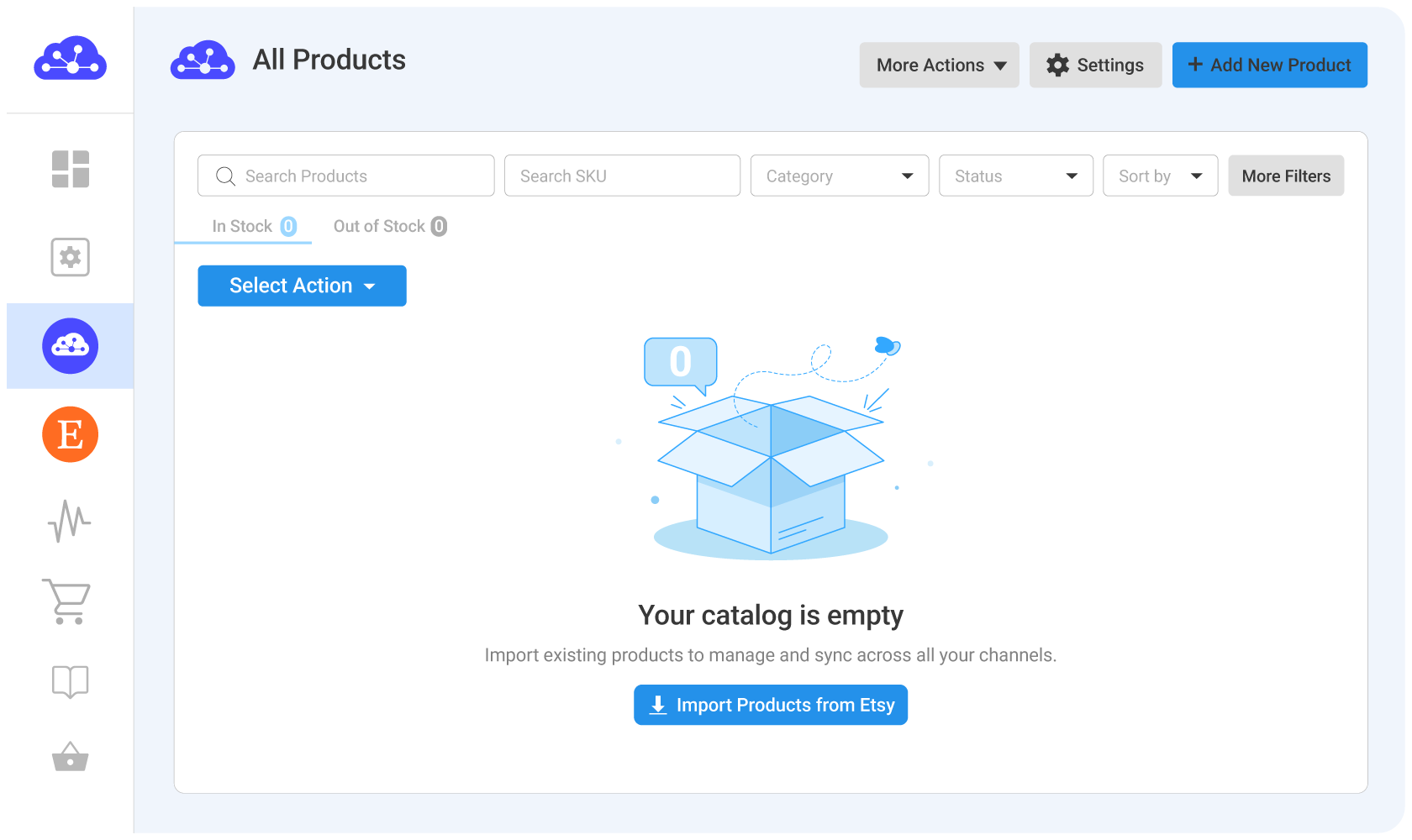
Before you can cross-list products to other marketplaces, bring the products you want to manage into your All Products catalog in LitCommerce.
You have 2 methods to build your central product catalog to LitCommerce:
Method 1: Import your existing marketplace listings
Start by importing listings from the marketplace you just connected.
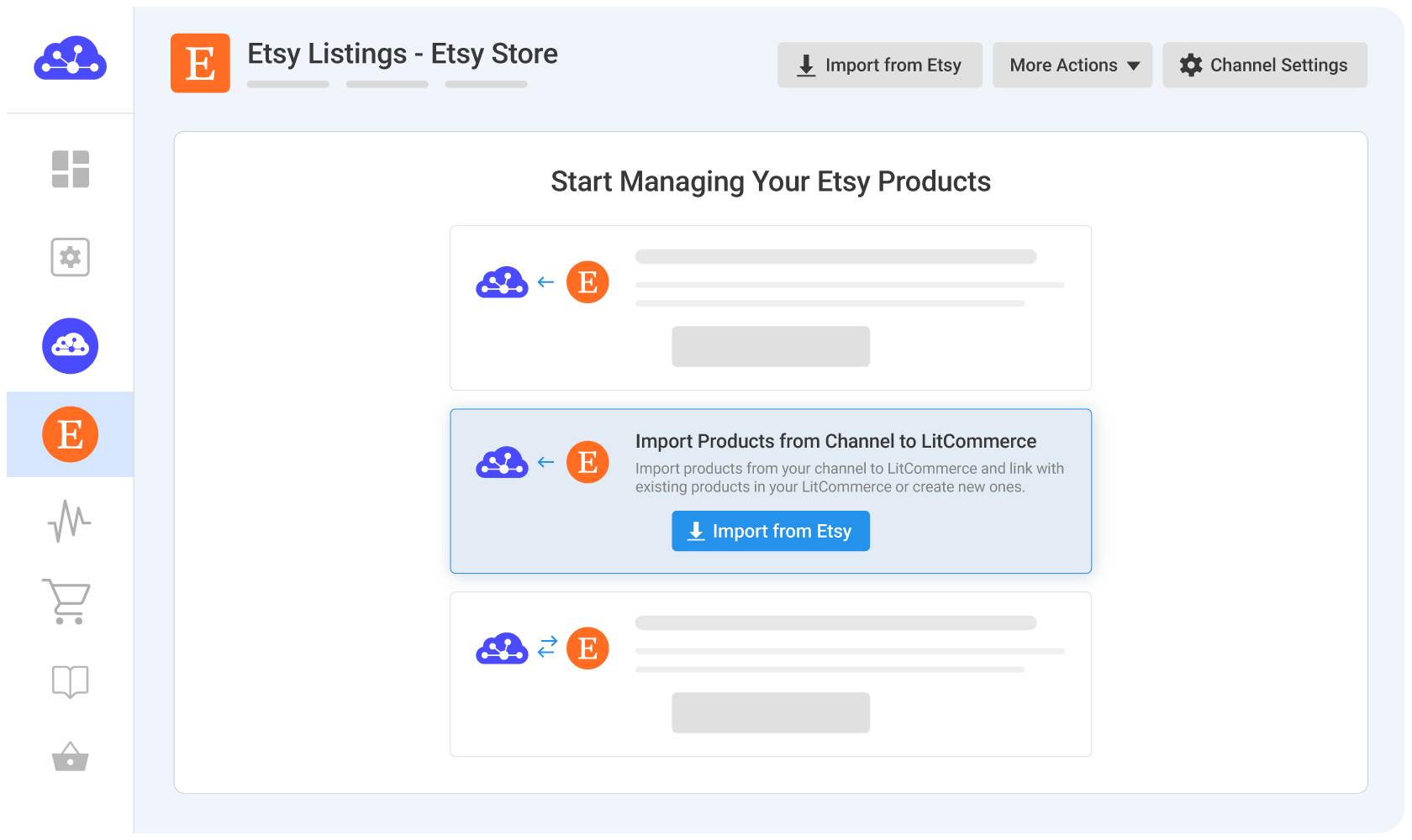
You can choose which listings to import and use filters to narrow down the products you want to bring into LitCommerce.
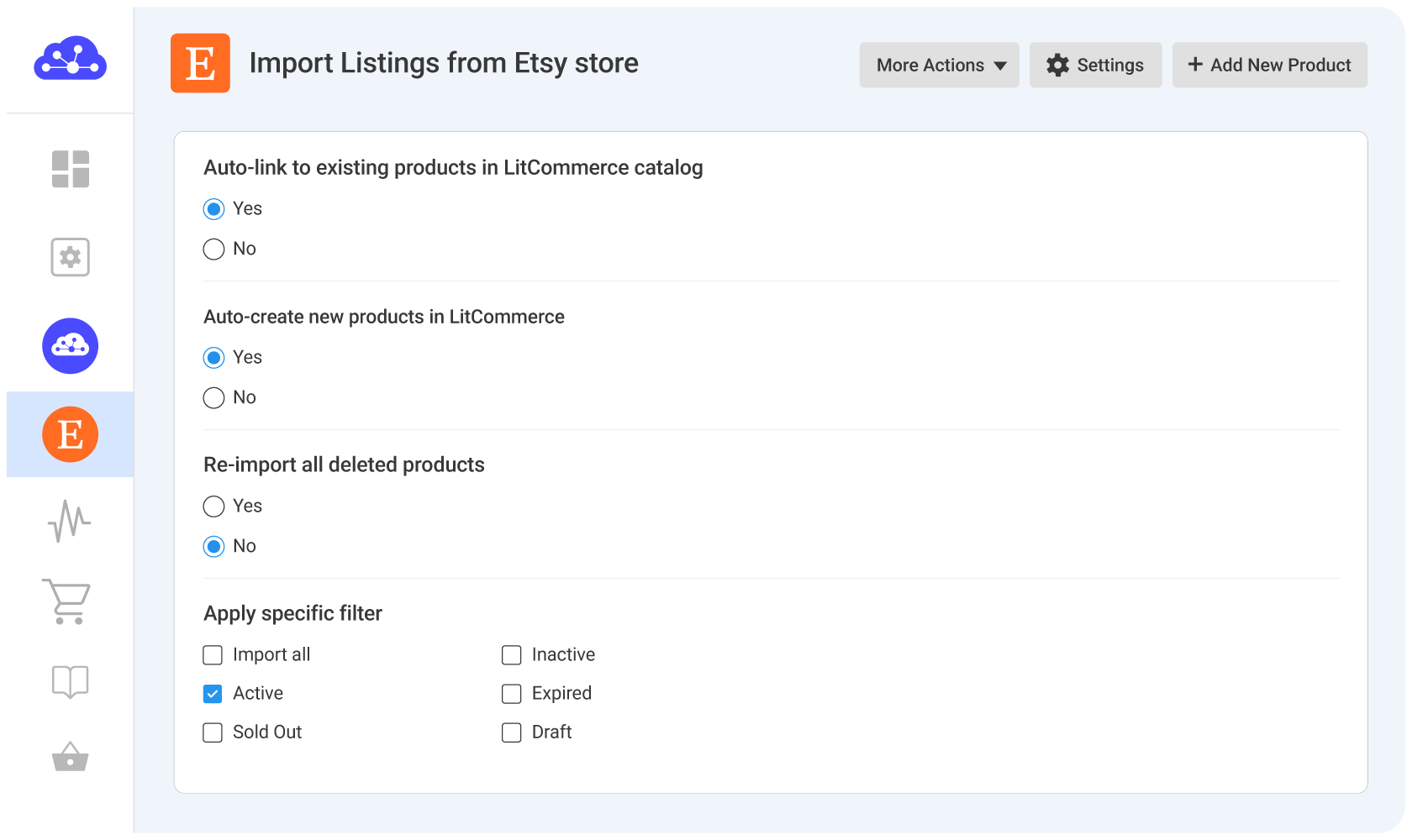
Once imported, LitCommerce can automatically link listings to matching products in All Products based on identifiers such as SKU or UPC.
For listings that don’t have a matching product yet, select them and choose Create on Main Store. LitCommerce will create corresponding products in your central catalog and link the listings automatically.
Your All Products section now becomes the central catalog you can use to manage and cross-list products to additional marketplaces.
Method 2: Add new products when needed
If you want to sell a product that isn’t already listed on your connected marketplace, you can also create it directly in LitCommerce.
Add products one by one
LitCommerce provides an AI listing generator to help you create product listings quickly.
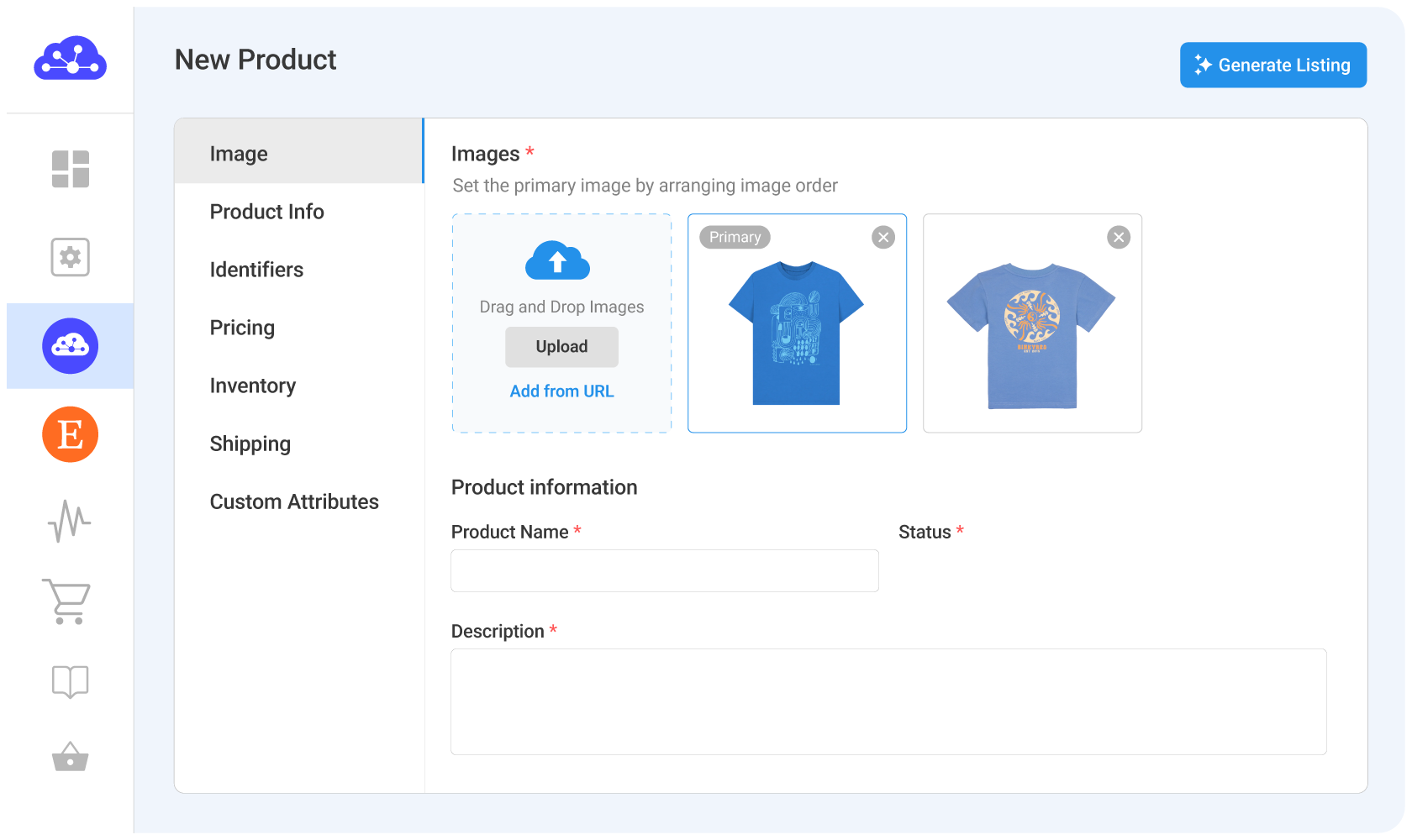
Just upload images and provide a few key details, custom instructions, etc., LitCommerce will then help generate a complete product listing for you.
Upload a catalog file
If you already have a product file, you can import your catalog to LitCommerce using a CSV or Excel file. LitCommerce’s AI will automatically map your file headers to LitCommerce default fields, ensuring your products easily meet different channels’ requirements.
Connect more marketplaces
Now, connect the new sales channels you want to sell on. LitCommerce supports 10+ top global marketplaces like Amazon, eBay, Etsy, TikTok Shop, and more.
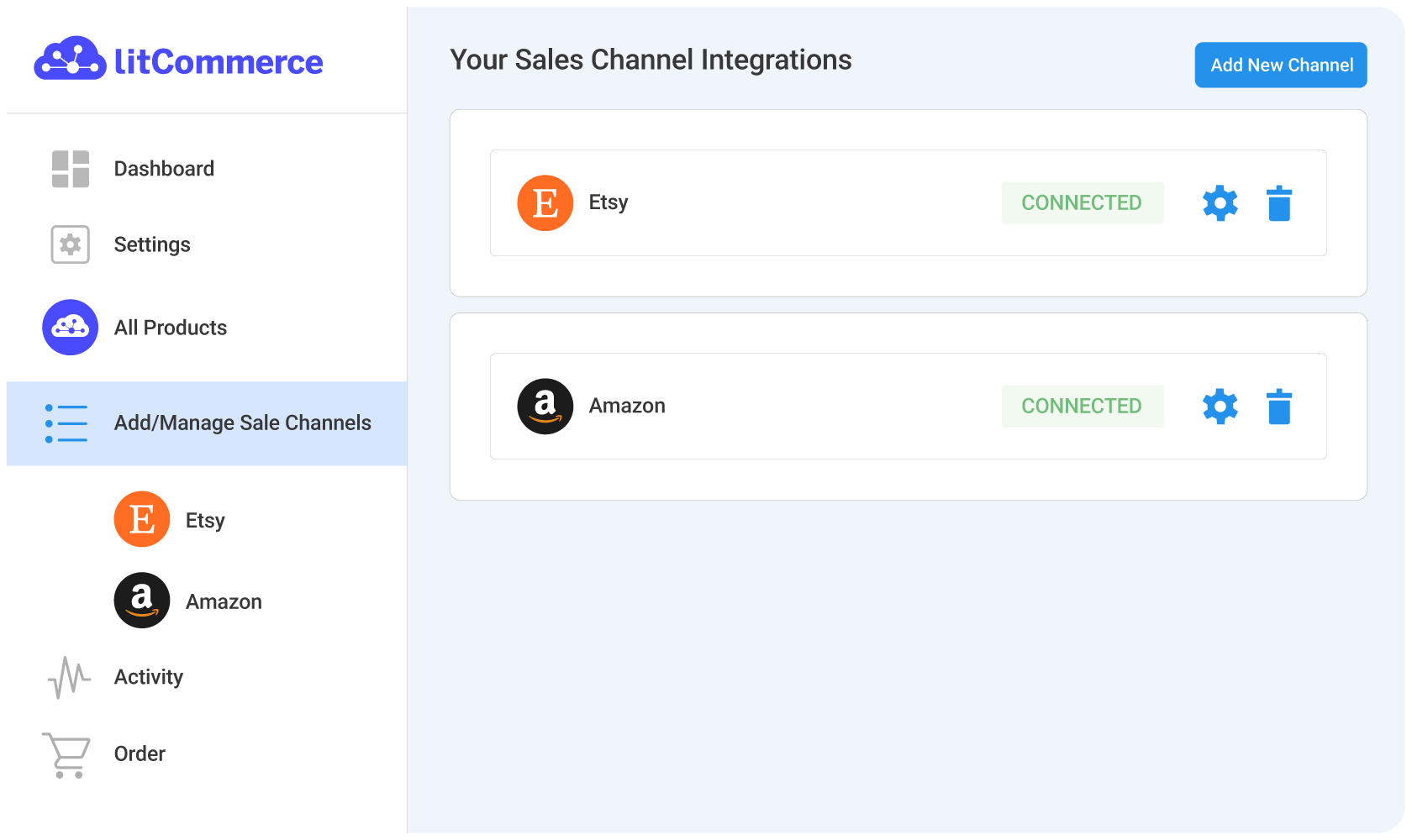
Note: You can add multiple channels at any time from your dashboard.
Cross-list your products
Go to All Products, select the products you want to publish on new sales channels. Once selected, LitCommerce will create these listings as drafts.
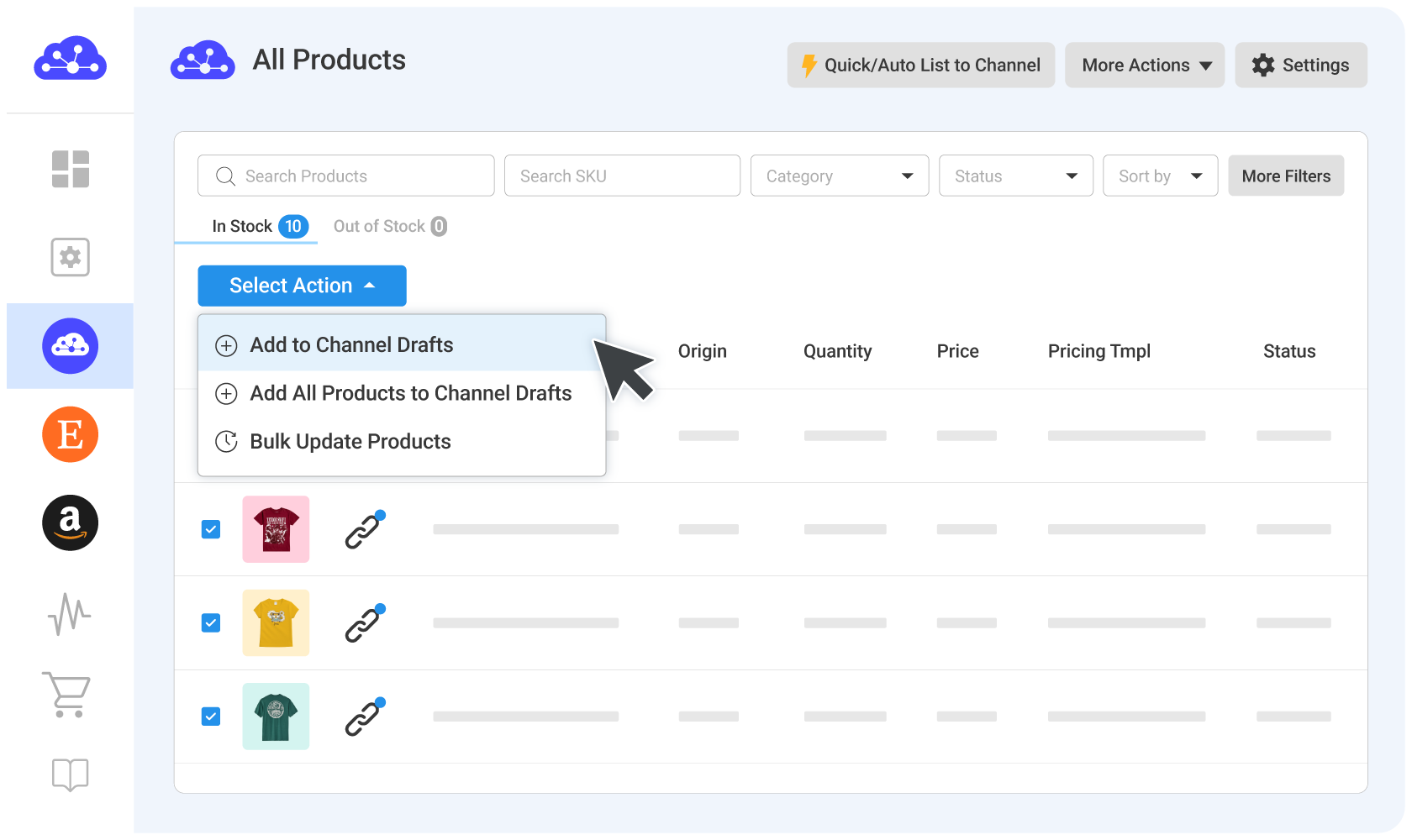
From there, you can go to each channel to review, edit, and complete any required information before making your listings live.
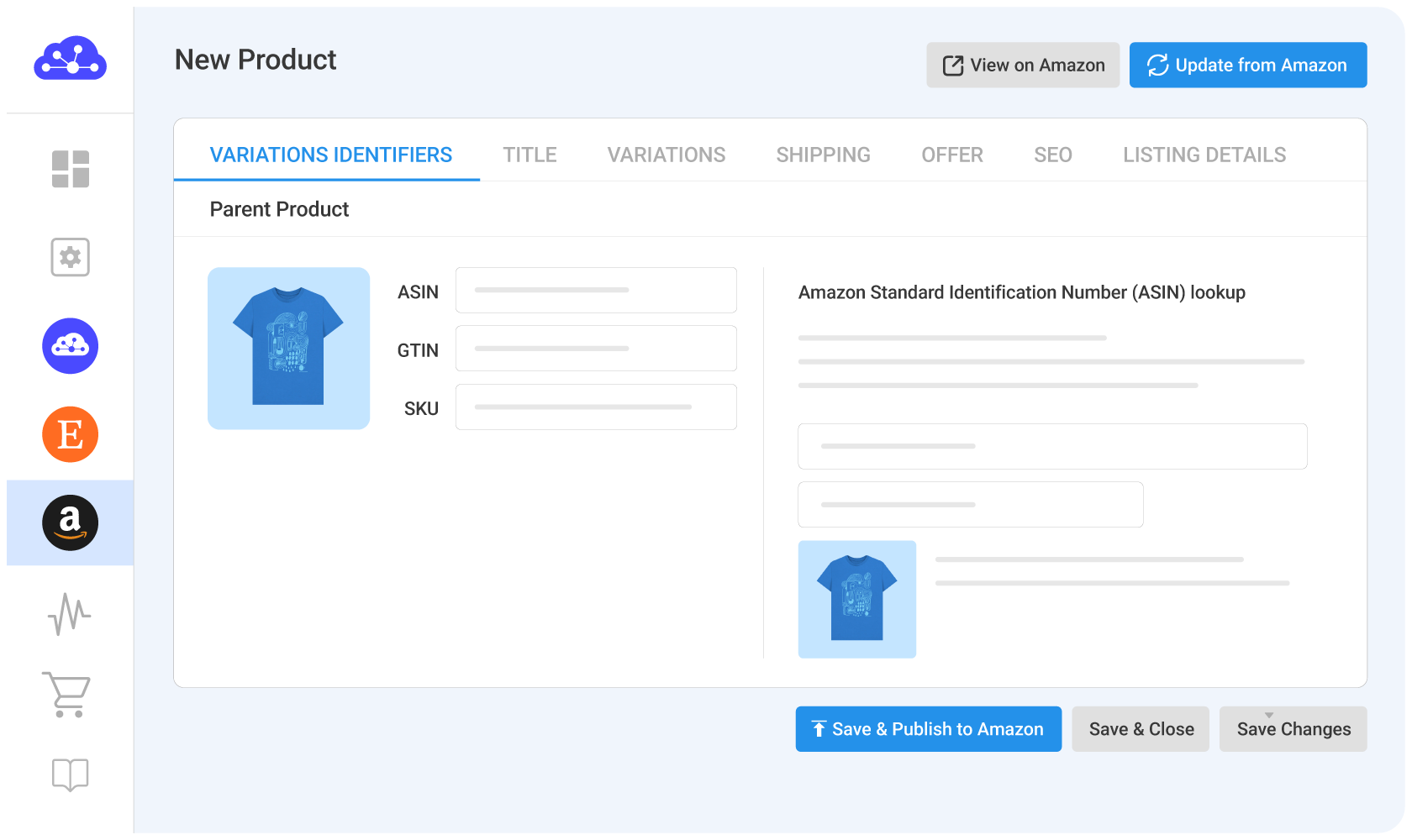
To speed things up, you can use the AI Description Generator (available for Etsy and eBay). Simply enter a few product keywords, and the AI will generate SEO-optimized, channel-ready descriptions, helping you complete drafts faster while meeting platform standards.
You can also use listing templates and rules to streamline the process. These features allow you to quickly apply product attributes and automate repetitive tasks, making the listing process more efficient.
Note: If you’re already selling on multiple marketplaces
You can import listings from all marketplaces into the LitCommerce catalog, just like how you did with the first one, and use them to cross-list to other connected channels.
But, make sure your listings are properly linked.
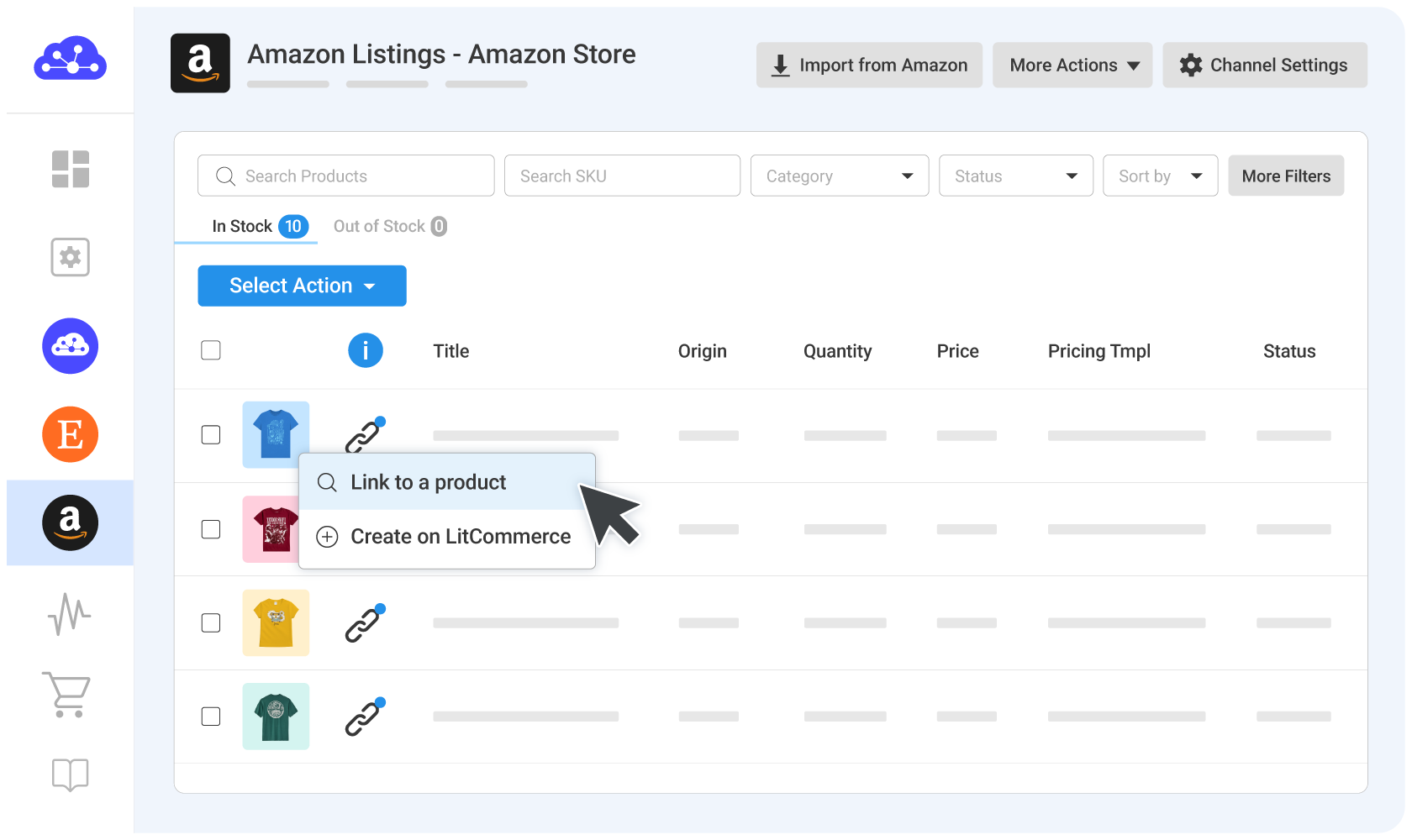
If you have the same product on multiple channels, you need to link them to a product in the LitCommerce catalog. This ensures your price, inventory, and other details stay in sync across all channels.
LitCommerce can auto-link listings based on matching SKUs. If SKUs don’t match or are missing, you can easily link them manually.
You can check the status using the chain icon:
• Blue dot: linked and syncing
• Red dot: not linked yet and won’t sync automatically
Enable price and inventory sync
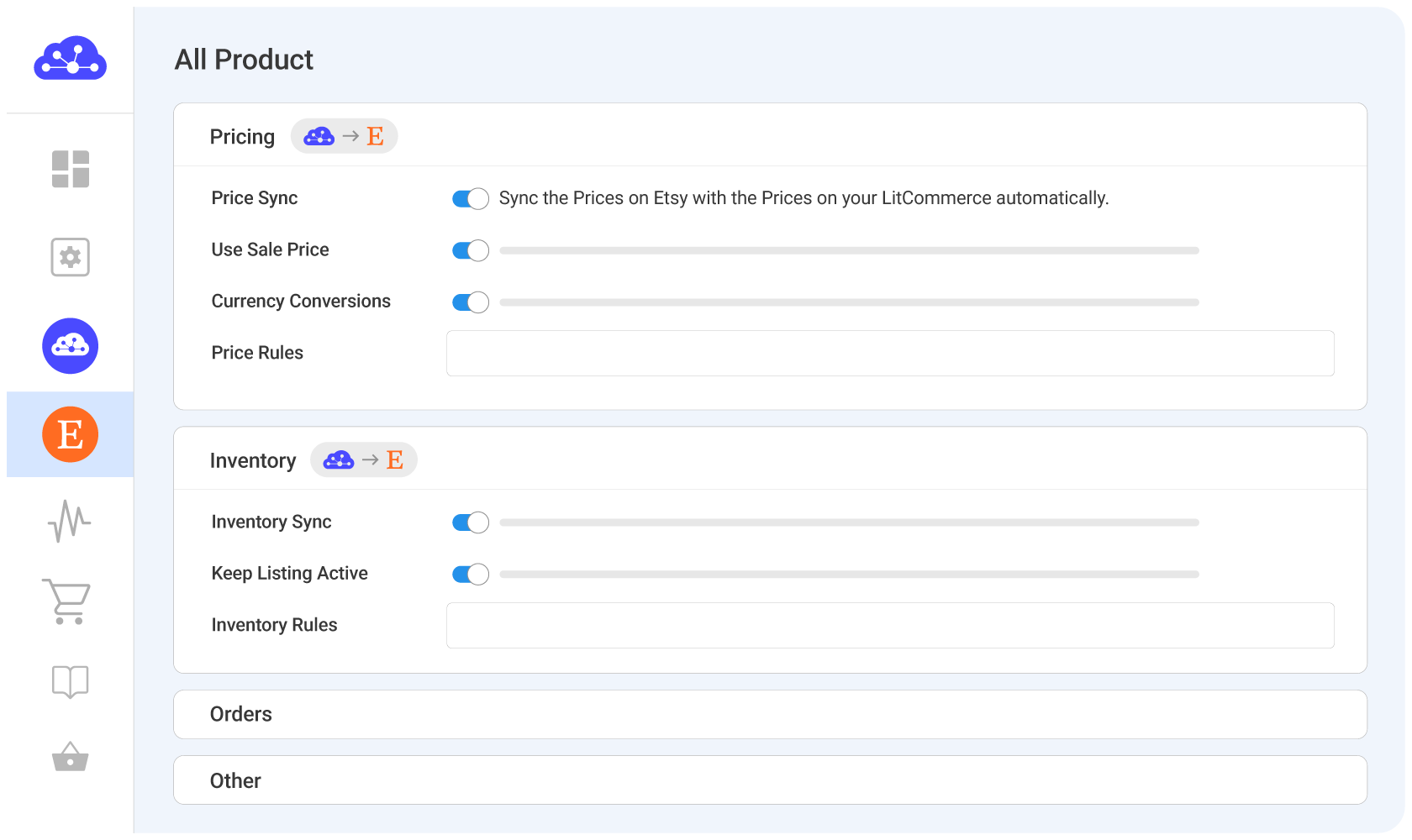
Once you enable the sync feature, LitCommerce will automatically update key information such as pricing and inventory levels across all connected channels, while also pulling orders into one centralized place for easier management.
Depending on the sales channel, LitCommerce can also sync additional product details like SKU, images, titles, and descriptions.
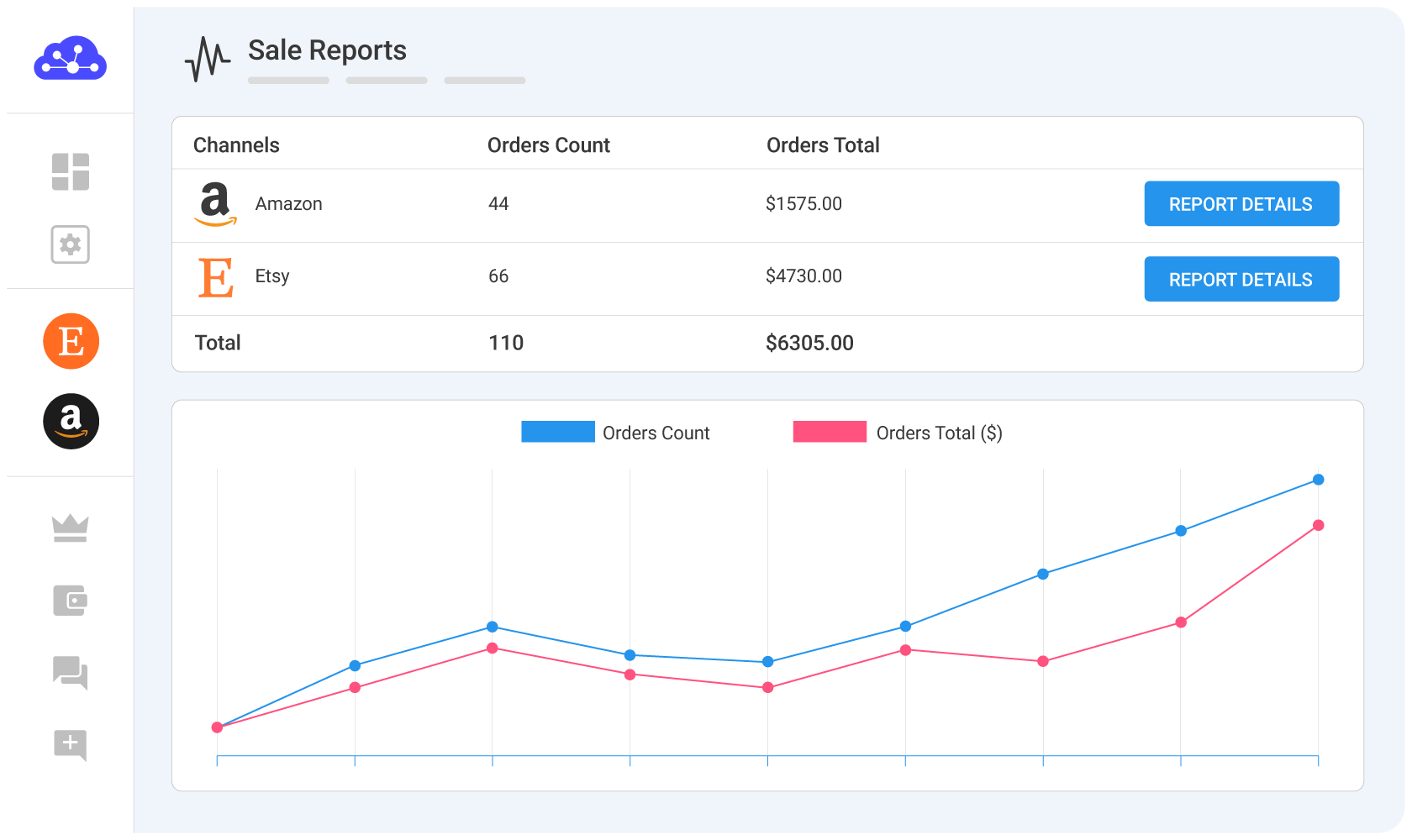
Manage orders and track sales performance
You can now manage all orders directly from the LitCommerce dashboard, so you never miss a sale.
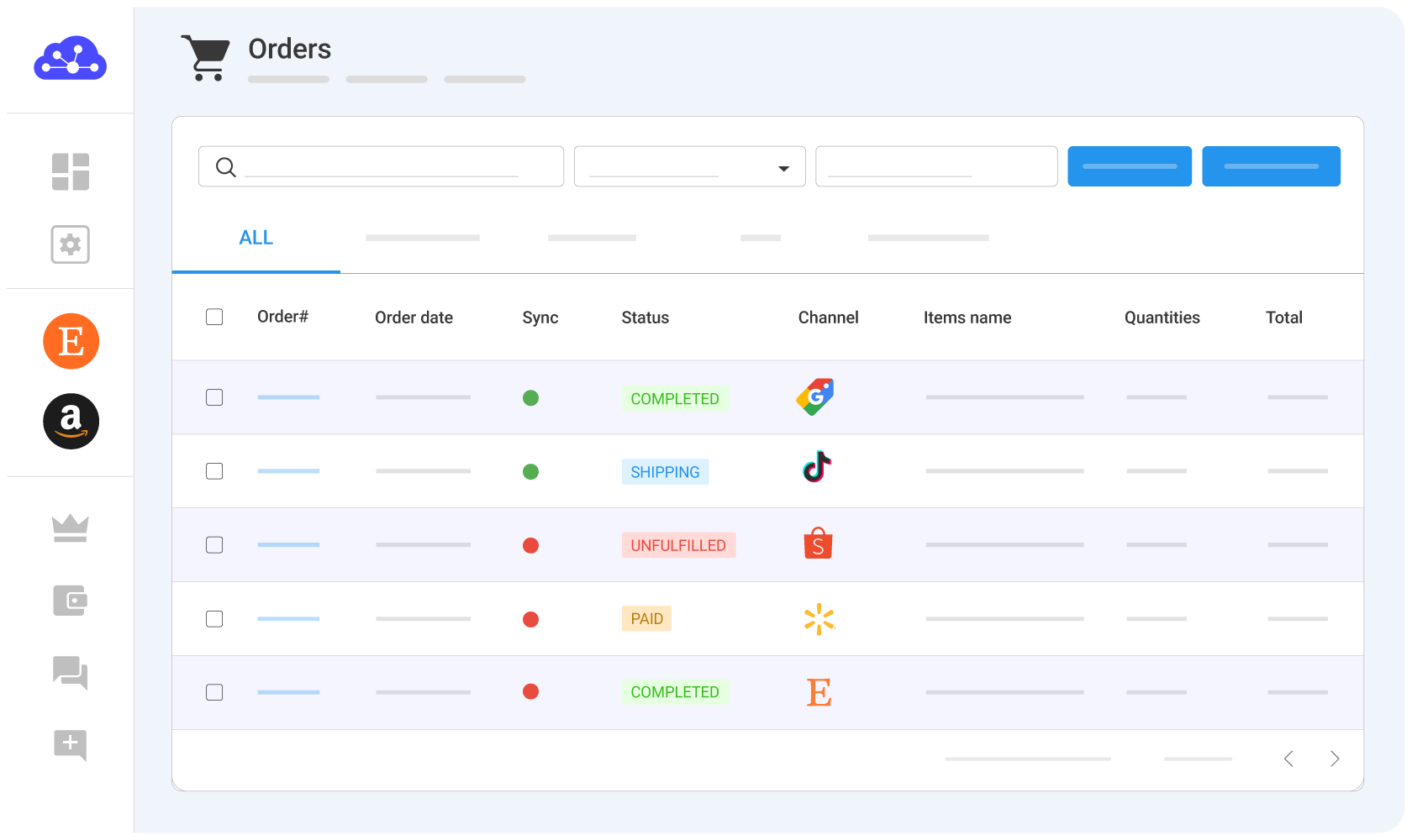
You can also monitor performance across all your sales channels to track and optimize your results.