Square Etsy Integration




Which Data is Included
In the Square Etsy Sync?


Completed Guide on Square Etsy Integration
Running Square and Etsy side by side can open up more selling opportunities, but it also means more product data to maintain. Prices can change, stock can move quickly, and new orders may come in from either platform. A Square Etsy integration helps keep these activities connected instead of handling them separately.
With LitCommerce, Square works as your Main Store while Etsy is added as a connected marketplace. From there, you can move listings between the two platforms, sync supported product data, and import Etsy orders back into Square.
The setup follows four main steps:
- Step 1: Connect Square to Etsy
- Step 2: List and import products on Etsy
- Step 3: Enable Square Etsy sync
- Step 4: Manage Etsy order flow
Step 1: Connect Square to Etsy
The first thing you need is a shared workspace for both platforms. In LitCommerce, Square becomes your Main Store, which serves as the source for the product, inventory, and order data used across your connected channels.
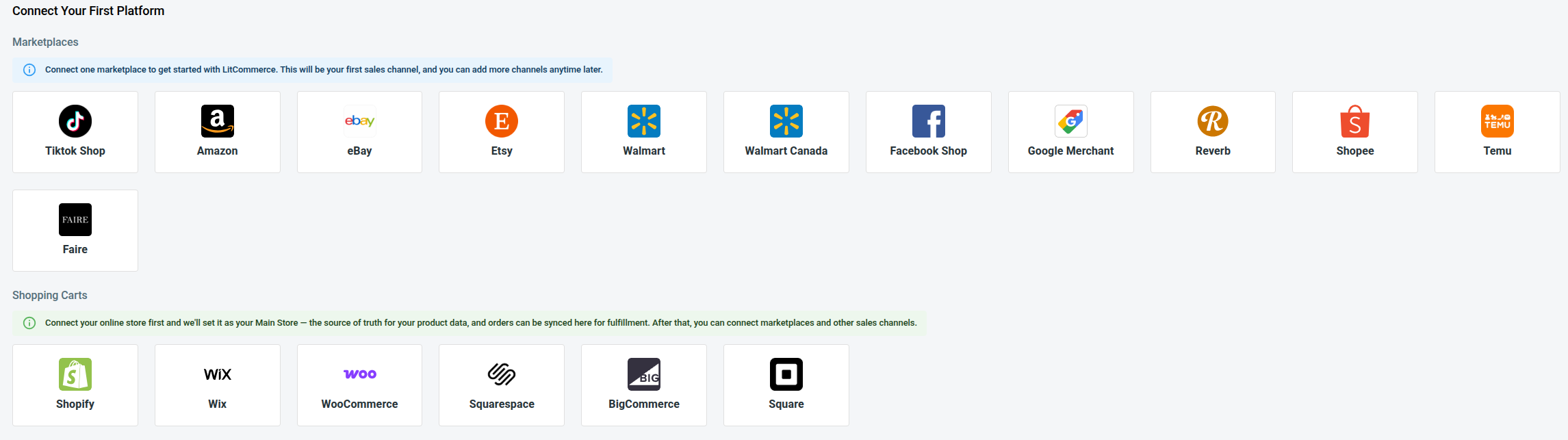
You can add Square in two ways. Either install LitCommerce from the Square App Marketplace or create a LitCommerce account and connect your Square store from the dashboard. Both methods take you through the same setup.
Once Square is set as your Main Store, LitCommerce will take you to the First Channel Setup page. From here, follow these steps to start your Square Etsy integration:
- From the list of supported channels, select Etsy.
- Enter your Etsy shop name and click Connect
- Enter your Etsy shop name and click Connect Your Account.
- Sign in to your Etsy seller account and allow LitCommerce to access the requested information.
LitCommerce will guide you through the information required for the Etsy connection. Make sure all required fields are completed before you continue.
After authorization, Square stays as your Main Store and Etsy appears as a connected channel. Your Square Etsy integration is now in place, and you can start working with products across both platforms.
Step 2: List & import products on Etsy
Once the connection is ready, LitCommerce brings your Square products into its central catalog. From here, the next action depends on your current setup. You may need to send Square products to Etsy, import existing Etsy listings into Square, or connect products that are already available on both sides.
Here is how each case works.
Case 1: You want to list Square products on Etsy
For products that already exist in Square but not on Etsy, you can add them to Etsy as drafts first. Keeping them in draft gives you a chance to review the listing and complete any information Etsy needs before publishing.
Here is how to list Square products on Etsy:
- Go to All Products and select the Square items you want to list on Etsy.
- Click Select Action and choose Add to Channel Drafts.
- Check the box next to your Etsy shop and click Add As Draft Now.
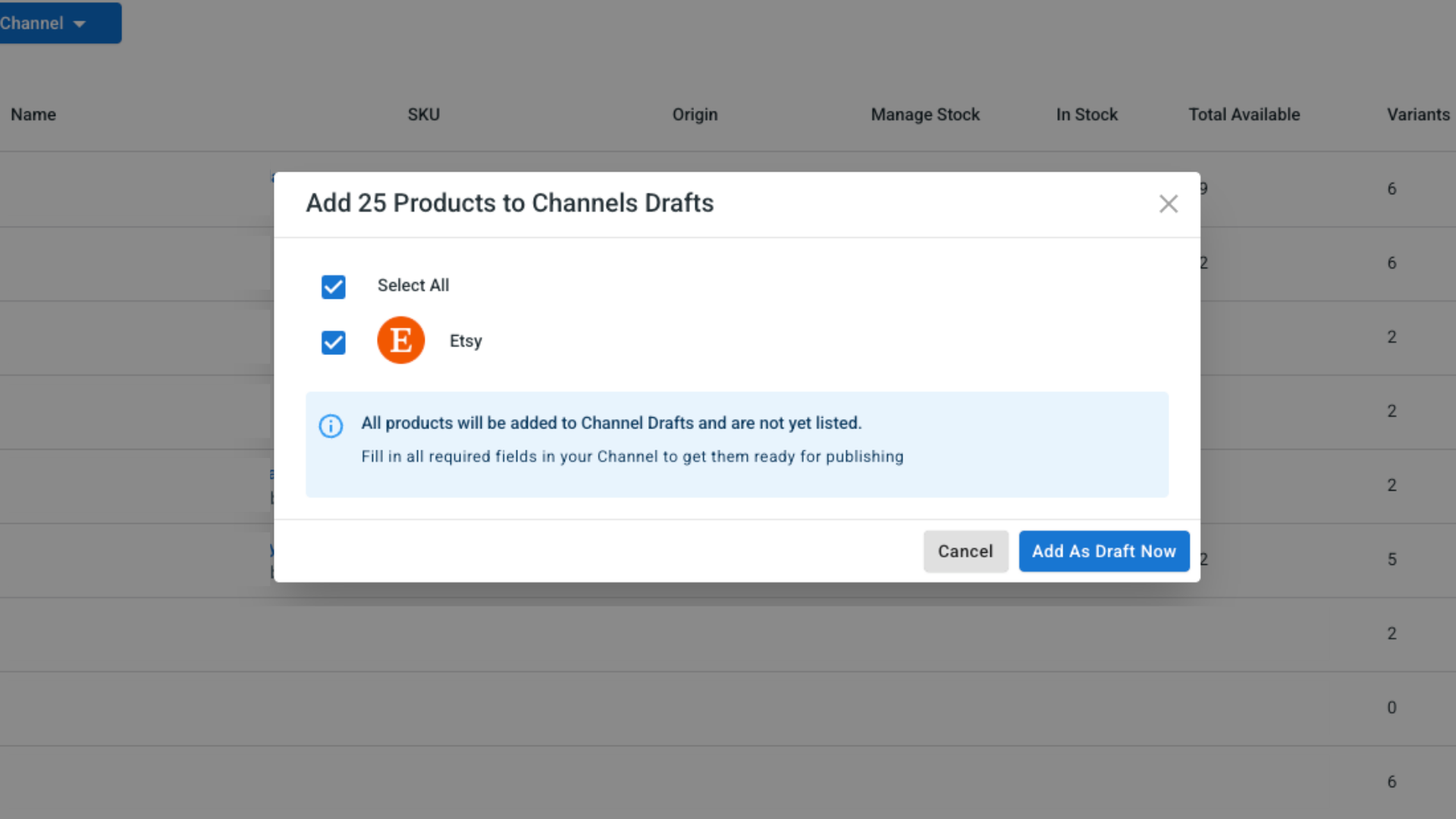
- If your LitCommerce plan supports it, you can use Add All Products To Channel Drafts to send your full product catalog to the selected channel at once.
- Once each listing looks ready,you have the option to choose between Quick Publish and Manual Publish
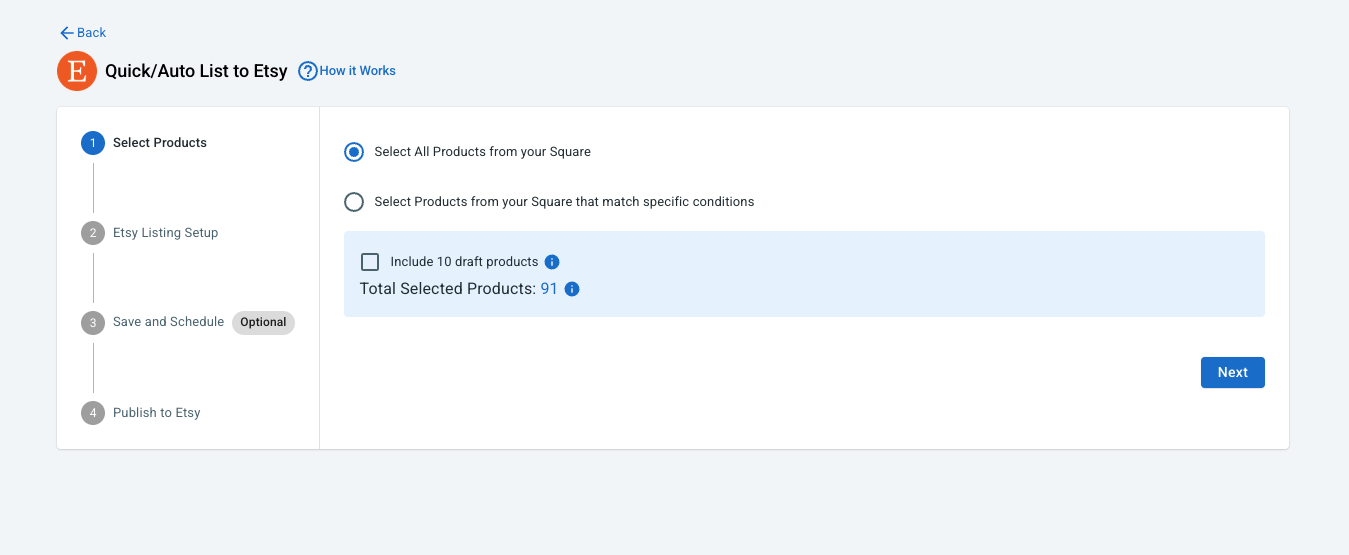
Pro tip: Product data from Square may not cover every field Etsy requires. Before publishing, review each draft for missing category information, listing attributes, shipping details, or other channel-specific fields. Doing this in advance can help reduce listing errors later.
Case 2: You want to import Etsy products to Square
Already have an established Etsy catalog? You can bring those listings into Square instead of rebuilding each product manually. LitCommerce lets you import existing Etsy listings and create the selected products in your Square catalog.
Here is how to import Etsy listings to Square using LitCommerce:
- On the Etsy channel tab, click Import from Etsy.
- Filter which products to import, and let LitCommerce auto-link matching items between Square and Etsy.
- Click Begin Import.
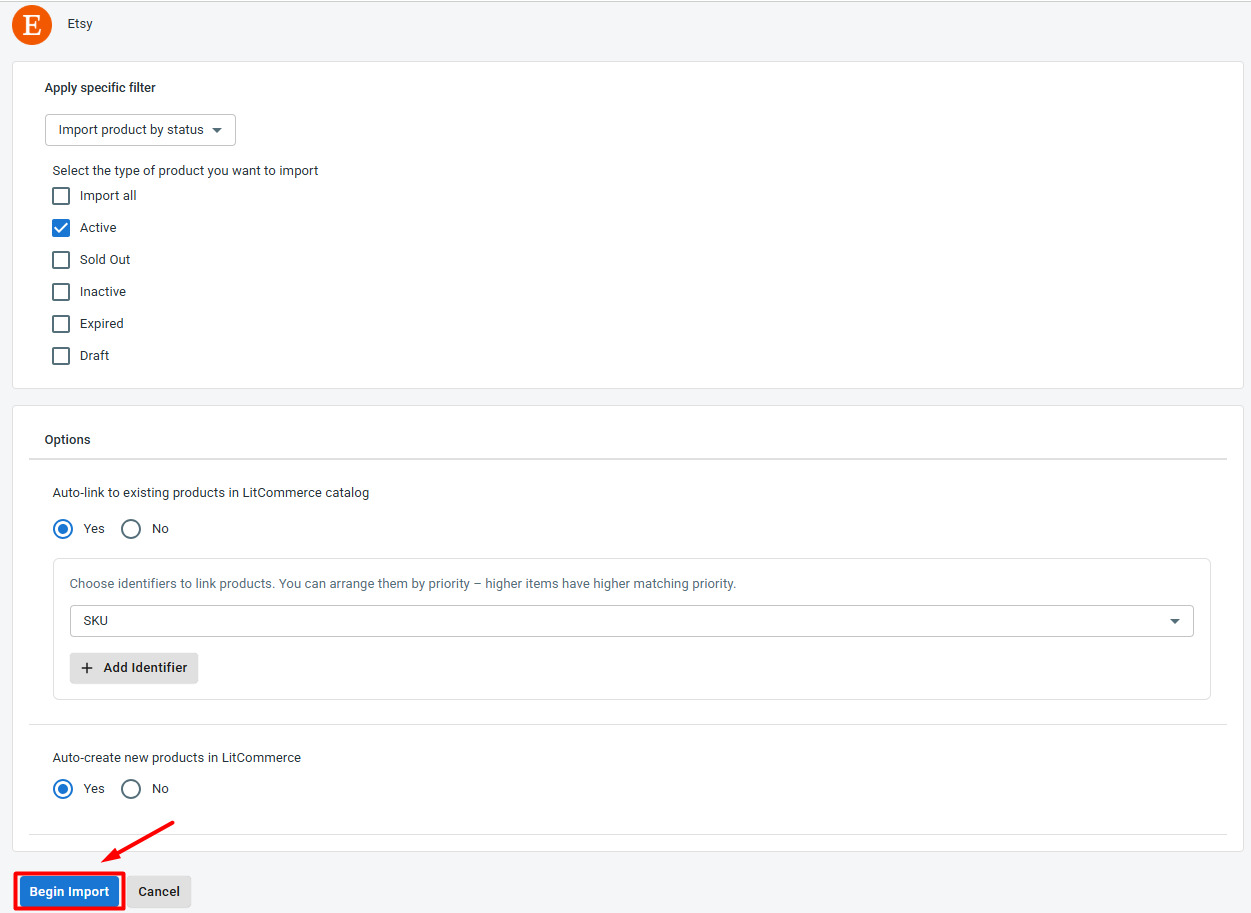
- Once your Etsy listings load into LitCommerce, select the ones you want in Square, click Select Action, then Create on Square.
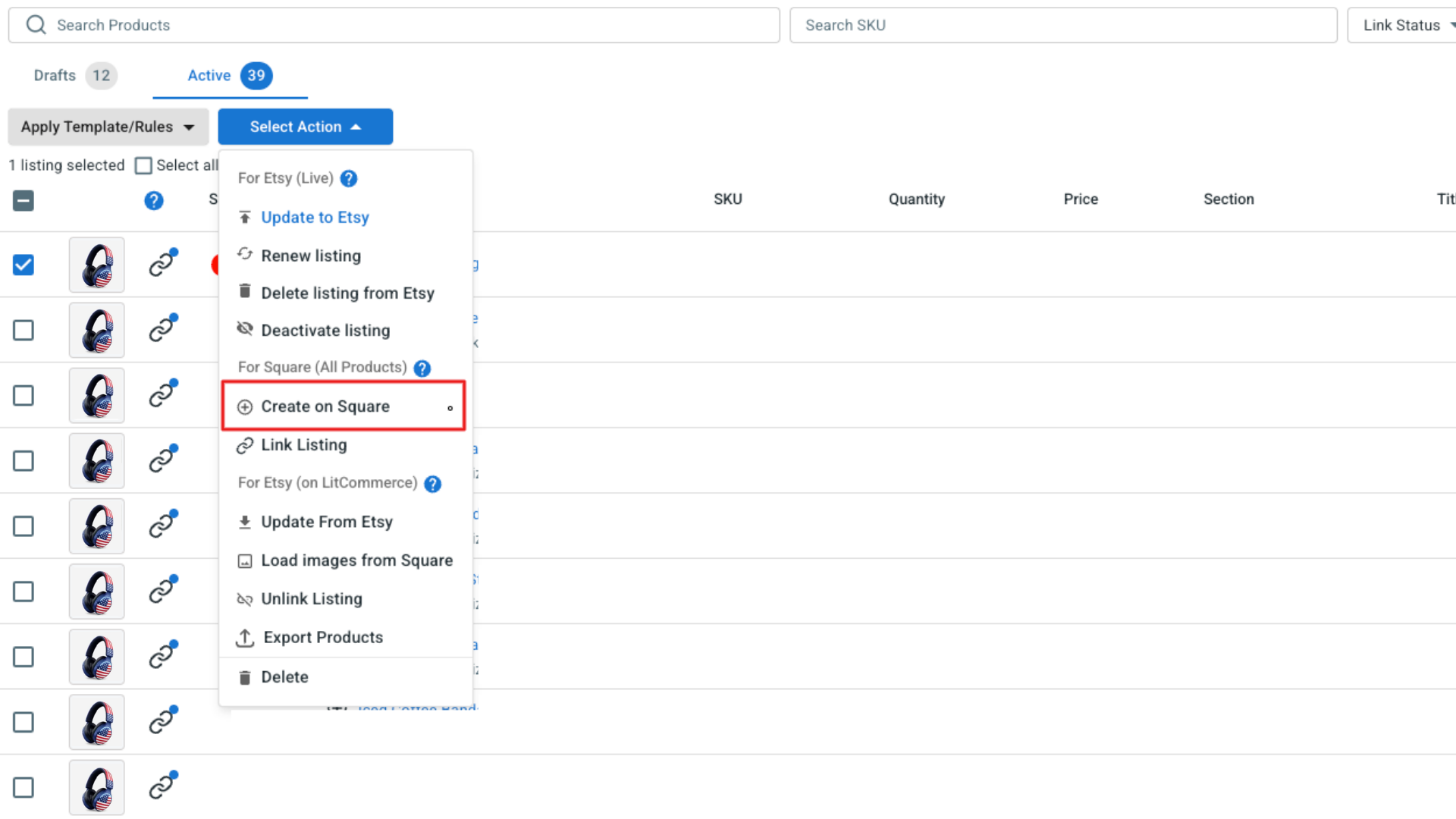
LitCommerce will create the selected products in Square.
If a matching Square product already exists, LitCommerce can link the two instead of creating another record. This keeps the products connected for the sync settings you configure later
Case 3: You want to link products on Square and Etsy
If the same item is already listed on both Square and Etsy, you do not need to import or publish it again. Instead, link the two existing records so LitCommerce knows they represent the same product. You can quickly check their status in LitCommerce: a blue dot means the listing is linked, while a red dot indicates that it still needs to be connected.
To link an Etsy listing to a Square product:
- Hover over the red dot next to the unlinked product.
- Select Link To A Product.
- Find the matching product in your catalog.
- Click Select next to the correct item.
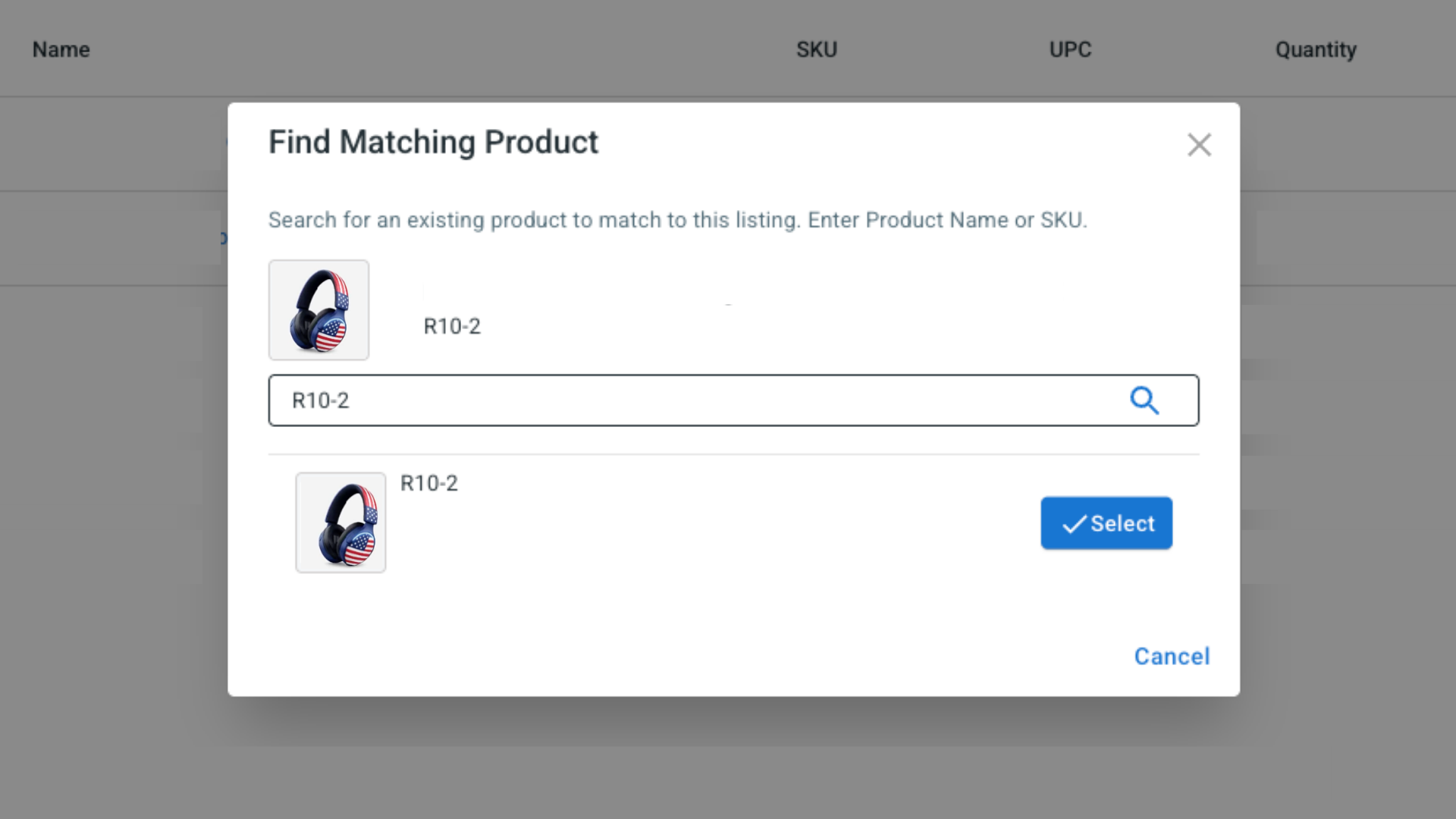
Once the products are linked, LitCommerce can keep supported information such as price and inventory aligned based on the sync rules you set.
Step 3: Enable Square Etsy Sync
Getting products onto both platforms solves only part of the workflow. The next question is how to keep them consistent after prices or stock levels start changing. LitCommerce handles this through the sync settings for your Etsy channel. Open Etsy in LitCommerce and go to Channel Settings to choose what should update automatically.
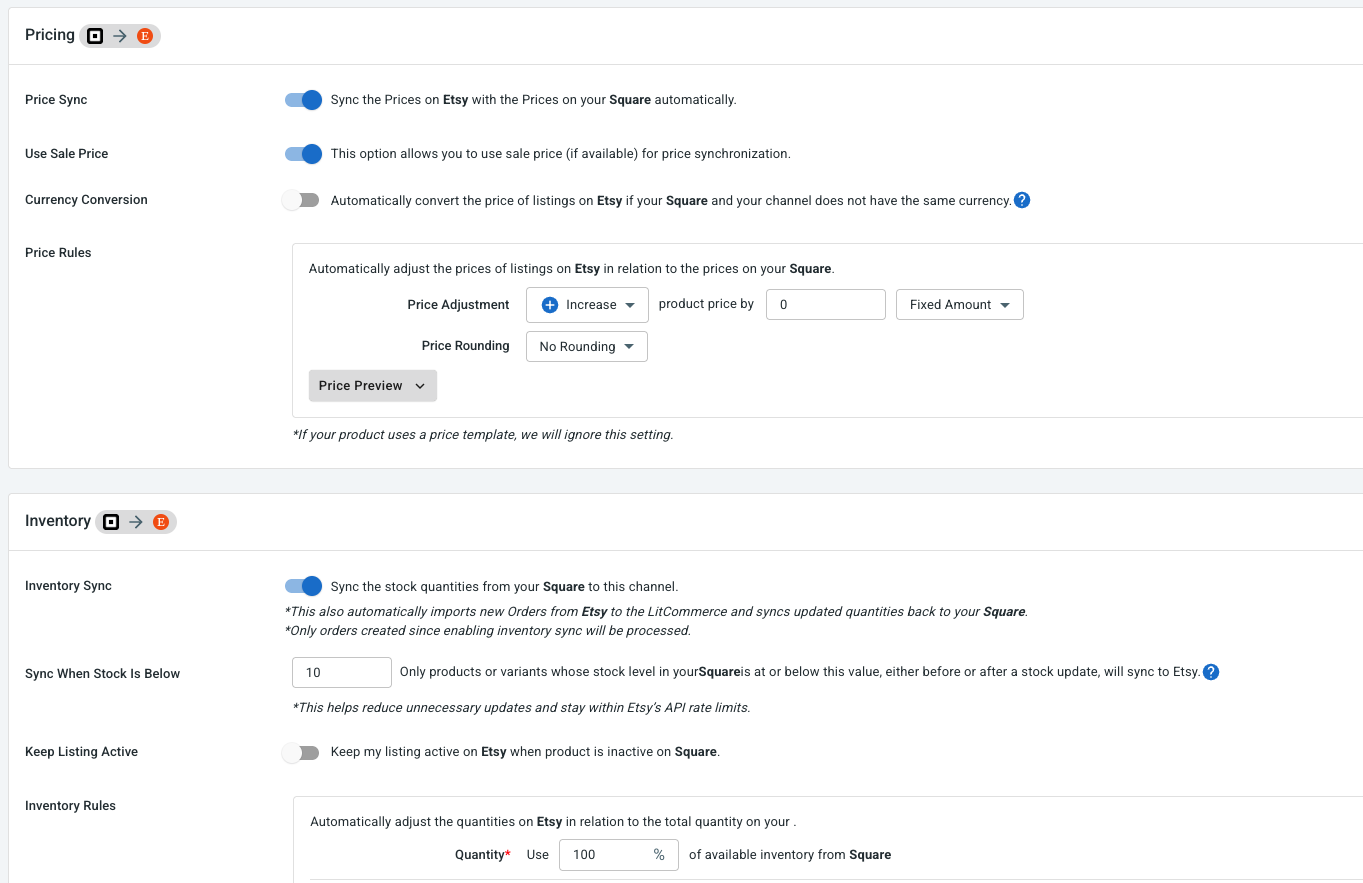
There are three main synchronization options to configure:
- Price sync: Enable Price Sync to reflect Square price changes on the corresponding Etsy listings. If you use different prices on Etsy, you can also apply a fixed or percentage-based rule to adjust them for marketplace costs, promotions, or your own pricing strategy.
- Inventory sync: Enable Inventory Sync to keep available quantities coordinated between Square and Etsy. LitCommerce updates the linked Etsy listing according to changes in Square and the inventory rules you set. You can also control minimum and maximum quantities, out-of-stock behavior, or the percentage of Square stock you want to make available on Etsy.
- Order sync: Enable Import Orders to Main Store to bring Etsy orders into Square together with orders from your Main Store.
LitCommerce checks supported price, inventory, and order data every 15 minutes. After choosing the settings that work for your store, click Save Settings.
Step 4: Manage Etsy orders from Square
The final part of the setup is bringing order management into the same workflow.
With Import Orders to Main Store turned on, new Etsy orders can be imported into Square. This means you can follow more of your sales activity without moving back and forth between the two platforms throughout the day.
From Square, you can:
- View Square and Etsy orders in one place
- Keep track of fulfillment and shipment progress
- Manage Etsy orders together with orders from other connected channels
- Compare order activity between your sales channels
And that completes the setup.
Once Square and Etsy are connected through LitCommerce, you can send Square products to Etsy, import Etsy listings into Square, link products that already exist on both platforms, synchronize supported price and inventory data, and bring Etsy orders back into Square.
A Square Etsy integration gives you a simpler way to keep the two channels connected without repeating the same updates across both platforms.