Wix eBay Integration



Which Data Can be Synced With
Wix and eBay Integration?


Detailed Guide on Wix eBay Integration
If you already run a Wix store and want to reach more buyers, eBay is a great place to expand. eBay is one of the three most popular marketplaces in the US, giving your products access to a larger marketplace audience.
With LitCommerce, setting up a Wix eBay integration is simple. You can connect both platforms, list products, sync key data, and manage orders without coding or manual updates.
Here is how to set up Wix eBay integration using LitCommerce:
- Step 1: Connect Wix to eBay
- Step 2: List & import products on eBay
- Step 3: Turn on Wix eBay sync
- Step 4: Manage eBay orders from Wix
Step 1: Connect Wix to eBay
To start, set up Wix as your Main Store in LitCommerce. Your Main Store acts as the central catalog where LitCommerce pulls product data, inventory, and order information.
You can connect Wix to LitCommerce by installing the LitCommerce app from the Wix App Market or by adding Wix directly from your LitCommerce dashboard.
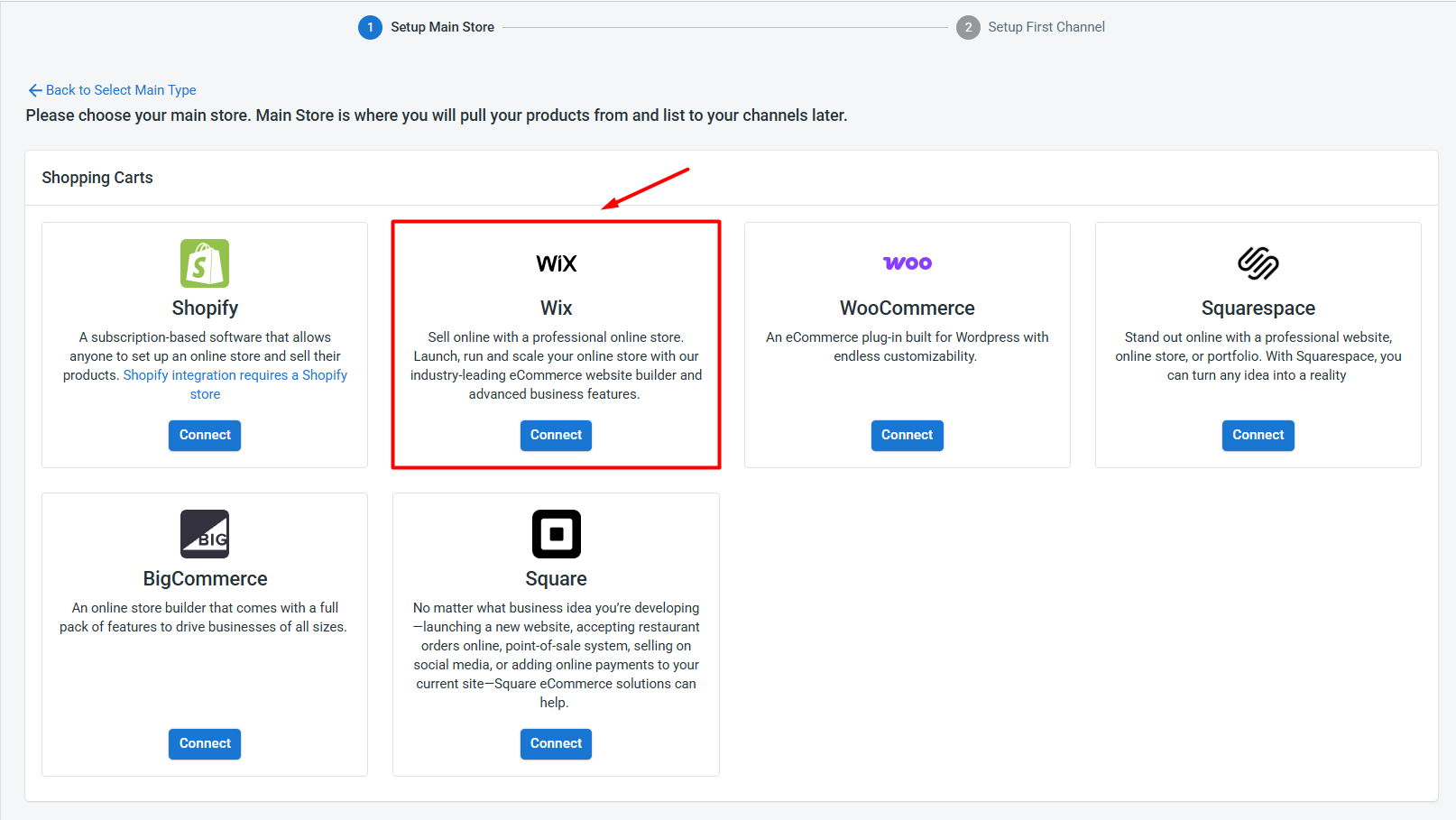
After your Wix store is connected, connect eBay with these steps:
- From the list of supported marketplaces, find eBay and click Connect.
- Enter your eBay store name, select your marketplace country, and click Connect Your Account.
- Allow LitCommerce to access your eBay seller account.
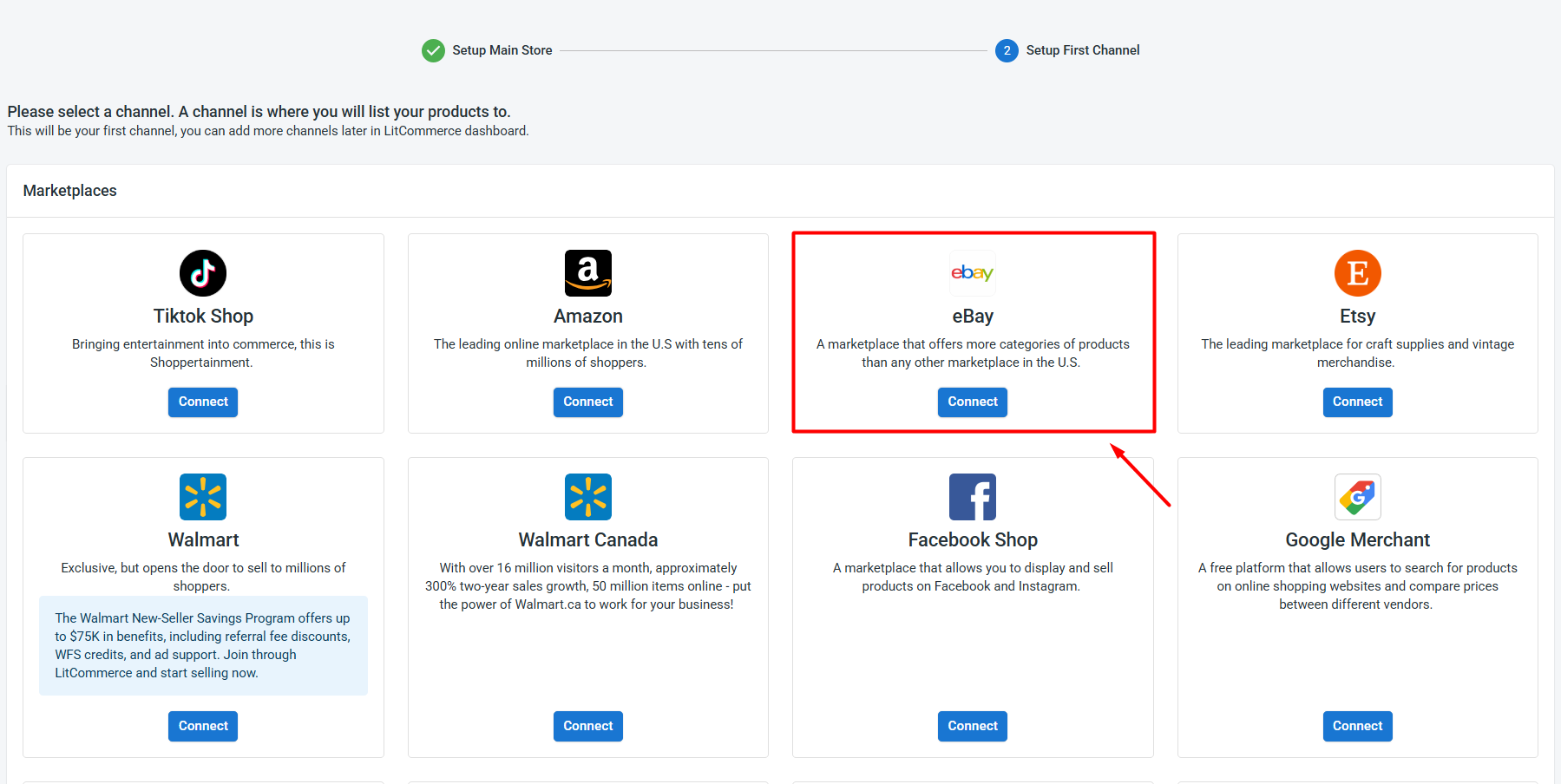
Once authorization is complete, your Wix store and eBay account are connected successfully.
Besides eBay, LitCommerce also supports other Wix integrations, including Wix Amazon, Wix Etsy, TikTok Shop, and more. This makes it easier to manage multiple sales channels from one place as your business grows.
Step 2: List & import products on eBay
After connecting both Wix and eBay, what you do next depends on where your products currently live. With LitCommerce, you can list your Wix products on eBay, import your existing eBay listings into Wix, or link items that already sit on both.
Here’s how each case works.
Case 1: List Wix products on eBay
If your products are already available on Wix and you want to start selling them on eBay, you can push them to eBay as draft listings first.
To list Wix products on eBay:
- Go to All Products, select the Wix products you want to sell on eBay.
- Click Select Action, then choose Add to Channel Drafts.
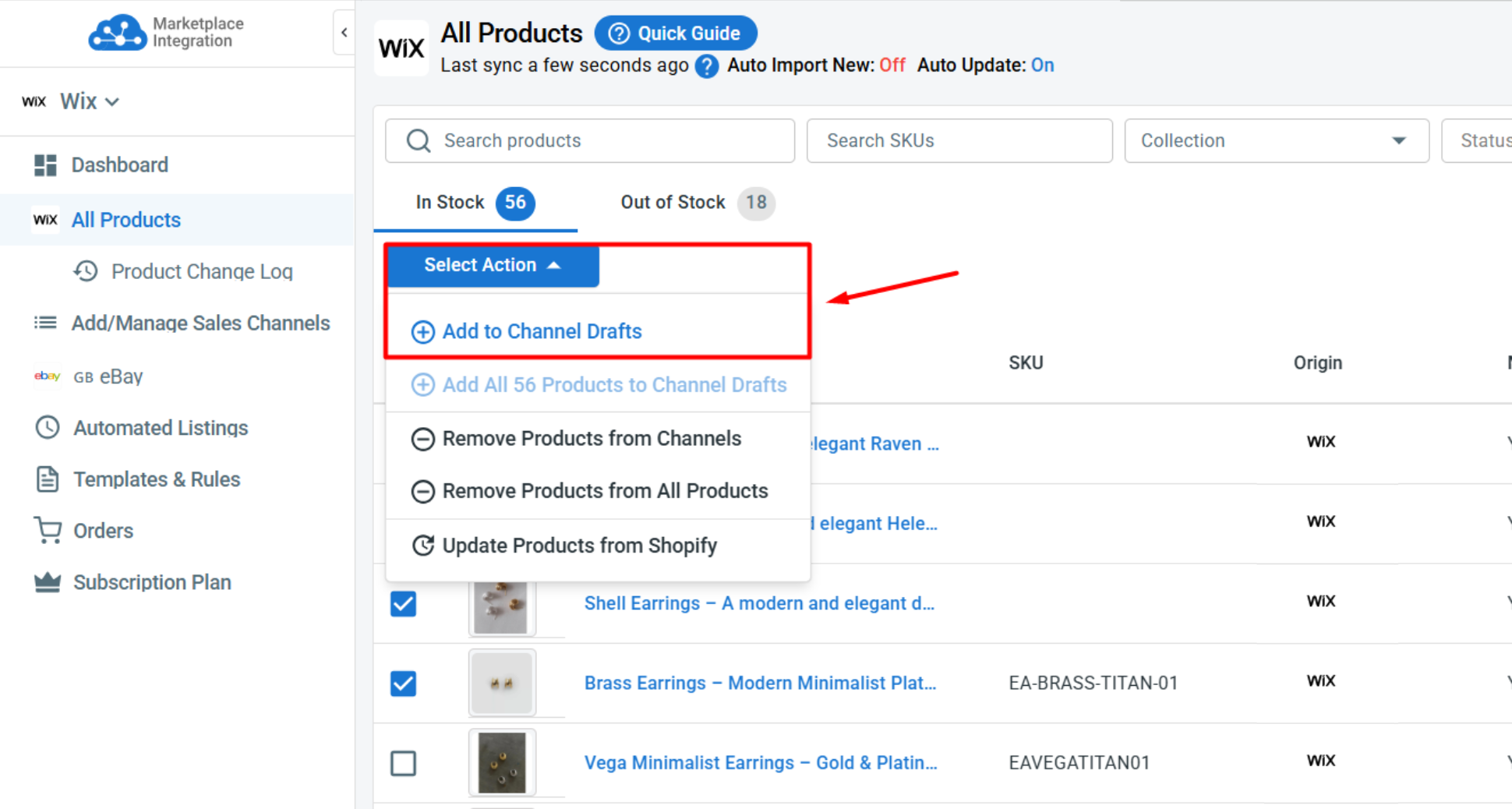
- Check the box next to your eBay store, and click Add As Draft Now.
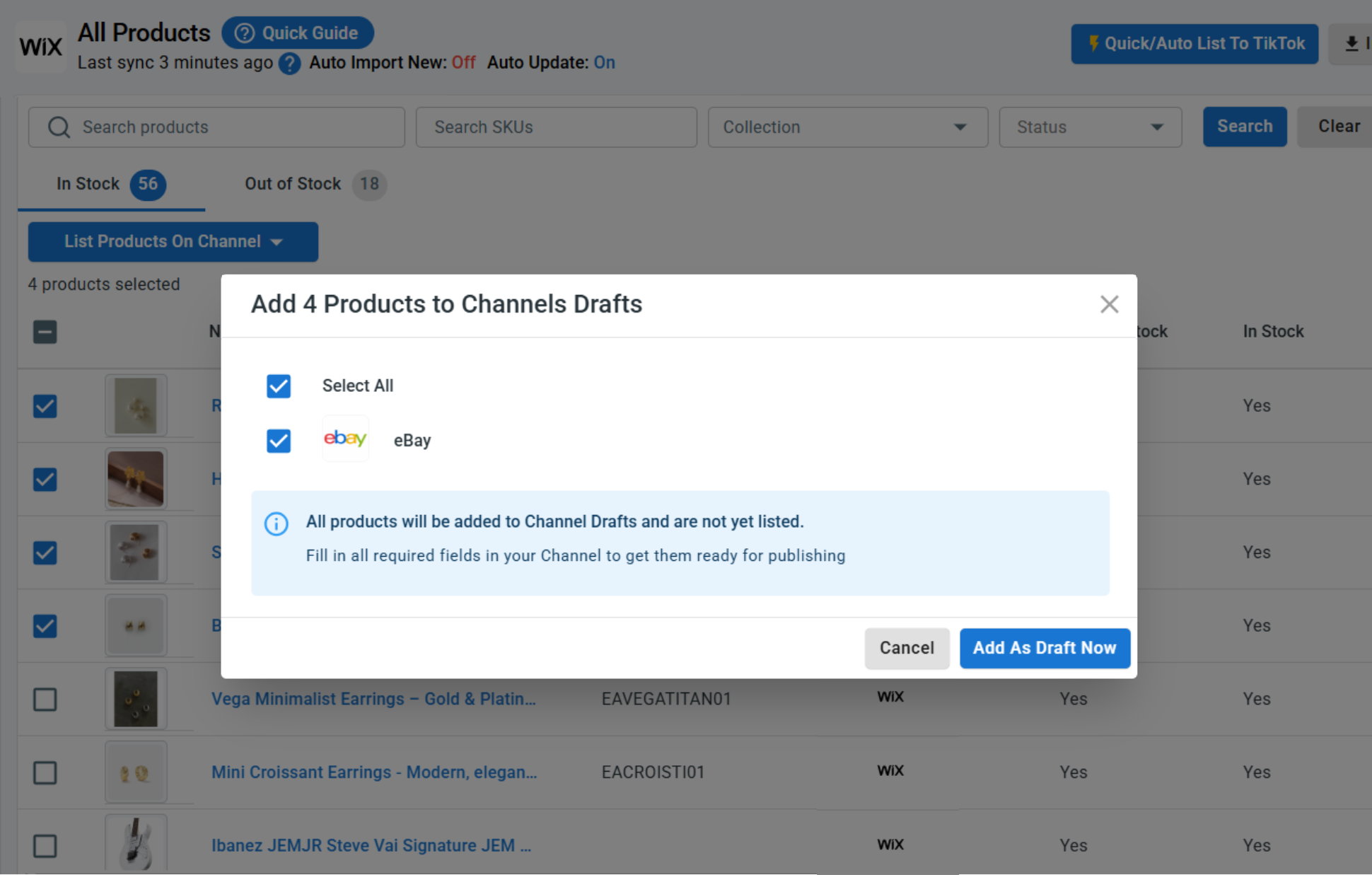
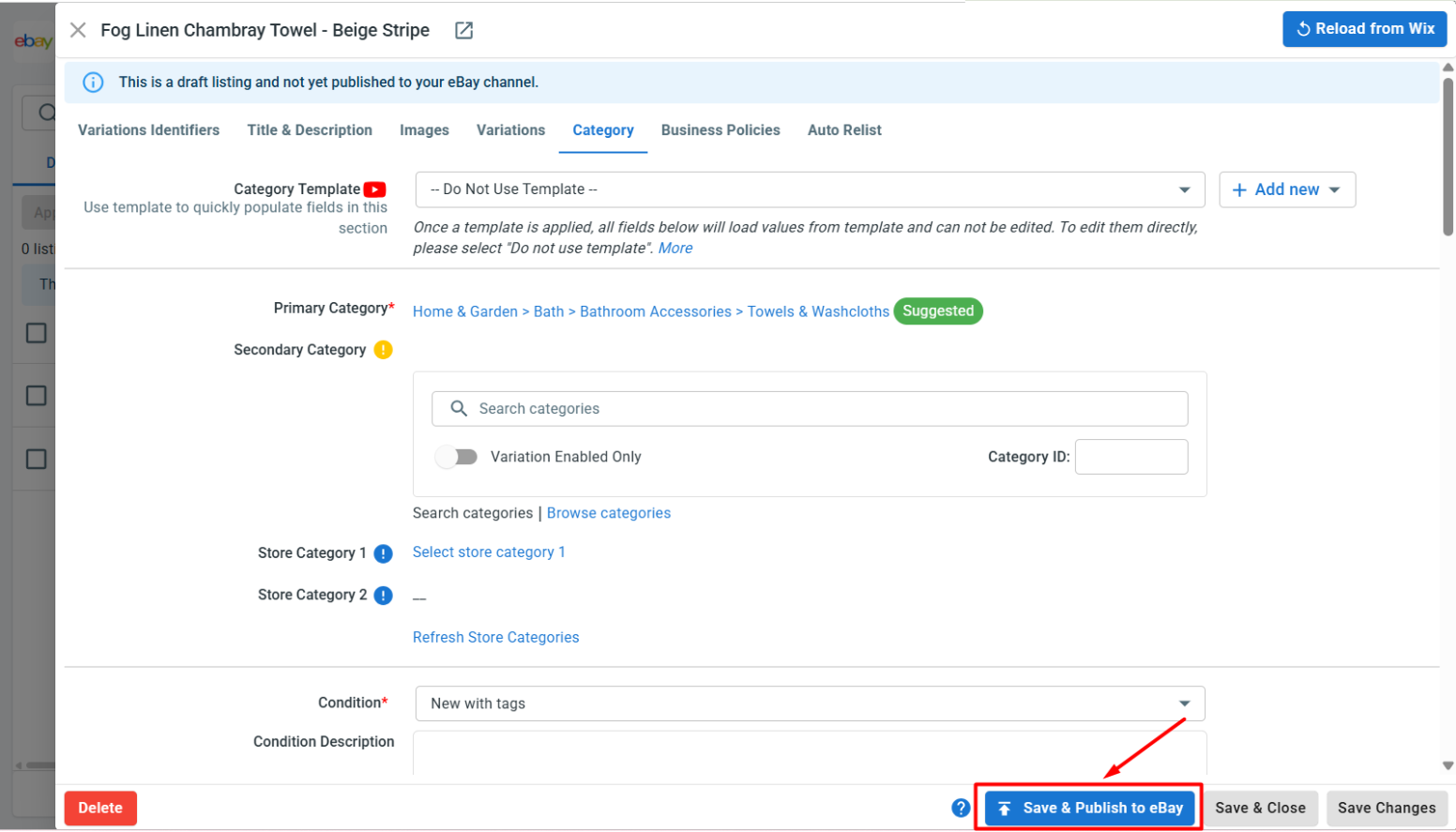
- After that, open your eBay channel tab to review the drafts. Before publishing, make sure each listing includes the required eBay information, such as product identifiers, category, item specifics, shipping settings, return policies, etc.
- Once ready, click Save and Publish to eBay.
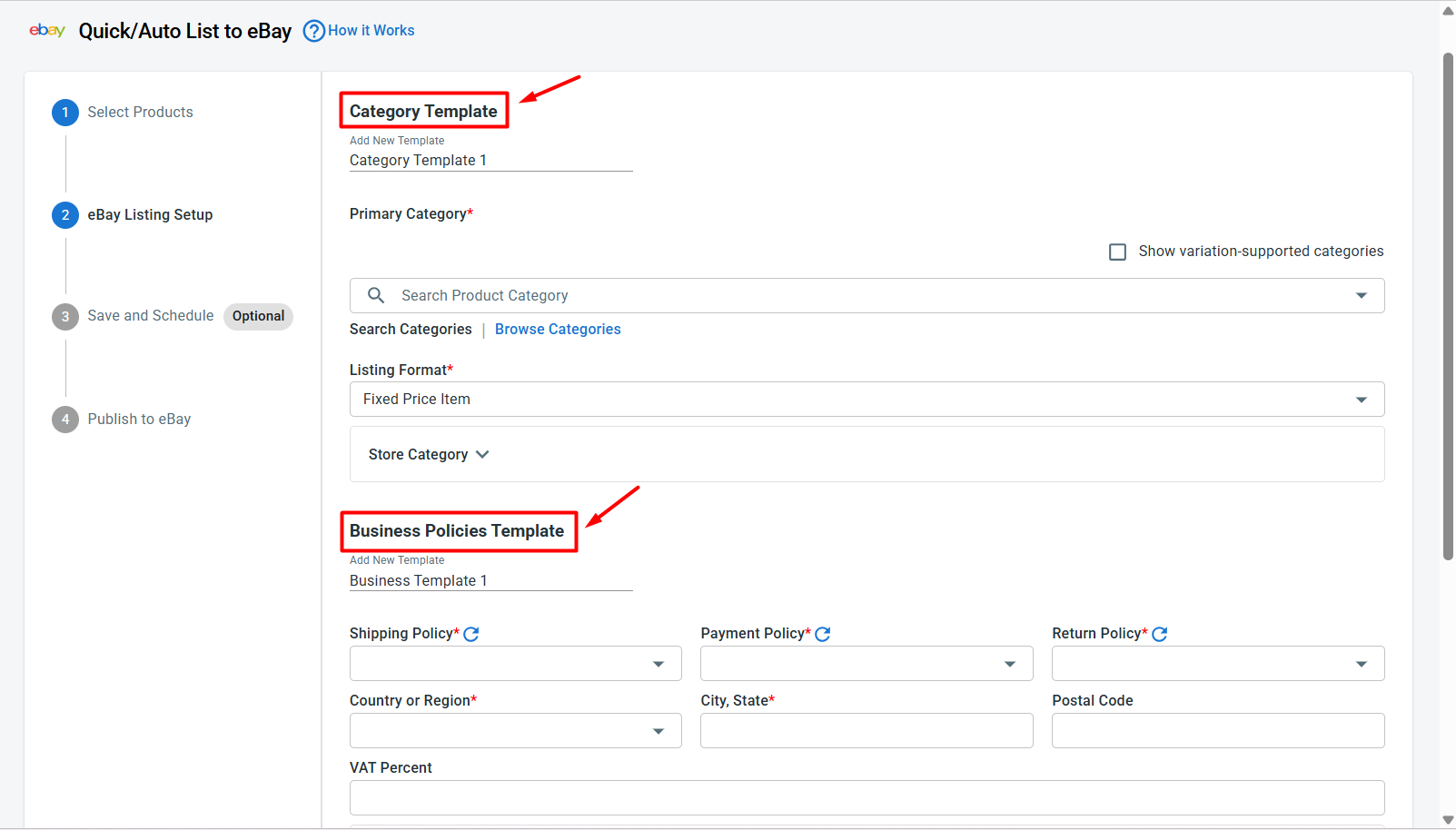
Pro tip: If you want to list multiple Wix products on eBay at once, use Quick/Auto list to eBay to bulk edit & upload products to eBay. This allows you to create templates and apply the same settings, such as categories, shipping, or pricing, to multiple eBay listings at once. This saves time and reduces repetitive edits.
Case 2: Import eBay products to Wix
If you already sell on eBay and want to bring those listings into Wix, LitCommerce lets you import existing eBay products and create them on your Wix store – so you don’t need to recreate each listing one by one.
Here is how to import eBay listings to Wix using LitCommerce.
- On the eBay channel tab, click Import from eBay.
- Let LitCommerce auto-link products on Wix and eBay, then choose which listings you want to import.
- Once finished, click Begin Import.
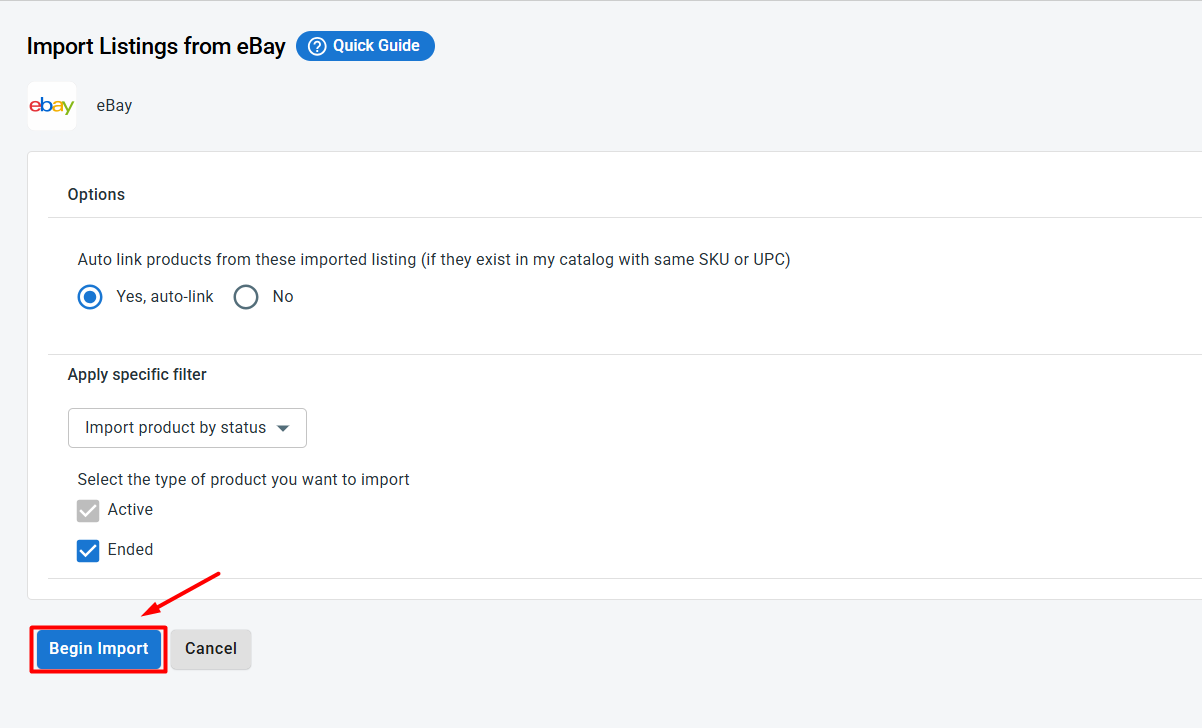
- Once the import is complete, your eBay listings will appear in LitCommerce. From there, select the products you want to add to Wix, click Select Action, and choose Create on Wix.
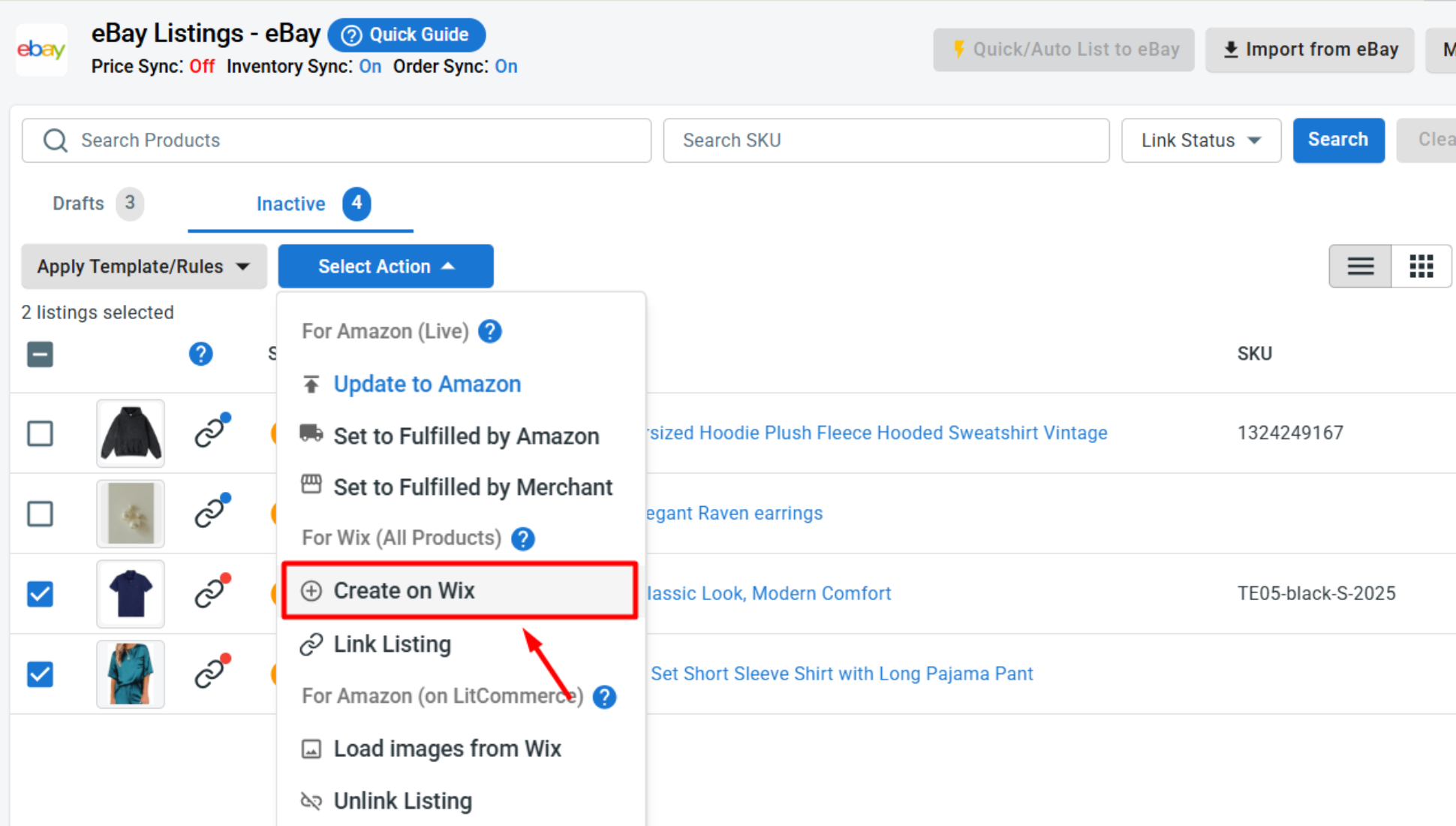
After this step, your eBay products are added to Wix and can be managed through your Wix eBay integration.
Case 3: Link existing Wix and eBay products
If you sell the same products on both Wix and eBay, you can link them together. This helps LitCommerce understand which listings belong together, and linked products are ready for Wix eBay integration and sync.
When importing products from eBay to Wix, if you have allowed auto-link products, the linked products across these two platforms will show with a blue dot. The products that haven’t been linked will show a red dot.
To link the unlinked products across eBay and Shopify, follow these steps:
- Hover the red dot of the unlinked products.
- Choose Link To A Product.
- Find a matching item and click Select next to that product.
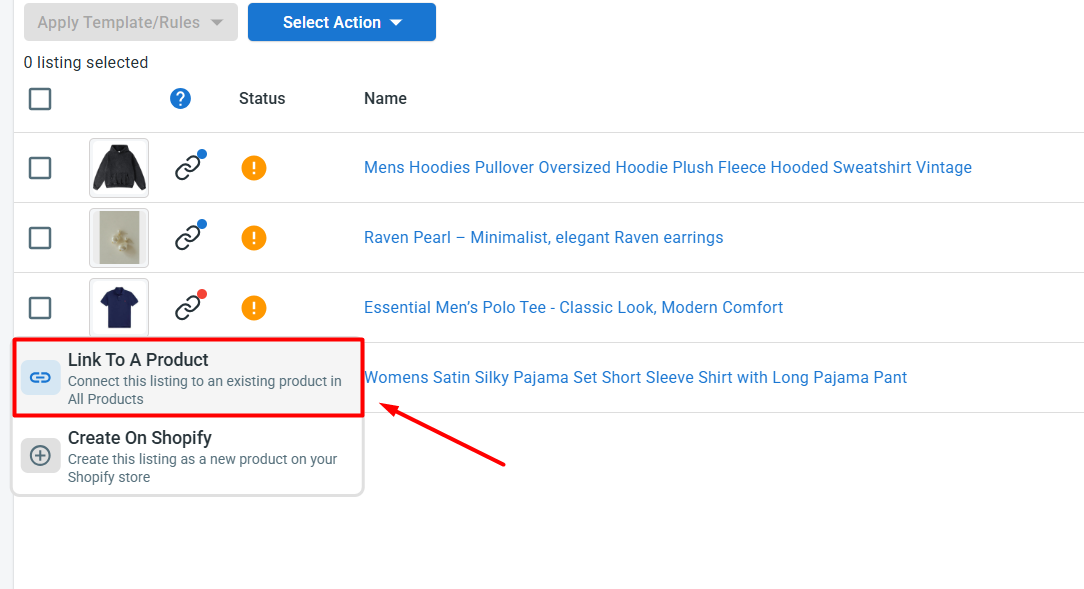
Once finished, your products are now linked both from eBay to Wix and vice versa.
Step 3: Turn on Wix eBay sync
After your products are listed, imported, or linked, the next step is to configure Wix eBay sync settings. This helps keep product data consistent between Wix and eBay without manual updates.
To set this up, open your eBay channel in LitCommerce and go to Channel Settings. From there, you can configure the main sync options for your Wix eBay integration.
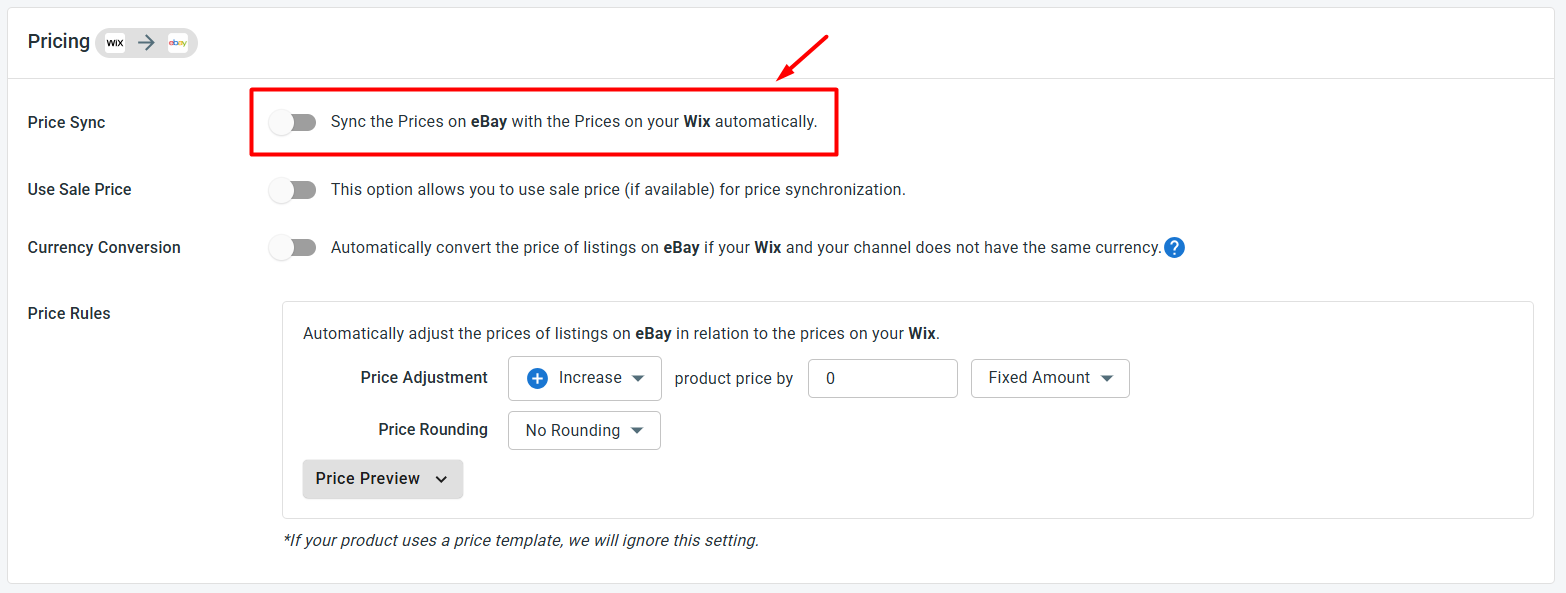
- Price sync: When you turn on this feature, changes you make to your listings on Wix will automatically update your eBay prices to match your Wix product prices. You can also use price rules to increase or decrease eBay prices by a fixed amount or a percentage. This is useful if you want to adjust eBay pricing for marketplace fees, promotions, or channel-specific strategies.
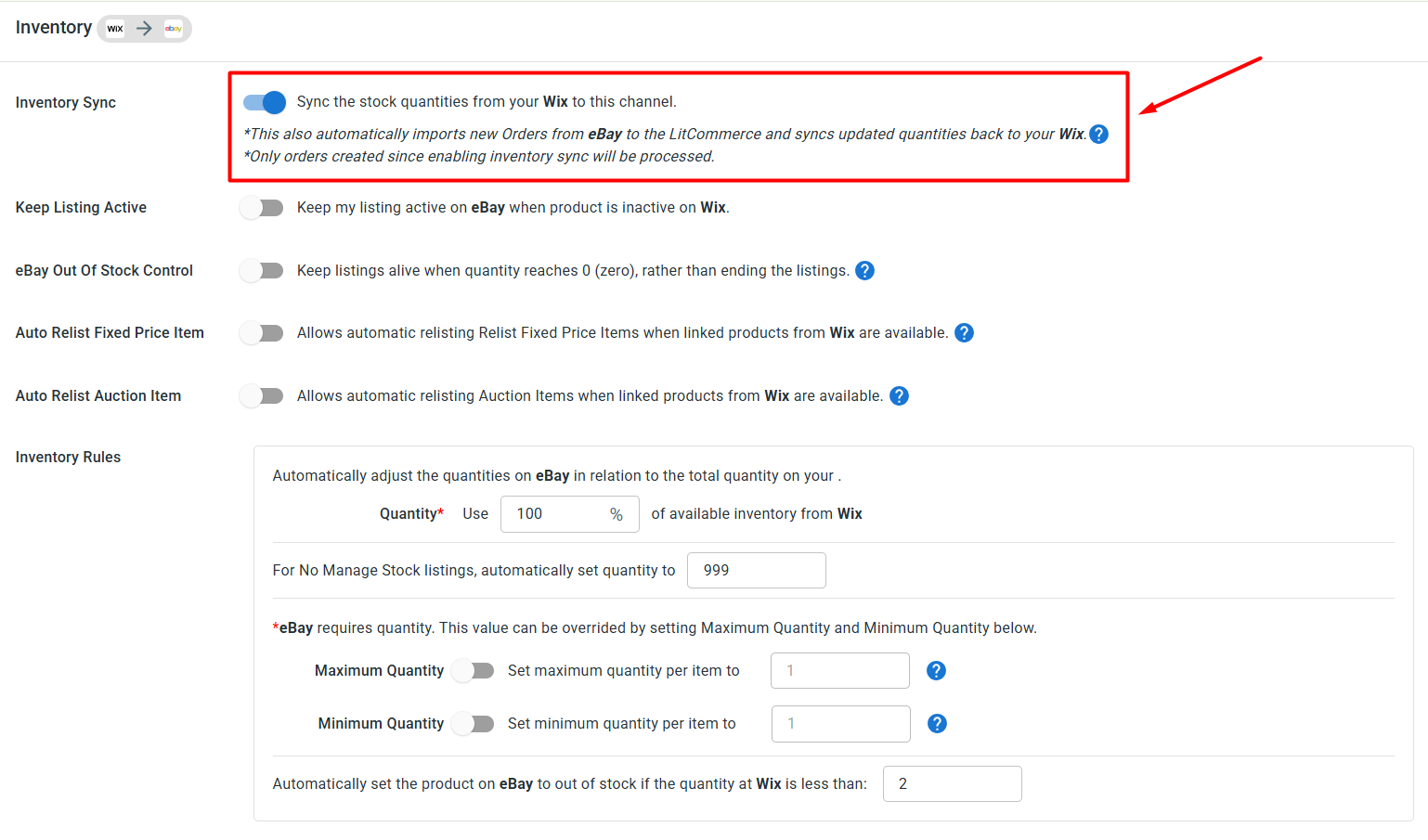
- Inventory sync: Enable inventory sync to keep your stock quantities aligned between Wix and eBay. You can also set inventory rules, minimum and maximum stock thresholds, or out-of-stock settings. These controls help reduce overselling and keep your listings on both platforms accurate.
- Order sync: You can also choose Import Orders to Main Store to import your eBay orders into your Wix dashboard so you can manage everything in one place instead of switching between platforms.
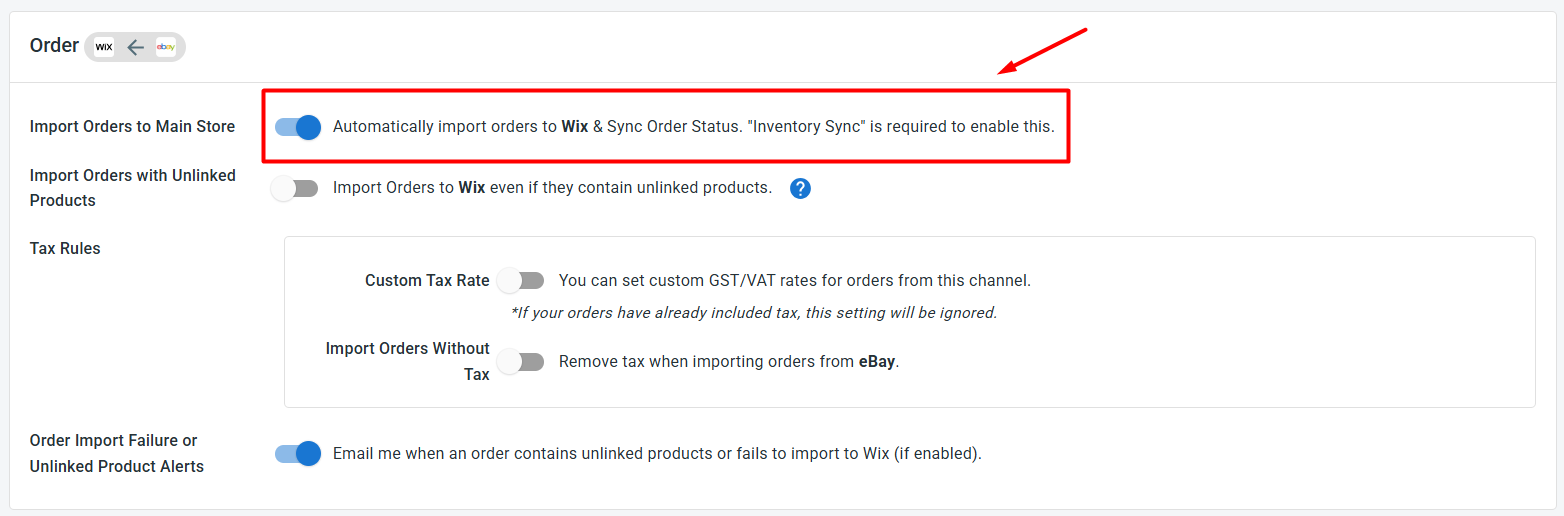
After choosing your preferred sync settings, click Save Settings to apply the changes.
Step 4: Manage Your eBay Order Flow
Once Import Orders to Main Store is enabled, eBay orders will flow into Wix along with your regular Wix orders. This gives you a more centralized way to manage sales from both platforms.
So from your Wix dashboard, you can:
- Review eBay and Shopify orders in one place
- Track shipments across both channels simultaneously
- Spot which one drives more revenue, and learn what’s working, so you can build a smarter selling strategy.
That’s it. You have successfully set up Wix eBay integration with LitCommerce. Now you can list products, sync inventory and prices, import orders, and manage your Wix and eBay stores with less manual work.