Wix TikTok Shop Integration




What Data Can be Synced with
Wix TikTok Shop Integration?


Preparation Before Integrating Wix with TikTok Shop
Understanding the necessary steps before integrating your Wix store with TikTok Shop is crucial to prevent any potential errors or disruptions.

Detailed Guide on Wix TikTok Shop Integration
Selling on Wix and want to reach TikTok shoppers? TikTok Shop gives your products a direct path from short videos, live streams, and creator content to checkout. For Wix sellers, it can be a powerful way to turn social engagement into real sales.
The challenge is that Wix and TikTok Shop do not work together by default. Your product listings, inventory, pricing, and orders stay in separate systems. That means every update has to be managed twice if you do it manually.
With LitCommerce, you can connect Wix to TikTok Shop, list products, sync key data, and manage orders from one place. In this TikTok Shop Wix integration guide, we’ll show you how to set everything up step by step.
Here’s what we’ll cover:
- Step 1: Connect Wix to TikTok Shop
- Step 2: List and import products on TikTok Shop
- Step 3: Turn on Wix TikTok Shop sync
- Step 4: Manage TikTok Shop orders from Wix
Step 1: Connect Wix to TikTok Shop
To begin, set up Wix as your Main Store inside LitCommerce. Your Main Store works as the central place where LitCommerce manages your product catalog, inventory, and order data.
You can connect Wix by installing LitCommerce from the Wix App Market or by adding your Wix store directly inside the LitCommerce app.
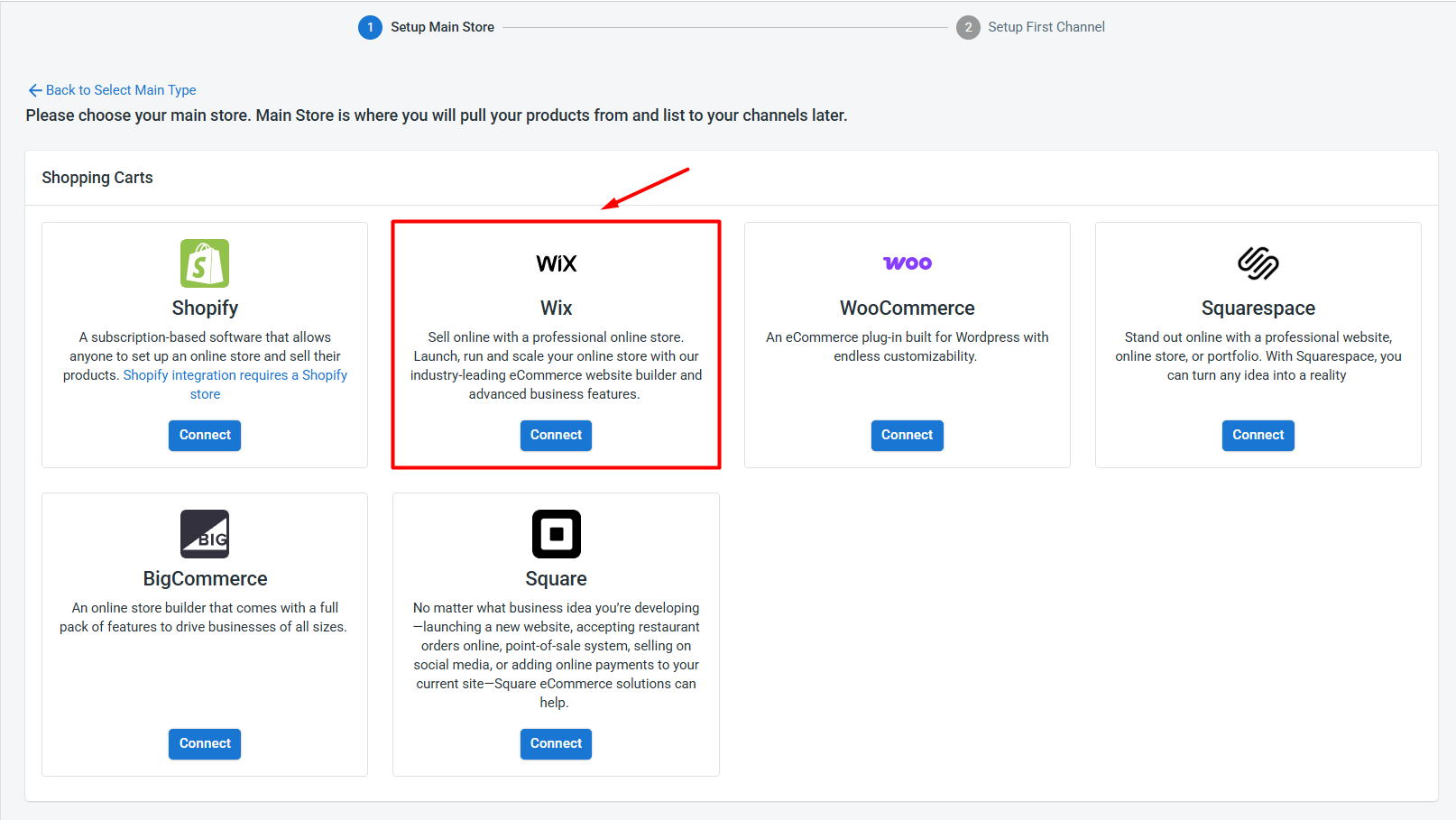
Once Wix is connected, follow these steps to add TikTok Shop:
- From the list of supported channels, find TikTok Shop.
- Click Connect under the TikTok Shop logo.
- Enter your TikTok Shop store name, choose your TikTok Shop region, and click Connect Your Account.
- Allow LitCommerce to access your TikTok Shop seller account.
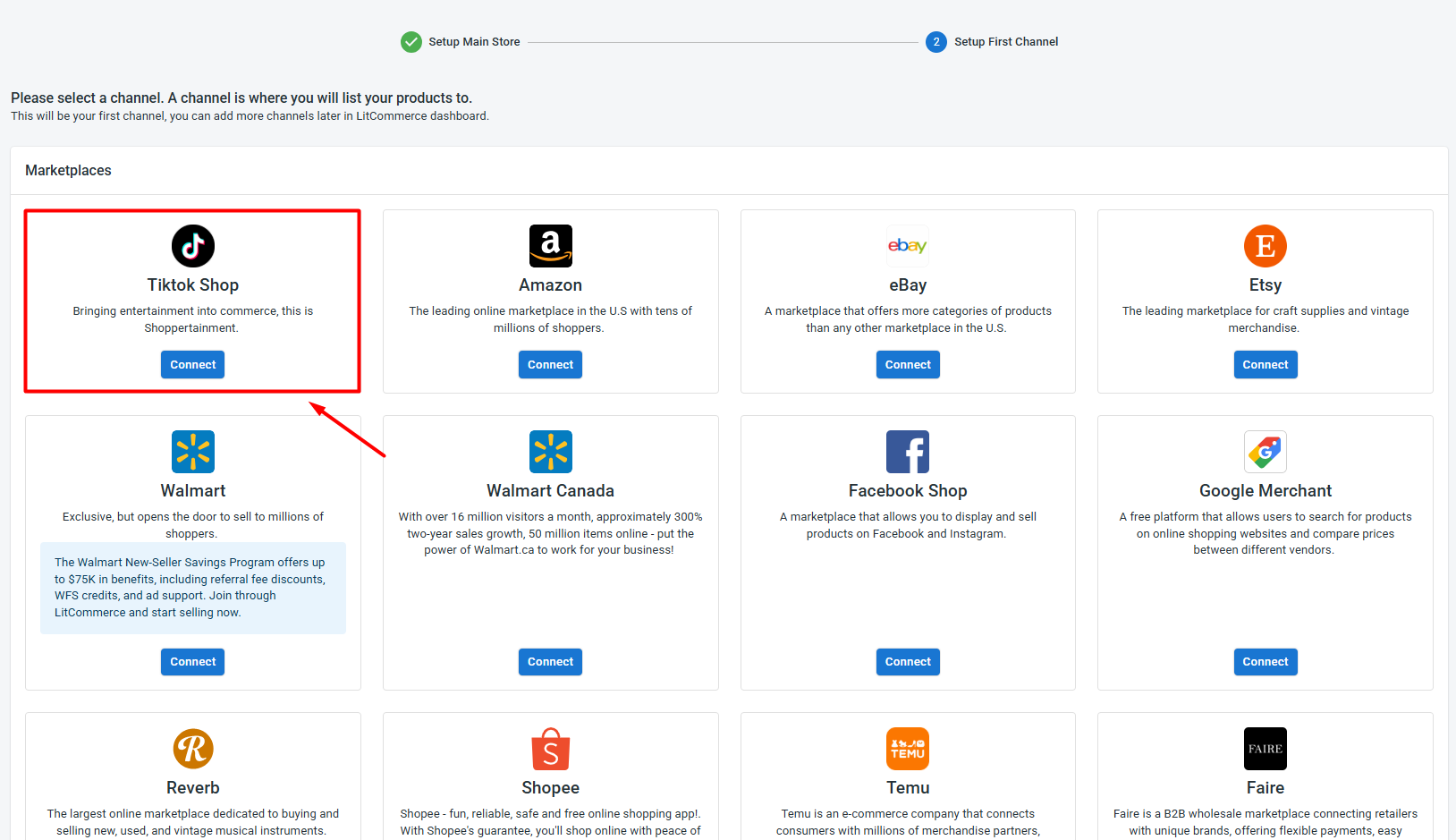
After authorization is complete, your Wix store and TikTok Shop account will appear together in your LitCommerce dashboard. You have now connected Wix to TikTok Shop and can move on to product listing.
Besides TikTok Shop, LitCommerce also supports other Wix integrations, such as Wix Amazon, Wix eBay, and Wix Etsy. This means you can add more sales channels later and manage them from the same Main Store.
Step 2: List & import products on TikTok Shop
After connecting both platforms, the next step depends on where your products currently live. With LitCommerce, you can list Wix products on TikTok Shop, import TikTok Shop products into Wix, or link products that already exist on both platforms.
Here’s how each option works.
Case 1: List Wix products on TikTok Shop
If your products are already in Wix and you want to start selling them on TikTok Shop, LitCommerce lets you send them to TikTok Shop as draft listings first.
To list Wix products on TikTok Shop with LitCommerce, follow these steps:
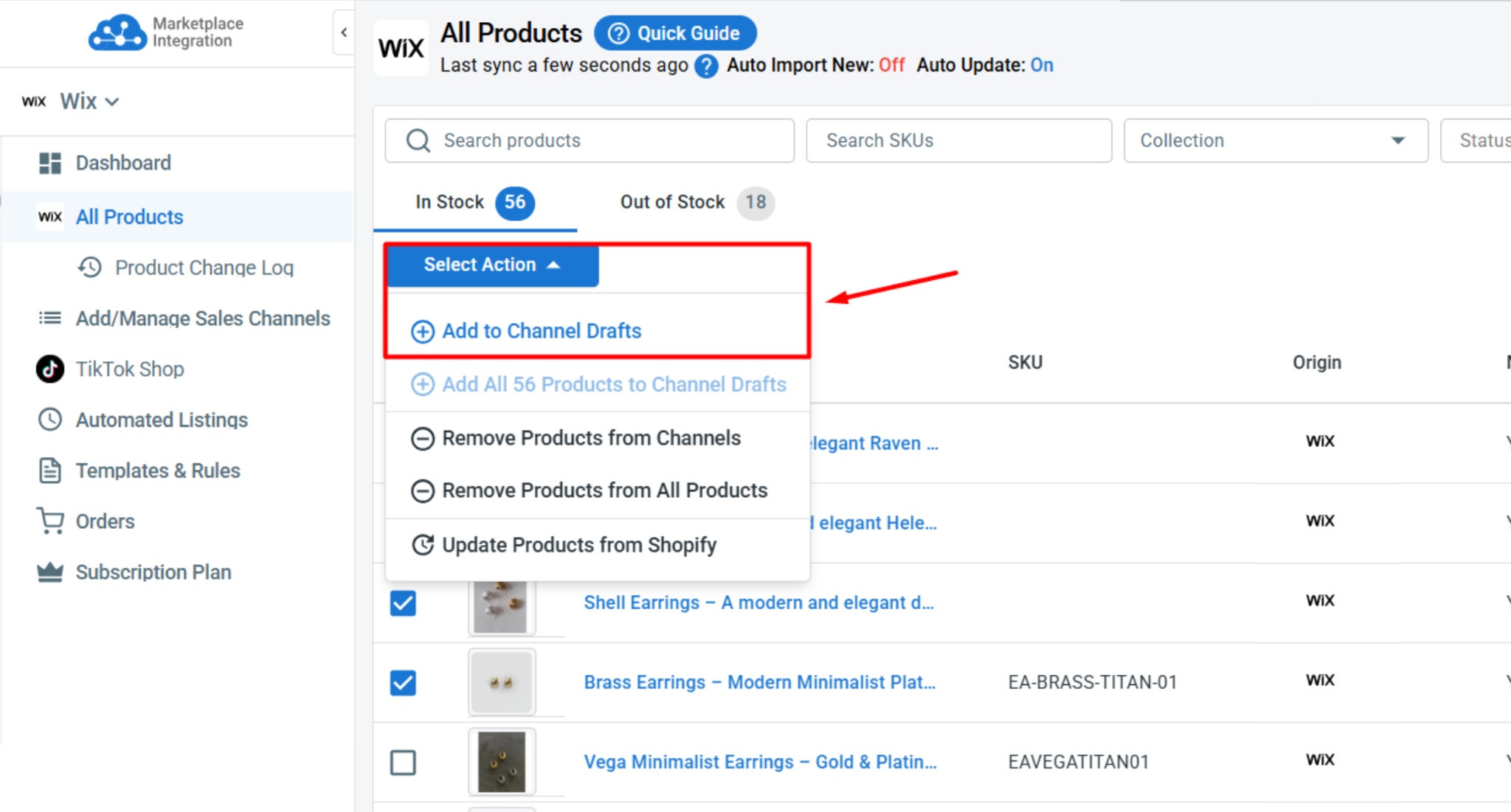
- Go to All Products in LitCommerce.
- Select the Wix products you want to publish on TikTok Shop.
- Click Select Action, then choose Add to Channel Drafts.
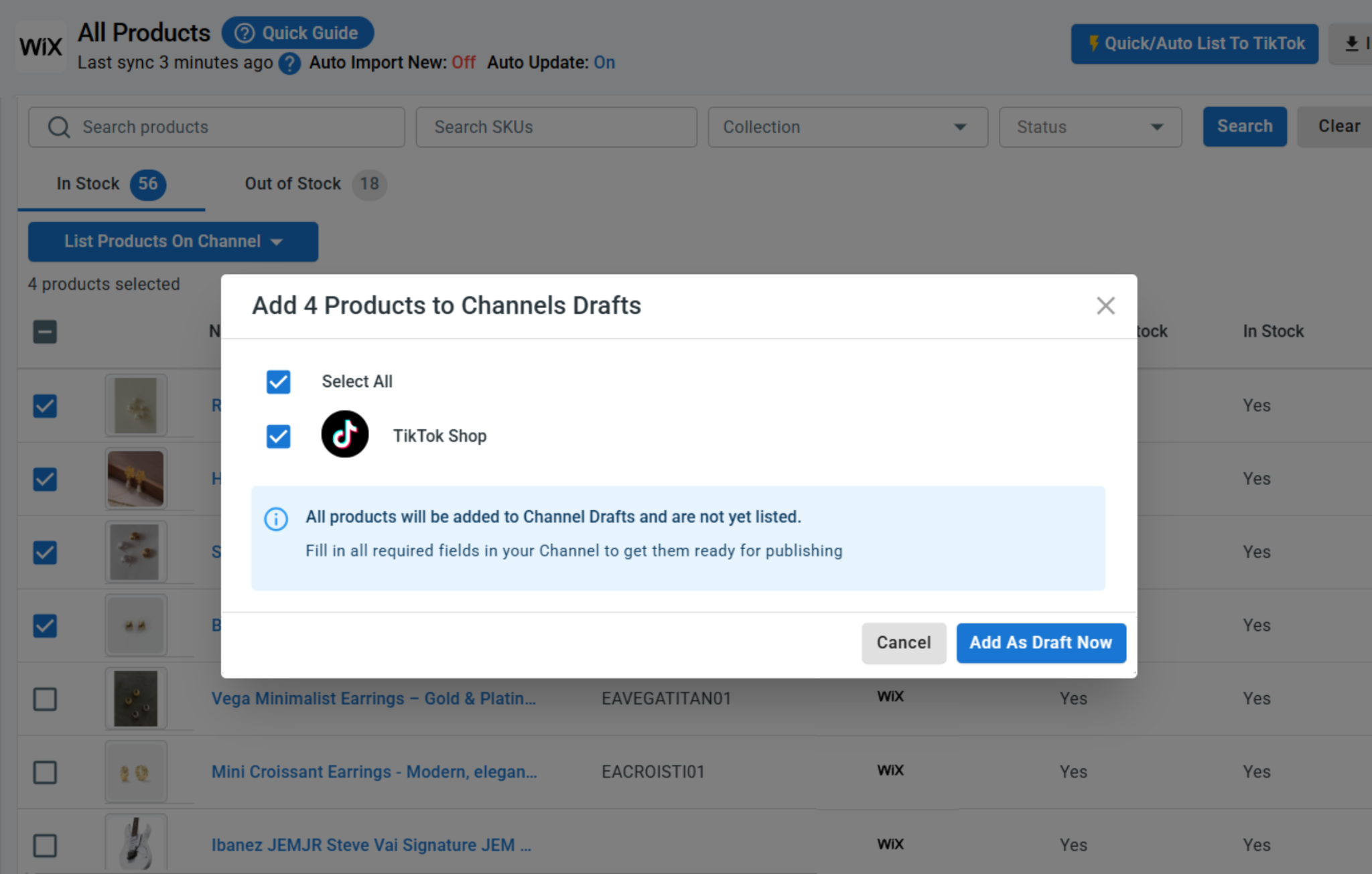
- Select your TikTok Shop store, click Add As Draft Now.
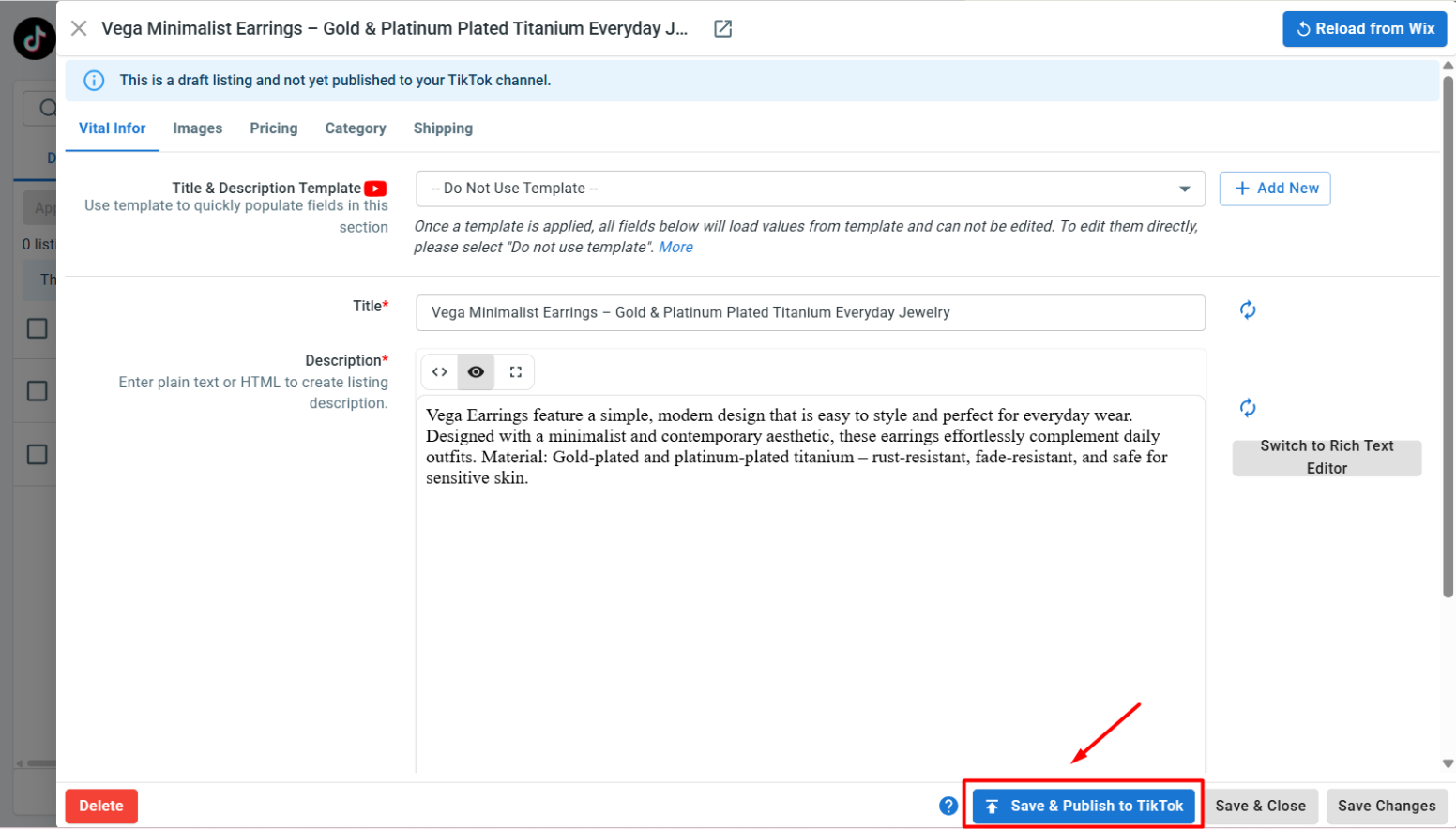
- Next, open your TikTok Shop channel tab and review the draft listings. TikTok Shop may require extra details that are not always stored in Wix, such as product category, package weight, shipping settings, and other product attributes. Fill in all the required information.
- Finally, click Save and Publish to TikTok Shop when everything is ready.
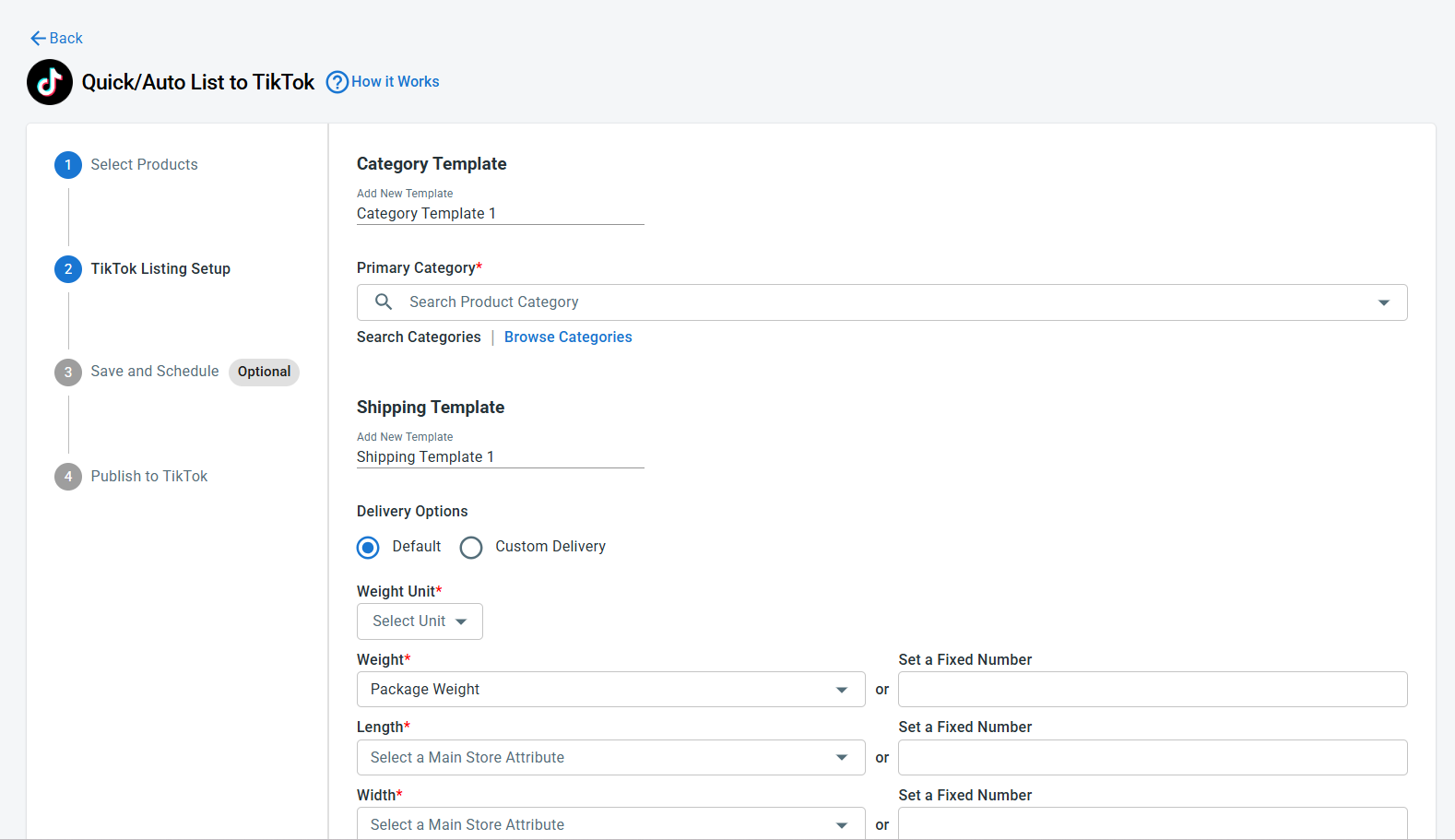
Pro tip: If you have many Wix products to upload, use LitCommerce Quick/Auto List to TikTok Shop. It helps you bulk edit products and apply shared settings, such as categories, shipping details, pricing rules, and product templates, across multiple TikTok Shop listings at once. This saves time and helps keep your listings consistent.
Case 2: Import TikTok Shop products to Wix
If you already sell on TikTok Shop and want to bring your listings into Wix, LitCommerce can import your existing TikTok Shop products and help create them on your Wix store.
Here’s how to import TikTok Shop products to Wix:
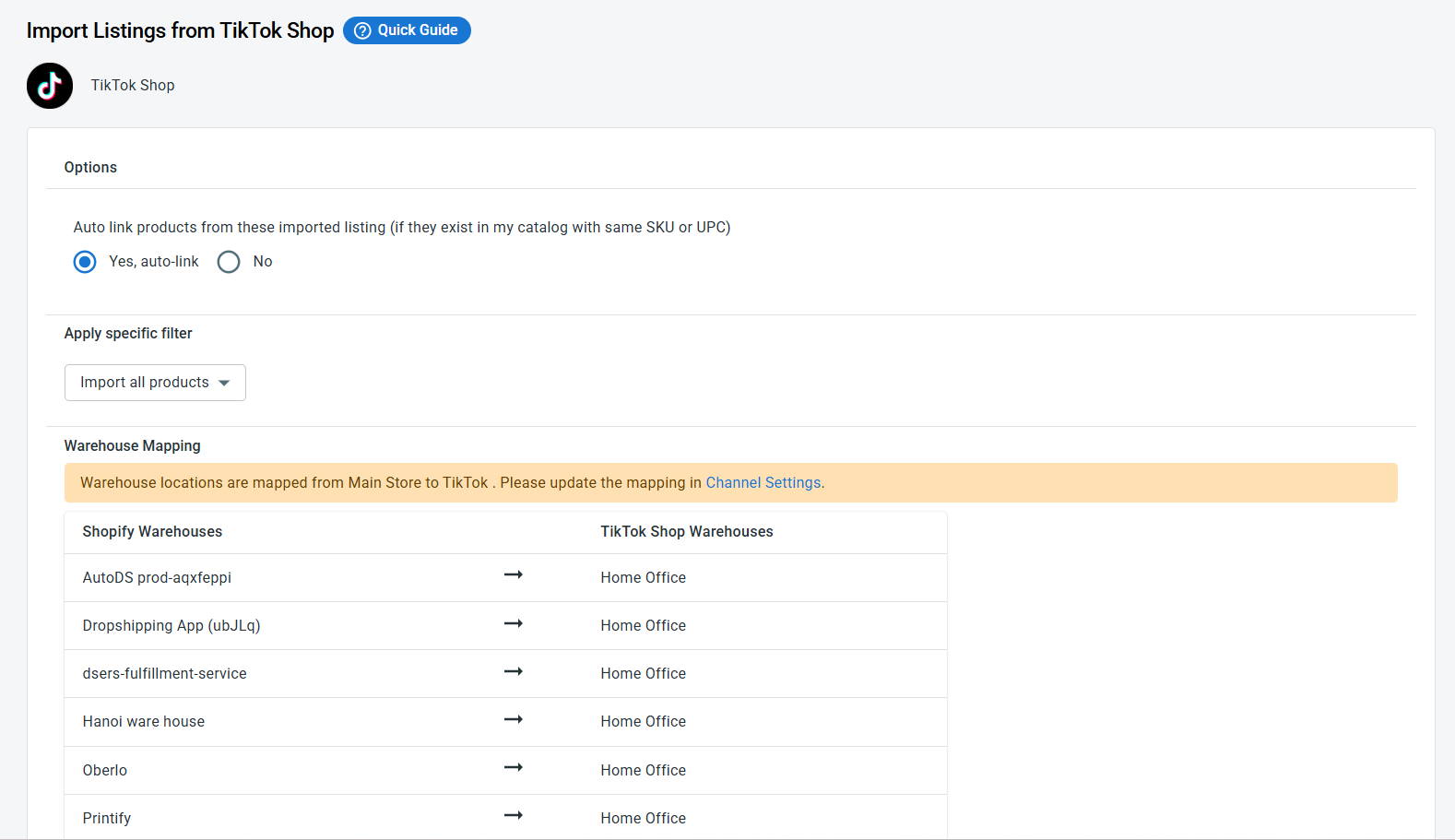
- Go to your TikTok Shop channel tab in LitCommerce and click Import from TikTok Shop.
- Choose the products you want to import and let LitCommerce auto-link matching products between Wix and TikTok Shop if needed.
- Once everything looks good, click Begin Import.
- Once the import is complete, your TikTok Shop listings will appear in LitCommerce. From there, select the products you want to add to Wix, click Select Action, then choose Create on Wix.
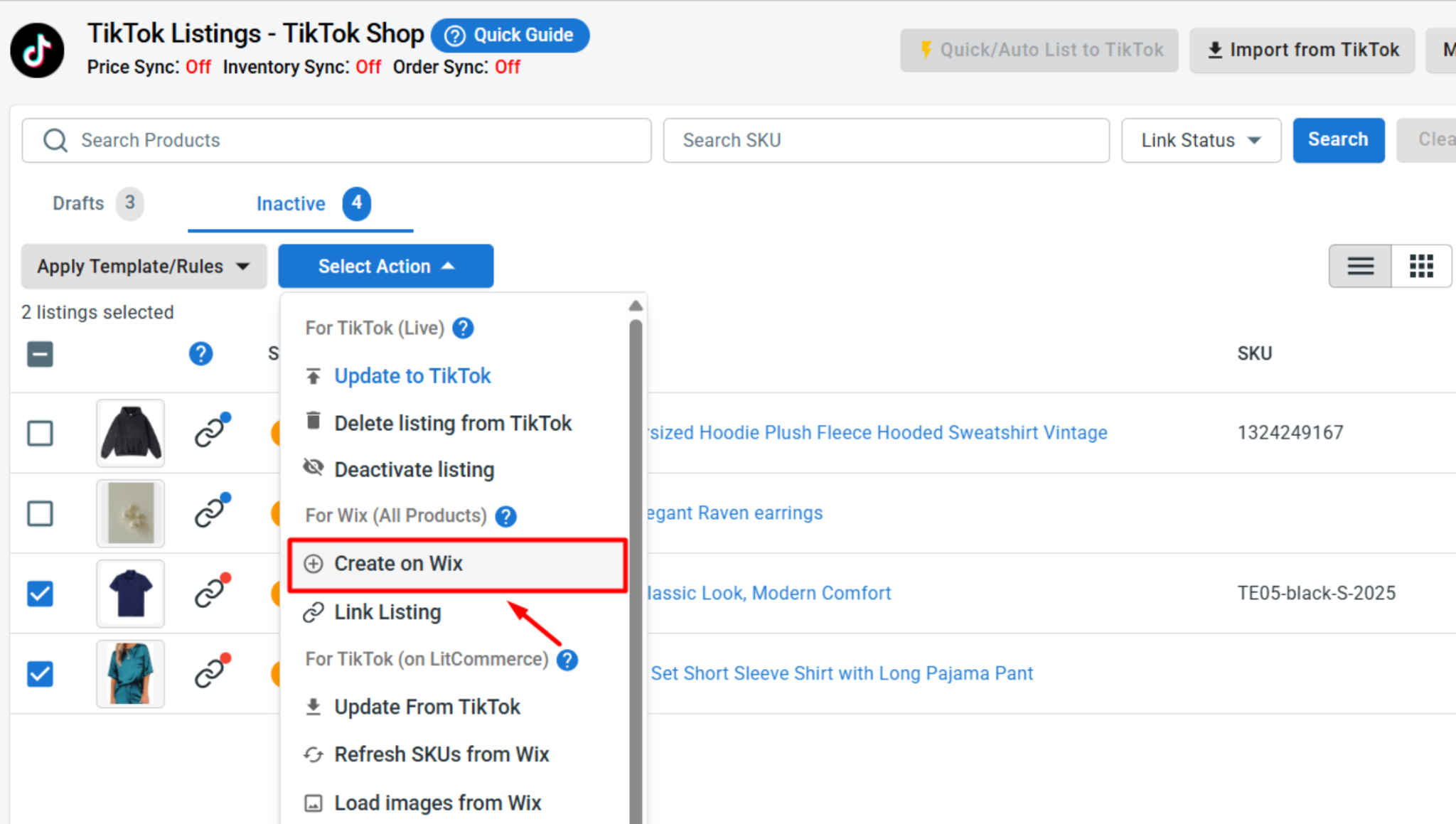
After this step, your TikTok Shop products are added to Wix successfully.
Case 3: Link existing Wix and TikTok Shop products
If you already have the same products on both Wix and TikTok Shop, you can link them before turning on sync. This helps LitCommerce know which Wix product matches which TikTok Shop listing.
Products that are linked automatically will show with a blue dot. Products that still need to be linked will show with a red dot.
To manually link products on Wix and TikTok Shop:
- Hover over the red dot next to an unlinked product.
- Choose Link To A Product.
- Search for the matching item.
- Click Select next to the matching item to confirm.
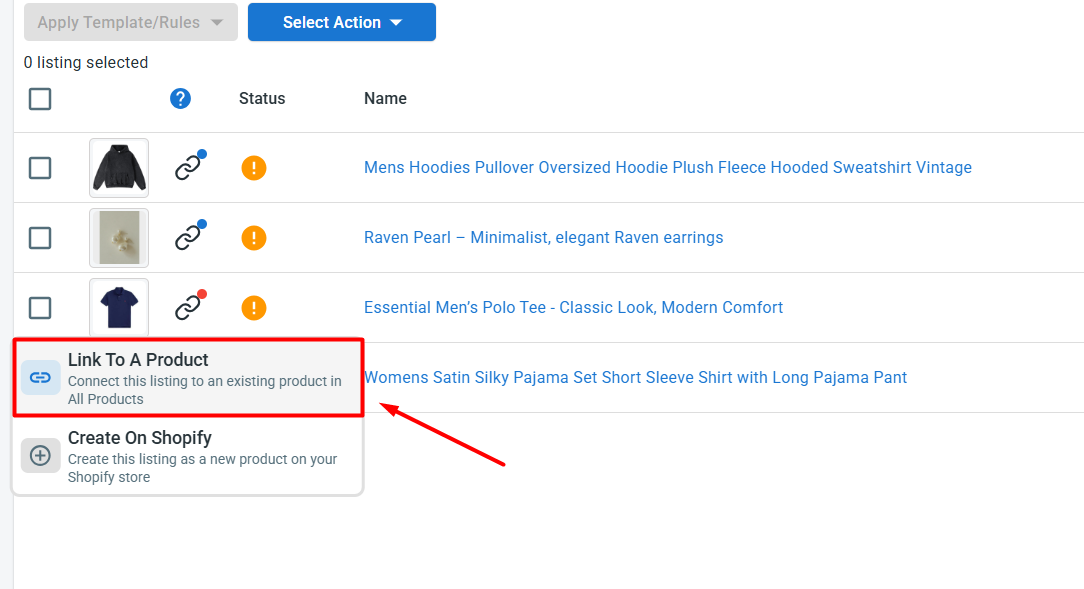
Once linked, your Wix and TikTok Shop products are ready for sync.
Step 3: Turn on Wix TikTok Shop sync
After your products are listed, imported, or linked, you can configure your Wix TikTok Shop sync settings. This keeps your pricing, inventory, and orders aligned between Wix and TikTok Shop without manual updates.
To access these options, open your TikTok Shop channel in LitCommerce and click Channel Settings. There are three main sync settings you can configure for your TikTok Shop Wix integration.
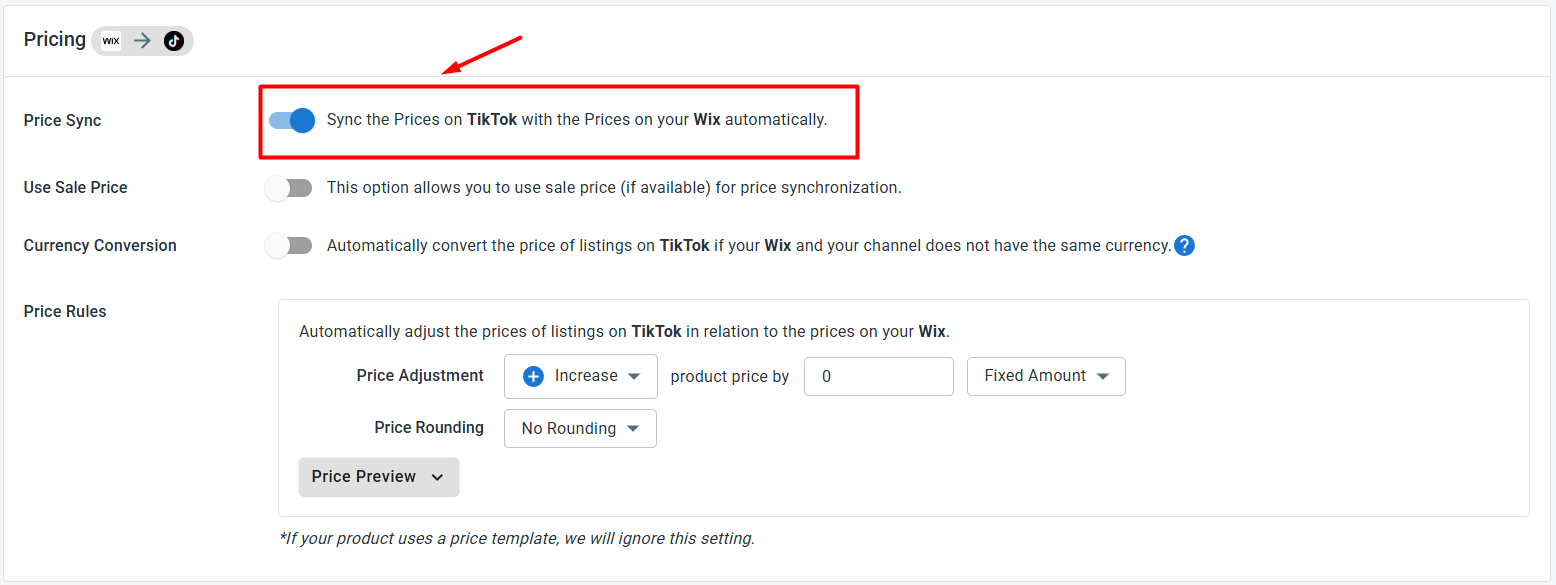
- Price sync: Price sync lets you update TikTok Shop prices based on your Wix product prices. You can also create price rules to increase or decrease TikTok Shop prices by a fixed amount or percentage.This is useful if you want to adjust prices for platform fees, promotions, or TikTok Shop-specific selling strategies.
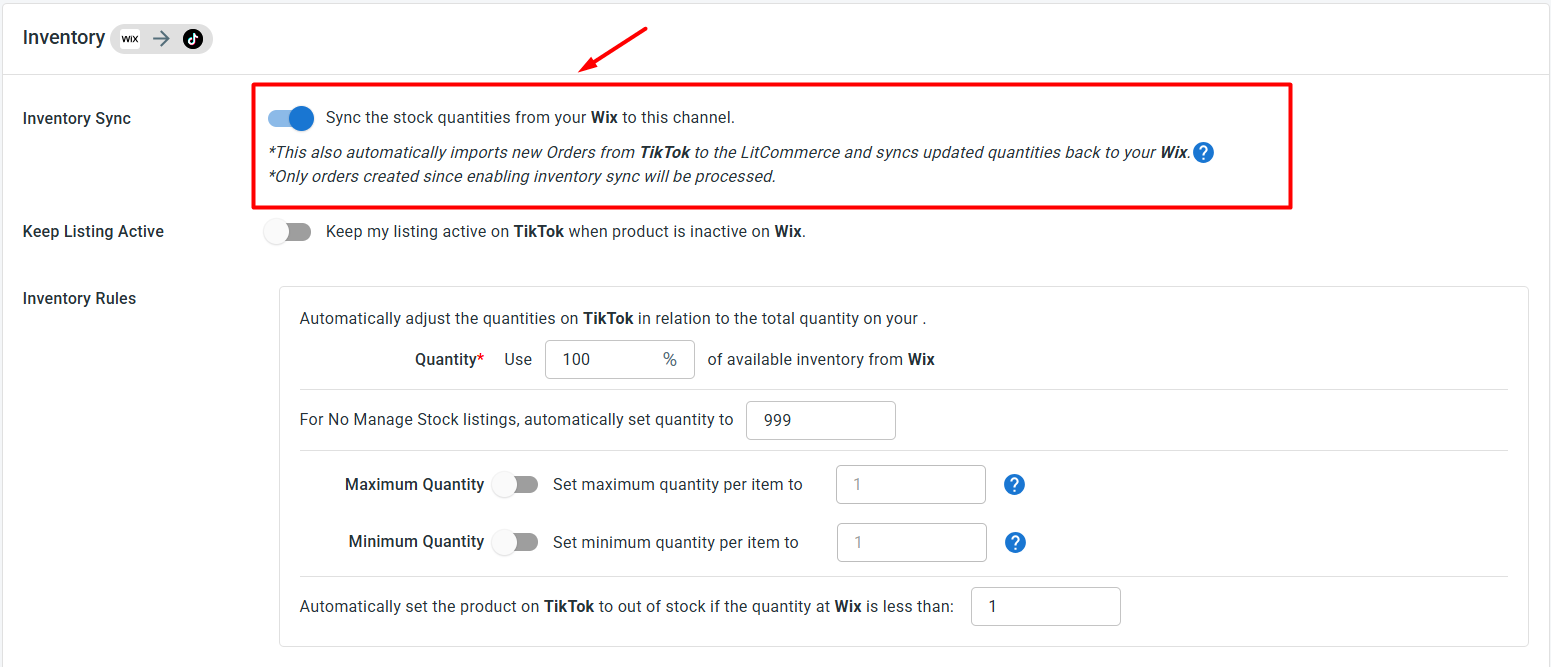
- Inventory sync: Inventory sync keeps stock quantities aligned across Wix and TikTok Shop. When a product sells on one platform, LitCommerce updates the available quantity on the other. You can also set minimum and maximum stock thresholds, enable out-of-stock control, or sync only a percentage of your Wix stock to TikTok Shop. These settings help reduce overselling and give you more control over available inventory.
- Order sync: Turning on Import Orders to Main Store lets you import TikTok Shop orders into your Wix store. When this setting is enabled, you can manage TikTok Shop orders from your Wix dashboard instead of switching between two platforms.
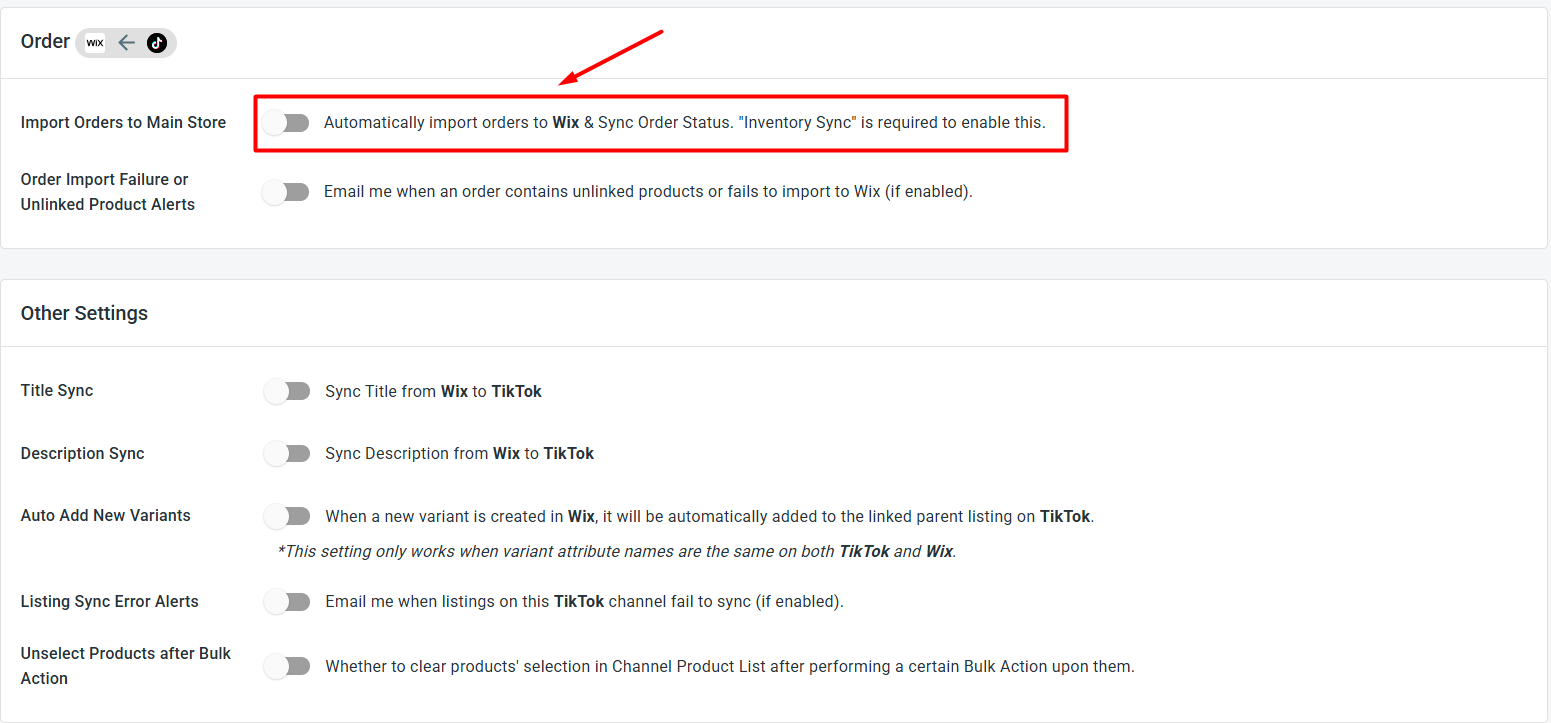
After choosing your preferred settings, click Save Settings at the bottom of the page.
Step 4: Manage TikTok Shop orders from Wix
Once Import Orders to Main Store is enabled, TikTok Shop orders will appear in your Wix dashboard together with your Wix orders. This gives you a more centralized way to manage sales and fulfillment.
From your Wix store, you can:
- Review Wix and TikTok Shop orders in one place
- Track fulfillment and shipment status more easily
- Compare which channel brings in more sales
- Reduce the time spent switching between Wix and TikTok Shop
That’s it. You have successfully set up Wix TikTok Shop integration with LitCommerce. Now you can list products, sync prices and inventory, import TikTok Shop orders, and manage both stores with less manual work.
With this TikTok Shop Wix integration running, your Wix catalog can reach TikTok’s shopping audience while LitCommerce keeps your product data and order flow connected.