BigCommerce Amazon Integration
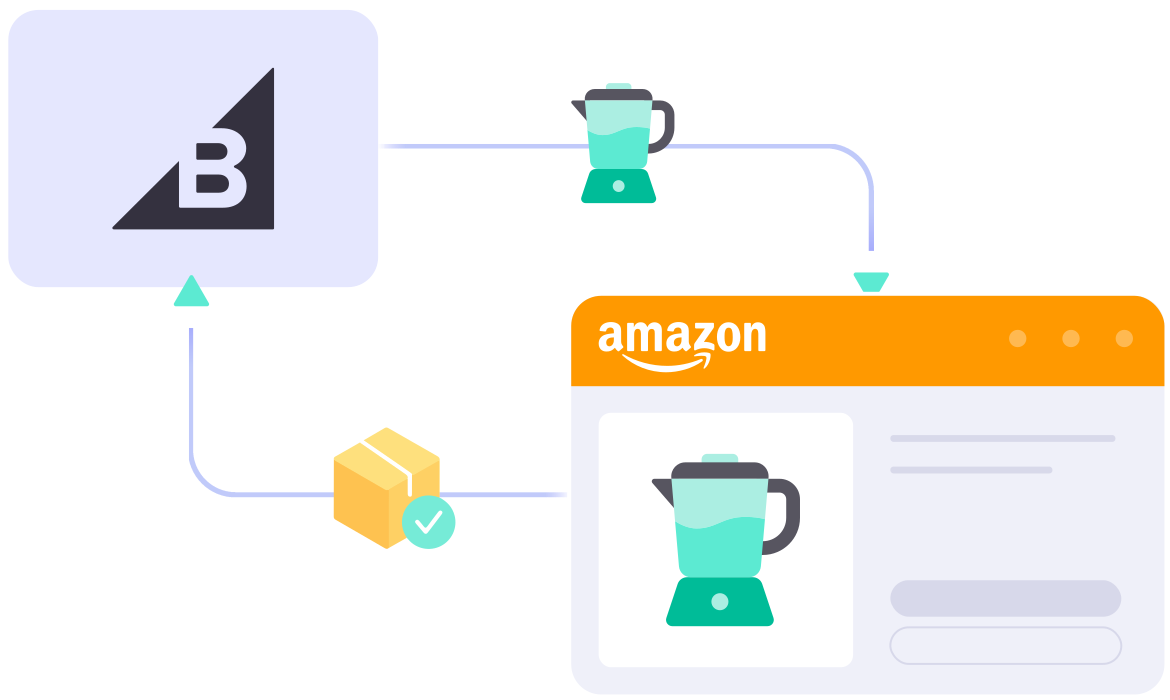
What Can You Get From
BigCommerce Amazon Integration?


Requirements for BigCommerce Amazon Integration
Familiarizing yourself with how the LitCommerce Amazon integration works will give you a clear picture of how our tool operates. Once you understand this, you can rely on our support team to successfully list and sell on Amazon.

Detailed Guide on BigCommerce Amazon Integraiton
Selling on BigCommerce and want to reach Amazon’s massive base of ready-to-buy shoppers? Amazon is one of the world’s largest marketplaces, where customers often search with strong purchase intent and compare products before buying.
With LitCommerce, setting up a BigCommerce Amazon integration takes four simple steps. You can connect your store, list products, sync key data, and manage orders without technical work.
Here’s what we’ll cover in this Amazon and BigCommerce integration guide:
- Step 1: Connect BigCommerce to Amazon
- Step 2: List and import products on Amazon
- Step 3: Enable BigCommerce Amazon sync
- Step 4: Manage your order flow
Step 1: Link BigCommerce to Amazon
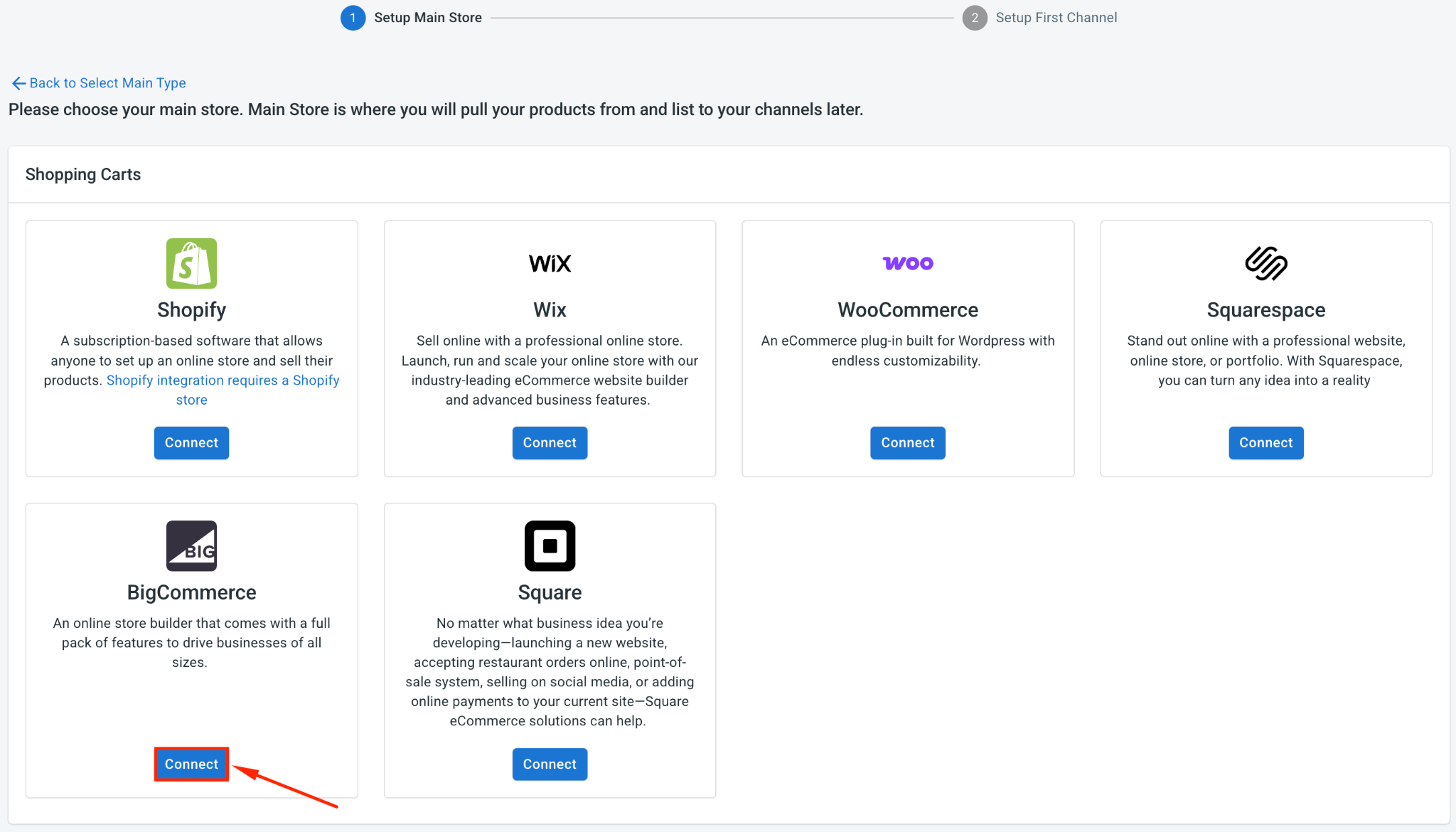
Start by setting BigCommerce as your Main Store in LitCommerce. Your Main Store works as the central hub for your product catalog, inventory, and order data.
You can set this up by installing LitCommerce from the BigCommerce App Marketplace, or by connecting BigCommerce directly inside the LitCommerce app.
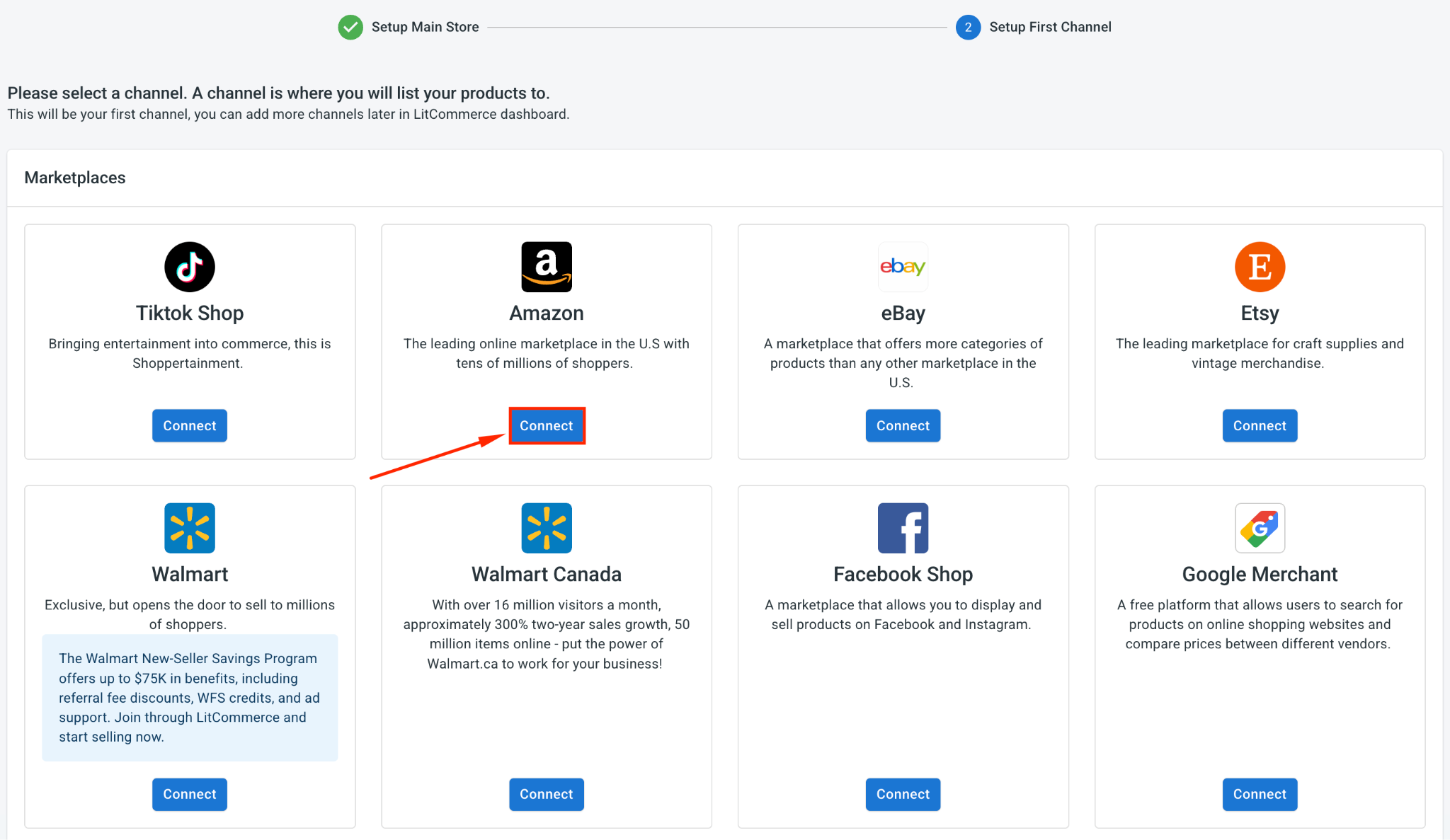
Once BigCommerce is set as your Main Store, find Amazon in the list of supported marketplaces and click Connect under the Amazon logo.
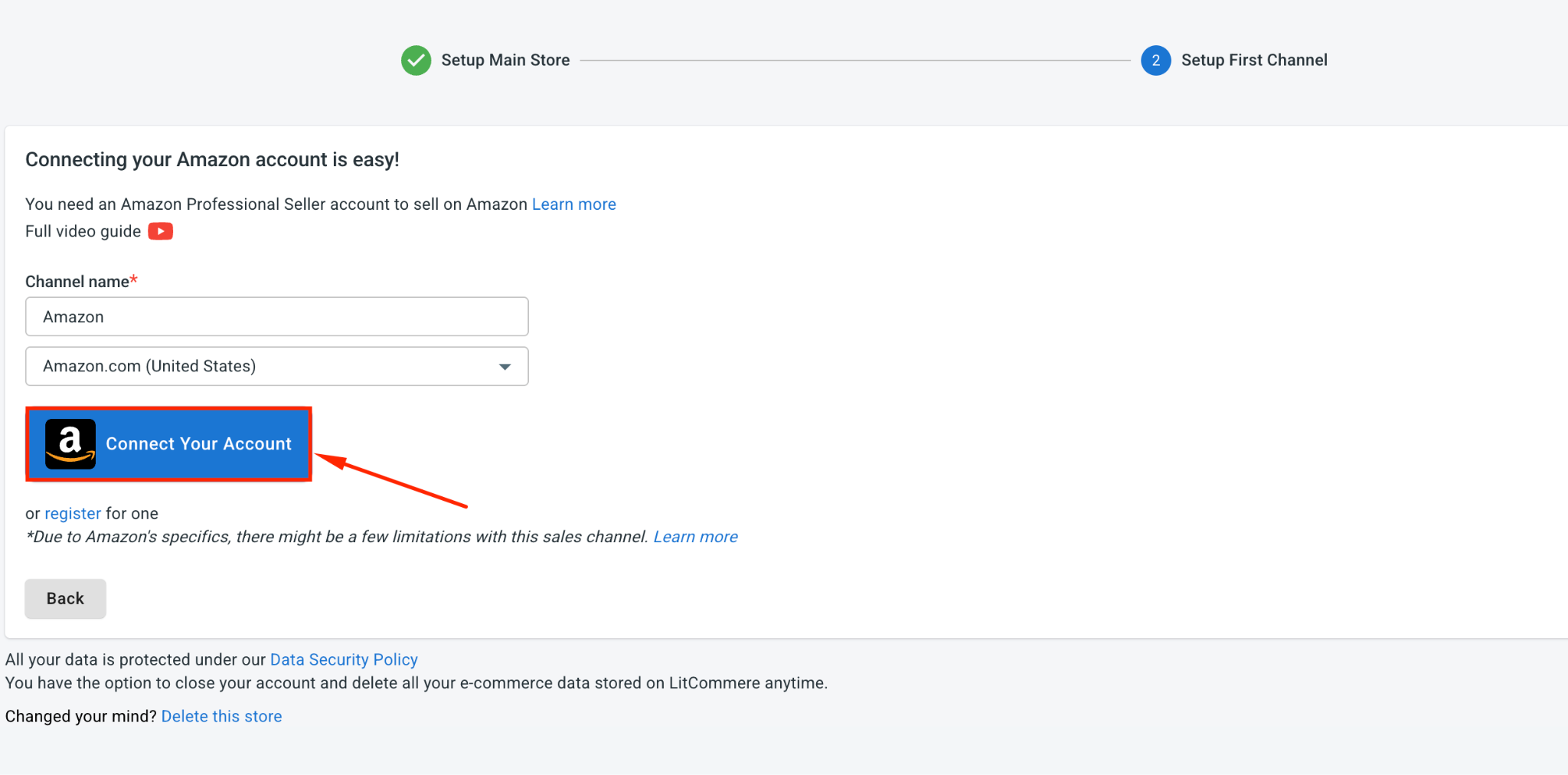
Then, enter your Amazon store name, choose your Amazon marketplace, and click Connect Your Account.
Next, allow LitCommerce to access your Amazon seller account.
Once that is done, your BigCommerce store and Amazon account are connected. Amazon will appear as a sales channel in your LitCommerce dashboard, ready for the next step.
Step 2: List and Import Products on Amazon
After the connection is complete, LitCommerce brings your BigCommerce products into the system, so you can prepare them for Amazon without rebuilding your catalog from scratch.
From here, you can list BigCommerce products on Amazon, import Amazon listings into BigCommerce, or link matching products across both platforms.
Case 1: List BigCommerce products on Amazon
If your products are already in BigCommerce and you want to sell them on Amazon, follow these steps:
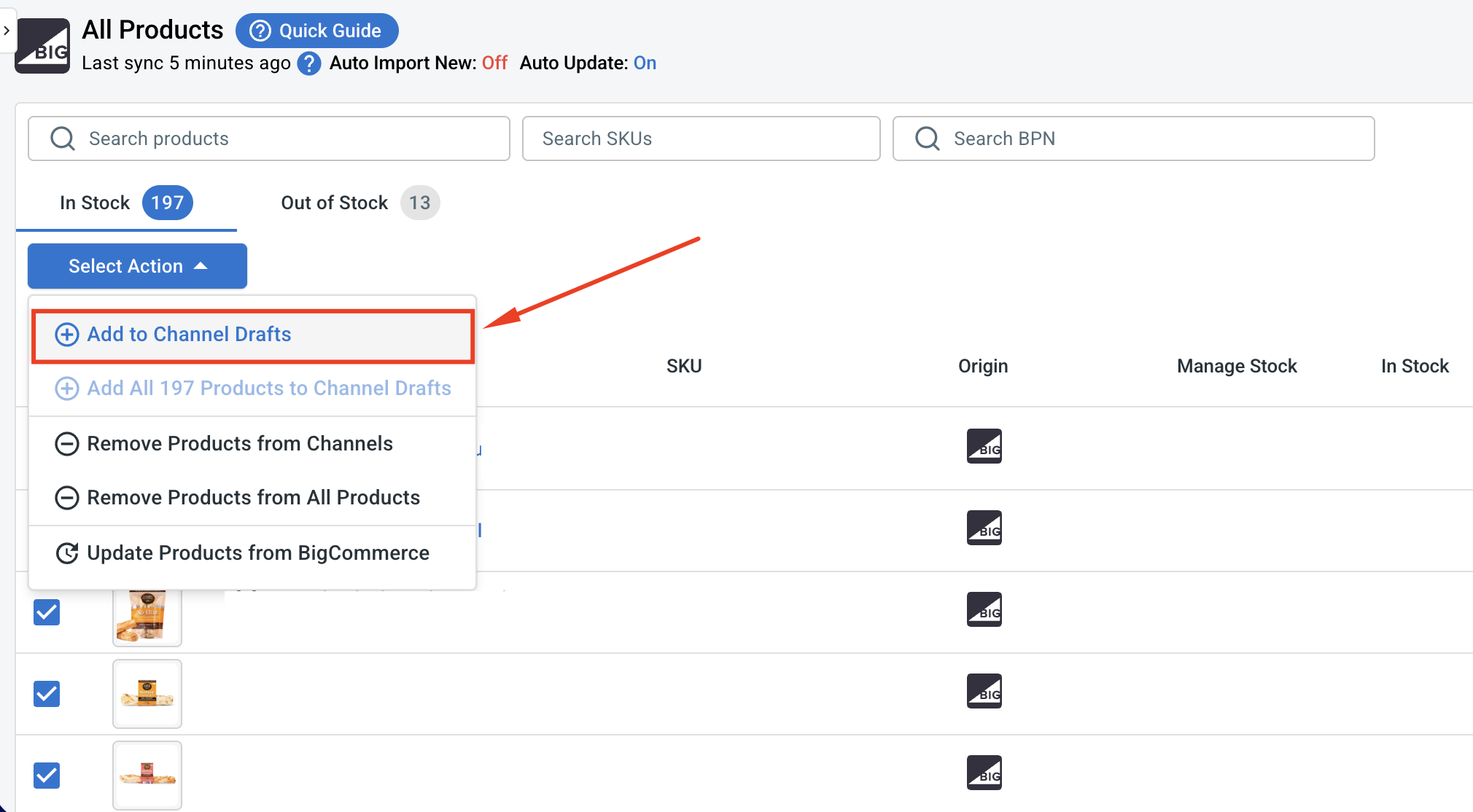
1. Open All Products and pick the BigCommerce items you want to list.
2. Click Select Action, then Add as Channel Drafts
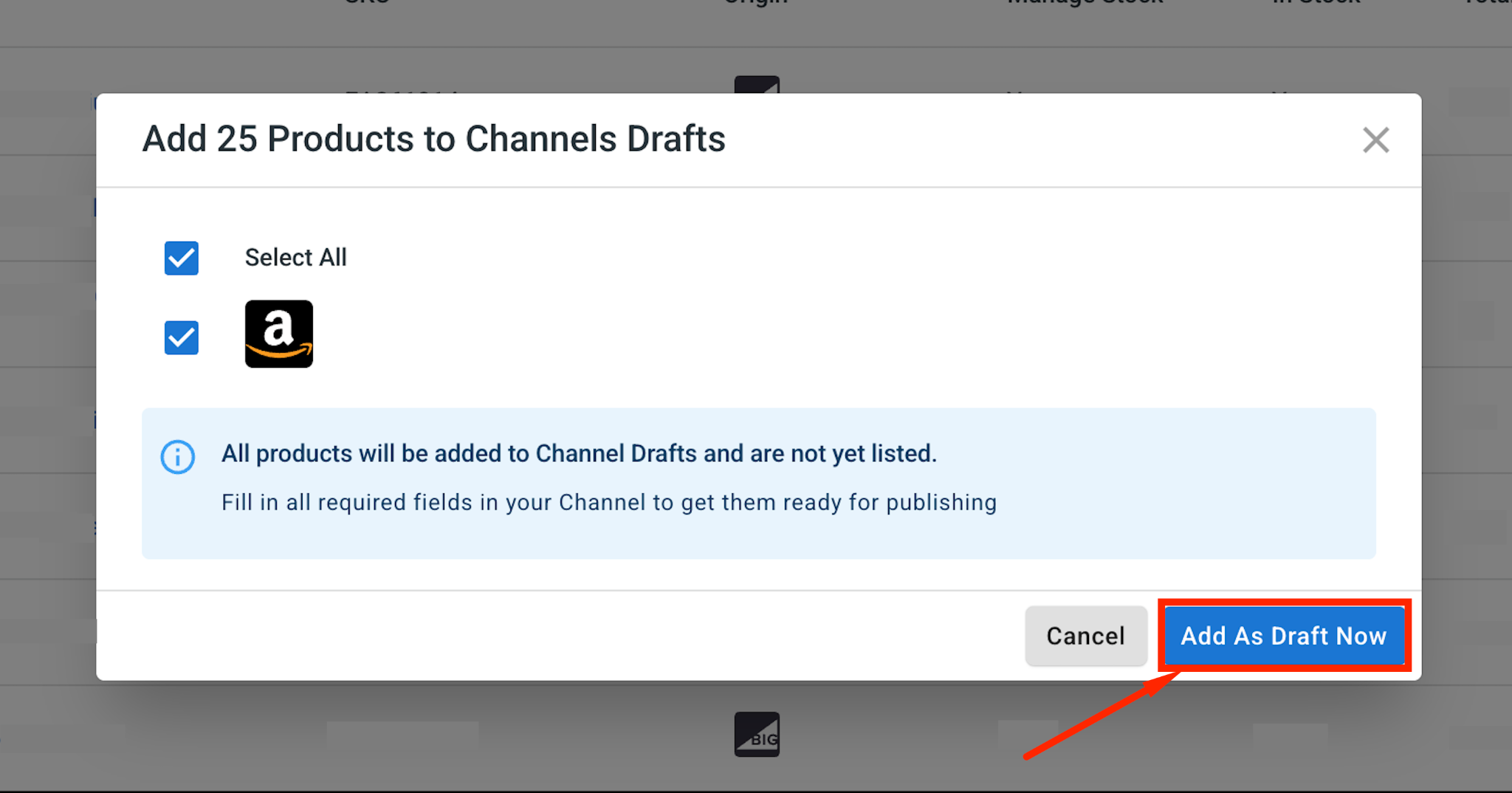
3. Tick the box next to your Amazon store, then click Add As Draft Now.
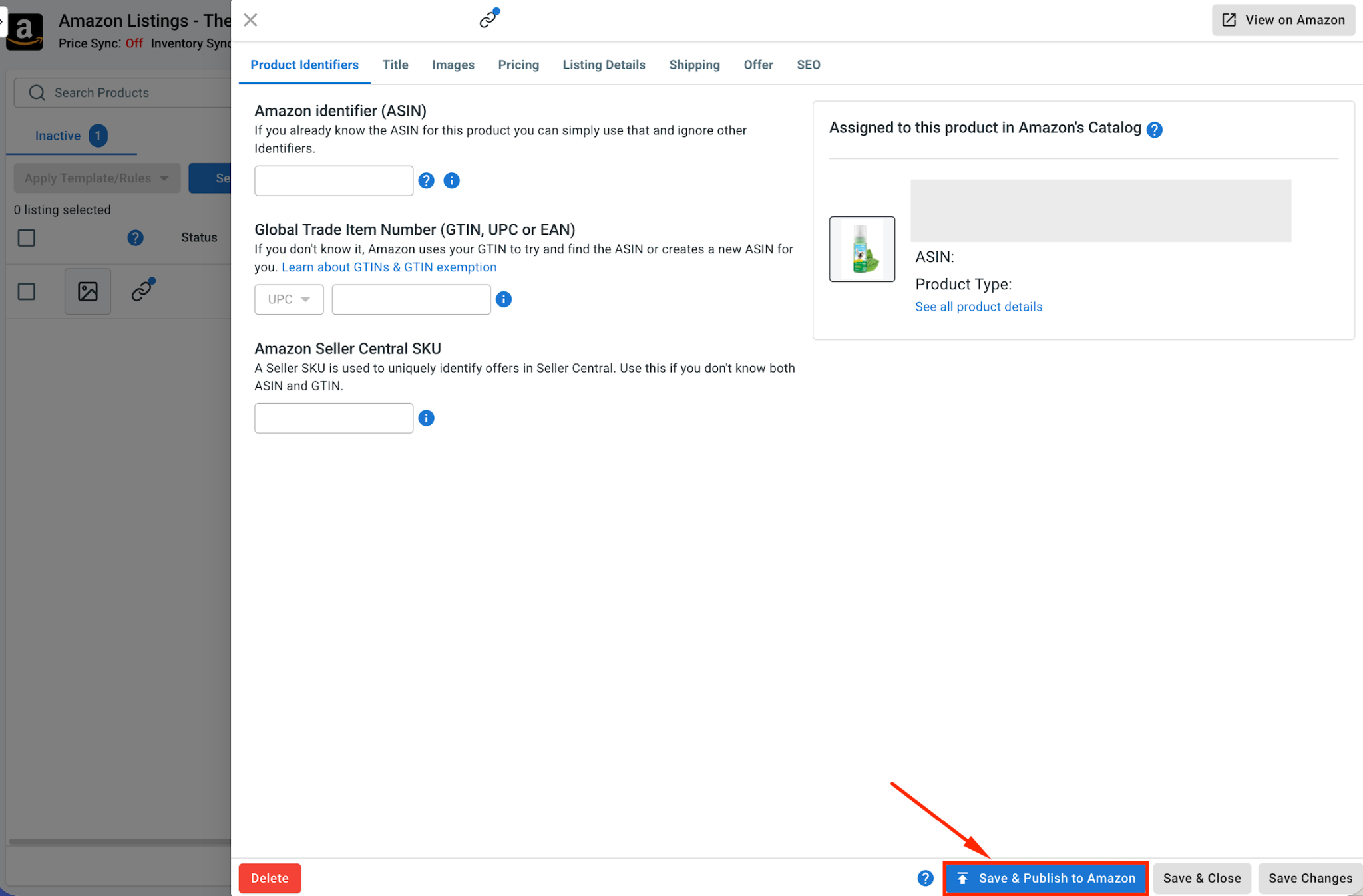
4. Open the Amazon tab and check each draft. Amazon has its own product categories, required attributes, product identifiers, pricing, shipping details, and offer information, so check each draft carefully.
For Amazon, there are two common listing paths:
- If your product already exists in Amazon’s catalog, you can list it under the existing ASIN.
- If your product is new to Amazon, you may need a valid product ID, such as a GTIN, UPC, EAN, or ISBN. If your product does not have one, you may need to request a GTIN Exemption from Amazon for the right brand and category.
5. When a listing looks ready, click Save and Publish to Amazon.
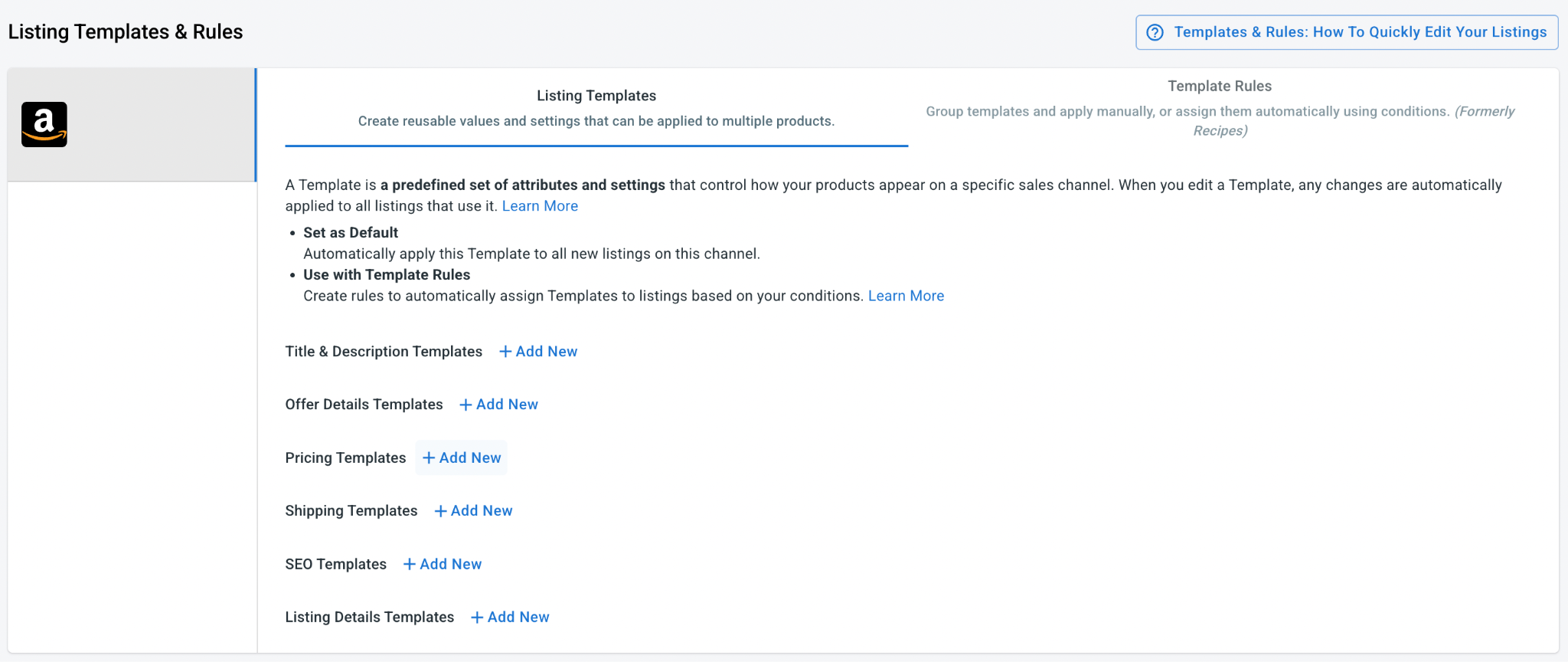
Pro tip: If you sell a lot of products, use LitCommerce Templates & Rules for offer, shipping, and pricing, then apply the same details to many products at once. Editing your Amazon listings in bulk this way cuts your listing time way down.
Case 2: Import your Amazon products to BigCommerce
If your products are already on Amazon, LitCommerce can bring them into BigCommerce:
1. In the right corner on the Amazon tab, click Import from Amazon.
2. Choose which products to bring in, and let LitCommerce match up your items across both stores where it can.
3. Click Begin Import.
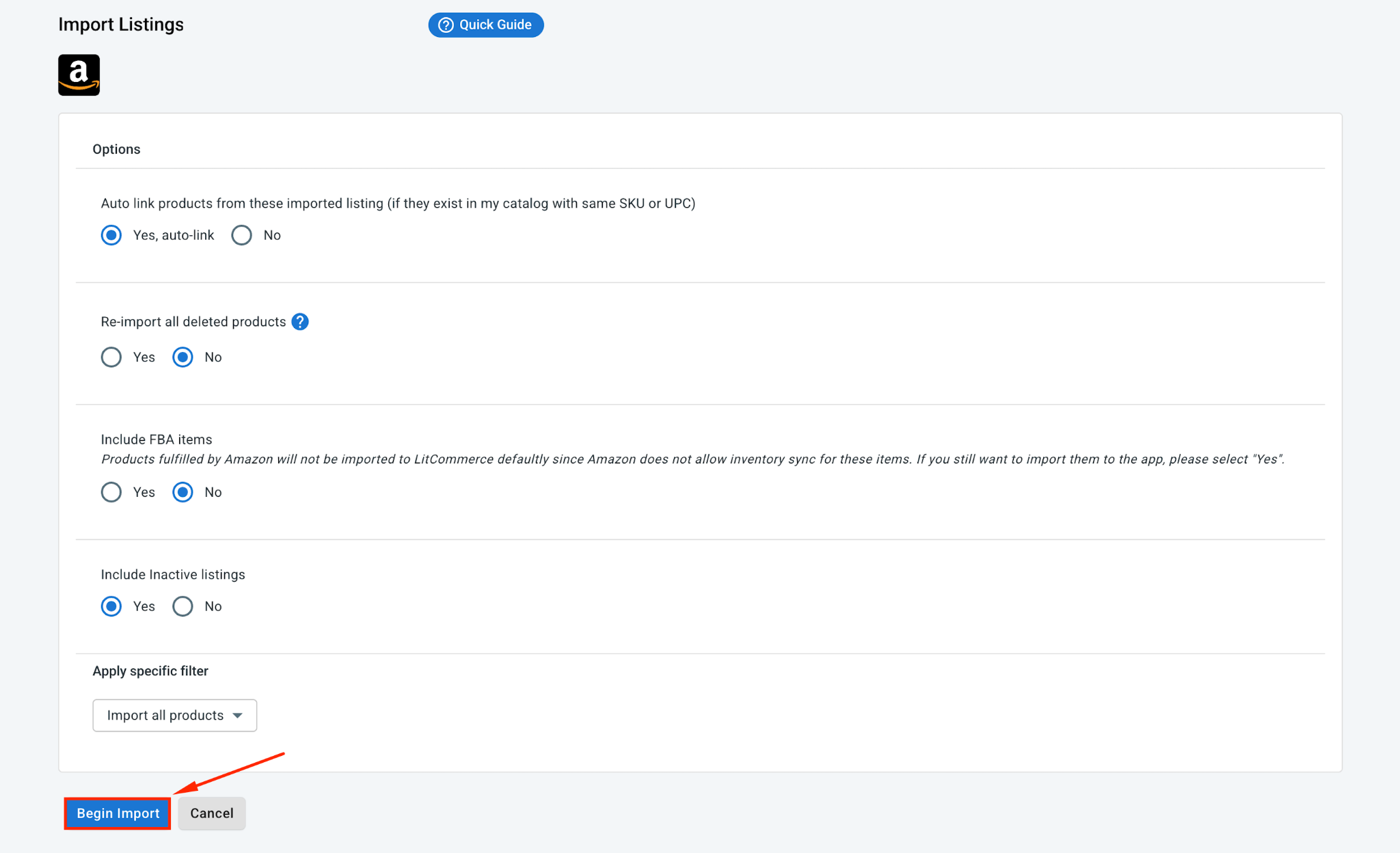
4. Your Amazon listings load into LitCommerce. Select them, click Select Action, then choose Create on BigCommerce.
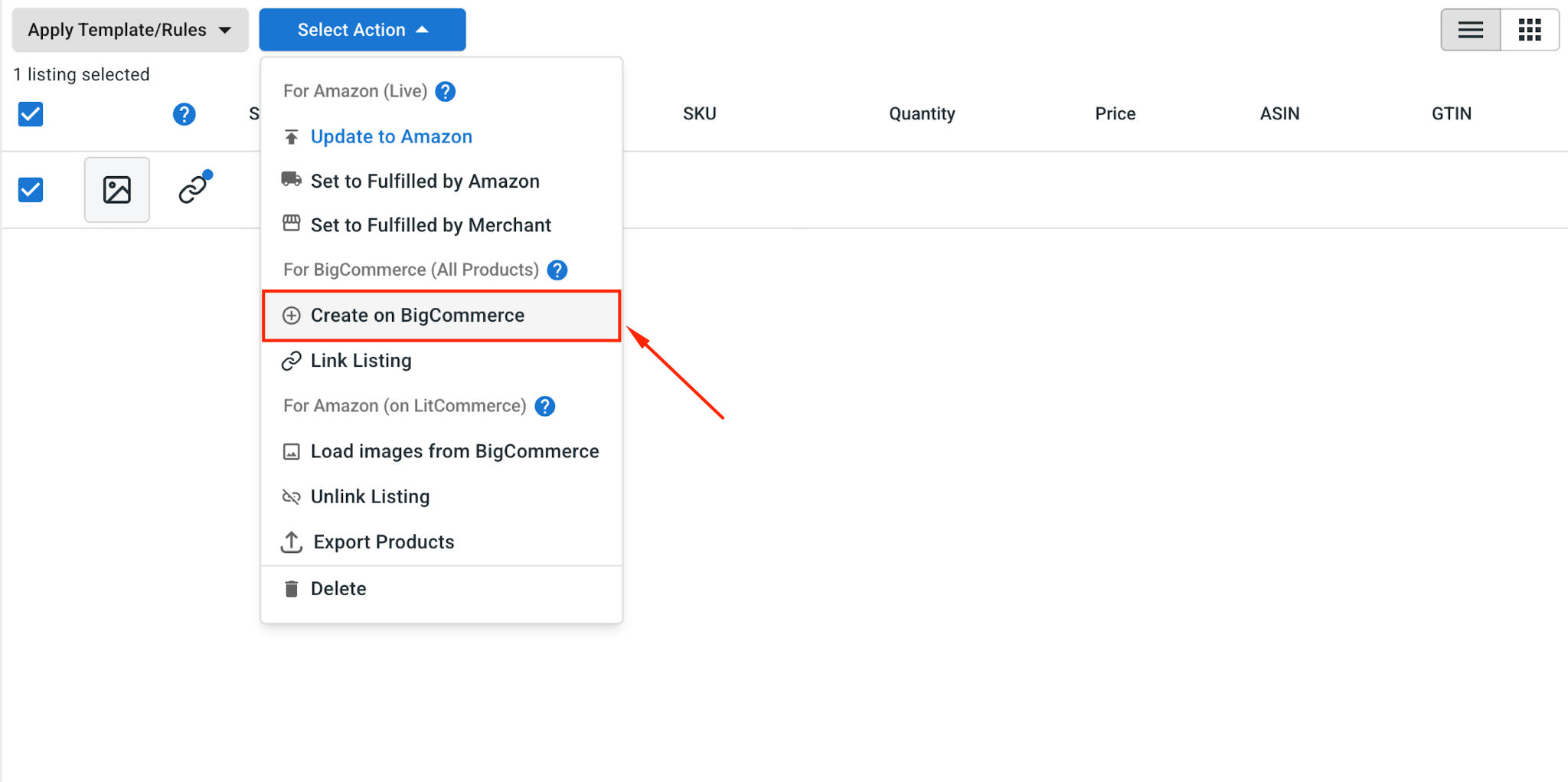
With that done, your Amazon products are now in BigCommerce too, linked across both stores and ready to update. This gives you a cleaner BigCommerce integration with Amazon, especially if you want BigCommerce to become your main catalog hub.
Case 3: Linking BigCommerce and Amazon products
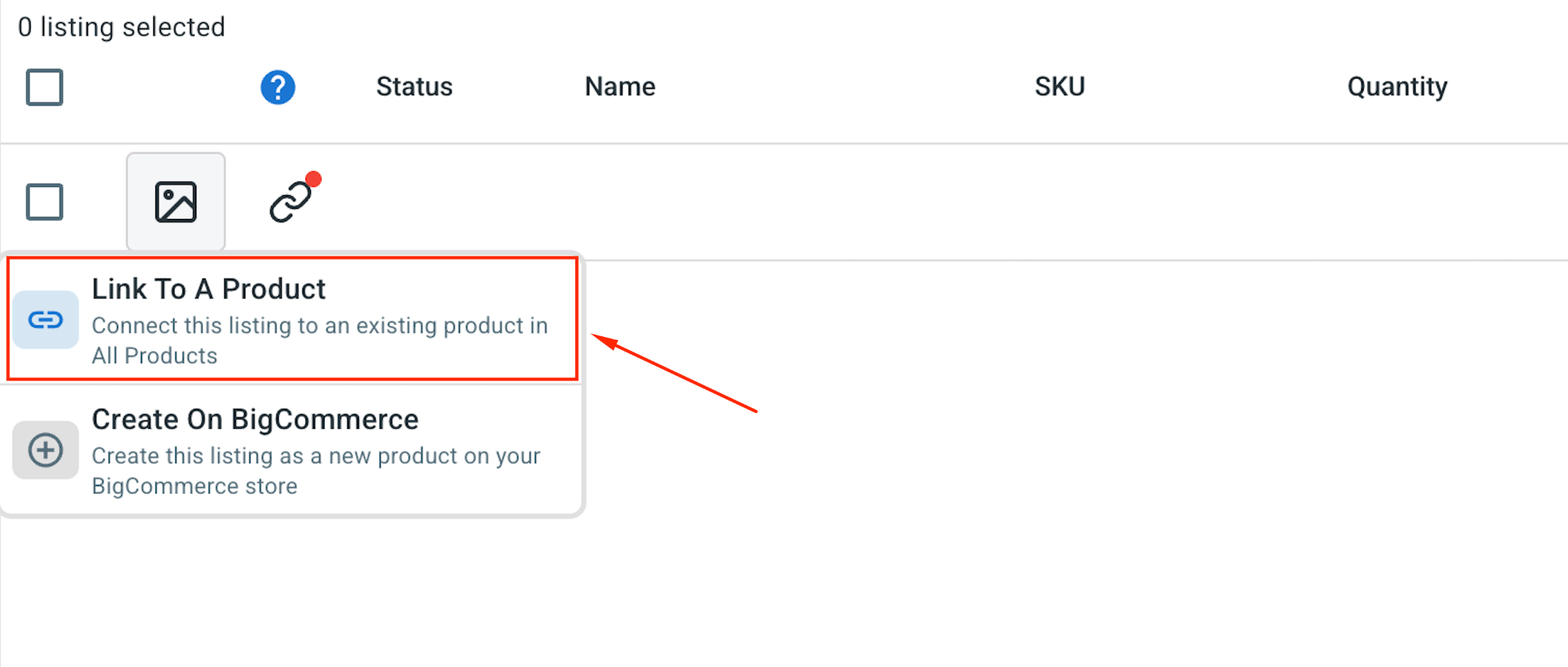
As the import runs, LitCommerce matches the products it recognizes for you. Matched products show a blue dot, and unmatched ones show a red dot.
1. To fix the unmatched ones, hover over the red dot, choose Link To A Product,
2. Identify the matching item and click the Select button beside it
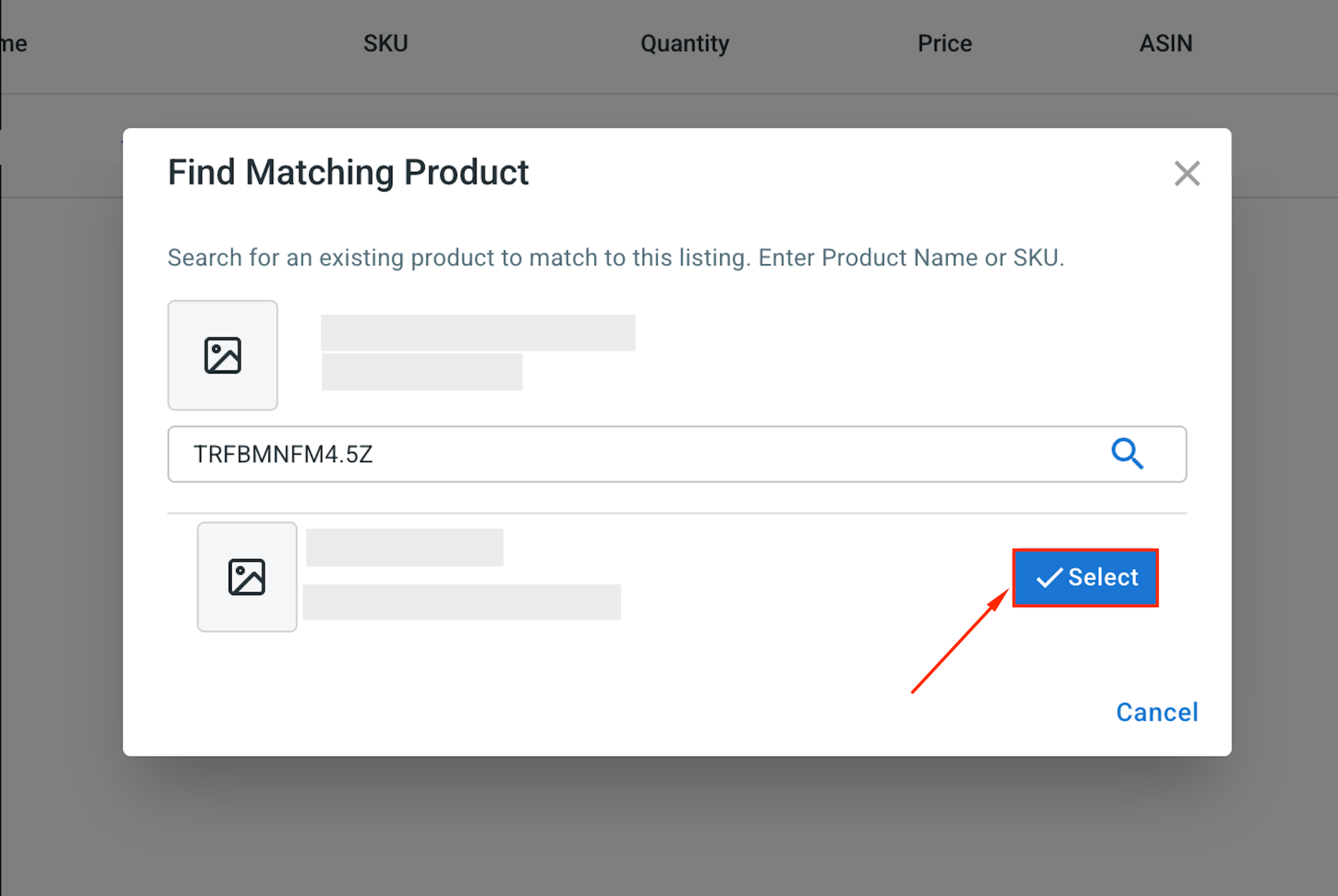
Only matched products stay updated together, so this step keeps both stores correct.
Step 3: Enable BigCommerce Amazon Sync
Once your products are listed, let LitCommerce keep both stores matched for you, so your prices, stock, and orders always line up. Click Channel Settings in your Amazon store inside LitCommerce to open the options.
Here are the main sync settings for your BigCommerce Amazon marketplace integration:
- Price sync: Keeps your Amazon prices matched to your BigCommerce store automatically. You can set a rule to make Amazon prices higher or lower by a fixed amount or percentage, which matters because Amazon charges its own selling fees.
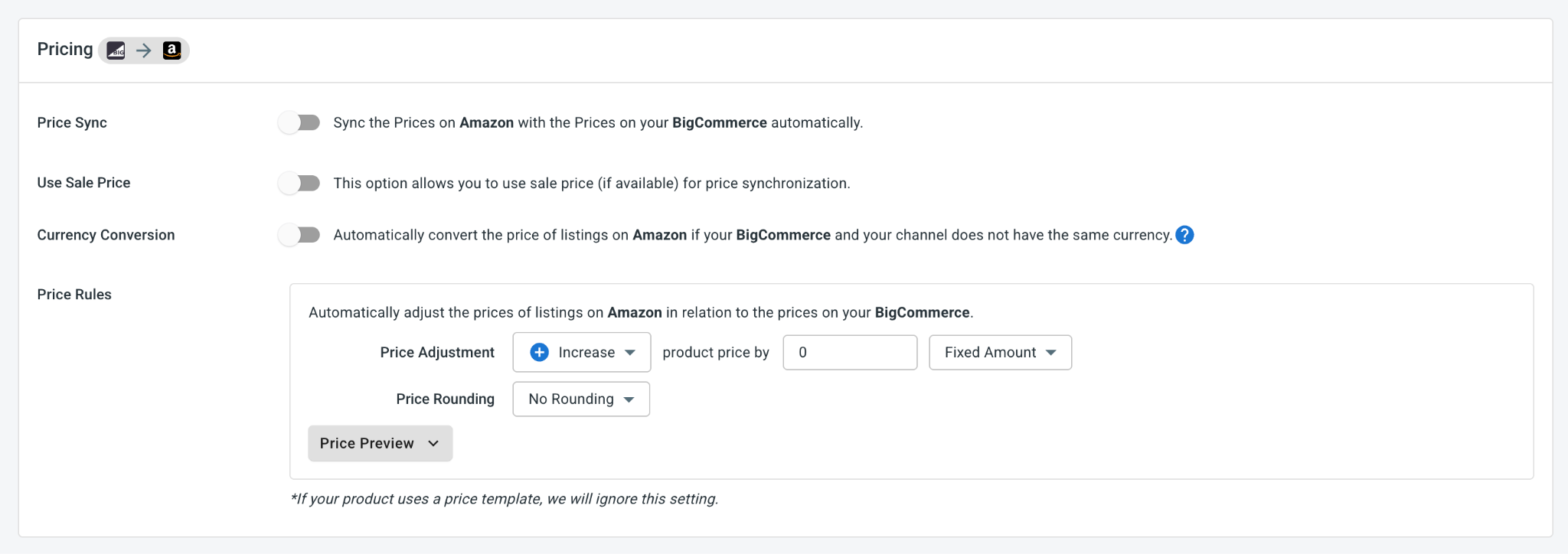
- Inventory sync: Keeps stock counts the same on both stores so you avoid overselling. Set a lowest and highest stock number, keep listings up when stock hits zero, and send only part of your BigCommerce stock to Amazon if you like.
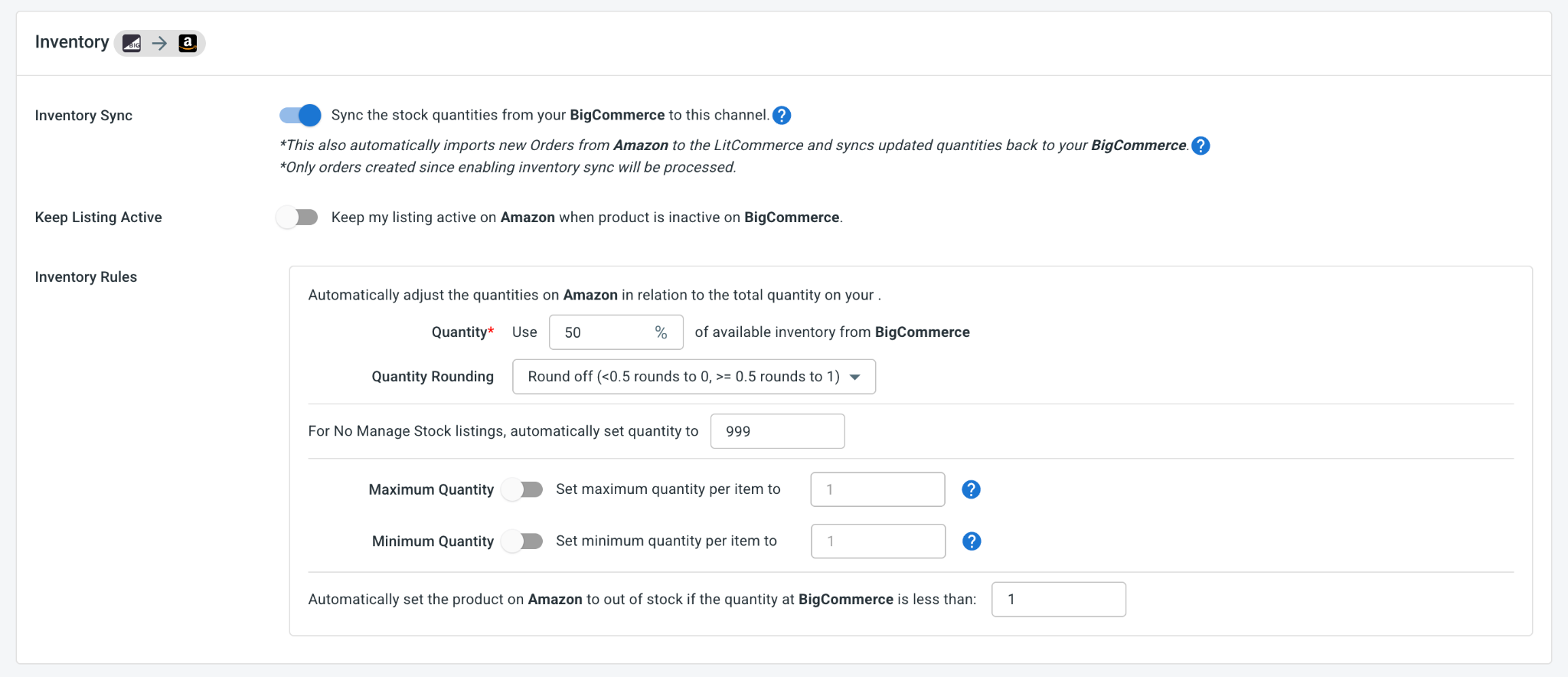
- Order sync: Turn on Import Orders to Main Store to bring your Amazon orders into your BigCommerce dashboard and handle them in one place.
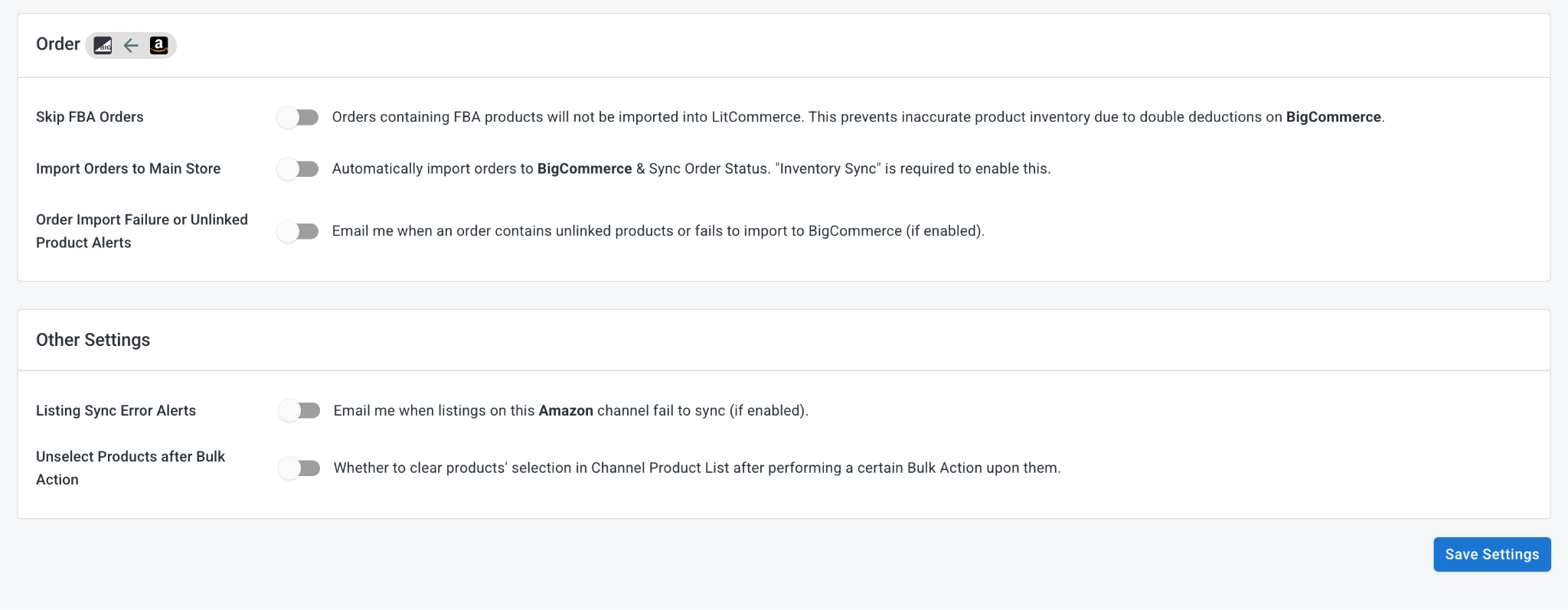
Note on FBA (Fulfillment by Amazon) products: LitCommerce can import Amazon FBA orders into your BigCommerce Main Store for order visibility. However, FBA inventory will not be automatically adjusted from BigCommerce, because that stock is stored and managed by Amazon. For FBA items, Amazon remains the main source of truth for inventory.
When everything appears correct, click Save Settings at the bottom of the page.
Step 4: Manage Your Order Flow
With Import Orders to Main Store turned on, every Amazon order appears in your BigCommerce dashboard next to your store orders. No more switching between platforms to keep track of what sold.
This pulls orders from both stores into one place, where you can:
- Look after and ship your BigCommerce and Amazon orders together.
- Track deliveries and add tracking numbers to both stores at once.
- Match your BigCommerce couriers to Amazon couriers so buyers get the right tracking.
Cautions: Due to Amazon’s data privacy policies, orders imported from Amazon do not include customer personal identifiable information (PII), such as names and addresses. Product details, including titles, SKUs, and prices, will remain visible to ensure accurate sales tracking, but packing and shipping procedures should be managed directly through the Amazon Seller Central interface.
And that’s your Amazon integration Bigcommerce, set up from start to finish. With LitCommerce connecting them, your store and Amazon listings work as one, reaching far more buyers while your stock and order levels remain automatically synchronized.