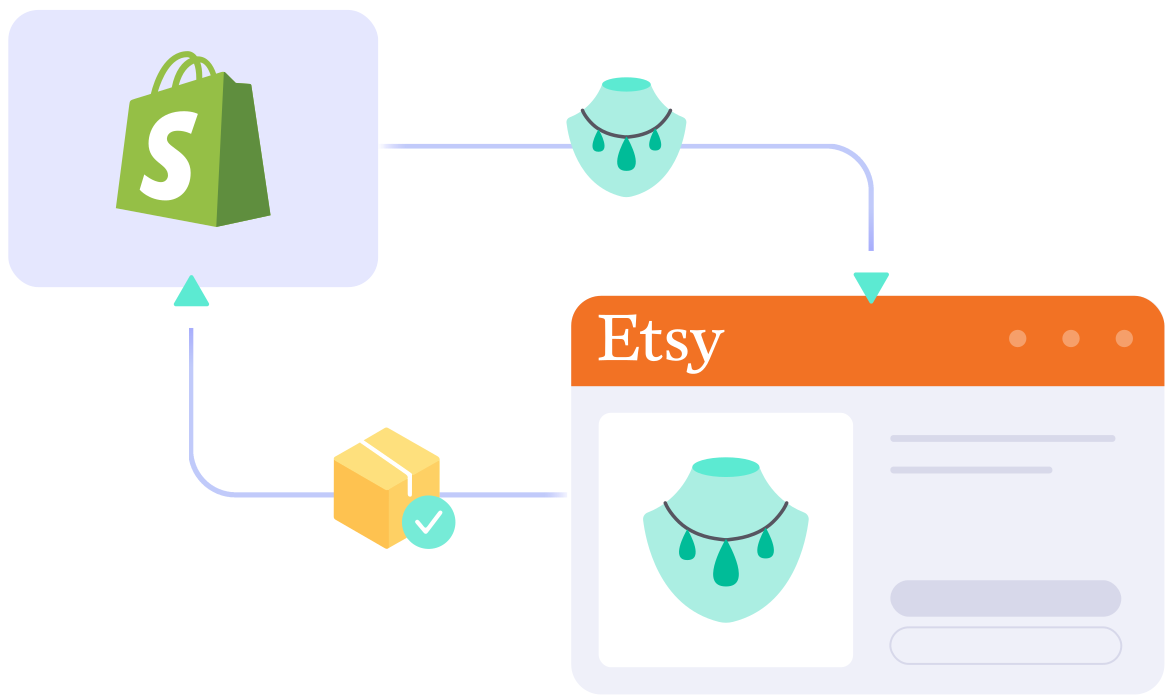
If you’re running a Shopify store and want to reach more buyers, adding Etsy to your sales mix is a smart next move. Etsy shoppers arrive already looking for handmade, vintage, and unique products, which is exactly the kind of demand a Shopify store on its own struggles to reach.
Why Connect Shopify and Etsy?
Shopify and Etsy do two different jobs for you, and that’s exactly why running both works.
- Etsy brings you buyers you don’t have to go and find. People arrive there already searching for the kind of thing you make, so your listing gets in front of shoppers who are ready to buy. Building that kind of traffic to your own site takes months of work and ad spend.
- Shopify keeps the parts of your business you don’t want to rent. Your storefront design, your email list, your customer relationships, and your margins all stay yours. Etsy owns the audience on Etsy, but nobody else owns your website.
- Selling on both means one channel can carry you through a bad month on the other. Marketplace algorithms shift, listings drop in search, accounts occasionally get flagged. Sellers who run two channels don’t feel those months the way single-channel sellers do.
The catch is that Etsy and Shopify don’t talk to each other. Stock sold on one doesn’t come off the other, prices drift apart, and orders sit in two separate dashboards. That’s the gap a Shopify Etsy integration closes.
With LitCommerce, the Shopify Etsy integration comes down to 4 steps, and you don’t need any technical skills to get it done. Here’s what you’ll find in this Shopify Etsy integration guide:
- Step 1: Connect Shopify to Etsy
- Step 2: List and import products on Etsy
- Step 3: Sync inventory between Etsy and Shopify
- Step 4: Manage your Etsy order flow
But before we get started, let’s go through one short section first.
Preparation Checklist Before You Connect Shopify to Etsy
Good preparation is what separates a setup that takes an afternoon from one that takes a week. You probably want this live today, not next weekend, so two minutes here are worth your time.
Most problems that show up halfway through a Shopify Etsy integration trace back to something small that was missing at the start: a duplicated SKU, a shop that can’t publish yet, a shipping profile nobody set up. Fix those now and the four steps ahead of you are mostly clicking.
So before you connect Shopify to Etsy, check these five points:
- Your Etsy shop is open and ready to sell. Etsy needs your billing details saved before it lets anything go live. This one catches sellers who opened their Etsy shop months ago, never finished setting it up, and assume it’s ready. If the details are missing, your listings will sit as drafts and shoppers won’t see them.
- Every Shopify product has its own SKU. A SKU is the short product code you use to tell one item from another, and LitCommerce uses it (along with UPC) to know which Shopify product goes with which Etsy listing. This is the single biggest cause of setups going sideways, so deal with it before you touch anything else: blank SKUs and duplicated SKUs both leave products unmatched, and you won’t notice until stock stops syncing. Export your product list, sort by the SKU column, and clean up the blanks and repeats. Ten minutes here saves you a much longer cleanup later.
- You know which store is in charge. One store holds your real stock numbers and prices, and the other follows it. This guide puts Shopify in charge as your Main Store, so what you edit in Shopify shows up on Etsy. Pick the store you actually work in day to day, because fighting your own habits is what leads to editing the wrong dashboard and wondering why nothing changed.
- Your Etsy shipping and policy settings are done. Etsy asks for a Shipping Profile, a Processing Profile, and a Return Policy on every listing, and all three must be created directly in your Etsy Shop Manager. LitCommerce reads them and shows them for you to select, but it does not create new profiles or policies on Etsy for you. Etsy also requires a weight unit before a listing can publish, and the units it accepts depend on your country and the shipping services you use. One shipping profile covering your most common parcel size is enough to start.
- You’ve decided what to charge on Etsy. Etsy takes a $0.20 fee for each listing and a cut of each sale, so a lot of sellers price slightly higher there than on their own site. Work out your markup before you list rather than after, because changing prices on live Etsy listings loses you the sales history those listings have built up.
Once all five are ticked, you’re ready to connect your stores. Now, follow the four steps below to get your Shopify Etsy integration up and running.
Step 1: Connect Shopify to Etsy
The first step is to connect Shopify as the Main Store on LitCommerce, then add Etsy as your sales channel.
You can either install LitCommerce directly from the Shopify App Store or connect Shopify from inside the LitCommerce app.
Next, when you open LitCommerce, you land on the Connect Your First Platform screen, with two lists: Marketplaces and Shopping Carts. It does not matter which one you connect first. To connect Shopify, pick it from Shopping Carts, or install the LitCommerce app from the Shopify App Store and you will be sent back to the dashboard to carry on. Sign in when prompted and grant LitCommerce permission to access your store.
Then, to connect Etsy, pick it from Marketplaces, enter your Etsy shop name, and confirm the connection. A pop-up will ask you to allow LitCommerce to access your existing Etsy seller account. Approve it, and you’re done.
Once finished, you’ve successfully linked Shopify to Etsy. Beyond Etsy, as a multichannel selling tool, LitCommerce also supports other Shopify integrations such as Shopify eBay, Shopify TikTok Shop, Shopify Amazon integration, and more.
Pro tip: If your Etsy shop is registered in the United States, Türkiye, Canada, Germany, France, Bulgaria, Italy, Lithuania, Spain, or Ukraine, Etsy’s API restricts what order data any outside app can pull. LitCommerce will import the buyer’s name, product name, SKU, quantity, shipping fee, tax, and order totals, but not the shipping address. Plan for that now: either fulfil those orders on Etsy where the full address is visible, or copy the address into Shopify by hand. Sellers outside those ten countries are not affected.
Step 2: List & Import Products on Etsy
Once your Shopify and Etsy accounts are connected, LitCommerce automatically imports your Shopify products so they’re ready to list. How you proceed depends on where your listings currently live. Find your case below and follow that one.
Case 1: You want to list Shopify products on Etsy
If you’re already selling on Shopify and want to expand to Etsy, you have two ways to do it: publish listings one at a time, or push a batch across in one go.
Option 1: Publish listings one by one
Best when you want to check every detail before it goes live, or when you’re listing your first few products.
- Go to All Products and select the Shopify items you want to list.
- Click Select Action > Add To Channel Drafts.
- Check the box next to your Etsy shop, then click Add As Draft Now.
- Go to the Etsy tab and edit each draft. Your drafts open with seven tabs, and Etsy asks for details Shopify never collects, so this is where you fill them in:
- Vital Info: your title and description, pulled from Shopify and editable for Etsy. On a paid plan, the Optimize Description For Etsy feature uses AI to write an Etsy-ready description from the keywords you give it. Each generated description costs one credit, and your monthly credit balance equals 10% of your listing limit.
- Images and Pricing/Variations: imported from All Products, worth a quick review before you publish.
- Category: LitCommerce suggests categories pulled straight from Etsy, so you’re not hunting through the taxonomy. This tab also holds Etsy’s About This Item questions (who made it, what is it, and when was it made), which Etsy will not let you skip, plus your Shop Section and up to 13 tags.
- Shipping: select the Shipping Profile, Processing Profile, and Return Policy already set up in your Etsy shop, and add package weight and dimensions.
- Digital Product: turn this on if you sell downloads and upload the file here. Files cannot be transferred from Shopify, so this upload is manual.
- Personalization: turn it on if you let buyers add custom text or notes, so you don’t need a separate listing for every variation.
- Once everything looks good, click Save & Publish to send the listing to Etsy.
To publish several drafts at once, go to the Draft tab on the Etsy channel, select the listings, and run the Publish to Etsy action. Keep in mind Etsy charges a $0.20 fee for every item you list, and you’ll be asked to confirm you’re aware of those fees before publishing.
Option 2: Quick publish and automate
Best when you have more than a handful of products, because you set the rules once and LitCommerce does the rest. Quick/Auto List to Etsy lets you bulk edit and upload Shopify products from a single screen, and you can create templates that apply the same settings, such as categories, shipping profiles, materials, or tags, across multiple Etsy listings at once. On a large catalog, this saves hours of work.
To get started, go to Add / Manage Sale Channels in the left menu. Select Etsy, then click Quick/Auto List to Etsy at the top.
- Choose your products. Publish everything, or filter by product type, vendor, tags, or status. For example, list only items from one vendor without picking them out by hand. (Adding your whole catalog to drafts in one action is a paid-plan feature.)
- Apply your templates so the batch meets Etsy’s listing requirements.
- Save and schedule (optional). Tick Save this setup for future use, name it, then turn on Activate automatic publishing and pick how often it runs. New Shopify products then go up on Etsy on their own.
- Publish. You’ll see how many products are about to list, confirm you’re aware of Etsy’s listing fees, then click Publish to Etsy.
Pro tip: Build your Templates and Recipes before you list anything in bulk. Category and Shipping & Return are required, while Pricing, Title & Description, and Personalization are optional. Edit a template later and every listing using it updates automatically, which beats reopening 200 products one by one. You’ll find them under Listing templates/recipe in the top right corner.
Case 2: You want to import Etsy products to Shopify
If you’re already on Etsy and want to expand to Shopify, LitCommerce pulls your existing Etsy listings directly into your Shopify store. Here’s how to import Etsy listings to Shopify:
- On the Etsy channel tab, click Import from Etsy.
- Filter which products to import, and leave the auto-link option on so LitCommerce matches Etsy listings to your Shopify products.
- Once finished, click Begin Import.
- Your Etsy listings will appear inside LitCommerce. Select the listings you want, click Select Action, then Create on Main Store.
And that’s it. Your products are now linked across both platforms, ready for full Shopify Etsy integration.
Case 3: You want to link products on Shopify and Etsy
Linking tells LitCommerce that a Shopify product and an Etsy listing are the same item, and only linked products sync. If you sell the same products on both channels already, do this before you turn on sync. There are two ways to get it done.
Auto-link during import. Leave the auto-link option ticked when you import from Etsy, and LitCommerce matches listings by SKU or UPC. Matched listings show a blue link icon, unmatched ones show a red link icon. This is why the SKU check in your preparation list matters: products with missing or mismatched SKUs land in the red pile.
Link the rest by hand. To link unlinked products across Etsy and Shopify, follow these steps:
- Hover over the red link icon of an unlinked listing.
- Choose Link To A Product.
- Find the matching item using the search box (search by SKU or any keyword), then click Select next to that product.
The icon turns blue and you’ll get a confirmation from LitCommerce. If you have a long list to work through, select the listings and use Link Listing under Select Action to link them in bulk. Once every icon is blue, your products are linked both ways, from Etsy to Shopify and vice versa, and ready for Shopify Etsy sync.
Step 3: Sync Inventory Between Etsy and Shopify
LitCommerce keeps your Shopify and Etsy shops in sync automatically, so your inventory, pricing, and orders stay consistent across both channels without any manual updates.
One number to know before you switch it on: LitCommerce syncs Etsy every 60 minutes, not the 15 minutes it uses for eBay, Amazon, Walmart, TikTok Shop, and the rest. That’s Etsy’s own API rate limit, not a LitCommerce setting. In practice it means an item you sell on Shopify at 10:00 comes off your Etsy stock count within the hour, so plan your buffer stock around 60 minutes rather than expecting instant updates.
To access these settings, click Channel Settings inside your Etsy store on LitCommerce:
- Price sync: Automatically updates your Etsy prices to match your Shopify store. You can also apply price rules to increase or decrease Etsy prices by a fixed amount or a percentage, useful if you want to factor in Etsy’s transaction and listing fees, and turn on currency conversion if your two stores run on different currencies. Price sync runs one way only, from Shopify to Etsy: a price you edit directly on Etsy will not travel back to Shopify or across to your other channels.
- Inventory sync: Keeps your stock quantities aligned between both platforms, helping you avoid overselling. You can set minimum and maximum quantities, sync only a percentage of your Shopify stock to Etsy, and choose which Shopify location Etsy reads from if you hold stock in more than one place.
- Sync When Stock Is Below: an Etsy-only setting that exists because of that 60-minute limit. Instead of pushing every single stock change to Etsy, LitCommerce only pushes an update once the Shopify quantity drops below a number you set, which keeps your API quota free for listing updates.
- Order sync: Choose Import Orders to Main Store to pull all Etsy orders into your Shopify dashboard, so you can manage everything from one place. Turn on inventory sync first, since order sync runs on top of it. By default only orders whose listings are all linked will import; if you want the rest to come through too, turn on Import Orders with Unlinked Products, and note that unlinked items arrive as plain text and won’t deduct Shopify stock.
Pro tip: If you sell handmade items where each piece is unique, set your minimum quantity to 1 or 2 rather than letting stock fall to zero. That way, your Etsy listing stays visible to shoppers while LitCommerce protects you from selling the same item twice across both stores. With the 60-minute Etsy cycle, that small buffer matters more than it would on a 15-minute channel.
Once you’ve configured your preferences, click Save Settings at the bottom of the page.
Step 4: Manage Your Etsy Order Flow
Once Import Orders to Main Store is enabled, every Etsy order, along with orders from your other sales channels, automatically appears in your Shopify dashboard, so you can stop logging into each platform separately to check on sales.
You can either review Etsy orders before fulfilling them, or let LitCommerce push them straight into your existing Shopify order flow. To see everything in one list, go to Orders in the left menu.
From here, you can:
- Review and fulfil Etsy and other sales channel orders side by side
- Track shipments and update tracking numbers across your channels
- Map your Shopify carriers to Etsy carriers, so an order you ship from Shopify shows the right carrier on Etsy (available on Shopify, WooCommerce, BigCommerce, and Square Main Stores)
- Check the Qty. Sync column to confirm an order has updated your stock, and spot any order that hasn’t
One exception worth planning around: if your Etsy shop sits in one of the ten countries listed in Step 1, Etsy’s API also blocks order status and tracking numbers from syncing back to Etsy when you fulfil in Shopify. In that case, mark those orders as shipped on Etsy directly so the buyer gets their tracking.
And that’s your Shopify Etsy integration, set up end to end. Your Shopify catalog now reaches Etsy’s buyers, and your stock, prices, and orders keep themselves in step on a 60-minute cycle.