BigCommerce TikTok Shop Integration


Which Data is Included
In the BigCommerce TikTok Shop Sync?


Detailed Guide on BigCommerce TikTok Shop Integration
Want your BigCommerce products in front of TikTok’s huge crowd of shoppers? A BigCommerce TikTok integration is how you get there. TikTok Shop turns scrolling and fun videos into buying, putting your products right where younger shoppers already spend their time.
With LitCommerce, Bigcommerce TikTok Shop integration takes just four simple steps, and there’s nothing technical to figure out. Here they are:
- Step 1: Connect BigCommerce to TikTok Shop
- Step 2: List and import products on TikTok Shop
- Step 3: Enable BigCommerce TikTok Shop sync
- Step 4: Manage your order flow
Step 1: Link BigCommerce to TikTok Shop
Start by setting BigCommerce as your Main Store in LitCommerce. Your Main Store works as the central hub for your product catalog, inventory, and order data.
You can set this up by installing LitCommerce from the BigCommerce App Marketplace, or by connecting BigCommerce directly inside the LitCommerce app.
Once BigCommerce is set as your Main Store, find TikTok Shop in the list of supported marketplaces and click Connect under the TikTok Shop logo.
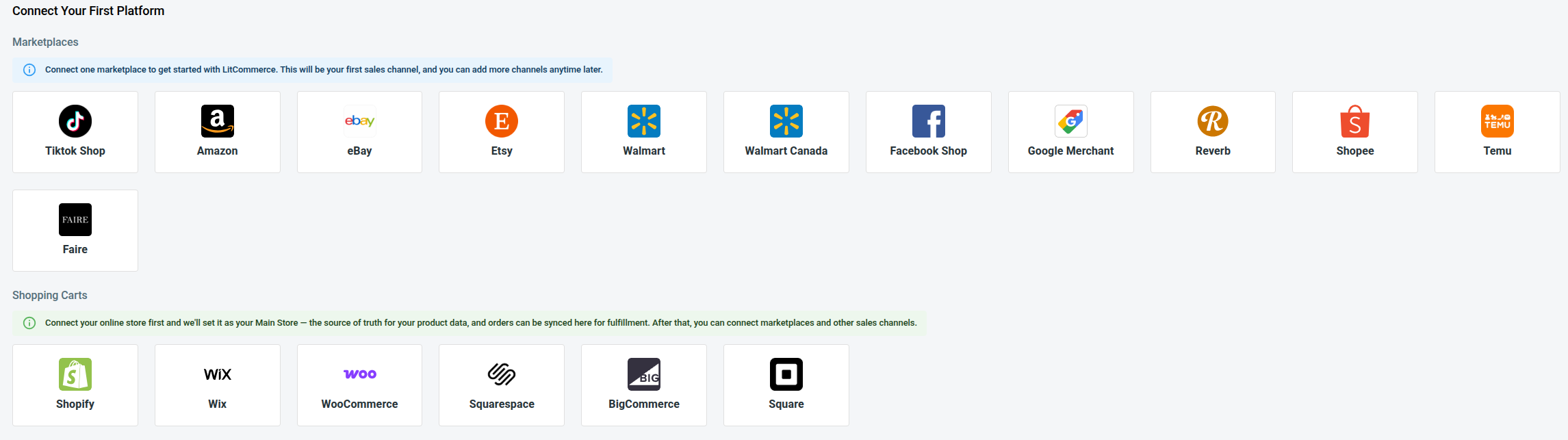
Then, enter your TikTok Shop store details, click Connect Your Account, and allow LitCommerce to access your TikTok Shop seller account.
Once that is done, your BigCommerce store and TikTok Shop are connected. TikTok Shop will appear as a sales channel in your LitCommerce dashboard, ready for the next step.
Step 2: List and Import Products on TikTok Shop
After the connection is complete, LitCommerce brings your BigCommerce products into the system, so you do not have to recreate your catalog from scratch.
From here, you can list BigCommerce products on TikTok Shop, import TikTok Shop listings into BigCommerce, or link matching products across both platforms.
Case 1: List your BigCommerce products on TikTok Shop
If your products are already in BigCommerce and you want to sell them on TikTok Shop, follow these steps:
1. Open All Products and choose the BigCommerce items you want to list.
2. Click Select Action, then Add as channel draft.
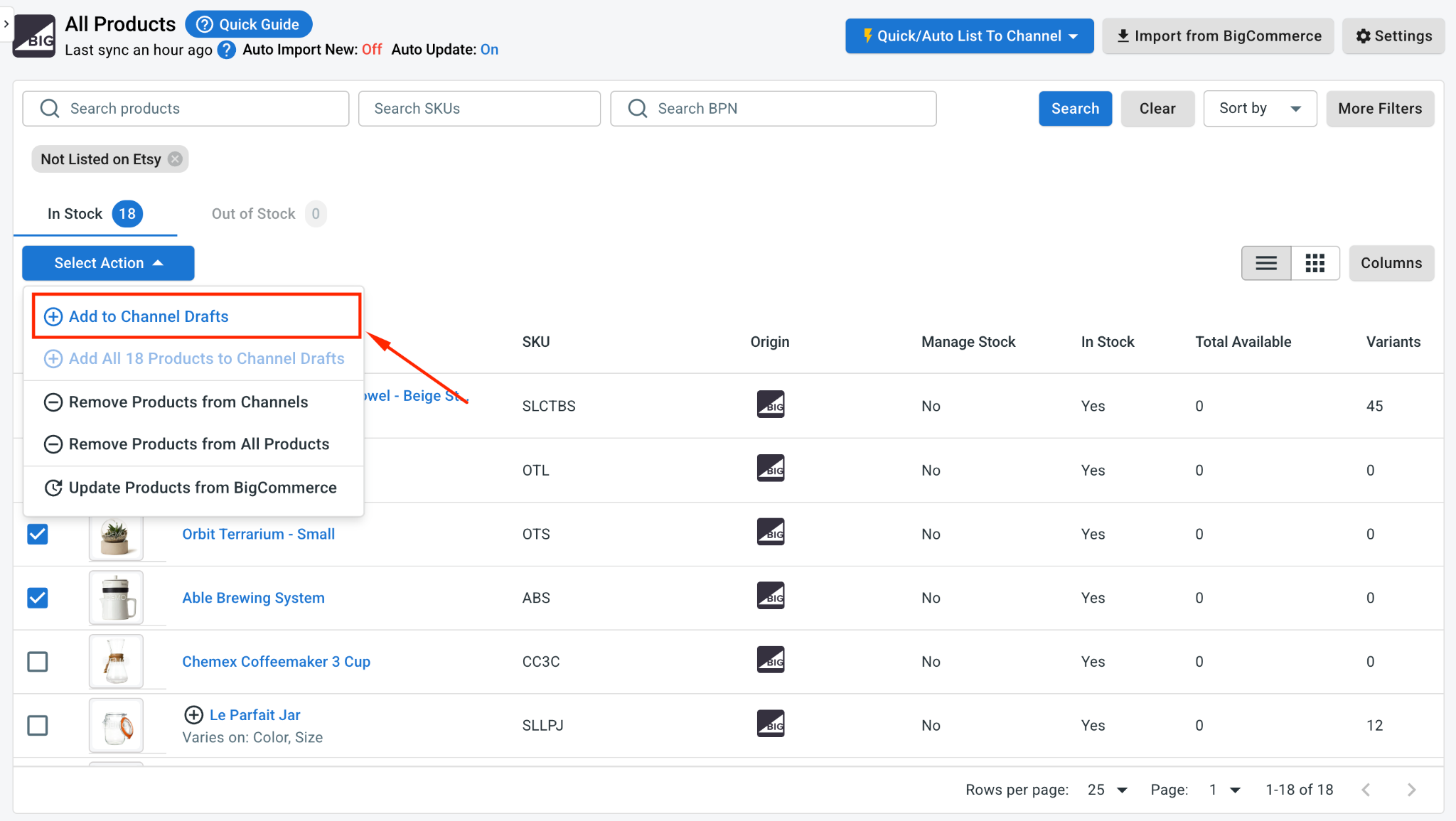
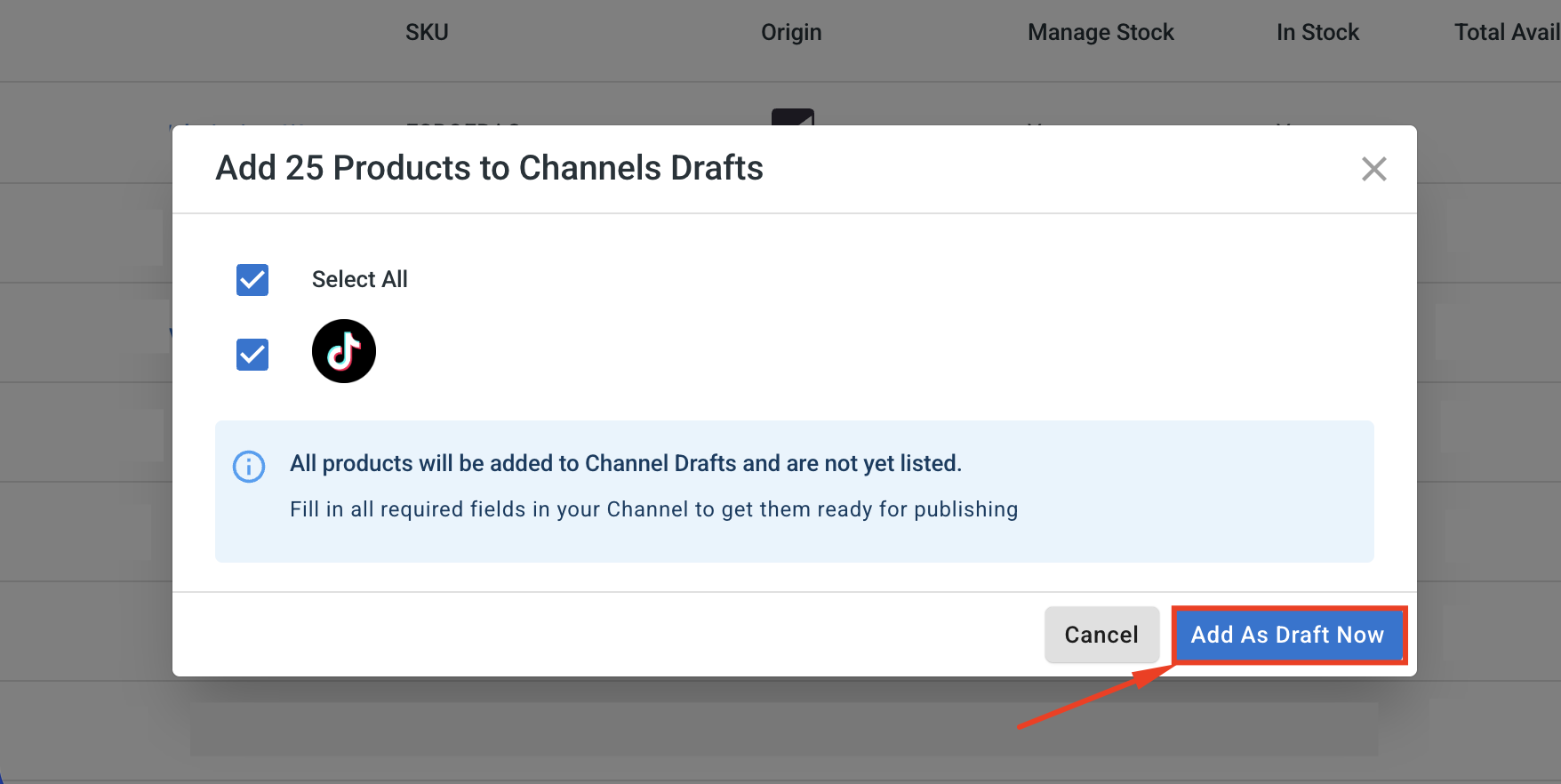
3. Tick the checkbox next to your TikTok Shop store, then click Add As Draft Now.
4. Open the TikTok Shop channel tab and review your drafts.
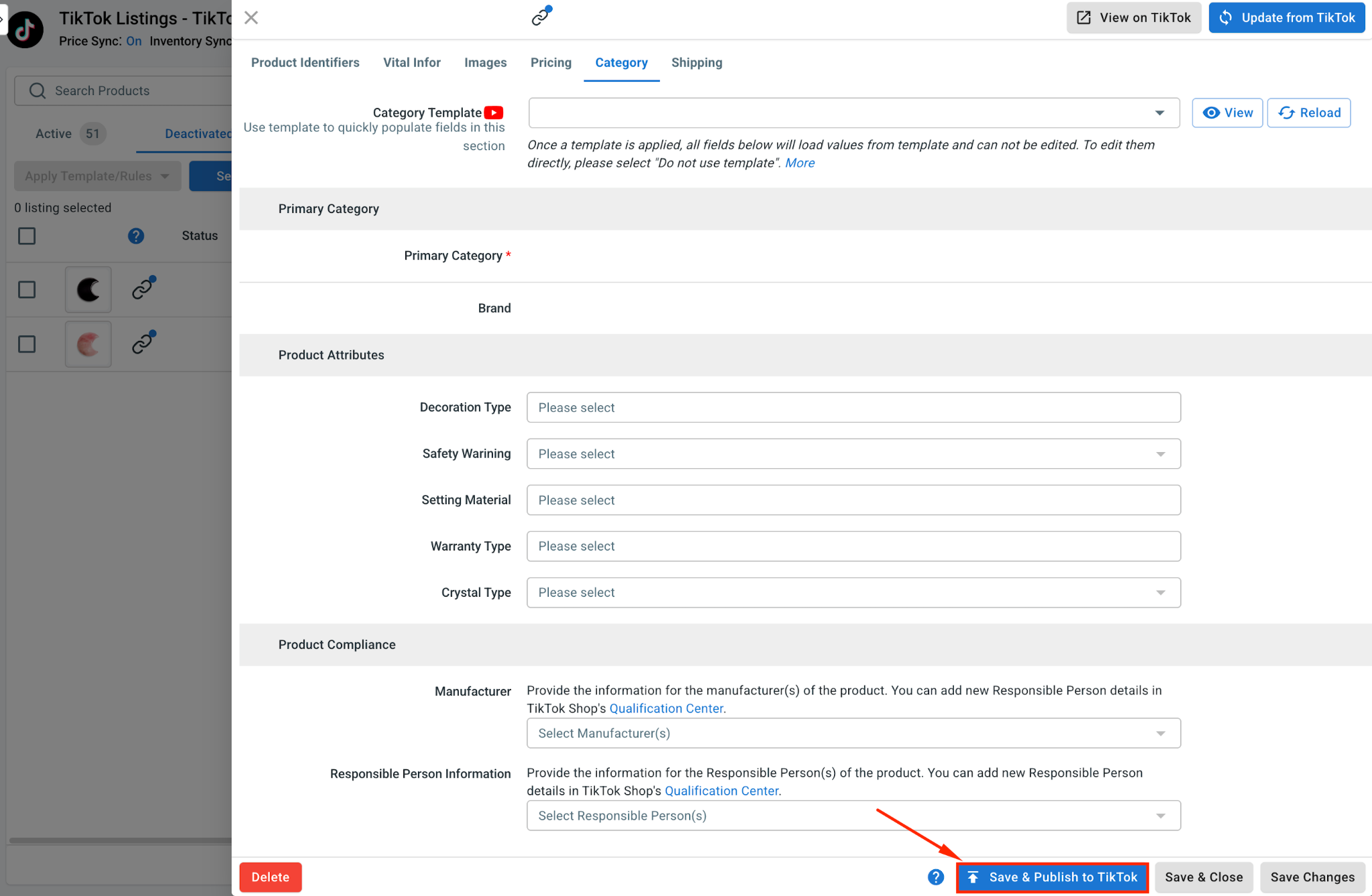
Before publishing, complete the TikTok Shop-specific fields. TikTok Shop has its own category structure, product attributes, package details, shipping requirements, and compliance rules, so check each draft carefully before it goes live.
5. Once your listing is ready, click Save and Publish to TikTok Shop.
Pro tip: If you have many products to upload, use Quick/Auto List to TikTok Shop instead of editing items one by one. You can create templates for categories, pricing, shipping, and other listing details, then apply them to multiple TikTok Shop drafts at once.
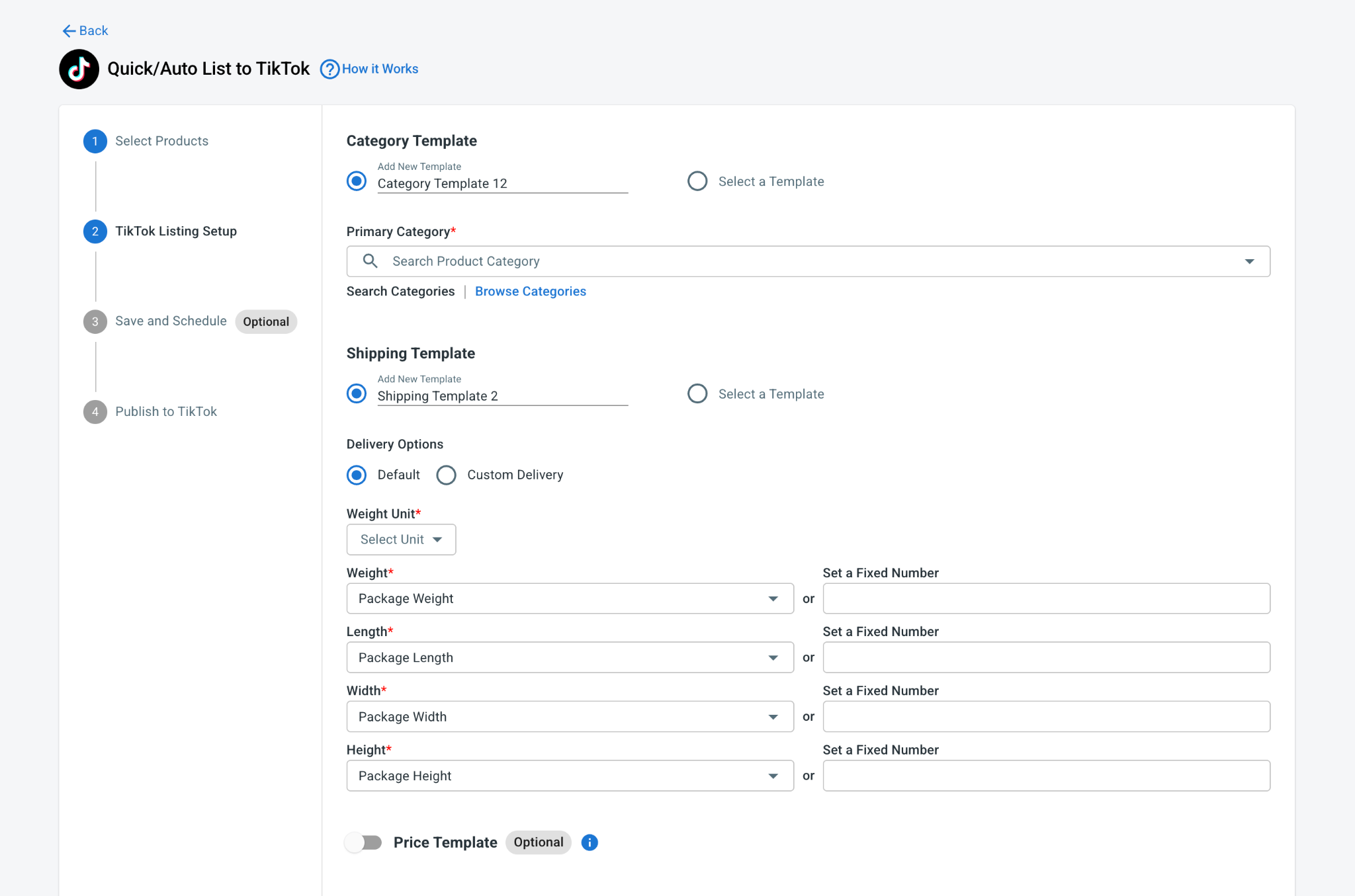
This is especially useful when your products share similar categories, fulfillment settings, or pricing rules.
Case 2: Import your TikTok Shop products to BigCommerce
If your products already exist on TikTok Shop and you want to bring them into BigCommerce, LitCommerce can help you import them.
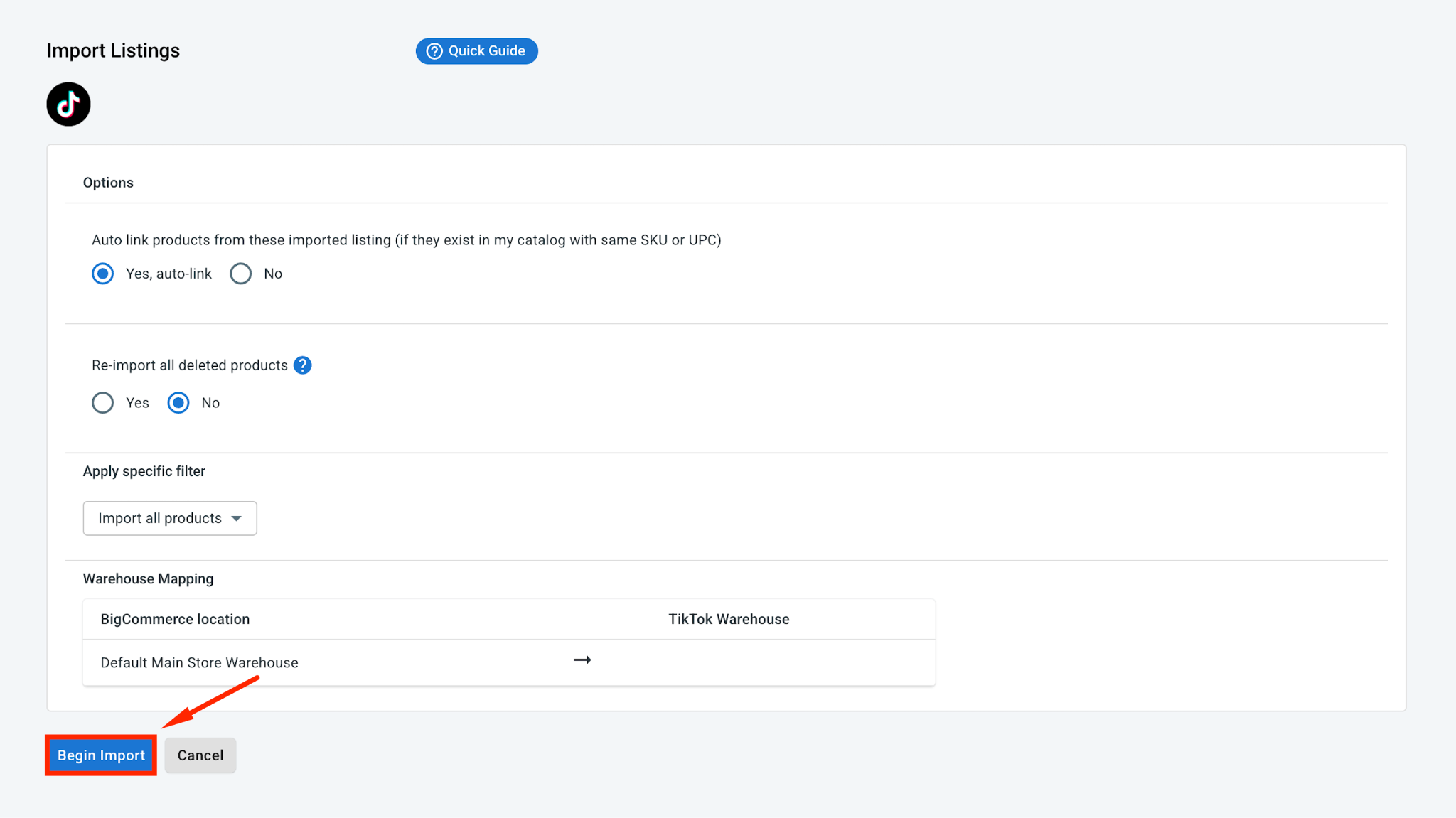
1. Inside the TikTok Shop channel tab, click Import from TikTok, then choose the products you want to import.
2. Click Begin Import.
3. After the import finishes, select your TikTok Shop listings, click Select Action, and choose Create on BigCommerce.
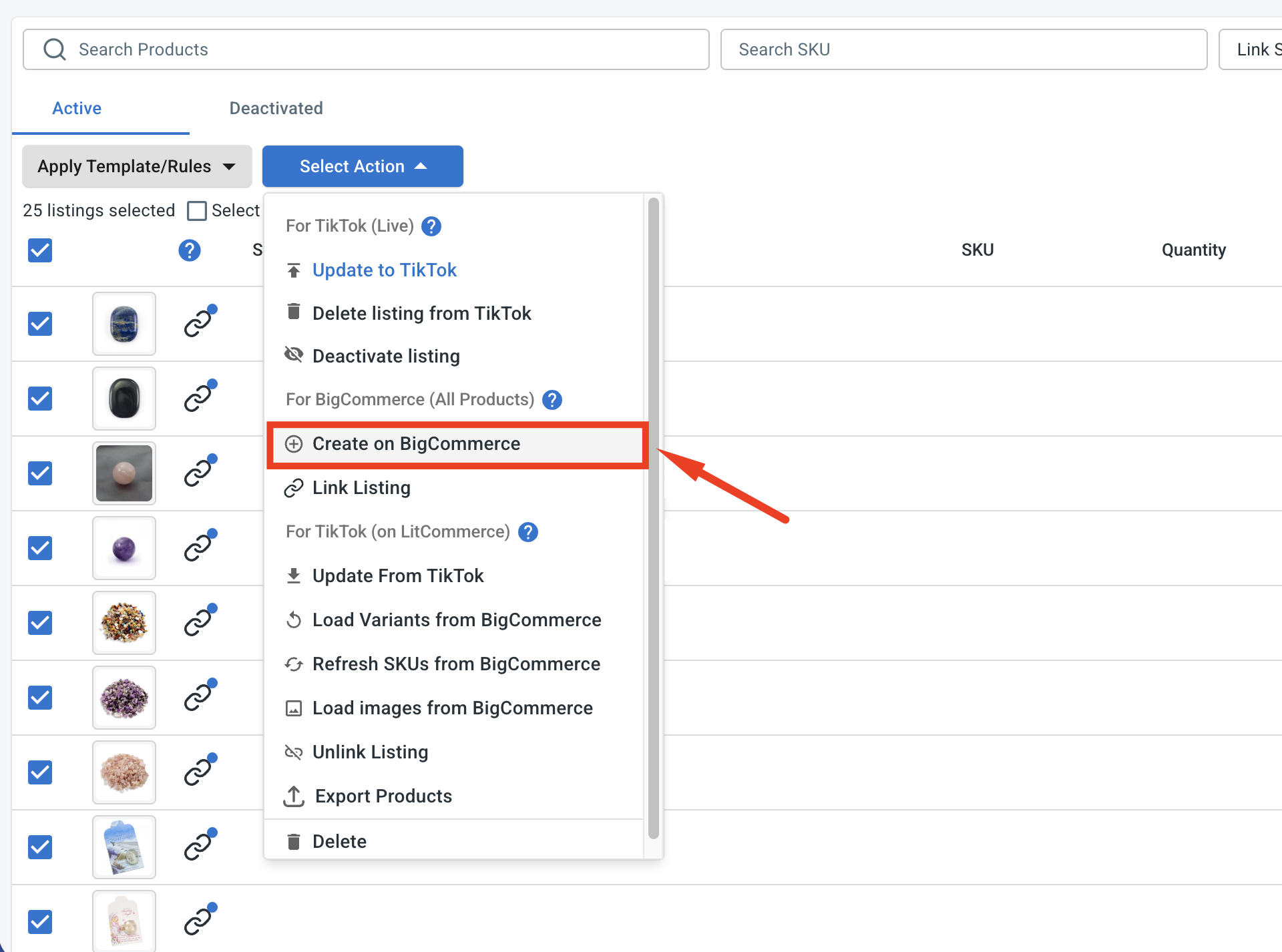
4. Your TikTok Shop products will then be created in BigCommerce and linked with their TikTok Shop versions, so they are ready for syncing.
And with that, your TikTok Shop products are now in BigCommerce, linked across both stores and ready to update.
Case 3: Linking products across both stores
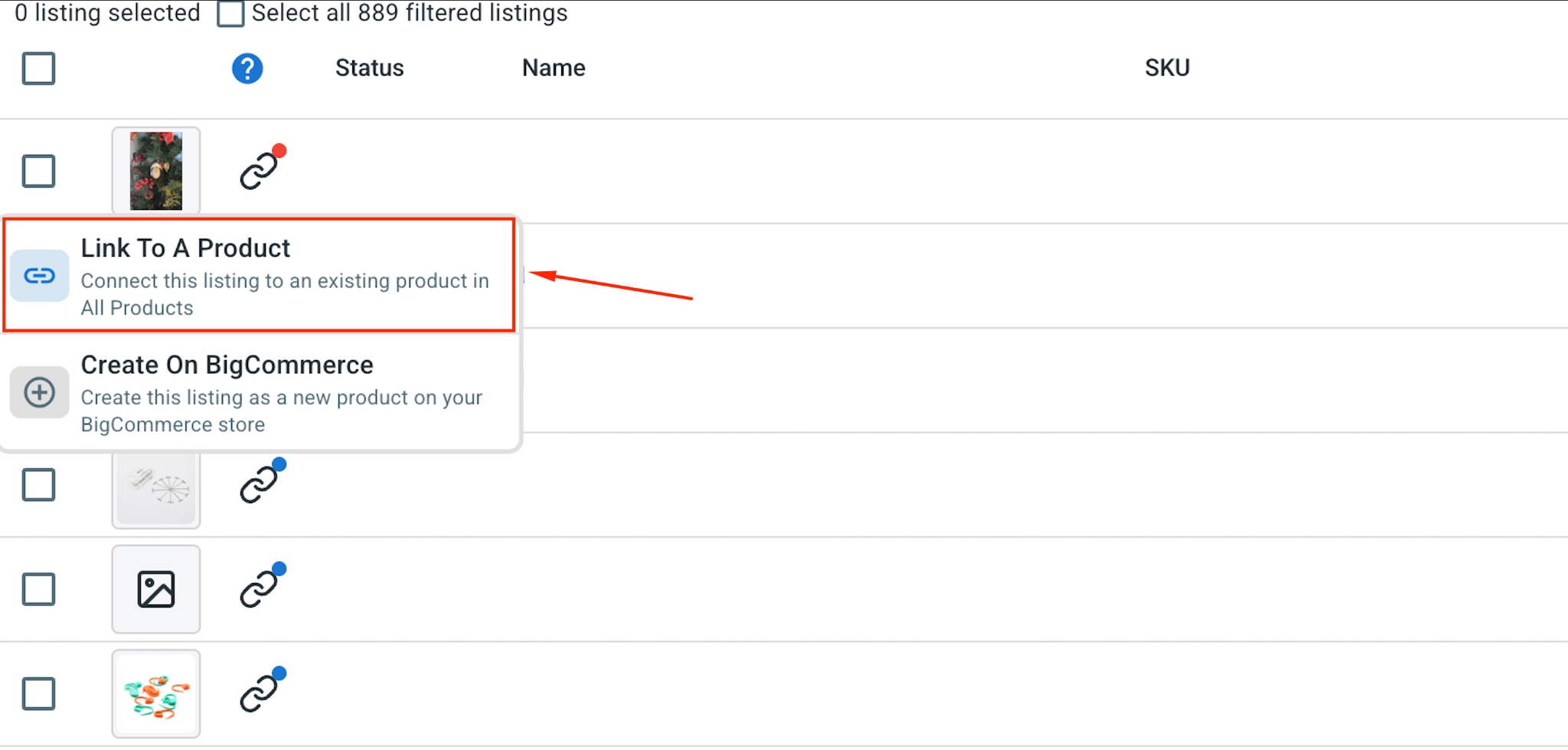
While the import runs, LitCommerce matches the products it recognizes. A blue dot marks a matched product; a red dot flags one that still needs attention.
1. To link a product, hover over the red dot, choose Link To A Product.
2. Look for the matching item, and click Select next to it.
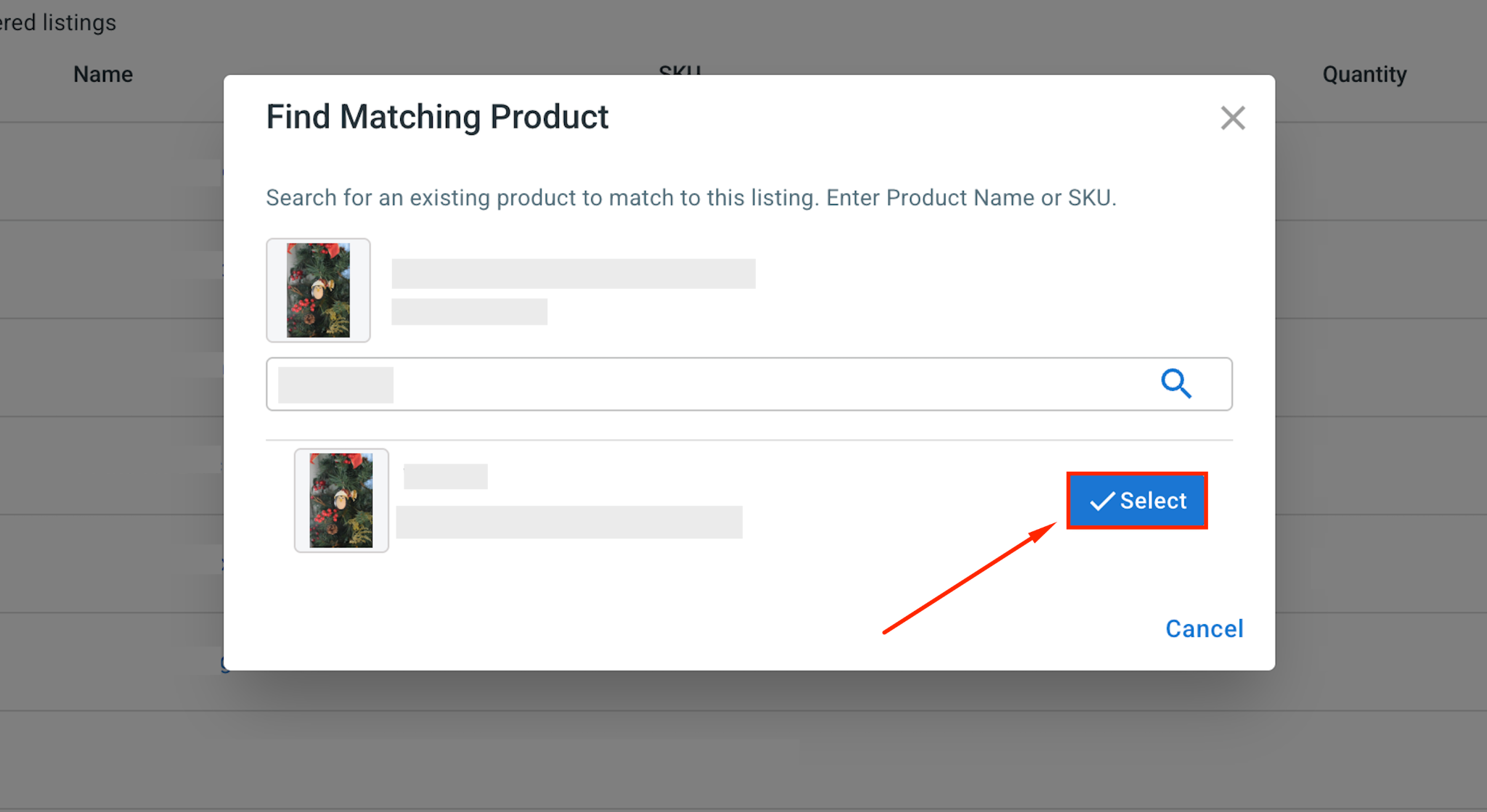
Only linked products can sync correctly, so this step is important if you want accurate prices, inventory, and order data across both stores.
Step 3: Enable BigCommerce TikTok Shop Sync
Once your products are listed and linked, you can turn on sync to keep BigCommerce and TikTok Shop aligned automatically.
To set this up, open your TikTok Shop store inside LitCommerce and go to Channel Settings.
Here are the three main sync settings for your TikTok Shop BigCommerce integration:
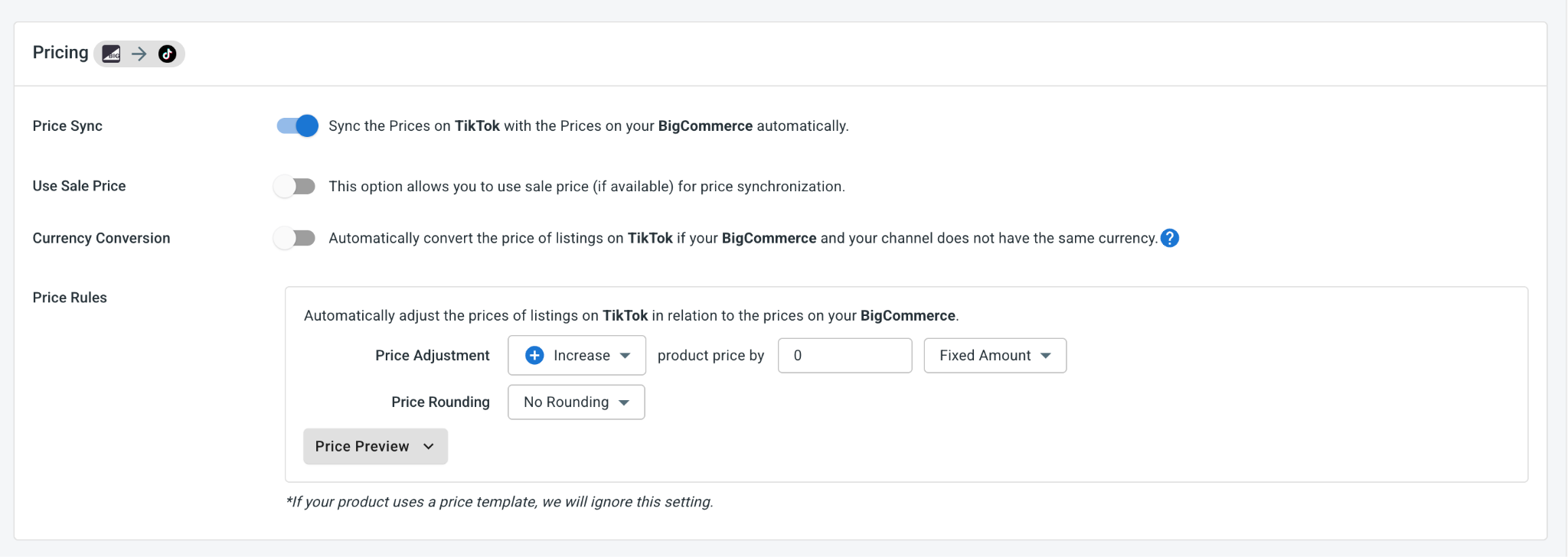
- Price sync: Keep TikTok Shop prices aligned with your BigCommerce prices when changes happen. You can also use price rules to increase or decrease TikTok Shop prices by a fixed amount or percentage. This helps you adjust prices for TikTok Shop fees, campaigns, or channel-specific promotions.
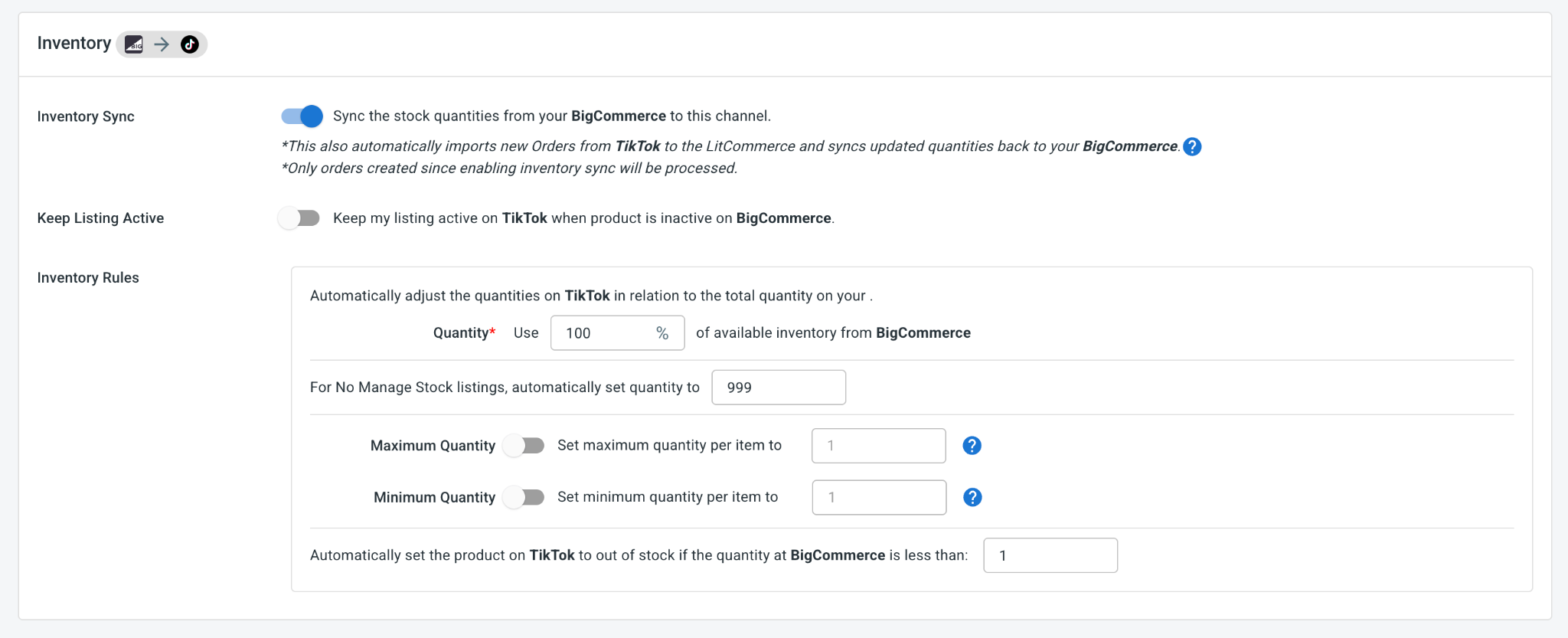
- Inventory sync: Keep stock levels updated between BigCommerce and TikTok Shop, so you can reduce the risk of overselling. This is especially useful on TikTok Shop, where a video or live session can create sudden order spikes. You can also set inventory rules, minimum and maximum thresholds, and decide how much BigCommerce stock you want to send to TikTok Shop.
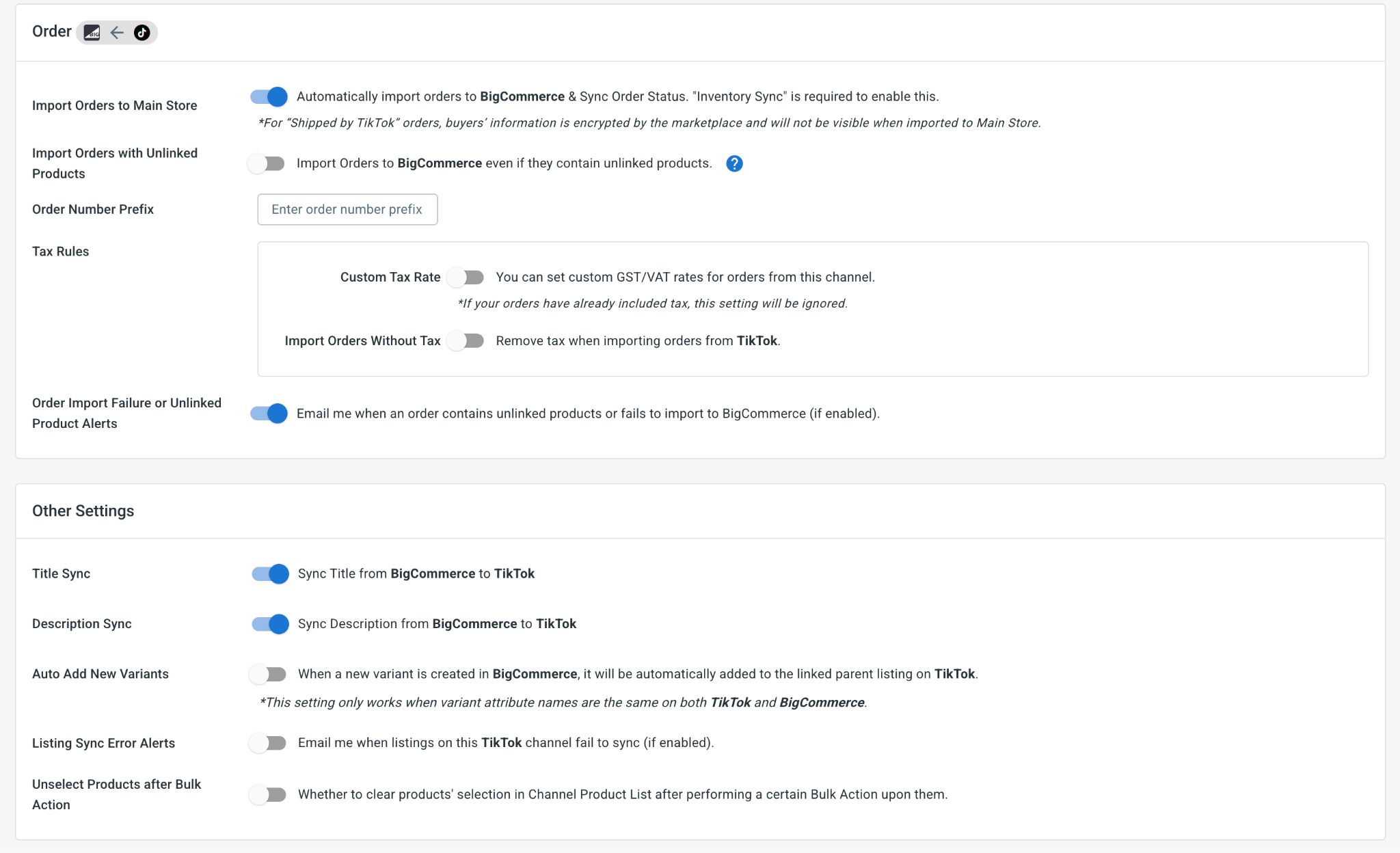
- Order sync: Turn on Import Orders to Main Store to bring every TikTok Shop order into your BigCommerce dashboard and handle them all in one place.
Pro tip: Use TikTok Shop-specific price rules if you plan to run creator campaigns, flash deals, or platform promotions. You can adjust TikTok Shop pricing without changing your BigCommerce store prices.
When your settings look the way you want, click Save Settings at the bottom of the page.
Step 4: Manage Your Order Flow
Once Import Orders to Main Store is on, every TikTok Shop order appears in your BigCommerce dashboard next to your store orders. No more hopping between platforms to follow your sales.
That one switch also pulls orders from both stores into one place, where you can:
- Manage TikTok Shop orders alongside your store orders.
- Keep a cleaner order history across both channels.
- Update fulfillment and tracking details where supported.
That rounds out your BigCommerce TikTok integration from beginning to end. With LitCommerce connecting them, your store and TikTok Shop run side by side, reaching new buyers while your stock and orders stay in sync on their own.