

Feeds Update: Improved Settings & Quality Experience
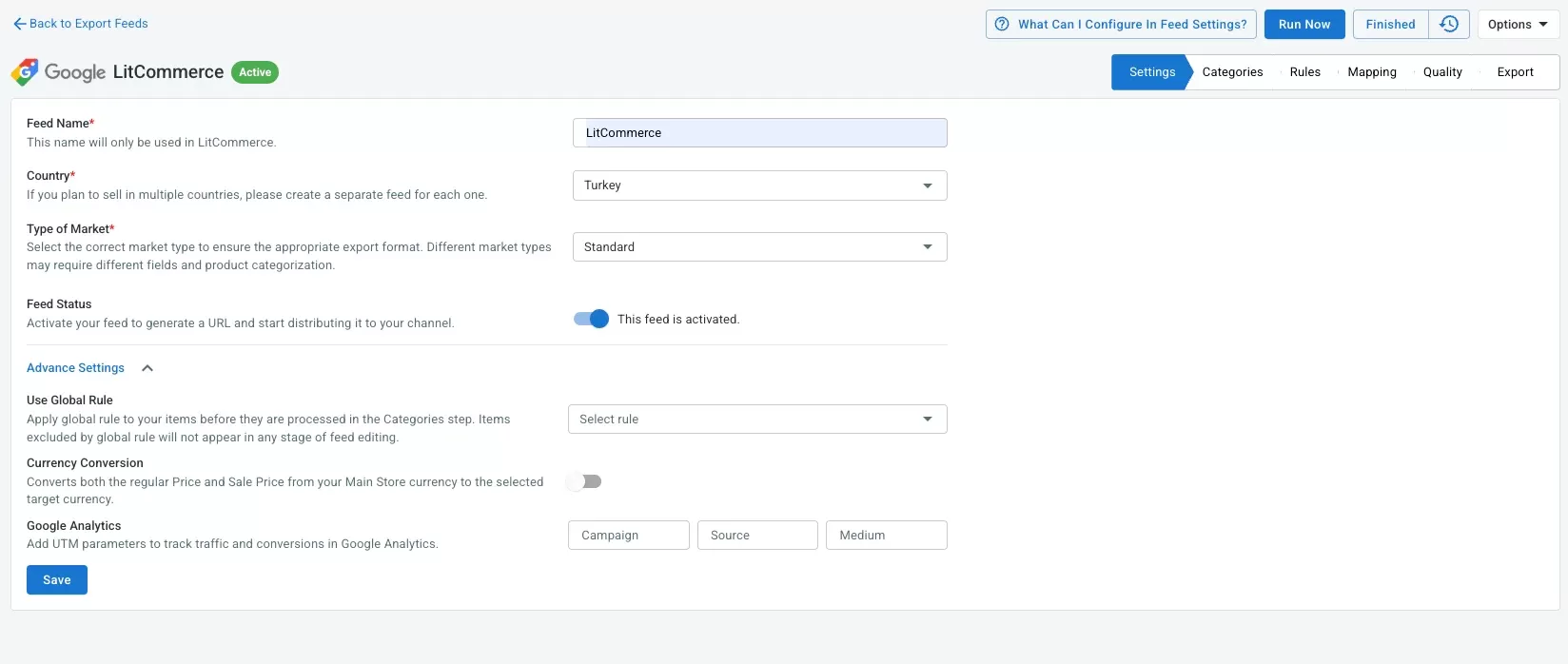
We’ve rolled out several updates to the Settings and Quality steps in the Feeds app to give you more control and better support when managing product feeds.
1. Settings Improvements
A new Advanced Settings section has been added to Settings → Add New Feed, including the following options:
a. Stock Location (Shopify only)
You can now choose which inventory locations to use in your feed.
- Product quantity is calculated as the total stock from selected locations
- This option appears only if you have more than one stock location.
b. Google Analytics (UTM Parameters)
You can add UTM parameters to product links in your feed, making it easier to track traffic sources and campaign performance in Google Analytics.
c. Currency Conversion
Currency Conversion is now separated from Feed Language and is always available for all Main Stores.
d. Use Global Rule & Feed Language (Shopify only)
These options are now clearly available within Advanced Settings for easier configuration.
2. Quality Improvements
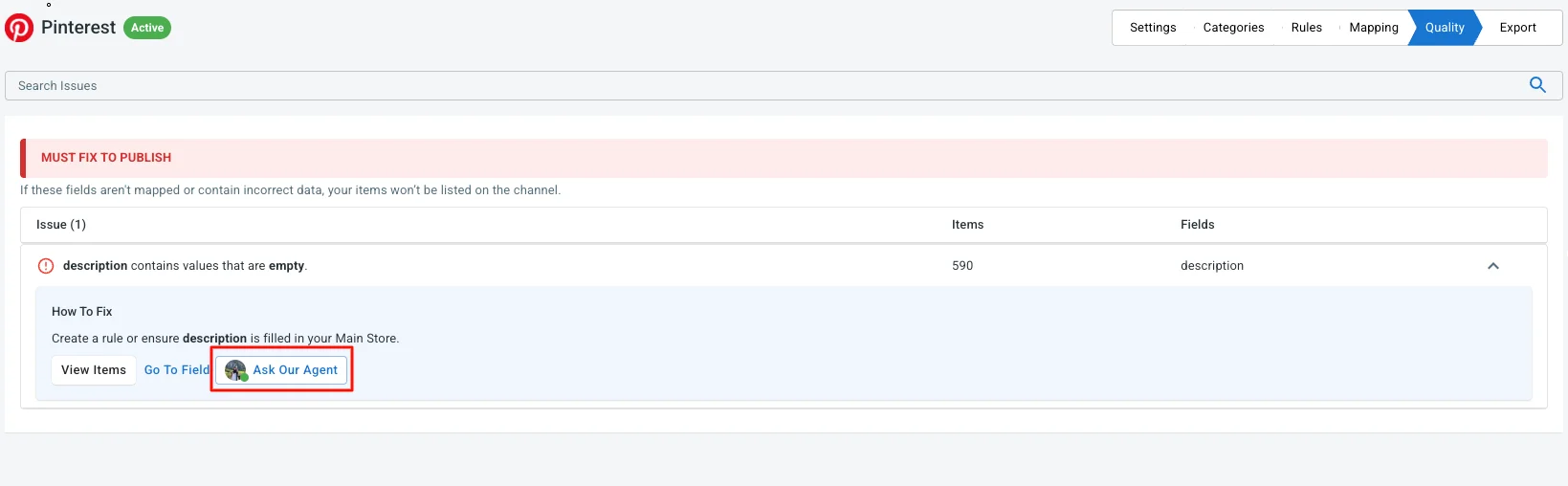
In the How To Fix section of each feed issue, we’ve added a new Ask Our Agent button.
When clicked, it automatically sends a message to Customer Success with the format:
“How do I fix ‘{{issue}}’ in my {{feed name}} feed?”
This helps you get faster, more relevant support when you encounter feed quality issues.