

Quick Publish to Reverb is here!
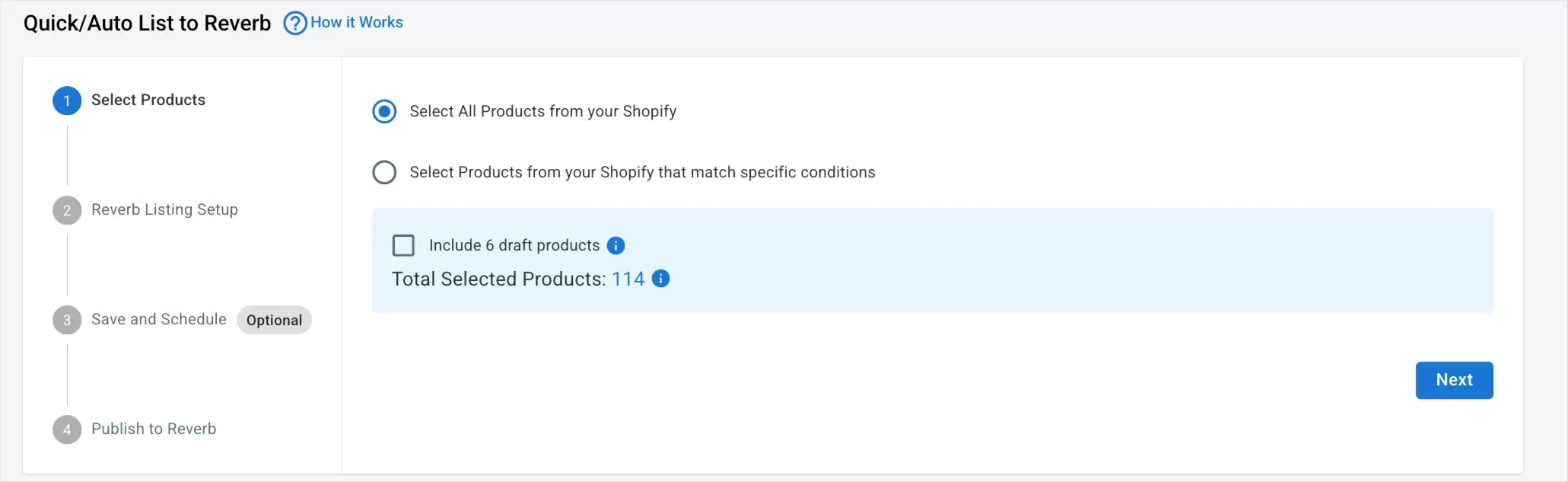
The new Quick Publish to Reverb feature is now available in the Channel Listing section for sellers connected to Reverb.
This update helps you publish products to Reverb faster with fewer steps—perfect if you sell in a limited number of categories or want a quicker way to get listings live without going through the full listing flow.
How It Works
1 – Select Products from All Products
- Select all products or filter to find specific ones
- By default, only products not yet listed on Reverb are shown, including those in Draft or Error status
- Only in-stock items are displayed
- If a Minimum Quantity is set in Channel Settings, both in-stock and out-of-stock items may appear
2 – Apply or Create Templates
- Choose an existing Reverb template or create a new one directly in the flow
- Newly created templates are saved automatically and added to your template list
- A search function is available to help you find templates faster
3 – Publish to Reverb
Choose how your products are published:
- Create New Product as Active
- Create New Product as Draft
Additional behaviors:
- If a product is inactive in your main store, it will be published as Draft
- Publishing runs in the background, so you can leave the page while it processes
- Only one Quick Publish task can run at a time
- While Quick Publish is active, manual listing from All Products → Draft Listings is temporarily disabled
Additional notes:
- Draft products missing required fields will be marked with a “missing info” tag
- Template selection supports search for quicker access
Quick Publish to Reverb is designed to reduce listing time and simplify your workflow—so you can focus more on selling and less on setup.
Try Quick Publish for Reverb today and get your products listed faster.