As a seller, you don’t plan to cancel an order. But when an item is out of stock, or you pick it off the shelf and find it damaged, there isn’t much else you can do: the order has to be canceled.
In this guide, we will show you how to cancel an order on TikTok Shop in under a minute. You can cancel from your TikTok Seller Center as long as the order hasn’t shipped yet. Before you click, make sure to read the quick cost check below, because seller cancellations can affect your TikTok seller account.
Quick answer:
- To cancel an order on TikTok Shop as a seller, log in to TikTok Seller Center, go to Orders > Manage orders, find the order, open the action menu, and click Cancel. Select a reason, confirm, then message the buyer and refund in full.
- You can only cancel before the order reaches “To Ship – Awaiting Collection,” and every seller-initiated cancellation counts toward your Seller-Fault Cancellation Rate (SFCR).
Before You Cancel an Order on TikTok Seller Center
1. When can a seller cancel an order on TikTok Shop?
You can only cancel before the order is shipped. Once the status moves to “To Ship – Awaiting Collection” or later, the cancel option may no longer be available.
TikTok Shop doesn’t let you cancel whenever you want. As a seller, you can cancel in two situations:
- The order hasn’t reached “To Ship – Awaiting Collection” yet. TikTok Shop’s Customer Order Cancellation Policy states that both sellers and customers can cancel before the order status changes to that point. After that, the case becomes a return or a refund instead.
- You genuinely can’t fulfill the order. TikTok gives two examples: a product that is no longer available because it’s out of stock, and unforeseen stock damage. The policy says “including, but not limited to,” so other real fulfillment problems, such as a pricing error, can apply too.
2. What an order cancellation on TikTok Seller Center actually costs you
As we mentioned above, TikTok Shop only lets you cancel when you genuinely can’t fulfill an order. TikTok also states that canceling won’t be free of consequences for you:
- It can hurt your Seller-Fault Cancellation Rate (SFCR): TikTok Shop’s Fulfillment Policy defines SFCR and tracks cancellations that are your fault. A high rate puts your shop at risk.
- The customer gets a full, prompt refund: You can’t ask the buyer to cancel for you because of your own stock problems.
- You must notify the customer: Send an in-app message that explains the reason, written in English.
- Too many cancellations can trigger enforcement: TikTok may issue warnings, auto-cancel your “In Transit” orders, suspend your shop, or ban it.
Repeated seller cancellations are one of the fastest ways to damage account health. If you cancel for a reason on your side, such as no stock or incorrect pricing, it is classified as a seller-fault cancellation and counts toward your SFCR.
I learned this the hard way. Back when I hadn’t finished setting up my own TikTok Shop, two orders came in that I had no way to fulfill, and I had to cancel both. They were the only orders on the account, so my Seller-Fault Cancellation Rate hit 100%, and TikTok sent me a violation alert by email.
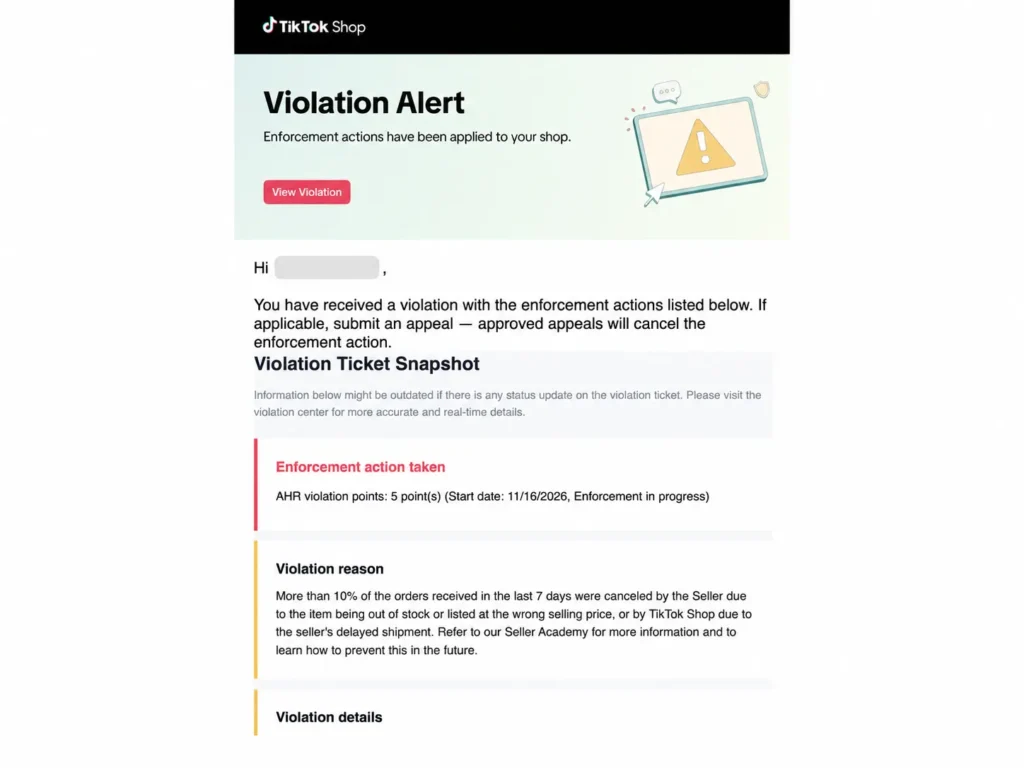
However, if a cancellation lands on your record by mistake, for example, when a courier never showed up for the pickup, you can appeal it in Seller Center under the Seller Appeal Guidelines. Keep your evidence ready, such as courier pickup receipts or tracking screenshots.
If you also want to understand the other costs of selling, see our breakdown of TikTok Shop fees
How to Cancel an Order on TikTok Shop as a Seller in 5 Easy Steps?
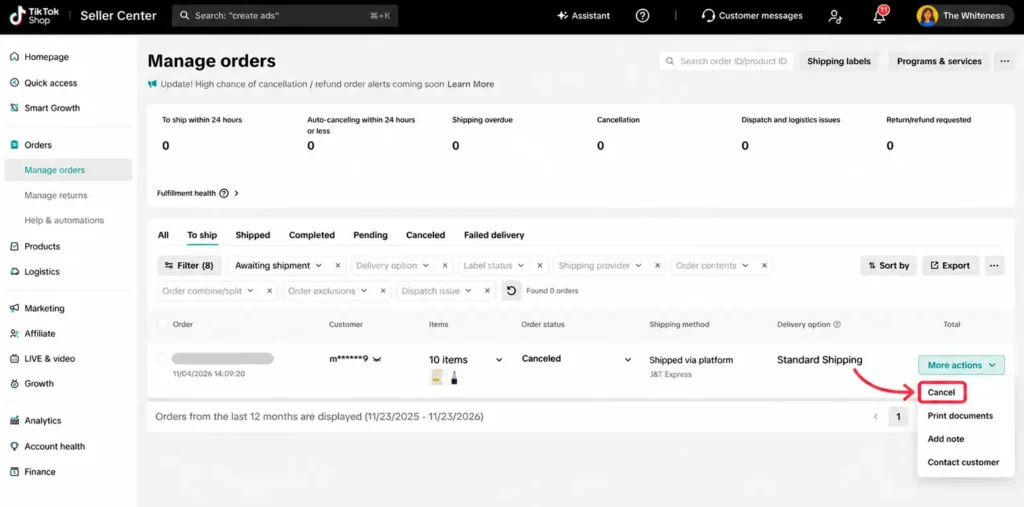
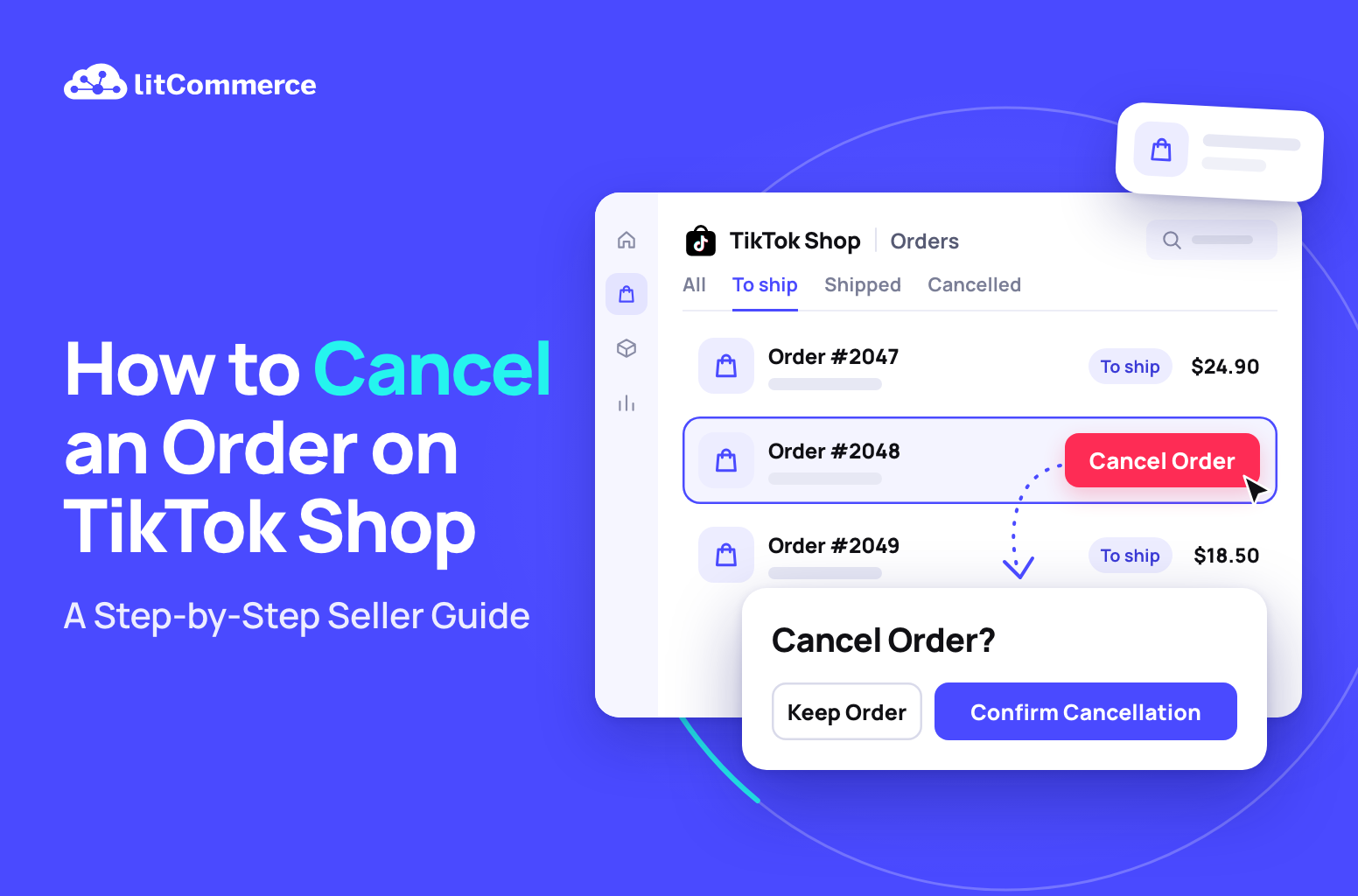
If you have no other choice, here is how to cancel an order on TikTok Shop from Seller Center:
- Log in to your TikTok Seller Center and go to Orders > Manage orders.
- Find the order you need to cancel: Use the order ID or the status filter to find it quickly.
- Select the order, open the action menu on the right side, and click Cancel.
- Select a cancellation reason that matches your situation, such as out of stock or pricing error.
- Click Continue and confirm the cancellation.
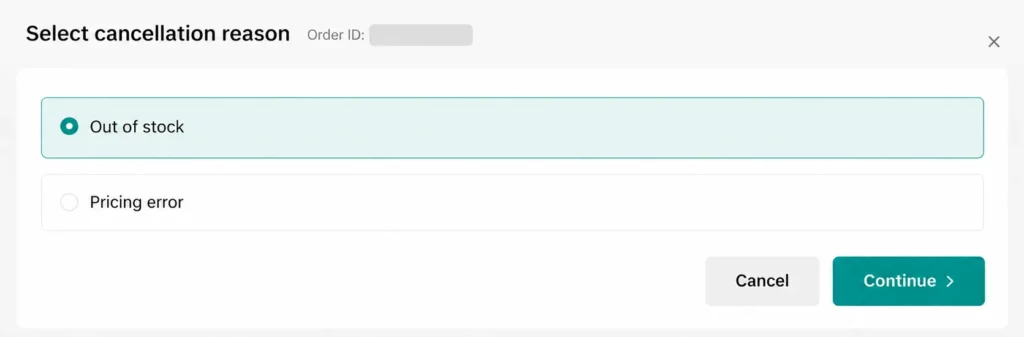
You should also message the buyer to explain why, apologize, and make sure they’re refunded in full. Good communication can help you avoid negative feedback.
Tip: If a large order has only one unavailable item, cancel just that item instead of the whole order. This keeps the rest of the sale.
Stop Overselling on TikTok Shop
LitCommerce syncs your inventory between your stores and TikTok Shop on a 15-minute cycle, so you sell fewer items you don’t have.
How to Cancel a TikTok Shop Order Without Hurting Your Ratings?
The best cancellation is the one you never have to make. These habits keep your SFCR low and your customers happy:
- Fix the stock problem first: Most seller cancellations come from selling items you no longer have. So keep your inventory accurate everywhere you sell. Use the best TikTok Shop tools, like LitCommerce, to auto-sync products and orders so you don’t oversell.
- Cancel rarely: Treat cancellation as a last option, not a routine fix. SFCR is a percentage of your recent orders, so on a small shop, even one or two cancellations can push the rate high enough to trigger a warning.
- Message the buyer before you cancel: If the problem is small, like an address issue, the customer may be able to fix it, and you keep the sale.
- Refund fast: Notify the customer immediately and refund promptly to reduce negative feedback.
- Never ask the customer to cancel for you: It breaks TikTok’s seller policies and can lead to penalties.
How to Cancel an Order on TikTok Shop as a Seller – FAQs
How do I cancel a TikTok Shop order as a seller in 2026?
To cancel a TikTok Shop order as a seller, log in to Seller Center, go to Orders > Manage orders, open the action menu on the order, click Cancel, and select a reason. Then notify the buyer in-app. You can only cancel before the order ships.
Does canceling an order hurt my TikTok Shop account?
It can. Seller-initiated cancellations may raise your Seller-Fault Cancellation Rate (SFCR). A high frequency of cancellations can lead to warnings, auto-cancellation of “In Transit” orders, suspension, or even a platform ban.
How do I avoid canceling TikTok Shop orders?
Keep your inventory accurate, so you never sell what you don’t have. Sync stock automatically across all your channels, check your orders daily, and contact buyers early if there is an issue with their order. LitCommerce helps you sync your TikTok Shop stock with everywhere you sell.
Conclusion: Cancel TikTok Shop Orders Only When You Must
And that’s how to cancel an order on TikTok Shop as a seller. Canceling an order takes about a minute in your Seller Center. Keeping your account healthy takes a bit more: cancel only when you truly can’t fulfill, tell the buyer right away, refund in full, and fix the stock problem that caused it.
Want more guides like this one? Our TikTok Shop selling hub collects everything from setup and fees to listing and growth, written for sellers who run their own shop.