
Are eBay fees too high? For some sellers, yes. If you’re actively selling on the eBay marketplace, its standard selling fees are often manageable at first glance, but once you factor in shipping-related charges, promoted listing costs, international fees, and other add-ons, the total can take a bigger bite out of your profit than expected.
The good news is that not all eBay fees are fixed. Some are required, but others depend on how you list, ship, and promote your items. Once you know the difference, you can start cutting unnecessary costs.
In this article, we’ll show you 10 smart ways to reduce eBay seller fees and keep more profit from every sale.
Let’s get right into it!
How Much Does It Cost to Sell on eBay?
Before discovering why are eBay’s fees so high, let’s break down what eBay actually charges in 2026.
With eBay’s recent per-order fee increase, understanding the full cost of selling on the platform is crucial. Like most online marketplaces, eBay charges various fees. These fees have often sparked debate among sellers.
How much does eBay charge to sell? To provide a clear overview, we’ve outlined the eBay fees review in the table below. For a comprehensive breakdown, check our detailed article on the eBay fees for selling. It’s already available on LitCommerce Retail Blog! You can also browse more seller-focused guides in our eBay hub.
Fee Type | Cost | Mandatory or Optional |
Final Value Fee | Usually 13.6% + $0.30/$0.40 per order (varies by category) | Mandatory |
Insertion Fee | First 250 listings free/month, then $0.35 per listing | Mandatory (after free limit) |
Additional Final Value Fee – Below Standard Seller | Additional 6% | Mandatory (if applicable) |
Additional Final Value Fee – Very High ‘Item Not as Described’ Rate | Additional 5% | Mandatory (if applicable) |
Dispute Fee | $20 per dispute | Mandatory (if applicable) |
International Fee | 1.65% of the total amount of the sale | Mandatory (if applicable) |
Currency Conversion Charge | Varies by region | Optional |
Store Subscription Fee | From $7.95–$349.95 per month (Monthly billing) From $4.95 to $2999.95 per month (Annually billing) | Optional |
Subtitle Upgrade | $1.50–$6.00 depending on item price/category | Optional |
Bold Listing Upgrade | $2.00-$4.00 | Optional |
Gallery Plus | $0.35-$1.00 | Optional |
Reserve Price Fee | $5 or 7.5% of reserve price | Optional |
International Site Visibility | $0.10–$0.50 | Optional |
Second Category Listing Fee | Extra insertion fee applies | Optional |
Scheduled Listing | Free | Optional |
Promoted Listings (Ads) | Ad rate chosen by seller | Optional |
Overall, eBay fees are not always the highest when compared with other marketplaces. In some categories, they are similar to Amazon and Etsy. However, many sellers still feel eBay is expensive because its fees come in several layers.
That is why many sellers search for eBay alternatives when they feel eBay fees too high. To see whether eBay fees are really too high, let’s compare eBay with other popular marketplaces:
Marketplace | Insertion Fees | Final Value/Transaction Fees | Subscription Fees | Payment Processing Fees | Additional Notes |
eBay | $0.35 after 250 free listings/month | 2.5%–15.3% by category + per-order fee. Usually around 13.6%, varies by category | Store plans optional. Starting at $7.95/month | Included in final value fee. | Free listings up to 250/month |
Amazon | None | Referral fees vary by category, commonly 8%–15%, but can be higher (Amazon Device Accessories 45%) | Individual: $0.99/item sold; Professional: $39.99/month | Varies (3% - 5% + $0.25) | FBA, storage, closing fees, ads, and optional programs can add costs. |
Etsy | $0.20 per listing or renewal | 6.5% transaction fee on the item | None required | Varies by seller country; for US sellers, commonly 3% + $0.25 | Listings expire after 4 months. Offsite Ads may add 12% or 15% on attributed orders. |
Facebook Marketplace | None | 5% for shipped items | None | Usually included in the selling/processing fee when checkout is used | No fees for local sales |
Craigslist | None (most categories) | None | None | None | Fees apply for certain categories only |
So here are my thoughts:
When sellers first compare eBay with other marketplaces, eBay fees can feel high, especially because of final value fees. However, these fees are still comparable to Amazon and Etsy in some categories.
The bigger difference is that eBay also charges optional fees for listing upgrades, such as bold listings, promoted listings, or other visibility features. These extra costs can make selling on eBay feel more expensive if you use them often.
So, are eBay fees too high? It depends on your profit margin. If your product has strong demand and enough profit after fees, eBay can still be worth it. But if your margin is low, eBay fees and optional upgrade costs can quickly reduce your earnings.
Why Are eBay Fees So High?
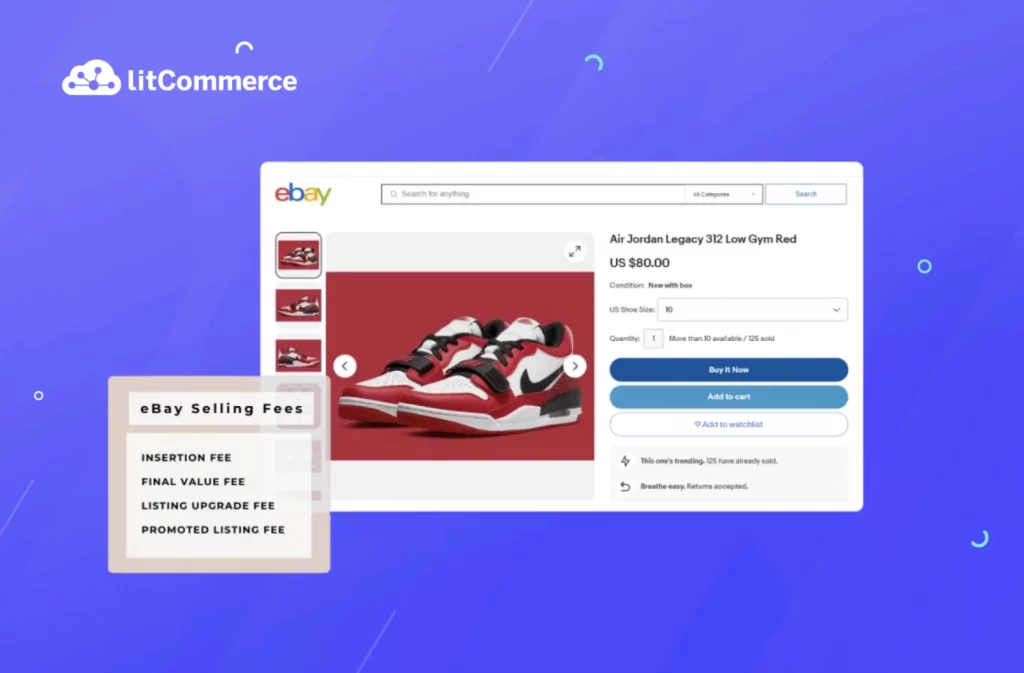
It’s because sellers often pay several costs at once, not just one selling fee. Besides final value fees, sellers may also face per-order fees, insertion fees, and more. As a result, eBay may not always be the most expensive marketplace, but its layered fee structure can quickly reduce profit margins.
Let’s dive into the 6 main reasons why is eBay so expensive to sell!
#1. Unsuitable eBay subscription plans
Currently, eBay implements 5 different store subscription fees, including Starter, Basic, Premium, Anchor, and Enterprise. The pricing tiers go from Start (the lowest) to Enterprise (the highest).
Except for the Enterprise eBay store subscription, the remaining 4 plans don’t vary much. However, such slight variance over time can contribute to high eBay selling fees. The reason why this is our case refers to you choosing an unsuitable plan due to the misestimation of overall business performance, sales capabilities, and other relevant factors.
This is quick math to check if you’re in the right tier:
- List under 250 items/month? No store needed (or Starter if you want marketing tools).
- List 250–1,000 items/month? Basic Store pays for itself through insertion fee savings + FVF discount.
- List 1,000+ items/month? Premium or higher becomes cost-effective.
#2. High commission-rate categories

Being one of the most versatile marketplaces, eBay allows you to list and sell in countless categories, from apparel to real estate. At the same time, you are charged different eBay final value fee rates. This eBay selling cost is pretty much similar to commission rates in other selling platforms.
In particular, the highest commission-rate categories are:
- Books and Magazines, Movies and TV (15.3%)
- Watches, Parts, and Accessories (15%)
- Shoes & Accessories (15%)
- Automotive Tools and Supplies (13.25%)
Should you be selling in any of these categories, there is a high chance that commission rates are turning your eBay fees too high. The case is even more applicable to those kicking off high-value items.
If auto parts and accessories are part of your catalog, it’s worth checking our breakdown of eBay Motors fees, since this category runs on a separate fee structure from standard final value fees.
#3. Additional eBay final value fee
As a matter of fact, an additional eBay final value fee can be the cause of your rising seller costs. According to the house, an additional final value fee comes into the scene when you fail to meet business performance expectations.
Specifically, you may get charged an additional eBay final value fee in the following circumstances:
- You don’t meet minimum eBay seller requirements: If this is your case, eBay will take an additional 6% in the final value fee, starting from the following calendar month. Keep in mind that the additional eBay final value fee rule does not apply to Above Standard and eBay Top-rated sellers.
- You have a Very High “Item not as described” rating: On the 20th of each month, eBay will check your categories to find out if there is any return request because the item is not as described. Based on the gathered information, the marketplace will then determine your “item not as described” rate. Considering this aspect, if you have a Very High rate, you will pay 5% more in the final value fee, which is charged in the next calendar month.
#4. Listing upgrade and promoted listing fees
Another contributor to your “eBay fees too high” situation is listing upgrade fees. Remember that this is not a compulsory charge. Yet, you may have to pay for this eBay selling cost if you have auction-style listings in your store or wish to add premium listing features. Depending on your categories and upgrade types, you may have to pay $1 to $5 per listing.
Instead of paying $5–$10 per listing to “stand out,” invest that budget in better photos, clearer titles, and competitive pricing. These are free tactics that actually convert.
After your listing is optimized, you can consider Promoted Listings. This works differently from listing upgrades. Instead of paying upfront for a feature, you usually pay an ad fee when the promoted item sells after a buyer clicks the ad. You choose the ad rate, and a higher rate may help your listing get more visibility.
eBay may suggest ad rates around 8%–12%, but you do not always need to start that high. In our testing, 2%–3% can still work for less competitive products, especially when the listing already has good keywords, strong photos, and a fair price.
Higher ad rates, such as 8% or more, should be used more selectively. They make more sense for clearance inventory, highly competitive products, or high-margin items where the extra ad cost is still justified by the profit.
Pro tip: Use Promoted Listings only on listings that already rank well organically. Promoting a poorly optimized listing = paying to send traffic to a page that won’t convert.
Don’t Let eBay Fees Limit Your Growth
If eBay fees are too high for some products, selling on more marketplaces can help you protect your margin. LitCommerce lets you list and manage products across 20+ trending channels, so you can find where each item sells best.

#5. Dispute fees

eBay disputes can significantly impact your earnings. When a buyer initiates a dispute, you’ll incur a $20 fee regardless of the outcome. This occurs when a buyer claims an issue with their order and requests a refund through their bank. Such disputes can freeze your payouts and require immediate attention. You have two options: accept the dispute and refund the buyer, or challenge it with supporting evidence.
If eBay rules against you, you’ll pay the $20 fee and still have to refund the buyer. Given the rules, it is unsurprising that many disputes will raise your eBay fees too high.
#6. eBay fees for selling internationally
eBay charges an additional 1.5% final value fee on international sales. This fee applies in two scenarios:
1. When you, the seller, are based in the U.S. and ship to a foreign address.
2. When the buyer’s registered address is outside the U.S., regardless of the shipping destination.
If you are selling internationally, your eBay seller fees may include seller currency conversion, which accounts for 3% of the final sale price. However, this currency conversion rate is not fixed for every country. Hence, you should check out eBay’s regulations and determine your conversion pricing. Shipping costs also feed into your final value fee, so it helps to understand how eBay shipping fees are calculated before you set your rates for cross-border buyers.
Are eBay Fees Too High For You? How to Reduce eBay Fees in 10 Ways
Evidently, it is essential to learn how you can lower eBay selling fees. As you have been given the root causes of the “eBay fees too high” situation, keep scrolling and find practical ways to reduce fees while selling on eBay – one of the top online marketplaces in the world!
#1. Understand which fees you can control
Before you can reduce costs, you need to know where your money is going. Break your eBay fees into two buckets:
Fees you cannot avoid (but can optimize):
- Final value fee (13.6% average)
- Per-order fee ($0.30 or $0.40)
- Payment processing (bundled into FVF)
Although you cannot remove these core fees completely, you can still optimize them. For example, you can sell in lower-fee categories when possible, become a Top Rated Seller to qualify for a 10% final value fee discount, and include all selling costs in your product pricing upfront. This helps you avoid absorbing eBay fees directly from your profit margin.
Fees you can reduce or eliminate:
- International fees (raise prices for cross-border buyers to offset the 1.5% charge).
- Store subscription (only subscribe if you exceed 250 listings/month)
- Listing upgrades (bold titles, subtitles, extra photos)
- Promoted Listings ad fees (start at 2-5%, not eBay’s suggested 8-12%)
- Reserve price fees (use “Allow Offers” instead—it’s free)
- Performance penalty fees (+6% for Below Standard, +5% for high returns)
- Dispute fees ($20 per chargeback)
#2. Calculate the profits before listing your item
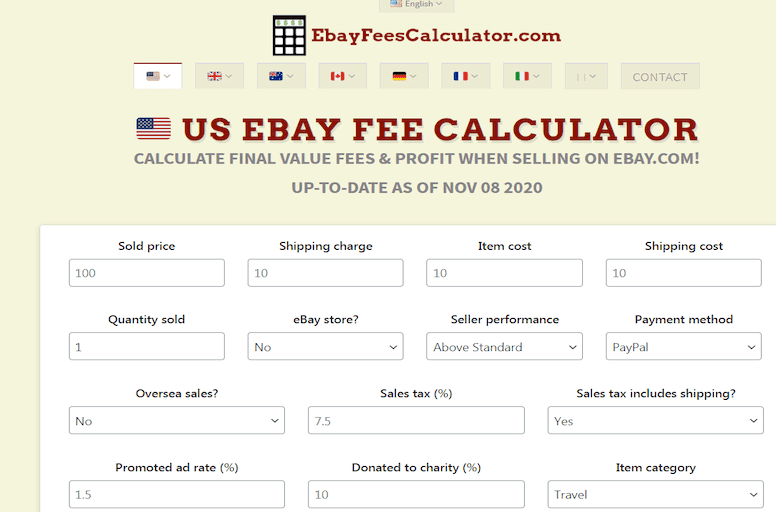
Now that you know the different fees applicable to eBay listings, you want to ensure that it’s worth your effort to list your item and sell it on eBay.
Thus, we suggest using the eBay profit calculator, which is readily available. An eBay fee calculator will help you determine whether selling a product is profitable. Beyond that, the eBay calculator lets you enter detailed information about the products, such as your desired price, product category, and selling method.
Putting up a $100 item for sale will take as much time as a $10 item. So if possible, we recommend calculating eBay fees and comparing them to the profit margin beforehand to minimize the fee-to-profit ratio.
#3. Revise your eBay subscription plan
Most sellers make one of two mistakes when trying to lower eBay seller fees: they either pay for an eBay store subscription they do not need, or they avoid subscribing even when a store plan could save them money. Both mistakes can make eBay fees too high over time.
- For a brand-new seller with little knowledge, it’s generally not worth getting an eBay store subscription right away. It’s better to gain some experience selling first before considering a store.
- The starter store plan doesn’t provide any discounts and may not be worthwhile if you are only listing around 250 items per month, which is the free limit for regular accounts.
- The final value fee discounts provided by store plans can make them worthwhile if you are a serious seller with a high volume. The fee savings can exceed the subscription cost.
- You should consider getting a store subscription when you consistently exceed the monthly free listing limits or reach about $1,500 in sales per month. For many, starting with the Basic store at around $21 per month is advisable.
Let’s say you sell car accessories and auto parts on eBay, such as phone mounts, seat gap fillers, LED interior lights, and small replacement parts. Your store makes about $3,000/month across 400 active listings.
Without a store:
- Insertion fees: 150 extra listings × $0.35 = $52.50
- Final value fees: $3,000 × 13.6% = $408
- Total fees: $460.50
With a Basic Store ($21.95/month):
- Insertion fees: $0 (all 400 within the 1,000 free listing limit)
- Final value fees: $3,000 × 12.7% = $381 (0.9% savings)
- Store subscription: $21.95
- Total fees: $402.95
Savings: $57.55/month ($690.60/year) just by subscribing.
#4. Opt for eBay annual subscription
After you’ve revised your subscription pricing and chosen the right plan for your business, you can save even more on your eBay fees by paying an annual subscription. If you’re already paying for a store subscription (or about to subscribe), never choose monthly billing. Annual billing saves you 14-38%, depending on your tier.
Let’s look at the real cost of annual vs monthly billing:
Store Level | Monthly Billing | Annual Billing (Monthly Rate) | Annual Cost | Annual Savings |
Starter | $7.95/mo | $4.95/mo | $59.40/year | $36.00/year (38% savings) |
Basic | $27.95/mo | $21.95/mo | $263.40/year | $72.00/year (21% savings) |
Premium | $74.95/mo | $59.95/mo | $719.40/year | $180.00/year (20% savings) |
Anchor | $349.95/mo | $299.95/mo | $3,599.40/year | $600.00/year (14% savings) |
Enterprise | Not available monthly | $2,999.95/mo | $35,999.40/year | N/A |
#5 Target low final value fee category exceptions
Not all eBay categories charge the standard 13.6% final value fee. Several category exceptions offer significantly lower rates, and strategically shifting even part of your catalog can save hundreds monthly.
According to eBay, some categories often have lower final value fees compared to fashion or media categories, such as:
- Business & Industrial: 0.5%-3%
- Musical Instruments: 2.35%-6.7%
- Collectibles: 2.35%-13.25%
Another useful tactic is reviewing eBay’s category-specific fee exceptions before listing products. In some cases, simply moving a product into a more accurate subcategory can slightly reduce your selling fees. However, if you already operate in high-fee categories, consider balancing your inventory mix with lower-fee products. This can help you avoid making eBay fees too high as your business grows. And if you’re already selling through your own BigCommerce store, syncing your BigCommerce store with eBay lets you diversify without duplicating fee exposure on a second marketplace.
Balance Your Margins Beyond eBay
If eBay fees are too high for certain products, selling on more marketplaces can help you protect your profit. LitCommerce lets you diversify your sales channels, connect eBay with 20+ platforms and manage listings and orders from one dashboard.
#6. Claim your insertions credits from non-paying auctions
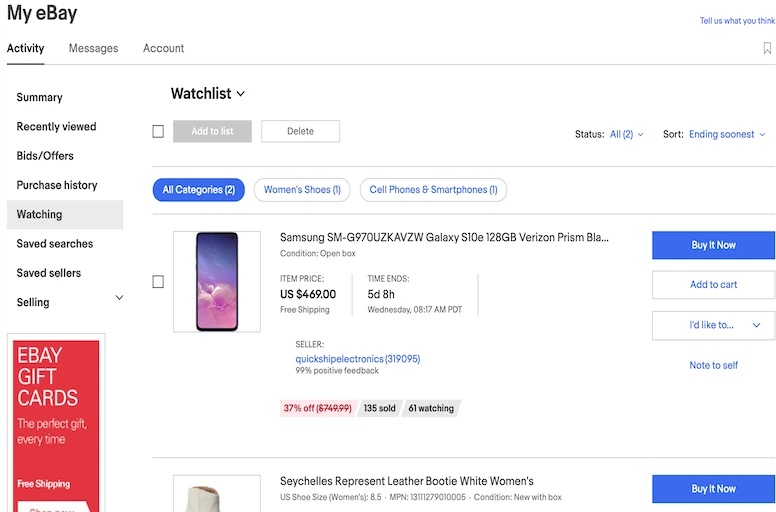
eBay insertion fees are charged per listing and are typically non-refundable. However, there’s a potential workaround for auction-style listings. If your auction ends successfully but the buyer doesn’t pay, you can relist the item within 90 days without incurring another insertion fee. To qualify for this credit, the re-listed item must be identical to the original listing.
While this can help offset some costs, it’s important to note that you’ll still be responsible for final value fees if the item sells again.
Here’s step by step to claim your credit:
- Go to Seller Hub → Orders → select the unpaid order → Report Unpaid Item (You must wait 4 days after the listing ends before eBay allows you to report it)
- If the buyer doesn’t respond within 4 days, eBay automatically closes the case in your favor and issues a final value fee credit (but not the insertion fee yet)
- Relist the item. When you relist, eBay will automatically waive the insertion fee if you keep the listing identical
#7. Request for final sales fees credits
You’ll have to pay eBay final value fees when your item sells. This is one reason many sellers ask, “why does eBay take so much in fees?” However, you do not always have to absorb the final value fee if the transaction does not go through as planned. In some cases, you can request a final value fee credit from eBay, including:
- Your buyer doesn’t pay for the item, and you report this to eBay within 32 days;
- Both you and the buyer agree to cancel the order;
- The buyer doesn’t pay or respond within 4 days;
- You issue a refund to your buyer because the sale item was lost during shipping.
Notes: If you issue a refund outside eBay’s system (via PayPal, Venmo, or direct bank transfer), eBay won’t know about it and won’t refund the final value fee. Always process refunds through Seller Hub → Orders → Issue Refund.
#8. Evaluate your listing upgrades
From our experience working with thousands of marketplace sellers, listing upgrades are often one of the easiest eBay fees to overlook.
Making your listings more appealing to buyers is essential for boosting sales. However, eBay’s upgrade fees can quickly add up. One example is the $2 fee for bolding your product title. While this can increase visibility, it may not be necessary for all items. To potentially save money, consider incorporating your bold title into the product image.
Plus, double-check your listings and ensure the “Stand out with a bold title in search results” option is unchecked if you don’t want a bold title.Another common example is the fee for product images. eBay has a certain limit for the number of photos you can upload for free, and an additional fee of $0.35 will be applied if you exceed that number. Make sure that you only upload the necessary images to avoid this fee.
The better approach is to test upgrades on a small group of listings first, compare the conversion rate, and only keep the ones that bring profitable sales. Otherwise, these optional features can quietly reduce your margin without giving you enough return.
#9. Become an eBay Top Rated seller
Finally, another way to solve your ‘eBay fees too high’ problem is to focus on your business and get recognized as an eBay Top Rated seller. eBay gives top-performing sellers with high seller ratings a discount of 10% on final value fees. This incentive program is designed to encourage excellent customer service and timely shipping.
In return, here are the benefits you will get:
- High visibility on eBay search results;
- Same or one-business-day handling, and a 30-day-or-longer free return period with money-back option.
- The Top Rated Plus seal, displayed prominently in search results and your listing description.
- A 10% discount on final value fees.
If you are not a Top Rated Seller yet, start with the two metrics you can control most easily: late shipments and tracking uploads. Ship every order on the same day or next business day, and make sure tracking is uploaded on time.
Since eBay checks seller performance regularly, improving these habits for 30 to 60 days can help you move toward Top Rated status faster.
If you also run a store on WooCommerce, syncing your WooCommerce store with eBay keeps your listings and inventory aligned while you work on these metrics.
#10. Audit your promoted listings ad rate
Promoted Listings can help your products get more visibility, but high ad rates can make eBay fees too high very quickly. Since ad fees are added on top of final value fees, sellers should not use eBay’s suggested rates for every product without checking the real profit.
To lower eBay fees, start with a smaller ad rate, such as 2%–3%, especially for new listings or less competitive products.
Then, track impressions, clicks, sales, and profit for at least two weeks. If the listing gets traffic but no sales, improve the title, photos, price, and item specifics before increasing the ad rate.
A simple strategy is to review your promoted listings every 30 to 90 days. For listings that already rank well organically, reduce the ad rate or turn off promotion completely. Buyers may already find these products without paid ads.
eBay Fees Too High: FAQs
Your eBay fees are too high can result from you being charged one of the following additional fees. They include: Although eBay will not charge the same amount for each seller, there are still a lot of fees that sellers need to pay. To reduce eBay selling fees, you can implement various strategies such as: Yes, it is worth selling on eBay. Although many e-sellers doubt eBay because of the high fees, the marketplace stills have many advantages, such as: eBay charges several types of fees for sellers, including: To get a more detailed breakdown of eBay fees, you can visit their website and check out the detailed eBay fees for selling. There is no way to avoid eBay’s final value fee because this is regarded as a category commission rate like any other selling platform. You can only avoid additional eBay final value fees by staying away from disputes, meeting eBay standard sale expectations, and describing your items precisely. Here’s new update for eBay’s final value fee in 2023: Effective February 15, 2023, eBay fee adjustments will be made to final value fees in select categories. The maximum increment in any category will be capped at 0.35%. Notably, certain categories, such as Jewelry & Watches and Women’s Bags & Handbags, will remain unaffected by these changes. eBay strives to maintain competitive selling fees within the industry. Furthermore, it’s worth noting that eBay does not impose additional charges for payment processing when sellers conduct transactions on the platform. eBay usually takes from 3% to 15% from a sale as a final value fee. This percentage can vary depending on sales revenue and category. eBay charges fees to cover the costs of operating its platform and providing various services to sellers. These fees help eBay maintain and improve its website, invest in technology infrastructure, provide customer support, develop and implement seller protection programs, and advertise to attract buyers to the platform. Additionally, eBay operates as a for-profit company, and charging fees is a primary way for it to generate revenue. While eBay’s fees may seem high to some sellers, they are comparable to or lower than fees charged by other online marketplaces. It’s also worth noting that eBay offers a wide reach and access to a large customer base, which can potentially offset the costs associated with selling on the platform. Ultimately, sellers should carefully consider the value they receive from eBay’s services and weigh it against the fees charged. eBay transaction fees may appear high due to several factors: While eBay’s transaction fees may seem high to some sellers, they are intended to provide value in terms of access to a large customer base, various selling tools, and seller protection measures. Sellers should carefully evaluate the costs and benefits of selling on eBay compared to other platforms to determine the best fit for their business.
Wrapping Up: Are eBay Fees Too High For Small Businesses?
Yes, eBay fees can feel high for small businesses because sellers may pay 12%–15.3% per sale plus shipping, advertising, and transaction costs. High-fee categories can reduce profit margins even further, especially for low-margin or high-value products. However, many small businesses still find eBay worthwhile due to its large customer base and built-in traffic. That said, pairing eBay with other channels through a multichannel integration tool can help spread out your fee exposure instead of relying on one marketplace alone.
You also know how to reduce the costs when your eBay fees are too high, it’s a great chance for you to try these tips on your store!
Turn eBay Fee Savings Into More Sales Channels
Once you’ve trimmed your eBay fees, list the same products across 10+ other marketplaces and manage everything from one LitCommerce dashboard.
If you need further consultancy, don’t hesitate to Contact us; we will reach out as soon as possible! Finally, to connect with other sellers, learn about the latest eCommerce trends, and get advice on how to grow your business, let’s explore LitCommerce’s Retailer Blog. Happy reading!