

Shopify TikTok Shop Integration: Sync Listings Automatically



Challenges of Managing Both Shopify and TikTok Shop
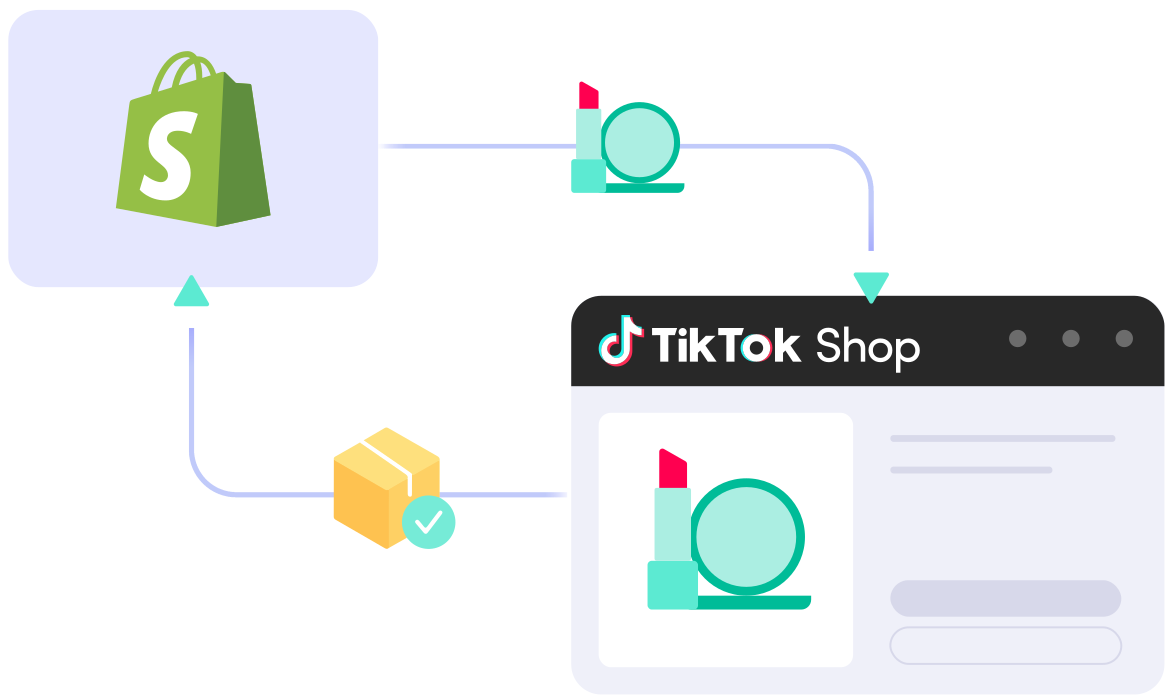
Selling on Shopify and TikTok Shop helps you reach more customers. But managing products, inventory, and orders on both platforms can take a lot of time.
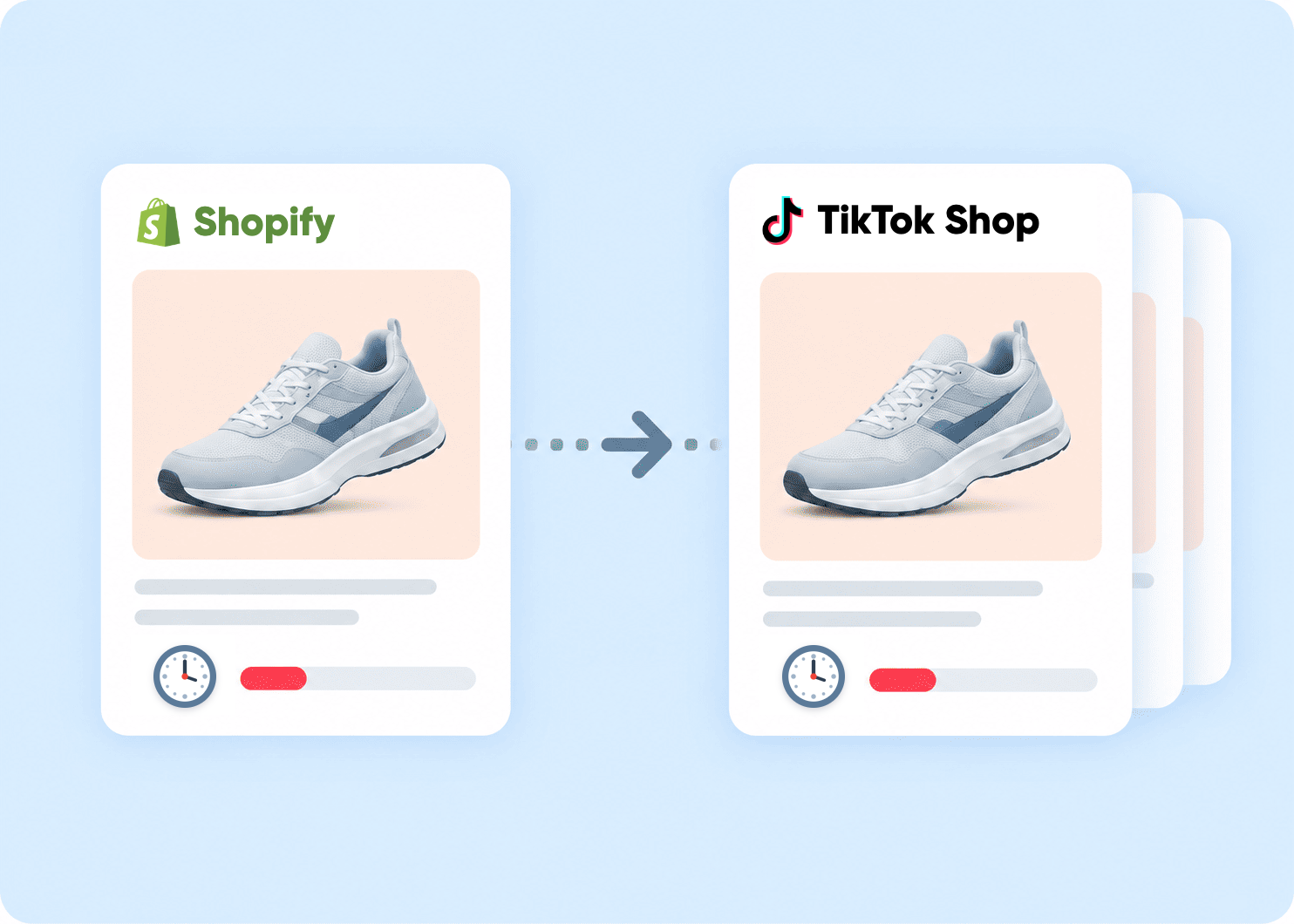
Manual listing
Adding and updating products manually on both Shopify and TikTok Shop takes time. It’s easy to miss changes to product details, prices, or new listings.
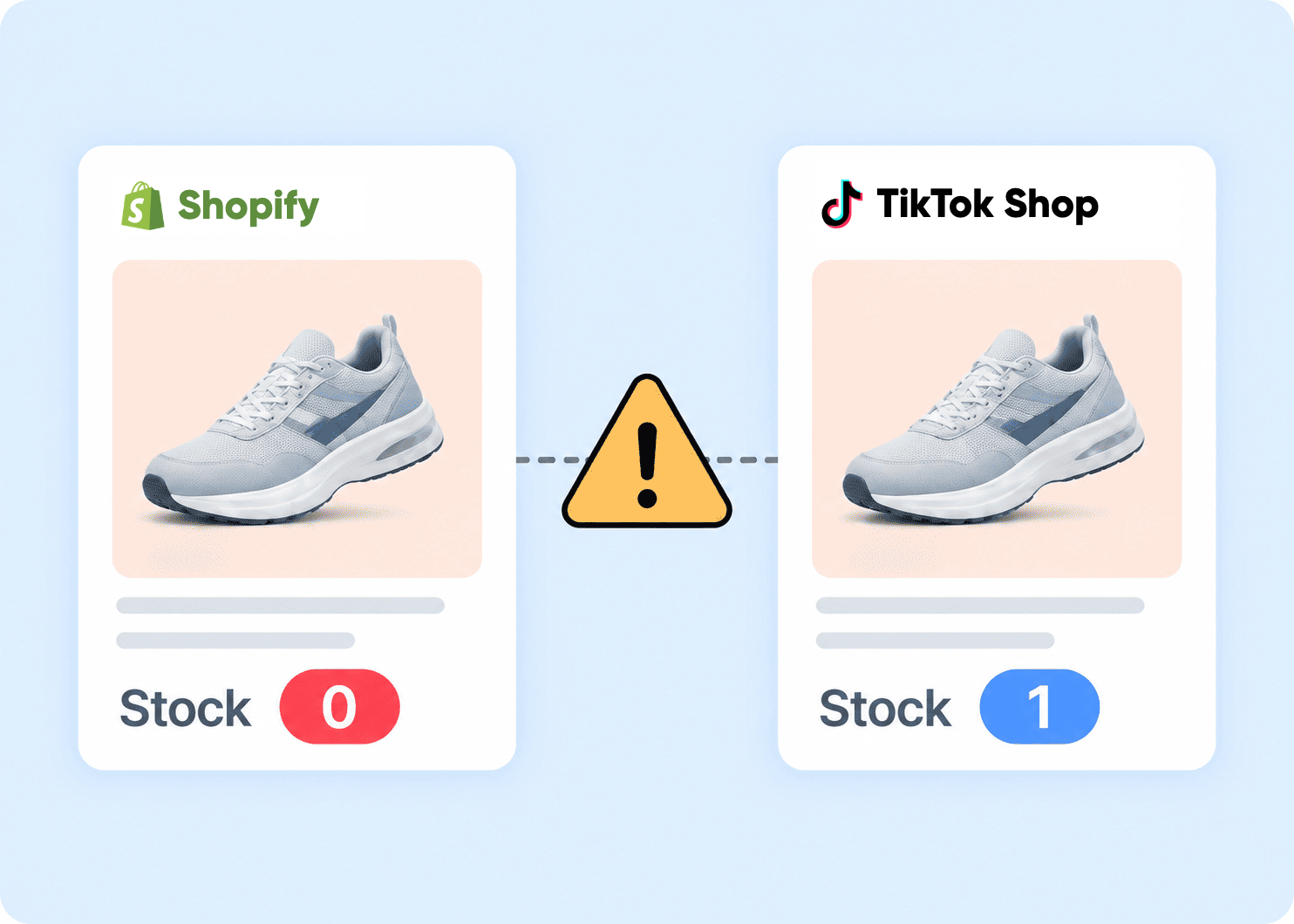
Inventory sync issue
When inventory doesn’t update between Shopify and TikTok Shop, stock levels can become different. This can lead to overselling and out-of-stock products.
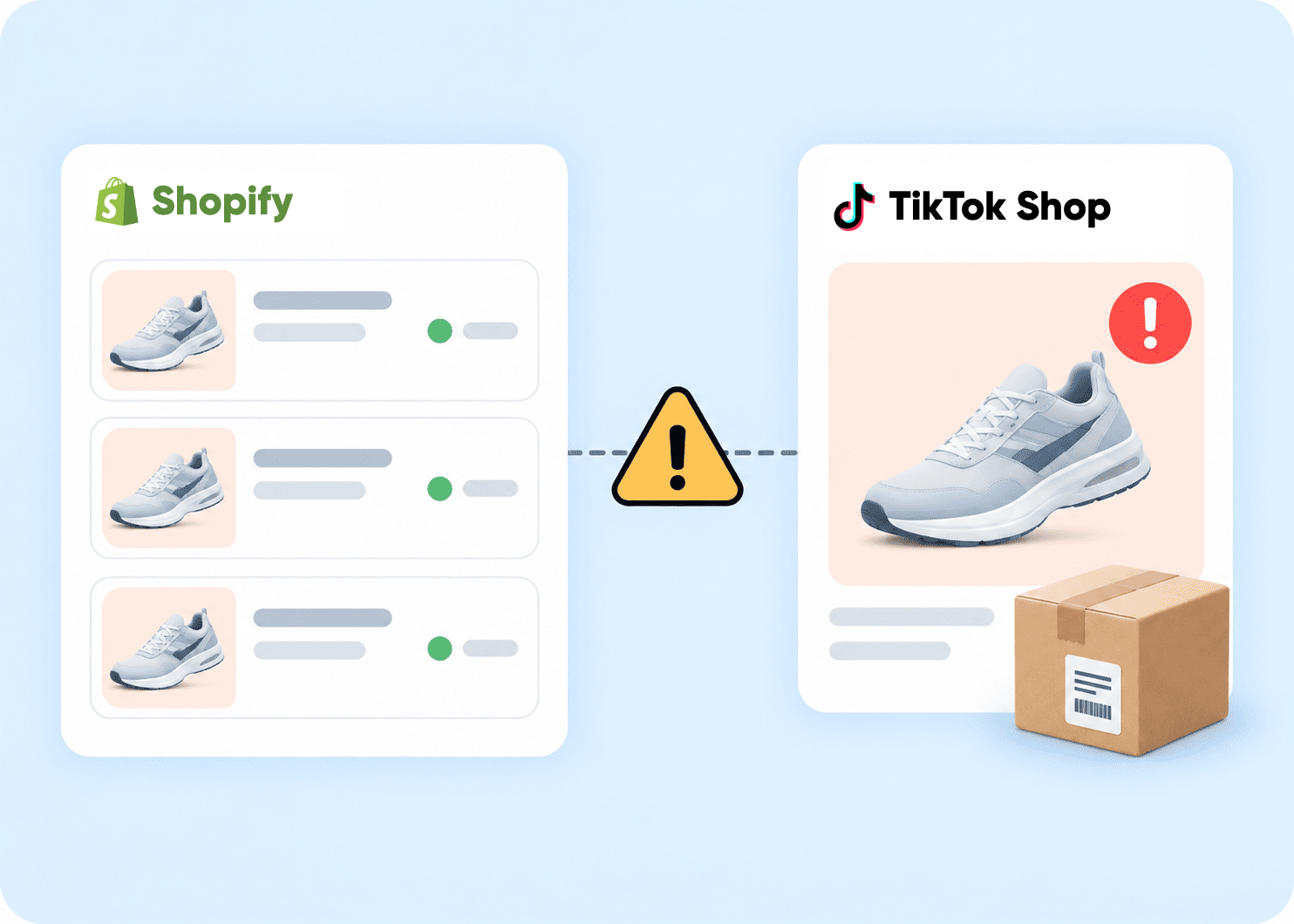
Separated order management
Handling Shopify and TikTok Shop orders separately can make fulfillment harder. You may need to switch between platforms to check and process orders.
Detailed Guide on Shopify TikTok Shop Integration
TikTok Shop is no longer just a trend – it’s now a social commerce powerhouse where millions of buyers discover and shop every day. With a massive buyer reach and engaging live shopping features, it’s one of the best places to grow your sales right now.
The good news? Connecting your Shopify store to TikTok Shop is easier than you think. LitCommerce makes the whole Shopify TikTok Shop integration simple – just four steps, no technical skills needed.
Here’s what we’ll cover:
- Step 1: Connect Shopify to TikTok Shop
- Step 2: List & import products on TikTok Shop
- Step 3: Enable Shopify TikTok Shop sync
- Step 4: Manage TikTok Shop order flow
Step 1: Connect Shopify to TikTok Shop
How do I connect my Shopify store to TikTok Shop?
The first step is to connect your Shopify store as your Main Store inside LitCommerce. You can do this by installing LitCommerce directly from the Shopify App Store, or by connecting Shopify from within the LitCommerce app itself – whichever you prefer.
Once Shopify is set as your Main Store, find TikTok Shop in the list of supported marketplaces and click on it. Enter your TikTok Shop store name, select your TikTok Shop region, and hit Connect Your Account.
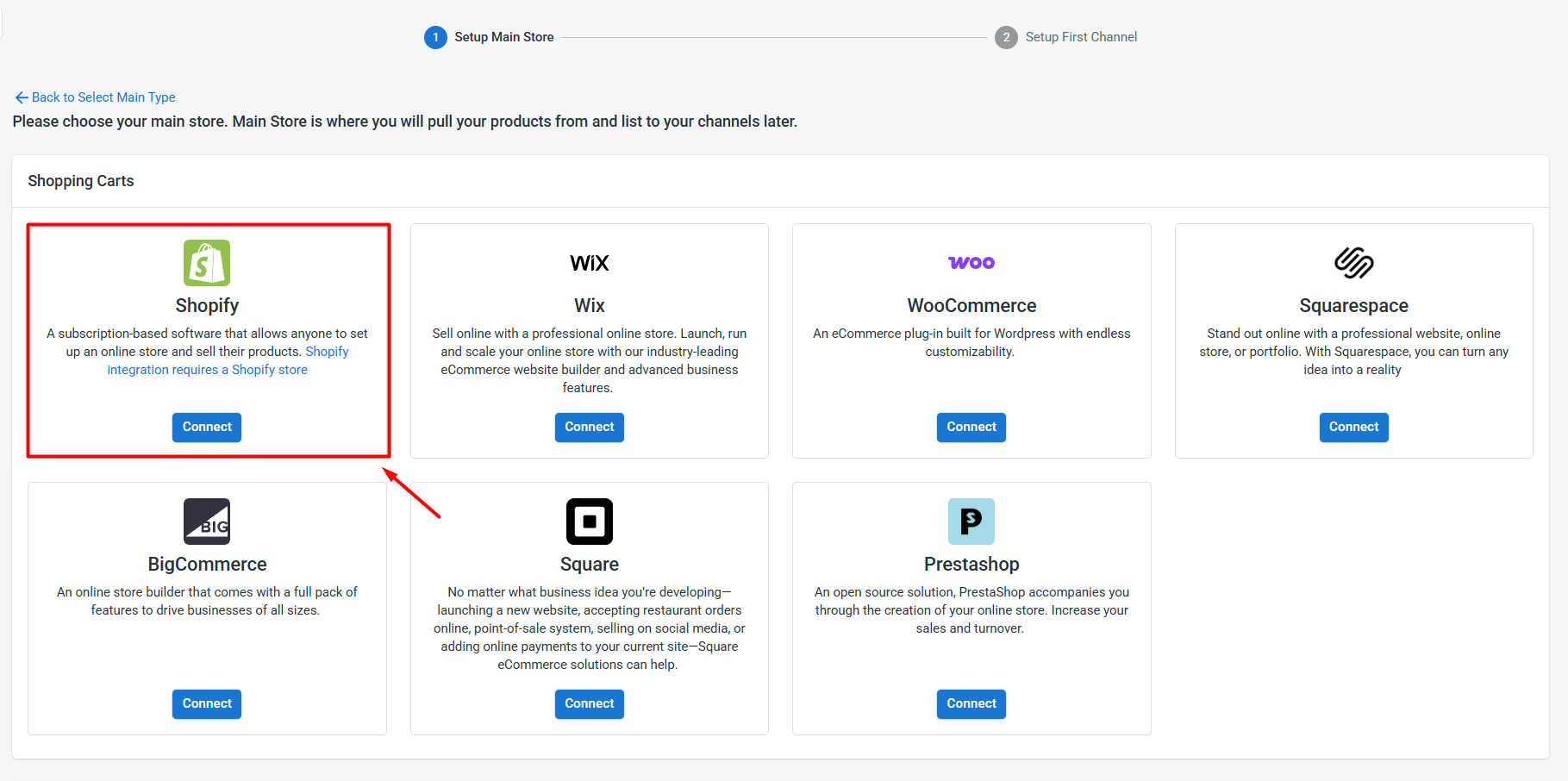
After that, grant LitCommerce permission to access your TikTok Shop seller account.
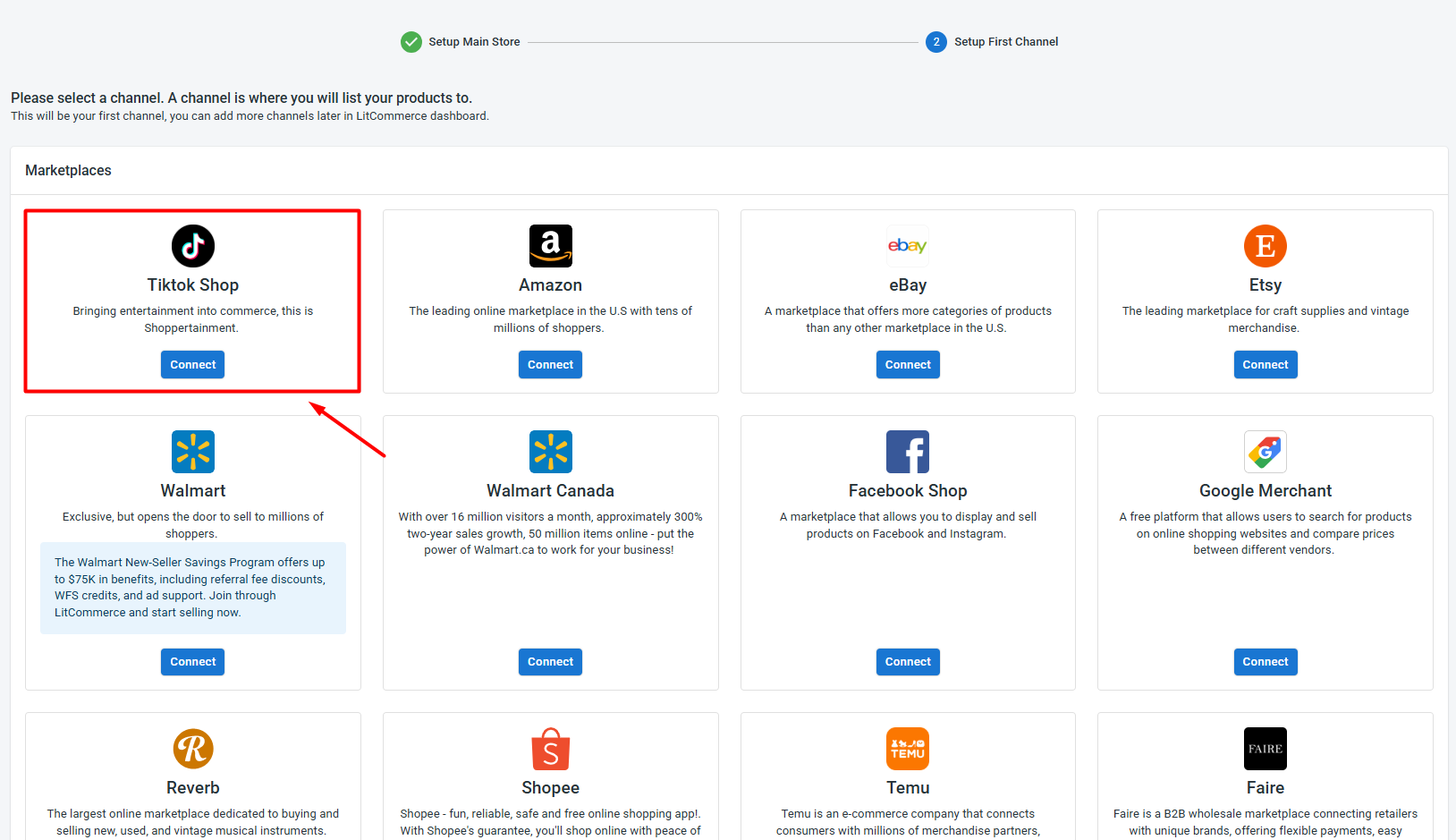
That’s all it takes to learn how to link Shopify to TikTok, your two stores are now connected and ready to work together.
Beyond TikTok Shop, LitCommerce also supports a full range of Shopify integrations, including Shopify Amazon, Shopify eBay, Shopify Etsy, Shopify Walmart, and more – so you can keep expanding from one place.
Step 2: List & Import Products on TikTok Shop
Now that you’ve linked Shopify to TikTok Shop, you can list your Shopify products on TikTok Shop, import from TikTok Shop to Shopify, or simply link products across both platforms. Let’s walk through each option.
Case 1: List Shopify products on TikTok Shop
Already running your store on Shopify? Once connected, LitCommerce automatically pulls in your Shopify catalog, so you’re not starting from scratch.
Here’s how to get your Shopify products in front of TikTok shoppers:
1. Go to All Products and tick the items you want to sell on TikTok Shop.
2. Hit Select Action > Add to Channel Drafts.
3. Check the box next to your TikTok Shop store, then choose Add As Draft Now.
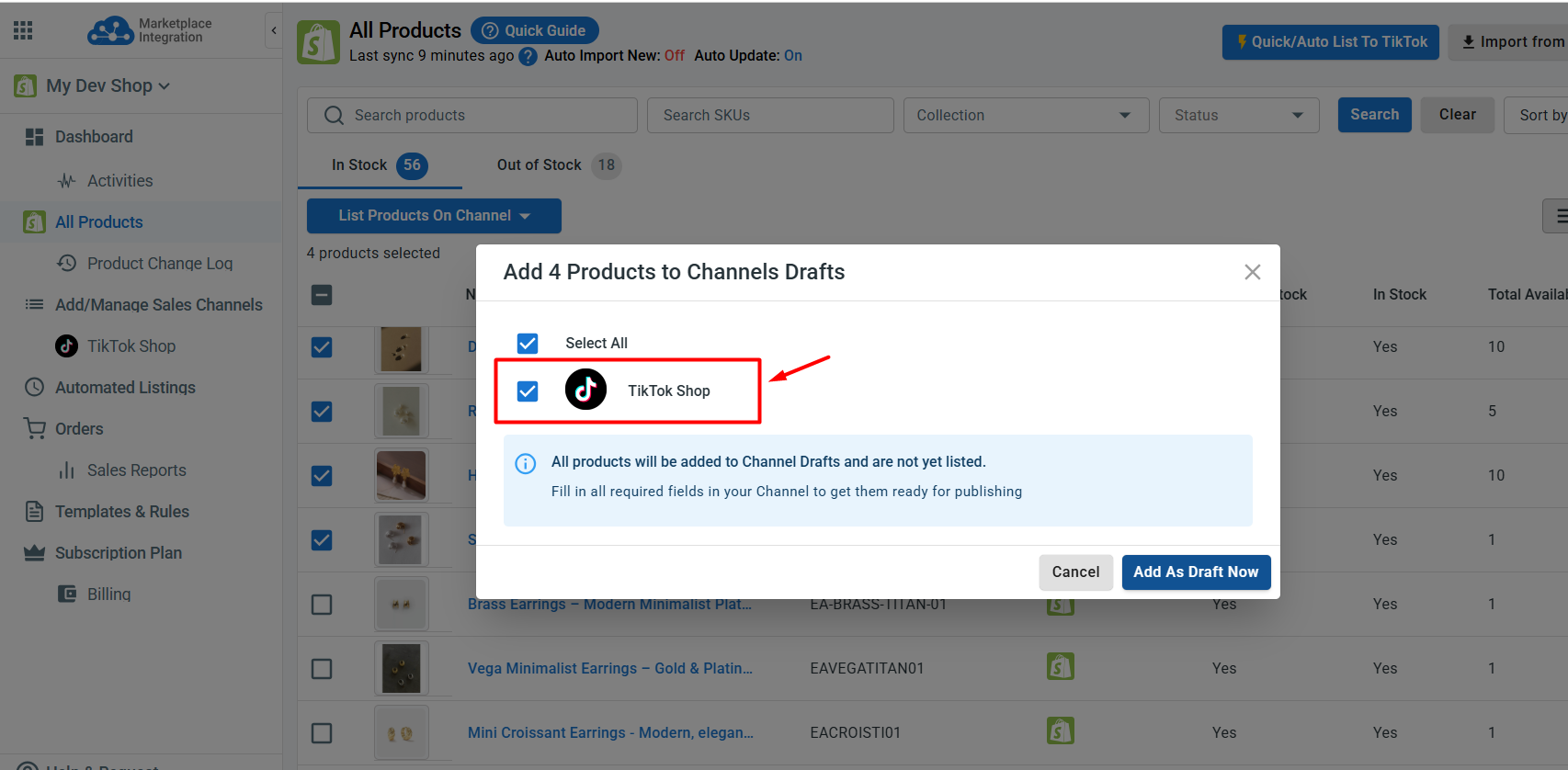
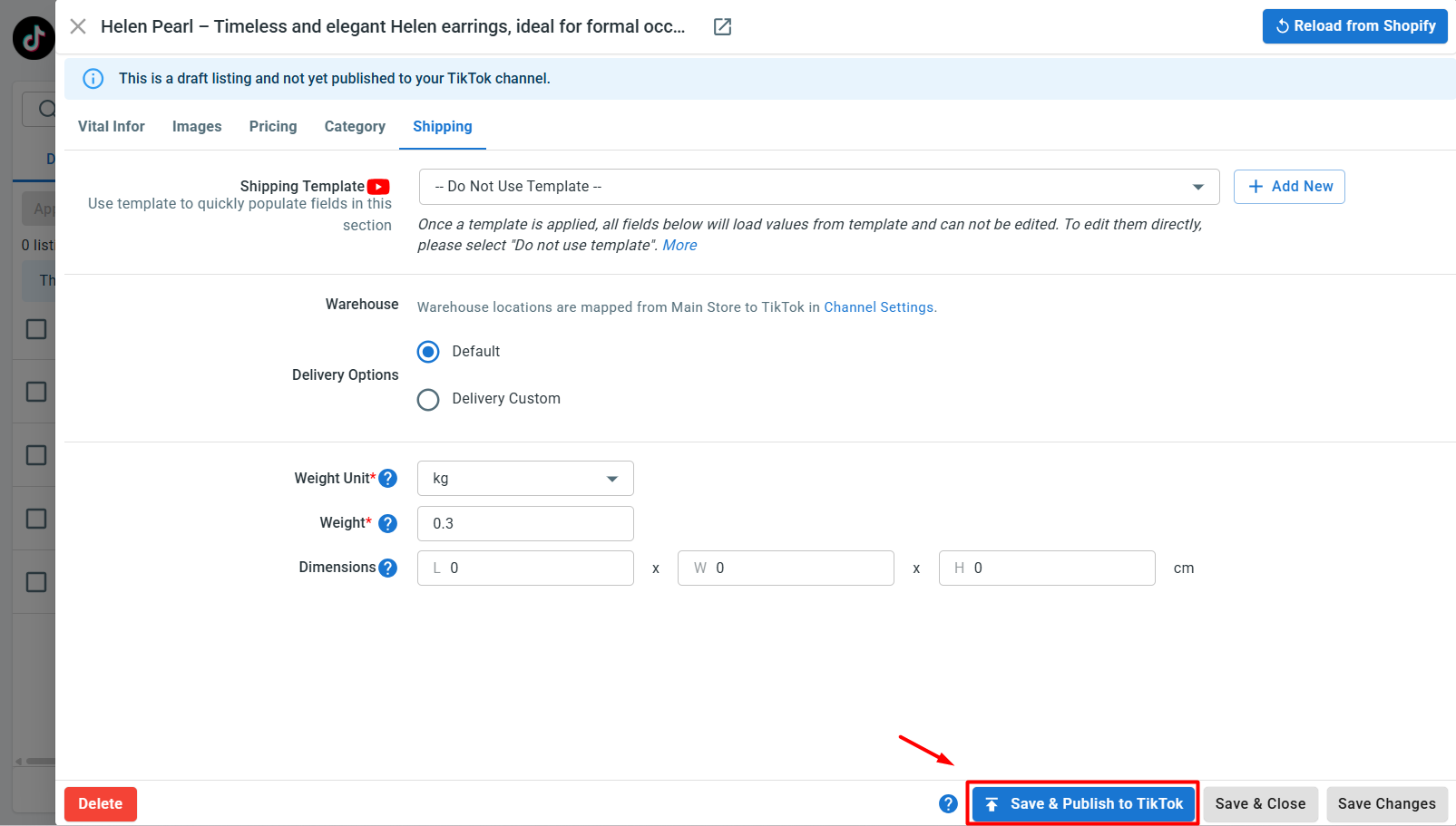
4. Open the TikTok Shop tab to review your drafts. Fill in any required fields – TikTok Shop has its own category structure, product attributes, and compliance requirements, so double-check each listing before going live.
5. When everything looks good, click Save and Publish to TikTok Shop.
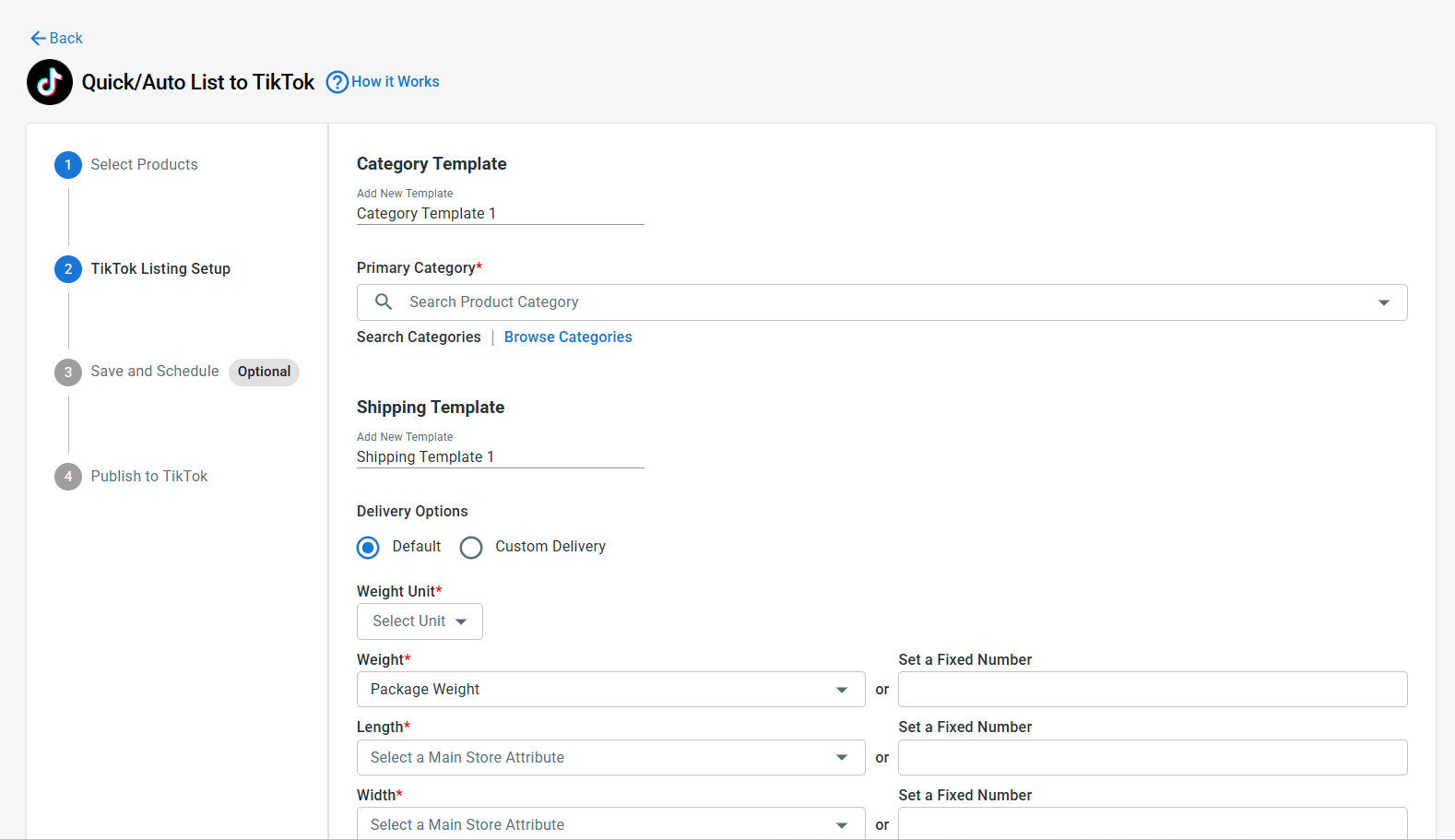
Otherwise, if you want to bulk list Shopify products on TikTok Shop, after selecting Shopify products, click Quick Publish to TikTok. This allows you to set up a template for category, shipping, price, or title & description to apply the same product details across your entire selection in one go. Once finished, click Create listings on TikTok.
Either way you go, once your Shopify products are approved by TikTok, they will be active on your TikTok Shop.
Case 2: Import TikTok Shop listings into Shopify
If TikTok Shop is your starting point and you want to expand to Shopify, here’s how to import products from TikTok Shop to Shopify:
1. Inside the TikTok Shop channel tab, click Import from TikTok Shop.
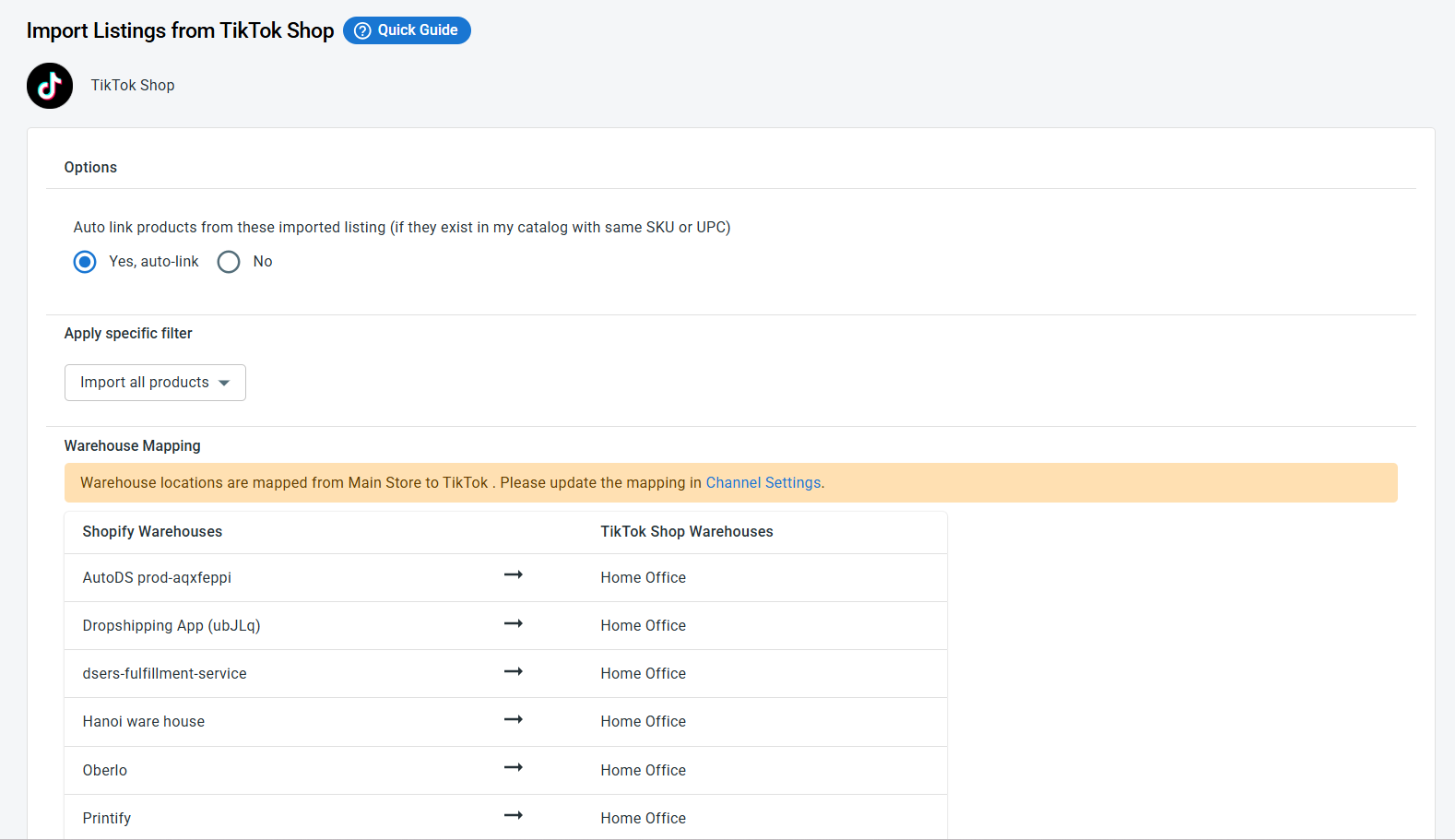
2. Let LitCommerce auto-link matching products, filter which products to import, and map warehouses across Shopify and TikTok Shop.
3. Once finished, hit Begin Import to kick things off.
4. After the import finishes, select your listings and go to Select Action > Create on Shopify.
Your TikTok Shop products are now in Shopify, and both stores are linked – ready for Shopify TikTok Shop syncing.
Case 3: Link products across Shopify and TikTok Shop
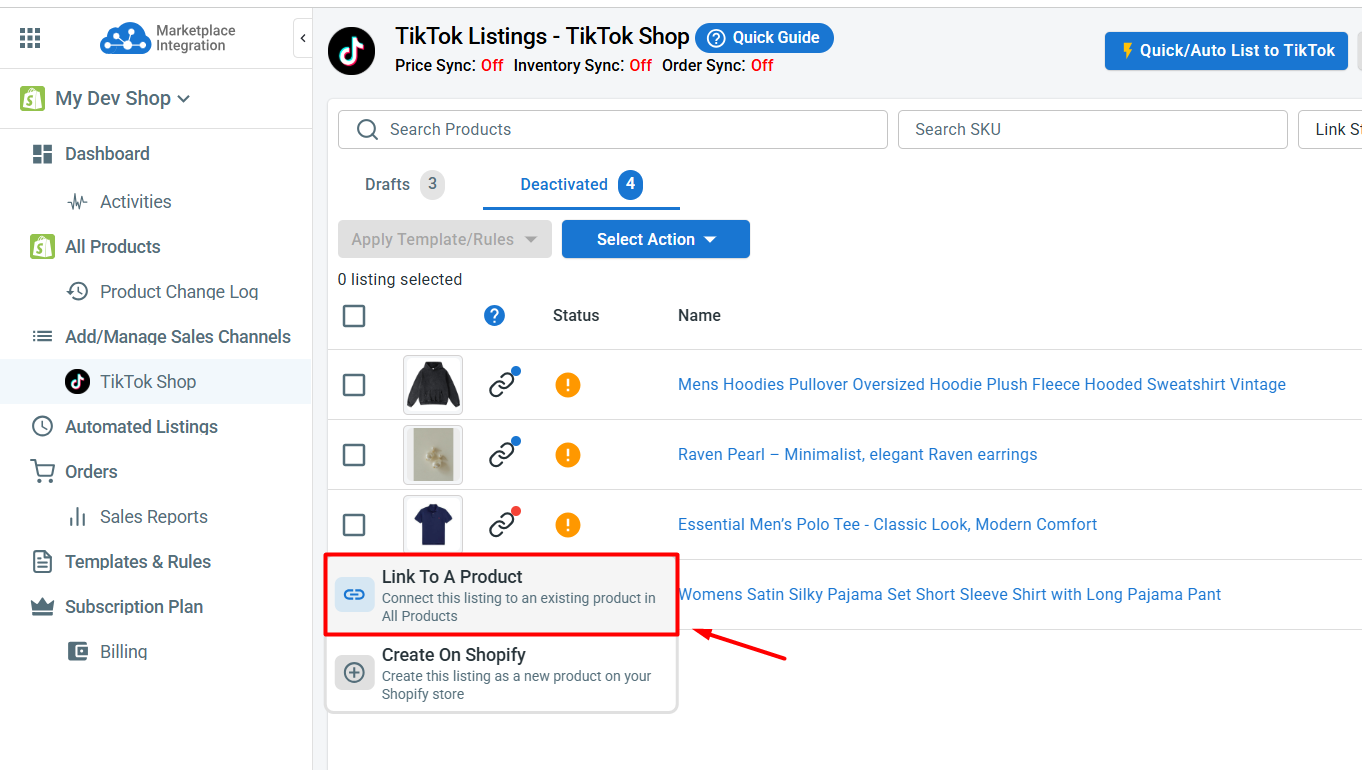
When importing products from TikTok Shop to Shopify, you can allow LitCommerce to auto-link matching products. Linked pairs show a blue dot; unmatched items show a red dot and need a quick manual fix.
To link a product manually across Shopify and TikTok Shop, follow these steps:
1. Hover over the red dot on the unlinked item.
2. Select Link To A Product.
3. Search for the right Shopify match and click Select.
Once all your products are linked, you’re fully set up for Shopify TikTok Shop integration.
Step 3: Enable Shopify TikTok Shop Sync
The real power of connecting Shopify to TikTok Shop is keeping both stores in sync automatically. Shopify TikTok Shop sync runs on a 15-minute cycle, helping you avoid manual updates, mismatched stock, and overselling.
First, go to the Shopify tab in LitCommerce and click Settings. Then, turn on Automatic Update to allow LitCommerce to pull product changes from Shopify into the All Products tab. This ensures your product information is up to date and ready to be synced to your TikTok Shop store later.
Next, go to Channel Settings for your TikTok Shop store in LitCommerce and configure the following:
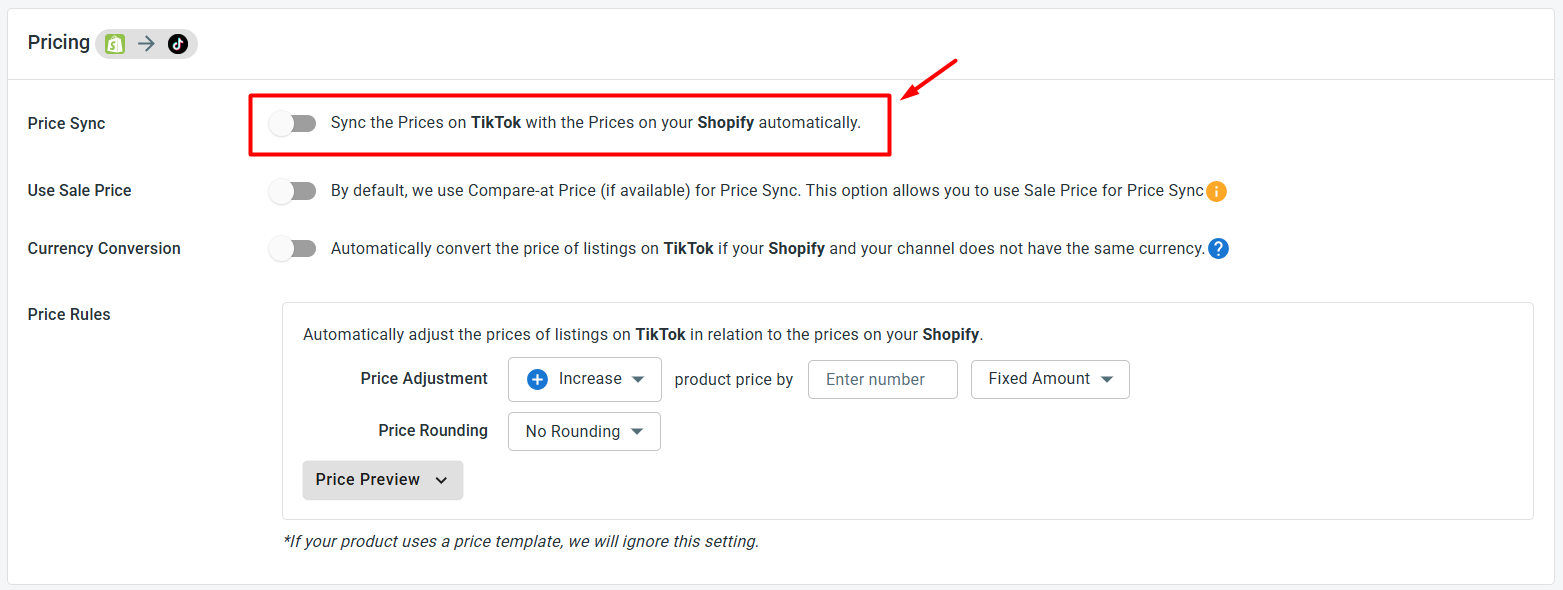
- Price sync: Your TikTok Shop prices stay aligned with Shopify whenever you make changes. You can also layer on pricing rules – increase prices by a fixed amount or percentage to account for platform fees, or run TikTok-specific discounts without touching your Shopify prices.
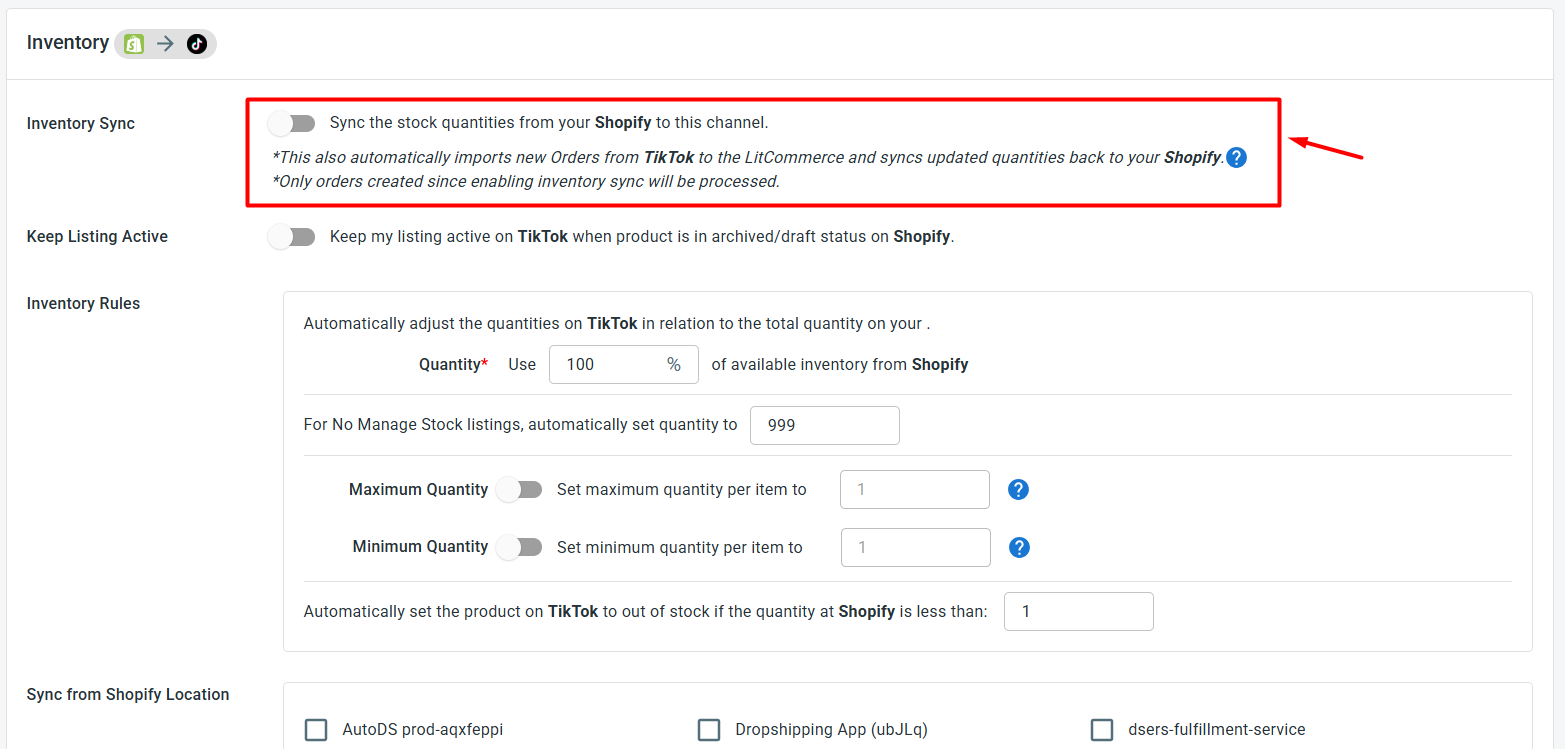
- Inventory sync: Stock levels update across both platforms in real time – critical on TikTok Shop, where a viral video or live shopping session can drive a sudden spike in orders. Set stock thresholds, keep listings active when inventory runs low, and control exactly how much of your Shopify stock gets allocated to TikTok Shop.
- Order sync: Switch on Import Orders to Main Store to send all TikTok Shop orders straight to your Shopify dashboard.
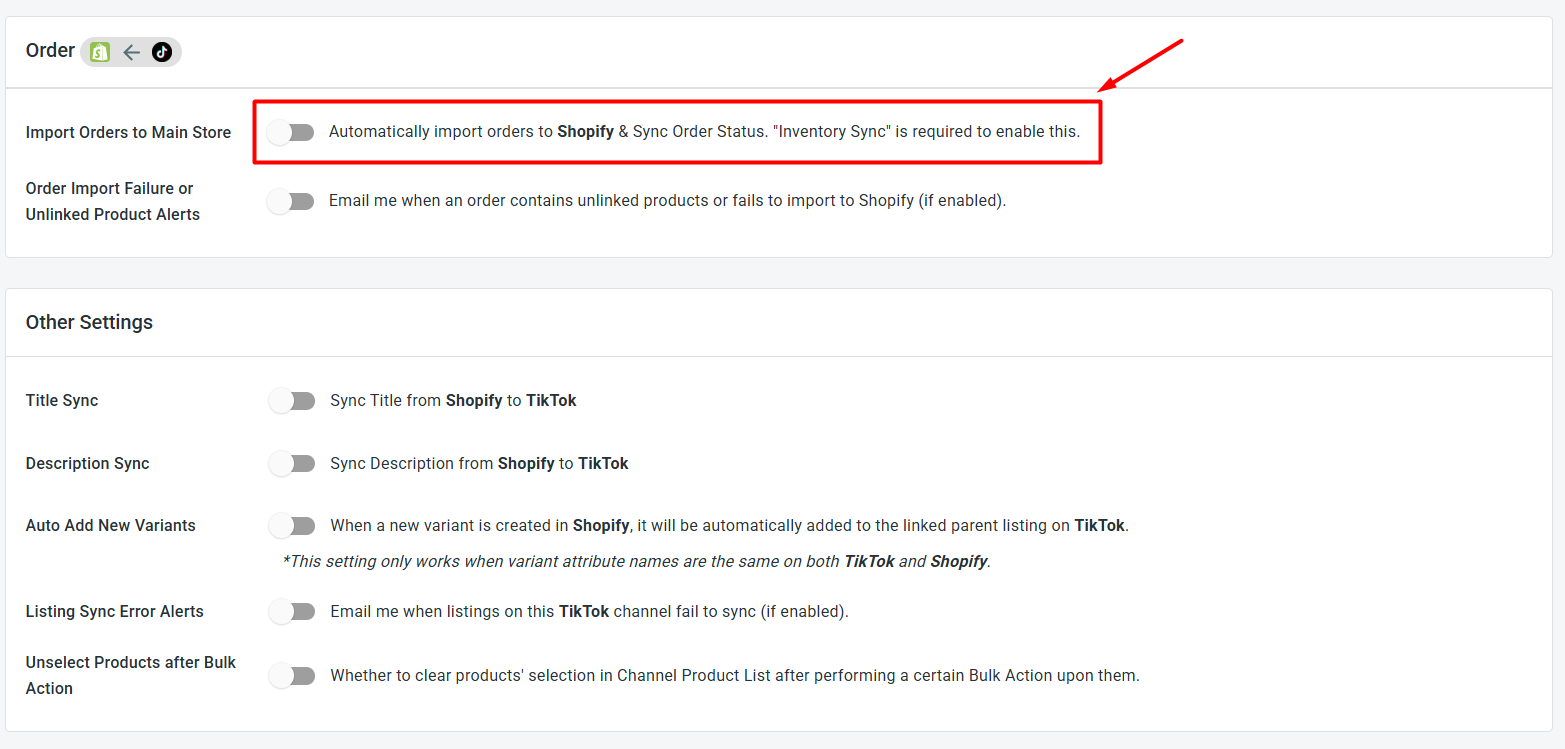
When you’re done configuring your preferences, click Save Settings at the bottom of the page.
Step 4: Manage Your TikTok Shop Order Flow
With Import Orders to Main Store turned on, TikTok Shop orders land directly in Shopify – so your entire order operation runs from one place.
Since TikTok Shop has its own fulfillment window requirements, having orders appear in Shopify immediately helps you stay on top of things without logging into multiple platforms. From your Shopify dashboard, you can:
- View TikTok Shop orders right alongside your Shopify sales
- Keep a clean, centralized order history across all your channels
The faster you fulfill, the better your TikTok Shop seller rating – and keeping everything in Shopify means nothing slips through the cracks.
What’s Inside Our Shopify TikTok Shop Integration?


Connect Shopify to TikTok Shop and 10+ More