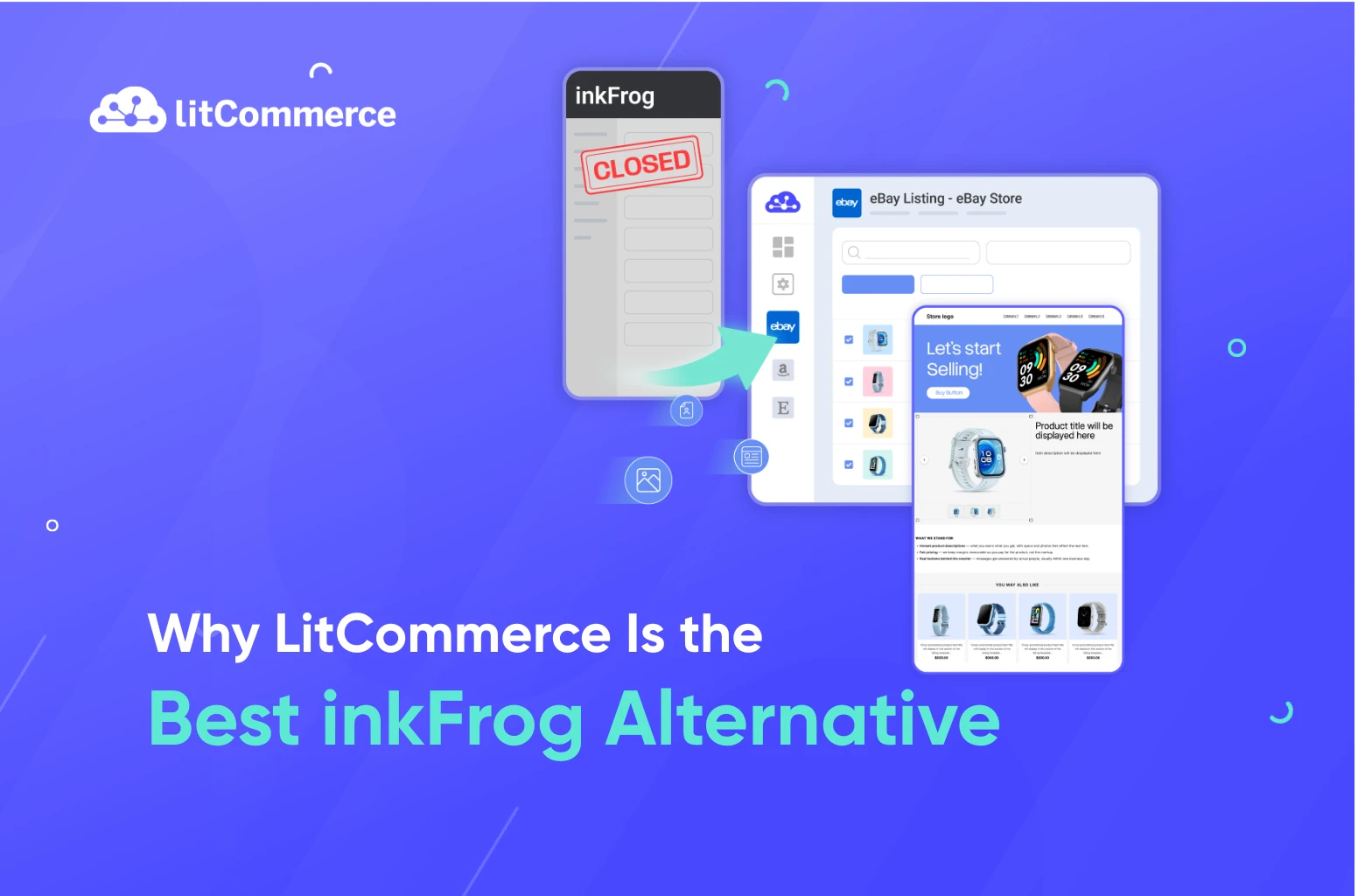
inkFrog is shutting down on June 1, 2026.
That means every image inkFrog hosts, every template it powers, and every profile you’ve built goes dark, overnight. Your listings stay live on eBay, but they’ll show broken images and collapsed layouts the moment inkFrog’s servers shut off.
The good news: you have time to move, and you don’t have to rebuild from scratch.
LitCommerce is a multichannel selling tool trusted by 50,000+ sellers worldwide, and the best inkFrog alternative for eBay sellers who need a safe, fast migration. We’re offering inkFrog users a free done-for-you migration service, plus 3 months of LitCommerce completely free or 50% off your first year on an annual plan. The team handles your listings, images, templates, and profiles from start to finish, at zero cost.
Now, this guide walks you through everything you need to move before June 1, without losing a listing, a template, or a sale.
Key takeaway:
- inkFrog shuts down June 1, 2026: your images, templates, profiles, and sync all stop working that day
- LitCommerce is the best inkFrog alternative for eBay sellers with 15+ channels integration, a full template designer built for eBay sellers, and real-time inventory, price sync, and order management for multichannel selling.
- LitCommerce keeps your inkFrog templates fully editable after migration
- LitCommerce offers inkFrog users a free done-for-you migration + 3 months of LitCommerce free or 50% off your first year on an annual plan.
What inkFrog Users are Losing on June 1, 2026
Your eBay listings are safe as eBay holds those, not inkFrog. But everything inkFrog quietly ran behind them shuts off the moment the servers go dark. Most sellers don’t realize how much that breaks until it’s too late.
Your images go dark
inkFrog hosts your product images and description assets for free. On June 1, every image URL stops resolving. Live listings show broken icons where your photos used to be, and every buyer who lands on your store sees it.
Your templates break
inkFrog’s HTML templates work by pulling CSS, banners, and layout files from inkFrog’s own servers. When those servers go offline, every listing that uses an inkFrog template renders as broken code or empty space. Your store looks unprofessional overnight.
Your profiles disappear
This is the part most sellers overlook. inkFrog’s CSV export skips master profiles, shipping rules, return settings, and payment defaults entirely. Years of setup, gone, unless you move to a tool that rebuilds them for you.
Your sync stops
Every inventory and pricing rule you set up in inkFrog stops working on June 1. If you sell across multiple channels, that means manual updates or overselling until you find a replacement.
Exclusive Offer for inkFrog Users: Free Migration + 3 Months Free
Get a free done-for-you migration to LitCommerce, plus 3 months free or 50% off your first year on an annual plan, exclusively for inkFrog users. Your listings, images, templates, and profiles all moved for you at $0.

Meet LitCommerce – The Best inkFrog Alternative
When you’re looking for inkFrog alternatives, you need more than a tool that just imports your listings. You need one that preserves what you’ve built, keeps your eBay store running without interruption, and gives you room to grow beyond eBay when you’re ready.
LitCommerce is a multichannel selling tool trusted by 50,000+ sellers across 60+ countries. As an official eBay Solution Provider, we built our platform specifically for online sellers who want to list, sync, and manage products across 15+ channels, from top marketplaces like Amazon, Etsy, TikTok Shop, and Walmart, to leading eCommerce platforms like Shopify and WooCommerce, all from one dashboard.
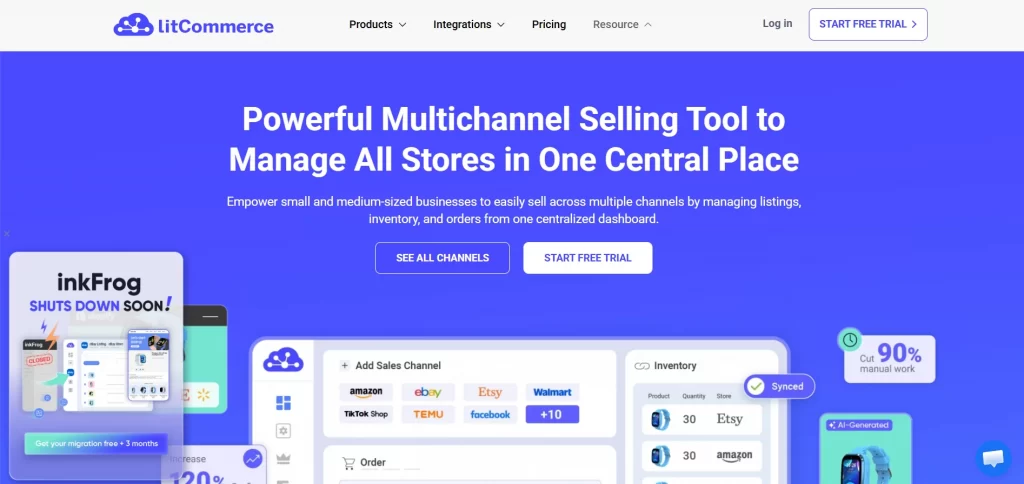
Here’s what makes LitCommerce stand out as the best inkFrog alternative for eBay sellers:
Advanced bulk listing tools
Import, edit, and publish thousands of listings in a few clicks. You can import your existing eBay listings and 15+ other channels directly into LitCommerce in one click, or upload your inkFrog CSV file; it works straight away, no reformatting needed.
From there, bulk edit multiple listings at once using smart rules, and publish to eBay and other channels in bulk or on a schedule.
You can also enable auto-relist to keep your listings active without manually relisting duplicate items.
A template designer built for eBay sellers
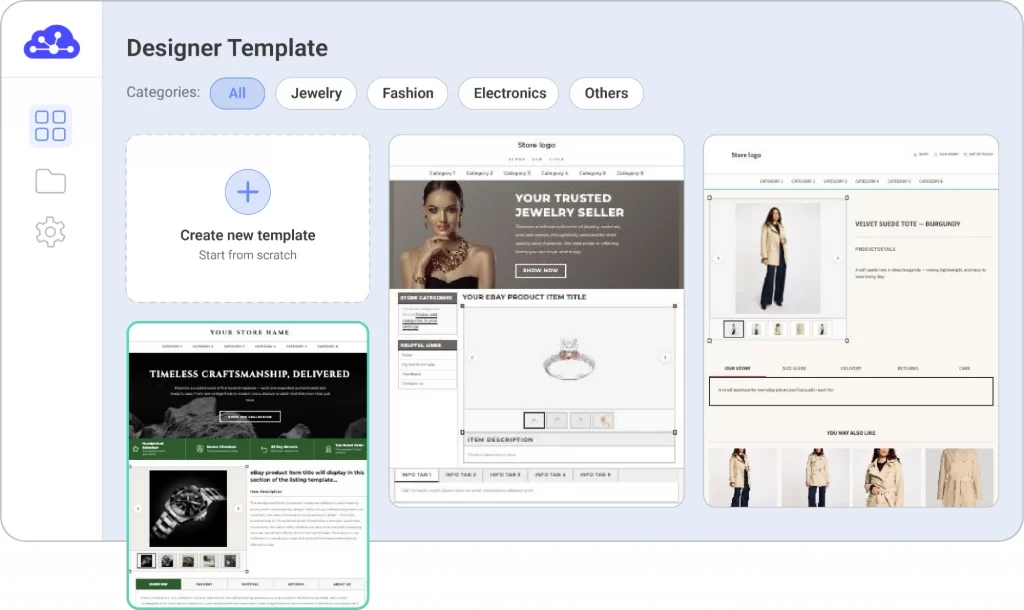
LitCommerce lets you import your existing inkFrog HTML templates and keep editing them, not just paste and freeze. You can pick from professional pre-built designs or build your own with drag-and-drop editing.
Every template is mobile-responsive and eBay-compliant by default. For sellers who prefer full control, custom HTML editing is available too.
AI-powered listing tools
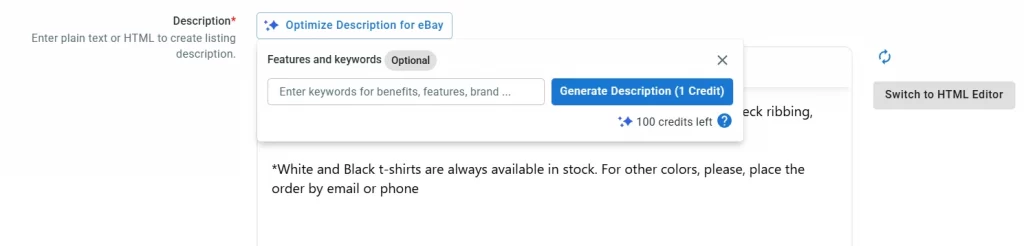
LitCommerce’s AI tools help you generate eBay-compliant descriptions automatically. Or, you can use the AI image-to-listing feature to turn product photos into ready-to-publish listings in seconds. For sellers migrating thousands of listings, this alone cuts hours from your workflow.
Real-time inventory sync
Every price and stock change syncs across all your connected channels automatically. When an item sells on eBay, your inventory updates everywhere else instantly. You can also set custom price rules and currency conversion settings to sell smoothly across different eBay regions.
You can also set maximum listing numbers to stay within eBay’s selling limits to manage inventory visibility and avoid restrictions.
Flexible pricing, tax, and currency settings
If you’re selling across different eBay regions, LitCommerce lets you set custom price rules and currency conversion settings so your listings display the right price in every country. On the tax side, you can include GST/VAT in your orders or remove it before importing orders into your main store, keeping your sales reporting clean and accurate.
Order management in one place
All your orders from every channel flow into one centralized dashboard. You can track order numbers, statuses, synced quantities, SKUs, buyer information, shipping progress, etc. easily without switching between platforms.
If you choose LitCommerce as your main store for multichannel selling, you can also take advantage of our built-in Fulfillment Services integrated directly into the platform.
Free done-for-you migration
Most inkFrog alternatives ask you to figure out the move yourself. LitCommerce offers a $0 migration service where our team handles your listings, images, templates, and profiles, start to finish. Plus, inkFrog users get 3 months of LitCommerce completely free or 50% off the first year on an annual plan.
Learn more about LitCommerce: LitCommerce Reviews 2026: Pricing, Features, Pros & Cons
inkFrog vs LitCommerce: Side-by-Side Comparison
Here’s an honest look at what you had with inkFrog and what you get when you move to LitCommerce.
Feature | inkFrog | LitCommerce |
Supported channels | 5 channels | 15+ channels |
eBay bulk listing | ✓ | ✓ Advanced bulk import, edit & publish |
inkFrog CSV import | — | ✓ Direct import, no reformatting |
AI listing tools | ✗ | ✓ AI descriptions + image-to-listing |
eBay template designer | ✓ HTML templates | ✓ Drag-and-drop + custom HTML |
inkFrog template import | ✗ | ✓ Import & keep fully editable |
Image hosting | ✓ (lost after shutdown) | ✓ Auto-rehosted to LitCommerce CDN |
Real-time inventory sync | ✓ | ✓ |
Price rules & currency | Basic | ✓ Custom rules + currency conversion |
Tax settings (GST/VAT) | ✗ | ✓ Flexible tax rate control |
Auto-relist | ✓ | ✓ |
Order management | ✗ | ✓ All channels in one dashboard |
Multiple eBay accounts | ✓ | ✓ |
Migration support | ✗ | ✓ Free done-for-you migration |
Pricing | $11.90/month for 300 eBay listings + $10/month for Templates (on lower-tier plans) | ✓ 3 months free on all plans or 50% off your first year on an annual plan ✓ Plans starting from $29/month for up to 1,000 listings |
User rating | 2.1* | 4.8* |
For a deeper comparison, check out our dedicated blog on inkFrog vs LitCommerce.
How to Migrate from inkFrog to LitCommerce
We know switching tools mid-business is stressful, especially when there’s a hard deadline involved. That’s why we built two migration paths for inkFrog users. Whether you’d rather hand everything off to our team or work through it yourself, we’ve got you covered either way.
Method 1: Let LitCommerce do it for you
No technical work on your side. Our migration specialists handle everything, listings, images, templates, and profiles, so you can keep selling without interruption.
Time commitment: 5 days
Step 1: Export your inkFrog data
Log into your inkFrog account, then go to Library → Bulk Actions → Library Actions → Export.
Download your CSV file before May 31. This is your only window to save your listing data.
Step 2: Contact us via live chat and send us your file
Reach out to our team and share a few details about your inkFrog setup — number of listings, design templates, business profiles, and the channels you currently sync. Then send your exported file to your dedicated migration specialist.
Step 3: We migrate and rebuild everything
Your specialist handles the full migration:
- Import all listings and item specifics
- Auto-rehost every product image to LitCommerce’s CDN
- Recreate your shipping, return, and payment profiles as LitCommerce Templates & Rules
- Rebuild your inkFrog templates in our Template Designer — fully editable
- Sync your other channels (Shopify, Amazon, etc.)
- Test everything before go-live
Step 4: You review and approve
We push everything live via eBay’s official API, keeping your item IDs, watchers, and search rankings intact. You review, approve, and you’re done.
Total time on your end: 15 minutes. Full migration: up to 5 business days (depending on your store size).
Method 2: Migrate from InkFrog to LitCommerce yourself (a few hours)
If you prefer to handle it yourself, you can follow the steps below at your own pace, and our support team is available throughout if you need help.
Time commitment: 4 hours
Step 1: Export your inkFrog data
Same as Method 1, you need to export your inkFrog data first through a CSV file.
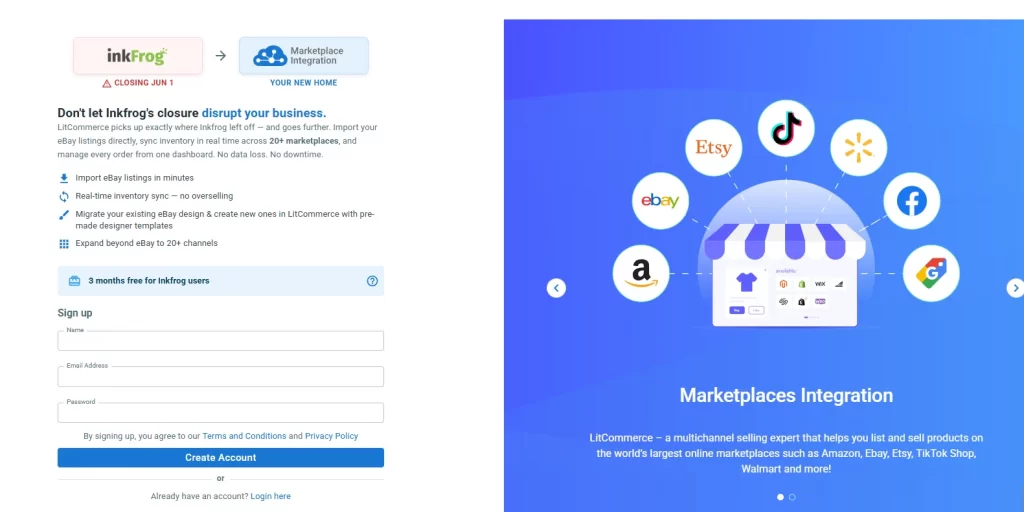
Step 2: Sign up for LitCommerce and claim your 3 months free or 50% off your first year on an annual plan
Create your LitCommerce account at app.litcommerce.com/inkfrog-register to activate the inkFrog user offer.
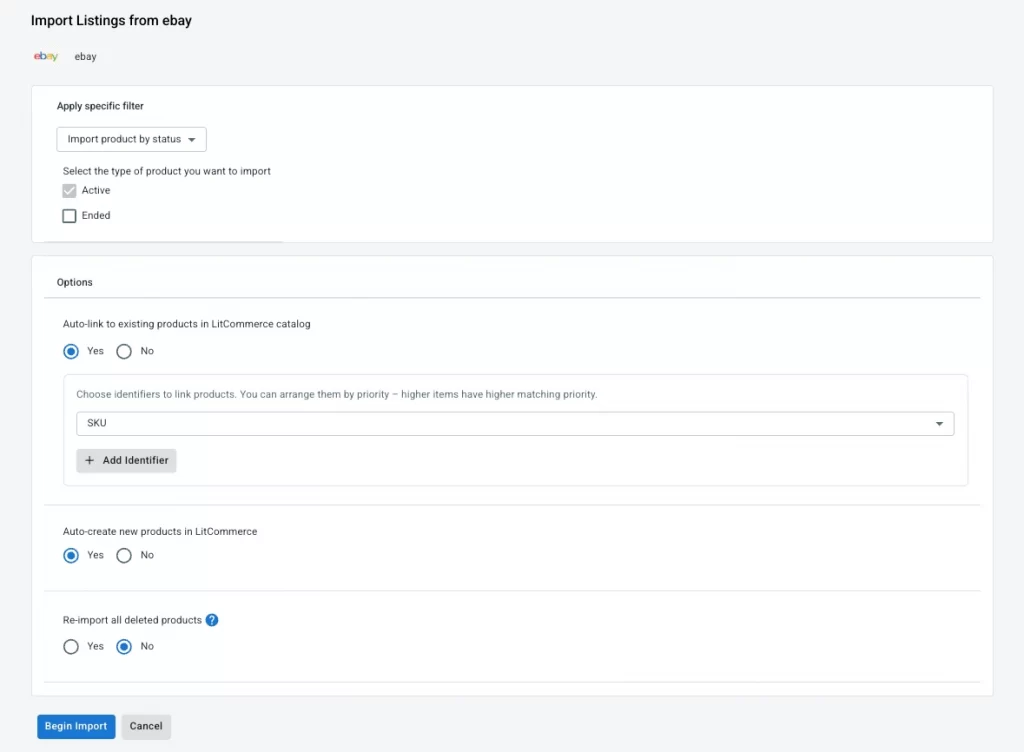
Step 3: Import your listings
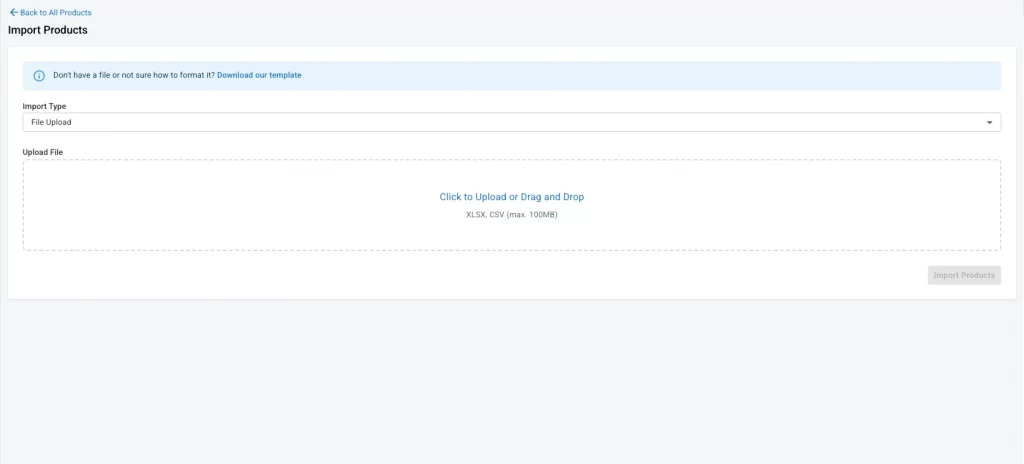
You have 2 options to import your listings to LitCommerce
- Via CSV: Drop your inkFrog CSV into LitCommerce. Listings, item specifics, and images rehost automatically to our CDN.
- Via eBay direct import: Connect your eBay account and import your live listings in one click, titles, descriptions, photos, and item specifics all come through automatically.
Step 4: Migrate your inkFrog templates
We know your eBay templates represent years of work, and for most inkFrog users, this is the biggest concern when switching to a new tool. LitCommerce gives you two ways to bring your templates across, so nothing gets lost.
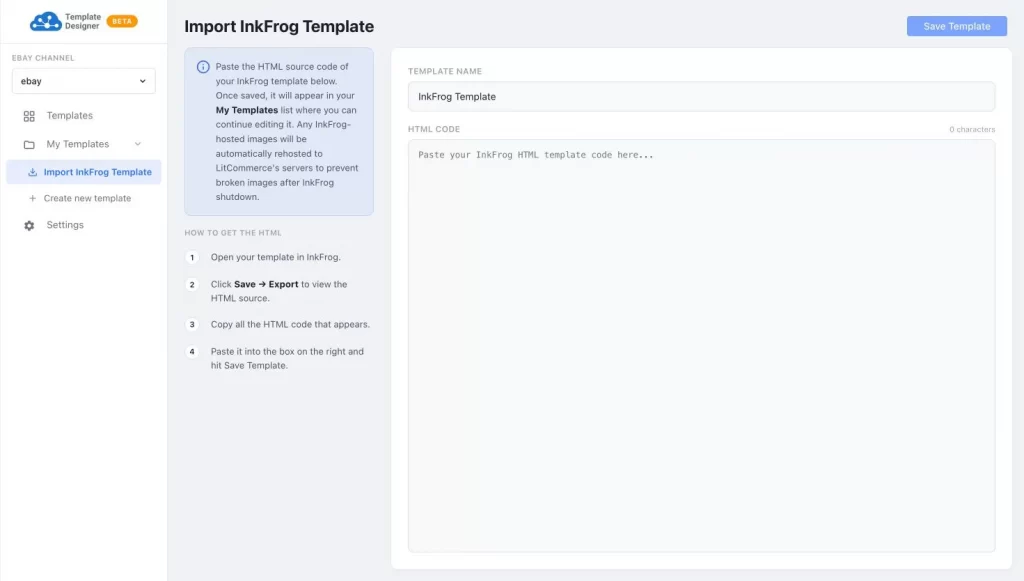
- Paste & save: drop your inkFrog HTML into the description field and save. All images and styling auto-rehost to LitCommerce. Same look, ready to use immediately.
- Paste & edit: click “Import from inkFrog” in our Template Designer, paste your HTML, and save. Your template lands in My Templates, fully editable. You can then change text, swap images, and update sections anytime.
Step 5: Rebuild your profiles as LitCommerce Templates & Rules
In inkFrog, profiles are the saved settings you apply across listings, shipping rules, return policies, payment defaults, pricing, and category configurations. They’re what keep your store running consistently without having to fill in the same details for every listing manually. And they’re exactly what inkFrog’s CSV export skips entirely.
In LitCommerce, the equivalent is Templates & Rules. For each listing, you can create and save reusable templates covering everything inkFrog profiles handled:
- Title & Description Template: define your listing format, layout, and custom HTML designs
- Pricing Template: set fixed price or auction format, price rules, and best offer settings
- Category Template: select your eBay category, fill item specifics, set listing format and duration, and schedule listing start dates
- Shipping Template: configure dimensions, domestic and international shipping services, rates, and excluded locations
- Business Policies Template: connect your eBay-authorized fulfillment, payment, and return policies directly from eBay into LitCommerce
Once set up, these templates apply automatically across your listings — the same way inkFrog profiles worked, just with more control and flexibility.
If you need guidance setting these up, our support team walks you through it via live chat. Moreover, we can also help create your business profile for you if needed. Just contact us for more information.
Step 6: Review and go live
Finally, check your listings, confirm your images loaded correctly, and verify your templates look right. Once everything looks good, your store is live, same item IDs, same watchers, same search ranking.
Total time: 3 – 4 hours for most sellers.
Only LitCommerce Lets You Import & Edit Your inkFrog Templates
Every other tool freezes your imported templates. LitCommerce is the only migration tool that lets you bring your inkFrog HTML templates across, and keep editing them inside our eBay template designer.
LitCommerce vs Other inkFrog Alternatives
With inkFrog shutting down, several tools are competing for your business right now. Each one solves a different part of the migration problem. So before you decide, here’s an honest breakdown of how the main inkFrog alternatives stack up.
LitCommerce – Best for multichannel growth
LitCommerce is the strongest all-around choice if you want a safe migration path and a platform built to grow beyond eBay. You get a free done-for-you migration, auto-rehosting of all images and template assets, editable inkFrog template import, and 15+ channels to expand into like Amazon, Etsy, TikTok Shop, Walmart, Shopify, and more.
3Dsellers – Best for eBay-only automation
3Dsellers is a solid pick if your business runs entirely on eBay and your main need is automating day-to-day operations, buyer messaging, feedback management, auto offers, and help desk workflows. It’s an eBay-first tool, though, so if you want to expand beyond eBay, it won’t take you far.
Frooition – Best for custom eBay storefront design
Frooition is worth considering if your top priority is a professionally designed eBay storefront with branded templates and managed SEO services. It works more like a design agency than a daily operations tool, strong on aesthetics, but not built for multichannel inventory and order management.
Voolist – Best for simple reseller cross-listing
Voolist fits sellers who mainly resell products and want a straightforward way to cross-list across marketplaces like eBay, Poshmark, Depop, and Etsy. It’s a lighter tool, good for resellers, but less suited for eCommerce sellers who need deep inventory sync, order management, and channel expansion.
Here’s how they compare side by side:
LitCommerce | 3Dsellers | Frooition | Voolist | |
Free migration service | ✓ $0 | ◐ Onboarding | ◐ Consultation | ◐ Support |
inkFrog CSV import | ✓ | ✓ | ◐ Service-led | ✓ |
Image auto-rehosting | ✓ Auto | ◐ Partial | ◐ Partial | ◐ Partial |
Editable template import | ✓ Only tool | ✗ | ◐ Rebuild only | ✗ |
Profile rebuild support | ✓ Full | ◐ Manual | ◐ Service-assisted | ◐ Basic |
Supported channels | 15+ | eBay-focused | eBay-focused | 7 |
AI listing tools | ✓ | ✗ | ✗ | ✓ |
Order management | ✓ | ✓ | ✗ | ✗ |
inkFrog user offer | ✓ 3 months free | ◐ $75 credit | ◐ 60 days free | ◐ 25% off for 3 months |
Pricing | ✓ 7-day free trial ✓ Starting from $29/month for 1,000 listings | ✓ 7-day free trial ✓ Starting from $16/month for 100 listings | ✓ 7-day free trial ✓ Custom package | ✓ 14-day money-back guarantee ✓ Starting from $14.99/month for 200 listings |
User rating | 4.8* | 4.4* | 3.2* | — |
Verdict: If your main goal is a safe migration that preserves what you’ve built, your listings, images, templates, and profiles, while giving you room to grow beyond eBay, LitCommerce is the right move.
Read more about LitCommerce vs other inkFrog alternatives here.
FAQs about LitCommerce – Best InkFrog Alternative
When is inkFrog shutting down?
inkFrog shuts down permanently on June 1, 2026. The last day to export your data is May 31, 2026. If you haven’t exported your listings and templates yet, do it now.
Will my eBay listings break when inkFrog shuts down?
Your eBay listings will stay live — eBay holds those, not inkFrog. But everything inkFrog quietly ran behind them stops working on June 1. Product images stop loading, templates render as broken code, and your sync rules stop running. The listings exist, but they’ll look unprofessional to every buyer who sees them.
What happens to my inkFrog templates after the shutdown?
inkFrog templates will stop working after June 1 because the design assets — CSS, banners, images, and layout files — are hosted on inkFrog’s servers. Once those go offline, your templates break. Copy your HTML before May 31 and bring it into LitCommerce, where you can keep using it and editing it in our Template Designer.
Can I keep my inkFrog templates when I migrate to LitCommerce?
Yes, and LitCommerce is the only migration tool that lets you import your inkFrog HTML templates and keep them fully editable. Paste your HTML into our Template Designer, save it to My Templates, and you can update text, swap images, and edit sections anytime.
How long does migration take?
It depends on the path you choose. With our done-for-you service, your dedicated migration specialist handles everything in up to 5 business days — with only about 15 minutes of work on your end. If you prefer the DIY path, most sellers complete the move in 3 to 4 hours.
Is the migration really free?
Yes. The done-for-you migration service costs $0 for inkFrog users — no fine print, no catch. We handle your listings, images, templates, and profiles from start to finish. On top of that, inkFrog users get 3 months of LitCommerce completely free, so your first invoice doesn’t arrive until September.
Can LitCommerce handle large inventories?
Yes. LitCommerce supports sellers of all sizes — whether you have 500 listings or 50,000. Our bulk listing tools let you import, edit, and publish thousands of listings at once, and our real-time sync keeps everything accurate across all your connected channels.
Does LitCommerce support multiple eBay accounts?
Yes. LitCommerce supports multiple eBay accounts on a single subscription. If you sell across different eBay regions or run more than one store, your migration specialist will help configure each account during the migration.
Can I expand beyond eBay with LitCommerce?
Absolutely. LitCommerce connects you to 15+ channels — Amazon, Etsy, TikTok Shop, Walmart, Shopify, WooCommerce, and more. Once your eBay store is migrated and set up, expanding to additional channels takes just a few clicks.
Final Words
inkFrog served eBay sellers well for years. But the shutdown is real, the deadline is close, and waiting until May 31 to make a move puts everything you’ve built at risk.
LitCommerce multichannel selling tool gives you a clear, safe path forward. And with our free done-for-you migration service and 3 months free exclusively or 50 % off your first year on an annual plan for inkFrog users, there’s no reason to wait.
Your eBay store deserves a platform that’s built to last. One that grows with you, keeps your store running smoothly, and gives you the tools to expand beyond eBay when you’re ready.
Make the move before June 1. We’ll handle the rest.