



Picking from the best Etsy integrations for WooCommerce looks easy on paper. Most tools promise the same three things: listing, stock, and order sync. The differences only show up later, once your Etsy shop starts selling.
That’s when sellers find out the free plan caps how many products can list. Or that Etsy orders don’t flow back into your WooCommerce store on your plan. Or that the plugin hasn’t been updated in years. Each gap sends you back to manual fixes. Or worse, to a second tool that covers what the first one can’t.
We reviewed 5 tools so you can spot those gaps and save time before you install anything. For each one, you’ll see what it does well, what it costs as your shop grows, and where it stops fitting.
Let’s dive in!
Key takeaways:
- For sellers expanding beyond Etsy: LitCommerce connects WooCommerce to Etsy and 10+ other marketplaces, starting at $29/month with a 7-day free trial.
- For sellers who live in WP admin: CedCommerce keeps Etsy listings and orders inside WordPress for $179/year.
- For sellers testing Etsy for the first time: ExportFeed is free for up to 20 products and 10 orders.
- For sellers with a physical shop or market stall: QuickSync syncs Square POS stock with Etsy and WooCommerce.
How We Evaluated Best WooCommerce Etsy Integration Tools
We looked for tools that keep your WooCommerce store and Etsy shop in sync with minimal manual work, at a price that still makes sense a year from now.
We started with many tools from the WooCommerce Marketplace, WordPress.org, app marketplaces, and popular review articles. After that, only tools that connect both platforms directly and keep syncing after setup made the final 5.
We measured each tool on the jobs sellers handle every week and expect channel integration software to take off their hands:
- Listing workflow: getting products onto Etsy, whether they’re new items, existing Etsy listings, or products already live on both shops
- Variations and Etsy fields: sizes, colors, and the details Etsy asks for, like who made the item
- Inventory sync: how fast a sale in one shop updates stock in the other
- Order import: whether Etsy orders land in WooCommerce, so you fulfill from one place
- Pricing: what you pay on day one and once your catalog grows
- Maintenance and room to grow: whether the tool keeps up with WordPress updates and lets you add channels later
If one of these fails or doesn’t meet your needs, you will notice fast: an oversold item, a missing order, or a listing Etsy won’t publish.
We didn’t give each tool a single score, because you won’t weigh these criteria the same way another seller does. Instead, we ordered the list by how many seller situations each tool covers, and labeled each one by what sets it apart.
Read More: For more context on how the two platforms differ at a structural level, see this WooCommerce vs. Etsy comparison.
Best Etsy Integration Tools for WooCommerce: Quick Comparison
Tool | Best For | Key Strength | Main Limitation | Other Channels | Starting Price | Free Trial |
Sellers expanding to Etsy + other channels | Etsy plus 10+ marketplaces in one dashboard, with unlimited order sync | Etsy syncs every 60 minutes (Etsy API limit) | eBay, Amazon, TikTok Shop, Walmart, and more | $29/month | 7 days | |
Sellers who manage everything in WP admin | Scheduled Etsy order fetching with tracking updates | Billed yearly upfront; sync timing not published | None (Etsy only) | $179/year | No trial; 30-day money-back guarantee | |
Sellers with big catalogs and few monthly orders | Up to 5,000 products on the entry plan | 100 orders included, then $0.15 each; orders fetch every 30 minutes on Starter | Amazon (FBM only), eBay | $29/month | 14 days | |
Sellers testing Etsy for the first time | Free plan includes order sync | Free plan caps at 20 products and 10 orders | None (Etsy only) | Free; Pro price not published | Free plan | |
Sellers with a Square POS shop or market stall | One stock count across in-person and online sales | Order sync starts on the $29 Pro plan; Lite syncs stock only | Square POS, Shopify, Amazon, eBay, TikTok Shop, and more | $19/month | 14 days |
Prices checked October 2026. Plans change often, so confirm on each vendor’s page before you buy.
The 5 Best Etsy Integrations for WooCommerce
1. LitCommerce – Etsy plus 10+ marketplaces in one dashboard
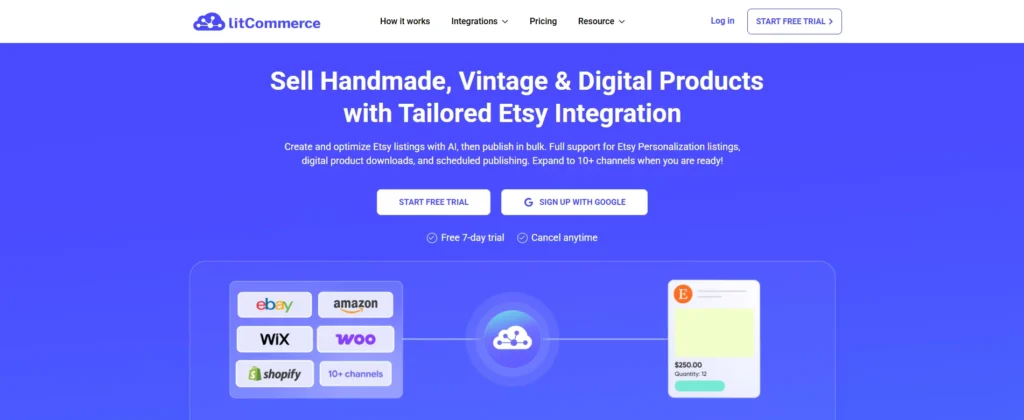
LitCommerce suits SMB sellers on WooCommerce who plan to sell on Etsy plus other channels, now or down the road. It’s built as a multichannel hub, not an Etsy-only connector. That matters if your catalog is likely to reach Amazon, eBay, or TikTok Shop later. For a wider look at tools in this category, see our guide to the best multichannel listing tools.
In practice, you connect WooCommerce as your Main Store, then link to your Etsy shop. From there, you either manage the process of listing new products on Etsy or importing your existing Etsy listings and linking them to your WooCommerce products. Once sync is on, stock and price changes move automatically, and Etsy orders land in your WooCommerce order dashboard.
Key strengths worth noting:
- With Litcommerce, the price, inventory, and order sync keep WooCommerce and Etsy aligned without human manual checking. For Etsy, the tool updates every 60 minutes because of Etsy’s API limits, while other channels update every 15 minutes.
- Import Existing Listings brings your current Etsy catalog into the dashboard instead of forcing a rebuild.
- Templates & Template Rules auto-fill attributes across many products at once.
- AI Description Optimization refines your copy for Etsy’s tone, product description and Etsy search.
- Multichannel Connect means you won’t need a different tool if you add Amazon or eBay next year.
If you are ready to set it up, follow our step-by-step guide on how to connect WooCommerce to Etsy, or explore the LitCommerce multichannel listing tool.
Pros and cons of LitCommerce
Pros | Cons |
– Etsy and 10+ other marketplaces from one dashboard – Unlimited orders on every plan – Import and link existing Etsy listings instead of rebuilding them – Templates and AI cut manual work across large catalogs | – Doesn’t buy shipping labels or handle fulfillment, so you still ship orders through WooCommerce or your shipping app – Cost grows with listings and channels as you expand – No permanent free plan, only a 7-day trial |
Pricing
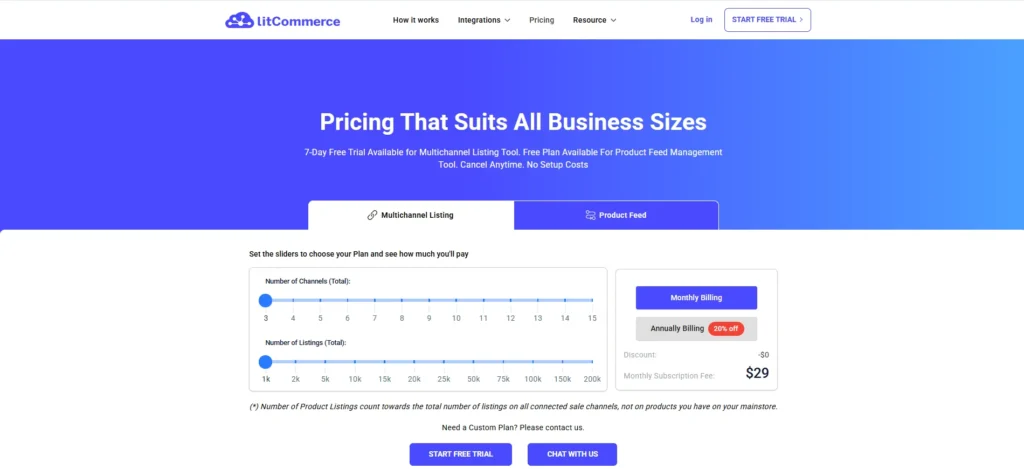
Plans start at $29/month for 1,000 listings and 3 channels. Only the listings you publish on Etsy and other channels count toward that limit, not every product in your WooCommerce store. Every plan includes unlimited orders, and the 7-day free trial gives you full feature access. You can estimate your exact plan on the LitCommerce pricing page.
(Prices checked October 2026.)
Best for: WooCommerce sellers who see Etsy as their first marketplace, not their last.
Choose LitCommerce if you plan to add another marketplace in the next year, and you don’t want to set up, pay for, and learn a second tool when that time comes.
Stop chasing inventory updates across two platforms
See how LitCommerce connects WooCommerce to Etsy with a 60-minute sync cycle, AI-assisted listings, and transparent pricing from $29/mo. No setup fees, cancel anytime.
2. CedCommerce – Etsy integration for WooCommerce
CedCommerce builds tools that connect online stores with marketplaces. Its Etsy Integration for WooCommerce plugin links your WooCommerce store to your Etsy shop.
Once it’s installed, you handle your Etsy shop from your WordPress dashboard. You send products from WooCommerce to Etsy, and your stock stays the same in both shops. When someone buys on Etsy, the order shows up in WooCommerce, right next to your website orders.
Key strengths worth noting:
- The bulk actions let sellers upload, update, refresh images, or unlink many products between WooCommerce and Etsy in one click; hence you do not need to repeat the actions many times
- Scheduled order import brings in Etsy orders in batches of 10 to 50, and can update tracking on Etsy for you
- Customer creation saves Etsy buyers as WooCommerce customers, so all your customers live in one list
- Etsy listing defaults let you set listing status, shipping profile, “who made it”, and supply type once, before you upload
- Activity log keeps a record of every stock, product, and order update, so you can see why something didn’t sync
Read More: You can read more about: Top 11 Best CedCommerce Alternatives for Multichannel eCommerce.
Pricing
The plugin costs $179/year, or $286.40 for 2 years, on the WooCommerce Marketplace. There’s no free trial, but your purchase includes a 30-day money-back guarantee. It holds 4.4/5 from 101 reviews. (Prices checked October 2026.)
Pros and cons of CedCommerce
Pros | Cons |
- You manage Etsy without leaving your WordPress dashboard - Strong order tools: scheduled import, tracking updates, customer creation - Sold on the official WooCommerce Marketplace and works with WooCommerce’s newer order storage (HPOS) - 30-day money-back guarantee | - Covers Etsy only, so each new marketplace means adding another tool - Billed yearly upfront, with no monthly plan listed - How often it syncs isn’t published, so test the timing during setup - CedCommerce’s own docs note that new Etsy sellers in the US, Canada, and Turkey can’t currently send tracking through the plugin |
Best for: sellers whose team already works in the WordPress dashboard all day and only needs Etsy as an extra channel.
Choose CedCommerce if Etsy is the only marketplace you plan to add, and you want to handle Etsy orders inside WordPress.
Weighing it against a multichannel option? See our full LitCommerce vs CedCommerce comparison.
3. Salestio – Order-based pricing for big catalogs with few orders

Salestio is an online app that connects your WooCommerce store to Etsy, Amazon, and eBay. You manage your marketplace listings from a Salestio account linked to your store.
For Etsy, it turns your WooCommerce products into Etsy listings and keeps stock and prices matched. When someone buys on Etsy, the order comes into WooCommerce. When you ship it, the tracking code goes back to Etsy.
Key strengths worth noting:
- Listing creation from WooCommerce turns your products into Etsy listings and fills in attributes from the product data you already have.
- Variation mapping matches WooCommerce attributes like size, color, and material to Etsy variations.
- Stock and price sync pushes changes from WooCommerce to Etsy, with price rules you can set for each marketplace.
- Tracking sent back to Etsy marks Etsy orders as shipped once you fulfill them in WooCommerce.
- Selling Profiles group your products so you can manage a large catalog in batches.
Pricing
Salestio‘s paid plans start at $29/month for 100 orders, up to 5,000 products, and 2 marketplace accounts. Extra orders cost $0.15 each, up to a $50 cap per period. Growth costs $79/month for 500 orders, and Scale costs $199/month for 3,000 orders with real-time order import. Every plan includes a 14-day free trial. (Prices checked October 2026.)
Pros and cons of Salestio
Pros | Cons |
– Up to 5,000 products on the $29 entry plan – Tracking codes go back to Etsy automatically – Etsy, Amazon, and eBay in one account – 14-day free trial on every paid plan | – Every variation needs an EAN or UPC per Salestio’s requirements, which many handmade sellers don’t have – Only 100 orders on Starter; extra orders cost $0.15, and imports pause once you hit the overage cap – Starter imports orders every 30 minutes and allows only 2 marketplace accounts – Limited support for Etsy calculated shipping, and no Amazon FBA support for WooCommerce stores (only support Amazon FBM) |
Best for: sellers with big catalogs and modest order volume, whose products already carry barcodes.
Choose Salestio if you need a tool that can list thousands of products, get fewer than 100 orders a month, and your variations already have UPC or EAN codes.
4. ExportFeed – Free Etsy test run with order sync included
ExportFeed’s Etsy Integration for WooCommerce is a WordPress plugin that connects your WooCommerce store to your Etsy shop. You can install it easily from the WordPress plugin directory, link your Etsy account, and work from your WordPress dashboard.
You pick single products or whole categories and send them to Etsy. Stock changes in WooCommerce update Etsy, and Etsy orders come back into WooCommerce. The free version does all of this, just for a small number of products and orders.
Key strengths worth noting:
- Category upload sends single products or all products from WooCommerce categories to Etsy in a few clicks.
- Import from Etsy brings your existing Etsy listings into WooCommerce, so you don’t rebuild them by hand.
- Order sync brings Etsy orders into WooCommerce with tax, discounts, buyer notes, and customer details.
- Tracking sent back to Etsy updates the Etsy order once you fulfill it in WooCommerce.
- Currency conversion adjusts prices when your WooCommerce store and Etsy shop use different currencies.
Pricing
The free plan give sellers access to all ExportFeed’s features, but with a limit of 20 product uploads and 10 synced orders, plus limited inventory sync. Pro removes those limits. Pro pricing isn’t listed on the WordPress.org page, so check ExportFeed’s site before you upgrade. (Checked October 2026.)
Pros and cons of ExportFeed
Pros | Cons |
- Free version includes every feature, order sync included - Imports your existing Etsy listings into WooCommerce - Sends tracking numbers back to Etsy - Actively maintained, with updates released in October 2026 | - 20 products and 10 orders is enough to test, not to run a shop - Pro pricing isn’t shown on the WordPress.org listing - Variations only sync when title, SKU, and attributes match on both sides - Rated 4/5, with 8 of 42 reviews at 1 star, including recent stock issues the latest updates aim to fix |
Best for: sellers testing Etsy with a small batch of products before paying for a tool.
Choose ExportFeed if you want Etsy orders and tracking to sync on the free plan.
5. QuickSync – Square POS stock synced with Etsy and WooCommerce
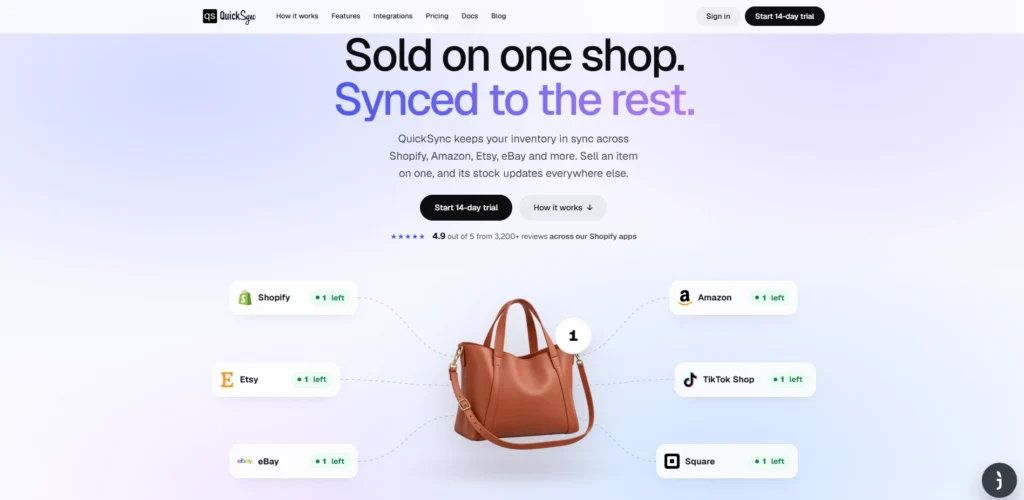
QuickSync is a sync app that keeps your stock the same across your sales channels, including WooCommerce, Etsy, and in-store POS systems like Square. You install the plugin on WordPress, then connect your WooCommerce store and your Etsy shop from the QuickSync dashboard.
Every stock change goes into one central inventory list, which then updates your other channels. For product details like titles, prices, and images, you pick one store as your Master Store, and QuickSync copies its data to the rest.
Key strengths worth noting:
- Central inventory collects stock changes from every connected channel and updates the rest, so one sale lowers stock everywhere.
- POS connections link Square, Clover, or Lightspeed, so a sale at your shop counter or market stall updates Etsy and WooCommerce too.
- Master Store product sync copies titles, descriptions, images, prices, SKUs, and variants from the store you choose to your other channels.
- Selective syncing lets you choose which products sync, using lists, filters, or an Excel import.
- Multi-location inventory tracks stock across multiple stores or warehouses.
Pricing
QuickSync prices by catalog size and number of connected shops, not by orders. Each plan price covers two shops, and every shop after that adds the plan price again, up to eight.
- Lite: $19/month, up to 1,000 items, inventory sync only
- Pro: $29/month, up to 2,500 items, adds product and order sync
- Ultra: $69/month, up to 10,000 items, with setup help
- Ultra+: $99/month, up to 20,000 items
QuickSync counts each variation as one item, so a tee in 4 sizes and 3 colors counts as 12 items. If you connect WooCommerce, Etsy, and a Square POS, that is three shops, so expect to pay more than the two-shop price. Use the calculator on QuickSync’s pricing page to check your exact cost. Every plan includes a 14-day free trial. (Prices checked October 2026.)
Pros and cons of QuickSync
Pros | Cons |
- One stock count across in-person and online sales - Works with Square, Clover, and Lightspeed POS - Lowest paid entry price on this list at $19/month - 14-day free trial on every plan | - Order sync and automatic product sync start on the $29 Pro plan; Lite syncs stock only - Product details only flow one way from your Master Store, so edits made elsewhere can be overwritten - Each plan covers only two shops, so adding a POS as a third shop raises the price - Price adjustments for international markets need the $69 Ultra plan |
Best for: sellers who run a shop, stall, or pop-up and also sell on Etsy and WooCommerce.
Choose QuickSync over the other tools if in-person sales make up a real share of your revenue.
How to Choose the Right Etsy Integration for Your WooCommerce Store
If you plan to sell on more marketplaces than Etsy
If you see Etsy as the first of several marketplaces, a multichannel tool saves you from switching later. Two tools on this list fit, and the choice comes down to how you’d rather pay.
LitCommerce is the stronger fit for most growing shops to consider seriously. Sellers can connect WooCommerce and Etsy now and add more stores- eBay, Amazon, or TikTok Shop- from the same dashboard. Pricing depends on how many listings and channels you have, not orders, so that a busy season won’t raise your bill. The trade-off is that Etsy syncs every 60 minutes because of Etsy’s API limits.
Salestio suits large catalogs with few orders. Its $29 plan covers up to 5,000 products but only 100 orders a month. Every variation also needs a UPC or EAN code, which many handmade sellers don’t have.
Start with Etsy, grow from there
Connect WooCommerce to Etsy today, then add eBay, Amazon, or TikTok Shop from the same dashboard when you’re ready.
If Etsy is your only extra channel
For sellers with no plans to expand beyond Etsy, a plugin built only for Etsy keeps things simple. Both options below run inside your WordPress dashboard. Your budget and how sure you are about Etsy decide which one fits.
Plugin | Cost | Pick it when |
CedCommerce | $179/year | You’re committed to Etsy and want strong order tools |
ExportFeed | Free for 20 products and 10 orders | You want to test Etsy demand with real orders first |
LitCommerce still works for Etsy-only sellers, but you’d be paying for multichannel features you may not use yet. Treat the free plans as test runs, since their limits fill up fast once Etsy starts selling.
If you also sell in person
Sellers, especially those who take payments at markets, pop-ups, or a physical shop, need a tool that sees those sales too. QuickSync is built for exactly that mix. It connects your POS, the card reader or register you use in person, such as Square, Clover, or Lightspeed, to the same stock count as Etsy and WooCommerce.
Without that link, an item sold at your stall can still look available online. Keep in mind that order sync starts on the $29 Pro plan, and both prices cover two shops. Connecting WooCommerce, Etsy, and a POS counts as three shops, so check the total on QuickSync’s pricing calculator.
Best Etsy Integration Tools for WooCommerce: FAQs
What is the best Etsy integration for WooCommerce?
It depends on where you plan to sell next. LitCommerce suits sellers who want to add more marketplaces after Etsy, since everything runs from one dashboard with unlimited orders. CedCommerce suits sellers who only need Etsy and want to stay inside WordPress. For a free test run, ExportFeed is the easiest place to start.
Is there a free Etsy plugin for WooCommerce?
Yes. ExportFeed has a free version that syncs products, stock, orders, and tracking for up to 20 products and 10 orders.
Can I sync existing Etsy listings to WooCommerce, or do I have to re-list everything?
You don’t have to re-list everything. LitCommerce, CedCommerce, and ExportFeed can all import your existing Etsy listings and link them to WooCommerce products. Matching usually works by SKU and attributes, so check that they’re the same in both shops before you import.
If I sell on Etsy and WooCommerce, where should I list products first?
Start in WooCommerce, then connect and list products to Etsy. Most tools on this list treat WooCommerce as the main source of product data and push changes outward.
Is there a risk of my Etsy shop getting suspended because of an integration tool?
The tool itself is rarely the problem. The real risk comes from sync mistakes, like overselling an item, which lead to canceled orders and unhappy buyers. Choose a tool that connects through Etsy’s official API, keep a small stock buffer on one-of-a-kind items, and check your Etsy shop after setup.
Final Thoughts
Before picking a tool, you should look at where your Etsy work actually happens each day. If most of it happens in WordPress and Etsy is your only extra sales channel, consider a plugin like CedCommerce that keeps everything in one place.
LitCommerce makes more sense when the work happens across marketplaces. The same product may need a different title, tags, or price on Etsy than on eBay or TikTok Shop. LitCommerce’s WooCommerce Etsy integration lets you prepare listings with templates, set channel-specific prices, and manage every order from one dashboard, with no order cap. For a very large catalog with few monthly orders, Salestio’s order-based pricing is also worth comparing.
Still weighing your options? Reach out to our team, and we’ll help you figure out which tool fits your shop. And if you want to keep exploring, there’s more on multichannel selling on our blog.