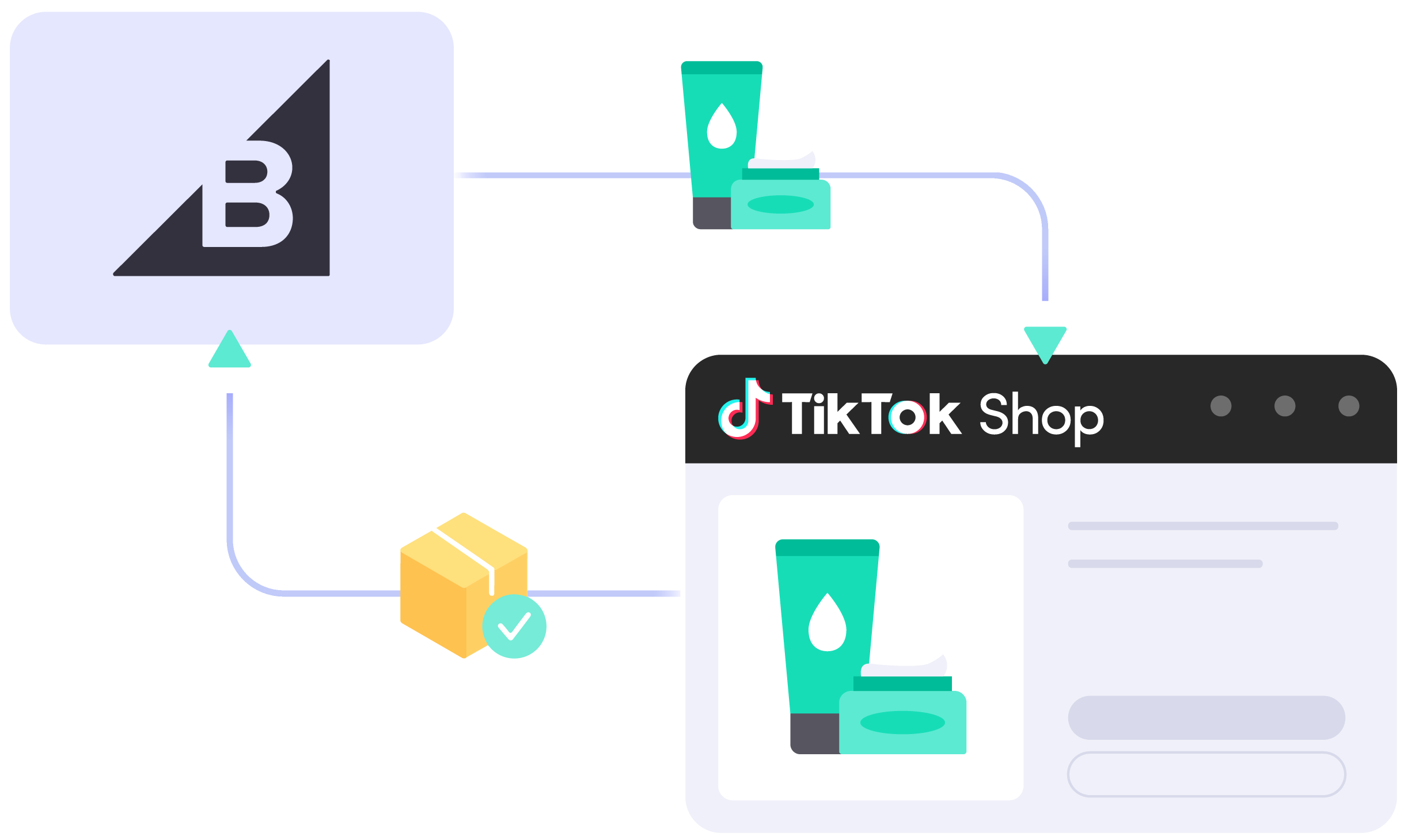
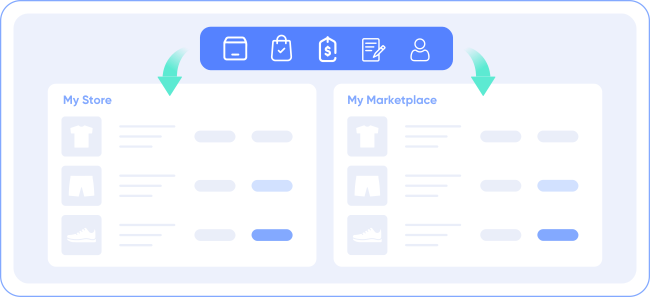
LitCommerce connects your BigCommerce store to TikTok Shop so you can bulk-list products, map them to the right TikTok Shop categories with AI category suggestions, and keep inventory, pricing, and orders aligned on a 15-minute sync cycle, all from one dashboard.
Which Data is Included In the BigCommerce TikTok Shop Sync?
Price
Keeps TikTok Shop prices matched to BigCommerce, with price rules to raise or lower them by a set amount or percentage for fees or campaigns.
Order
Pulls every TikTok Shop order into your BigCommerce order page, so you review, fulfill, and ship from one place, with unlimited order sync included.
Inventory
Updates stock across BigCommerce and TikTok Shop on a 15-minute cycle, which helps prevent overselling when a live session drives a sudden order spike.
Title
Sends product title changes from BigCommerce to TikTok Shop automatically, so you edit once instead of updating each channel by hand.
Description
Updates product descriptions from BigCommerce to TikTok Shop when you make changes, so you skip re-entering the same text on both platforms.
How to Integrate Shopify with eBay ?
Step 1: Link your BigCommerce store to TikTok Shop
Set BigCommerce as your Main Store from the LitCommerce app, or install LitCommerce from the BigCommerce App Marketplace. Your BigCommerce store becomes the source catalog for listing on TikTok Shop.
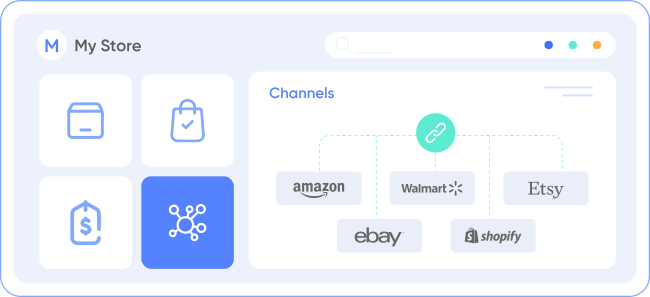
Once you connect your eBay shop, LitCommerce enables integration with other channels including Amazon, eBay, Etsy, and over 10 additional platforms.
Step 2: List and import products between BigCommerce and TikTok Shop
Push BigCommerce products to TikTok Shop, pull existing TikTok Shop listings into BigCommerce, or link matching products across both. New listings sit in the Draft tab, where you can edit them before they go live.
Step 3: Turn on automated BigCommerce TikTok Shop sync
LitCommerce runs a 15-minute sync cycle for titles, images, inventory, pricing, and orders, so both stores stay aligned without manual work.
Step 4: Manage TikTok Shop orders from one dashboard
With Order Sync on, TikTok Shop orders land in your BigCommerce dashboard, ready to review and fulfill next to your store orders.
Popular Questions About BigCommerce TikTok Shop Integration
Not seeing your question listed here? Contact us for the quickest answer.
Do I have to relist my whole BigCommerce catalog on TikTok Shop by hand?
No. Once you connect the two, LitCommerce automatically imports your BigCommerce products. To publish them on TikTok Shop, use Quick/Auto List with templates for categories, pricing, and shipping, so you can list in bulk instead of one product at a time.
Will my stock stay accurate if a TikTok video or live sale spikes my orders?
Yes. LitCommerce updates inventory across BigCommerce and TikTok Shop on a 15-minute cycle. You can set minimum and maximum thresholds and out-of-stock control, which helps you avoid overselling when a video or live session drives a sudden order spike.
TikTok Shop asks for categories and details my BigCommerce store doesn’t have. How do I handle that?
New listings sit in the Draft tab first, where you complete TikTok Shop’s category, attribute, package, and compliance fields before publishing. AI category suggestions help map each product to the right TikTok Shop category, and templates let you reuse the same settings across similar items.
Can I manage TikTok Shop orders without leaving BigCommerce?
Yes. Turn on Import Orders to Main Store, and every TikTok Shop order lands in your BigCommerce dashboard next to your store orders. You review and fulfill from one place, with unlimited order sync included on every plan.
Can I test the BigCommerce TikTok Shop integration before paying?
Yes. Start with a 7-day free trial that includes full features. After that, pricing is pay-as-you-go from $29/month, based on your total listings and connected channels, so you only scale cost as you grow.
If TikTok Shop works out, can I add more sales channels later?
Yes. BigCommerce TikTok Shop is one integration within a tool built for 10+ channels. From the same BigCommerce Main Store, you can add Amazon, eBay, Etsy, or Walmart and manage every listing, inventory update, and order in one dashboard.
One Dashboard for BigCommerce, TikTok Shop, and Beyond
Supercharge your sales with LitCommerce Shopify eBay integration. Expand, dominate, and expand across eBay and 10+ channels, platforms, and marketplaces with confidence. Maximize your business potential now!
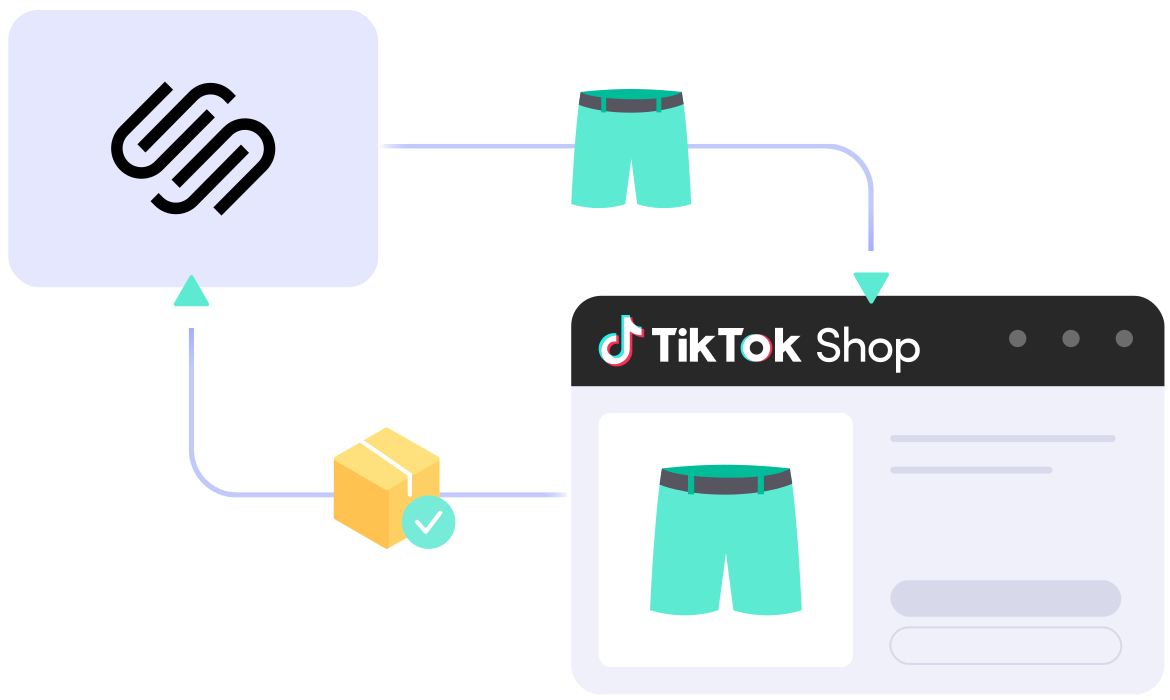
Sync product listings, inventory, and orders seamlessly between Squarespace and TikTok Shop, automating your inventory across channels and centralizing order fulfillment in one channel. Free plan available and no credit card required.
Set up your Squarespace store directly on LitCommerce or set our tool as an extension on your Squarespace store. Your Squarespace store will act as the source for listing products on TikTok Shop.
Once you connect your TikTok shop, LitCommerce enables integration with other channels including Amazon, eBay, Etsy, and over 20 additional platforms.
Step 2: List & import products on TikTok Shop
LitCommerce handles product listings in all cases:
Case 1: You have products on your Squarespace store and want to list them on TikTok Shop
Case 2: You have products on TikTok Shop and want to import these listings to your Squarespace store.
Case 3: You have products on both Squarespace and TikTok and want to link them together.
That way, you can sync your product details such as product name, description, price, and image across TikTok and Squarespace store.
Step 3: Turn on Squarespace TikTok sync
Our Squarespace TikTok Shop integration offers real-time synchronization. Once your customer places an order on Squarespace or TikTok, your inventory on both platforms will be automatically updated, keeping it accurate!
Step 4: Manage order flow
Bring your TikTok orders into your Squarespace store and manage them centrally from one place by enabling the Order Sync feature. Receive direct order updates from your TikTok Shop to your Squarespace store, and control everything from Squarespace without any hassle.
Popular Questions About Squarespace TikTok Shop Integration
Not seeing your question listed here? Contact us for the quickest answer.
Can you connect Squarespace to TikTok Shop?
Definitely YES. Both Squarespace and TikTok Shop allow connecting with each other. You can connect them manually or use LitCommerce – a multichannel selling software to help add a TikTok Shop store to the Squarespace website.
With LitCommerce, you only need 6 detailed steps to integrate Squarespace with TikTok Shop:
#Step 1. Add LitCommerce app on Squarespace
#Step 2. Connect Squarespace to TikTok Shop
#Step 3. List Squarespace products on TikTok Shop or vice versa
#Step 4. Edit TikTok Shop listings
#Step 5. Enable Squarespace TikTok Shop sync
#Step 6. Integrate Squarespace TikTok Shop order flow
If you have any specific requirements, feel free to contact our support team for more consultation.
How do I sync my Squarespace inventory with TikTok Shop?
One of LitCommerce’s advanced features is to make it simple to synchronize your inventory between Squarespace and TikTok Shop. On the sidebar menu of your LitCommerce dashboard, select Channel Settings to access TikTok Shop. You can use the Inventory Sync feature there to set the Inventory Rules. LitCommerce will automatically sync Squarespace and TikTok Shop inventory on your behalf.
Is selling on Squarespace worth it?
No matter how big your company is, Squarespace is always a worthy choice to take into account. One of the elements that contribute to user trust and reputation-building is its scalability. The eCommerce platform offers maximum satisfaction even for huge stores with an astonishing number of add-ons and integrated functionalities.
How much does it cost to integrate Squarespace with TikTok Shop?
LitCommerce offers a 7-day free trial with full feature access, including: 15-minute sync for price, inventory and product information, also advanced order management across all channels. You can cancel at any time if you want.
You can also get a 20% discount for yearly payments. Don’t forget to check out as soon as possible to get this opportunity right now.
Choose Squarespace TikTok Shop Integration to Grow
Supercharge your sales with LitCommerce Squarespace TikTok Shop integration. Expand, dominate, and conquer multiple channels effortlessly. Maximize your business potential now!
LitCommerce provides the simplest solution for integrating Squarespace with Shopee, empowering you to sell on Shopee with your Squarespace store while managing all data from one dashboard. Let’s unlock new possibilities for your business today.
Select Squarespace as your Main Store then choose Shopee as the marketplace when you want to sell Squarespace products on Shopee.
After that, you can connect to other marketplaces on your account dashboard.
Step 2: List products on Shopee
Select products from Squarespace to list on Shopee or vice versa to import Shopee listings to Squarespace. Products listed in your sales channel will be stored in the tab Draft.
You can edit products before publishing them live on Squarespace and Shopee.
Step 3: Enable sync Squarespace and Shopee inventory
Squarespace Shopee inventory management has never been easier with Squarespace Shopee inventory sync. The product details such as product name, inventory, price, images, etc., are regularly synced from Squarespace to Shopee and vice versa.
Step 4: Manage orders
When you link Squarespace to Shopee, your Squarespace store will instantly receive all order details from Shopee.
You can review and fulfill them alongside orders from your Squarespace store, conveniently in one place.
Bring Channels to a Single Dashboard
Live Sync
The LitCommerce LiveSync establishes a near-instant sync of product listing, orders, pricing and inventory between your Main Store and your sale channels.
Multichannel Connect
Effortlessly connect with multiple sales channels and manage inventory, prices, and orders within a single dashboard. No technical skill is required.
Integrated Order Flow
Import your sales channel orders directly into your eCommerce platform’s orders page. You can manage and process orders effectively in one place.
QuickGrid
QuickGrid is a spreadsheet-style interface that lets you view, edit and manage all listings on a single screen. You can edit products individually or in filtered groups and create rules to bulk update products.
Popular Questions About Squarespace Shopee Integration
Not seeing your question listed here? Contact us for the quickest answer.
Can you connect Squarespace to Shopee?
Definitely YES. Both Squarespace vs Shopee allows connecting with each other. You can connect them manually or using LitCommerce – a multichannel selling software to help you to add an Shopee store to the Squarespace website.
With LitCommerce, you only need 6 detailed steps to integrate Squarespace with Shopee:
#Step 1. Add LitCommerce app on Squarespace
#Step 2. Connect Squarespace to Shopee
#Step 3. List Squarespace products on Shopee or vice versa
#Step 4. Edit Shopee listings
#Step 5. Enable Squarespace Shopee sync
#Step 6. Integrate Squarespace Shopee order flow
If you have any specific requirements, feel free to contact our support team for more consultation.
How do I sync my Squarespace inventory with Shopee?
One of LitCommerce’s advanced features is to make it simple to synchronize your inventory between Squarespace and Shopee. On the sidebar menu of your LitCommerce dashboard, select Channel Settings to access Shopee. You can use the Inventory Sync feature there to set the Inventory Rules. LitCommerce will automatically sync Squarespace and Shopee inventory on your behalf.
Squarespace and Shopee: Which one is better?
Despite the fact that Shopee is less expensive and easier to use, Squarespace has more advantages in terms of domain and URL structure; eCommerce features; design flexibility; Help and Support. If you require an eCommerce platform that will support your business both when you first start selling online and as your sales grow, Squarespace wins out. However, Shopee is still a great alternative if you want to sell fast.
In addition, in case you are considering expanding your business, why not integrate Shopee and Squarespace to use both? Don’t worry about Shopee Squarespace inventory management, LitCommerce will help you to control both of them in only one dashboard. Check Out or Contact Us for more consultations.
Is selling on Squarespace worth it?
No matter how big your company is, Squarespace is always a worthy choice to take into account. One of the elements that contribute to user trust and reputation-building is its scalability. The eCommerce platform offers maximum satisfaction even for huge stores with an astonishing number of add-ons and integrated functionalities.
How much does it cost to integrate Squarespace with Shopee?
LitCommerce focuses on providing a plugin that is both affordable and effective. The cost for Squarespace and Shopee Integration is totally FREE.
However, the Free Plan does not get you access to other potent features like Synchronization or QuickGrid,… In case you want to use these features, you need to pay for a more advanced plan depending on the number of products you sell. The price ranges from $29/month to $149/month and is paid monthly or yearly.
20+
Supported Marketplaces
20K+
Customers Worldwide
60+
Countries Served
4.9*
Rating from Merchants
Why Choose LitCommerce
Born with Simplicity
LitCommerce streamlines the process of multi-channel selling for every merchant. You can start selling everywhere with simple clicks, a smooth operation and detailed instructions along the way.
Made Affordable for All Sizes
Besides a free plan available, LitCommerce goes with diverse plans at reasonable prices. Our goal is to help every business benefit the most from multi-channel selling.
Dedicated Support
Our dedicated team of experts is here to guide each and every seller along the way. We pride ourselves on providing personalized support tailored to specific needs, via live chat or email.
Centered Around Customers
At our core, we put our customers first and continuously strive to meet their evolving needs. We actively listen, update our tool regularly, and enhance our capabilities to ensure your satisfaction.
Choose Squarespace Shopee Integration to Grow
Supercharge your sales with LitCommerce Squarespace Shopee integration. Expand, dominate, and conquer multiple channels effortlessly. Maximize your business potential now!
Streamline the connection between BigCommerce and Shopee using LitCommerce. Effortlessly synchronize inventory, list products in bulk, automate your entire management process, and easily monitor everything from one dashboard with our BigCommerce Shopee integration. Our free forever plan for SMBs is now available.
Select BigCommerce as your Main Store then choose Shopee as the marketplace when you want to sell BigCommerce products on Shopee.
After that, you can connect to other marketplaces on your account dashboard.
Step 2: List products on Shopee
Select products from BigCommerce to list on Shopee or vice versa to import Shopee listings to BigCommerce. Products listed in your sales channel will be stored in the tab Draft.
You can edit products before publishing them live on BigCommerce and Shopee.
Step 3: Enable sync BigCommerce and Shopee inventory
BigCommerce Shopee inventory management has never been easier with BigCommerce Shopee inventory sync. The product details such as product name, inventory, price, images, etc., are regularly synced from BigCommerce to Shopee and vice versa.
Step 4: Manage orders
When you link BigCommerce to Shopee, your BigCommerce store will instantly receive all order details from Shopee.
You can review and fulfill them alongside orders from your BigCommerce store, conveniently in one place.
The LitCommerce LiveSync establishes a near-instant sync of product listing, orders, pricing and inventory between your Main Store and your sale channels.
Multichannel Connect
Effortlessly connect with multiple sales channels and manage inventory, prices, and orders within a single dashboard. No technical skill is required.
Integrated Order Flow
Import your sales channel orders directly into your eCommerce platform’s orders page. You can manage and process orders effectively in one place.
QuickGrid
QuickGrid is a spreadsheet-style interface that lets you view, edit and manage all listings on a single screen. You can edit products individually or in filtered groups and create rules to bulk update products.
Popular Questions About BigCommerce Shopee Integration
Not seeing your question listed here? Contact us for the quickest answer.
Can you connect BigCommerce to Shopee?
Definitely YES. Both BigCommerce and Shopee allow connecting with each other. You can connect them manually or use LitCommerce – a multichannel selling software to help you add a Shopee store to the BigCommerce website.
With LitCommerce, you only need 6 detailed steps to integrate BigCommerce with Shopee:
#Step 1. Add LitCommerce app on BigCommerce
#Step 2. Connect BigCommerce to Shopee
#Step 3. List BigCommerce products on Shopee or vice versa
#Step 4. Edit Shopee listings
#Step 5. Enable BigCommerce Shopee sync
#Step 6. Integrate BigCommerce Shopee order flow
If you have any specific requirements, feel free to contact our support team for more consultation.
How do I sync my BigCommerce inventory with Shopee?
One of LitCommerce’s advanced features is to make it simple to synchronize your inventory between BigCommerce and Shopee. On the sidebar menu of your LitCommerce dashboard, select Channel Settings to access Shopee. You can use the Inventory Sync feature there to set the Inventory Rules. LitCommerce will automatically sync BigCommerce and Shopee inventory on your behalf.
BigCommerce and Shopee: Which one is better?
Despite the fact that Shopee is less expensive and easier to use, BigCommerce has more advantages in terms of domain and URL structure; eCommerce features; design flexibility; Help and Support. If you require an eCommerce platform that will support your business both when you first start selling online and as your sales grow, BigCommerce wins out. However, Shopee is still a great alternative if you want to sell fast.
In addition, in case you are considering expanding your business, why not integrate Shopee and BigCommerce to use both? Don’t worry about Shopee BigCommerce inventory management, LitCommerce will help you to control both of them in only one dashboard. Check Out or Contact Us for more consultations.
Is selling on BigCommerce worth it?
No matter how big your company is, BigCommerce is always a worthy choice to take into account. One of the elements that contribute to user trust and reputation-building is its scalability. The eCommerce platform offers maximum satisfaction even for huge stores with an astonishing number of add-ons and integrated functionalities.
How much does it cost to integrate BigCommerce with Shopee?
LitCommerce focuses on providing a plugin that is both affordable and effective. The cost for BigCommerce and Shopee Integration is totally FREE.
However, the Free Plan does not get you access to other potent features like Synchronization or QuickGrid,… In case you want to use these features, you need to pay for a more advanced plan depending on the number of products you sell. The price ranges from $29/month to $149/month and is paid monthly or yearly.
Don’t forget to check out as soon as possible to get this opportunity right now!
20+
Supported Marketplaces
20K+
Customers Worldwide
60+
Countries Served
4.9*
Rating from Merchants
Why Choose LitCommerce
Born with Simplicity
LitCommerce streamlines the process of multi-channel selling for every merchant. You can start selling everywhere with simple clicks, a smooth operation and detailed instructions along the way.
Made Affordable for All Sizes
Besides a free plan available, LitCommerce goes with diverse plans at reasonable prices. Our goal is to help every business benefit the most from multi-channel selling.
Dedicated Support
Our dedicated team of experts is here to guide each and every seller along the way. We pride ourselves on providing personalized support tailored to specific needs, via live chat or email.
Centered Around Customers
At our core, we put our customers first and continuously strive to meet their evolving needs. We actively listen, update our tool regularly, and enhance our capabilities to ensure your satisfaction.
Choose BigCommerce Shopee Integration to Grow
Supercharge your sales with LitCommerce BigCommerce Shopee integration. Expand, dominate, and conquer multiple channels effortlessly. Maximize your business potential now!
Connect Wix to Shopee just in a few clicks and show your items to Shopee’s 295 million customers. Our Wix Shopee integration helps you list products in bulk, synchronize inventory, centralize order management in your Wix dashboard.
Easily publish all your WooCommerce products to Shopee shop in moments without manual listing.
Shopee Repricing
Effortlessly set your product prices for Shopee using LitCommerce price rules.
Mass Editing
Edit and optimize your listing titles and descriptions for Shopee in mass with templates and rank higher.
Inventory Sync
Accurately and automatically update your inventory levels across channels.
Order Management
Efficiently bring your Shopee orders to your familiar Wix store, manage all in a place.
Before Integrating Wix with Shopee
Prepare for the Wix Shopee integration by familiarizing yourself with the necessary steps, which will help make the integration, listing, and selling processes smoother.
Choose your target market among Indonesia, Singapore, Malaysia, etc.
Creata a Shopee Seller account.
Set up your Shopee Shop Profile.
How to Connect Wix to Shopee
Step 1: Connect Wix to Shopee
First, install LitCommerce on the Wix App Market or directly set up your Wix store on LitCommerce. Select Wix as your Main Store. Your Wix store then will work as a headquarter – where you manage all your listings, inventory, and orders.
After that, connect your Shopee as a sales channel to start selling on this leading maretplace in Southeast Asia. More channels, more sales. LitCommerce also allows you tin integrate your Wix store with +20 other top marketplaces and social platforms such as Amazon, eBay, Etsy and TikTok Shop.
Step 2: List & import products on Shopee
List and sell your products on both Wix and Shopee and reach more customers. You can sync your product details such as product name, price, and images across both channels by:
1. Upload listings from Wix to Shopee.
2. Import products from Shopee to your Wix store.
3. Link Wix products with corresponding Shopee listings.
You also can use Templates and Recipes to customize and optimize your product listings for each sale channel.
Step 3: Turn on Wix Shopee sync
Shopee Wix inventory management has never been easier with Wix Shopee integration. Once your customer places an order on Wix or Shopee, your inventory on both platforms will be automatically updated. So you will never miss a sale or oversell.
Step 4: Manage order flow
When you integrate Shopee and Wix, your Wix store will receive all order details from Shopee. You can review and fulfill them alongside orders from your Wix store, conveniently in one place.
Our Integration Pricing
(*) Number of Product Listings count towards the total number of listings on all connected sale channels, not on products you have on your mainstore.
Not seeing your question listed here? Contact us for the quickest answer.
Can you connect Wix to Shopee?
Definitely YES. Both Wix and Shopee allow connecting. You can connect them manually or use LitCommerce – a multichannel selling software to help add a Shopee store to the Wix website.
With LitCommerce, you only need 6 detailed steps to integrate Wix with Shopee:
#Step 1. Add LitCommerce app on Wix
#Step 2. Connect Wix to Shopee
#Step 3. List Wix products on Shopee or vice versa
#Step 4. Edit Shopee listings
#Step 5. Enable Wix Shopee sync
#Step 6. Integrate Wix Shopee order flow
If you have any specific requirements, feel free to contact our support team for more consultation.
How do I sync my Wix inventory with Shopee?
One of LitCommerce’s advanced features is to make it simple to synchronize your inventory between Wix and Shopee. On the sidebar menu of your LitCommerce dashboard, select Channel Settings to access Shopee. You can use the Inventory Sync feature there to set the Inventory Rules. LitCommerce will automatically sync Wix and Shopee inventory on your behalf.
Is selling on Wix worth it?
No matter how big your company is, Wix is always a worthy choice to take into account. One of the elements that contribute to user trust and reputation-building is its scalability. The eCommerce platform offers maximum satisfaction even for huge stores with an astonishing number of add-ons and integrated functionalities.
How much does it cost to integrate Wix with Shopee?
LitCommerce offers a 7-day free trial with full feature access, including: 15-minute sync for price, inventory and product information, also advanced order management across all channels. You can cancel at any time if you want.
You can also get a 20% discount for yearly payments. Don’t forget to check out as soon as possible to get this opportunity right now.
Start Selling on Shopee with Wix Shopee Integration
Let LitCommerce speed up your listing process and free up your inventory and order management effort.
Quickly build your Shopee shop with our WooCommerce Shopee integration and show your products on Southeast Asia’s Top 1 marketplace. Easily list your WooCommerce products to Shopee, sync inventory, and manage all your orders directly from your WooCommerce store.
Effortlessly list multiple WooCommerce products on Shopee at once and leverage engaging Shopee LIVE and various sales events to boost your sales.
Reprice on Shopee
Customers prefer lower prices. Set price rules and automatically reprice your products to stay competitive.
Mass edit listings
Create and apply templates to efficiently edit and optimize your listing titles and descriptions to meet Shopee’s SEO rules and rank higher.
Sync inventory across channels
Keep stock levels accurately updated on all channels with error-free update, so you never oversell.
Import orders from Shopee
Bring all Shopee orders to WooCommerce, manage a single product catalog for all your sales channels and see the big picture of your business.
Get Ready Before Integrating WooCommerce with Shopee
Get ready to start with WooCommerce Shopee integration by understanding the preparation steps, making the integration, listing, and selling process smoother.
Choose your target market among Indonesia, Singapore, Malaysia, etc.
Create a Shopee Seller account.
Set up your Shopee Shop Profile.
How to Connect WooCommerce to Shopee
Step 1: Link WooCommerce to Shopee marketplace
Set up your WooCommerce store directly on LitCommerce app or install our plugin on the WordPress plugin directory. Your WooCommerce store will act as the source for listing products on Shopee. Then, connect your Shopee store on LitCommerce app.
Plus, LitCommerce also support integrating WooCommerce with 20+ leading marketplaces such as Amazon, eBay, Etsy, TikTok Shop, simplify your multichannel selling journey.
Step 2: List & import products on Shopee
LitCommerce’s WooCommerce Shopee integration provides the easiest way to list and manage your products. The product details such as product name, price, images, etc., can be synced seamlessly on both WooCommerce and Shopee, regardless of your needs:
Scenario 1: You can directly list your WooCommerce products to Shopee.
Scenario 2: You can import product listings from Shopee to your WooCommerce store.
Scenario 3: Having products on both channels? You can link the same items across channels.
Your listings will be stored in the Draft tab, allowing you to edit them before they go live.
Step 3: Turn on WooCommerce Shopee sync
Once you enable WooCommerce Shopee inventory sync, your inventory management will be smooth and easy. LitCommerce synchronizes and keeps your stock level up to date across channels.
Step 4: Manage orders
Import Shopee orders into WooCommerce for easy processing alongside your WooCommerce orders, all from one single spot.
Popular Questions About WooCommerce Shopee Integration
Not seeing your question listed here? Contact us for the quickest answer.
Can you connect WooCommerce to Shopee?
Definitely YES. Both WooCommerce and Shopee allow connecting with each other. You can connect them manually or use LitCommerce – a multichannel selling software to help you add a Shopee store to the WooCommerce website.
With LitCommerce, you only need 6 detailed steps to integrate WooCommerce with Shopee:
#Step 1. Add LitCommerce app on WooCommerce
#Step 2. Connect WooCommerce to Shopee
#Step 3. List WooCommerce products on Shopee or vice versa
How do I sync my WooCommerce inventory with Shopee?
One of LitCommerce’s advanced features is to make it simple to synchronize your inventory between WooCommerce and Shopee. On the sidebar menu of your LitCommerce dashboard, select Channel Settings to access Shopee. You can use the Inventory Sync feature there to set the Inventory Rules. LitCommerce will automatically sync WooCommerce and Shopee inventory on your behalf.
Is selling on WooCommerce worth it?
No matter how big your company is, WooCommerce is always a worthy choice to take into account. One of the elements that contribute to user trust and reputation-building is its scalability. The eCommerce platform offers maximum satisfaction even for huge stores with an astonishing number of add-ons and integrated functionalities.
How much does it cost to integrate WooCommerce with Shopee?
LitCommerce focuses on providing a plugin that is both affordable and effective. The cost for WooCommerce and Shopee Integration is totally FREE.
However, the Free Plan does not get you access to other potent features like Synchronization or QuickGrid,… In case you want to use these features, you need to pay for a more advanced plan depending on the number of products you sell. The price ranges from $29/month to $149/month and is paid monthly or yearly.
Choose WooCommerce Shopee Integration to Grow
Supercharge your sales with LitCommerce WooCommerce Shopee integration. Expand, dominate, and conquer multiple channels effortlessly. Maximize your business potential now!
With LitCommerce, you can easily sell on Shopee with your Shopify store using Shopify Shopee Integration. List products, sync inventory and manage all Shopee orders from one central place. No technical skill required.
Select Shopify as your Main Store then choose Shopee as the marketplace when you want to sell Shopify products on Shopee.
After that, you can connect to other marketplaces on your account dashboard.
Step 2: List products on Shopee
Select products from Shopify to list on Shopee or vice versa to import Shopee listings to Shopify. Products listed in your sales channel will be stored in the tab Draft.
You can edit products before publishing them live on Shopify and Shopee.
Step 3: Enable sync Shopify and Shopee inventory
Shopify Shopee inventory management has never been easier with Shopify Shopee inventory sync. The product details such as product name, inventory, price, images, etc., are regularly synced from Shopify to Shopee and vice versa.
Step 4: Manage orders
When you link Shopify to Shopee, your Shopify store will instantly receive all order details from Shopee.
You can review and fulfill them alongside orders from your Shopify store, conveniently in one place.
The LitCommerce LiveSync establishes a near-instant sync of product listing, orders, pricing and inventory between your Main Store and your sale channels.
Multichannel Connect
Effortlessly connect with multiple sales channels and manage inventory, prices, and orders within a single dashboard. No technical skill is required.
Integrated Order Flow
Import your sales channel orders directly into your eCommerce platform’s orders page. You can manage and process orders effectively in one place.
QuickGrid
QuickGrid is a spreadsheet-style interface that lets you view, edit and manage all listings on a single screen. You can edit products individually or in filtered groups and create rules to bulk update products.
Popular Questions About Shopify Shopee Integration
Not seeing your question listed here? Contact us for the quickest answer.
Can you connect Shopify to Shopee?
Definitely YES. Both Shopify and Shopee allow connecting with each other. You can connect them manually or use LitCommerce – a multichannel selling software to help you add a Shopee store to the Shopify website.
With LitCommerce, you only need 6 detailed steps to integrate Shopify with Shopee:
#Step 1. Add LitCommerce app on Shopify
#Step 2. Connect Shopify to Shopee
#Step 3. List Shopify products on Shopee or vice versa
One of LitCommerce’s advanced features is to make it simple to synchronize your inventory between Shopify and Shopee. On the sidebar menu of your LitCommerce dashboard, select Channel Settings to access Shopee. You can use the Inventory Sync feature there to set the Inventory Rules. LitCommerce will automatically sync Shopify and Shopee inventory on your behalf.
Shopify and Shopee: Which one is better?
Despite the fact that Shopee is less expensive and easier to use, Shopify has more advantages in terms of domain and URL structure; eCommerce features; design flexibility; Help and Support. If you require an eCommerce platform that will support your business both when you first start selling online and as your sales grow, Shopify wins out. However, Shopee is still a great alternative if you want to sell fast.
In addition, in case you are considering expanding your business, why not integrate Shopee and Shopify to use both? Don’t worry about Shopee Shopify inventory management, LitCommerce will help you to control both of them in only one dashboard. Check Out or Contact Us for more consultations.
Is selling on Shopify worth it?
No matter how big your company is, Shopify is always a worthy choice to take into account. One of the elements that contribute to user trust and reputation-building is its scalability. The eCommerce platform offers maximum satisfaction even for huge stores with an astonishing number of add-ons and integrated functionalities.
How much does it cost to integrate Shopify with Shopee?
LitCommerce focuses on providing a plugin that is both affordable and effective. The cost for Shopify and Shopee Integration is totally FREE.
However, the Free Plan does not get you access to other potent features like Synchronization or QuickGrid,… In case you want to use these features, you need to pay for a more advanced plan depending on the number of products you sell. The price ranges from $29/month to $149/month and is paid monthly or yearly.
20+
Supported Marketplaces
20K+
Customers Worldwide
60+
Countries Served
4.9*
Rating from Merchants
Why Choose LitCommerce
Born with Simplicity
LitCommerce streamlines the process of multi-channel selling for every merchant. You can start selling everywhere with simple clicks, a smooth operation and detailed instructions along the way.
Made Affordable for All Sizes
Besides a free plan available, LitCommerce goes with diverse plans at reasonable prices. Our goal is to help every business benefit the most from multi-channel selling.
Dedicated Support
Our dedicated team of experts is here to guide each and every seller along the way. We pride ourselves on providing personalized support tailored to specific needs, via live chat or email.
Centered Around Customers
At our core, we put our customers first and continuously strive to meet their evolving needs. We actively listen, update our tool regularly, and enhance our capabilities to ensure your satisfaction.
Choose Shopify Shopee Integration to Grow
Supercharge your sales with LitCommerce Shopify Shopee integration. Expand, dominate, and conquer multiple channels effortlessly. Maximize your business potential now!
Maximize Your Music Gear Sales with the Cutting-edge Reverb Listing Tool
Elevate your music gear sales potential with LitCommerce – an innovative Reverb listing tool, designed to streamline listing management and automate your multi-selling process. Try our tool for free and thrive on this marketplace.
One-click connect with multiple sales channels at once. No technical skills or re-platforming are required. You can manage all channels within the LitCommerce app.
Time-Saving Listing Management
Bulk import, create and edit listings with an easy-to-use interface. By setting rules to your listings, the data-filling process will be much faster and more effective.
Free Advanced Listing Editor
Edit listings on Reverb is easier and faster than ever with LitCommerce QuickGrid – an advanced and intuitive listing editor, auto-assigning listing attributes and settings.
Near-Instant Sync
Sync of product listings, orders, pricings and inventory between your eCommerce platform store and sales channels. No more overselling or stock-out errors.
Unified Order Fulfillment
Import your sales channel orders directly into your eCommerce platform’s order page. Cut down the workflow, save time and just focus on business growth.
Quick Publish to Reverb in a Click New
List gear on Reverb in just a few steps, using flexible templates and background publishing to stay focused on selling.
Smart Schedule Auto Publish New
Schedule Reverb listings to go live automatically, keeping new gear flowing into your store without constant manual updates.
Why List Your Gear on Reverb
Platform For Musical Gear Trade
Unlike general marketplaces, Reverb is deisgned for musical instrument trading, which makes listing and selling your gear easier and more convenient than ever.
NO Listing Fees
It’s totally free to list items or remove them on Reverb. You only pay when your item sells on Reverb. No charges are applied for unsold listings or sales made outside the platform.
Supportive Marketplace for Sellers
Reverb provides you with detailed listing guide, pricing suggestions, and selling pro tips to ensure you make the most out of your products.
High Trust and Credibility
Enjoy selling your musical instrument in the highest trust and credibility, which is associated with Reverb – a world-leading marketplace within its niche.
Reverb Safety Shipping
By any chance your musical gear is damaged or lost on its delivery to customers, you’ll get a part covered with Reverb Safety Shipping policy.
How to List Products on Reverb
Step 1: Connect to Reverb
Set up your Main Store first, then connect your Reverb store. This is the source for listing and syncing products to Reverb. You have three ways to set it up:
Connect an online store: Use your online store (Shopify, Wix, WooCommerce, BigCommerce, Squarespace, and more) as your Main Store and list your products from there to Reverb.
Sell marketplace-to-marketplace: No webstore? Connect LitCommerce as your Main Store, then link your marketplace (Amazon, Etsy, eBay…) to list directly on Reverb.
Start from a file: Import a product catalog file and list those products to Reverb – no store needed.
LitCommerce supports linking Reverb to 15+ top-tier eCommerce platforms and marketplace, including Amazon, Etsy, eBay, Walmart, TikTok Shop, Shopify, WooCommerce, and more.
List your gear easily with our Reverb listing tool. We support three major listing cases:
Case 1: You have products on an online store, a marketplace, or a file, and you want to list them on Reverb.
Case 2: You have products on Reverb, and you want to import those listings into your online store or another marketplace.
Case 3: You have products on both Reverb and another place (store or marketplace), and you want to link them together to keep them in sync.
Products listed on Reverb are stored in the Draft tab first, so you can review and edit them before publishing live.
Step 3: Enable sync
Our Reverb listing tool offers nearly real-time sync. Once enabled, your product details – name, images, inventory, price, and more – stay synced across your Reverb store, online store, and other marketplaces. This allows your product data to stay accurate across every connected channel and you avoid overselling.
Step 4: Manage order flow
When you enable Order Sync, all Reverb order details flow into your Main Store automatically – how you manage them depends on your setup:
eCommerce platform as Main Store (Shopify, WooCommerce, etc.): Reverb orders land right in your store’s order page, so you can track and fulfill all your orders in your eCommerce platform.
LitCommerce or a file as Main Store: Manage Reverb orders inside LitCommerce, alongside your other marketplace orders – conveniently all in one place.
Reverb Listing Tool is a SAAS tool that simplifies creating and managing product listings on Reverb. It helps online sellers save time and reduce their effort by automating listing in bulk, syncing inventory, and managing orders.
What are the benefits of using a Reverb listing tool?
There are many benefits when using a Reverb listing tool, including:
Save time and effort: A Reverb listing tool can automate many of the tasks involved in listing products, such as creating listings, managing inventory, and syncing orders across multiple channels.
Increase sales: A Reverb listing tool can help you increase sales by making it easier to list products and manage your inventory.
Can LitCommerce import my Reverb orders into my eCommerce platform?
Yes. Once you enable Order Sync, LitCommerce imports all your Reverb order details into your Main Store automatically – whether that’s an eCommerce platform or LitCommerce.
If your Main Store is a platform like Shopify, orders appear right on its order page; if it’s LitCommerce, you manage them inside LitCommerce. Either way, you manage all your orders in one dashboard.
Which platforms does LitCommerce support to connect with Reverb?
LitCommerce lets you connect Reverb with 15+ of the most popular eCommerce platforms and marketplaces. Here are some of them:
Shopify Reverb Integration
WooCommerce Reverb Integration
BigCommerce Reverb Integration
Wix Reverb Integration
Amazon Reverb Integration
eBay Reverb Integration
Beyond these, LitCommerce also supports channels like TikTok Shop, Etsy, Walmart, and more.
How do I get started with LitCommerce’s Reverb listing tool?
To get started, sign up for a free trial. Once you’ve signed up, set up your Main Store first – an online store, LitCommerce, or a file. Then connect your Reverb store or any other stores and start listing products.
What if I oversell when using Reverb Listing Tool?
While your Reverb integration with LitCommerce, we will help to prevent any overselling or out-stocking errors with our LiveSync feature. This helps you stay updated about inventory and order status from all sales channels added.
Also, LiveSync can help you regulate pricing on all platforms from one central dashboard.
=> Turn on our LiveSync feature by going to “Channel Settings.” Toggle the switches beside the sync options in each section (Pricing, Inventory, Order) to activate the corresponding options.
What are the advantages of using LitCommerce’s Reverb listing tool over other listing tools?
There are many benefits to using LitCommerce’s Reverb listing tool over other Reverb listing tools, including:
Ease of use: LitCommerce’s Reverb listing tool is easy to use, even for beginners.
Wide range of features: LitCommerce’s Reverb listing tool offers a wide range of features, including listing creation, inventory management, order syncing, reporting, and support.
Affordable pricing: LitCommerce’s Reverb listing tool is available at an affordable price.
Why Our Customer Trust Us
“LitCommerce allows us to set up and install quickly with just a couple of clicks…”
Very minimal configuration. LitCommerce allowed us to import our Etsy listings into LitCommerce and the freedom to modify and sync all those listings to multiple marketplaces, including BigCommerce, Shopify, Amazon, eBay, and Etsy…
Mr. Rodrigo, CEO of Bien Hecho
Courtdale CrossingsUnited States
Litcommerce is GREAT!
Excellent platform to use for my new business and it just so happens to come with amazing customer service! A+++++++
LitCommerce is a very powerful tool. There are a lot of moving parts, but support is extremely helpful. As I was working on some drafts I was contacted by Evelyn and she was extremely helpful in making sure I was using all the tools that LitCommerce offers. She showed me how I could apply certain templates to all my drafts at once instead of one by one. Saving me a bunch of time! Highly recommend LitCommerce!
LitCommerce provides the simplest solution for integrating Squarespace with Reverb, empowering you to sell on Reverb with your Squarespace store while managing all data from one dashboard. Our Free plan is available for SMBs. Let’s unlock new possibilities for your business today.
Select Squarespace as your Main Store then choose Reverb as the marketplace when you want to sell Squarespace products on Reverb.
After that, you can connect to other marketplaces on your account dashboard.
Step 2: List products on Reverb
Select products from Squarespace to list on Reverb or vice versa to import Reverb listings to Squarespace. Products listed in your sales channel will be stored in the tab Draft.
You can edit products before publishing them live on Squarespace and Reverb.
Step 3: Enable sync Squarespace and Reverb inventory
Squarespace Reverb inventory management has never been easier with Squarespace Reverb inventory sync. The product details such as product name, inventory, price, images, etc., are regularly synced from Squarespace to Reverb and vice versa.
Step 4: Manage orders
When you link Squarespace to Reverb, your Squarespace store will instantly receive all order details from Reverb.
You can review and fulfill them alongside orders from your Squarespace store, conveniently in one place.
The LitCommerce LiveSync establishes a near-instant sync of product listing, orders, pricing and inventory between your Main Store and your sale channels.
Multichannel Connect
Effortlessly connect with multiple sales channels and manage inventory, prices, and orders within a single dashboard. No technical skill is required.
Integrated Order Flow
Import your sales channel orders directly into your eCommerce platform’s orders page. You can manage and process orders effectively in one place.
QuickGrid
QuickGrid is a spreadsheet-style interface that lets you view, edit and manage all listings on a single screen. You can edit products individually or in filtered groups and create rules to bulk update products.
Popular Questions About Squarespace Reverb Integration
Not seeing your question listed here? Contact us for the quickest answer.
Can you connect Squarespace to Reverb?
Definitely YES. Both Squarespace vs Reverb allows connecting with each other. You can connect them manually or using LitCommerce – a multichannel selling software to help you to add an Reverb store to the Squarespace website.
With LitCommerce, you only need 6 detailed steps to integrate Squarespace with Reverb:
#Step 1. Add LitCommerce app on Squarespace
#Step 2. Connect Squarespace to Reverb
#Step 3. List Squarespace products on Reverb or vice versa
#Step 4. Edit Reverb listings
#Step 5. Enable Squarespace Reverb sync
#Step 6. Integrate Squarespace Reverb order flow
If you have any specific requirements, feel free to contact our support team for more consultation.
How do I sync my Squarespace inventory with Reverb?
One of LitCommerce’s advanced features is to make it simple to synchronize your inventory between Squarespace and Reverb. On the sidebar menu of your LitCommerce dashboard, select Channel Settings to access Reverb. You can use the Inventory Sync feature there to set the Inventory Rules. LitCommerce will automatically sync Squarespace and Reverb inventory on your behalf.
Squarespace and Reverb: Which one is better?
Despite the fact that Reverb is less expensive and easier to use, Squarespace has more advantages in terms of domain and URL structure; eCommerce features; design flexibility; Help and Support. If you require an eCommerce platform that will support your business both when you first start selling online and as your sales grow, Squarespace wins out. However, Reverb is still a great alternative if you want to sell fast.
In addition, in case you are considering expanding your business, why not integrate Reverb and Squarespace to use both? Don’t worry about Reverb Squarespace inventory management, LitCommerce will help you to control both of them in only one dashboard. Check Out or Contact Us for more consultations.
Is selling on Squarespace worth it?
No matter how big your company is, Squarespace is always a worthy choice to take into account. One of the elements that contribute to user trust and reputation-building is its scalability. The eCommerce platform offers maximum satisfaction even for huge stores with an astonishing number of add-ons and integrated functionalities.
How much does it cost to integrate Squarespace with Reverb?
LitCommerce focuses on providing a plugin that is both affordable and effective. The cost for Squarespace and Reverb Integration is totally FREE.
However, the Free Plan does not get you access to other potent features like Synchronization or QuickGrid,… In case you want to use these features, you need to pay for a more advanced plan depending on the number of products you sell. The price ranges from $29/month to $149/month and is paid monthly or yearly.
In the year-end sale, you can get a 30% discount for yearly payments. Don’t forget to check out as soon as possible to get this opportunity right now!
20+
Supported Marketplaces
20K+
Customers Worldwide
60+
Countries Served
4.9*
Rating from Merchants
Why Choose LitCommerce
Born with Simplicity
LitCommerce streamlines the process of multi-channel selling for every merchant. You can start selling everywhere with simple clicks, a smooth operation and detailed instructions along the way.
Made Affordable for All Sizes
Besides a free plan available, LitCommerce goes with diverse plans at reasonable prices. Our goal is to help every business benefit the most from multi-channel selling.
Dedicated Support
Our dedicated team of experts is here to guide each and every seller along the way. We pride ourselves on providing personalized support tailored to specific needs, via live chat or email.
Centered Around Customers
At our core, we put our customers first and continuously strive to meet their evolving needs. We actively listen, update our tool regularly, and enhance our capabilities to ensure your satisfaction.
Success Stories
“We originally started with an Etsy store that had over a hundred items, all unique handmade, artist handmade. And we want to make sure that the following stores and marketplace that we joined – we were able to sync our product inventory as well as pricing and attribute. BigCommerce has a LitCommerce app which allows us to set up and install quickly with just a couple of clicks…”
Mr. Rodrigo, CEO of Bien Hecho
Castle Rocks CornwallUnited Kingdom
Near perfect - excellent customer service
LitCommerce is close to perfect. It could have some extra tools to help edit content/descriptions etc - what we use on Etsy...
Litcommerce has helped me do what was nearly impossible for me to do before: sell products across 3 different locations of Woocommerce, Ebay, and Etsy,..
I think this product has a great potential to be a valuable tool for any e-commerce owner, and already is better than some of the ones I tried so far....
They made a stunning product with a perfect customer service level. They respond to every question and solve the problems quickly. Perfect product, perfect service!
I use this app to manage listings and sales across Etsy Ebay and Shopify. The app if fairly straightforward to use and the technical team are top notch the few teething problems...
Allows me to manage my inventory and publish listings across multiple selling channels (woo, etsy, ebay) seamlessly all for an incredible price. This is especially important for me...
Ember from the support has been exceptionally great and help us set this app as per our need. Finally, it would save us lot of time every week managing inventory across our Wix, Etsy and ebay store....
Great experience. All of my issues solved in no time. Migration process from Etsy to Woocommerce was super easy. The support team was always there for me. Thank you!
Good solution for multi-platform e-commerce projects.
We used litcommerce for our Etsy store . Litcommerce crew moved 800 products with all variants, photos and tags from Etsy to the woocommerce site. We will continue to use the litcommerce app...
I reached out to the developers for a change in an integration with Etsy that seemed to be missing a certain item. They responded quickly and improved the integration for me and seemingly every body else within....
Litcommerce is the choice software for startups looking to get to market at multiple storefronts. Litcommerce is the market leader in omnichannel inventory and listing management. I sell on Etsy and BigCommerce...
I didn't realize certain things wouldn't integrate into Etsy, like product partners and shipping addresses, so there was still lots of work I had to do myself after the integration. However, the syncing works really well...
This is the second company we have used to integrate our products with Etsy. The first was difficult…almost adequate. LIT did a much better job. The software was easy to use...
Supercharge your sales with LitCommerce Squarespace Reverb integration. Expand, dominate, and conquer multiple channels effortlessly. Maximize your business potential now!