Wix Reverb Integration

Wix Reverb Integration

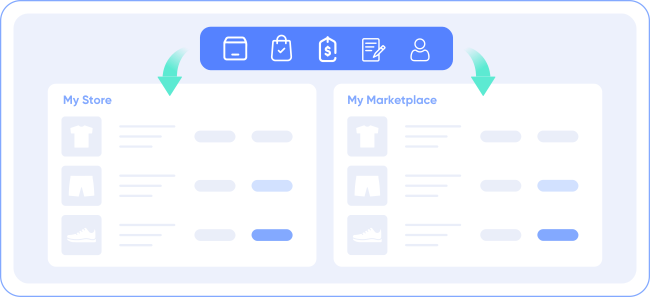
Easily integrate Wix with Reverb and manage all aspects in one place with LitCommerce. Our Free Plan designed for SMBs requires no payment or time limit, allowing you to explore new sales opportunities today. Try LitCommerce now!


shopify icon 150
mui ten artboard
reverb icon 150

How to Integrate Reverb with Wix

  • Step 1: Connect Wix to Reverb

    Select Wix as your Main Store then choose Reverb as the marketplace when you want to sell Wix products on Reverb.

    After that, you can connect to other marketplaces on your account dashboard.

  • Step 2: List products on Reverb

    Select products from Wix to list on Reverb or vice versa to import Reverb listings to Wix. Products listed in your sales channel will be stored in the tab Draft.

    You can edit products before publishing them live on Wix and Reverb.

  • Step 3: Enable sync Wix and Reverb inventory

    Wix Reverb inventory management has never been easier with Wix Reverb inventory sync. The product details such as product name, inventory, price, images, etc., are regularly synced from Wix to Reverb and vice versa.

  • Step 4: Manage orders

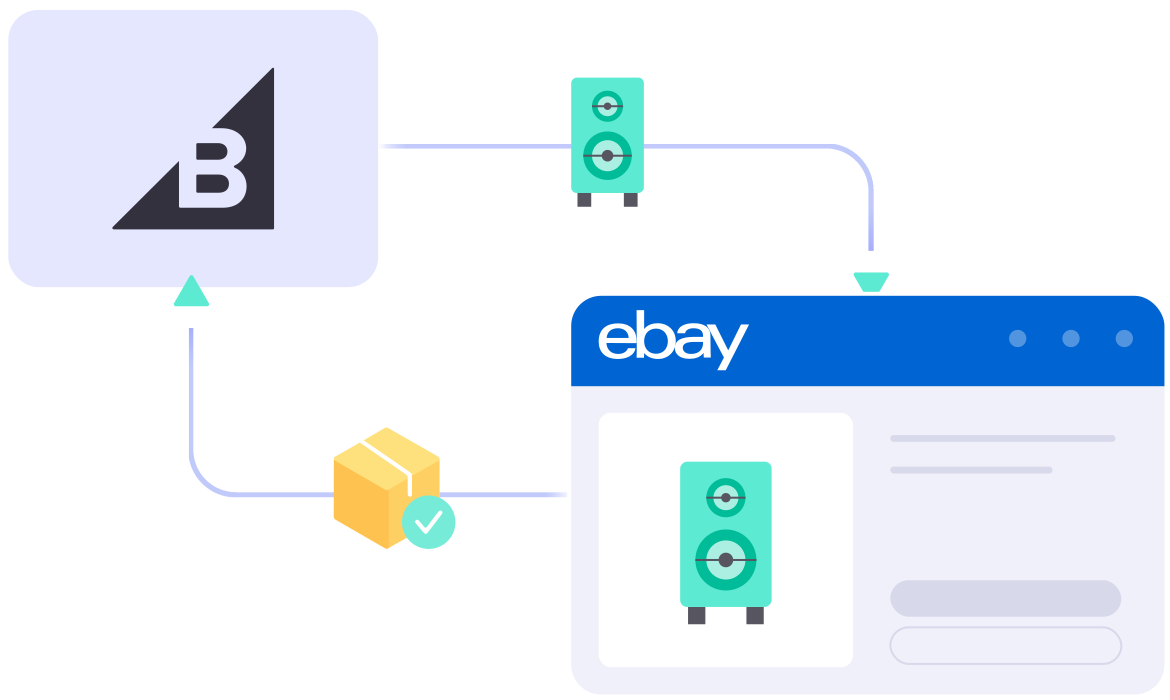
    When you link Wix to Reverb, your Wix store will instantly receive all order details from Reverb.

    You can review and fulfill them alongside orders from your Wix store, conveniently in one place.

Bring Channels to a Single Dashboard

  • web litc features 03 1

    Live Sync

    The LitCommerce LiveSync establishes a near-instant sync of product listing, orders, pricing and inventory between your Main Store and your sale channels.

  • web litc features 01 1

    Multichannel Connect

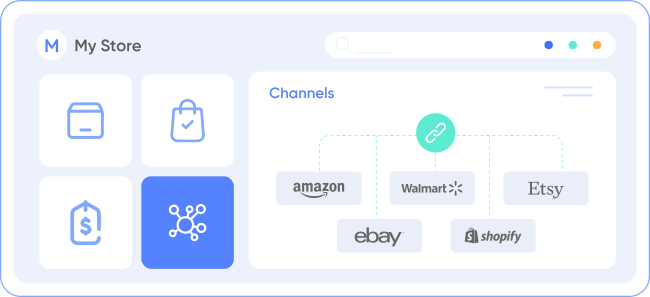
    Effortlessly connect with multiple sales channels and manage inventory, prices, and orders within a single dashboard. No technical skill is required.
  • web litc features 04 1

    Integrated Order Flow

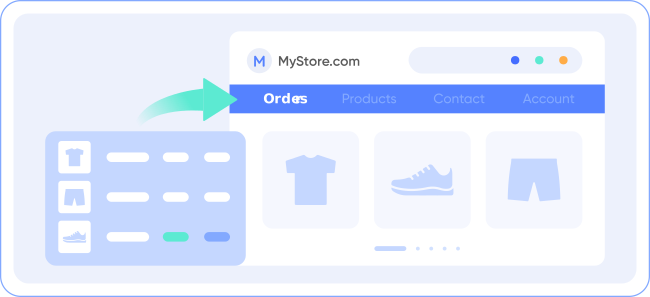
    Import your sales channel orders directly into your eCommerce platform’s orders page. You can manage and process orders effectively in one place.
  • web litc features 02 1

    QuickGrid

    QuickGrid is a spreadsheet-style interface that lets you view, edit and manage all listings on a single screen. You can edit products individually or in filtered groups and create rules to bulk update products. 

Start For Free

See What You Can Integrate with Reverb

  • bigcommerce

    BigCommerce Reverb Integration

  • woocommerce

    WooCommerce Reverb Integration

  • wix 150x150 1

    Shopify Reverb Integration

  • squarespace 150x150 1

    Squarespace Reverb Integration

Popular Questions About Wix Reverb Integration

Not seeing your question listed here? Contact us for the quickest answer.
  • Can you connect Wix to Reverb?

    Definitely YES. Both Wix vs Reverb allow connecting with each other. You can connect them manually or use LitCommerce – a multichannel selling software to help you add a Reverb store to the Wix website.

    With LitCommerce, you only need 6 detailed steps to integrate Wix with Reverb:

         #Step 1. Add LitCommerce app on Wix

         #Step 2. Connect Wix to Reverb

         #Step 3. List Wix products on Reverb or vice versa

         #Step 4. Edit Reverb listings

         #Step 5. Enable Wix Reverb sync

         #Step 6. Integrate Wix Reverb order flow

    If you have any specific requirements, feel free to contact our support team for more consultation.

  • How do I sync my Wix inventory with Reverb?

    One of LitCommerce’s advanced features is to make it simple to synchronize your inventory between Wix and Reverb. On the sidebar menu of your LitCommerce dashboard, select Channel Settings to access Reverb. You can use the Inventory Sync feature there to set the Inventory Rules. LitCommerce will automatically sync Wix and Reverb inventory on your behalf.

  • Wix and Reverb: Which one is better?

    Despite the fact that Reverb is less expensive and easier to use, Wix has more advantages in terms of domain and URL structure; eCommerce features; design flexibility; Help and Support. If you require an eCommerce platform that will support your business both when you first start selling online and as your sales grow, Wix wins out. However, Reverb is still a great alternative if you want to sell fast.

    In addition, in case you are considering expanding your business, why not integrate Reverb and Wix to use both? Don’t worry about Reverb Wix inventory management, LitCommerce will help you to control both of them in only one dashboard. Check Out or Contact Us for more consultations.

  • Is selling on Wix worth it?

    No matter how big your company is, Wix is always a worthy choice to take into account. One of the elements that contribute to user trust and reputation-building is its scalability. The eCommerce platform offers maximum satisfaction even for huge stores with an astonishing number of add-ons and integrated functionalities.

  • How much does it cost to integrate Wix with Reverb?

    LitCommerce focuses on providing a plugin that is both affordable and effective. The cost for Wix and Reverb Integration is totally FREE.

    However, the Free Plan does not get you access to other potent features like Synchronization or QuickGrid,… In case you want to use these features, you need to pay for a more advanced plan depending on the number of products you sell. The price ranges from $29/month to $149/month and is paid monthly or yearly.

    In the year-end sale, you can get a 30% discount for yearly payments. Don’t forget to check out as soon as possible to get this opportunity right now!

  • 20+

    Supported Marketplaces

  • 20K+

    Customers Worldwide

  • 60+

    Countries Served

  • 4.9*

    Rating from Merchants

Why Choose LitCommerce

  • ICON 01 Simplicity

    Born with Simplicity

    LitCommerce streamlines the process of multi-channel selling for every merchant. You can start selling everywhere with simple clicks, a smooth operation and detailed instructions along the way.
  • ICON 02 Affordable

    Made Affordable for All Sizes

    Besides a free plan available, LitCommerce goes with diverse plans at reasonable prices. Our goal is to help every business benefit the most from multi-channel selling.
  • ICON 03 Support

    Dedicated Support

    Our dedicated team of experts is here to guide each and every seller along the way. We pride ourselves on providing personalized support tailored to specific needs, via live chat or email.

  • ICON 04 Center

    Centered Around Customers

    At our core, we put our customers first and continuously strive to meet their evolving needs. We actively listen, update our tool regularly, and enhance our capabilities to ensure your satisfaction.

Success Stories

“We originally started with an Etsy store that had over a hundred items, all unique handmade, artist handmade. And we want to make sure that the following stores and marketplace that we joined – we were able to sync our product inventory as well as pricing and attribute. BigCommerce has a LitCommerce app which allows us to set up and install quickly with just a couple of clicks…”

Mr. Rodrigo, CEO of Bien Hecho

  • Castle Rocks CornwallUnited Kingdom

    Near perfect - excellent customer service

    LitCommerce is close to perfect. It could have some extra tools to help edit content/descriptions etc - what we use on Etsy...

    Review Source

  • AlfredItaly

    Above expectations

    Above expectations, easy to use and most importantly, it works perfectly. I needed to transfer some items from Etsy to Wix...

    Review Source

  • Pix AeonUnited States

    When I had trouble with my Etsy Integration

    Lit commerce has been the only integration that successfully let me list and bulk manage my items on Facebook....

    Review Source

  • MikeUnited States

    Replaced eBay's discontinued app and another Etsy integration app!

    Litecommerce allowed me to replace that and another app I was using for Etsy integration. As a bonus I find it easier to use...

  • GeorgeUnited States

    Great app & customer service

    If you are looking for an eBay/Etsy sync app, this one was very easy to set up and has been working great...

    Review Source

  • Rosie Price HeysSwitzerland

    An App that really works

    The ability to synchronise multiple Shopify sites alongside ETSY and eBay represents a paradigm shift for our company...

    Review Source

  • Amélia JonesUnited States

    This App is a Life Saver!

    I would say that the developers at LitCommerce were quick and efficient. I never had to follow up with LitCommerce...

    Review Source


  • Ioannis VogiatzoglouGreece

    I am extremely impressed with LitCommerce!

    Their platform has made it so easy for me to connect my e-shop with multiple marketplaces like Etsy, eBay, and Amazon. 5 stars all around!

    Review Source

  • Josh PillerUnited States

    I've never thought of leaving a review

    It's now about 2 weeks since my installation. Lit Commerce works! It's maintained my inventory without any issues....

    Review Source

  • David BriggsAustralia

    I love this App

    I love this App! I had been looking for a way to integrate my Shopify store with Etsy, and this is the only app I found that works....

    Review Source

  • fantasyprints

    Amazing tool for Etsy Integration

    We are finding this tool amazing and time-saving. Support is fantastic and virtually instant....

    Review Source

  • dittoismew

    Totally worth it

    Litcommerce has helped me do what was nearly impossible for me to do before: sell products across 3 different locations of Woocommerce, Ebay, and Etsy,..

    Review Source

  • yellowfinknife

    Really good and getting better

    Allows me to manage my inventory and publish listings across multiple selling channels (woo, etsy, ebay)seamlessly all for an incredible price.

    Review Source

  • aquiris

    Customer Service is Excellent

    I think this product has a great potential to be a valuable tool for any e-commerce owner, and already is better than some of the ones I tried so far....

    Review Source


  • jackiell77

    Great Plugin for Multichannel eCommerce

    Does what you need for unified eCommerce across multiple channels like Etsy, Facebook, and more. The support team is simply awesome!

    Review Source

  • Jon SmithAustralia

    Very helpful especially for me who is…

    Very helpful especially for me who is still getting used to the backend of Litcommerce. Using it is great and the support is helping me big time.

    Review Source

  • ChadUnited States

    Very convenient to have all sales and…

    Very convenient to have all sales and pricing to sync on my webpage. Needed customer service once and Hanah was very helpful!

    Review Source

  • SamUnited States

    Setting up Litcommerce to integrate our…

    Setting up Litcommerce to integrate our shop with Etsy. The customer service, particularly Ember, has been great. Recommend!

    Review Source

  • Liz CahillUnited Kingdom

    We have just set up Litcommerce to…

    We have just set up Litcommerce to integrate our shop with Etsy, and it's been a lifesaver. We are freeing up time for us...

    Review Source

  • Invitation ElegantNetherlands

    They made a stunning product with a…

    They made a stunning product with a perfect customer service level. They respond to every question and solve the problems quickly. Perfect product, perfect service!

    Review Source

  • Tan Diep SiVietnam

    A very handy app for inventory syncing

    A very handy app for inventory syncing. Any of my questions were answered promptly and helpfully. Thanks!

    Review Source

  • Andrew DrinkaldUnited Kingdom

    Multi Platform App Ebay Etsy Etc

    I use this app to manage listings and sales across Etsy Ebay and Shopify. The app if fairly straightforward to use and the technical team are top notch the few teething problems...

    Review Source

  • JD GAOUnited States

    great customer service reps!

    Review Source

  • David AdamsUnited States

    Excellent support and service.

    I've been looking for a way to synch my Etsy and Wix stores for over a year when I finally stumbled upon LitCommerce. So far the app seems great...

    Review Source

  • YellowFinKnifeUnited States

    Very Good and Getting Better

    Allows me to manage my inventory and publish listings across multiple selling channels (woo, etsy, ebay) seamlessly all for an incredible price. This is especially important for me...

    Review Source

  • RootlabAustralia

    App that does what it says

    Ember from the support has been exceptionally great and help us set this app as per our need. Finally, it would save us lot of time every week managing inventory across our Wix, Etsy and ebay store....

    Review Source

  • Michiel PilletUnited States

    Best Etsy plugin for WooCommerce

    Best Etsy plugin for WooCommerce. Keeps stock and orders synced. Intuitive interface. Reasonably priced. Very helpful customer service!

    Review Source

  • WilliamThailand

    LitCommerce transfers my products from 2 Etsy stores to my new website

    I used LitCommerce to transfer all my product from my 2 Etsy stores to my new website. I moved over 400 products and photos and no issues.

    Review Source

  • Mike DonenfeldIsrael

    Great experience.

    Great experience. All of my issues solved in no time. Migration process from Etsy to Woocommerce was super easy. The support team was always there for me. Thank you!

    Review Source

  • DenizTurkey

    Good solution for multi-platform e-commerce projects.

    We used litcommerce for our Etsy store . Litcommerce crew moved 800 products with all variants, photos and tags from Etsy to the woocommerce site. We will continue to use the litcommerce app...

    Review Source

  • RRNetherlands

    I reached out to the developers for a…

    I reached out to the developers for a change in an integration with Etsy that seemed to be missing a certain item. They responded quickly and improved the integration for me and seemingly every body else within....

    Review Source

  • Rodrigo Chavez LopezUnited States

    Litcommerce is the omnichannel ecommerce king

    Litcommerce is the choice software for startups looking to get to market at multiple storefronts. Litcommerce is the market leader in omnichannel inventory and listing management. I sell on Etsy and BigCommerce...

    Review Source

  • Unlocked, LLCUnited States

    I didn't realize certain things…

    I didn't realize certain things wouldn't integrate into Etsy, like product partners and shipping addresses, so there was still lots of work I had to do myself after the integration. However, the syncing works really well...


  • Renae HaddadinUnited States

    This is the second company we have used…

    This is the second company we have used to integrate our products with Etsy. The first was difficult…almost adequate. LIT did a much better job. The software was easy to use...


Choose Wix Reverb Integration to Grow

Supercharge your sales with LitCommerce Wix Reverb integration. Expand, dominate, and conquer
multiple channels effortlessly. Maximize your business potential now!

START FOR FREE

Continue reading

BigCommerce Reverb Integration

BigCommerce Reverb Integration

Streamline the connection between BigCommerce and Reverb using LitCommerce. Effortlessly synchronize inventory, list products in bulk, automate your entire management process, and easily monitor everything from one dashboard with our BigCommerce Reverb integration. Our free forever plan for SMBs is now available.

BigCommerce e1624099205722
mui ten artboard
reverb 150x150 1

How to Integrate Reverb with BigCommerce

  • Step 1: Connect BigCommerce to Reverb

    Select BigCommerce as your Main Store then choose Reverb as the marketplace when you want to sell BigCommerce products on Reverb.

    After that, you can connect to other marketplaces on your account dashboard.

  • Step 2: List products on Reverb

    Select products from BigCommerce to list on Reverb or vice versa to import Reverb listings to BigCommerce. Products listed in your sales channel will be stored in the tab Draft.

    You can edit products before publishing them live on BigCommerce and Reverb.

  • Step 3: Enable sync BigCommerce and Reverb inventory

    Reverb BigCommerce inventory management has never been easier with BigCommerce Reverb integration. The product details such as product name, inventory, price, images, etc., are regularly synced from BigCommerce to Reverb and vice versa.

  • Step 4: Manage orders

    When you integrate Reverb and BigCommerce, your BigCommerce store will instantly receive all order details from Reverb.

    You can review and fulfill them alongside orders from your BigCommerce store, conveniently in one place.

Our Integration Pricing


(*) Number of Product Listings count towards the total number of listings on all connected sale channels, not on products you have on your mainstore.

Need a Custom Plan? Please contact us.

Bring Channels to a Single Dashboard

  • web litc features 03 1

    Live Sync

    The LitCommerce LiveSync establishes a near-instant sync of product listing, orders, pricing and inventory between your Main Store and your sale channels.

  • web litc features 01 1

    Multichannel Connect

    Effortlessly connect with multiple sales channels and manage inventory, prices, and orders within a single dashboard. No technical skill is required.
  • web litc features 04 1

    Integrated Order Flow

    Import your sales channel orders directly into your eCommerce platform’s orders page. You can manage and process orders effectively in one place.
  • web litc features 02 1

    QuickGrid

    QuickGrid is a spreadsheet-style interface that lets you view, edit and manage all listings on a single screen. You can edit products individually or in filtered groups and create rules to bulk update products. 

Start For Free

See What You Can Integrate with Reverb

  • shopify icon 150

    Shopify Reverb Integration

  • woocommerce

    WooCommerce Reverb Integration

  • wix 150x150 1

    Wix Reverb Integration

  • squarespace 150x150 1

    Squarespace Reverb Integration

Popular Questions About BigCommerce Reverb Integration

Not seeing your question listed here? Contact us for the quickest answer.
  • Can you connect BigCommerce to Reverb?

    Definitely YES. Both BigCommerce vs Reverb allows connecting with each other. You can connect them manually or using LitCommerce – a multichannel selling software to help you to add an Reverb store to the BigCommerce website.

    With LitCommerce, you only need 6 detailed steps to integrate BigCommerce with Reverb:

         #Step 1. Add LitCommerce app on BigCommerce

         #Step 2. Connect BigCommerce to Reverb

         #Step 3. List BigCommerce products on Reverb or vice versa

         #Step 4. Edit Reverb listings

         #Step 5. Enable BigCommerce Reverb sync

         #Step 6. Integrate BigCommerce Reverb order flow

    If you have any specific requirements, feel free to contact our support team for more consultation.

  • How do I sync my BigCommerce inventory with Reverb?

    One of LitCommerce’s advanced features is to make it simple to synchronize your inventory between BigCommerce and Reverb. On the sidebar menu of your LitCommerce dashboard, select Channel Settings to access Reverb. You can use the Inventory Sync feature there to set the Inventory Rules. LitCommerce will automatically sync BigCommerce and Reverb inventory on your behalf.

  • BigCommerce and Reverb: Which one is better?

    Despite the fact that Reverb is less expensive and easier to use, BigCommerce has more advantages in terms of domain and URL structure; eCommerce features; design flexibility; Help and Support. If you require an eCommerce platform that will support your business both when you first start selling online and as your sales grow, BigCommerce wins out. However, Reverb is still a great alternative if you want to sell fast.

    In addition, in case you are considering expanding your business, why not integrate Reverb and BigCommerce to use both? Don’t worry about Reverb BigCommerce inventory management, LitCommerce will help you to control both of them in only one dashboard. Check Out or Contact Us for more consultations.

  • Is selling on BigCommerce worth it?

    No matter how big your company is, BigCommerce is always a worthy choice to take into account. One of the elements that contribute to user trust and reputation-building is its scalability. The eCommerce platform offers maximum satisfaction even for huge stores with an astonishing number of add-ons and integrated functionalities.

  • How much does it cost to integrate BigCommerce with Reverb?

    LitCommerce focuses on providing a plugin that is both affordable and effective. The cost for BigCommerce and Reverb Integration is totally FREE.

    However, the Free Plan does not get you access to other potent features like Synchronization or QuickGrid,… In case you want to use these features, you need to pay for a more advanced plan depending on the number of products you sell. The price ranges from $29/month to $149/month and is paid monthly or yearly.

    In the year-end sale, you can get a 30% discount for yearly payments. Don’t forget to check out as soon as possible to get this opportunity right now!

  • 20+

    Supported Marketplaces

  • 20K+

    Customers Worldwide

  • 60+

    Countries Served

  • 4.9*

    Rating from Merchants

Why Choose LitCommerce

  • ICON 01 Simplicity

    Born with Simplicity

    LitCommerce streamlines the process of multi-channel selling for every merchant. You can start selling everywhere with simple clicks, a smooth operation and detailed instructions along the way.
  • ICON 02 Affordable

    Made Affordable for All Sizes

    Besides a free plan available, LitCommerce goes with diverse plans at reasonable prices. Our goal is to help every business benefit the most from multi-channel selling.
  • ICON 03 Support

    Dedicated Support

    Our dedicated team of experts is here to guide each and every seller along the way. We pride ourselves on providing personalized support tailored to specific needs, via live chat or email.

  • ICON 04 Center

    Centered Around Customers

    At our core, we put our customers first and continuously strive to meet their evolving needs. We actively listen, update our tool regularly, and enhance our capabilities to ensure your satisfaction.

Success Stories

“We originally started with an Etsy store that had over a hundred items, all unique handmade, artist handmade. And we want to make sure that the following stores and marketplace that we joined – we were able to sync our product inventory as well as pricing and attribute. BigCommerce has a LitCommerce app which allows us to set up and install quickly with just a couple of clicks…”

Mr. Rodrigo, CEO of Bien Hecho

  • Castle Rocks CornwallUnited Kingdom

    Near perfect - excellent customer service

    LitCommerce is close to perfect. It could have some extra tools to help edit content/descriptions etc - what we use on Etsy...

    Review Source

  • AlfredItaly

    Above expectations

    Above expectations, easy to use and most importantly, it works perfectly. I needed to transfer some items from Etsy to Wix...

    Review Source

  • Pix AeonUnited States

    When I had trouble with my Etsy Integration

    Lit commerce has been the only integration that successfully let me list and bulk manage my items on Facebook....

    Review Source

  • MikeUnited States

    Replaced eBay's discontinued app and another Etsy integration app!

    Litecommerce allowed me to replace that and another app I was using for Etsy integration. As a bonus I find it easier to use...

  • GeorgeUnited States

    Great app & customer service

    If you are looking for an eBay/Etsy sync app, this one was very easy to set up and has been working great...

    Review Source

  • Rosie Price HeysSwitzerland

    An App that really works

    The ability to synchronise multiple Shopify sites alongside ETSY and eBay represents a paradigm shift for our company...

    Review Source

  • Amélia JonesUnited States

    This App is a Life Saver!

    I would say that the developers at LitCommerce were quick and efficient. I never had to follow up with LitCommerce...

    Review Source


  • Ioannis VogiatzoglouGreece

    I am extremely impressed with LitCommerce!

    Their platform has made it so easy for me to connect my e-shop with multiple marketplaces like Etsy, eBay, and Amazon. 5 stars all around!

    Review Source

  • Josh PillerUnited States

    I've never thought of leaving a review

    It's now about 2 weeks since my installation. Lit Commerce works! It's maintained my inventory without any issues....

    Review Source

  • David BriggsAustralia

    I love this App

    I love this App! I had been looking for a way to integrate my Shopify store with Etsy, and this is the only app I found that works....

    Review Source

  • fantasyprints

    Amazing tool for Etsy Integration

    We are finding this tool amazing and time-saving. Support is fantastic and virtually instant....

    Review Source

  • dittoismew

    Totally worth it

    Litcommerce has helped me do what was nearly impossible for me to do before: sell products across 3 different locations of Woocommerce, Ebay, and Etsy,..

    Review Source

  • yellowfinknife

    Really good and getting better

    Allows me to manage my inventory and publish listings across multiple selling channels (woo, etsy, ebay)seamlessly all for an incredible price.

    Review Source

  • aquiris

    Customer Service is Excellent

    I think this product has a great potential to be a valuable tool for any e-commerce owner, and already is better than some of the ones I tried so far....

    Review Source


  • jackiell77

    Great Plugin for Multichannel eCommerce

    Does what you need for unified eCommerce across multiple channels like Etsy, Facebook, and more. The support team is simply awesome!

    Review Source

  • Jon SmithAustralia

    Very helpful especially for me who is…

    Very helpful especially for me who is still getting used to the backend of Litcommerce. Using it is great and the support is helping me big time.

    Review Source

  • ChadUnited States

    Very convenient to have all sales and…

    Very convenient to have all sales and pricing to sync on my webpage. Needed customer service once and Hanah was very helpful!

    Review Source

  • SamUnited States

    Setting up Litcommerce to integrate our…

    Setting up Litcommerce to integrate our shop with Etsy. The customer service, particularly Ember, has been great. Recommend!

    Review Source

  • Liz CahillUnited Kingdom

    We have just set up Litcommerce to…

    We have just set up Litcommerce to integrate our shop with Etsy, and it's been a lifesaver. We are freeing up time for us...

    Review Source

  • Invitation ElegantNetherlands

    They made a stunning product with a…

    They made a stunning product with a perfect customer service level. They respond to every question and solve the problems quickly. Perfect product, perfect service!

    Review Source

  • Tan Diep SiVietnam

    A very handy app for inventory syncing

    A very handy app for inventory syncing. Any of my questions were answered promptly and helpfully. Thanks!

    Review Source

  • Andrew DrinkaldUnited Kingdom

    Multi Platform App Ebay Etsy Etc

    I use this app to manage listings and sales across Etsy Ebay and Shopify. The app if fairly straightforward to use and the technical team are top notch the few teething problems...

    Review Source

  • JD GAOUnited States

    great customer service reps!

    Review Source

  • David AdamsUnited States

    Excellent support and service.

    I've been looking for a way to synch my Etsy and Wix stores for over a year when I finally stumbled upon LitCommerce. So far the app seems great...

    Review Source

  • YellowFinKnifeUnited States

    Very Good and Getting Better

    Allows me to manage my inventory and publish listings across multiple selling channels (woo, etsy, ebay) seamlessly all for an incredible price. This is especially important for me...

    Review Source

  • RootlabAustralia

    App that does what it says

    Ember from the support has been exceptionally great and help us set this app as per our need. Finally, it would save us lot of time every week managing inventory across our Wix, Etsy and ebay store....

    Review Source

  • Michiel PilletUnited States

    Best Etsy plugin for WooCommerce

    Best Etsy plugin for WooCommerce. Keeps stock and orders synced. Intuitive interface. Reasonably priced. Very helpful customer service!

    Review Source

  • WilliamThailand

    LitCommerce transfers my products from 2 Etsy stores to my new website

    I used LitCommerce to transfer all my product from my 2 Etsy stores to my new website. I moved over 400 products and photos and no issues.

    Review Source

  • Mike DonenfeldIsrael

    Great experience.

    Great experience. All of my issues solved in no time. Migration process from Etsy to Woocommerce was super easy. The support team was always there for me. Thank you!

    Review Source

  • DenizTurkey

    Good solution for multi-platform e-commerce projects.

    We used litcommerce for our Etsy store . Litcommerce crew moved 800 products with all variants, photos and tags from Etsy to the woocommerce site. We will continue to use the litcommerce app...

    Review Source

  • RRNetherlands

    I reached out to the developers for a…

    I reached out to the developers for a change in an integration with Etsy that seemed to be missing a certain item. They responded quickly and improved the integration for me and seemingly every body else within....

    Review Source

  • Rodrigo Chavez LopezUnited States

    Litcommerce is the omnichannel ecommerce king

    Litcommerce is the choice software for startups looking to get to market at multiple storefronts. Litcommerce is the market leader in omnichannel inventory and listing management. I sell on Etsy and BigCommerce...

    Review Source

  • Unlocked, LLCUnited States

    I didn't realize certain things…

    I didn't realize certain things wouldn't integrate into Etsy, like product partners and shipping addresses, so there was still lots of work I had to do myself after the integration. However, the syncing works really well...


  • Renae HaddadinUnited States

    This is the second company we have used…

    This is the second company we have used to integrate our products with Etsy. The first was difficult…almost adequate. LIT did a much better job. The software was easy to use...


Choose BigCommerce Reverb Integration to Grow

Supercharge your sales with LitCommerce BigCommerce Reverb integration. Expand, dominate, and conquer
multiple channels effortlessly. Maximize your business potential now!

START FOR FREE

Continue reading

WooCommerce Reverb Integration

WooCommerce Reverb Integration

Easily connect WooCommerce with Reverb using LitCommerce marketplace integration. With just a few clicks, you can synchronize inventory, bulk list products, automate your entire management process, and monitor everything in a single location using our WooCommerce Reverb integration. Try a free forever plan now.

woo 01
mui ten artboard
reverb icon 150

How to Integrate Reverb with WooCommerce

  • Step 1: Connect WooCommerce to Reverb

    Select WooCommerce as your Main Store then choose Reverb as the marketplace when you want to sell WooCommerce products on Reverb.

    After that, you can connect to other marketplaces on your account dashboard.

  • Step 2: List products on Reverb

    Select products from WooCommerce to list on Reverb or vice versa to import Reverb listings to WooCommerce. Products listed in your sales channel will be stored in the tab Draft.

    You can edit products before publishing them live on WooCommerce and Reverb.

  • Step 3: Enable sync WooCommerce and Reverb inventory

    WooCommerce Reverb inventory management has never been easier with WooCommerce Reverb inventory sync. The product details such as product name, inventory, price, images, etc., are regularly synced from WooCommerce to Reverb and vice versa.

  • Step 4: Manage orders

    When you link WooCommerce to Reverb, your WooCommerce store will instantly receive all order details from Reverb.

    You can review and fulfill them alongside orders from your WooCommerce store, conveniently in one place.

Bring Channels to a Single Dashboard

  • web litc features 03 1

    Live Sync

    The LitCommerce LiveSync establishes a near-instant sync of product listing, orders, pricing and inventory between your Main Store and your sale channels.

  • web litc features 01 1

    Multichannel Connect

    Effortlessly connect with multiple sales channels and manage inventory, prices, and orders within a single dashboard. No technical skill is required.
  • web litc features 04 1

    Integrated Order Flow

    Import your sales channel orders directly into your eCommerce platform’s orders page. You can manage and process orders effectively in one place.
  • web litc features 02 1

    QuickGrid

    QuickGrid is a spreadsheet-style interface that lets you view, edit and manage all listings on a single screen. You can edit products individually or in filtered groups and create rules to bulk update products. 

Start For Free

See What You Can Integrate with Reverb

  • shopify icon 150

    BigCommerce Reverb Integration

  • shopify icon 150

    Shopify Reverb Integration

  • wix 150x150 1

    Wix Reverb Integration

  • squarespace 150x150 1

    Squarespace Reverb Integration

Popular Questions About WooCommerce Reverb Integration

Not seeing your question listed here? Contact us for the quickest answer.
  • Can you connect WooCommerce to Reverb?

    Definitely YES. Both WooCommerce and Reverb allow connecting with each other. You can connect them manually or use LitCommerce – a multichannel selling software to help add a Reverb store to the WooCommerce website.

    With LitCommerce, you only need 6 detailed steps to integrate WooCommerce with Reverb:

         #Step 1. Add LitCommerce app on WooCommerce

         #Step 2. Connect WooCommerce to Reverb

         #Step 3. List WooCommerce products on Reverb or vice versa

         #Step 4. Edit Reverb listings

         #Step 5. Enable WooCommerce Reverb sync

         #Step 6. Integrate WooCommerce Reverb order flow

    If you have any specific requirements, contact our support team for more consultation.

  • How do I sync my WooCommerce inventory with Reverb?

    One of LitCommerce’s advanced features is to make it simple to synchronize your inventory between WooCommerce and Reverb. On the sidebar menu of your LitCommerce dashboard, select Channel Settings to access Reverb. You can use the Inventory Sync feature there to set the Inventory Rules. LitCommerce will automatically sync WooCommerce and Reverb inventory on your behalf.

  • WooCommerce and Reverb: Which one is better?

    Despite the fact that Reverb is less expensive and easier to use, WooCommerce has more advantages in terms of domain and URL structure; eCommerce features; design flexibility; Help and Support. If you require an eCommerce platform that will support your business both when you first start selling online and as your sales grow, WooCommerce wins out. However, Reverb is still a great alternative if you want to sell fast.

    In addition, in case you are considering expanding your business, why not integrate Reverb and WooCommerce to use both? Don’t worry about Reverb WooCommerce inventory management, LitCommerce will help you to control both of them in only one dashboard. Check Out or Contact Us for more consultations.

  • Is selling on WooCommerce worth it?

    No matter how big your company is, WooCommerce is always a worthy choice to take into account. One of the elements that contribute to user trust and reputation-building is its scalability. The eCommerce platform offers maximum satisfaction even for huge stores with an astonishing number of add-ons and integrated functionalities.

  • How much does it cost to integrate WooCommerce with Reverb?

    LitCommerce focuses on providing a plugin that is both affordable and effective. The cost for WooCommerce and Reverb Integration is totally FREE.

    However, the Free Plan does not get you access to other potent features like Synchronization or QuickGrid,… In case you want to use these features, you need to pay for a more advanced plan depending on the number of products you sell. The price ranges from $29/month to $149/month and is paid monthly or yearly.

  • 20+

    Supported Marketplaces

  • 20K+

    Customers Worldwide

  • 60+

    Countries Served

  • 4.9*

    Rating from Merchants

Why Choose LitCommerce

  • ICON 01 Simplicity

    Born with Simplicity

    LitCommerce streamlines the process of multi-channel selling for every merchant. You can start selling everywhere with simple clicks, a smooth operation and detailed instructions along the way.
  • ICON 02 Affordable

    Made Affordable for All Sizes

    Besides a free plan available, LitCommerce goes with diverse plans at reasonable prices. Our goal is to help every business benefit the most from multi-channel selling.
  • ICON 03 Support

    Dedicated Support

    Our dedicated team of experts is here to guide each and every seller along the way. We pride ourselves on providing personalized support tailored to specific needs, via phone, ticket, live chat or email.
  • ICON 04 Center

    Centered Around Customers

    At our core, we put our customers first and continuously strive to meet their evolving needs. We actively listen, update our tool regularly, and enhance our capabilities to ensure your satisfaction.

Success Stories

“We originally started with an Etsy store that had over a hundred items, all unique handmade, artist handmade. And we want to make sure that the following stores and marketplace that we joined – we were able to sync our product inventory as well as pricing and attribute. BigCommerce has a LitCommerce app which allows us to set up and install quickly with just a couple of clicks…”

Mr. Rodrigo, CEO of Bien Hecho

  • Castle Rocks CornwallUnited Kingdom

    Near perfect - excellent customer service

    LitCommerce is close to perfect. It could have some extra tools to help edit content/descriptions etc - what we use on Etsy...

    Review Source

  • AlfredItaly

    Above expectations

    Above expectations, easy to use and most importantly, it works perfectly. I needed to transfer some items from Etsy to Wix...

    Review Source

  • Pix AeonUnited States

    When I had trouble with my Etsy Integration

    Lit commerce has been the only integration that successfully let me list and bulk manage my items on Facebook....

    Review Source

  • MikeUnited States

    Replaced eBay's discontinued app and another Etsy integration app!

    Litecommerce allowed me to replace that and another app I was using for Etsy integration. As a bonus I find it easier to use...

  • GeorgeUnited States

    Great app & customer service

    If you are looking for an eBay/Etsy sync app, this one was very easy to set up and has been working great...

    Review Source

  • Rosie Price HeysSwitzerland

    An App that really works

    The ability to synchronise multiple Shopify sites alongside ETSY and eBay represents a paradigm shift for our company...

    Review Source

  • Amélia JonesUnited States

    This App is a Life Saver!

    I would say that the developers at LitCommerce were quick and efficient. I never had to follow up with LitCommerce...

    Review Source


  • Ioannis VogiatzoglouGreece

    I am extremely impressed with LitCommerce!

    Their platform has made it so easy for me to connect my e-shop with multiple marketplaces like Etsy, eBay, and Amazon. 5 stars all around!

    Review Source

  • Josh PillerUnited States

    I've never thought of leaving a review

    It's now about 2 weeks since my installation. Lit Commerce works! It's maintained my inventory without any issues....

    Review Source

  • David BriggsAustralia

    I love this App

    I love this App! I had been looking for a way to integrate my Shopify store with Etsy, and this is the only app I found that works....

    Review Source

  • fantasyprints

    Amazing tool for Etsy Integration

    We are finding this tool amazing and time-saving. Support is fantastic and virtually instant....

    Review Source

  • dittoismew

    Totally worth it

    Litcommerce has helped me do what was nearly impossible for me to do before: sell products across 3 different locations of Woocommerce, Ebay, and Etsy,..

    Review Source

  • yellowfinknife

    Really good and getting better

    Allows me to manage my inventory and publish listings across multiple selling channels (woo, etsy, ebay)seamlessly all for an incredible price.

    Review Source

  • aquiris

    Customer Service is Excellent

    I think this product has a great potential to be a valuable tool for any e-commerce owner, and already is better than some of the ones I tried so far....

    Review Source


  • jackiell77

    Great Plugin for Multichannel eCommerce

    Does what you need for unified eCommerce across multiple channels like Etsy, Facebook, and more. The support team is simply awesome!

    Review Source

  • Jon SmithAustralia

    Very helpful especially for me who is…

    Very helpful especially for me who is still getting used to the backend of Litcommerce. Using it is great and the support is helping me big time.

    Review Source

  • ChadUnited States

    Very convenient to have all sales and…

    Very convenient to have all sales and pricing to sync on my webpage. Needed customer service once and Hanah was very helpful!

    Review Source

  • SamUnited States

    Setting up Litcommerce to integrate our…

    Setting up Litcommerce to integrate our shop with Etsy. The customer service, particularly Ember, has been great. Recommend!

    Review Source

  • Liz CahillUnited Kingdom

    We have just set up Litcommerce to…

    We have just set up Litcommerce to integrate our shop with Etsy, and it's been a lifesaver. We are freeing up time for us...

    Review Source

  • Invitation ElegantNetherlands

    They made a stunning product with a…

    They made a stunning product with a perfect customer service level. They respond to every question and solve the problems quickly. Perfect product, perfect service!

    Review Source

  • Tan Diep SiVietnam

    A very handy app for inventory syncing

    A very handy app for inventory syncing. Any of my questions were answered promptly and helpfully. Thanks!

    Review Source

  • Andrew DrinkaldUnited Kingdom

    Multi Platform App Ebay Etsy Etc

    I use this app to manage listings and sales across Etsy Ebay and Shopify. The app if fairly straightforward to use and the technical team are top notch the few teething problems...

    Review Source

  • JD GAOUnited States

    great customer service reps!

    Review Source

  • David AdamsUnited States

    Excellent support and service.

    I've been looking for a way to synch my Etsy and Wix stores for over a year when I finally stumbled upon LitCommerce. So far the app seems great...

    Review Source

  • YellowFinKnifeUnited States

    Very Good and Getting Better

    Allows me to manage my inventory and publish listings across multiple selling channels (woo, etsy, ebay) seamlessly all for an incredible price. This is especially important for me...

    Review Source

  • RootlabAustralia

    App that does what it says

    Ember from the support has been exceptionally great and help us set this app as per our need. Finally, it would save us lot of time every week managing inventory across our Wix, Etsy and ebay store....

    Review Source

  • Michiel PilletUnited States

    Best Etsy plugin for WooCommerce

    Best Etsy plugin for WooCommerce. Keeps stock and orders synced. Intuitive interface. Reasonably priced. Very helpful customer service!

    Review Source

  • WilliamThailand

    LitCommerce transfers my products from 2 Etsy stores to my new website

    I used LitCommerce to transfer all my product from my 2 Etsy stores to my new website. I moved over 400 products and photos and no issues.

    Review Source

  • Mike DonenfeldIsrael

    Great experience.

    Great experience. All of my issues solved in no time. Migration process from Etsy to Woocommerce was super easy. The support team was always there for me. Thank you!

    Review Source

  • DenizTurkey

    Good solution for multi-platform e-commerce projects.

    We used litcommerce for our Etsy store . Litcommerce crew moved 800 products with all variants, photos and tags from Etsy to the woocommerce site. We will continue to use the litcommerce app...

    Review Source

  • RRNetherlands

    I reached out to the developers for a…

    I reached out to the developers for a change in an integration with Etsy that seemed to be missing a certain item. They responded quickly and improved the integration for me and seemingly every body else within....

    Review Source

  • Rodrigo Chavez LopezUnited States

    Litcommerce is the omnichannel ecommerce king

    Litcommerce is the choice software for startups looking to get to market at multiple storefronts. Litcommerce is the market leader in omnichannel inventory and listing management. I sell on Etsy and BigCommerce...

    Review Source

  • Unlocked, LLCUnited States

    I didn't realize certain things…

    I didn't realize certain things wouldn't integrate into Etsy, like product partners and shipping addresses, so there was still lots of work I had to do myself after the integration. However, the syncing works really well...


  • Renae HaddadinUnited States

    This is the second company we have used…

    This is the second company we have used to integrate our products with Etsy. The first was difficult…almost adequate. LIT did a much better job. The software was easy to use...


Choose WooCommerce Reverb Integration to Grow

Supercharge your sales with LitCommerce WooCommerce Reverb integration. Expand, dominate, and conquer
multiple channels effortlessly. Maximize your business potential now!

START FOR FREE

Continue reading

Shopify Reverb Integration

Shopify Reverb Integration

Sell your Shopify gear on Reverb without listing each guitar, pedal, or amp twice. LitCommerce links both stores, keeps stock in step on a 15-minute sync cycle, and brings every Reverb order into your Shopify dashboard. No technical setup needed.

START FREE TRIAL

Shopify Reverb integration

Which Data is Included
In the Shopify Reverb Sync?

  • icon-integration

    Price

    Holds your Reverb prices to the ones in Shopify, with rules to add or trim a fixed amount or percentage per listing. Currency conversion is available if you price gear in more than one market.

  • google-merchant-listing-tool

    Order

    Pulls every Reverb sale into your Shopify orders page, so you pack and ship that pedalboard or amp head from the same screen you already use.

  • icon-time

    Inventory

    Counts down stock on Shopify and Reverb together after each sale. For the one-of-a-kind used pieces Reverb is known for, this is what stops the same vintage guitar from selling twice.

  • 1 04 4 3

    Title

    Carries any title edit from your Shopify product straight to the matching Reverb listing, so a model name or year correction never has to be typed twice.

  • 1 04 4 4

    Description

    Updates the Reverb description whenever you rewrite the Shopify one, which saves re-entering spec sheets and condition notes across a full catalog of gear.

How to Integrate Shopify with Reverb

  • Step 1: Connect your Shopify store to Reverb

    Set Shopify as your Main Store, either by installing LitCommerce directly from the app store or by adding Shopify inside the LitCommerce app. Your Shopify catalog becomes the source for everything you list on Reverb. 

    Once Reverb is connected, you can add other channels such as eBay, Etsy, Amazon, and 10+ more from the same account.

  • Step 2: List and import gear between Shopify and Reverb

    List Shopify products onto Reverb, or import your existing Reverb listings back into Shopify. New listings land in the Draft tab first, where you can adjust category, condition, and shipping before anything goes live.

  • Step 3: Turn on the 15-minute Shopify Reverb sync

    Once linked, price, inventory, titles, descriptions, and orders stay aligned across both stores on a 15-minute sync cycle, with no manual re-entry.

  • Step 4: Manage Reverb orders from Shopify

    With order sync on, each Reverb order drops into your Shopify dashboard next to your Shopify sales, so you review, track, and fulfill from one place.

START FREE TRIAL

Our Integration Pricing


(*) Number of Product Listings count towards the total number of listings on all connected sale channels, not on products you have on your mainstore.

Need a Custom Plan? Please contact us.

Popular Questions About Shopify Reverb Integration

Not seeing your question listed here? Contact us for the quickest answer.
  • Can I bulk list my existing Shopify products on Reverb?

    Yes. LitCommerce lets you select multiple products from your Shopify catalog and add them to Reverb in bulk instead of creating each listing manually.

    Your products are first added as Reverb drafts, so you can review and complete marketplace-specific details before publishing them live.

  • What Shopify products can I sell on Reverb?

    You can sell eligible musical instruments, music gear, and related products that meet Reverb’s listing standards. Not every product in a general Shopify catalog will necessarily qualify for Reverb.

    You should also pay attention to Reverb’s condition rules. For example, sellers generally cannot list an item as Brand New unless they are an authorized dealer or the maker of a handmade item.

  • How does LitCommerce handle Reverb-specific listing requirements?

    LitCommerce brings your existing Shopify product information into your Reverb drafts, then gives you dedicated fields to complete the information Reverb requires.

    You can review and configure details such as SKU and product identifiers, condition, category, images, pricing, and shipping before publishing. LitCommerce also flags listings with missing information so you can fix them before they go live

  • Can I link my existing Reverb listings to Shopify?

    Yes. If you’re already selling the same products on Shopify and Reverb, you don’t need to recreate your Reverb listings.

    You can import your existing Reverb listings into LitCommerce and link them to matching Shopify products. LitCommerce can automatically link compatible products using matching information such as SKU or UPC, while unmatched listings can be connected manually. Once linked, LitCommerce can keep supported product data synchronized between them.

  • Can I sync inventory and prices between Shopify and Reverb?

    Yes. With Shopify set as your Main Store, LitCommerce can automatically sync inventory and pricing from Shopify to your linked Reverb listings.

    Inventory Sync runs on a 15-minute cycle, helping keep available stock aligned after Shopify changes or marketplace orders. You can also use inventory rules to control how much stock you want to make available on Reverb.

  • Can I manage Reverb orders from Shopify?

    Yes. When Order Sync is enabled, LitCommerce can automatically import Reverb orders into your Shopify store, so you can review and fulfill them alongside your regular Shopify orders.

    LitCommerce can also synchronize tracking information back to the connected sales channel, reducing the need to manually update fulfillment information in both Shopify and Reverb.

Choose Shopify Reverb Integration to Grow

Put your Shopify gear in front of Reverb’s dedicated music buyers, keep stock accurate on a 15-minute sync cycle, and manage every order from one dashboard. Start your 7-day free trial today.

START FREE TRIAL

Continue reading

Wix Walmart Integration

Wix Walmart Integration

Easily integrate Wix with Walmart and manage all aspects in one place with LitCommerce. Our Free Trial 7-Day designed for SMBs requires no payment or time limit, allowing you to explore new sales opportunities today. Try LitCommerce now!

wix 150x150 1
mui ten artboard
walmart tronArtboard 32

How to Integrate Walmart with Wix

  • Step 1: Connect Wix to Walmart

    Select Wix as your Main Store then choose Walmart as the marketplace when you want to sell Wix products on Walmart.

    After that, you can connect to other marketplaces on your account dashboard.

  • Step 2: List products on Walmart

    Select products from Wix to list on Walmart or vice versa to import Walmart listings to Wix. Products listed in your sales channel will be stored in the tab Draft.

    You can edit products before publishing them live on Wix and Walmart.

  • Step 3: Enable sync Wix and Walmart inventory

    Walmart Wix inventory management has never been easier with Wix Walmart integration. The product details such as product name, inventory, price, images, etc., are regularly synced from Wix to Walmart and vice versa.

  • Step 4: Manage orders

    When you integrate Walmart and Wix, your Wix store will instantly receive all order details from Walmart.

    You can review and fulfil them alongside orders from your Wix store, conveniently in one place.

Our Integration Pricing


(*) Number of Product Listings count towards the total number of listings on all connected sale channels, not on products you have on your mainstore.

Need a Custom Plan? Please contact us.

Bring Channels to a Single Dashboard

  • web litc features 03 1

    Live Sync

    The LitCommerce LiveSync establishes a near-instant sync of product listing, orders, pricing and inventory between your Main Store and your sale channels.

  • web litc features 01 1

    Multichannel Connect

    Effortlessly connect with multiple sales channels and manage inventory, prices, and orders within a single dashboard. No technical skill is required.
  • web litc features 04 1

    Integrated Order Flow

    Import your sales channel orders directly into your eCommerce platform’s orders page. You can manage and process orders effectively in one place.
  • web litc features 02 1

    QuickGrid

    QuickGrid is a spreadsheet-style interface that lets you view, edit and manage all listings on a single screen. You can edit products individually or in filtered groups and create rules to bulk update products. 

Start Free Trial

See What You Can Integrate with Walmart

  • shopify icon 150

    Shopify Walmart
    Integration

  • woocommerce

    WooCommerce Walmart Integration

  • BigCommerce e1624099205722

    BigCommerce Walmart
    Integration

  • squarespace 150x150 1

    Squarespace Walmart
    Integration

Popular Questions About Wix Walmart Integration

  • Can you connect Wix to Walmart?

    Definitely YES. Both Wix vs Walmart allows connecting with each other. You can connect them manually or using LitCommerce – a multichannel selling software to help you to add an Walmart store to the Wix website.

    With LitCommerce, you only need 6 detailed steps to integrate Wix with Walmart:

         #Step 1. Add LitCommerce app on Wix

         #Step 2. Connect Wix to Walmart

         #Step 3. List Wix products on Walmart or vice versa

         #Step 4. Edit Walmart listings

         #Step 5. Enable Wix Walmart sync

         #Step 6. Integrate Wix Walmart order flow

    If you have any specific requirements, feel free to contact our support team for more consultation.

  • How do I sync my Wix inventory with Walmart?

    One of LitCommerce’s advanced features is to make it simple to synchronize your inventory between Wix and Walmart. On the sidebar menu of your LitCommerce dashboard, select Channel Settings to access Walmart. You can use the Inventory Sync feature there to set the Inventory Rules. LitCommerce will automatically sync Wix and Walmart inventory on your behalf.

  • Is selling on Wix worth it?

    No matter how big your company is, Wix is always a worthy choice to take into account. One of the elements that contribute to user trust and reputation-building is its scalability. The eCommerce platform offers maximum satisfaction even for huge stores with an astonishing number of add-ons and integrated functionalities.

  • Wix and Walmart: Which one is better?

    Despite the fact that Walmart is less expensive and easier to use, Wix has more advantages in terms of domain and URL structure; eCommerce features; design flexibility; Help and Support. If you require an eCommerce platform that will support your business both when you first start selling online and as your sales grow, Wix wins out. However, Walmart is still a great alternative if you want to sell fast.

    In addition, in case you are considering expanding your business, why not integrate Walmart and Wix to use both? Don’t worry about Walmart Wix inventory management, LitCommerce will help you to control both of them in only one dashboard. Check Out or Contact Us for more consultations.

Not seeing your question listed here? Contact us for the quickest answer.

CHAT WITH US

  • 20+

    Supported Marketplaces

  • 20K+

    Customers Worldwide

  • 60+

    Countries Served

  • 4.9*

    Rating from Merchants

Why Choose LitCommerce

  • ICON 01 Simplicity

    Born with Simplicity

    LitCommerce streamlines the process of multi-channel selling for every merchant. You can start selling everywhere with simple clicks, a smooth operation and detailed instructions along the way.
  • ICON 02 Affordable

    Made Affordable for All Sizes

    Besides a free trial 7-day, LitCommerce goes with diverse plans at reasonable prices. Our goal is to help every business benefit the most from multi-channel selling.

  • ICON 03 Support

    Dedicated Support

    Our dedicated team of experts is here to guide each and every seller along the way. We pride ourselves on providing personalized support tailored to specific needs, via live chat or email.
  • ICON 04 Center

    Centered Around Customers

    At our core, we put our customers first and continuously strive to meet their evolving needs. We actively listen, update our tool regularly, and enhance our capabilities to ensure your satisfaction.

Choose Wix Walmart Integration to Grow

Supercharge your sales with LitCommerce Wix Walmart integration. Expand, dominate, and conquer
multiple channels effortlessly. Maximize your business potential now!


Start Free Trial

Continue reading

Walmart Listing Tool

Embrace Multichannel Selling with our Smart Walmart Listing Tool

Drive multichannel selling success with LitCommerce’s Walmart Listing Tool. As a Walmart’s full-service partner, we empower Walmart sellers to expand their reach, increase sales, and achieve their eCommerce goals.

Walmart
Solution Provider

What You Can Get from Our Walmart Marketplace Listing Tool

  • icon-walmart-listing-tool

    Seamless Marketplace Integration

    One-click connect with multiple sales channels at once. No technical skills or re-platforming are required. You can manage all channels within the LitCommerce app.

  • icon-walmart-listing-tool

    Time-saving Listing Management

    Bulk import, create and edit listings with an easy-to-use interface. By setting rules to your listings, the data-filling process will be much faster and more effective.

  • icon-walmart-listing-tool

    Custom Attributes and Settings

    List products and variants to Walmart smarter using our customizable listing attributes and settings. Automated listing assigning saves you even more resources.

  • icon-walmart-listing-tool

    Near-instant Sync

    Sync of product listings, orders, pricing and inventory between your eCommerce platform store and sales channels. No more overselling or stock-out errors.

  • icon-walmart-listing-tool

    Unified Order Fulfillment

    Import your sales channel orders directly into your eCommerce platform’s order page. Cut down the workflow, save time and just focus on business growth.

Exclusive deal: The Walmart New-Seller Savings Program offers up to $75K in benefits, including referral fee discounts, WFS credits, and ad support. Join through LitCommerce and start selling now. Learn more here.

What Makes Selling on Walmart a Smart Move

  • icon-listing-tool

    Trust and Credibility

    Walmart is one of the most-trusted retailers in the US which attracts around 400 million visits each month. Taking these advantages can make a huge impact to leverage your sales.

  • icon-2.2

    No Listing Limitations

    There is no limit on how many items you can list and sell and it’s totally free to list. This makes Walmart worth consideration as a potential sales channel.

  • icon-listing-tool

    Low Entrance Fees

    You only pay fees on successful sales, encouraging you to focus on listing and optimizing products that generate profit after factoring in referral fees and other costs.

  • icon-2.5

    More Control Over Return Policies

    Walmart lets you create your own return policies within certain parameters, ensuring transparency and fairness to all sellers and buyers.

  • icon-listing-tool

    Walmart Fulfillment Services (WFS)

    Walmart helps with free access to 2-day shipping program, item returns, and customer care after delivery, so that you can focus on growing sales.

How to List Products on Walmart

  • Step 1: Connect to Walmart

    Set up your Main Store first, then connect your Walmart store. This is the source for listing and syncing products to Walmart. You have three ways to set it up:

    • Connect an online store: Use your online store (Shopify, Wix, WooCommerce, BigCommerce, Squarespace, and more) as your Main Store and list your products from there to Walmart.
    • Sell marketplace-to-marketplace: No webstore? Connect LitCommerce as your Main Store, then link your marketplace (Amazon, Etsy, TikTok Shop…) to list directly on Walmart.
    • Start from a file: Import a product catalog file and push those products to Walmart — no store needed.

    Through LitCommerce, your Walmart store can connect with 10+ leading platforms and marketplaces, such as Amazon, eBay, Etsy, TikTok Shop, Shopify, WooCommerce, and many more.

    Check out our available integrations right here.

  • Step 2: List products on Walmart

    List your products easily with LitCommerce Walmart listing tool. We support three major listing cases:

    • Case 1: You have products on an online store, a marketplace, or a file, and you want to list them on Walmart.
    • Case 2: You have products on Walmart, and you want to import those listings into your online store or another marketplace.
    • Case 3: You have products on both Walmart and another place (store or marketplace), and you want to link them together.

    Products listed on Walmart are stored in the Draft tab first, so you can review and edit them before publishing live.

  • Step 3: Enable Walmart sync

    Our Walmart listing tool offers nearly real-time sync. Once enabled, your product details – name, images, inventory, price, and more – stay synced between your Walmart store, eCommerce platform, and other marketplaces every 15 minutes. This helps keep your data accurate across every connected channel and you avoid overselling.

  • Step 4: Manage Walmart order flow

    When you enable Order Sync, all Walmart order details flow into your Main Store automatically – how you manage them depends on your setup:

    • eCommerce platform as Main Store (Shopify, WooCommerce, etc.): Walmart orders land right in your store’s order page, so you can track and fulfill all your orders in your eCommerce platform.
    • LitCommerce as Main Store: Manage Walmart orders inside LitCommerce, alongside your other marketplace orders – conveniently all in one place.

START FREE TRIAL

See how our sellers thrive on Walmart

  • 2M+

    Active Listings

  • 20K+

    Customers Worldwide

  • 23+

    Channel Integrations

  • 4.9*

    Rating from Merchants

FAQs – About LitCommerce Walmart Listing Tool

  • What is Walmart Listing Tool?

    A Walmart listing tool is an automated software solution designed to help ecommerce sellers connect their online stores to the Walmart Marketplace. It eliminates manual data entry by allowing you to bulk upload products, map categories, and control pricing from a single dashboard.

    By leveraging a dedicated Walmart marketplace integration like LitCommerce, you can streamline your multichannel operations, save hours of manual work, and scale your business efficiently without risking data errors.

  • Can I use this software to bulk upload existing store listings to Walmart?

    Yes, absolutely. LitCommerce serves as a powerful Walmart multichannel listing tool that allows you to import products from your current platform and publish them to Walmart in just a few clicks.

    Whether you need a Shopify Walmart integration to stream your Shopify catalog, a WooCommerce Walmart integration for your WordPress store, or a Wix Walmart integration to expand your reach, our software handles product descriptions, images, and variants seamlessly.

  • How often does the Walmart listing software sync my inventory data?

    LitCommerce’s Walmart listing software ensures near-instant synchronization to prevent overselling. Whenever an order is placed on Walmart or your main store, our system automatically updates and syncs inventory levels across all connected channels every 15 minutes.

    Walmart inventory management feature keeps your stock levels accurate across platforms, whether you are running a BigCommerce Walmart integration or managing a boutique setup via Squarespace Walmart integration

  • Does LitCommerce support variation listings on Walmart Marketplace?

    Walmart marketplace listing tool fully supports complex product variants, including sizes, colors, and materials. LitCommerce includes an advanced attribute mapping feature that automatically pairs your store’s variant structure with Walmart’s specific guidelines.

    This ensures your multi-variant listings display correctly on the marketplace, providing a smooth shopping experience for customers and boosting your visibility on Walmart search results.

  • How does the software handle Walmart order fulfillment?

    Our Walmart multi-channel software automatically pulls all orders placed on Walmart Marketplace directly into your main store’s dashboard (such as your Shopify dashboard or WooCommerce panel).

    This centralized setup allows you to fulfill Walmart orders alongside your standard website sales using your existing shipping workflows or 3PL providers, while tracking numbers are instantly sent back to Walmart automatically

  • Will using a Walmart Listing Tool impact my current product prices?

    You can choose to keep prices identical to your online store, or set specific rules (such as a percentage or fixed dollar increase) to cover marketplace referral fees. This ensures your margins remain profitable across all sales channels without altering your primary store’s price tags.

  • What are the advantages of using LitCommerce’s Walmart listing tool over other listing tools?

    There are many benefits to using LitCommerce’s Walmart listing tool over other Walmart listing tools, including:

    • Ease of use: A Walmart listing tool is easy to use, even for beginners.
    • Wide range of features: A Walmart listing tool offers a wide range of features, including listing creation, inventory management, order syncing, reporting, and support.
    • Affordable pricing: A Walmart listing tool is available at an affordable price.

Why Our Customer Trust Us

“LitCommerce allows us to set up and install quickly with just a couple of clicks…”

Very minimal configuration. LitCommerce allowed us to import our Etsy listings into LitCommerce and the freedom to modify and sync all those listings to multiple marketplaces, including BigCommerce, Shopify, Amazon, eBay, and Etsy…

Mr. Rodrigo, CEO of Bien Hecho

  • Courtdale CrossingsUnited States

    Litcommerce is GREAT!

    Excellent platform to use for my new business and it just so happens to come with amazing customer service! A+++++++

    Review Source

  • AnthonyUnited Kingdom

    LitCommerce is a very powerful tool

    LitCommerce is a very powerful tool. There are a lot of moving parts, but support is extremely helpful. As I was working on some drafts I was contacted by Evelyn and she was extremely helpful in making sure I was using all the tools that LitCommerce offers. She showed me how I could apply certain templates to all my drafts at once instead of one by one. Saving me a bunch of time! Highly recommend LitCommerce!

    Review Source

  • Lovely ThinkingsPortugal

    Friendly and helpful

    Friendly, quick and helpful customer service. Wide enough range of connection options to meet my needs.

    Review Source

  • Adam RogersUnited States

    I am really impressed with the level of support.

    Both times I had several questions and a small issue and both times two different people responded instantly....

    Review Source

  • Castle Rocks CornwallUnited Kingdom

    Near perfect - excellent customer service

    LitCommerce is close to perfect. It could have some extra tools to help edit content/descriptions etc - what we use on Etsy...

    Review Source

  • Flippin GoodiesUnited States

    I have tried a few apps for cross listing

    And the team at LitCommerce are by far the best out there. They have already added a few functions to the app that we need in order to use it...

    Review Source

  • Botan SaydaUnited Kingdom

    Solves all my problems on one platform

    Solves all my problems on one platform, easy to use and incredible support team which are responsive almost instantly and very helpful...

    Review Source

  • LubnaSyria

    Great customer service team

    Great customer service team, fast and helpful

    Review Source


See More Reviews

Go LitCommerce Multi-Channel Today!

Take the very first step to effectively expand your online business with
our multichannel selling solution.

START FREE TRIAL

Continue reading

BigCommerce eBay Integration

BigCommerce eBay Integration

With large inventories and high order volumes, handling BigCommerce and eBay separately can be challenging. LitCommerce BigCommerce eBay integration helps you manage everything in one place and keep key data updated with a 15-Minute Sync Frequency.

Start Free Trial

bigcommerce-ebay-integration

What Specific Data Can be Synced Between BigCommerce and eBay?

  • icon-integration

    Price

    Maintains correct prices with custom rules for every channel, including currency conversion.

  • icon-time

    Inventory

    Keeps stock levels in sync, error-free, and allows you to set display quantities.

  • 1 04 4 2

    Order

    Consolidates eBay orders into BigCommerce for streamlined fulfillment and timely shipping.

  • 1 04 4 3

    Title

    Ensures title consistency across channels by syncing with the Main Store.

  • 1 04 4 4

    Description

    Automatically updates descriptions across all channels, saving time on manual edits.

How to Integrate BigCommerce with eBay

  • Step 1: Connect BigCommerce and eBay

    Begin by setting up your BigCommerce store through the app menu or by installing our app directly from the app store. Your BigCommerce store will act as the hub for listing products on eBay.

    After linking your eBay shop, LitCommerce enables integration with other platforms like Amazon, TikTok Shop, and 10+ channels, platforms, and marketplaces.

  • Step 2: List & import products on eBay

    LitCommerce handles product listings in 3 key scenarios:

    • 1st case: You want to list products from your BigCommerce store on eBay.
    • 2nd case: You have products on eBay that you want to import into your BigCommerce store.
    • 3rd case: You have products on both BigCommerce and eBay that you need to link together.

    Products listed on eBay will be placed in the Draft tab, where you can make edits before they go live, including using our AI tool to generate optimized eBay-ready descriptions.

  • Step 3: Enable BigCommerce eBay sync

    Our BigCommerce eBay integration provides a 15-Minute Sync Frequency, keeping product details like titles, images, inventory, prices, and orders updated between your BigCommerce store and eBay.

  • Step 4: Streamline order management

    Once you activate the Order Sync feature, your BigCommerce store will automatically receive up-to-date order details from eBay, allowing you to manage and fulfill them alongside your BigCommerce orders from a single, centralized location.

START FREE TRIAL

Show More

Popular Questions About BigCommerce eBay Integration

Not seeing your question listed here? Contact us for the quickest answer.
  • How to integrate BigCommerce with eBay?

    Both BigCommerce vs eBay allow you to be connected manually or using LitCommerce – a multichannel selling software to help you to add an eBay store to the BigCommerce website.

    With LitCommerce, online store owners may easily integrate BigCommerce with eBay by following the 6 steps:

         #Step 1. Add LitCommerce app on BigCommerce

         #Step 2. Connect BigCommerce to eBay

         #Step 3. List BigCommerce products on eBay or vice versa

         #Step 4. Edit eBay listings

         #Step 5. Enable BigCommerce eBay sync

         #Step 6. Integrate BigCommerce eBay order flow

    Check out this article for a detailed guide.

  • Can you import from eBay to BigCommerce?

    YES! But first, you need to connect these two channels. Then follow the guide below to import eBay listings to BigCommerce:

         #Step 1: Click on the eBay channel on the left side menu

         #Step 2: Hover on the blue button Import From eBay

         #Step 3: Set up some options like auto-link, re-import, or ended listing import

         #Step 4: Click Begin import to let LitCommerce import all listings from eBay to LitCommerce

  • Why should I use BigCommerce?

    BigCommerce is a prominent hosted eCommerce platform that provides everything you need to create an online store. The only thing you need to do is sign up. Then, you can start personalizing your eCommerce store and monetizing it right away.

    In its most general sense, BigCommerce is made-to-measure for big sellers with a variety of rich built-in features. Also, it would be an ideal place for those who are having an international plan as BigCommerce excels with multi-channel selling. And more importantly, this hosted cart gives you the flexibility to customize and scale up your business effortlessly.

  • Who is BigCommerce best for?

    BigCommerce describes being an all-in-one solution for all sizes of businesses. In addition, BigCommerce is better suited for enterprise-level businesses or those looking to scale up their store because it places an emphasis on a variety of out-of-the-box features.

Why Our Customer Trust Us

“LitCommerce allows us to set up and install quickly with just a couple of clicks…”

Very minimal configuration. LitCommerce allowed us to import our Etsy listings into LitCommerce and the freedom to modify and sync all those listings to multiple marketplaces, including BigCommerce, Shopify, Amazon, eBay, and Etsy…

Mr. Rodrigo, CEO of Bien Hecho

  • Courtdale CrossingsUnited States

    Litcommerce is GREAT!

    Excellent platform to use for my new business and it just so happens to come with amazing customer service! A+++++++

    Review Source

  • AnthonyUnited Kingdom

    LitCommerce is a very powerful tool

    LitCommerce is a very powerful tool. There are a lot of moving parts, but support is extremely helpful. As I was working on some drafts I was contacted by Evelyn and she was extremely helpful in making sure I was using all the tools that LitCommerce offers. She showed me how I could apply certain templates to all my drafts at once instead of one by one. Saving me a bunch of time! Highly recommend LitCommerce!

    Review Source

  • Lovely ThinkingsPortugal

    Friendly and helpful

    Friendly, quick and helpful customer service. Wide enough range of connection options to meet my needs.

    Review Source

  • Adam RogersUnited States

    I am really impressed with the level of support.

    Both times I had several questions and a small issue and both times two different people responded instantly....

    Review Source


See More Reviews

Choose BigCommerce eBay Integration to Grow

Supercharge your sales with LitCommerce BigCommerce eBay integration. Expand, dominate, and expand across eBay and 10+ channels, platforms, and marketplaces with confidence. Maximize your business potential now!

Start Free Trial

Continue reading

Shopify Etsy Integration

Shopify Etsy Integration

Expand your reach effortlessly with our Shopify Etsy integration. Seamlessly connect both platforms, sync inventory, manage orders, and streamline listings with ease. An AI tool is also included to help you create optimized Etsy descriptions, saving time and reducing errors as you grow.

Start Free Trial

shopify-etsy-integration

What Data Can Be Synced and Imported
among Shopify and Etsy?

  • 1 04 4 2

    Order

    Imports Etsy orders into Shopify for smooth fulfillment and on-time shipping, all from a single dashboard.

  • icon-time

    Inventory

    Synchronizes stock levels across channels with precise updates and customizable display quantities.

  • icon-integration

    Price

    Accurately sets prices with custom rules for each channel, including support for currency conversion.

  • icon-time

    Title

    Keeps titles consistent on Etsy by automatically syncing them from the Shopify store.

  • icon-time

    Description

    Automates description updates on both Shopify and Etsy, reducing the need for manual edits.

How to integrate Shopify with Etsy

  • Step 1: Link Shopify to Etsy

    Set up your Shopify store through the app menu or install our app directly from the app store. Your Shopify store will act as the source for listing products on Etsy.

    Once you connect your Etsy shop, LitCommerce enables integration with other channels including Amazon, eBay, TikTok Shop, and over 20 additional platforms.

  • Step 2: List & import products on Etsy

    We support listing items in three major scenarios:

    • Scenario 1: You have products on your Shopify store and want to list them on Etsy.
    • Scenario 2: You have products on Etsy and want to import these listings to your Shopify store.
    • Scenario 3: You have products on both Etsy and Shopify and want to link them together.

    Products listed on Etsy will be stored in the Draft tab, where you can edit them before publishing, including using our AI tool to generate optimized Etsy descriptions.

  • Step 3: Enable Shopify Etsy sync

    Our Shopify Etsy integration offers real-time synchronization, ensuring that product details such as names, images, inventory, prices, and orders are updated between your Shopify and Etsy channels every 60 minutes.

  • Step 4: Manage order flow

    Once you enable the Order Sync feature, your Shopify store will automatically receive all order details from Etsy. You can review and fulfill these orders alongside your Shopify orders, all conveniently managed in one place.

START FREE TRIAL

Show More

Our Integration Pricing


(*) Number of Product Listings count towards the total number of listings on all connected sale channels, not on products you have on your mainstore.

Need a Custom Plan? Please contact us.

Popular Questions About Shopify Etsy Integration

Not seeing your question listed here? Contact us for the quickest answer.
  • Can you connect Shopify to Etsy?

    Definitely YES. Both Shopify vs Etsy allows connecting with each other. You can connect them manually or using LitCommerce – a multichannel selling software to help you to add an Etsy store to the Shopify website.

    With LitCommerce, you only need 6 detailed steps to integrate Shopify with Etsy:

         #Step 1. Add LitCommerce app on Shopify

         #Step 2. Connect Shopify to Etsy

         #Step 3. List Shopify products on Etsy or vice versa

         #Step 4. Edit Etsy listings

         #Step 5. Enable Shopify Etsy sync

         #Step 6. Integrate Shopify Etsy order flow

    If you have any specific requirements, feel free to contact our support team for more consultation.

  • How do I sync my Shopify inventory with Etsy?

    One of LitCommerce’s advanced features is to make it simple to synchronize your inventory between Shopify and Etsy. On the sidebar menu of your LitCommerce dashboard, select Channel Settings to access Etsy. You can use the Inventory Sync feature there to set the Inventory Rules. LitCommerce will automatically sync Shopify and Etsy inventory on your behalf.

  • Shopify and Etsy: Which one is better?

    Despite the fact that Etsy is less expensive and easier to use, Shopify has more advantages in terms of domain and URL structure; eCommerce features; design flexibility; Help and Support. If you require an eCommerce platform that will support your business both when you first start selling online and as your sales grow, Shopify wins out. However, Etsy is still a great alternative if you want to sell fast.

    In addition, in case you are considering expanding your business, why not integrate Etsy and Shopify to use both? Don’t worry about Etsy Shopify inventory management, LitCommerce will help you to control both of them in only one dashboard. Check Out or Contact Us for more consultations.

  • Is selling on Shopify worth it?

    No matter how big your company is, Shopify is always a worthy choice to take into account. One of the elements that contribute to user trust and reputation-building is its scalability. The eCommerce platform offers maximum satisfaction even for huge stores with an astonishing number of add-ons and integrated functionalities.

  • How much does it cost to integrate Shopify with Etsy?

    LitCommerce focuses on providing a plugin that is both affordable and effective. The cost for Shopify and Etsy Integration is free 7 day trial.

    However, the Free Plan does not get you access to other potent features like Synchronization or QuickGrid,… In case you want to use these features, you need to pay for a more advanced plan depending on the number of products you sell. The price ranges from $29/month to $149/month and is paid monthly or yearly.

  • How to import Etsy reviews to Shopify?

    Two common ways to import Etsy reviews to Shopify are manually and by a third party. The manual work is time-consuming but cost-saving. However, if you have too many reviews or want to save time for higher-priority tasks, you should use Shuttle app to import Etsy reviews to Shopify. Shuttle allows you to import free 20 product reviews.

    To use Shuttle, you need to follow these 4 steps:

         #Step 1. Install Shuttle

         #Step 2. Link Shuttle to your Etsy store

         #Step 3. Use Shuttle to export the reviews to a CSV file

         #Step 4. Import the CSV file into Shopify

    Check out this article to read the detailed guide.

Why Our Customer Trust Us

“LitCommerce allows us to set up and install quickly with just a couple of clicks…”

Very minimal configuration. LitCommerce allowed us to import our Etsy listings into LitCommerce and the freedom to modify and sync all those listings to multiple marketplaces, including BigCommerce, Shopify, Amazon, eBay, and Etsy…

Mr. Rodrigo, CEO of Bien Hecho

  • Courtdale CrossingsUnited States

    Litcommerce is GREAT!

    Excellent platform to use for my new business and it just so happens to come with amazing customer service! A+++++++

    Review Source

  • AnthonyUnited Kingdom

    LitCommerce is a very powerful tool

    LitCommerce is a very powerful tool. There are a lot of moving parts, but support is extremely helpful. As I was working on some drafts I was contacted by Evelyn and she was extremely helpful in making sure I was using all the tools that LitCommerce offers. She showed me how I could apply certain templates to all my drafts at once instead of one by one. Saving me a bunch of time! Highly recommend LitCommerce!

    Review Source

  • Lovely ThinkingsPortugal

    Friendly and helpful

    Friendly, quick and helpful customer service. Wide enough range of connection options to meet my needs.

    Review Source

  • Adam RogersUnited States

    I am really impressed with the level of support.

    Both times I had several questions and a small issue and both times two different people responded instantly....

    Review Source


See More Reviews

Choose Shopify Etsy Integration to Grow

Supercharge your sales with LitCommerce Shopify Etsy integration. Expand, dominate, and conquer
multiple channels effortlessly. Maximize your business potential now!
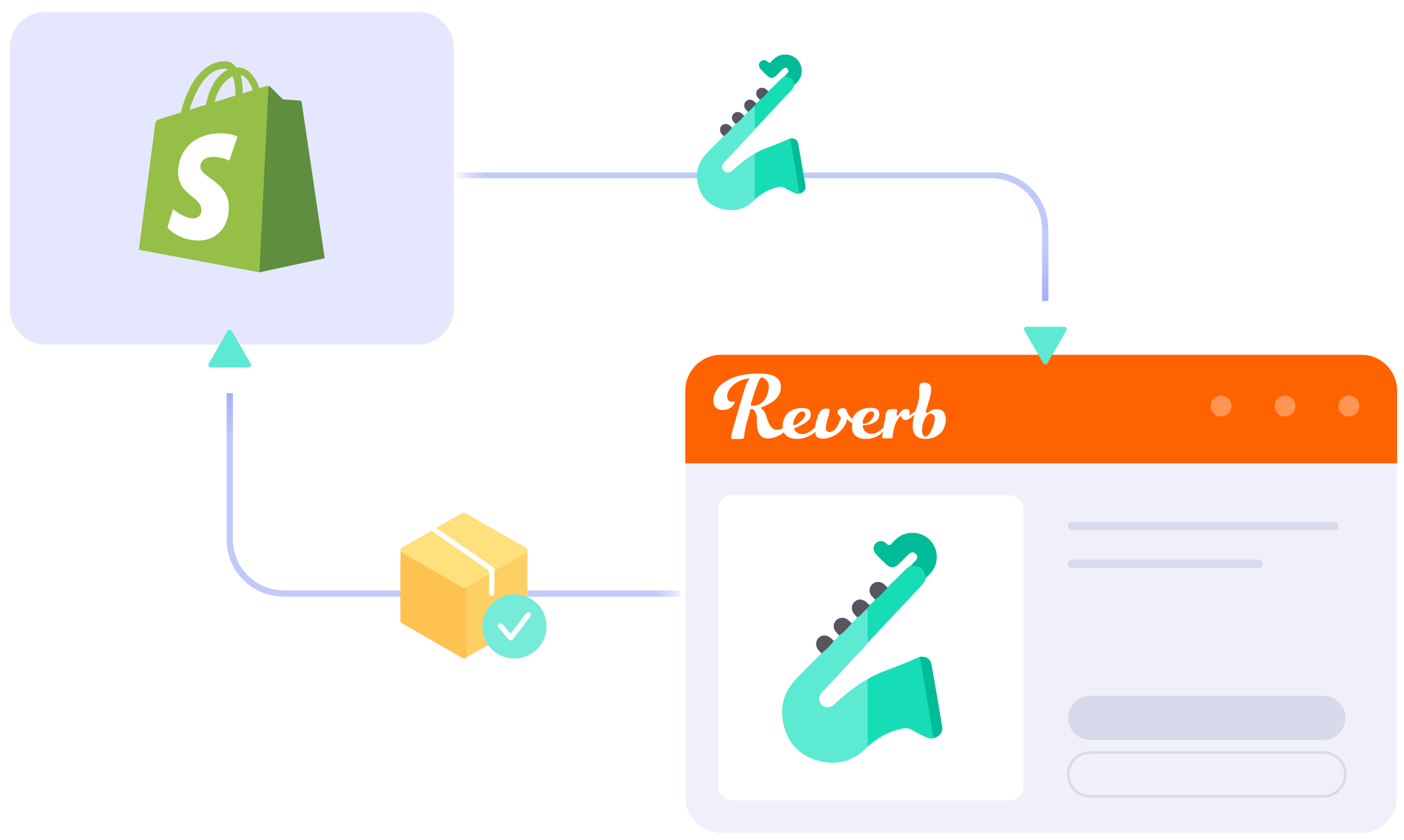
Start Free Trial

Continue reading

WooCommerce eBay Integration

WooCommerce eBay Integration

Managing WooCommerce and eBay separately can be time-consuming and error-prone. LitCommerce WooCommerce eBay integration connects both platforms so you can manage everything in one place, with an AI tool that helps create optimized eBay descriptions to streamline your workflow.

START FREE TRIAL

woocommerce-ebay-integration

What Types of Data Are Synced with
WooCommerce eBay Integration?

  • icon-integration

    Price

    Applies accurate pricing and custom rules for each channel, with updates maintained through a 15-Minute Sync Frequency.

  • icon-time

    Inventory

    Keeps stock updated across WooCommerce and eBay with a 15-Minute Sync Frequency, while supporting custom display quantities.

  • 1 04 4 2

    Order

    Centralizes eBay orders on the WooCommerce order page for seamless fulfillment & timely shipping.

  • 1 04 4 3

    Title

    Syncs titles from WooCommerce to eBay to maintain consistency across 10+ channels, platforms, and marketplaces.

  • 1 04 4 4

    Description

    Eliminates the need for manual edits by automatically updating product descriptions on 10+ channels, platforms, and marketplaces.

How to Integrate WooCommerce with eBay

  • Step 1: Connect WooCommerce to eBay

    Start by setting up your WooCommerce store through the app menu or installing our app directly from the WordPress plugin. Your WooCommerce store will serve as the source for listing products on eBay.

    After connecting your eBay shop, LitCommerce allows integration with other channels like Amazon, TikTok Shop, and over 10 additional platforms.

  • Step 2: List & import products on eBay

    LitCommerce supports three main listing scenarios:

    • Scenario 1: You have products in your WooCommerce store that you want to list on eBay.
    • Scenario 2: You have products on eBay and want to import those listings into your WooCommerce store.
    • Scenario 3: You have products on both WooCommerce and eBay and need to link them together.

    Products listed on eBay will appear in the Draft tab, where you can make edits before publishing them, including using our AI tool to generate optimized eBay descriptions.

  • Step 3: Enable WooCommerce eBay sync

    Our WooCommerce eBay integration ensures real-time synchronization, updating product details like names, images, inventory, prices, and orders between WooCommerce and eBay every 15 minutes.

  • Step 4: Manage order flow

    Once Order Sync is enabled, up-to-date order details from eBay are transferred to your WooCommerce store so you can review and fulfill them from one centralized location.

START FREE TRIAL

Show More

Popular Questions About WooCommerce eBay Integration

Not seeing your question listed here? Contact us for the quickest answer.
  • Can I connect WooCommerce to eBay?

    The answer is a big YES. Both WooCommerce vs eBay allow being connected manually or using LitCommerce – a multichannel selling software to help you to add an eBay store to the WooCommerce website.

    With LitCommerce, online store owners may easily integrate WooCommerce with eBay by following the 4 steps:

         #Step 1. Connect WooCommerce to eBay

         #Step 2. List & import products on eBay

         #Step 3. Enable WooCommerce eBay sync

         #Step 4. Manage your eBay order flow

    LitCommerce may even accommodate customers’ specific requirements that fall outside of the scope of the standard offerings. For more information, feel free to connect with our Customer Support team.

  • How do I list my WooCommerce products on eBay?

    With LitCommerce’s product listing feature, you can easily bulk-push your WooCommerce products to eBay. Go to All Products -> Import from WooCommerce on your LitCommerce dashboard.

    Then, selecting eBay from the List Products on the Channel dropdown menu will allow you to list all products or just a selection of them.

    Next, select Action > Publish to eBay > Action in the Draft tab after you are ready to publish the products.

  • How do I connect the inventory of WooCommerce to eBay?

    You should use LitCommerce as a WooCommerce eBay sync plugin if you want to maximize your multichannel selling. You can access the Inventory Sync section by going to Channel Settings in the WooCommerce section in LitCommerce App. Then, set the Inventory Rules and enable it by turning on the Inventory Sync feature. LitCommerce will automatically connect your WooCommerce inventory with eBay on your behalf.

  • How can my products be imported from eBay to WooCommerce?

    After connecting successfully, LitCommerce will help import products from the Main Store to the App automatically for customers to list on sales channels.

    If you want to import eBay products to the WooCommerce website, please follow these 4 steps:

         #Step 1: Click on the eBay sales channel from the left sidebar.

         #Step 2: Hover on Import from eBay.

         #Step 3: Read the option for importing listings such as auto-link, re-import, or import-ended listings.

         #Step 4: Finally, click Begin Import to import listings from eBay to WooCommerce.

  • Can I use WordPress WooCommerce eBay connector plugin?

    WordPress allows you to install a lot of plugins to optimize your eCommerce website, including the LitCommerce WooCommerce eBay sync plugin. This plugin will help you to link WooCommerce to eBay to sell on one dashboard.

    To start using the WordPress WooCommerce eBay connector plugin, you need to access the WordPress dashboard > locate Plugins > choose Add New > then Install and Activate LitCommerce App. Finally, click on Connect to LitCommerce to link WooCommerce to eBay and begin using this plugin.

  • Is there any limit to the number of products and orders that can be synced?

    When using the LitCommerce App, there is no restriction on how many orders and products can be synced. However, there will be a maximum amount of synced products on each Subscription Plan.

    In addition, LitCommerce App will automatically sync all of your new orders and products every 15 minutes and under 15 minutes with Enterprise Plan.

    Now, LitCommerce supports 5 Subscription Plans, which limit your number of synced products:

    • Free Plan: <20 listings
    • Basic Plan: <500 listings
    • Standard Plan: <2,000 listings
    • Advance Plan: <10,000 listings
    • Enterprise Plan: If you run over 10,000 listings, please contact our team for further consultation.

Why Our Customer Trust Us

“LitCommerce allows us to set up and install quickly with just a couple of clicks…”

Very minimal configuration. LitCommerce allowed us to import our Etsy listings into LitCommerce and the freedom to modify and sync all those listings to multiple marketplaces, including BigCommerce, Shopify, Amazon, eBay, and Etsy…

Mr. Rodrigo, CEO of Bien Hecho

  • Courtdale CrossingsUnited States

    Litcommerce is GREAT!

    Excellent platform to use for my new business and it just so happens to come with amazing customer service! A+++++++

    Review Source

  • AnthonyUnited Kingdom

    LitCommerce is a very powerful tool

    LitCommerce is a very powerful tool. There are a lot of moving parts, but support is extremely helpful. As I was working on some drafts I was contacted by Evelyn and she was extremely helpful in making sure I was using all the tools that LitCommerce offers. She showed me how I could apply certain templates to all my drafts at once instead of one by one. Saving me a bunch of time! Highly recommend LitCommerce!

    Review Source

  • Lovely ThinkingsPortugal

    Friendly and helpful

    Friendly, quick and helpful customer service. Wide enough range of connection options to meet my needs.

    Review Source

  • Adam RogersUnited States

    I am really impressed with the level of support.

    Both times I had several questions and a small issue and both times two different people responded instantly....

    Review Source


See More Reviews

Choose WooCommerce eBay Integration to Grow

Supercharge your sales with LitCommerce WooCommerce eBay integration. Expand, dominate, and conquer multiple channels effortlessly. Maximize your business potential now!

START FREE TRIAL

Continue reading