Author: admin

BigCommerce eBay Integration

BigCommerce eBay Integration

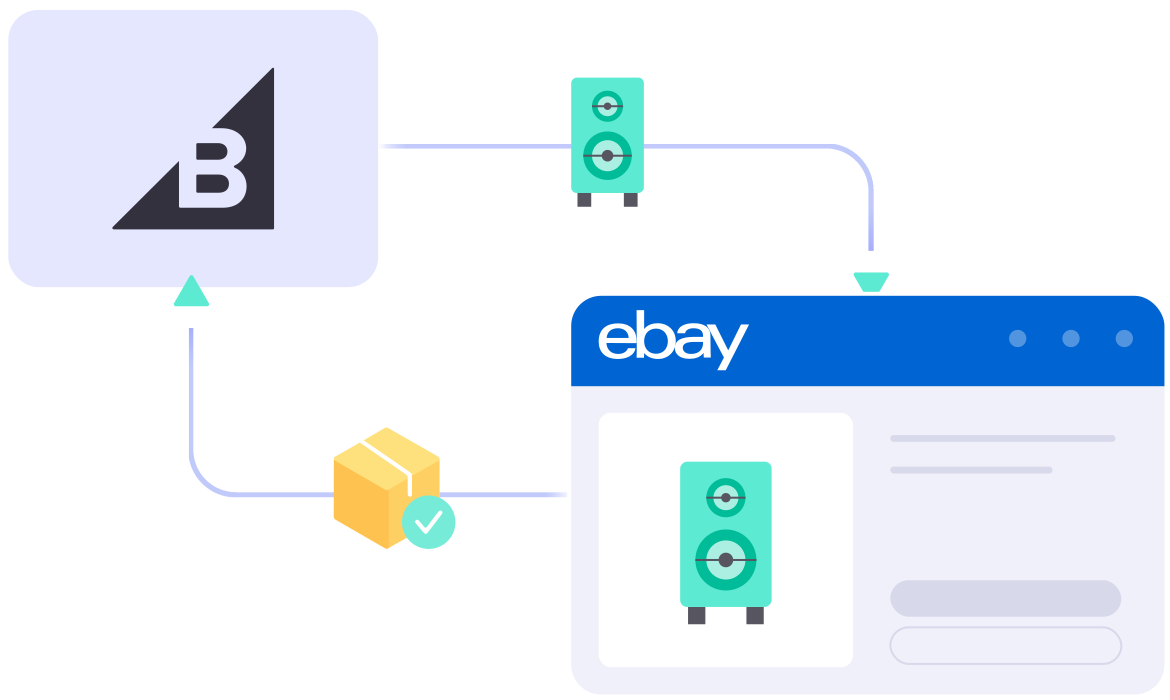
With large inventories and high order volumes, handling BigCommerce and eBay separately can be challenging. LitCommerce BigCommerce eBay integration helps you manage everything in one place and keep key data updated with a 15-Minute Sync Frequency.
Start Free Trial

bigcommerce-ebay-integration

What Specific Data Can be Synced Between BigCommerce and eBay?

  • icon-integration

    Price

    Maintains correct prices with custom rules for every channel, including currency conversion.

  • icon-time

    Inventory

    Keeps stock levels in sync, error-free, and allows you to set display quantities.

  • 1 04 4 2

    Order

    Consolidates eBay orders into BigCommerce for streamlined fulfillment and timely shipping.

  • 1 04 4 3

    Title

    Ensures title consistency across channels by syncing with the Main Store.

  • 1 04 4 4

    Description

    Automatically updates descriptions across all channels, saving time on manual edits.

How to Integrate BigCommerce with eBay

  • Step 1: Connect BigCommerce and eBay

    Begin by setting up your BigCommerce store through the app menu or by installing our app directly from the app store. Your BigCommerce store will act as the hub for listing products on eBay.

    After linking your eBay shop, LitCommerce enables integration with other platforms like Amazon, TikTok Shop, and 10+ channels, platforms, and marketplaces.

  • Step 2: List & import products on eBay

    LitCommerce handles product listings in 3 key scenarios:

    • 1st case: You want to list products from your BigCommerce store on eBay.
    • 2nd case: You have products on eBay that you want to import into your BigCommerce store.
    • 3rd case: You have products on both BigCommerce and eBay that you need to link together.

    Products listed on eBay will be placed in the Draft tab, where you can make edits before they go live, including using our AI tool to generate optimized eBay-ready descriptions.

  • Step 3: Enable BigCommerce eBay sync

    Our BigCommerce eBay integration provides a 15-Minute Sync Frequency, keeping product details like titles, images, inventory, prices, and orders updated between your BigCommerce store and eBay.

  • Step 4: Streamline order management

    Once you activate the Order Sync feature, your BigCommerce store will automatically receive up-to-date order details from eBay, allowing you to manage and fulfill them alongside your BigCommerce orders from a single, centralized location.

START FREE TRIAL

Show More

Popular Questions About BigCommerce eBay Integration

Not seeing your question listed here? Contact us for the quickest answer.
  • How to integrate BigCommerce with eBay?

    Both BigCommerce vs eBay allow you to be connected manually or using LitCommerce – a multichannel selling software to help you to add an eBay store to the BigCommerce website.

    With LitCommerce, online store owners may easily integrate BigCommerce with eBay by following the 6 steps:

         #Step 1. Add LitCommerce app on BigCommerce

         #Step 2. Connect BigCommerce to eBay

         #Step 3. List BigCommerce products on eBay or vice versa

         #Step 4. Edit eBay listings

         #Step 5. Enable BigCommerce eBay sync

         #Step 6. Integrate BigCommerce eBay order flow

    Check out this article for a detailed guide.

  • Can you import from eBay to BigCommerce?

    YES! But first, you need to connect these two channels. Then follow the guide below to import eBay listings to BigCommerce:

         #Step 1: Click on the eBay channel on the left side menu

         #Step 2: Hover on the blue button Import From eBay

         #Step 3: Set up some options like auto-link, re-import, or ended listing import

         #Step 4: Click Begin import to let LitCommerce import all listings from eBay to LitCommerce

  • Why should I use BigCommerce?

    BigCommerce is a prominent hosted eCommerce platform that provides everything you need to create an online store. The only thing you need to do is sign up. Then, you can start personalizing your eCommerce store and monetizing it right away.

    In its most general sense, BigCommerce is made-to-measure for big sellers with a variety of rich built-in features. Also, it would be an ideal place for those who are having an international plan as BigCommerce excels with multi-channel selling. And more importantly, this hosted cart gives you the flexibility to customize and scale up your business effortlessly.

  • Who is BigCommerce best for?

    BigCommerce describes being an all-in-one solution for all sizes of businesses. In addition, BigCommerce is better suited for enterprise-level businesses or those looking to scale up their store because it places an emphasis on a variety of out-of-the-box features.

Why Our Customer Trust Us

“LitCommerce allows us to set up and install quickly with just a couple of clicks…”

Very minimal configuration. LitCommerce allowed us to import our Etsy listings into LitCommerce and the freedom to modify and sync all those listings to multiple marketplaces, including BigCommerce, Shopify, Amazon, eBay, and Etsy…

Mr. Rodrigo, CEO of Bien Hecho

  • Courtdale CrossingsUnited States

    Litcommerce is GREAT!

    Excellent platform to use for my new business and it just so happens to come with amazing customer service! A+++++++

    Review Source

  • AnthonyUnited Kingdom

    LitCommerce is a very powerful tool

    LitCommerce is a very powerful tool. There are a lot of moving parts, but support is extremely helpful. As I was working on some drafts I was contacted by Evelyn and she was extremely helpful in making sure I was using all the tools that LitCommerce offers. She showed me how I could apply certain templates to all my drafts at once instead of one by one. Saving me a bunch of time! Highly recommend LitCommerce!

    Review Source

  • Lovely ThinkingsPortugal

    Friendly and helpful

    Friendly, quick and helpful customer service. Wide enough range of connection options to meet my needs.

    Review Source

  • Adam RogersUnited States

    I am really impressed with the level of support.

    Both times I had several questions and a small issue and both times two different people responded instantly....

    Review Source


See More Reviews

Choose BigCommerce eBay Integration to Grow

Supercharge your sales with LitCommerce BigCommerce eBay integration. Expand, dominate, and expand across eBay and 10+ channels, platforms, and marketplaces with confidence. Maximize your business potential now!
Start Free Trial

Continue reading

Shopify Etsy Integration

Shopify Etsy Integration

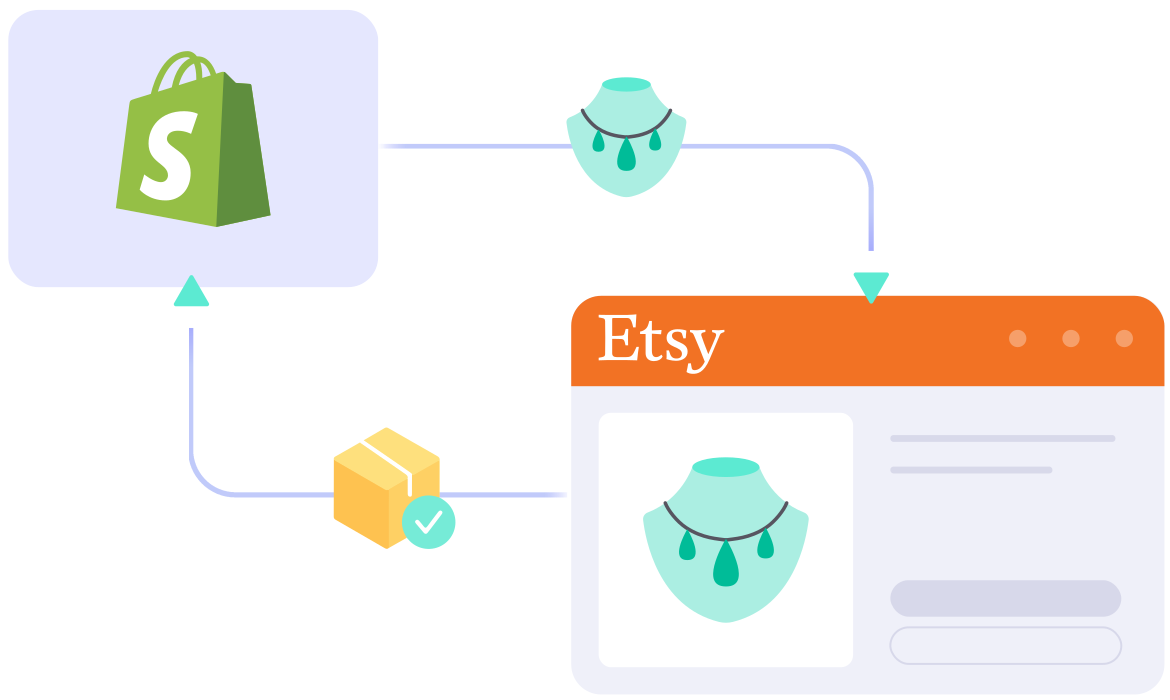
Expand your reach effortlessly with our Shopify Etsy integration. Seamlessly connect both platforms, sync inventory, manage orders, and streamline listings with ease. An AI tool is also included to help you create optimized Etsy descriptions, saving time and reducing errors as you grow.

Start Free Trial

shopify-etsy-integration

What Data Can Be Synced and Imported
among Shopify and Etsy?

  • 1 04 4 2

    Order

    Imports Etsy orders into Shopify for smooth fulfillment and on-time shipping, all from a single dashboard.

  • icon-time

    Inventory

    Synchronizes stock levels across channels with precise updates and customizable display quantities.

  • icon-integration

    Price

    Accurately sets prices with custom rules for each channel, including support for currency conversion.

  • icon-time

    Title

    Keeps titles consistent on Etsy by automatically syncing them from the Shopify store.

  • icon-time

    Description

    Automates description updates on both Shopify and Etsy, reducing the need for manual edits.

How to integrate Shopify with Etsy

  • Step 1: Link Shopify to Etsy

    Set up your Shopify store through the app menu or install our app directly from the app store. Your Shopify store will act as the source for listing products on Etsy.

    Once you connect your Etsy shop, LitCommerce enables integration with other channels including Amazon, eBay, TikTok Shop, and over 20 additional platforms.

  • Step 2: List & import products on Etsy

    We support listing items in three major scenarios:

    • Scenario 1: You have products on your Shopify store and want to list them on Etsy.
    • Scenario 2: You have products on Etsy and want to import these listings to your Shopify store.
    • Scenario 3: You have products on both Etsy and Shopify and want to link them together.

    Products listed on Etsy will be stored in the Draft tab, where you can edit them before publishing, including using our AI tool to generate optimized Etsy descriptions.

  • Step 3: Enable Shopify Etsy sync

    Our Shopify Etsy integration offers real-time synchronization, ensuring that product details such as names, images, inventory, prices, and orders are updated between your Shopify and Etsy channels every 60 minutes.

  • Step 4: Manage order flow

    Once you enable the Order Sync feature, your Shopify store will automatically receive all order details from Etsy. You can review and fulfill these orders alongside your Shopify orders, all conveniently managed in one place.

START FREE TRIAL

Show More

Our Integration Pricing


(*) Number of Product Listings count towards the total number of listings on all connected sale channels, not on products you have on your mainstore.

Need a Custom Plan? Please contact us.

Popular Questions About Shopify Etsy Integration

Not seeing your question listed here? Contact us for the quickest answer.
  • Can you connect Shopify to Etsy?

    Definitely YES. Both Shopify vs Etsy allows connecting with each other. You can connect them manually or using LitCommerce – a multichannel selling software to help you to add an Etsy store to the Shopify website.

    With LitCommerce, you only need 6 detailed steps to integrate Shopify with Etsy:

         #Step 1. Add LitCommerce app on Shopify

         #Step 2. Connect Shopify to Etsy

         #Step 3. List Shopify products on Etsy or vice versa

         #Step 4. Edit Etsy listings

         #Step 5. Enable Shopify Etsy sync

         #Step 6. Integrate Shopify Etsy order flow

    If you have any specific requirements, feel free to contact our support team for more consultation.

  • How do I sync my Shopify inventory with Etsy?

    One of LitCommerce’s advanced features is to make it simple to synchronize your inventory between Shopify and Etsy. On the sidebar menu of your LitCommerce dashboard, select Channel Settings to access Etsy. You can use the Inventory Sync feature there to set the Inventory Rules. LitCommerce will automatically sync Shopify and Etsy inventory on your behalf.

  • Shopify and Etsy: Which one is better?

    Despite the fact that Etsy is less expensive and easier to use, Shopify has more advantages in terms of domain and URL structure; eCommerce features; design flexibility; Help and Support. If you require an eCommerce platform that will support your business both when you first start selling online and as your sales grow, Shopify wins out. However, Etsy is still a great alternative if you want to sell fast.

    In addition, in case you are considering expanding your business, why not integrate Etsy and Shopify to use both? Don’t worry about Etsy Shopify inventory management, LitCommerce will help you to control both of them in only one dashboard. Check Out or Contact Us for more consultations.

  • Is selling on Shopify worth it?

    No matter how big your company is, Shopify is always a worthy choice to take into account. One of the elements that contribute to user trust and reputation-building is its scalability. The eCommerce platform offers maximum satisfaction even for huge stores with an astonishing number of add-ons and integrated functionalities.

  • How much does it cost to integrate Shopify with Etsy?

    LitCommerce focuses on providing a plugin that is both affordable and effective. The cost for Shopify and Etsy Integration is free 7 day trial.

    However, the Free Plan does not get you access to other potent features like Synchronization or QuickGrid,… In case you want to use these features, you need to pay for a more advanced plan depending on the number of products you sell. The price ranges from $29/month to $149/month and is paid monthly or yearly.

  • How to import Etsy reviews to Shopify?

    Two common ways to import Etsy reviews to Shopify are manually and by a third party. The manual work is time-consuming but cost-saving. However, if you have too many reviews or want to save time for higher-priority tasks, you should use Shuttle app to import Etsy reviews to Shopify. Shuttle allows you to import free 20 product reviews.

    To use Shuttle, you need to follow these 4 steps:

         #Step 1. Install Shuttle

         #Step 2. Link Shuttle to your Etsy store

         #Step 3. Use Shuttle to export the reviews to a CSV file

         #Step 4. Import the CSV file into Shopify

    Check out this article to read the detailed guide.

Why Our Customer Trust Us

“LitCommerce allows us to set up and install quickly with just a couple of clicks…”

Very minimal configuration. LitCommerce allowed us to import our Etsy listings into LitCommerce and the freedom to modify and sync all those listings to multiple marketplaces, including BigCommerce, Shopify, Amazon, eBay, and Etsy…

Mr. Rodrigo, CEO of Bien Hecho

  • Courtdale CrossingsUnited States

    Litcommerce is GREAT!

    Excellent platform to use for my new business and it just so happens to come with amazing customer service! A+++++++

    Review Source

  • AnthonyUnited Kingdom

    LitCommerce is a very powerful tool

    LitCommerce is a very powerful tool. There are a lot of moving parts, but support is extremely helpful. As I was working on some drafts I was contacted by Evelyn and she was extremely helpful in making sure I was using all the tools that LitCommerce offers. She showed me how I could apply certain templates to all my drafts at once instead of one by one. Saving me a bunch of time! Highly recommend LitCommerce!

    Review Source

  • Lovely ThinkingsPortugal

    Friendly and helpful

    Friendly, quick and helpful customer service. Wide enough range of connection options to meet my needs.

    Review Source

  • Adam RogersUnited States

    I am really impressed with the level of support.

    Both times I had several questions and a small issue and both times two different people responded instantly....

    Review Source


See More Reviews

Choose Shopify Etsy Integration to Grow

Supercharge your sales with LitCommerce Shopify Etsy integration. Expand, dominate, and conquer
multiple channels effortlessly. Maximize your business potential now!

Start Free Trial

Continue reading

Wix Etsy Integration

Wix Etsy Integration

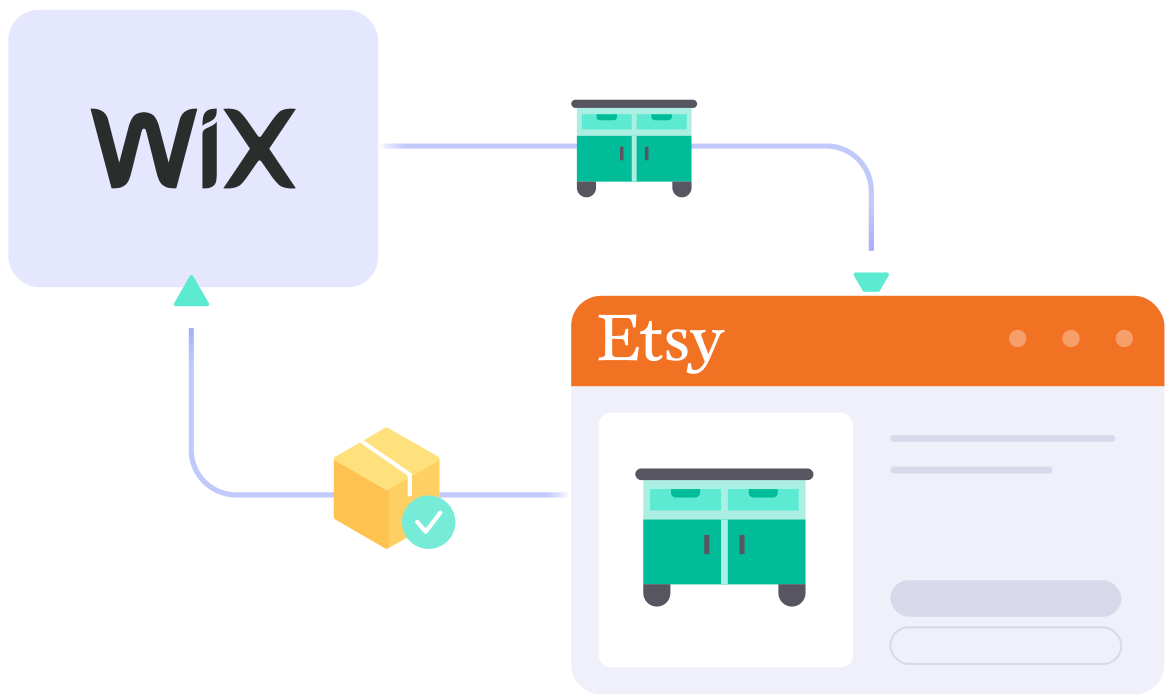
LitCommerce makes it easy to integrate your Wix and Etsy stores, streamlining inventory and order management with quick setup and accurate data sync. You also get an AI tool that helps create optimized Etsy descriptions, all with transparent pricing and reliable support.

START FREE TRIAL

wix-etsy-integration

What Data Can Be Synced & Imported
Between Wix and Etsy?

  • icon-integration

    Price

    Guarantees accurate pricing with custom rules tailored to each channel, including currency conversion.

  • icon-time

    Inventory

    Keeps stock levels in sync with error-free updates and customizable display quantities.

  • 1 04 4 2

    Order

    Imports Etsy orders into Wix for seamless fulfillment and timely delivery, all managed from one place.

  • 1 04 4 3

    Title

    Syncs titles from the Wix store automatically to ensure Etsy listings’ title consistent.

  • 1 04 4 4

    Description

    Reduces manual work by automatically updating Etsy descriptions when you make changes on Wix.

Follow the Guide on Wix Etsy Integration

  • Step 1: Connect Wix with Etsy

    Begin by setting up your Wix store via the app menu or by installing our app directly from the Wix App Market. Your Wix store will serve as the foundation for listing products on Etsy.

    After connecting your Etsy shop, our integration also allows you to link with other platforms like Amazon, eBay, TikTok Shop, and over 20 more.

  • Step 2: Manage product listings on Etsy

    You can handle your product listings in three key scenarios:

    • Scenario 1: List products from your Wix store on Etsy.
    • Scenario 2: Import existing Etsy listings into your Wix store.
    • Scenario 3: Connect products listed on both Etsy and Wix.

    Products added to Etsy will appear in the Draft tab, where you can review and edit them before they go live, including using our AI tool to generate optimized Etsy descriptions.

  • Step 3: Turn on sync between Wix and Etsy

    Our Wix Etsy integration ensures seamless, synchronization. Product details—including names, images, inventory, prices, and orders—are updated between your Wix and Etsy channels every 60 minutes.

  • Step 4: Manage your Etsy and Wix orders

    Activate the Order Sync feature to have all Etsy order details automatically sent to your Wix store. Manage and fulfill these orders alongside your Wix orders, all from a unified dashboard.

START FREE TRIAL

Show More

Our Integration Pricing


(*) Number of Product Listings count towards the total number of listings on all connected sale channels, not on products you have on your mainstore.

Need a Custom Plan? Please contact us.

Popular Questions About Wix Etsy Integration

Not seeing your question listed here? Contact us for the quickest answer.
  • Does Wix integrate with Etsy?

    Both Wix vs Etsy allows connecting with each other. You can connect them manually or use LitCommerce – a multichannel selling software to help you to add an Etsy store to the Wix website.

    With only 6 basic steps, you can manage both your stores in only one dashboard:

         #Step 1. Add LitCommerce app on Wix

         #Step 2. Connect Wix to Etsy

         #Step 3. List Wix products on Etsy or vice versa

         #Step 4. Edit Etsy listings

         #Step 5. Enable Wix Etsy sync

         #Step 6. Integrate Wix Etsy order flow

    Check out this article to read the detailed guide.

  • How many products can I have on Wix?

    With Wix, you can sell up to 50,000 different products both physical and digital products. In case you are using the free plan, you can have a maximum of 5 products on your website.

  • How do I transfer my Etsy listing to Wix?

    LitCommerce App will help you import Etsy products to Wix automatically.

    Before you import Etsy products to Wix, you can edit all product information in bulk with the Quick Grid feature, which is available for paid plans.

    After editing, you will have to choose Active listing from the Select Action list to publish it on Wix. You will complete connecting Etsy to Wix as soon as your listings are transferred from the Draft tab to the Active tab.

  • How much does it cost to integrate and sync Etsy with Wix?

    The cost for Wix and Etsy Integration is totally FREE. However, you cannot access other powerful features like Synchronization or QuickGrid,… with Free Plan. If you want to access these features, you need to choose a paid plan depending on the number of products you sell. The price ranges from $29/month to $149/month and is paid monthly or yearly.

  • Where can I sell Etsy products on?

    Using LitCommerce – a multichannel selling tool, Etsy sellers can level up their business by selling on top eCommerce platforms like Shopify, BigCommerce, WooCommerce, and more!

  • Do you need a license to sell on Wix?

    When selling on Wix, you sure need a business license depending on your industry and location. Licensing your company ensures responsibility and transparency, demonstrating to customers, employees, and stakeholders that they can rely on you. For a retail business, you’ll need a sales tax license to collect the required fees on your transactions whether you sell online or off.

Why Our Customer Trust Us

“LitCommerce allows us to set up and install quickly with just a couple of clicks…”

Very minimal configuration. LitCommerce allowed us to import our Etsy listings into LitCommerce and the freedom to modify and sync all those listings to multiple marketplaces, including BigCommerce, Shopify, Amazon, eBay, and Etsy…

Mr. Rodrigo, CEO of Bien Hecho

  • Courtdale CrossingsUnited States

    Litcommerce is GREAT!

    Excellent platform to use for my new business and it just so happens to come with amazing customer service! A+++++++

    Review Source

  • AnthonyUnited Kingdom

    LitCommerce is a very powerful tool

    LitCommerce is a very powerful tool. There are a lot of moving parts, but support is extremely helpful. As I was working on some drafts I was contacted by Evelyn and she was extremely helpful in making sure I was using all the tools that LitCommerce offers. She showed me how I could apply certain templates to all my drafts at once instead of one by one. Saving me a bunch of time! Highly recommend LitCommerce!

    Review Source

  • Lovely ThinkingsPortugal

    Friendly and helpful

    Friendly, quick and helpful customer service. Wide enough range of connection options to meet my needs.

    Review Source

  • Adam RogersUnited States

    I am really impressed with the level of support.

    Both times I had several questions and a small issue and both times two different people responded instantly....

    Review Source


See More Reviews

Choose Wix Etsy Integration to Grow

Supercharge your sales with LitCommerce Wix Etsy integration. Expand, dominate, and conquer multiple channels effortlessly. Maximize your business potential now!

START FREE TRIAL

Continue reading

WooCommerce eBay Integration

WooCommerce eBay Integration

Managing WooCommerce and eBay separately can be time-consuming and error-prone. LitCommerce WooCommerce eBay integration connects both platforms so you can manage everything in one place, with an AI tool that helps create optimized eBay descriptions to streamline your workflow.

START FREE TRIAL

woocommerce-ebay-integration

What Types of Data Are Synced with
WooCommerce eBay Integration?

  • icon-integration

    Price

    Applies accurate pricing and custom rules for each channel, with updates maintained through a 15-Minute Sync Frequency.

  • icon-time

    Inventory

    Keeps stock updated across WooCommerce and eBay with a 15-Minute Sync Frequency, while supporting custom display quantities.

  • 1 04 4 2

    Order

    Centralizes eBay orders on the WooCommerce order page for seamless fulfillment & timely shipping.

  • 1 04 4 3

    Title

    Syncs titles from WooCommerce to eBay to maintain consistency across 10+ channels, platforms, and marketplaces.

  • 1 04 4 4

    Description

    Eliminates the need for manual edits by automatically updating product descriptions on 10+ channels, platforms, and marketplaces.

How to Integrate WooCommerce with eBay

  • Step 1: Connect WooCommerce to eBay

    Start by setting up your WooCommerce store through the app menu or installing our app directly from the WordPress plugin. Your WooCommerce store will serve as the source for listing products on eBay.

    After connecting your eBay shop, LitCommerce allows integration with other channels like Amazon, TikTok Shop, and over 10 additional platforms.

  • Step 2: List & import products on eBay

    LitCommerce supports three main listing scenarios:

    • Scenario 1: You have products in your WooCommerce store that you want to list on eBay.
    • Scenario 2: You have products on eBay and want to import those listings into your WooCommerce store.
    • Scenario 3: You have products on both WooCommerce and eBay and need to link them together.

    Products listed on eBay will appear in the Draft tab, where you can make edits before publishing them, including using our AI tool to generate optimized eBay descriptions.

  • Step 3: Enable WooCommerce eBay sync

    Our WooCommerce eBay integration ensures real-time synchronization, updating product details like names, images, inventory, prices, and orders between WooCommerce and eBay every 15 minutes.

  • Step 4: Manage order flow

    Once Order Sync is enabled, up-to-date order details from eBay are transferred to your WooCommerce store so you can review and fulfill them from one centralized location.

START FREE TRIAL

Show More

Popular Questions About WooCommerce eBay Integration

Not seeing your question listed here? Contact us for the quickest answer.
  • Can I connect WooCommerce to eBay?

    The answer is a big YES. Both WooCommerce vs eBay allow being connected manually or using LitCommerce – a multichannel selling software to help you to add an eBay store to the WooCommerce website.

    With LitCommerce, online store owners may easily integrate WooCommerce with eBay by following the 4 steps:

         #Step 1. Connect WooCommerce to eBay

         #Step 2. List & import products on eBay

         #Step 3. Enable WooCommerce eBay sync

         #Step 4. Manage your eBay order flow

    LitCommerce may even accommodate customers’ specific requirements that fall outside of the scope of the standard offerings. For more information, feel free to connect with our Customer Support team.

  • How do I list my WooCommerce products on eBay?

    With LitCommerce’s product listing feature, you can easily bulk-push your WooCommerce products to eBay. Go to All Products -> Import from WooCommerce on your LitCommerce dashboard.

    Then, selecting eBay from the List Products on the Channel dropdown menu will allow you to list all products or just a selection of them.

    Next, select Action > Publish to eBay > Action in the Draft tab after you are ready to publish the products.

  • How do I connect the inventory of WooCommerce to eBay?

    You should use LitCommerce as a WooCommerce eBay sync plugin if you want to maximize your multichannel selling. You can access the Inventory Sync section by going to Channel Settings in the WooCommerce section in LitCommerce App. Then, set the Inventory Rules and enable it by turning on the Inventory Sync feature. LitCommerce will automatically connect your WooCommerce inventory with eBay on your behalf.

  • How can my products be imported from eBay to WooCommerce?

    After connecting successfully, LitCommerce will help import products from the Main Store to the App automatically for customers to list on sales channels.

    If you want to import eBay products to the WooCommerce website, please follow these 4 steps:

         #Step 1: Click on the eBay sales channel from the left sidebar.

         #Step 2: Hover on Import from eBay.

         #Step 3: Read the option for importing listings such as auto-link, re-import, or import-ended listings.

         #Step 4: Finally, click Begin Import to import listings from eBay to WooCommerce.

  • Can I use WordPress WooCommerce eBay connector plugin?

    WordPress allows you to install a lot of plugins to optimize your eCommerce website, including the LitCommerce WooCommerce eBay sync plugin. This plugin will help you to link WooCommerce to eBay to sell on one dashboard.

    To start using the WordPress WooCommerce eBay connector plugin, you need to access the WordPress dashboard > locate Plugins > choose Add New > then Install and Activate LitCommerce App. Finally, click on Connect to LitCommerce to link WooCommerce to eBay and begin using this plugin.

  • Is there any limit to the number of products and orders that can be synced?

    When using the LitCommerce App, there is no restriction on how many orders and products can be synced. However, there will be a maximum amount of synced products on each Subscription Plan.

    In addition, LitCommerce App will automatically sync all of your new orders and products every 15 minutes and under 15 minutes with Enterprise Plan.

    Now, LitCommerce supports 5 Subscription Plans, which limit your number of synced products:

    • Free Plan: <20 listings
    • Basic Plan: <500 listings
    • Standard Plan: <2,000 listings
    • Advance Plan: <10,000 listings
    • Enterprise Plan: If you run over 10,000 listings, please contact our team for further consultation.

Why Our Customer Trust Us

“LitCommerce allows us to set up and install quickly with just a couple of clicks…”

Very minimal configuration. LitCommerce allowed us to import our Etsy listings into LitCommerce and the freedom to modify and sync all those listings to multiple marketplaces, including BigCommerce, Shopify, Amazon, eBay, and Etsy…

Mr. Rodrigo, CEO of Bien Hecho

  • Courtdale CrossingsUnited States

    Litcommerce is GREAT!

    Excellent platform to use for my new business and it just so happens to come with amazing customer service! A+++++++

    Review Source

  • AnthonyUnited Kingdom

    LitCommerce is a very powerful tool

    LitCommerce is a very powerful tool. There are a lot of moving parts, but support is extremely helpful. As I was working on some drafts I was contacted by Evelyn and she was extremely helpful in making sure I was using all the tools that LitCommerce offers. She showed me how I could apply certain templates to all my drafts at once instead of one by one. Saving me a bunch of time! Highly recommend LitCommerce!

    Review Source

  • Lovely ThinkingsPortugal

    Friendly and helpful

    Friendly, quick and helpful customer service. Wide enough range of connection options to meet my needs.

    Review Source

  • Adam RogersUnited States

    I am really impressed with the level of support.

    Both times I had several questions and a small issue and both times two different people responded instantly....

    Review Source


See More Reviews

Choose WooCommerce eBay Integration to Grow

Supercharge your sales with LitCommerce WooCommerce eBay integration. Expand, dominate, and conquer multiple channels effortlessly. Maximize your business potential now!

START FREE TRIAL

Continue reading

BigCommerce Etsy Integration

BigCommerce Etsy Integration

Integrate your BigCommerce store with Etsy using LitCommerce for accurate inventory sync, easy setup, and secure data management. You can also use our AI tool to create optimized Etsy descriptions, helping you streamline your multichannel workflow.

START FREE TRIAL

bigcommerce-etsy-integration

What Data Can Be Synced & Imported with
BigCommerce Etsy Integration?

  • icon-integration

    Price

    Implements correct pricing and channel-specific rules, with the option for currency conversion.

  • icon-time

    Inventory

    Ensures error-free updates of stock levels across channels and lets you set display quantities.

  • 1 04 4 2

    Order

    Streamlines Etsy orders by importing them into BigCommerce for centralized fulfillment and timely shipping.

  • 1 04 4 3

    Title

    Automatically updates titles from the BigCommerce store, maintaining consistency across all channels.

  • 1 04 4 4

    Description

    Saves effort by updating product descriptions automatically on both BigCommerce and Etsy.

LitCommerce Guide on BigCommerce Etsy Integration

  • Step 1: Link BigCommerce to Etsy

    Set up your BigCommerce store through the app menu or install our app directly from the app store. Your BigCommerce store will act as the source for listing products on Etsy.

    Once you connect your Etsy shop, LitCommerce enables integration with other channels including Amazon, eBay, TikTok Shop, and over 20 additional platforms.

  • Step 2: List or import products on Etsy

    We support listing items in three major scenarios:

    • Case 1: You have products on your BigCommerce store and want to list them on Etsy.
    • Case 2: You have products on Etsy and want to import these listings to your BigCommerce store.
    • Case 3: You have products on both Etsy and BigCommerce and want to link them together.

    Products listed on Etsy will be stored in the Draft tab, where you can edit them before publishing, including using our AI tool to generate optimized Etsy descriptions.

  • Step 3: Enable sync between BigComerce and Etsy

    Our BigCommerce Etsy integration offers synchronization, ensuring that product details such as names, images, inventory, prices, and orders are updated between your BigCommerce and Etsy channels every 60 minutes.

  • Step 4: Manage order flow from Etsy

    Once you enable the Order Sync feature, your BigCommerce store will automatically receive all order details from Etsy. You can review and fulfill these orders alongside your BigCommerce orders, all conveniently managed in one place.

START FREE TRIAL

Show More

Popular Questions About BigCommerce Etsy Integration

Not seeing your question listed here? Contact us for the quickest answer.
  • Does BigCommerce integrate with Etsy?

    Both BigCommerce vs Etsy allow connecting manually or using LitCommerce – a multichannel selling software to help you to add an Etsy store to the BigCommerce website.

    With LitCommerce, BigCommerce and Etsy are integrated with only 6 steps:

         #Step 1: Add LitCommerce app on BigCommerce
         #Step 2: Connect to Etsy
         #Step 3: List BigCommerce products on Etsy
         #Step 4: Edit Etsy listings
         #Step 5: Enable BigCommerce Etsy synchronization
         #Step 6: Make use of BigCommerce Etsy integrated order flow

    To read more information about BigCommerce Etsy integration, please check out this article to read the detailed guide.

  • Why should I use BigCommerce?

    BigCommerce is a prominent hosted eCommerce platform that provides everything you need to create an online store. The only thing you need to do is sign up. Then, you can start personalizing your eCommerce store and monetizing it right away.

    In its most general sense, BigCommerce is made-to-measure for big sellers with a variety of rich built-in features. Also, it would be an ideal place for those who are having an international plan as BigCommerce excels with multi-channel selling. And more importantly, this hosted cart gives you the flexibility to customize and scale up your business effortlessly.

  • Who is BigCommerce best for?

    BigCommerce defines itself to be an all-in-one solution to all sizes of businesses. However, with a focus on various out-of-the-box features, BigCommerce is more well-tailored for enterprise-level companies or those who want to scale up their store.

  • How much does it cost to integrate BigCommerce with Etsy?

    LitCommerce offers a 7-day free trial with full feature access, including: 15-minute sync for price, inventory and product information, also advanced order management across most channels (60 minutes for Etsy due to the platform’s API limits). You can cancel at any time if you want.

    You can also get a 20% discount for yearly payments. Don’t forget to check out as soon as possible to get this opportunity right now.

Why Our Customer Trust Us

“LitCommerce allows us to set up and install quickly with just a couple of clicks…”

Very minimal configuration. LitCommerce allowed us to import our Etsy listings into LitCommerce and the freedom to modify and sync all those listings to multiple marketplaces, including BigCommerce, Shopify, Amazon, eBay, and Etsy…

Mr. Rodrigo, CEO of Bien Hecho

  • Courtdale CrossingsUnited States

    Litcommerce is GREAT!

    Excellent platform to use for my new business and it just so happens to come with amazing customer service! A+++++++

    Review Source

  • AnthonyUnited Kingdom

    LitCommerce is a very powerful tool

    LitCommerce is a very powerful tool. There are a lot of moving parts, but support is extremely helpful. As I was working on some drafts I was contacted by Evelyn and she was extremely helpful in making sure I was using all the tools that LitCommerce offers. She showed me how I could apply certain templates to all my drafts at once instead of one by one. Saving me a bunch of time! Highly recommend LitCommerce!

    Review Source

  • Lovely ThinkingsPortugal

    Friendly and helpful

    Friendly, quick and helpful customer service. Wide enough range of connection options to meet my needs.

    Review Source

  • Adam RogersUnited States

    I am really impressed with the level of support.

    Both times I had several questions and a small issue and both times two different people responded instantly....

    Review Source


See More Reviews

Choose BigCommerce Etsy Integration to Grow

Supercharge your sales with LitCommerce BigCommerce Etsy integration. Expand, dominate, and conquer multiple channels effortlessly. Maximize your business potential now!

START FREE TRIAL

Continue reading

WooCommerce Etsy Integration

WooCommerce Etsy Integration

Seamlessly integrate your WooCommerce store with Etsy using our easy-to-use integration. Enjoy inventory sync, simple setup, and an AI tool that helps create optimized Etsy descriptions, all supported by transparent pricing and reliable customer support.

START FREE TRIAL

woocommerce-etsy-integration

What Data Can Be Synced
Between WooCommerce and Etsy?

  • icon-integration

    Price

    Adjusts prices with custom rules for each channel, ensuring accuracy and offering currency conversion.

  • icon-time

    Inventory

    Maintains accurate stock levels across all channels, allowing you to set display quantities.

  • gtin-support-web-icon

    Order

    Centralizes Etsy orders into WooCommerce for efficient fulfillment and timely delivery.

  • 1 04 4 3

    Title

    Automatically synchronizes titles from the WooCommerce store, ensuring they remain consistent.

  • 1 04 4 4

    Description

    Simplifies product management by automatically updating descriptions on both WooCommerce and Etsy.

How to Integrate WooCommerce with Etsy

  • Step 1: Connect WooCommerce to Etsy

    Set up your WooCommerce store directly on LitCommerce app or install our plugin on the WordPress plugin directory. Your WooCommerce store will act as the source for listing products on Etsy.

    Once you connect your Etsy shop, LitCommerce enables integration with other channels including Amazon, eBay, TikTok Shop, and over 20 additional platforms.

  • Step 2: List & import products on Etsy

    We support listing items in three major cases:

    • Case 1: You have products on your WooCommerce store and want to list them on Etsy.
    • Case 2: You have products on Etsy and want to import these listings to your WooCommerce store.
    • Case 3: You have products on both Etsy and WooCommerce and want to link them together.

    Products listed on Etsy will be stored in the Draft tab, where you can edit them before publishing, including using our AI tool to generate optimized Etsy descriptions.

  • Step 3: Enable WooCommerce Etsy sync

    Our WooCommerce Etsy integration offers synchronization, ensuring that product details such as names, images, inventory, prices, and orders are updated between your WooCommerce and Etsy channels every 60 minutes.

  • Step 4: Manage Etsy orders from WooCommerce

    Once you enable the Order Sync feature, your WooCommerce store will automatically receive all order details from Etsy. You can review and fulfill these orders alongside your WooCommerce orders, all conveniently managed in one place.

START FREE TRIAL

Show More

Our Integration Pricing


(*) Number of Product Listings count towards the total number of listings on all connected sale channels, not on products you have on your mainstore.

Need a Custom Plan? Please contact us.

Popular Questions About WooCommerce Etsy Integration

Not seeing your question listed here? Contact us for the quickest answer.
  • What are the benefits of WooCommerce Etsy Integration?

    WooCommerce Etsy Integration allows you to connect your WooCommerce store to your Etsy shop. Once WooCommerce and Etsy are integrated, you can import products from WooCommerce to Etsy, sync inventory, and manage from a single dashboard to prevent overselling
  • Can WooCommerce integrate with Etsy?

    Both WooCommerce vs Etsy allows connecting with each other. You can connect them manually or use LitCommerce – a multichannel selling software to help you to add Etsy to WooCommerce.

    With only 6 basic steps, you can process WooCommerce Etsy sync and manage both your stores in only one dashboard:

         #Step 1: Add LitCommerce app on WooCommerce

         #Step 2: Connect WooCommerce to Etsy

         #Step 3: List WooCommerce products on Etsy or vice versa

         #Step 4: Edit Etsy listings

         #Step 5: Enable WooCommerce Etsy sync

         #Step 6: Integrate WooCommerce Etsy order flow

    Check out this video to read the detailed guide.

  • Can I set different prices just for Etsy while syncing products from WooCommerce?

    Definitely YES! In the Pricing section of LitCommerce App, you can activate the Price Rules option to set different prices for just Etsy when processing Etsy integration for WooCommerce. You are allowed to increase or decrease the amount of money you want to set for Etsy using percentages or a specific amount of money.

  • Why do we need to integrate WooCommerce with Etsy?

    Integrating WooCommerce with Etsy is an advanced way to help you manage the multichannel selling journey more effortlessly. Once you have a large number of products, you sure need to use WooCommerce Etsy Integration to keep track of inventory and orders between 2 channels and prevent overselling by the Etsy WooCommerce inventory sync feature of LitCommerce.

  • Can my WooCommerce store be integrated with other sales channels?

    Besides integrating WooCommerce with Etsy, LitCommerce also supports you to integrate WooCommerce with Amazon, WooCommerce with eBay,… and many other eCommerce platforms like Shopify, BigCommerce, Wix, Squarespace, etc.

    If you have other sales channels that are not listed in our app, kindly contact our support team for more information.

  • Can I see all of my Etsy sales revenues on the LitCommerce dashboard?

    LitCommerce records every detail of transaction history when you sell on both WooCommerce and Etsy. In the Billing section, you can see all order details like customers, amount, transaction ID, method, etc.

Choose WooCommerce Etsy Integration to Grow

Supercharge your sales with LitCommerce WooCommerce Etsy integration. Expand, dominate, and conquer
multiple channels effortlessly. Maximize your business potential now!

START FREE TRIAL

Continue reading

Shopify eBay Integration

Shopify eBay Integration

LitCommerce Shopify eBay integration makes it easy to connect both platforms and streamline your workflow, with an AI feature that helps create optimized eBay descriptions to save time and support better sales.

START FREE TRIAL

shopify-ebay-integration

Which Data is Included
In the Shopify eBay Sync?

  • icon-integration

    Price

    Ensures correct prices and custom rules for both Shopify and eBay. Currency conversion is available.

  • google-merchant-listing-tool

    Order

    Imports all eBay orders into the Shopify order page to fulfill and ship on time, all in one dashboard.

  • icon-time

    Inventory

    Keeps stock levels accurate on Shopify and eBay with error-free updates and sets the desired product quantity to display.

  • 1 04 4 3

    Title

    Automatically updates the title from the Shopify store to keep it consistent on eBay channel.

  • 1 04 4 4

    Description

    Saves you from editing & copying hundreds of product description text between Shopify and eBay when you make changes.

How to integrate Shopify with eBay

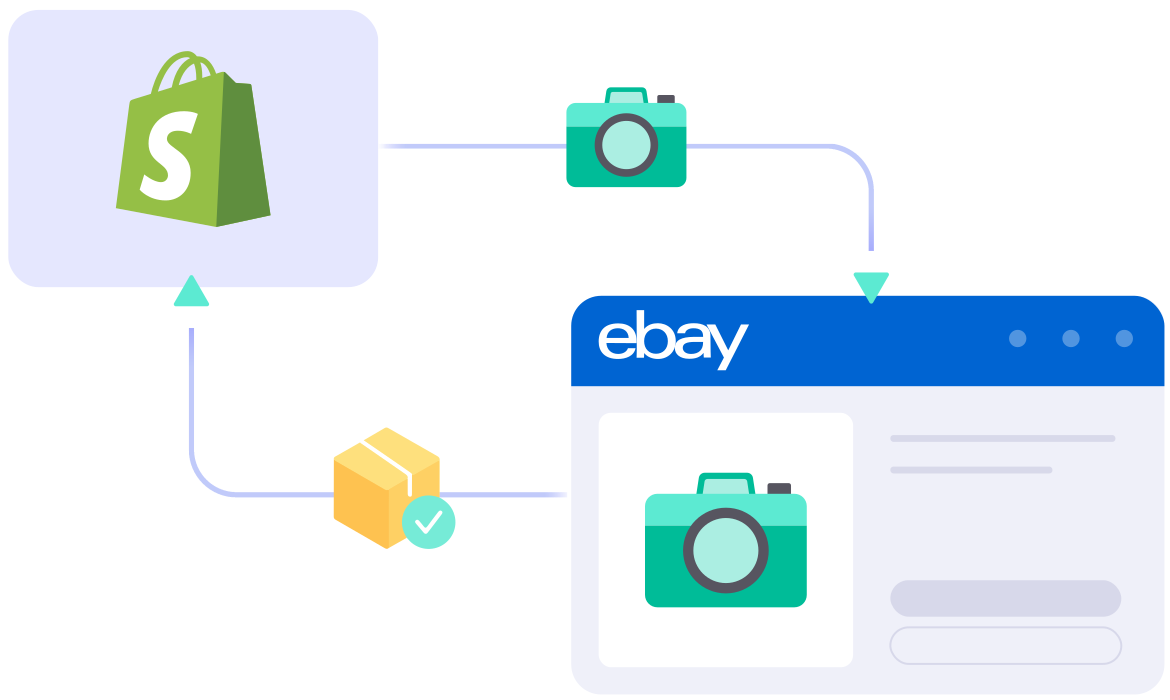
  • Step 1: Link Your Shopify Store to eBay Account

    Set up your Shopify store through the app menu or install our app directly from the app store. Your Shopify store will act as the source for listing products on eBay.

    Once you connect your eBay shop, LitCommerce enables integration with other channels including Amazon, eBay, TikTok Shop, and over 10 additional platforms.

  • Step 2: List and Import Products from Shopify to eBay

    We support listing items in three major scenarios:

    • Scenario 1: You have products on your Shopify store and want to list them on eBay.
    • Scenario 2: You have products on eBay and want to import these listings to your Shopify store.
    • Scenario 3: You have products on both eBay and Shopify and want to link them together.

    Products listed on eBay will be stored in the Draft tab, where you can edit them before publishing, including using our AI tool to generate optimized eBay descriptions.

  • Step 3: Enable Automated Shopify eBay Sync

    Our Shopify eBay integration provides a 15-Minute Sync Frequency, ensuring that product details such as titles, images, inventory, pricing, and orders stay updated between Shopify and eBay.

  • Step 4: Manage Centralized eBay Order Flow

    Once you enable Order Sync, your Shopify store receives up-to-date order details from eBay, so you can review and fulfill orders from one centralized dashboard.

START FREE TRIAL

Show More

Our Integration Pricing


(*) Number of Product Listings count towards the total number of listings on all connected sale channels, not on products you have on your mainstore.

Need a Custom Plan? Please contact us.

Popular Questions About Shopify eBay Integration

Not seeing your question listed here? Contact us for the quickest answer.
  • Does Shopify Integrate with eBay?

    The answer is YES.

    Setting up a Shopify eBay integration is the smartest way to manage your multichannel business. With LitCommerce, you can connect Shopify to eBay in just a few clicks

    LitCommerce also helps you expand across 10+ channels, platforms, and marketplaces, including Etsy, Facebook Shop, Google Shopping, and more

  • Does Shopify take a cut of eBay sales?

    The answer here is NO. Shopify does not take a cut of eBay sales or any additional fees whenever you import eBay to Shopify. When you connect Shopify to eBay, you can list and sell both Shopify and eBay on one dashboard and only pay for eBay’s listing and final value fees after making a sale. In addition, before importing eBay listings to Shopify, you should ensure adequate stock levels and shipping rates in Shopify to provide the best experiences for your customers.

  • How do I fulfill my Shopify orders on eBay?

    In fact, when you’ve finished linking Shopify to eBay, you can fulfill eBay orders on Shopify instead. With LitCommerce, eBay orders are pulled into your Shopify management dashboard with a 15-Minute Sync Frequency, making it easier to manage, track, and fulfill orders in one place.

  • How do I sync my Shopify inventory with eBay?

    By using LitCommerce software, you can connect your Shopify inventory with eBay. In order to prevent overselling, LitCommerce keeps your Shopify and eBay inventory updated with a 15-Minute Sync Frequency, helping you reduce manual work and avoid overselling.

    On the sidebar menu of your LitCommerce dashboard, select Channel Settings to access eBay. You can use the Inventory Sync feature there to set the Inventory Rules. LitCommerce will automatically process Shopify eBay inventory sync on your behalf.

  • Can I connect Shopify to eBay and manage other sales channels at the same time?

    Absolutely. While establishing your Shopify eBay integration is a great first step, LitCommerce allows you to expand far beyond just two platforms. Our software acts as a multi-channel command center so you can connect Shopify to eBay while simultaneously managing other storefronts. If you operate on multiple website platforms or point-of-sale systems, you can easily link them to your eBay account using our dedicated solutions like the WooCommerce eBay Integration, Wix eBay Integration, BigCommerce eBay Integration, Squarespace eBay Integration, or Square eBay Integration.
  • Is there a specialized tool to bulk upload my products from Shopify to eBay?

    Yes, LitCommerce provides a dedicated backend engine to handle high-volume product transfers from Shopify to eBay. If you have thousands of SKUs and want to avoid manual data entry, you can leverage our advanced eBay Listing Tool features embedded right within the integration dashboard. This enables you to mass-upload listings, map categories, and sync your inventory with global marketplaces. To expand your multi-channel footprint even further, you can seamlessly connect other major networks via our Etsy eBay Integration, eBay Amazon Integration, or even run multi-account setups through the eBay eBay Integration.

Choose Shopify eBay Integration to Grow

Supercharge your sales with LitCommerce Shopify eBay integration. Expand, dominate, and expand across eBay and 10+ channels, platforms, and marketplaces with confidence. Maximize your business potential now!
START FREE TRIAL

Continue reading

Wix eBay Integration

Wix eBay Integration

Enjoy a more efficient workflow, fewer mistakes, and better control with Wix eBay integration. LitCommerce helps you save time with an easy-to-use interface and an AI tool that creates optimized eBay descriptions, all without needing technical skills.

START FREE TRIAL

wix-ebay-integration

Which Data Can be Synced With
Wix and eBay Integration?

  • icon-integration

    Price

    Sets accurate pricing with custom rules per channel and offers currency conversion.

  • icon-time

    Inventory

    Ensures stock accuracy and allows custom quantity display on Wix and eBay.

  • 1 04 4 2

    Order

    Imports eBay orders into Wix for easy fulfillment and on-time shipping from one dashboard.

  • 1 04 4 3

    Title

    Automatically syncs titles from the Wix store whenever you edit, ensuring consistency.

  • 1 04 4 4

    Description

    Saves time by automatically updating product descriptions on eBay from Wix.

How to Integrate Wix with eBay

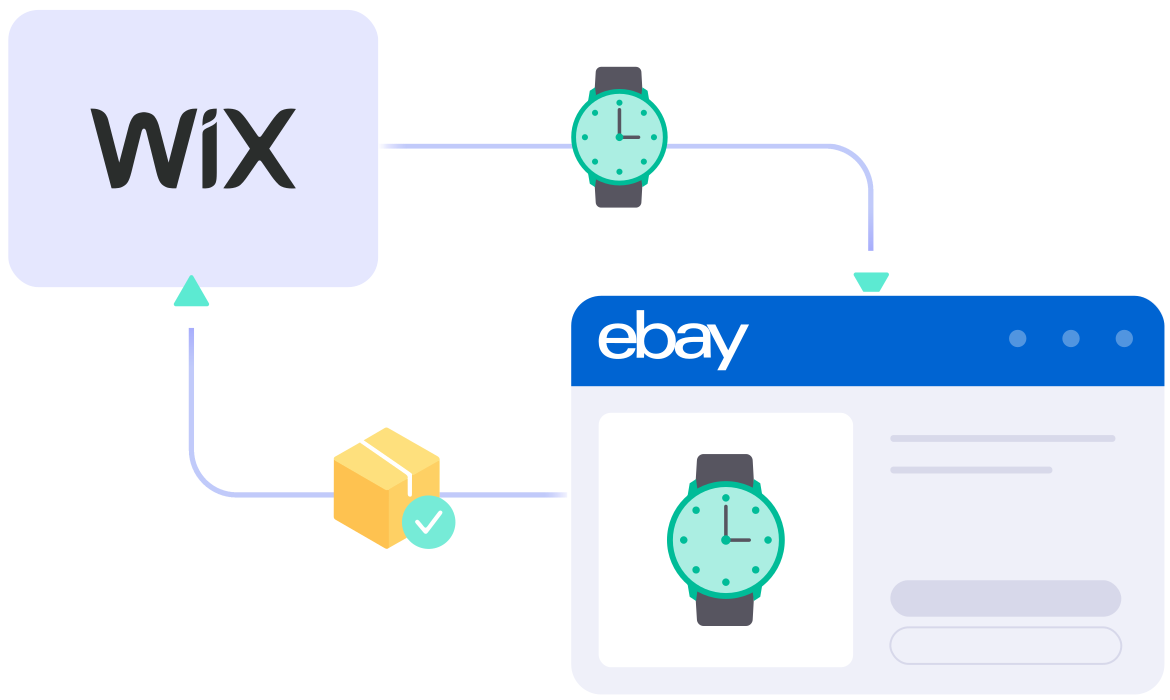
  • Step 1: Connect your Wix store to eBay

    Begin by setting up your Wix store via the app menu or by installing our app from the app store. Your Wix store will be your base for listing products on eBay.

    After linking your eBay shop, LitCommerce also allows you to connect with other platforms like Amazon, TikTok Shop, and 10+ channels, platforms, and marketplaces.

  • Step 2: List and import products on eBay

    LitCommerce handles product listings in three easy cases:

    • Scenario 1: You want to list products from your Wix store on eBay.
    • Scenario 2: You have products on eBay that you want to import into your Wix store.
    • Scenario 3: You have products on both Wix and eBay and need to link them together.

    Products listed on eBay will be stored in the Draft tab, where you can make edits before they go live, including using our AI tool to generate optimized eBay descriptions.

  • Step 3: Sync Wix with eBay

    With LitCommerce, your Wix and eBay stores stay in sync, automatically updating product details like names, images, inventory, prices, and orders every 15 minutes, keeping everything aligned.

  • Step 4: Simplify order flow

    Once you enable the Order Sync feature, orders from eBay will be automatically imported into your Wix store. This allows you to manage and fulfill all your orders from one place, right alongside your Wix orders.

START FREE TRIAL

Show More

Popular Questions About Wix eBay Integration

Not seeing your question listed here? Contact us for the quickest answer.
  • How does Wix integrate with eBay?

    You can sell Wix products on eBay effortlessly in 2 main ways: manual method or Wix eBay app. By helping sellers to grow their business faster, Wix LitCommerce app has been built with an aim to streamline the process of connecting Wix and eBay, managing Wix and eBay inventory, price, and orders within a single dashboard. Please check out this article to read the detailed guide.

  • How does sellers benefit from Wix eBay Integration?

    With Wix eBay Integration, sellers can control every data like customers, inventory, orders, and price for better multichannel management. Thanks to it, sellers can avoid overselling; manage inventory; change, edit and update listings faster and more accurately; avoid duplication, or effectively compare between stores;…

  • Does Wix allow API integration?

    Yes, Wix allows API integration. The Wix API is a restful API that allows you to manage your Wix account programmatically. With Wix API Integration, you can:

    • Create and manage website
    • Add and remove content from website
    • Manage users and user groups
    • Access analytics data

    and much more…

    For more information, check out the detailed information here.

  • Can you accept payments on Wix without premium?

    The answer is definitely YES.

    However, bare in mind that you must upgrade your website to a Business Premium plan for accepting payments. According to Wix, the checkout process will be managed through your Wix site. With the premium plan, you will have different payment methods depending on your location.

    Check out this reference for more information.

Why Our Customer Trust Us

“LitCommerce allows us to set up and install quickly with just a couple of clicks…”

Very minimal configuration. LitCommerce allowed us to import our Etsy listings into LitCommerce and the freedom to modify and sync all those listings to multiple marketplaces, including BigCommerce, Shopify, Amazon, eBay, and Etsy…

Mr. Rodrigo, CEO of Bien Hecho

  • Courtdale CrossingsUnited States

    Litcommerce is GREAT!

    Excellent platform to use for my new business and it just so happens to come with amazing customer service! A+++++++

    Review Source

  • AnthonyUnited Kingdom

    LitCommerce is a very powerful tool

    LitCommerce is a very powerful tool. There are a lot of moving parts, but support is extremely helpful. As I was working on some drafts I was contacted by Evelyn and she was extremely helpful in making sure I was using all the tools that LitCommerce offers. She showed me how I could apply certain templates to all my drafts at once instead of one by one. Saving me a bunch of time! Highly recommend LitCommerce!

    Review Source

  • Lovely ThinkingsPortugal

    Friendly and helpful

    Friendly, quick and helpful customer service. Wide enough range of connection options to meet my needs.

    Review Source

  • Adam RogersUnited States

    I am really impressed with the level of support.

    Both times I had several questions and a small issue and both times two different people responded instantly....

    Review Source


See More Reviews

Choose Wix eBay Integration to Grow

Supercharge your sales with LitCommerce Wix eBay integration. Expand, dominate, and expand across eBay and 10+ channels, platforms, and marketplaces with confidence. Maximize your business potential now!
START FREE TRIAL

Continue reading

Squarespace Walmart Integration

Squarespace Walmart Integration

LitCommerce provides the simplest solution for integrating Squarespace with Walmart, empowering you to sell on Walmart with your Squarespace store while managing all data from one dashboard. Our Free trial 7-day is available for SMBs. Let’s unlock new possibilities for your business today.

squarespace 150x150 1
mui ten artboard
walmart tronArtboard 32

How to Integrate Walmart with Squarespace

  • Step 1: Connect Squarespace to Walmart

    Select Squarespace as your Main Store then choose Walmart as the marketplace when you want to sell Squarespace products on Walmart.

    After that, you can connect to other marketplaces on your account dashboard.

  • Step 2: List products on Walmart

    Select products from Squarespace to list on Walmart or vice versa to import Walmart listings to Squarespace. Products listed in your sales channel will be stored in the tab Draft.

    You can edit products before publishing them live on Squarespace and Walmart.

  • Step 3: Enable sync Squarespace and Walmart inventory

    Walmart Squarespace inventory management has never been easier with Squarespace Walmart integration. The product details such as product name, inventory, price, images, etc., are regularly synced from Squarespace to Walmart and vice versa.

  • Step 4: Manage orders

    When you integrate Walmart and Squarespace, your Squarespace store will instantly receive all order details from Walmart.

    You can review and fulfil them alongside orders from your Squarespace, conveniently in one place.

Our Integration Pricing


(*) Number of Product Listings count towards the total number of listings on all connected sale channels, not on products you have on your mainstore.

Need a Custom Plan? Please contact us.

Bring Channels to a Single Dashboard

  • web litc features 03 1

    Live Sync

    The LitCommerce LiveSync establishes a near-instant sync of product listing, orders, pricing and inventory between your Main Store and your sale channels.

  • web litc features 01 1

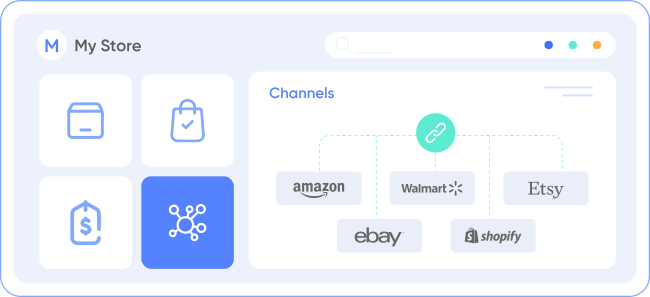
    Multichannel Connect

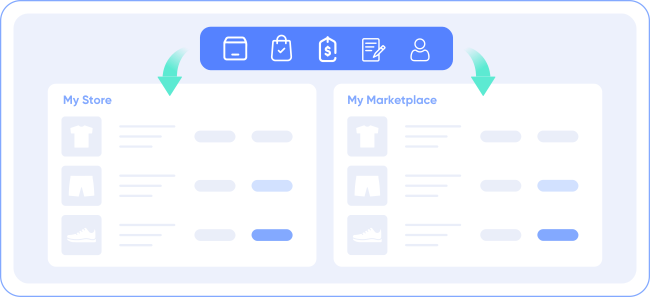
    Effortlessly connect with multiple sales channels and manage inventory, prices, and orders within a single dashboard. No technical skill is required.
  • web litc features 04 1

    Integrated Order Flow

    Import your sales channel orders directly into your eCommerce platform’s orders page. You can manage and process orders effectively in one place.
  • web litc features 02 1

    QuickGrid

    QuickGrid is a spreadsheet-style interface that lets you view, edit and manage all listings on a single screen. You can edit products individually or in filtered groups and create rules to bulk update products. 

Start Free Trial

See What You Can Integrate with Walmart

  • shopify icon 150

    Shopify Walmart
    Integration

  • woocommerce

    WooCommerce Walmart
    Integration

  • wix 150x150 1

    Wix Walmart
    Integration

  • BigCommerce e1624099205722

    BigCommerce Walmart
    Integration

Popular Questions About Squarespace Walmart Integration

  • Can you connect Squarespace to Walmart?

    Definitely YES. Both Squarespace vs Walmart allows connecting with each other. You can connect them manually or using LitCommerce – a multichannel selling software to help you to add an Walmart store to the Squarespace website.

    With LitCommerce, you only need 6 detailed steps to integrate Squarespace with Walmart:

         #Step 1. Add LitCommerce app on Squarespace

         #Step 2. Connect Squarespace to Walmart

         #Step 3. List Squarespace products on Walmart or vice versa

         #Step 4. Edit Walmart listings

         #Step 5. Enable Squarespace Walmart sync

         #Step 6. Integrate Squarespace Walmart order flow

    If you have any specific requirements, feel free to contact our support team for more consultation.

  • How do I sync my Squarespace inventory with Walmart?

    One of LitCommerce’s advanced features is to make it simple to synchronize your inventory between Squarespace and Walmart. On the sidebar menu of your LitCommerce dashboard, select Channel Settings to access Walmart. You can use the Inventory Sync feature there to set the Inventory Rules. LitCommerce will automatically sync Squarespace and Walmart inventory on your behalf.

  • Squarespace and Walmart: Which one is better?

    Despite the fact that Walmart is less expensive and easier to use, Squarespace has more advantages in terms of domain and URL structure; eCommerce features; design flexibility; Help and Support. If you require an eCommerce platform that will support your business both when you first start selling online and as your sales grow, Squarespace wins out. However, Walmart is still a great alternative if you want to sell fast.

    In addition, in case you are considering expanding your business, why not integrate Walmart and Squarespace to use both? Don’t worry about Walmart Squarespace inventory management, LitCommerce will help you to control both of them in only one dashboard. Check Out or Contact Us for more consultations.

  • Is selling on Squarespace worth it?

    No matter how big your company is, Squarespace is always a worthy choice to take into account. One of the elements that contribute to user trust and reputation-building is its scalability. The eCommerce platform offers maximum satisfaction even for huge stores with an astonishing number of add-ons and integrated functionalities.

  • How much does it cost to integrate Squarespace with Walmart?

    LitCommerce focuses on providing a plugin that is both affordable and effective. The cost for Squarespace and Walmart Integration is free trial 7-day. 

    However, the Free trial does not get you access to other potent features like Synchronization or QuickGrid,… In case you want to use these features, you need to pay for a more advanced plan depending on the number of products you sell. The price ranges from $29/month to $149/month and is paid monthly or yearly.

Not seeing your question listed here? Contact us for the quickest answer.

CHAT WITH US

  • 20+

    Supported Marketplaces

  • 20K+

    Customers Worldwide

  • 60+

    Countries Served

  • 4.9*

    Rating from Merchants

Why Choose LitCommerce

  • ICON 01 Simplicity

    Born with Simplicity

    LitCommerce streamlines the process of multi-channel selling for every merchant. You can start selling everywhere with simple clicks, a smooth operation and detailed instructions along the way.
  • ICON 02 Affordable

    Made Affordable for All Sizes

    Besides a free trial 7-day available, LitCommerce goes with diverse plans at reasonable prices. Our goal is to help every business benefit the most from multi-channel selling.

  • ICON 03 Support

    Dedicated Support

    Our dedicated team of experts is here to guide each and every seller along the way. We pride ourselves on providing personalized support tailored to specific needs, via live chat or email.
  • ICON 04 Center

    Centered Around Customers

    At our core, we put our customers first and continuously strive to meet their evolving needs. We actively listen, update our tool regularly, and enhance our capabilities to ensure your satisfaction.

Choose Squarespace Walmart Integration to Grow

Supercharge your sales with LitCommerce Squarespace Walmart integration. Expand, dominate, and conquer
multiple channels effortlessly. Maximize your business potential now!
Start Free Trial

Continue reading