
WooCommerce Etsy Integration
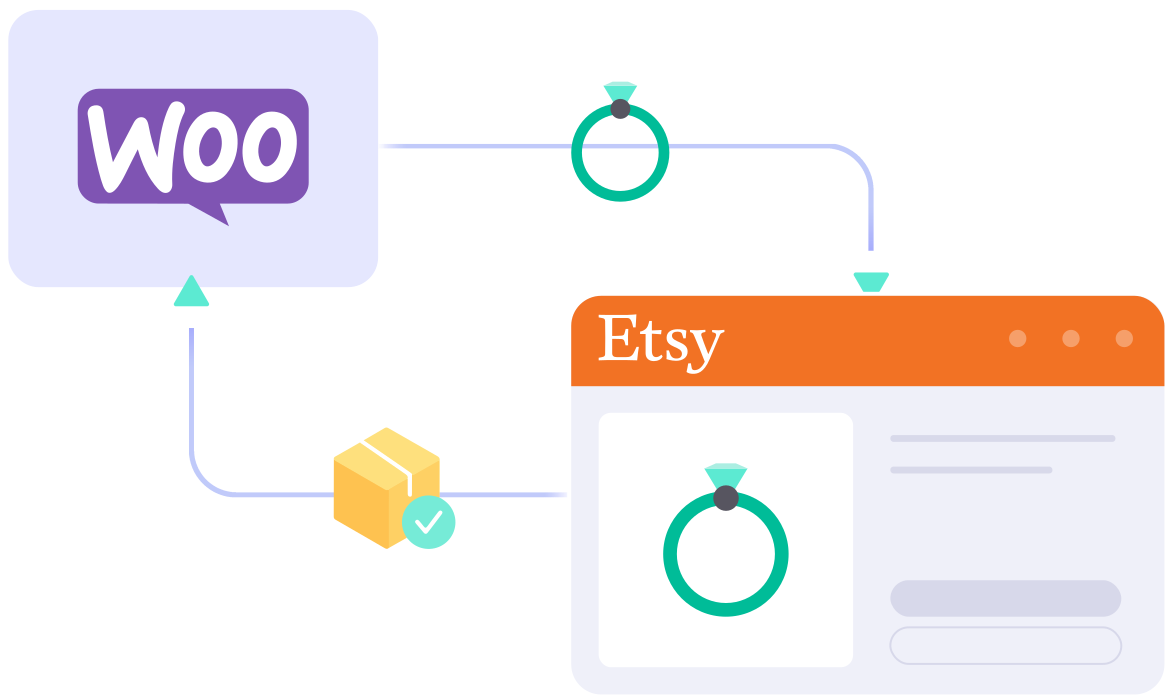



What Data Can Be Synced
Between WooCommerce and Etsy?


Detailed Guide on Woocommerce Etsy Integration
If you’re running a WooCommerce store and want to tap into a marketplace full of ready-to-buy shoppers, Etsy is one of the best places to expand. With over 93 million active buyers looking for handmade, vintage, and one-of-a-kind products, Etsy can introduce your store to an audience you’d struggle to reach on your own.
With LitCommerce, the WooCommerce Etsy Integration comes down to 4 simple steps, no plugins to wrestle with and no technical skills required.
Here’s what we’ll cover in this WooCommerce Etsy Integration guide:
- Step 1: Connect WooCommerce to Etsy
- Step 2: List & import products on Etsy
- Step 3: Enable WooCommerce Etsy sync
- Step 4: Manage your Etsy order flow
Step 1: Connect WooCommerce to Etsy
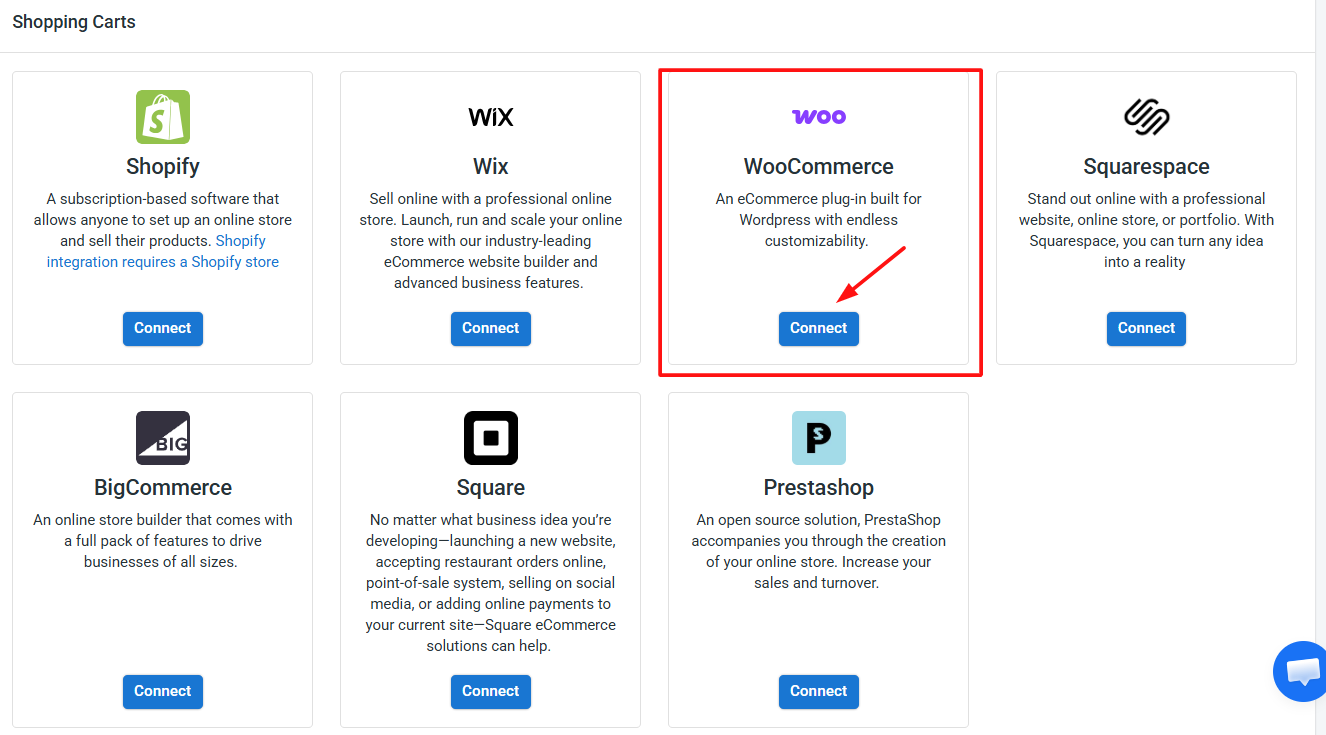
The first step is to connect WooCommerce as the Main Store on LitCommerce. You can either install the LitCommerce plugin from your WooCommerce dashboard or connect WooCommerce directly from inside the LitCommerce app.
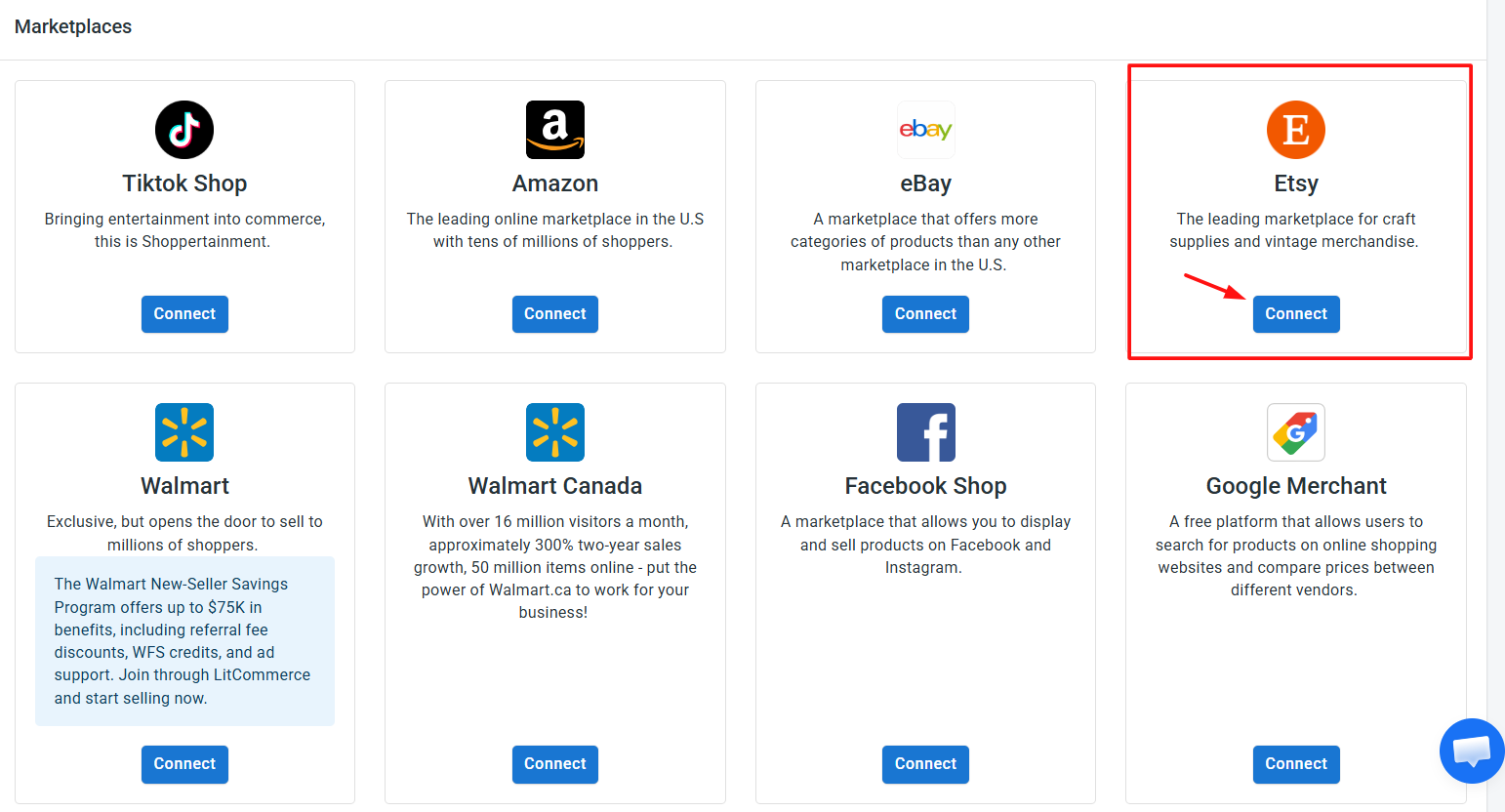
Next, from the list of supported marketplaces, find Etsy and click Connect under the Etsy logo. Enter your Etsy shop name, then hit Connect Your Account. A pop-up will ask you to allow LitCommerce to access your existing Etsy seller account — approve it, and the connection is complete.
Once finished, you’ve successfully linked WooCommerce to Etsy. Beyond Etsy, LitCommerce supports other WooCommerce integrations such as WooCommerce eBay, WooCommerce Amazon, WooCommerce TikTok Shop, and more.
Step 2: List & Import Products on Etsy
Once your WooCommerce and Etsy accounts are connected, LitCommerce automatically imports your WooCommerce products so they’re ready to list. How you proceed depends on where your listings currently live.
Case 1: You want to list WooCommerce products on Etsy
If you’re already selling on WooCommerce and want to expand to Etsy, here’s how to get your products live:
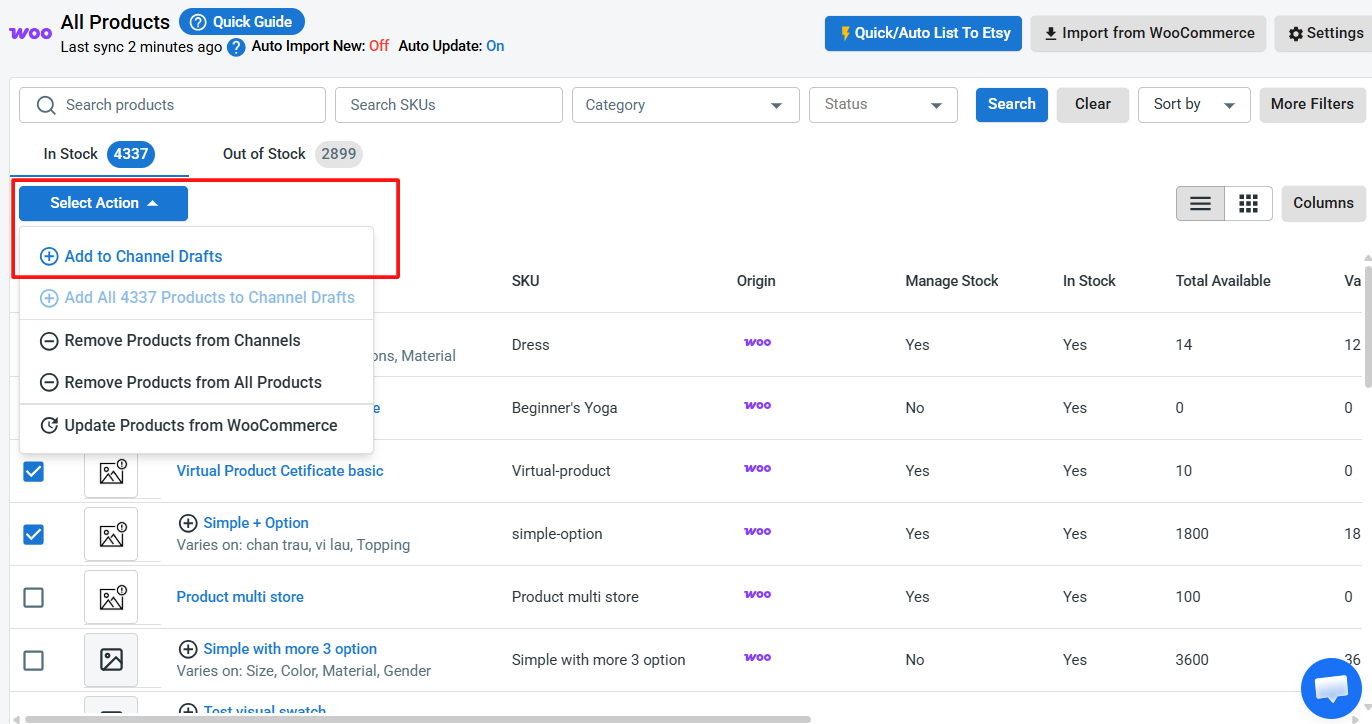
1. Go to All Products and select the WooCommerce items you want to list.
2. Click Select Action > Add to Channel Drafts.
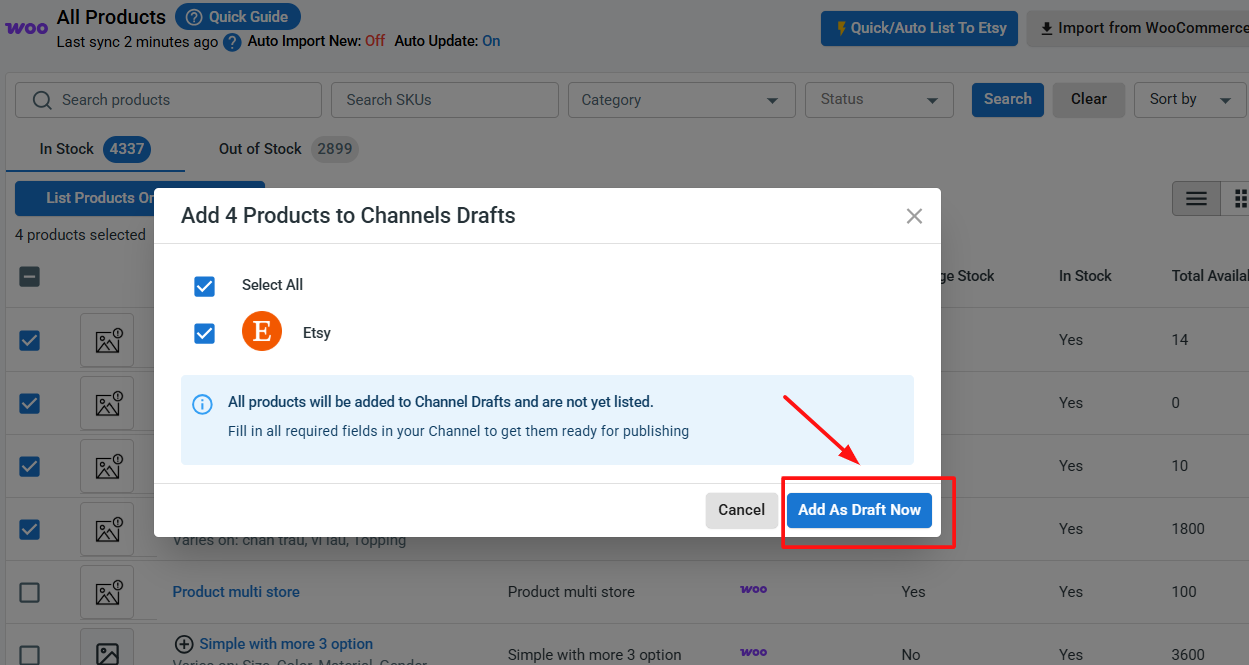
3. Check the box next to your Etsy shop, then click Add As Draft Now.
4. Go to the Etsy tab and review each listing — Etsy asks for details that WooCommerce may not require, such as production partners, materials, who made it, when it was made, and shipping profiles.
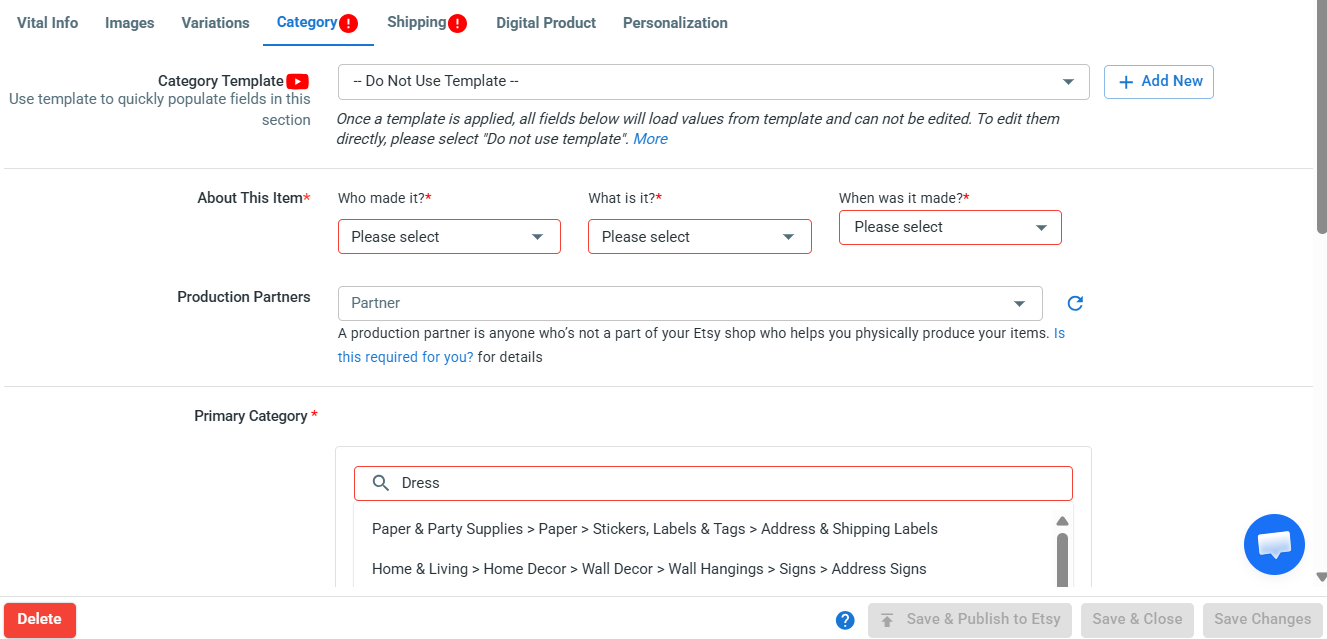
5. Once everything looks good, click Save and Publish to Etsy.
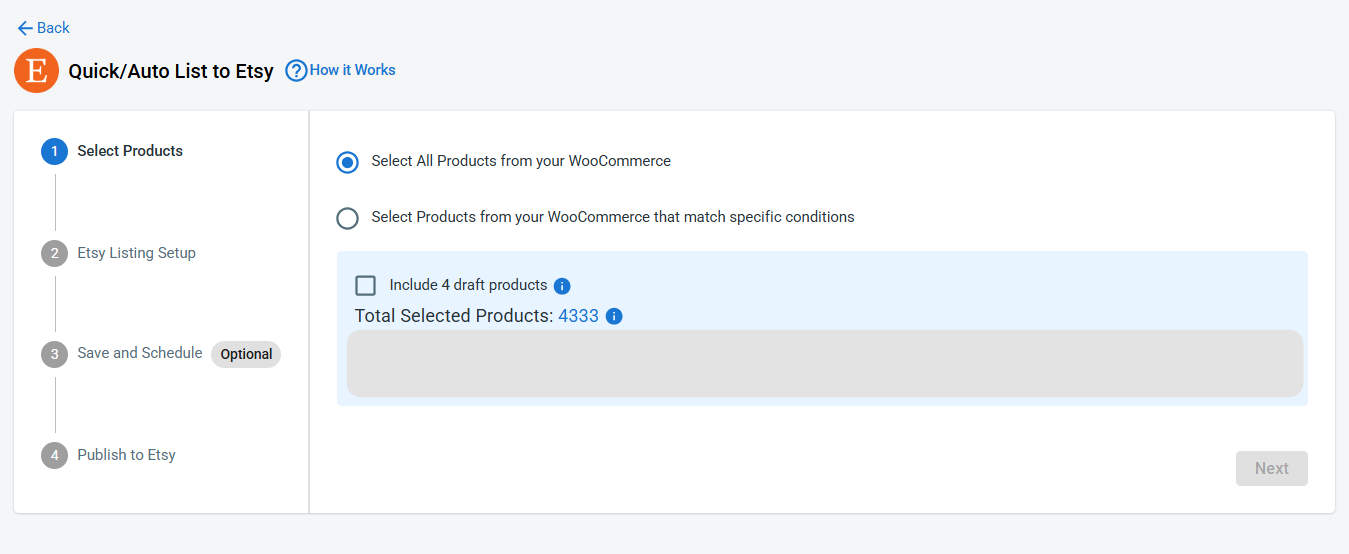
Pro tip: Instead of editing products one at a time, use Quick/Auto List to Etsy to bulk edit and upload WooCommerce products to Etsy. You can create templates and apply the same settings — categories, shipping profiles, materials, or tags — across multiple Etsy listings at once. This is a huge time-saver if you have a large catalog.
Case 2: You want to import Etsy products to WooCommerce
If you’re already selling on Etsy and want to bring those listings into WooCommerce, LitCommerce pulls your existing Etsy products directly into your store. Here’s how to import Etsy listings to WooCommerce:
1. On the Etsy channel tab, click Import from Etsy.
2. Filter which products to import, and let LitCommerce auto-link products between WooCommerce and Etsy.
3. Once finished, click Begin Import.
4. Your Etsy listings will appear inside LitCommerce. Select the listings you want, click Select Action, then Create on WooCommerce.
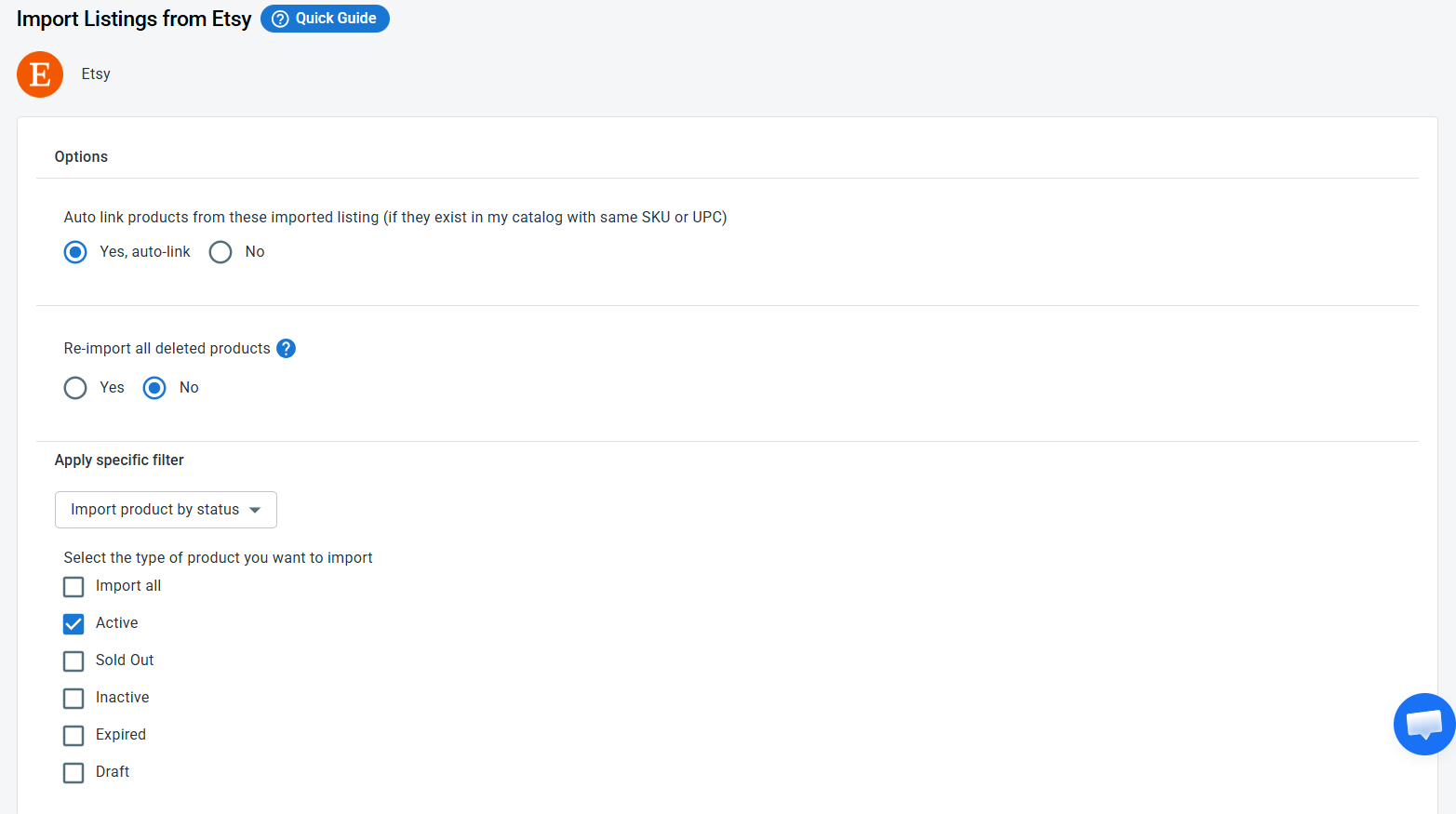
And that’s it. Your products are now linked across both platforms, ready for full WooCommerce Etsy integration.
Case 3: You want to link products on WooCommerce and Etsy
When importing products from Etsy to WooCommerce, if you’ve allowed auto-link, matched products will show with a blue dot. Products that haven’t been linked yet will show a red dot.
To link unlinked products across Etsy and WooCommerce, follow these steps:
1. Hover over the red dot of an unlinked product.
2. Choose Link To A Product.
3. Find the matching item and click Select next to that product.
Once finished, your products are linked both ways — from Etsy to WooCommerce and vice versa. Linked products are now ready for WooCommerce Etsy sync.
Step 3: Enable WooCommerce Etsy Sync
LitCommerce keeps your WooCommerce and Etsy shops in sync automatically — so your inventory, pricing, and orders stay consistent across both channels without any manual updates. That means no more late nights adjusting stock counts or worrying about overselling a one-of-a-kind piece.
To access these settings, click Channel Settings inside your Etsy store on LitCommerce. Here are the 3 main sync settings you can configure for your Etsy integration for WooCommerce:
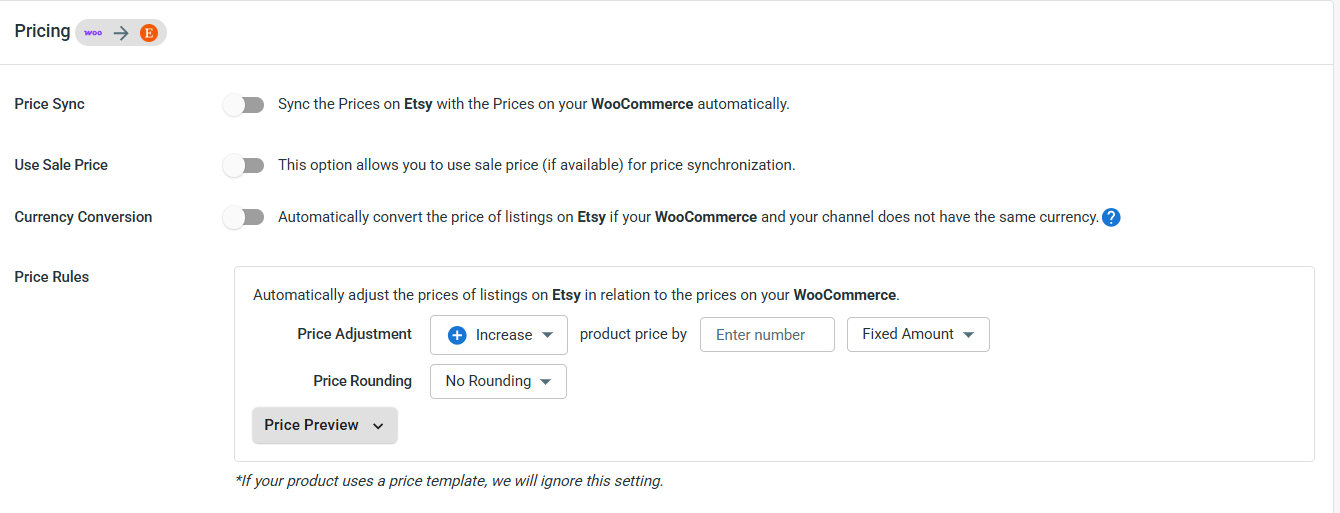
- Price sync: Automatically updates your Etsy prices to match your WooCommerce store. You can also apply price rules to increase or decrease Etsy prices by a set amount or percentage — useful if you want to factor in Etsy’s transaction and listing fees.
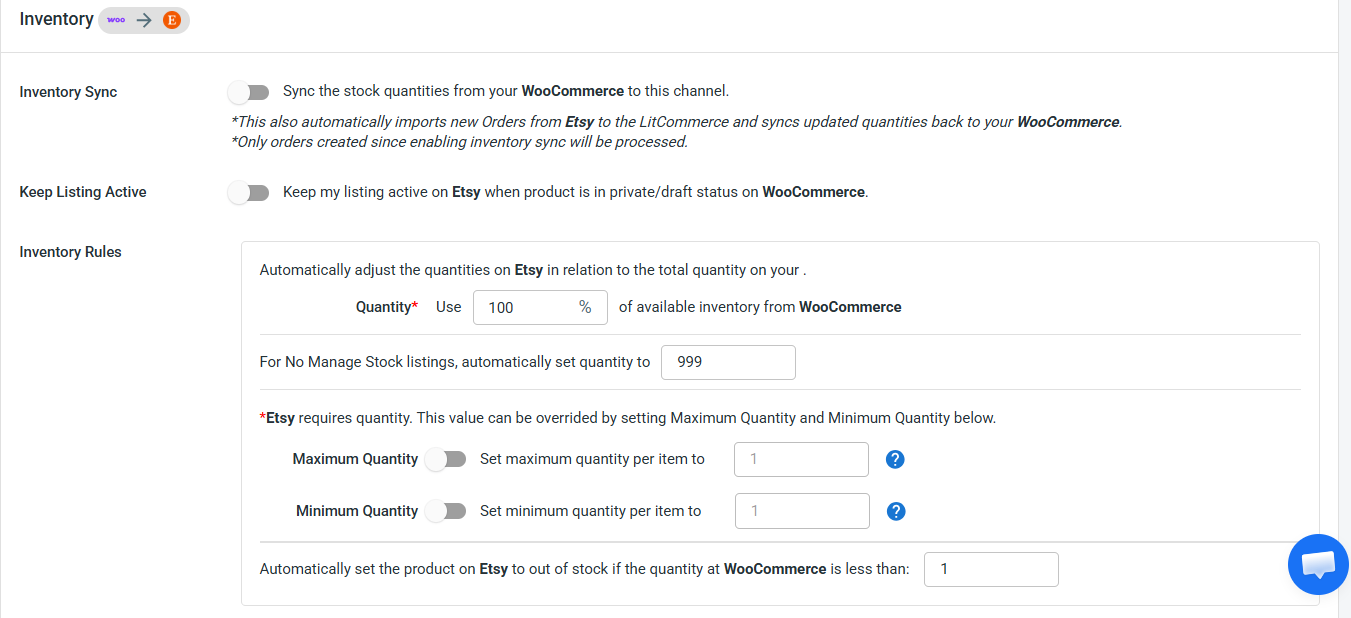
- Inventory sync: Keeps your stock quantities aligned between both platforms, helping you avoid overselling. You can set minimum and maximum stock thresholds, enable out-of-stock control to keep listings active when inventory hits zero, and use inventory rules to sync only a percentage of your WooCommerce stock to Etsy.
- Order sync: Choose Import Orders to Main Store to pull all Etsy orders into your WooCommerce dashboard, so you can manage everything from one place.

Pro tip: If you sell handmade or limited-edition items, set your inventory threshold low (like 1 or 2 units) and enable out-of-stock control. That way, your Etsy listing stays visible to shoppers while LitCommerce protects you from selling the same item twice across both stores.
Once you’ve configured your preferences, click Save Settings at the bottom of the page.
Step 4: Manage Your Etsy Order Flow
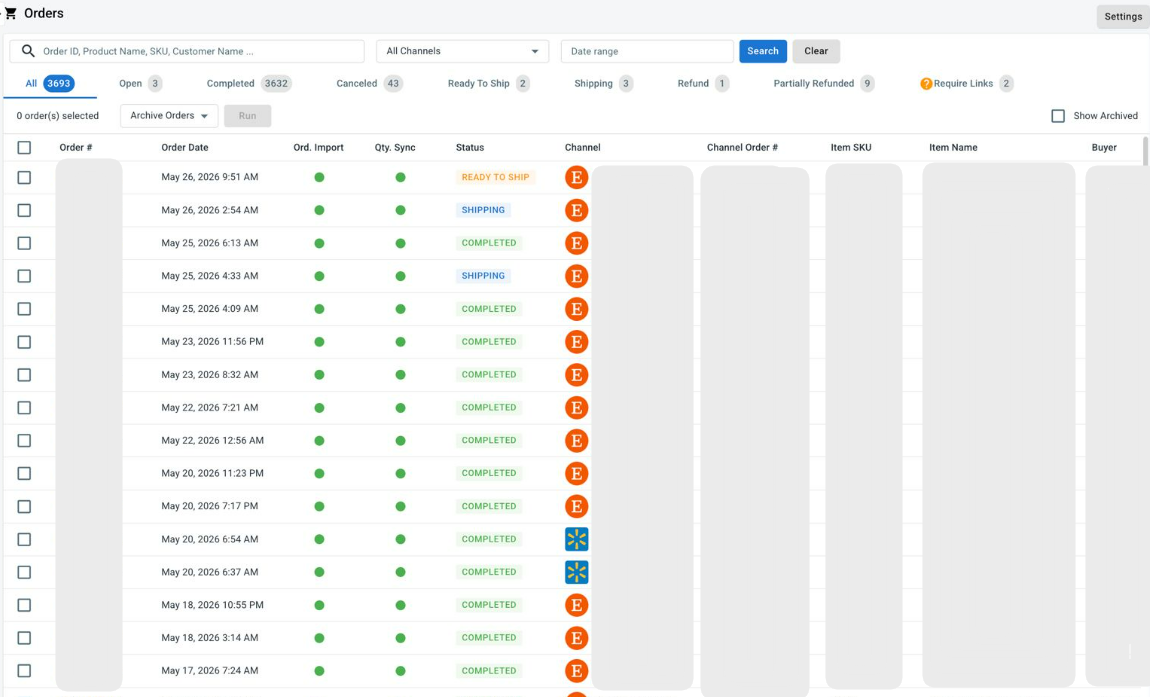
Once Import Orders to Main Store is enabled, every Etsy order — along with orders from your other sales channels — automatically appears in your WooCommerce dashboard. No more switching tabs or logging into multiple platforms just to check on your sales.
Turning on this feature also lets LitCommerce pull your orders from Etsy and all other sales channels into one unified view. From here, you can:
- Review and fulfill Etsy and other sales channel orders side by side
- Track shipments and update tracking numbers across all channels at the same time